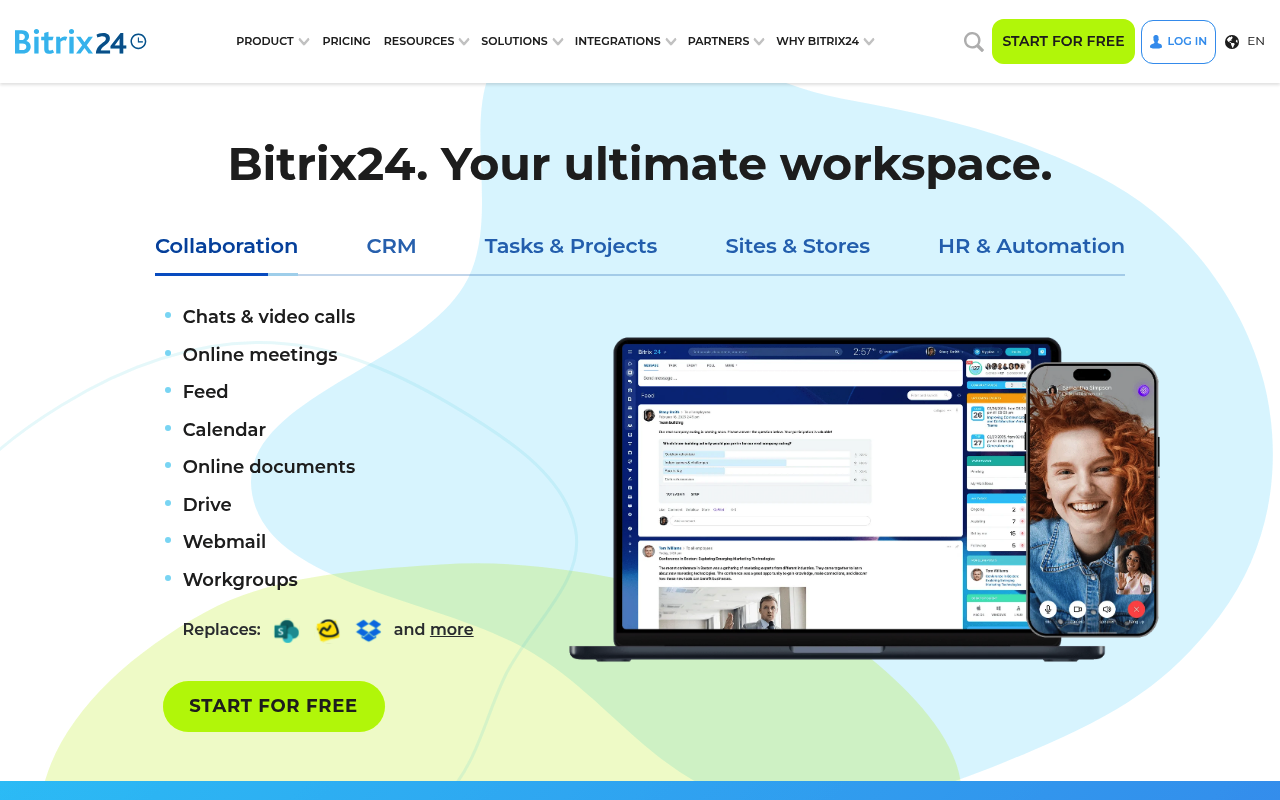
Bitrix24 website screenshot

Bitrix24

Bitrix24 is an all-in-one collaboration and business management suite that combines CRM, tasks and projects, contact center, telephony, documents, websites, and HR tooling in a single platform delivered as SaaS or self-hosted. The Bitrix24 REST API exposes more than a thousand methods across CRM, tasks, telephony, calendar, disk, and user management, callable via inbound webhooks or OAuth 2.0 marketplace applications. API endpoints live under each tenant at https://{installation}.bitrix24.com/rest/.

1 APIs 0 Features
CRMCollaborationProject ManagementTasksTelephonyContact CenterDocument ManagementHRBusiness Suite

APIs

Bitrix24 REST API

Tenant-scoped REST API for managing CRM entities, deals, leads, tasks, calendars, telephony, disk files, users, and marketplace apps. Each request targets the customer's portal ...

Collections

Resources

🔗
Website
Website
🌐
DeveloperPortal
DeveloperPortal
🔗
Documentation
Documentation
💰
Pricing
Pricing
📝
Signup
Signup
🎓
Training
Training
👥
GitHubOrganization
GitHubOrganization
🔗
LinkedIn
LinkedIn
🔗
LlmsText
LlmsText

Sources

Raw ↑
opencollection: 1.0.0
info:
  name: Bitrix24 REST API
  version: 1.0.0
request:
  auth:
    type: apikey
    key: auth
    value: '{{auth}}'
    placement: query
items:
- info:
    name: Widgets
    type: folder
  items:
  - info:
      name: Set Up an Event Handler for the Interface BX24.placement.bindEvent
      type: http
    http:
      method: POST
      url: https://{portal}.bitrix24.com/rest/BX24.placement.bindEvent
      body:
        type: json
        data: '{}'
      auth:
        type: apikey
        key: auth
        value: '{{auth}}'
        placement: query
    docs: If you are developing integrations for Bitrix24 using AI tools (Codex, Claude Code, Cursor), connect to the [MCP
      server](../../../ai-tools/mcp.md) so that the assistant can utilize the official REST documentation. The method `BX24.placement.bindEvent`
      sets an event handler for the interface. The event must be registered on the calling side; otherwise, nothing will happen.
  - info:
      name: Call the Registered Interface Command BX24.placement.call
      type: http
    http:
      method: POST
      url: https://{portal}.bitrix24.com/rest/BX24.placement.call
      body:
        type: json
        data: '{}'
      auth:
        type: apikey
        key: auth
        value: '{{auth}}'
        placement: query
    docs: If you are developing integrations for Bitrix24 using AI tools (Codex, Claude Code, Cursor), connect to the [MCP
      server](../../../ai-tools/mcp.md) so that the assistant can utilize the official REST documentation. The method `BX24.placement.call`
      invokes a registered interface command.
  - info:
      name: Get Information About the JS Interface of the Current Placement BX24.placement.getInterface
      type: http
    http:
      method: POST
      url: https://{portal}.bitrix24.com/rest/BX24.placement.getInterface
      body:
        type: json
        data: '{}'
      auth:
        type: apikey
        key: auth
        value: '{{auth}}'
        placement: query
    docs: 'If you are developing integrations for Bitrix24 using AI tools (Codex, Claude Code, Cursor), connect to the [MCP
      server](../../../ai-tools/mcp.md) so that the assistant can utilize the official REST documentation. The method `BX24.placement.getInterface`
      allows you to retrieve information about the JS interface of the current placement: a list of available commands and
      events.'
  - info:
      name: Get Information About the Call Context of BX24.placement.info
      type: http
    http:
      method: POST
      url: https://{portal}.bitrix24.com/rest/BX24.placement.info
      body:
        type: json
        data: '{}'
      auth:
        type: apikey
        key: auth
        value: '{{auth}}'
        placement: query
    docs: If you are developing integrations for Bitrix24 using AI tools (Codex, Claude Code, Cursor), connect to the [MCP
      server](../../../ai-tools/mcp.md) so that the assistant can utilize the official REST documentation. The method `BX24.placement.info`
      retrieves information about the context of the embedding handler call. No parameters.
  - info:
      name: Set Up the Widget Handler placement.bind
      type: http
    http:
      method: POST
      url: https://{portal}.bitrix24.com/rest/placement.bind
      body:
        type: json
        data: '{}'
      auth:
        type: apikey
        key: auth
        value: '{{auth}}'
        placement: query
    docs: If you are developing integrations for Bitrix24 using AI tools (Codex, Claude Code, Cursor), connect to the [MCP
      server](../../ai-tools/mcp.md) so that the assistant can utilize the official REST documentation. The method `placement.bind`
      adds a handler for the widget placement. It can be called at any time during the application's operation; however, it
      is often more convenient to register your widgets during the [application installation](../../settings/app-installation/index.md).
      It is import
  - info:
      name: Get a List of Registered Placement Handlers placement.get
      type: http
    http:
      method: POST
      url: https://{portal}.bitrix24.com/rest/placement.get
      body:
        type: json
        data: '{}'
      auth:
        type: apikey
        key: auth
        value: '{{auth}}'
        placement: query
    docs: If you are developing integrations for Bitrix24 using AI tools (Codex, Claude Code, Cursor), connect to the [MCP
      server](../../ai-tools/mcp.md) so that the assistant can utilize the official REST documentation. The method `placement.get`
      retrieves a list of registered widget placement handlers.
  - info:
      name: Get a List of Available Application Embed Locations placement.list
      type: http
    http:
      method: POST
      url: https://{portal}.bitrix24.com/rest/placement.list
      body:
        type: json
        data: '{}'
      auth:
        type: apikey
        key: auth
        value: '{{auth}}'
        placement: query
    docs: If you are developing integrations for Bitrix24 using AI tools (Codex, Claude Code, Cursor), connect to the [MCP
      server](../../ai-tools/mcp.md) so that the assistant can utilize the official REST documentation. The method `placement.list`
      returns a list of available embed locations for the application. The method works only in the context of the [application](../../settings/app-installation/index.md).
  - info:
      name: Remove Registered Automation Rule Handler placement.unbind
      type: http
    http:
      method: POST
      url: https://{portal}.bitrix24.com/rest/placement.unbind
      body:
        type: json
        data: '{}'
      auth:
        type: apikey
        key: auth
        value: '{{auth}}'
        placement: query
    docs: If you are developing integrations for Bitrix24 using AI tools (Codex, Claude Code, Cursor), connect to the [MCP
      server](../../ai-tools/mcp.md) so that the assistant can utilize the official REST documentation. The method `placement.unbind`
      removes the registered Automation rule handler. The method works only in the context of the [application](../../settings/app-installation/index.md).
  - info:
      name: Register a New User Field Type userfieldtype.add
      type: http
    http:
      method: POST
      url: https://{portal}.bitrix24.com/rest/userfieldtype.add
      body:
        type: json
        data: '{}'
      auth:
        type: apikey
        key: auth
        value: '{{auth}}'
        placement: query
    docs: If you are developing integrations for Bitrix24 using AI tools (Codex, Claude Code, Cursor), connect to the [MCP
      server](../../../ai-tools/mcp.md) so that the assistant can utilize the official REST documentation. The method `userfieldtype.add`
      registers a new type of user fields. After registering the type, create a user field using the [userfieldconfig.add](../../crm/universal/userfieldconfig/userfieldconfig-add.md)
      method. When opening a card with a user type field, an array `PLACEMENT_OPTION
  - info:
      name: Delete Registered User Field Type userfieldtype.delete
      type: http
    http:
      method: POST
      url: https://{portal}.bitrix24.com/rest/userfieldtype.delete
      body:
        type: json
        data: '{}'
      auth:
        type: apikey
        key: auth
        value: '{{auth}}'
        placement: query
    docs: If you are developing integrations for Bitrix24 using AI tools (Codex, Claude Code, Cursor), connect to the [MCP
      server](../../../ai-tools/mcp.md) so that the assistant can utilize the official REST documentation. The method `userfieldtype.delete`
      removes a user field type registered by the application. It returns _true_ or an error with a description of the reason.
  - info:
      name: Get a list of registered user field types userfieldtype.list
      type: http
    http:
      method: POST
      url: https://{portal}.bitrix24.com/rest/userfieldtype.list
      body:
        type: json
        data: '{}'
      auth:
        type: apikey
        key: auth
        value: '{{auth}}'
        placement: query
    docs: If you are developing integrations for Bitrix24 using AI tools (Codex, Claude Code, Cursor), connect to the [MCP
      server](../../../ai-tools/mcp.md) so that the assistant can utilize the official REST documentation. The method retrieves
      a list of user field types registered by the application. It returns a list of field types with pagination. No parameters.
  - info:
      name: Change settings for user field type userfieldtype.update
      type: http
    http:
      method: POST
      url: https://{portal}.bitrix24.com/rest/userfieldtype.update
      body:
        type: json
        data: '{}'
      auth:
        type: apikey
        key: auth
        value: '{{auth}}'
        placement: query
    docs: If you are developing integrations for Bitrix24 using AI tools (Codex, Claude Code, Cursor), connect to the [MCP
      server](../../../ai-tools/mcp.md) so that the assistant can utilize the official REST documentation. The method `userfieldtype.update`
      modifies the settings of a user field type registered by the application. It returns _true_ or an error with a description
      of the reason.
- info:
    name: Trade Catalog
    type: folder
  items:
  - info:
      name: Event on Adding a Measurement Unit CATALOG.MEASURE.ON.ADD
      type: http
    http:
      method: POST
      url: https://{portal}.bitrix24.com/rest/CATALOG.MEASURE.ON.ADD
      body:
        type: json
        data: '{}'
      auth:
        type: apikey
        key: auth
        value: '{{auth}}'
        placement: query
    docs: If you are developing integrations for Bitrix24 using AI tools (Codex, Claude Code, Cursor), connect to the [MCP
      server](../../../../ai-tools/mcp.md) so that the assistant can utilize the official REST documentation. The event occurs
      when a measurement unit is added. Events will not be sent to the application until the installation is complete. [Check
      the application installation](../../../../settings/app-installation/installation-finish.md)
  - info:
      name: Event on Deleting Measurement Unit CATALOG.MEASURE.ON.DELETE
      type: http
    http:
      method: POST
      url: https://{portal}.bitrix24.com/rest/CATALOG.MEASURE.ON.DELETE
      body:
        type: json
        data: '{}'
      auth:
        type: apikey
        key: auth
        value: '{{auth}}'
        placement: query
    docs: If you are developing integrations for Bitrix24 using AI tools (Codex, Claude Code, Cursor), connect to the [MCP
      server](../../../../ai-tools/mcp.md) so that the assistant can utilize the official REST documentation. The event occurs
      when a measurement unit is deleted. Events will not be sent to the application until the installation is complete. [Check
      the application installation](../../../../settings/app-installation/installation-finish.md)
  - info:
      name: Event on Measurement Unit Change CATALOG.MEASURE.ON.UPDATE
      type: http
    http:
      method: POST
      url: https://{portal}.bitrix24.com/rest/CATALOG.MEASURE.ON.UPDATE
      body:
        type: json
        data: '{}'
      auth:
        type: apikey
        key: auth
        value: '{{auth}}'
        placement: query
    docs: If you are developing integrations for Bitrix24 using AI tools (Codex, Claude Code, Cursor), connect to the [MCP
      server](../../../../ai-tools/mcp.md) so that the assistant can utilize the official REST documentation. The event occurs
      when a measurement unit is updated. Events will not be sent to the application until the installation is complete. [Check
      the application installation](../../../../settings/app-installation/installation-finish.md)
  - info:
      name: Event on Adding Price CATALOG.PRICE.ON.ADD
      type: http
    http:
      method: POST
      url: https://{portal}.bitrix24.com/rest/CATALOG.PRICE.ON.ADD
      body:
        type: json
        data: '{}'
      auth:
        type: apikey
        key: auth
        value: '{{auth}}'
        placement: query
    docs: If you are developing integrations for Bitrix24 using AI tools (Codex, Claude Code, Cursor), connect to the [MCP
      server](../../../../ai-tools/mcp.md) so that the assistant can utilize the official REST documentation. The event occurs
      when a price is added. Events will not be sent to the application until the installation is complete. [Check the application
      installation](../../../../settings/app-installation/installation-finish.md)
  - info:
      name: Event on Price Deletion CATALOG.PRICE.ON.DELETE
      type: http
    http:
      method: POST
      url: https://{portal}.bitrix24.com/rest/CATALOG.PRICE.ON.DELETE
      body:
        type: json
        data: '{}'
      auth:
        type: apikey
        key: auth
        value: '{{auth}}'
        placement: query
    docs: If you are developing integrations for Bitrix24 using AI tools (Codex, Claude Code, Cursor), connect to the [MCP
      server](../../../../ai-tools/mcp.md) so that the assistant can utilize the official REST documentation. The event occurs
      when a price is deleted. Events will not be sent to the application until the installation is complete. [Check the application
      installation](../../../../settings/app-installation/installation-finish.md)
  - info:
      name: Event on Price Change CATALOG.PRICE.ON.UPDATE
      type: http
    http:
      method: POST
      url: https://{portal}.bitrix24.com/rest/CATALOG.PRICE.ON.UPDATE
      body:
        type: json
        data: '{}'
      auth:
        type: apikey
        key: auth
        value: '{{auth}}'
        placement: query
    docs: If you are developing integrations for Bitrix24 using AI tools (Codex, Claude Code, Cursor), connect to the [MCP
      server](../../../../ai-tools/mcp.md) so that the assistant can utilize the official REST documentation. The event occurs
      when the price is updated. Events will not be sent to the application until the installation is complete. [Check the
      application installation](../../../../settings/app-installation/installation-finish.md)
  - info:
      name: Event on Adding Price Type CATALOG.PRICE.TYPE.ON.ADD
      type: http
    http:
      method: POST
      url: https://{portal}.bitrix24.com/rest/CATALOG.PRICE.TYPE.ON.ADD
      body:
        type: json
        data: '{}'
      auth:
        type: apikey
        key: auth
        value: '{{auth}}'
        placement: query
    docs: If you are developing integrations for Bitrix24 using AI tools (Codex, Claude Code, Cursor), connect to the [MCP
      server](../../../../ai-tools/mcp.md) so that the assistant can utilize the official REST documentation. The event occurs
      when a price type is added. Events will not be sent to the application until the installation is complete. [Check the
      application installation](../../../../settings/app-installation/installation-finish.md)
  - info:
      name: Event on Deletion of Price Type CATALOG.PRICE.TYPE.ON.DELETE
      type: http
    http:
      method: POST
      url: https://{portal}.bitrix24.com/rest/CATALOG.PRICE.TYPE.ON.DELETE
      body:
        type: json
        data: '{}'
      auth:
        type: apikey
        key: auth
        value: '{{auth}}'
        placement: query
    docs: If you are developing integrations for Bitrix24 using AI tools (Codex, Claude Code, Cursor), connect to the [MCP
      server](../../../../ai-tools/mcp.md) so that the assistant can utilize the official REST documentation. The event occurs
      when a price type is deleted. Events will not be sent to the application until the installation is complete. [Check
      the application installation](../../../../settings/app-installation/installation-finish.md)
  - info:
      name: Event on Price Type Change CATALOG.PRICE.TYPE.ON.UPDATE
      type: http
    http:
      method: POST
      url: https://{portal}.bitrix24.com/rest/CATALOG.PRICE.TYPE.ON.UPDATE
      body:
        type: json
        data: '{}'
      auth:
        type: apikey
        key: auth
        value: '{{auth}}'
        placement: query
    docs: If you are developing integrations for Bitrix24 using AI tools (Codex, Claude Code, Cursor), connect to the [MCP
      server](../../../../ai-tools/mcp.md) so that the assistant can utilize the official REST documentation. The event occurs
      when the price type is updated. Events will not be sent to the application until the installation is complete. [Check
      the application installation](../../../../settings/app-installation/installation-finish.md)
  - info:
      name: Event on Adding Product CATALOG.PRODUCT.ON.ADD
      type: http
    http:
      method: POST
      url: https://{portal}.bitrix24.com/rest/CATALOG.PRODUCT.ON.ADD
      body:
        type: json
        data: '{}'
      auth:
        type: apikey
        key: auth
        value: '{{auth}}'
        placement: query
    docs: If you are developing integrations for Bitrix24 using AI tools (Codex, Claude Code, Cursor), connect to the [MCP
      server](../../../../ai-tools/mcp.md) so that the assistant can utilize the official REST documentation. The event occurs
      when a product is added. Events will not be sent to the application until the installation is complete. [Check the application
      installation](../../../../settings/app-installation/installation-finish.md)
  - info:
      name: Event on Product Deletion CATALOG.PRODUCT.ON.DELETE
      type: http
    http:
      method: POST
      url: https://{portal}.bitrix24.com/rest/CATALOG.PRODUCT.ON.DELETE
      body:
        type: json
        data: '{}'
      auth:
        type: apikey
        key: auth
        value: '{{auth}}'
        placement: query
    docs: If you are developing integrations for Bitrix24 using AI tools (Codex, Claude Code, Cursor), connect to the [MCP
      server](../../../../ai-tools/mcp.md) so that the assistant can utilize the official REST documentation. The event occurs
      when a product is deleted. Events will not be sent to the application until the installation is complete. [Check the
      application installation](../../../../settings/app-installation/installation-finish.md)
  - info:
      name: Event on Product Update CATALOG.PRODUCT.ON.UPDATE
      type: http
    http:
      method: POST
      url: https://{portal}.bitrix24.com/rest/CATALOG.PRODUCT.ON.UPDATE
      body:
        type: json
        data: '{}'
      auth:
        type: apikey
        key: auth
        value: '{{auth}}'
        placement: query
    docs: If you are developing integrations for Bitrix24 using AI tools (Codex, Claude Code, Cursor), connect to the [MCP
      server](../../../../ai-tools/mcp.md) so that the assistant can utilize the official REST documentation. The event occurs
      when a product is updated. Events will not be sent to the application until the installation is complete. [Check the
      application installation](../../../../settings/app-installation/installation-finish.md)
  - info:
      name: Event on Adding Price Rounding Rule CATALOG.ROUNDING.ON.ADD
      type: http
    http:
      method: POST
      url: https://{portal}.bitrix24.com/rest/CATALOG.ROUNDING.ON.ADD
      body:
        type: json
        data: '{}'
      auth:
        type: apikey
        key: auth
        value: '{{auth}}'
        placement: query
    docs: If you are developing integrations for Bitrix24 using AI tools (Codex, Claude Code, Cursor), connect to the [MCP
      server](../../../../ai-tools/mcp.md) so that the assistant can utilize the official REST documentation. The event occurs
      when a price rounding rule is added. Events will not be sent to the application until the installation is complete.
      [Check the application installation](../../../../settings/app-installation/installation-finish.md)
  - info:
      name: Event on Deletion of Price Rounding Rule CATALOG.ROUNDING.ON.DELETE
      type: http
    http:
      method: POST
      url: https://{portal}.bitrix24.com/rest/CATALOG.ROUNDING.ON.DELETE
      body:
        type: json
        data: '{}'
      auth:
        type: apikey
        key: auth
        value: '{{auth}}'
        placement: query
    docs: If you are developing integrations for Bitrix24 using AI tools (Codex, Claude Code, Cursor), connect to the [MCP
      server](../../../../ai-tools/mcp.md) so that the assistant can utilize the official REST documentation. The event occurs
      when a price rounding rule is deleted. Events will not be sent to the application until the installation is complete.
      [Check the application installation](../../../../settings/app-installation/installation-finish.md)
  - info:
      name: Event on Price Rounding Rule Update CATALOG.ROUNDING.ON.UPDATE
      type: http
    http:
      method: POST
      url: https://{portal}.bitrix24.com/rest/CATALOG.ROUNDING.ON.UPDATE
      body:
        type: json
        data: '{}'
      auth:
        type: apikey
        key: auth
        value: '{{auth}}'
        placement: query
    docs: If you are developing integrations for Bitrix24 using AI tools (Codex, Claude Code, Cursor), connect to the [MCP
      server](../../../../ai-tools/mcp.md) so that the assistant can utilize the official REST documentation. The event occurs
      when the price rounding rule is updated. Events will not be sent to the application until the installation is complete.
      [Check the application installation](../../../../settings/app-installation/installation-finish.md)
  - info:
      name: Add Trade Catalog catalog.catalog.add
      type: http
    http:
      method: POST
      url: https://{portal}.bitrix24.com/rest/catalog.catalog.add
      body:
        type: json
        data: '{}'
      auth:
        type: apikey
        key: auth
        value: '{{auth}}'
        placement: query
    docs: This method adds a trade catalog. The method is used only in the on-premise version.
  - info:
      name: Delete Trade Catalog catalog.catalog.delete
      type: http
    http:
      method: POST
      url: https://{portal}.bitrix24.com/rest/catalog.catalog.delete
      body:
        type: json
        data: '{}'
      auth:
        type: apikey
        key: auth
        value: '{{auth}}'
        placement: query
    docs: This method deletes a trade catalog.
  - info:
      name: Get Values of All Fields in the Trade Catalog catalog.catalog.get
      type: http
    http:
      method: POST
      url: https://{portal}.bitrix24.com/rest/catalog.catalog.get
      body:
        type: json
        data: '{}'
      auth:
        type: apikey
        key: auth
        value: '{{auth}}'
        placement: query
    docs: If you are developing integrations for Bitrix24 using AI tools (Codex, Claude Code, Cursor), connect to the [MCP
      server](../../../ai-tools/mcp.md) so that the assistant can utilize the official REST documentation. The method returns
      the values of all fields in the trade catalog.
  - info:
      name: Get Available Fields of the Trade Catalog catalog.catalog.getFields
      type: http
    http:
      method: POST
      url: https://{portal}.bitrix24.com/rest/catalog.catalog.getFields
      body:
        type: json
        data: '{}'
      auth:
        type: apikey
        key: auth
        value: '{{auth}}'
        placement: query
    docs: If you are developing integrations for Bitrix24 using AI tools (Codex, Claude Code, Cursor), connect to the [MCP
      server](../../../ai-tools/mcp.md) so that the assistant can utilize the official REST documentation. The method returns
      the available fields of the trade catalog. No parameters.
  - info:
      name: Check if the trade catalog is a variation catalog catalog.catalog.isOffers
      type: http
    http:
      method: POST
      url: https://{portal}.bitrix24.com/rest/catalog.catalog.isOffers
      body:
        type: json
        data: '{}'
      auth:
        type: apikey
        key: auth
        value: '{{auth}}'
        placement: query
    docs: If you are developing integrations for Bitrix24 using AI tools (Codex, Claude Code, Cursor), connect to the [MCP
      server](../../../ai-tools/mcp.md) so that the assistant can utilize the official REST documentation. The method checks
      if the trade catalog is a variation catalog.
  - info:
      name: Get a list of trade catalogs catalog.catalog.list
      type: http
    http:
      method: POST
      url: https://{portal}.bitrix24.com/rest/catalog.catalog.list
      body:
        type: json
        data: '{}'
      auth:
        type: apikey
        key: auth
        value: '{{auth}}'
        placement: query
    docs: If you are developing integrations for Bitrix24 using AI tools (Codex, Claude Code, Cursor), connect to the [MCP
      server](../../../ai-tools/mcp.md) so that the assistant can utilize the official REST documentation. The method returns
      a list of trade catalogs.
  - info:
      name: Update Fields of the Trade Catalog catalog.catalog.update
      type: http
    http:
      method: POST
      url: https://{portal}.bitrix24.com/rest/catalog.catalog.update
      body:
        type: json
        data: '{}'
      auth:
        type: apikey
        key: auth
        value: '{{auth}}'
        placement: query
    docs: This method updates the fields of the trade catalog.
  - info:
      name: Create Inventory Document catalog.document.add
      type: http
    http:
      method: POST
      url: https://{portal}.bitrix24.com/rest/catalog.document.add
      body:
        type: json
        data: '{}'
      auth:
        type: apikey
        key: auth
        value: '{{auth}}'
        placement: query
    docs: If you are developing integrations for Bitrix24 using AI tools (Codex, Claude Code, Cursor), connect to the [MCP
      server](../../../ai-tools/mcp.md) so that the assistant can utilize the official REST documentation. The method `catalog.document.add`
      creates a new inventory document.
  - info:
      name: Cancel Document of Inventory Accounting catalog.document.cancel
      type: http
    http:
      method: POST
      url: https://{portal}.bitrix24.com/rest/catalog.document.cancel
      body:
        type: json
        data: '{}'
      auth:
        type: apikey
        key: auth
        value: '{{auth}}'
        placement: query
    docs: 'If you are developing integrations for Bitrix24 using AI tools (Codex, Claude Code, Cursor), connect to the [MCP
      server](../../../ai-tools/mcp.md) so that the assistant can utilize the official REST documentation. The method `catalog.document.cancel`
      cancels the conduct of the inventory accounting document: - the document status changes to `C` — canceled, - the inventory
      balances of goods are updated according to the document''s positions.'
  - info:
      name: Canceling Multiple Documents catalog.document.cancelList
      type: http
    http:
      method: POST
      url: https://{portal}.bitrix24.com/rest/catalog.document.cancelList
      body:
        type: json
        data: '{}'
      auth:
        type: apikey
        key: auth
        value: '{{auth}}'
        placement: query
    docs: 'If you are developing integrations for Bitrix24 using AI tools (Codex, Claude Code, Cursor), connect to the [MCP
      server](../../../ai-tools/mcp.md) so that the assistant can utilize the official REST documentation. The method `catalog.document.cancelList`
      cancels the processing of a group of inventory documents: - the status of the documents is changed to `C` — canceled,
      - the inventory balances of the goods are updated according to the positions of the documents.'
  - info:
      name: Conduct Warehouse Accounting Document catalog.document.conduct
      type: http
    http:
      method: POST
      url: https://{portal}.bitrix24.com/rest/catalog.document.conduct
      body:
        type: json
        data: '{}'
      auth:
        type: apikey
        key: auth
        value: '{{auth}}'
        placement: query
    docs: 'If you are developing integrations for Bitrix24 using AI tools (Codex, Claude Code, Cursor), connect to the [MCP
      server](../../../ai-tools/mcp.md) so that the assistant can utilize the official REST documentation. The method `catalog.document.conduct`
      conducts a warehouse accounting document: - the document status changes to `Y` — conducted, - the warehouse stock of
      goods is updated according to the document''s items.'
  - info:
      name: Conduct Multiple Warehouse Accounting Documents catalog.document.conductList
      type: http
    http:
      method: POST
      url: https://{portal}.bitrix24.com/rest/catalog.document.conductList
      body:
        type: json
        data: '{}'
      auth:
        type: apikey
        key: auth
        value: '{{auth}}'
        placement: query
    docs: 'If you are developing integrations for Bitrix24 using AI tools (Codex, Claude Code, Cursor), connect to the [MCP
      server](../../../ai-tools/mcp.md) so that the assistant can utilize the official REST documentation. The method `catalog.document.conductList`
      conducts a group of warehouse accounting documents: - the status of the documents changes to `Y` — conducted, - the
      warehouse stock of goods is updated according to the document positions.'
  - info:
      name: Conduct Warehouse Accounting Document catalog.document.confirm
      type: http
    http:
      method: POST
      url: https://{portal}.bitrix24.com/rest/catalog.document.confirm
      body:
        type: json
        data: '{}'
      auth:
        type: apikey
        key: auth
        value: '{{auth}}'
        placement: query
    docs: If you are developing integrations for Bitrix24 using AI tools (Codex, Claude Code, Cursor), connect to the [MCP
      server](../../../../ai-tools/mcp.md) so that the assistant can utilize the official REST documentation. The development
      of this method has been halted. Please use [catalog.document.conduct](../catalog-document-conduct.md). The method `catalog.document.confirm`
      processes the warehouse accounting document.
  - info:
      name: Delete Inventory Document catalog.document.delete
      type: http
    http:
      method: POST
      url: https://{portal}.bitrix24.com/rest/catalog.document.delete
      body:
        type: json
        data: '{}'
      auth:
        type: apikey
        key: auth
        value: '{{auth}}'
        placement: query
    docs: If you are developing integrations for Bitrix24 using AI tools (Codex, Claude Code, Cursor), connect to the [MCP
      server](../../../ai-tools/mcp.md) so that the assistant can utilize the official REST documentation. The method `catalog.document.delete`
      removes an inventory document.
  - info:
      name: Delete Multiple Inventory Documents catalog.document.deleteList
      type: http
    http:
      method: POST
      url: https://{portal}.bitrix24.com/rest/catalog.document.deleteList
      body:
        type: json
        data: '{}'
      auth:
        type: apikey
        key: auth
        value: '{{auth}}'
        placement: query
    docs: If you are developing integrations for Bitrix24 using AI tools (Codex, Claude Code, Cursor), connect to the [MCP
      server](../../../ai-tools/mcp.md) so that the assistant can utilize the official REST documentation. The method `catalog.document.deleteList`
      removes multiple inventory documents. Access permissions are checked for each document in the request.
  - info:
      name: Add Product to Inventory Document catalog.document.element.add
      type: http
    http:
      method: POST
      url: https://{portal}.bitrix24.com/rest/catalog.document.element.add
      body:
        type: json
        data: '{}'
      auth:
        type: apikey
        key: auth
        value: '{{auth}}'
        placement: query
    docs: If you are developing integrations for Bitrix24 using AI tools (Codex, Claude Code, Cursor), connect to the [MCP
      server](../../../../ai-tools/mcp.md) so that the assistant can utilize the official REST documentation. The method `catalog.document.element.add`
      adds a product item to the inventory document.
  - info:
      name: Delete Item from Inventory Document catalog.document.element.delete
      type: http
    http:
      method: POST
      url: https://{portal}.bitrix24.com/rest/catalog.document.element.delete
      body:
        type: json
        data: '{}'
      auth:
        type: apikey
        key: auth
        value: '{{auth}}'
        placement: query
    docs: If you are developing integrations for Bitrix24 using AI tools (Codex, Claude Code, Cursor), connect to the [MCP
      server](../../../../ai-tools/mcp.md) so

# --- truncated at 32 KB (1108 KB total) ---
# Full source: https://raw.githubusercontent.com/api-evangelist/bitrix24/refs/heads/main/apis.yml
