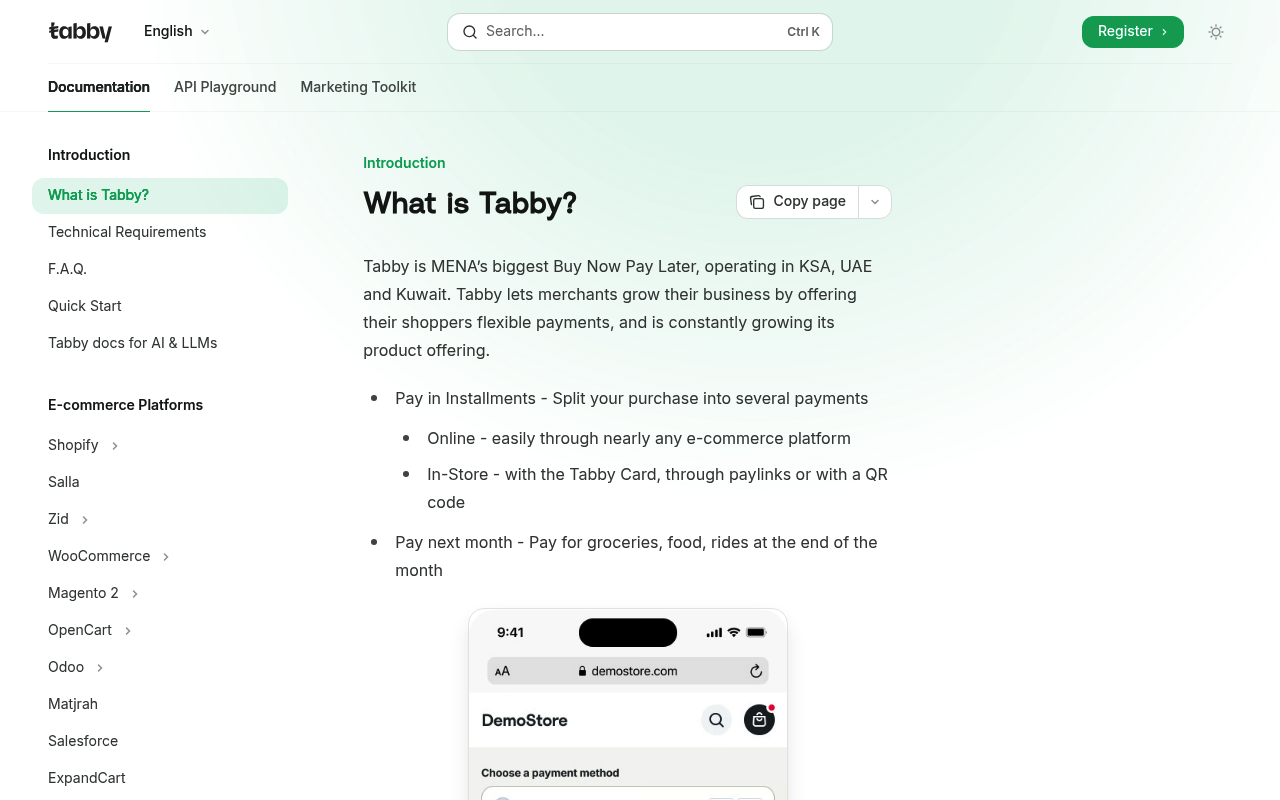
Tabby website screenshot

Tabby

Tabby is the MENA region's largest buy-now-pay-later (BNPL) provider, founded in 2019 by Hosam Arab (ex-Namshi) and Daniil Barkalov, originally in Dubai and now headquartered in Riyadh ahead of a planned IPO. Tabby reached a $3.3B valuation in a February 2025 Series E ($160M co-led by Blue Pool Capital and Hassana Investment Company), making it the most valuable fintech in the Middle East, and reports 15M+ users, 40,000+ merchants, and $10B+ in annualized transaction volume across KSA, UAE, and Kuwait. The Tabby API powers split-purchase checkouts (Pay-in-4 interest-free, monthly plans up to 12 months), payment lifecycle management, webhooks, and dispute resolution, complemented by Tabby Card (Visa-enabled), Tabby Shop discovery, Tabby Care purchase protection, and the Tabby Plus loyalty programme. Public developer surface includes a versioned REST API across two regional hosts (api.tabby.ai for UAE/Kuwait, api.tabby.sa for KSA), an OpenAPI 3.1 specification, iOS / Android / Flutter / React Native SDKs, and certified Magento 2, Shopify, WooCommerce, Salla, Zid, OpenCart, ExpandCart, Matjrah, Salesforce, and Odoo plugins.

4 APIs 0 Features
BNPLBuy Now Pay LaterConsumer FinanceE-commerceFintechInstallmentsMENAPaymentsSaudi ArabiaUAE

APIs

Tabby Checkout API

Create and retrieve Tabby Checkout sessions. Posting customer, order, and buyer-history data to /api/v2/checkout creates a Session plus Payment and returns a pre-scoring result ...

Tabby Payments API

Lifecycle management for an authorized Tabby BNPL payment. Retrieve a payment by id, list payments with pagination/status filters, update the merchant reference_id, capture auth...

Tabby Webhooks API

Register, list, retrieve, update, and remove Tabby webhook endpoints scoped to a merchant_code. Tabby fires authorize, capture, close, reject, expire, refund, and update events ...

Tabby Disputes API

Programmatic dispute handling mirroring the Tabby Merchant Dashboard. List the 100 most recent disputes, retrieve a single dispute, provide evidence, and bulk-approve (up to 20 ...

Collections

Pricing Plans

Tabby Plans Pricing

3 plans

PLANS

Rate Limits

Tabby Rate Limits

3 limits

RATE LIMITS

FinOps

Tabby Finops

FINOPS

Semantic Vocabularies

Tabby Context

29 classes · 5 properties

JSON-LD

API Governance Rules

Tabby API Rules

10 rules · 7 errors 3 warnings

SPECTRAL

Example Payloads

Tabby Refund Payment Example

2 fields

EXAMPLE

Tabby Webhook Event Example

3 fields

EXAMPLE

Resources

🔗
Website
Website
🔗
Website
Website
🌐
Portal
Portal
🔗
Documentation
Documentation
🚀
GettingStarted
GettingStarted
🔗
OpenAPI
OpenAPI
🔗
Documentation
Documentation
🔗
Documentation
Documentation
🔗
Documentation
Documentation
🔗
Documentation
Documentation
👥
Github
Github
📦
SDKs
SDKs
📦
SDKs
SDKs
📦
SDKs
SDKs
📦
SDKs
SDKs
🔗
Plugin
Plugin
🔗
Plugin
Plugin
🔗
Plugin
Plugin
🔗
Plugin
Plugin
🔗
Plugin
Plugin
📦
SDKs
SDKs
🔗
Plugin
Plugin
🔗
Plugin
Plugin
🔗
Plugin
Plugin
🔗
Plugin
Plugin
🔗
Plugin
Plugin
🔗
Plugin
Plugin
🔗
Plugin
Plugin
🔗
Plugin
Plugin
🔗
Documentation
Documentation
🔗
Documentation
Documentation
🔗
Documentation
Documentation
🔗
Logos
Logos
🔗
LinkedIn
LinkedIn
🔗
Twitter
Twitter
🔗
Instagram
Instagram
📰
Blog
Blog
💰
Pricing
Pricing
🔗
Plans
Plans
🔗
RateLimits
RateLimits
🔗
FinOps
FinOps
🔗
SpectralRules
SpectralRules
🔗
Vocabulary
Vocabulary

Sources

Raw ↑
opencollection: 1.0.0
info:
  name: Tabby API Reference
  version: 1.0.0
items:
- info:
    name: Checkout
    type: folder
  items:
  - info:
      name: Create a session
      type: http
    http:
      method: POST
      url: https://api.tabby.ai/api/v2/checkout
      body:
        type: json
        data: '{}'
      auth:
        type: bearer
        token: '{{bearerToken}}'
    docs: Creates a Checkout session. Creates Session and Payment, returns Pre-Scoring result (status), ids of Payment and
      Session.
  - info:
      name: Retrieve an existing checkout session
      type: http
    http:
      method: GET
      url: https://api.tabby.ai/api/v2/checkout/:id
      params:
      - name: id
        value: ''
        type: path
        description: ID of the session.
      auth:
        type: bearer
        token: '{{bearerToken}}'
    docs: Use this API to retrieve the token (only if tokens used in your integration )
- info:
    name: Payments
    type: folder
  items:
  - info:
      name: Retrieve a payment
      type: http
    http:
      method: GET
      url: https://api.tabby.ai/api/v2/payments/:id
      params:
      - name: id
        value: ''
        type: path
        description: ID of the payment.
      auth:
        type: bearer
        token: '{{bearerToken}}'
    docs: Retrieves the specified payment. Returns the entire payment object, including the payment Status, Captures and Refunds
      objects.
  - info:
      name: Update a payment
      type: http
    http:
      method: PUT
      url: https://api.tabby.ai/api/v2/payments/:id
      params:
      - name: id
        value: ''
        type: path
        description: ID of the payment.
      body:
        type: json
        data: '{}'
      auth:
        type: bearer
        token: '{{bearerToken}}'
    docs: Updates the reference_id. You can only use this endpoint to update this 1 field. If you send other fields in the
      request, they will simply be ignored by tabby. The payment to be updated can have a status of AUTHORIZED or CLOSED.
  - info:
      name: Capture a payment
      type: http
    http:
      method: POST
      url: https://api.tabby.ai/api/v2/payments/:id/captures
      params:
      - name: id
        value: ''
        type: path
        description: ID of the payment.
      body:
        type: json
        data: '{}'
      auth:
        type: bearer
        token: '{{bearerToken}}'
    docs: Send a Capture requests for Authorized payments only. If you capture the full payment amount, the payment will be
      automatically closed with full capture. If you capture partial amount, the payment will remain Authorized until the
      rest of the amount is captured or Close request sent.
  - info:
      name: Refund a payment
      type: http
    http:
      method: POST
      url: https://api.tabby.ai/api/v2/payments/:id/refunds
      params:
      - name: id
        value: ''
        type: path
        description: ID of the payment.
      body:
        type: json
        data: '{}'
      auth:
        type: bearer
        token: '{{bearerToken}}'
    docs: Send a full or partial refund amount request. You can only refund the payment that has Closed status. By default
      refunds reflect instantly, which means Tabby initiates a refund through payment gateway.
  - info:
      name: Close a payment
      type: http
    http:
      method: POST
      url: https://api.tabby.ai/api/v2/payments/:id/close
      params:
      - name: id
        value: ''
        type: path
        description: ID of the payment.
      auth:
        type: bearer
        token: '{{bearerToken}}'
    docs: Closed is the final status of the payment. Your payment is going to be closed automatically if you capture the full
      amount of the payment. If an order is fully cancelled, please close the payment without capturing it - the customer
      will be refunded for all paid amount. If only a part of the order is delivered, please capture this part and close the
      payment – it will mean that another part of the order is not going to be delivered to the customer.
  - info:
      name: List of all payments
      type: http
    http:
      method: GET
      url: https://api.tabby.ai/api/v2/payments
      params:
      - name: created_at__gte
        value: ''
        type: query
        description: This is a filter for the payment creation date, use it to get the list of payments where creation date
          >= created_at__gte. ISO 8601 date time format (greater than or equal to). No time should be provided, it starts
          at 00:00:00 be default. For example 2020-01-23 -> 2020-01-23T00:00:00Z.
      - name: created_at__lte
        value: ''
        type: query
        description: This is a filter for the payment creation date, use it to get the list of payments where creation date
          <= created_at__lte. ISO 8601 date time format (less than or equal to). No time should be provided, it starts at
          00:00:00 be default. For example 2020-01-23 -> 2020-01-23T00:00:00Z.
      - name: limit
        value: ''
        type: query
        description: Limits the number of returned results.
      - name: status
        value: ''
        type: query
        description: "Filter the orders by specific statuses:\n  - `authorized`, `closed` and `rejected` belong to the API\
          \ payment statuses;\n  - `new`, `captured`, `refunded` and `cancelled`` refer to the statuses on Tabby Merchant\
          \ Dashboard;\n  - If absent, all `AUTHORIZED` and `CLOSED` payments are returned.\n"
      - name: offset
        value: ''
        type: query
        description: The number of records into a dataset that you want to start, indexed at 0.
      auth:
        type: bearer
        token: '{{bearerToken}}'
    docs: Returns a list of success payments (`AUTHORIZED` or `CLOSED`) you’ve previously created. The payments are returned
      in sorted order, with the most recent payments appearing first. Each entry in the array is a separate payments object,
      including the status, any captures and any refunds. If no more payments are available, the resulting array will be empty.
      Payments might be filtered by creation date.
- info:
    name: Webhooks
    type: folder
  items:
  - info:
      name: Retrieve all webhooks
      type: http
    http:
      method: GET
      url: https://api.tabby.ai/api/v1/webhooks
      headers:
      - name: X-Merchant-Code
        value: ''
      auth:
        type: bearer
        token: '{{bearerToken}}'
    docs: Retrieves all registred webhooks.
  - info:
      name: Register a webhook
      type: http
    http:
      method: POST
      url: https://api.tabby.ai/api/v1/webhooks
      headers:
      - name: X-Merchant-Code
        value: ''
      body:
        type: json
        data: '{}'
      auth:
        type: bearer
        token: '{{bearerToken}}'
    docs: Creates a new webhook
  - info:
      name: Retrieve a webhook
      type: http
    http:
      method: GET
      url: https://api.tabby.ai/api/v1/webhooks/:id
      headers:
      - name: X-Merchant-Code
        value: ''
      params:
      - name: id
        value: ''
        type: path
        description: ID of the webhook.
      auth:
        type: bearer
        token: '{{bearerToken}}'
    docs: Retrieves the specified webhook.
  - info:
      name: Update a webhook
      type: http
    http:
      method: PUT
      url: https://api.tabby.ai/api/v1/webhooks/:id
      headers:
      - name: X-Merchant-Code
        value: ''
      params:
      - name: id
        value: ''
        type: path
        description: ID of the webhook.
      body:
        type: json
        data: '{}'
      auth:
        type: bearer
        token: '{{bearerToken}}'
    docs: Updates the specified webhook.
  - info:
      name: Remove a webhook
      type: http
    http:
      method: DELETE
      url: https://api.tabby.ai/api/v1/webhooks/:id
      headers:
      - name: X-Merchant-Code
        value: ''
      params:
      - name: id
        value: ''
        type: path
        description: ID of the webhook.
      auth:
        type: bearer
        token: '{{bearerToken}}'
    docs: Removes the specified webhook.
- info:
    name: Disputes
    type: folder
  items:
  - info:
      name: Get disputes list
      type: http
    http:
      method: GET
      url: https://api.tabby.ai/api/v1/disputes
      params:
      - name: statuses
        value: ''
        type: query
        description: Dispute status. If not set, then all statuses will be in result.
      - name: created_at_gte
        value: ''
        type: query
        description: Filter disputes created after or at the specified date and time.
      - name: created_at_lte
        value: ''
        type: query
        description: Filter disputes created before or at the specified date and time.
      - name: page_token
        value: ''
        type: query
        description: To load the next page of disputed items provide page token. This code can be obtained from the `next_page_token`
          variable in the response of dispute list. If `next_page_token` is empty in response, it means last page of disputes
          has been reached.
      auth:
        type: bearer
        token: '{{bearerToken}}'
    docs: Returns list of 100 recently created disputes.
  - info:
      name: Get dispute by id
      type: http
    http:
      method: GET
      url: https://api.tabby.ai/api/v1/disputes/:disputeId
      params:
      - name: dispute_id
        value: ''
        type: path
        description: ID of the dispute.
      auth:
        type: bearer
        token: '{{bearerToken}}'
    docs: Returns detailed information about dispute.
  - info:
      name: Provide evidence for a dispute
      type: http
    http:
      method: POST
      url: https://api.tabby.ai/api/v1/disputes/:disputeId/provide-evidence
      params:
      - name: dispute_id
        value: ''
        type: path
        description: ID of the dispute.
      body:
        type: json
        data: '{}'
      auth:
        type: bearer
        token: '{{bearerToken}}'
    docs: Provide evidence (text and/or attachments) for a dispute. Used by the merchant to submit proof in response to an
      evidence request.
  - info:
      name: Approve disputes
      type: http
    http:
      method: POST
      url: https://api.tabby.ai/api/v1/disputes/approve
      body:
        type: json
        data: '{}'
      auth:
        type: bearer
        token: '{{bearerToken}}'
    docs: Approve disputes (refund money to the customer). Only 20 disputes can be approved within a single request.
  - info:
      name: Challenge disputes
      type: http
    http:
      method: POST
      url: https://api.tabby.ai/api/v1/disputes/challenge
      body:
        type: json
        data: '{}'
      auth:
        type: bearer
        token: '{{bearerToken}}'
    docs: Challenge disputes (request Tabby support to take a look at the case). Only 20 disputes can be challenged within
      a single request. Only disputes with status 'new' might be challenged.
  - info:
      name: Upload attachment
      type: http
    http:
      method: POST
      url: https://api.tabby.ai/api/v1/disputes/attachments/upload
      body:
        type: multipart-form
        data:
        - name: attachment
          type: text
          value: ''
      auth:
        type: bearer
        token: '{{bearerToken}}'
    docs: Upload an attachment. Attachment must be in PNG, JPEG or PDF format and can be up to 5 megabytes in size. Files
      larger than 5 MB are rejected.
bundled: true
