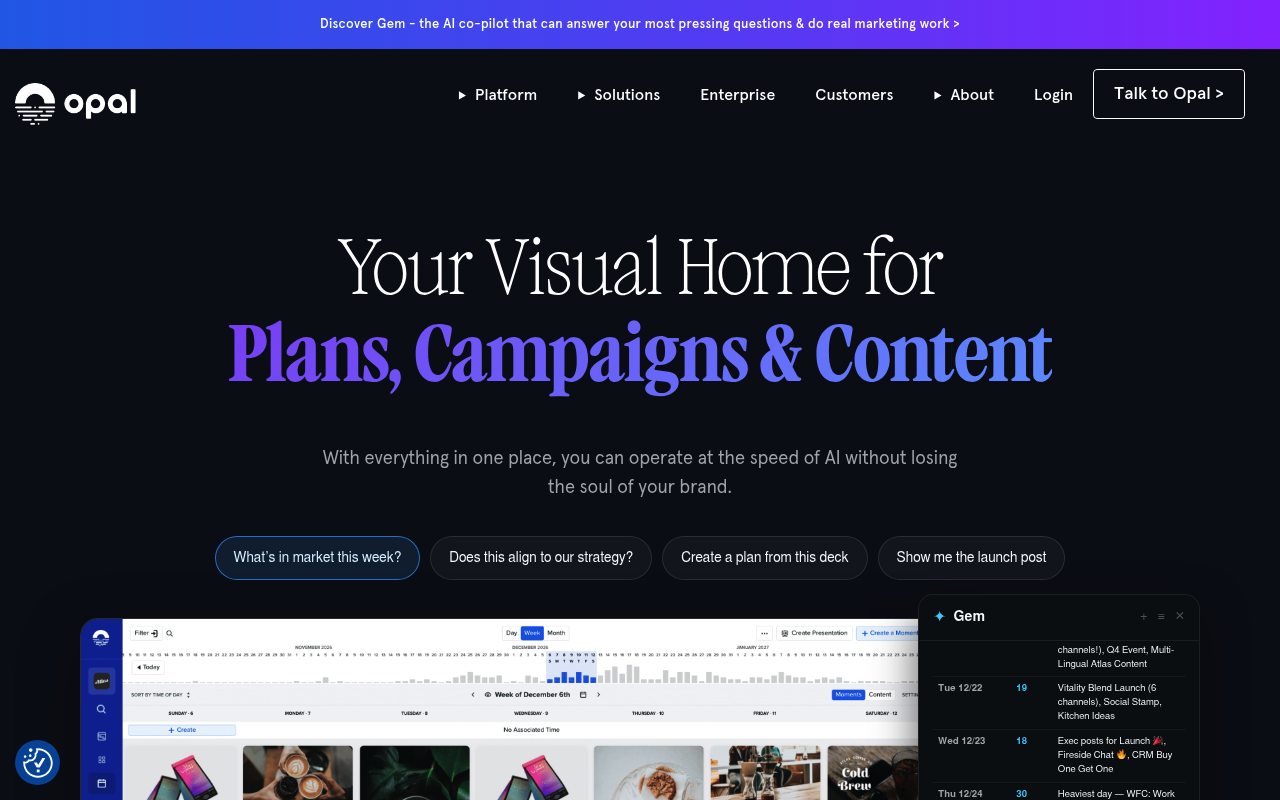
Opal is a marketing planning and content calendar platform that gives marketing teams a single visual workspace to plan campaigns, build editorial and content calendars, manage creative workflows and approvals, and connect strategy to execution across channels and markets. It is used by enterprise brands such as Target, Starbucks, GM, and SAP, and pairs a unified planning calendar with a "Gem" AI co-pilot plus prebuilt integrations to Slack, Jira, Asana, Wrike, Workfront, Sprinklr, Khoros, Frame.io, Sprout Social, Formstack and Zapier. Opal does ship a real REST API: three OpenAPI 3.0 definitions — v2, v3 and an internal-facing Asgard BFF service — are served publicly from login.ouropal.com and cover stories, moments, content, boards, board objects, assets, asset references, labels, stamps, workflows, custom fields, presentations, rich-text documents and Gem chats. The v2 and v3 surfaces are JSON:API-compliant and authenticate with OAuth 2.0 authorization code (plus a client-credentials onboarding flow and a deprecated Session-Token header). The documentation is public, but API credentials are gated: Opal states access requires an active account or an NDA plus approval from Opal leadership, and OAuth client registration is a manual process handled by its integrations team.
Opal publishes 79 API contracts indexed on the APIs.io network, including Accounts API, Activities API, Annotations API, and 76 more. Tagged areas include Company, Consumer, Marketing, Content Planning, and Marketing Calendar.
The Opal catalog on APIs.io includes 1 Spectral governance ruleset.
Opal’s developer surface includes authentication, documentation, API reference, getting-started guide, support, engineering blog, changelog, and 27 more developer resources.
51.5/100developing▬ flatAgent31/100agent readyFront door AI4/6
moderate
Heartbeat100/100
alive
saas
Full breakdown ↓
scored 2026-11-06 · rubric v0.27.0 · Show this score on your site →
Regulatory Posture applies to this provider. Its tags matched the
Horizontal (data, software, accessibility, platform) regime, so
Regulatory Posture carries 15 points of the composite.
If this regime is wrong for your business, say so on your
provider repo — the
applicability map is public and we will correct it.
Create-or-Update Ergonomics applies to this provider. This API accepts writes, so it
carries 10 points of the composite. It is scored from the published contracts
themselves: whether a caller can create-or-update in one call, whether the write accepts a key the caller already
holds, and whether the response says which branch ran. Without that, every write needs a search-and-branch in
front of it, and the first time that check is skipped a duplicate record is created.
Scored against the observed mean rather than raw — a provider at the catalog average is unchanged by this facet,
not penalised by it.
The six quality facets above are damped to 75 points between them,
because the conditional facet above carries the other
25. That is why each facet's contribution is shown against a damped
maximum: raising a quality facet moves the composite by 75% of its nominal
weight, not 100%. The full arithmetic is at apis.io/rating/.
Show this score on your site.
It updates itself when the score changes. Paste this where you link to your API docs:
<a href="https://apis.io/providers/opal/"><img src="https://apis.io/badge/opal/card.svg" alt="Opal on APIs.io — Kin Score by API Evangelist"></a>
Other styles, a README pill and a shields.io endpoint are on the badge page.
Raise your score.
Agent readiness — checks not met, largest first (exact, from this profile):
MCP Server+12 pts — deployment.mode + probe verdict on the mcp/ manifest, not the pointer; an unprobed slug falls back to authorship
Idempotency+9 pts — OpenAPI mutating operations declare an idempotency key — a header, a request-body property, or a named de-duplication token whose own description says so (verified); else common[].type matches /idempoten/i (documented)
A2A Agent Card+8 pts — a2a/-a2a.yml manifest, graded on conformance.grade against A2A 1.0.0
Standards this provider implements or carries. De facto ones are profiled and measured by the API Commons; formal ones come from the standards directory and are linked by the provider's own tags. The evidence column says how each claim was established — not that it was made.
## Activities Overview In Opal, "activities" encompass both things like someone adding an asset to content and also someone sending a chat message. In the user interface, these ...
## Asset References Overview In Opal, you create `assets` to represent files uploaded to the platform and `asset_references` to surface those assets for use in the Asset Library...
## Assets Overview Assets represent images, videos, PDFs, and any other file uploads. Any upload to the Opal platform must start with an `asset`. Some resources like `boards` ca...
## Block Connectors Block connectors link blocks to views. A view can contain many blocks via block connectors. A block can also belong to many views via block connectors. In th...
## Board Collaborators Overview Board Collaborators allow opal users to add other users as a collaborator on their **private** Boards. This allows the Collaborators to view and ...
## Overview - **[Board](#tag/Boards/operation/CreateBoardV3)**: A board is the parent container and encapsulates its Board Objects and Board Object Collections - **[Board Object...
## Bulk Operations A Bulk Operation represents a number of individual actions to be performed. ### Terms - **``Operation ID``**: A unique string identifier that corresponds to a...
## Overview Categories are in a tree: a given category has zero or more ancestors and zero or more descendants. The tree is built by recursively following `parent_category` rela...
## Custom Fields Overview Custom Fields let you create custom inputs, the value of which can then be associated with a Moment, and allow your users to track dimensions based on ...
## Labels Overview In Opal, Labels are a useful way of categorizing resources to be filtered or grouped. ### Label Inheritance Labels follow StoryFirst inheritance rules. This m...
## Onboarding Overview Unlike many other Opal endpoints, the Onboarding endpoints are only accessible via a special OAuth scope that is not currently offered to Opal customers (...
## Overview ### Client libraries and document formats Rich Text Document endpoints can accept documents in arbitrary formats. The `client_library` attribute identifies the frame...
## Stamps Overview In Opal, a Stamp acts as a pre-configured template for creating `moment`s or `content`. The `stamp_type` attribute specifies if the stamp is intended for mome...
## Workflows Overview In Opal, a workflow is an arrangement of tasks and approvals required to progress through the lifecycle of a StoryFirst resource. **Historical Note:** *The...
Overlays applied on top of this provider's contracts. Each card says who wrote it: a document the provider publishes, or one API Evangelist derived or generated.
aid: opal
name: Opal
description: 'Opal is a marketing planning and content calendar platform that gives marketing teams a single visual workspace
  to plan campaigns, build editorial and content calendars, manage creative workflows and approvals, and connect strategy
  to execution across channels and markets. It is used by enterprise brands such as Target, Starbucks, GM, and SAP, and pairs
  a unified planning calendar with a "Gem" AI co-pilot plus prebuilt integrations to Slack, Jira, Asana, Wrike, Workfront,
  Sprinklr, Khoros, Frame.io, Sprout Social, Formstack and Zapier. Opal does ship a real REST API: three OpenAPI 3.0 definitions
  — v2, v3 and an internal-facing Asgard BFF service — are served publicly from login.ouropal.com and cover stories, moments,
  content, boards, board objects, assets, asset references, labels, stamps, workflows, custom fields, presentations, rich-text
  documents and Gem chats. The v2 and v3 surfaces are JSON:API-compliant and authenticate with OAuth 2.0 authorization code
  (plus a client-credentials onboarding flow and a deprecated Session-Token header). The documentation is public, but API
  credentials are gated: Opal states access requires an active account or an NDA plus approval from Opal leadership, and OAuth
  client registration is a manual process handled by its integrations team.'
url: https://raw.githubusercontent.com/api-evangelist/opal/refs/heads/main/apis.yml
x-type: company
x-source: vc-portfolio
x-backed-by:
- accel
- battery-ventures
- speedinvest
x-tier: enriched
x-tier-reason: public-openapi-harvested
deliveryModel:
  model: saas
  open_source: false
  commercial: true
  callable_host: true
  label: Hosted service · you call their endpoint
  confidence: high
  source:
  - openapi
  - pricing
  generated: '2026-08-28'
  method: derived
accessModel:
  pricing: quote
  onboarding: sales-gate
  trial: false
  try_now: false
  public: false
  label: Contact sales
  confidence: medium
  source:
  - https://workwithopal.com/pricing/
  - https://help.workwithopal.com/article/17imdltzi1-opal-api
  generated: '2026-08-13'
  method: searched
specificationVersion: '0.23'
created: '2026-07-17'
modified: '2026-08-13'
image: https://workwithopal.com/wp-content/uploads/2022/09/opal_logo.png
tags:
- Company
- Consumer
- Marketing
- Content Planning
- Marketing Calendar
- Campaign Management
- Collaboration
- Software-as-a-Service
- Content Marketing
- Editorial Calendar
- Workflows
- Approvals
- Digital Asset Management
- JSON:API
- OAuth
- OpenAPI
- Authentication
tags_raw:
- Company
- Consumer
- Marketing
- Content Planning
- Marketing Calendar
- Campaign Management
- Collaboration
- SaaS
- Content Marketing
- Editorial Calendar
- Workflow
- Approvals
- Digital Asset Management
- JSON:API
- OAuth 2.0
- OpenAPI
- Authentication
apis:
- aid: opal:opal-accounts-api
  name: Opal Accounts API
  description: The Accounts API from Opal — 4 operation(s) for accounts.
  humanURL: https://login.ouropal.com/api/documentation/v2
  baseURL: https://login.ouropal.com
  tags:
  - Account
  tags_raw:
  - Accounts
  properties:
  - type: OpenAPI
    url: openapi/opal-accounts-api-openapi.yml
  - type: Documentation
    url: https://login.ouropal.com/api/documentation/v2
  - type: APIReference
    url: https://login.ouropal.com/api/documentation/v2
  - type: Documentation
    url: https://login.ouropal.com/api/documentation/v3
  - type: APIReference
    url: https://login.ouropal.com/api/documentation/v3
  - type: Documentation
    url: https://login.ouropal.com/api/documentation/asgard_bff
- aid: opal:opal-activities-api
  name: Opal Activities API
  description: '## Activities Overview

    In Opal, "activities" encompass both things like someone adding an asset to content and also someone sending a chat message.
    In the user interface, these are called "Chat & Activity" but the underlying resource is always an `activity` record.


    This API currently supports _retrieving_ all types of activity (see the `activity_types` endpoint to retrieve a list of
    supported types). It only supports _creating_ chat activity.


    ## Checkpoints

    The `checkpoints` endpoints are how activities get marked as read for users. The idea is that any activity older than
    the most recent checkpoint has been seen by the user.


    ## User @mentions

    User mentions are represented in the plaintext body of activity messages. You can create them (or interpret them) using
    the following syntax:

    ```

    @[{{user name}}](user:{{user_id}})

    ```


    The double-bracketed `{{user name}}` should be replaced with the user''s full name (not their "username" or email) and
    `{{user_id}}` should be replaced with the user''s _integer_ id value (not a UUID). Do not use quotation marks or spaces
    (except between the parts of a user''s name). For example, `[John Doe](user:1234)`.'
  humanURL: https://login.ouropal.com/api/documentation/v2
  baseURL: https://login.ouropal.com
  tags:
  - Activities
  properties:
  - type: OpenAPI
    url: openapi/opal-activities-api-openapi.yml
  - type: Documentation
    url: https://login.ouropal.com/api/documentation/v2
  - type: APIReference
    url: https://login.ouropal.com/api/documentation/v2
  - type: Documentation
    url: https://login.ouropal.com/api/documentation/v3
  - type: APIReference
    url: https://login.ouropal.com/api/documentation/v3
  - type: Documentation
    url: https://login.ouropal.com/api/documentation/asgard_bff
- aid: opal:opal-annotations-api
  name: Opal Annotations API
  description: The Annotations API from Opal — 4 operation(s) for annotations.
  humanURL: https://login.ouropal.com/api/documentation/v2
  baseURL: https://login.ouropal.com
  tags:
  - Annotation
  tags_raw:
  - Annotations
  properties:
  - type: OpenAPI
    url: openapi/opal-annotations-api-openapi.yml
  - type: Documentation
    url: https://login.ouropal.com/api/documentation/v2
  - type: APIReference
    url: https://login.ouropal.com/api/documentation/v2
  - type: Documentation
    url: https://login.ouropal.com/api/documentation/v3
  - type: APIReference
    url: https://login.ouropal.com/api/documentation/v3
  - type: Documentation
    url: https://login.ouropal.com/api/documentation/asgard_bff
- aid: opal:opal-asset-reference-options-api
  name: Opal Asset Reference Options API
  description: The Asset Reference Options API from Opal — 1 operation(s) for asset reference options.
  humanURL: https://login.ouropal.com/api/documentation/v2
  baseURL: https://login.ouropal.com
  tags:
  - Asset Reference Options
  properties:
  - type: OpenAPI
    url: openapi/opal-asset-reference-options-api-openapi.yml
  - type: Documentation
    url: https://login.ouropal.com/api/documentation/v2
  - type: APIReference
    url: https://login.ouropal.com/api/documentation/v2
  - type: Documentation
    url: https://login.ouropal.com/api/documentation/v3
  - type: APIReference
    url: https://login.ouropal.com/api/documentation/v3
  - type: Documentation
    url: https://login.ouropal.com/api/documentation/asgard_bff
- aid: opal:opal-asset-reference-usage-rights-options-api
  name: Opal Asset Reference Usage Rights Options API
  description: The Asset Reference Usage Rights Options API from Opal — 1 operation(s) for asset reference usage rights options.
  humanURL: https://login.ouropal.com/api/documentation/v2
  baseURL: https://login.ouropal.com
  tags:
  - Asset Reference Usage Rights Options
  properties:
  - type: OpenAPI
    url: openapi/opal-asset-reference-usage-rights-options-api-openapi.yml
  - type: Documentation
    url: https://login.ouropal.com/api/documentation/v2
  - type: APIReference
    url: https://login.ouropal.com/api/documentation/v2
  - type: Documentation
    url: https://login.ouropal.com/api/documentation/v3
  - type: APIReference
    url: https://login.ouropal.com/api/documentation/v3
  - type: Documentation
    url: https://login.ouropal.com/api/documentation/asgard_bff
- aid: opal:opal-asset-references-api
  name: Opal Asset References API
  description: '## Asset References Overview

    In Opal, you create `assets` to represent files uploaded to the platform and

    `asset_references` to surface those assets for use in the Asset Library,

    Moments, Content, and more.


    Before reading into the Asset Reference endpoints, look over the [Assets

    documentation](#tag/Assets).


    Once you''ve created an Asset, use its `id` as the `asset_uuid` for a new Asset

    Reference. You''ll also likely also want to at least copy the Asset''s `file_name`,

    `bytes`, and `url` over to the new Asset Reference (into the `filename`,

    `filesize`, and `full_url` fields, respectively).


    The one relationship that you probably want to make sure all of your new Asset

    References have is `brand`. The Brand (also known as the Workspace) must be

    specified for an Asset Reference to be available for use within the workspace

    you choose; it won''t even show up in the Asset Library without a Workspace

    association.'
  humanURL: https://login.ouropal.com/api/documentation/v2
  baseURL: https://login.ouropal.com
  tags:
  - Asset References
  properties:
  - type: OpenAPI
    url: openapi/opal-asset-references-api-openapi.yml
  - type: Documentation
    url: https://login.ouropal.com/api/documentation/v2
  - type: APIReference
    url: https://login.ouropal.com/api/documentation/v2
  - type: Documentation
    url: https://login.ouropal.com/api/documentation/v3
  - type: APIReference
    url: https://login.ouropal.com/api/documentation/v3
  - type: Documentation
    url: https://login.ouropal.com/api/documentation/asgard_bff
- aid: opal:opal-assets-api
  name: Opal Assets API
  description: '## Assets Overview

    Assets represent images, videos, PDFs, and any other file uploads. Any upload to

    the Opal platform must start with an `asset`. Some resources like `boards` can be

    directly related to an `asset` while other resources like `moments` require that

    you also create an `asset_reference` that further describes your `asset`.


    Assets can either be created by uploading data directly or by creating a Url

    Upload that requests an asset from some other publicly available web address and

    streams it to Opal. The former endpoint is described immediately below and the

    latter option can be found under the [Url Uploads](#tag/Url-Uploads) tag.


    Once you''ve created an Asset and you have its `id`, you''ll likely want to create

    an [Asset Reference](#tag/Asset-References) as well, unless you don''t want your asset exposed in the

    Asset Library or used with other resources you''ll find to have asset reference

    relationships.'
  humanURL: https://login.ouropal.com/api/documentation/v2
  baseURL: https://login.ouropal.com
  tags:
  - Assets
  properties:
  - type: OpenAPI
    url: openapi/opal-assets-api-openapi.yml
  - type: Documentation
    url: https://login.ouropal.com/api/documentation/v2
  - type: APIReference
    url: https://login.ouropal.com/api/documentation/v2
  - type: Documentation
    url: https://login.ouropal.com/api/documentation/v3
  - type: APIReference
    url: https://login.ouropal.com/api/documentation/v3
  - type: Documentation
    url: https://login.ouropal.com/api/documentation/asgard_bff
- aid: opal:opal-block-connectors-api
  name: Opal Block Connectors API
  description: '## Block Connectors


    Block connectors link blocks to views. A view can contain many blocks via block

    connectors. A block can also belong to many views via block connectors.


    In the current platform, blocks are expected to only be connected to one parent

    view unless that block is "in support of" additional blocks. In the case that it

    is "in support of" additional blocks, it should be connected (via block

    connector) to those additional blocks'' views in a very specific way: It should

    belong to those views'' "in support of" category. That category can be identified

    by its `true` `is_supportive` attribute. There will only be one such category

    per view (and all views have one automatically).'
  humanURL: https://login.ouropal.com/api/documentation/v2
  baseURL: https://login.ouropal.com
  tags:
  - Block Connectors
  properties:
  - type: OpenAPI
    url: openapi/opal-block-connectors-api-openapi.yml
  - type: Documentation
    url: https://login.ouropal.com/api/documentation/v2
  - type: APIReference
    url: https://login.ouropal.com/api/documentation/v2
  - type: Documentation
    url: https://login.ouropal.com/api/documentation/v3
  - type: APIReference
    url: https://login.ouropal.com/api/documentation/v3
  - type: Documentation
    url: https://login.ouropal.com/api/documentation/asgard_bff
- aid: opal:opal-block-custom-field-values-api
  name: Opal Block Custom Field Values API
  description: The Block Custom Field Values API from Opal — 2 operation(s) for block custom field values.
  humanURL: https://login.ouropal.com/api/documentation/v2
  baseURL: https://login.ouropal.com
  tags:
  - Block Custom Field Values
  properties:
  - type: OpenAPI
    url: openapi/opal-block-custom-field-values-api-openapi.yml
  - type: Documentation
    url: https://login.ouropal.com/api/documentation/v2
  - type: APIReference
    url: https://login.ouropal.com/api/documentation/v2
  - type: Documentation
    url: https://login.ouropal.com/api/documentation/v3
  - type: APIReference
    url: https://login.ouropal.com/api/documentation/v3
  - type: Documentation
    url: https://login.ouropal.com/api/documentation/asgard_bff
- aid: opal:opal-block-duplication-api
  name: Opal Block Duplication API
  description: The Block Duplication API from Opal — 2 operation(s) for block duplication.
  humanURL: https://login.ouropal.com/api/documentation/v2
  baseURL: https://login.ouropal.com
  tags:
  - Block Duplication
  properties:
  - type: OpenAPI
    url: openapi/opal-block-duplication-api-openapi.yml
  - type: Documentation
    url: https://login.ouropal.com/api/documentation/v2
  - type: APIReference
    url: https://login.ouropal.com/api/documentation/v2
  - type: Documentation
    url: https://login.ouropal.com/api/documentation/v3
  - type: APIReference
    url: https://login.ouropal.com/api/documentation/v3
  - type: Documentation
    url: https://login.ouropal.com/api/documentation/asgard_bff
- aid: opal:opal-blocks-api
  name: Opal Blocks API
  description: The Blocks API from Opal — 5 operation(s) for blocks.
  humanURL: https://login.ouropal.com/api/documentation/v2
  baseURL: https://login.ouropal.com
  tags:
  - Blocks
  properties:
  - type: OpenAPI
    url: openapi/opal-blocks-api-openapi.yml
  - type: Documentation
    url: https://login.ouropal.com/api/documentation/v2
  - type: APIReference
    url: https://login.ouropal.com/api/documentation/v2
  - type: Documentation
    url: https://login.ouropal.com/api/documentation/v3
  - type: APIReference
    url: https://login.ouropal.com/api/documentation/v3
  - type: Documentation
    url: https://login.ouropal.com/api/documentation/asgard_bff
- aid: opal:opal-board-collaborators-api
  name: Opal Board Collaborators API
  description: '## Board Collaborators Overview

    Board Collaborators allow opal users to add other users as a collaborator on their **private** Boards. This allows the
    Collaborators to view and edit the Board as if they were the owner.


    Because **public** Boards are already available to any user in your Workspace, they do not require Board Collaborators.
    The endpoints are not available for these public Boards and will return error messages accordingly.'
  humanURL: https://login.ouropal.com/api/documentation/v2
  baseURL: https://login.ouropal.com
  tags:
  - Board Collaborators
  properties:
  - type: OpenAPI
    url: openapi/opal-board-collaborators-api-openapi.yml
  - type: Documentation
    url: https://login.ouropal.com/api/documentation/v2
  - type: APIReference
    url: https://login.ouropal.com/api/documentation/v2
  - type: Documentation
    url: https://login.ouropal.com/api/documentation/v3
  - type: APIReference
    url: https://login.ouropal.com/api/documentation/v3
  - type: Documentation
    url: https://login.ouropal.com/api/documentation/asgard_bff
- aid: opal:opal-board-columns-api
  name: Opal Board Columns API
  description: The Board Columns API from Opal — 2 operation(s) for board columns.
  humanURL: https://login.ouropal.com/api/documentation/v2
  baseURL: https://login.ouropal.com
  tags:
  - Board Columns
  properties:
  - type: OpenAPI
    url: openapi/opal-board-columns-api-openapi.yml
  - type: Documentation
    url: https://login.ouropal.com/api/documentation/v2
  - type: APIReference
    url: https://login.ouropal.com/api/documentation/v2
  - type: Documentation
    url: https://login.ouropal.com/api/documentation/v3
  - type: APIReference
    url: https://login.ouropal.com/api/documentation/v3
  - type: Documentation
    url: https://login.ouropal.com/api/documentation/asgard_bff
- aid: opal:opal-board-duplication-api
  name: Opal Board Duplication API
  description: The Board Duplication API from Opal — 2 operation(s) for board duplication.
  humanURL: https://login.ouropal.com/api/documentation/v2
  baseURL: https://login.ouropal.com
  tags:
  - Board Duplication
  properties:
  - type: OpenAPI
    url: openapi/opal-board-duplication-api-openapi.yml
  - type: Documentation
    url: https://login.ouropal.com/api/documentation/v2
  - type: APIReference
    url: https://login.ouropal.com/api/documentation/v2
  - type: Documentation
    url: https://login.ouropal.com/api/documentation/v3
  - type: APIReference
    url: https://login.ouropal.com/api/documentation/v3
  - type: Documentation
    url: https://login.ouropal.com/api/documentation/asgard_bff
- aid: opal:opal-board-objects-api
  name: Opal Board Objects API
  description: "## Overview\n- **[Board](#tag/Boards/operation/CreateBoardV3)**: A board is the parent container and encapsulates\
    \ its Board Objects and Board Object Collections\n- **[Board Object Collection](#tag/Boards/operation/CreateBoardObjectCollectionV3)**:\
    \ A Board resource can have zero-or-many Board Object Collections. These allow for logically grouping Board Objects. \n\
    - **[Board Object](#tag/Board-Objects/operation/CreateBoardObjectV3)**: Board Objects encapsulate an Opal resource in\
    \ a way which allows that resource to exist on a Board or Board Object Collection. A board object can represent the following\
    \ by specifying the corresponding ``relationship`` when creating the Board Object:\n  - [Moment](#tag/Moments/operation/CreateMomentV3)\n\
    \  - [Rich Text Document](#tag/Rich-Text-Documents/operation/CreateRichTextDocumentV3)\n    - Note that Rich Text Documents\
    \ included with Board Objects will not have an `assets` relationship. Instead, you should use the `asset_references` relationship."
  humanURL: https://login.ouropal.com/api/documentation/v2
  baseURL: https://login.ouropal.com
  tags:
  - Board Objects
  properties:
  - type: OpenAPI
    url: openapi/opal-board-objects-api-openapi.yml
  - type: Documentation
    url: https://login.ouropal.com/api/documentation/v2
  - type: APIReference
    url: https://login.ouropal.com/api/documentation/v2
  - type: Documentation
    url: https://login.ouropal.com/api/documentation/v3
  - type: APIReference
    url: https://login.ouropal.com/api/documentation/v3
  - type: Documentation
    url: https://login.ouropal.com/api/documentation/asgard_bff
- aid: opal:opal-board-standard-columns-api
  name: Opal Board Standard Columns API
  description: The Board Standard Columns API from Opal — 1 operation(s) for board standard columns.
  humanURL: https://login.ouropal.com/api/documentation/v2
  baseURL: https://login.ouropal.com
  tags:
  - Board Standard Columns
  properties:
  - type: OpenAPI
    url: openapi/opal-board-standard-columns-api-openapi.yml
  - type: Documentation
    url: https://login.ouropal.com/api/documentation/v2
  - type: APIReference
    url: https://login.ouropal.com/api/documentation/v2
  - type: Documentation
    url: https://login.ouropal.com/api/documentation/v3
  - type: APIReference
    url: https://login.ouropal.com/api/documentation/v3
  - type: Documentation
    url: https://login.ouropal.com/api/documentation/asgard_bff
- aid: opal:opal-board-user-settings-api
  name: Opal Board User Settings API
  description: The Board User Settings API from Opal — 1 operation(s) for board user settings.
  humanURL: https://login.ouropal.com/api/documentation/v2
  baseURL: https://login.ouropal.com
  tags:
  - Board User Settings
  properties:
  - type: OpenAPI
    url: openapi/opal-board-user-settings-api-openapi.yml
  - type: Documentation
    url: https://login.ouropal.com/api/documentation/v2
  - type: APIReference
    url: https://login.ouropal.com/api/documentation/v2
  - type: Documentation
    url: https://login.ouropal.com/api/documentation/v3
  - type: APIReference
    url: https://login.ouropal.com/api/documentation/v3
  - type: Documentation
    url: https://login.ouropal.com/api/documentation/asgard_bff
- aid: opal:opal-boards-api
  name: Opal Boards API
  description: The Boards API from Opal — 5 operation(s) for boards.
  humanURL: https://login.ouropal.com/api/documentation/v2
  baseURL: https://login.ouropal.com
  tags:
  - Boards
  properties:
  - type: OpenAPI
    url: openapi/opal-boards-api-openapi.yml
  - type: Documentation
    url: https://login.ouropal.com/api/documentation/v2
  - type: APIReference
    url: https://login.ouropal.com/api/documentation/v2
  - type: Documentation
    url: https://login.ouropal.com/api/documentation/v3
  - type: APIReference
    url: https://login.ouropal.com/api/documentation/v3
  - type: Documentation
    url: https://login.ouropal.com/api/documentation/asgard_bff
- aid: opal:opal-brand-settings-api
  name: Opal Brand Settings API
  description: The Brand Settings API from Opal — 2 operation(s) for brand settings.
  humanURL: https://login.ouropal.com/api/documentation/v2
  baseURL: https://login.ouropal.com
  tags:
  - Brand Settings
  properties:
  - type: OpenAPI
    url: openapi/opal-brand-settings-api-openapi.yml
  - type: Documentation
    url: https://login.ouropal.com/api/documentation/v2
  - type: APIReference
    url: https://login.ouropal.com/api/documentation/v2
  - type: Documentation
    url: https://login.ouropal.com/api/documentation/v3
  - type: APIReference
    url: https://login.ouropal.com/api/documentation/v3
  - type: Documentation
    url: https://login.ouropal.com/api/documentation/asgard_bff
- aid: opal:opal-brands-api
  name: Opal Brands API
  description: The Brands API from Opal — 1 operation(s) for brands.
  humanURL: https://login.ouropal.com/api/documentation/v2
  baseURL: https://login.ouropal.com
  tags:
  - Brands
  properties:
  - type: OpenAPI
    url: openapi/opal-brands-api-openapi.yml
  - type: Documentation
    url: https://login.ouropal.com/api/documentation/v2
  - type: APIReference
    url: https://login.ouropal.com/api/documentation/v2
  - type: Documentation
    url: https://login.ouropal.com/api/documentation/v3
  - type: APIReference
    url: https://login.ouropal.com/api/documentation/v3
  - type: Documentation
    url: https://login.ouropal.com/api/documentation/asgard_bff
- aid: opal:opal-budgets-api
  name: Opal Budgets API
  description: The Budgets API from Opal — 2 operation(s) for budgets.
  humanURL: https://login.ouropal.com/api/documentation/v2
  baseURL: https://login.ouropal.com
  tags:
  - Budgets
  properties:
  - type: OpenAPI
    url: openapi/opal-budgets-api-openapi.yml
  - type: Documentation
    url: https://login.ouropal.com/api/documentation/v2
  - type: APIReference
    url: https://login.ouropal.com/api/documentation/v2
  - type: Documentation
    url: https://login.ouropal.com/api/documentation/v3
  - type: APIReference
    url: https://login.ouropal.com/api/documentation/v3
  - type: Documentation
    url: https://login.ouropal.com/api/documentation/asgard_bff
- aid: opal:opal-bulk-operations-api
  name: Opal Bulk Operations API
  description: "## Bulk Operations\n\nA Bulk Operation represents a number of individual actions to be performed.\n\n### Terms\n\
    - **``Operation ID``**: A unique string identifier that corresponds to a\n  specific individual operation that can be\
    \ made for a resource. If the request\n  is usable in the context of a bulk operation, the endpoint will have this\n \
    \ identifier documented as \"Operation-ID\"."
  humanURL: https://login.ouropal.com/api/documentation/v2
  baseURL: https://login.ouropal.com
  tags:
  - Bulk Operations
  properties:
  - type: OpenAPI
    url: openapi/opal-bulk-operations-api-openapi.yml
  - type: Documentation
    url: https://login.ouropal.com/api/documentation/v2
  - type: APIReference
    url: https://login.ouropal.com/api/documentation/v2
  - type: Documentation
    url: https://login.ouropal.com/api/documentation/v3
  - type: APIReference
    url: https://login.ouropal.com/api/documentation/v3
  - type: Documentation
    url: https://login.ouropal.com/api/documentation/asgard_bff
- aid: opal:opal-categories-api
  name: Opal Categories API
  description: "## Overview\n\nCategories are in a tree: a given category has zero or more ancestors and zero or more descendants.\
    \ The tree is built by recursively following `parent_category` relationships. Currently our trees are at most two nodes\
    \ deep (that is, a root with zero or more leaves), but clients **MUST** be able to handle trees of any depth.\n\n### Category\
    \ type and custom fields\n\nCategories can be associated with [Category Types](/api/documentation/v3#tag/Category-Types),\
    \ determining which [Custom Fields](/api/documentation/v3#tag/Custom-Fields) are available to [Blocks](/api/documentation/v3#tag/Blocks)\
    \ in the category. If the category has a relationship with a deactivated category type it is considered to have no category\
    \ type.\n\n### <q>Effective</q> category type\n\nThe <q>effective</q> category type allows the category to inherit a category\
    \ type relationship.\n\n*Note:* The following description of the algorithm is informational: clients that want the <q>effective</q>\
    \ category type **MUST** use the `effective_category_type_id` property in the category resource object’s `meta` information,\
    \ and **MUST NOT** manually compute the value using this algorithm, as the exact behavior may change without warning.\n\
    \nIf the given category has a relationship with an active (not deactivated, not deleted) category type that is the <q>effective</q>\
    \ category type.\n\nIf the given category does *not* have a relationship with an active category type, any ancestors that\
    \ have a relationship with an active category type are selected, and the nearest ancestor (the ancestor with the largest\
    \ `depth`) provides the <q>effective</q> category type.\n\nIf the given category has no ancestors, or none of its ancestors\
    \ have a relationship with an active category type, *and* the view *does* have a relationship to an active category type,\
    \ the view’s category type is the <q>effective</q> category type.\n\nIf none of the above conditions are met, the category\
    \ does not have an <q>effective</q> category type.\n\n*Note*: The behavior doesn’t change based on where the given category\
    \ is in the tree — the logic is the same for the root, leaves, and everything in-between. This is why the following table\
    \ refers to ‘parent’ and ‘grandparent’, rather than using tree terminology.\n\nIn the following\n* ‘✓’ means the column’s\
    \ entry is associated to an active category type\n* the parent and grandparent demonstrate inheritance behavior if the\
    \ given category has ancestors\n    with an associated active category type\n\n  | view | grandparent category | parent\
    \ category | given category | <q>effective</q> category type\ncomes from… |\n  | :----: | :--------------------: | :---------------:\
    \ | :--------------: | --------------------\n|\n  |        |                        |                   | ✓          \
    \      | given                 |\n  |        |                        | ✓                 | ✓                | given \
    \                |\n  |        | ✓                      |                   | ✓                | given               \
    \  |\n  | ✓      |                        |                   | ✓                | given                 |\n  |      \
    \  |                        | ✓                 |                  | parent               |\n  |        | ✓          \
    \            | ✓                 |                  | parent               |\n  |✓       |                        | ✓\
    \                 |                  | parent               |\n  |        | ✓                      |                 \
    \  |                  | grandparent          |\n  | ✓      | ✓                      |                   |            \
    \      | grandparent          |\n  | ✓      |                        |                   |                  | view   \
    \              |\n  |        |                        |                   |                  | \U0001F6AB (no category\
    \ type)\n|"
  humanURL: https://login.ouropal.com/api/documentation/v2
  baseURL: https://login.ouropal.com
  tags:
  - Categories
  properties:
  - type: OpenAPI
    url: openapi/opal-categories-api-openapi.yml
  - type: Documentation
    url: https://login.ouropal.com/api/documentation/v2
  - type: APIReference
    url: https://login.ouropal.com/api/documentation/v2
  - type: Documentation
    url: https://login.ouropal.com/api/documentation/v3
  - type: APIReference
    url: https://login.ouropal.com/api/documentation/v3
  - type: Documentation
    url: https://login.ouropal.com/api/documentation/asgard_bff
- aid: opal:opal-category-types-api
  name: Opal Category Types API
  description: The Category Types API from Opal — 2 operation(s) for category types.
  humanURL: https://login.ouropal.com/api/documentation/v2
  baseURL: https://login.ouropal.com
  tags:
  - Category Types
  properties:
  - type: OpenAPI
    url: openapi/opal-category-types-api-openapi.yml
  - type: Documentation
    url: https://login.ouropal.com/api/documentation/v2
  - type: APIReference
    url: https://login.ouropal.com/api/documentation/v2
  - type: Documentation
    url: https://login.ouropal.com/api/documentation/v3
  - type: APIReference
    url: https://login.ouropal.com/api/documentation/v3
  - type: Documentation
    url: https://login.ouropal.com/api/documentation/asgard_bff
- aid: opal:opal-channels-api
  name: Opal Channels API
  description: The Channels API from Opal — 1 operation(s) for channels.
  humanURL: https://login.ouropal.com/api/documentation/v2
  baseURL: https://login.ouropal.com
  tags:
  - Channels
  properties:
  - type: OpenAPI
    url: openapi/opal-channels-api-openapi.yml
  - type: Documentation
    url: https://login.ouropal.com/api/documentation/v2
  - type: APIReference
    url: https://login.ouropal.com/api/documentation/v2
  - type: Documentation
    url: https://login.ouropal.com/api/documentation/v3
  - type: APIReference
    url: https://login.ouropal.com/api/documentation/v3
  - type: Documentation
    url: https://login.ouropal.com/api/documentation/asgard_bff
- aid: opal:opal-charts-api
  name: Opal Charts API
  description: The Charts API from Opal — 3 operation(s) for charts.
  humanURL: https://login.ouropal.com/api/documentation/v2
  baseURL: https://login.ouropal.com
  tags:
  - Charts
  properties:
  - type: OpenAPI
    url: openapi/opal-charts-api-openapi.yml
  - type: Documentation
    url: https://login.ouropal.com/api/documentation/v2
  - type: APIReference
    url: https://login.ouropal.com/api/documentation/v2
  - type: Documentation
    url: https://login.ouropal.com/api/documentation/v3
  - type: APIReference
    url: https://login.ouropal.com/api/documentation/v3
  - type: Documentation
    url: https://login.ouropal.com/api/documentation/asgard_bff
- aid: opal:opal-checkpoints-api
  name: Opal Checkpoints API
  description: The Checkpoints API from Opal — 1 operation(s) for checkpoints.
  humanURL: https://login.ouropal.com/api/documentation/v2
  baseURL: https://login.ouropal.com
  tags:
  - Checkpoints
  properties:
  - type: OpenAPI
    url: openapi/opal-checkpoints-api-openapi.yml
  - type: Documentation
    url: https://login.ouropal.com/api/documentation/v2


# --- truncated at 32 KB (88 KB total) ---
# Full source: https://artifacts.apis.io/opal/apis.yml
Opal API — frequently asked questions
Does Opal have an API?
Yes. APIs.io lists 79 APIs from Opal, including Opal Accounts API, Opal Activities API and Opal Annotations API, and 76 more.
Is there an OpenAPI specification for the Opal API?
Yes. APIs.io indexes 79 OpenAPI specifications for Opal, each linked for download from this page.
How do I authenticate with the Opal API?
Opal documents its authentication (apiKey/oauth2 · 4 schemes). The details are profiled on APIs.io as Opal Authentication.
Is the Opal API ready for AI agents?
Opal has a Kin Score of 51.5 out of 100 (developing) and an Agent Readiness score of 30.8 (agent-ready), scored by API Evangelist on 2026-11-06.
Calls without X-API-Key need no key. Calls with it need a paid plan — get a key.
Get an API key
Free tier, no form to fill in. Signing in shares your email address with us — we
store it to create your key and to recognise you if you sign in with another
provider. See our Privacy Policy and
Terms.
 Kin Score
How this is scored →
Kin Score
How this is scored → It updates itself when the score changes. Paste this where you link to your API docs: