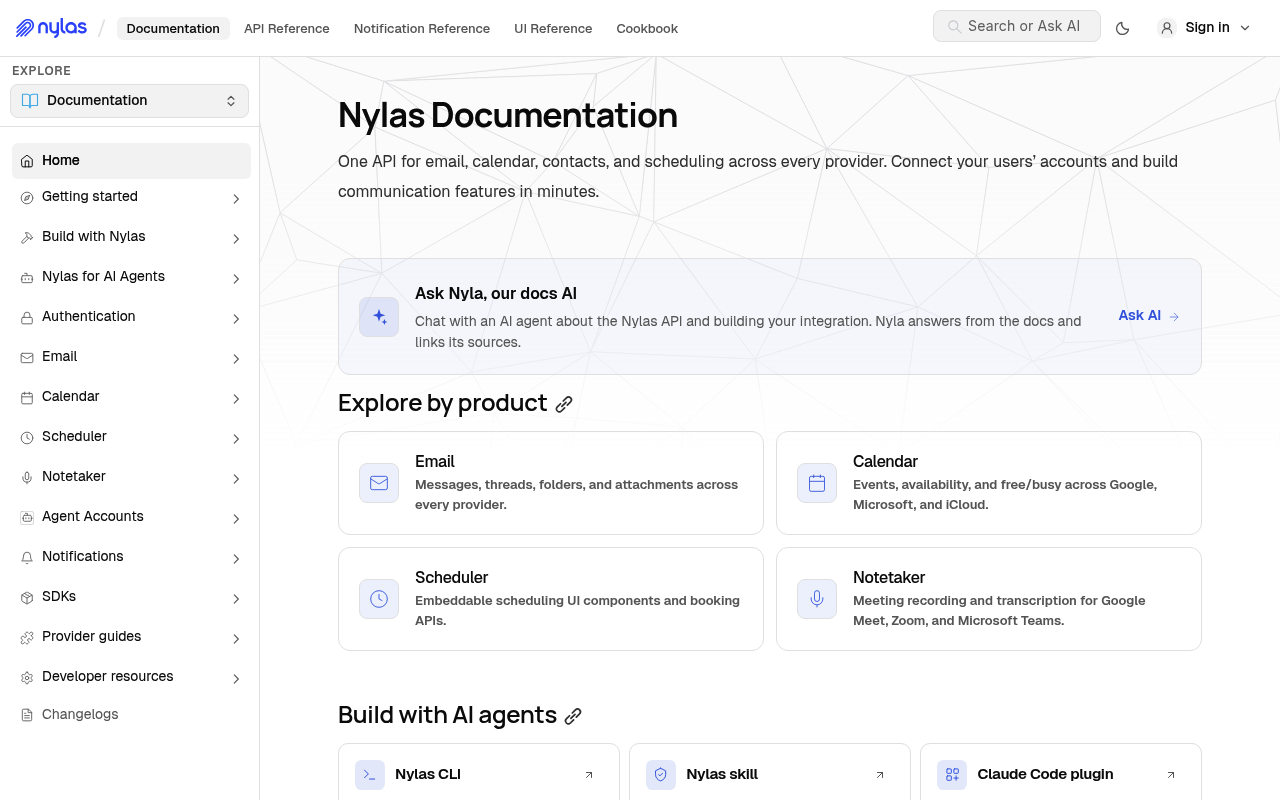
Nylas connects your application to every email inbox and calendar in the world. The Nylas v3 platform provides REST APIs for email, calendar, contacts, scheduling, meeting notetaking, authentication, and administration across Google, Microsoft, Exchange, iCloud, Yahoo and any IMAP provider. Official SDKs cover Node.js, Python, Ruby and Kotlin/Java, alongside a CLI, a hosted MCP server, and Agent Accounts that provision a Nylas-hosted mailbox and calendar for autonomous agents without requiring an OAuth flow.
Nylas publishes 37 API contracts indexed on the APIs.io network, including Contacts API, Drafts API, Events API, and 34 more. Tagged areas include Calendar, Communications, Contacts, Email, and Messaging.
The Nylas catalog on APIs.io includes 2 event-driven AsyncAPI specifications, 1 JSON-LD context, and 1 Spectral governance ruleset.
Nylas’ developer surface includes CLI, changelog, authentication, documentation, engineering blog, API reference, getting-started guide, and 74 more developer resources.
The questions people put to an LLM, and the jobs they hand an agent, that Nylas's APIs answer — each one linked to the operation that does it.
Generated by API Evangelist
Regulatory Posture applies to this provider. Its tags matched the
Horizontal (data, software, accessibility, platform) regime, so
Regulatory Posture carries 15 points of the composite.
If this regime is wrong for your business, say so on your
provider repo — the
applicability map is public and we will correct it.
Create-or-Update Ergonomics applies to this provider. This API accepts writes, so it
carries 10 points of the composite. It is scored from the published contracts
themselves: whether a caller can create-or-update in one call, whether the write accepts a key the caller already
holds, and whether the response says which branch ran. Without that, every write needs a search-and-branch in
front of it, and the first time that check is skipped a duplicate record is created.
Scored against the observed mean rather than raw — a provider at the catalog average is unchanged by this facet,
not penalised by it.
The six quality facets above are damped to 75 points between them,
because the conditional facet above carries the other
25. That is why each facet's contribution is shown against a damped
maximum: raising a quality facet moves the composite by 75% of its nominal
weight, not 100%. The full arithmetic is at apis.io/rating/.
Improve this rating by publishing the missing artifacts — every area above can be raised, and the full rubric is at apis.io/rating/. Every facet and dimension name above is a link: it opens that measurement's own page — what it means, the exact checks that feed it, how the whole catalog distributes on it, and the providers at the top of it. This rating is computed from github.com/api-evangelist/nylas: open an issue to ask a question, or submit a pull request to add artifacts.
Submit an artifact on GitHub — free →Manage your own listing — the Influence plan, $499/mo →
Markets this provider is in provisional
The Kin Score Market layer reads a provider inside its market:
its position, and how deep its integrations go. Depth is only comparable within a position. Provisional and unweighted:
not part of the Kin Score or agent readiness.
Registered MCP server and declares compatibility are report only — not weighted.
Undeclared means we found nothing we can read, so there is no number: we never infer integrations.
Messages. List, search, read, update and delete email messages. Send immediately, schedule a send and cancel a scheduled send, with folders, signatures and attachments alongside.
Meeting notetaker. Send a notetaker to a Google Meet, Microsoft Teams or Zoom call, then retrieve the recording, transcript, summary and action items. Available grant-scoped, or...
Amazon SNS notification channels allow you to receive Nylas event notifications through Amazon Simple Notification Service (SNS) instead of webhooks. To use Amazon SNS notificat...
Before you begin, you should already have: - Linked your v2 and v3 Nylas organizations. If you're not sure if your organizations are linked and you have a contract with us, [con...
You can use the `attachments` schema in a [Send Message request](/docs/reference/api/messages/send-message/) to send attachments, regardless of the email provider. You use the [...
Nylas provides two ways to handle authentication: - **Bring Your Own (BYO) Authentication**, which uses the [`/v3/connect/custom` endpoint](/docs/reference/api/manage-grants/byo...
Nylas Scheduler uses the `/v3/scheduling/availability` endpoint to retrieve availability information. When you make a request, Nylas validates the provided session ID and uses i...
Nylas Scheduler uses the `/v3/scheduling/bookings` endpoint to manage bookings. Bookings work the same way when the organizer is an [Agent Account](/docs/v3/scheduler/agent-acco...
The Nylas Calendar API allows you to create and manage calendars, and access the events they contain. Nylas uses the same commands to manage calendars across providers, and you ...
A configuration is a collection of event settings and preferences. Nylas Scheduler stores Configuration objects in the Scheduler database and loads them as Scheduling Pages in t...
A Nylas connector credential is a special type of record that securely stores information (such as provider settings) that allows you to connect using an administrator account. ...
In Nylas, a connector (formerly called an "integration") stores information that allows your Nylas application to connect to a third party services, such as a provider auth appl...
In Nylas v2, you used the unique Nylas ID to locate data and objects in Nylas's synced data. In Nylas v3, you use the provider ID directly. These APIs look up the provider IDs f...
To simplify your experience, the Nylas Email API uses the same commands to manage both folders and labels, and can refer to specific folders using the provider's `folder_id`. Th...
Group meetings let you host events with multiple participants. Unlike one-on-one meetings, group events are designed for collaborative scheduling where multiple attendees are in...
The Lists endpoints let you manage typed collections of values (email addresses, domains, or top-level domains) that can be referenced by Rules using the `in_list` condition ope...
The Manage API Keys endpoints let you create, list, and delete API keys from your Nylas application outside of the Nylas Dashboard. ## Nylas Service Account
The Manage Domains endpoints let you register, verify, update, and delete email domains for use with [Transactional Send](/docs/v3/getting-started/transactional-send/) and [Nyla...
Grants are the main objects that power Nylas, because they _grant_ your Nylas application specific scopes of access (for example, permission to read email messages) to the user'...
The Policies endpoints let you define the operational configuration for Nylas Agent Accounts, including message limits, attachment constraints, spam detection settings, and link...
Nylas offers two ways to get notifications of what's happening on the provider. You can either subscribe to webhook notifications, or you can set up a notification channel. Nyla...
The Nylas Contacts API allows you to return information about rooms that you can book for meetings, conferences, and other events. ## Room resource booking scopes The table belo...
The Rules endpoints let you define automated filtering and routing logic for Nylas Agent Accounts. Each rule specifies a `trigger` (`inbound` or `outbound`), matching conditions...
Nylas Scheduler uses session IDs to authorize requests to the [`/v3/scheduling/availability`](/docs/reference/api/availability/) and [`/v3/scheduling/bookings`](/docs/reference/...
The Nylas Signatures API lets you create and store HTML email signatures on Nylas, and reference them by ID when sending messages or creating drafts. Nylas appends the signature...
The Smart Compose endpoints extend the Nylas Messages API. Currently, Smart Compose supports only two methods of getting AI responses: you can either receive them as a REST resp...
Nylas Notetaker is a real-time meeting bot that you can invite to your online meetings. It records and transcribes your discussion, and delivers results to you using the Nylas A...
Nylas' Transactional Send endpoint lets you send messages directly from an email domain that you've verified with Nylas. You can use this to send password reset emails, account ...
Workspaces group and organize grants in a Nylas application by a common attribute, such as the email address domain (for example, `nylas.com`). ## Assign grants to workspaces Ny...
Overlays applied on top of this provider's contracts. Each card says who wrote it: a document the provider publishes, or one API Evangelist derived or generated.
aid: nylas
name: Nylas
description: Nylas connects your application to every email inbox and calendar in the world. The Nylas v3 platform provides
  REST APIs for email, calendar, contacts, scheduling, meeting notetaking, authentication, and administration across Google,
  Microsoft, Exchange, iCloud, Yahoo and any IMAP provider. Official SDKs cover Node.js, Python, Ruby and Kotlin/Java, alongside
  a CLI, a hosted MCP server, and Agent Accounts that provision a Nylas-hosted mailbox and calendar for autonomous agents
  without requiring an OAuth flow.
type: Index
deliveryModel:
  model: saas
  open_source: false
  commercial: true
  callable_host: true
  label: Hosted service · you call their endpoint
  confidence: high
  source:
  - openapi
  - pricing
  generated: '2026-08-28'
  method: derived
accessModel:
  pricing: freemium
  onboarding: self-serve
  trial: false
  try_now: true
  public: false
  label: Freemium · Self-serve signup
  confidence: medium
  source:
  - plans
  - authentication
  - security
  generated: '2026-09-03'
  method: derived
position: Consuming
access: 3rd-Party
image: https://kinlane-images.s3.amazonaws.com/shared/apis-json/icons/nylas.png
tags:
- Calendar
- Communications
- Contacts
- Email
- Messaging
- Scheduling
- A2A
tags_raw:
- Calendar
- Communication
- Contacts
- Email
- Messaging
- Scheduling
- A2A
created: '2025-02-06'
modified: '2026-04-28'
url: https://raw.githubusercontent.com/api-evangelist/nylas/refs/heads/main/apis.yml
specificationVersion: '0.23'
maintainers:
- FN: Kin Lane
  email: kin@apievangelist.com
common:
- type: Overlay
  url: overlays/nylas-amazon-sns-notifications-api-phrasing-overlay.yaml
- type: CLI
  url: cli/nylas-cli.yml
- type: FinOps
  url: finops/nylas-finops.yml
- type: RateLimits
  url: rate-limits/nylas-rate-limits.yml
- type: Plans
  url: plans/nylas-plans-pricing.yml
- type: Spectral
  url: rules/nylas-rules.yml
- type: JSONLD
  url: json-ld/nylas-context.jsonld
- type: AgentSkill
  url: skills/_index.yml
- type: Webhooks
  url: asyncapi/nylas-webhooks.yml
- type: DataModel
  url: data-model/nylas-data-model.yml
- type: ChangeLog
  url: changelog/nylas-changelog.yml
- type: Conventions
  url: conventions/nylas-conventions.yml
- type: ErrorCatalog
  url: errors/nylas-problem-types.yml
- type: LLMsTxt
  url: llms/nylas-llms.txt
- type: ToolCrosswalk
  url: mcp/nylas-tool-crosswalk.yml
- type: Hosts
  url: hosts/nylas-hosts.yml
- type: Vendors
  url: vendors/nylas-vendors.yml
- type: Packages
  url: packages/nylas-packages.yml
- type: OpenAPI
  url: openapi/_original/nylas-api-openapi.yml
- type: AsyncAPI
  url: asyncapi/nylas-notifications-asyncapi.yml
  name: Nylas Notifications (AsyncAPI, authored by Nylas)
- type: JSONSchema
  url: json-schema/nylas-notification-envelope.schema.json
  name: Nylas Notification Envelope (one schema per trigger alongside it in json-schema/)
- type: JSONLDContext
  url: json-ld/nylas-context.jsonld
- type: SpectralRules
  url: rules/nylas-rules.yml
- type: CapabilityMap
  url: capabilities/nylas-capability-edges.yml
  name: Nylas Business Capability Map
- type: AgenticAccess
  url: agentic-access/nylas-agentic-access.yml
- type: TrustCenter
  url: security/nylas-trust-center.yml
- type: VulnerabilityDisclosure
  url: security/nylas-vulnerability-disclosure.yml
- type: DomainSecurity
  url: security/nylas-domain-security.yml
- type: Authentication
  url: authentication/nylas-authentication.yml
- type: LinkedIn
  url: https://www.linkedin.com/company/nylas
- type: Website
  url: https://www.nylas.com/
- type: Documentation
  url: https://developer.nylas.com/
- type: Blog
  url: https://www.nylas.com/blog/
- type: GitHubOrg
  url: https://github.com/nylas
- type: TermsOfService
  url: https://www.nylas.com/legal/terms/
- type: PrivacyPolicy
  url: https://www.nylas.com/legal/privacy-policy/
- type: StatusPage
  url: https://status-v3.nylas.com/
- type: LlmsText
  url: https://developer.nylas.com/llms.txt
- type: DeveloperPortal
  url: https://developer.nylas.com/
- type: APIReference
  url: https://developer.nylas.com/docs/reference/api/
- type: APIReference
  name: Notifications reference
  url: https://developer.nylas.com/docs/reference/notifications/
- type: APIReference
  name: UI components reference
  url: https://developer.nylas.com/docs/reference/ui/
- type: GettingStarted
  url: https://developer.nylas.com/docs/v3/getting-started/
- type: SDKs
  name: Node.js SDK
  url: https://github.com/nylas/nylas-nodejs
- type: SDKs
  name: Python SDK
  url: https://github.com/nylas/nylas-python
- type: SDKs
  name: Ruby SDK
  url: https://github.com/nylas/nylas-ruby
- type: SDKs
  name: Java/Kotlin SDK
  url: https://github.com/nylas/nylas-java
- type: CLI
  url: https://cli.nylas.com/
- type: Postman
  url: https://developer.nylas.com/docs/v3/api-references/postman/
- type: PostmanWorkspace
  url: https://www.postman.com/trynylas/workspace/nylas-api/overview
- type: AgentSkills
  url: https://developer.nylas.com/.well-known/agent-skills/index.json
- type: Support
  url: https://developer.nylas.com/docs/support/
- type: ChangeLog
  url: https://developer.nylas.com/docs/changelogs/
- type: DeprecationPolicy
  url: https://developer.nylas.com/docs/support/product-lifecycle/
- type: Security
  url: https://www.nylas.com/security/
- type: OAuthScopes
  url: https://developer.nylas.com/docs/dev-guide/scopes/
- type: Console
  url: https://developer.nylas.com/docs/reference/api/
- type: CodeSamples
  url: https://github.com/nylas-samples
- type: Examples
  url: https://developer.nylas.com/docs/cookbook/
- type: Newsroom
  url: https://www.nylas.com/newsroom/
- type: Leadership
  url: https://www.nylas.com/company/about/
- type: Subprocessors
  url: https://www.nylas.com/security/subprocessors/
- type: DataResidency
  url: https://developer.nylas.com/docs/dev-guide/platform/data-residency/
- type: DataSubjectRequest
  url: https://www.nylas.com/privacy-policy/
- type: AITransparency
  url: https://developer.nylas.com/docs/v3/notetaker/custom-announcements/
- type: Compliance
  url: https://trust.nylas.com/public
- type: Webhooks
  url: https://developer.nylas.com/docs/v3/notifications/
- type: ErrorCodes
  url: https://developer.nylas.com/docs/api/errors/
- type: RateLimits
  url: https://developer.nylas.com/docs/dev-guide/platform/rate-limits/
- type: Idempotency
  url: https://developer.nylas.com/docs/v3/email/idempotent-send/
- type: Pricing
  url: https://www.nylas.com/pricing/
- type: Signup
  url: https://dashboard-v3.nylas.com/register
- type: MCPServer
  name: Nylas MCP Server
  url: https://mcp.us.nylas.com
- type: MCPServer
  name: Nylas MCP Server manifest
  url: mcp/nylas-mcp.yml
- type: Vocabulary
  url: vocabulary/nylas-vocabulary.yml
- type: Conformance
  url: conformance/nylas-conformance.yml
- type: AgentCard
  url: a2a/nylas-a2a.yml
- type: SecurityTxt
  url: https://developer.nylas.com/.well-known/security.txt
- type: ContentSignal
  url: https://developer.nylas.com/robots.txt
- type: APICatalog
  url: https://developer.nylas.com/.well-known/api-catalog
- type: WellKnown
  url: well-known/nylas-well-known.yml
apis:
- aid: nylas:nylas-contacts-api
  name: Nylas Contacts API
  description: Contacts. Read, create, update and delete a grant's contacts and contact groups.
  humanURL: https://developer.nylas.com/docs/reference/api/contacts/
  baseURL: https://api.us.nylas.com
  tags:
  - Contacts
  properties:
  - type: OpenAPI
    url: openapi/nylas-contacts-api-openapi.yml
- aid: nylas:nylas-drafts-api
  name: Nylas Drafts API
  description: Drafts. Compose, update, send and delete drafts, manage attachments, and generate draft bodies and replies
    with Smart Compose.
  humanURL: https://developer.nylas.com/docs/reference/api/drafts/
  baseURL: https://api.us.nylas.com
  tags:
  - Drafts
  properties:
  - type: OpenAPI
    url: openapi/nylas-drafts-api-openapi.yml
- aid: nylas:nylas-events-api
  name: Nylas Events API
  description: Events. Create, update, delete and list calendar events, including recurring events, group events and RSVP
    handling.
  humanURL: https://developer.nylas.com/docs/reference/api/events/
  baseURL: https://api.us.nylas.com
  tags:
  - Event
  tags_raw:
  - Events
  properties:
  - type: OpenAPI
    url: openapi/nylas-events-api-openapi.yml
  - type: JSONSchema
    url: json-schema/nylas-event-create-schema.json
- aid: nylas:nylas-messages-api
  name: Nylas Messages API
  description: Messages. List, search, read, update and delete email messages. Send immediately, schedule a send and cancel
    a scheduled send, with folders, signatures and attachments alongside.
  humanURL: https://developer.nylas.com/docs/reference/api/messages/
  baseURL: https://api.us.nylas.com
  tags:
  - Message
  tags_raw:
  - Messages
  properties:
  - type: OpenAPI
    url: openapi/nylas-messages-api-openapi.yml
- aid: nylas:nylas-threads-api
  name: Nylas Threads API
  description: Threads. List, search, read and update email threads, and manage thread-level folders and state.
  humanURL: https://developer.nylas.com/docs/reference/api/threads/
  baseURL: https://api.us.nylas.com
  tags:
  - Threads
  properties:
  - type: OpenAPI
    url: openapi/nylas-threads-api-openapi.yml
- aid: nylas:nylas-notetaker-api
  name: Nylas Notetaker API
  description: Meeting notetaker. Send a notetaker to a Google Meet, Microsoft Teams or Zoom call, then retrieve the recording,
    transcript, summary and action items. Available grant-scoped, or standalone with no connected mailbox required.
  humanURL: https://developer.nylas.com/docs/reference/api/notetaker/
  baseURL: https://api.us.nylas.com
  tags:
  - Notetaker
  - Transcription
  - Meetings
  properties:
  - type: OpenAPI
    url: openapi/nylas-notetaker-api-openapi.yml
  - type: APIReference
    url: https://developer.nylas.com/docs/reference/api/notetaker/
  - type: Documentation
    url: https://developer.nylas.com/docs/v3/notetaker/
- aid: nylas:nylas-amazon-sns-notifications-api
  name: Nylas Amazon SNS Notifications API
  description: 'Amazon SNS notification channels allow you to receive Nylas event notifications through Amazon Simple Notification
    Service (SNS) instead of webhooks.


    To use Amazon SNS notifications, you need to set up an SNS topic and an IAM role in your AWS account. The topic ARN must
    start with `arn:aws:sns:`. The IAM role must allow Nylas to assume it via STS `AssumeRoleWithWebIdentity` and must have
    `sns:Publish` permission on the topic. For detailed set up instructions, see the [Amazon SNS notification channel documentation](/docs/v3/notifications/sns-channel/).


    The Amazon SNS notification channels use the same notification [trigger types and schemas](/docs/reference/notifications/)
    as webhook notifications, and require the same [provider scopes](/docs/dev-guide/scopes/).


    Nylas strongly recommends setting `compressed_delivery` to `true` when you create an SNS channel. SNS enforces a 256 KB
    message size limit, and gzip compression is the simplest way to keep large `message.*` notifications inside it. Nylas
    adds a `content_encoding: gzip+base64` message attribute so your subscriber knows which messages to decompress. For setup
    and the decode pattern, see [Reducing payload size with compression](/docs/dev-guide/best-practices/compression/).'
  humanURL: https://developer.nylas.com/docs/reference/api/applications/
  baseURL: https://api.us.nylas.com
  tags:
  - Amazon SNS Notifications
  properties:
  - type: OpenAPI
    url: openapi/nylas-amazon-sns-notifications-api-openapi.yml
  - type: APIReference
    url: https://developer.nylas.com/docs/reference/notifications/
  - type: Documentation
    url: https://developer.nylas.com/docs/v3/notifications/
  - type: Documentation
    url: https://developer.nylas.com/docs/
  - type: APIReference
    url: https://developer.nylas.com/docs/reference/api/
  - type: GettingStarted
    url: https://developer.nylas.com/docs/v3/getting-started/
  - type: Authentication
    url: https://developer.nylas.com/docs/v3/auth/
  - type: RateLimits
    url: https://developer.nylas.com/docs/dev-guide/platform/rate-limits/
  - type: ErrorCodes
    url: https://developer.nylas.com/docs/api/errors/
  - type: Pricing
    url: https://www.nylas.com/pricing/
  - type: Signup
    url: https://dashboard-v3.nylas.com/register
  - type: StatusPage
    url: https://status.nylas.com/
  - type: SDKs
    url: https://github.com/nylas/nylas-nodejs
  - type: SDKs
    url: https://github.com/nylas/nylas-python
  - type: SDKs
    url: https://github.com/nylas/nylas-ruby
  - type: SDKs
    url: https://github.com/nylas/nylas-java
  - type: APIReference
    url: https://developer.nylas.com/docs/reference/api/application-level-templates/
  - type: JSONSchema
    url: json-schema/nylas-trigger-types-schema.json
  - type: JSONSchema
    url: json-schema/nylas-amazon-sns-input-payload-schema.json
- aid: nylas:nylas-app-migration-api
  name: Nylas App migration API
  description: 'Before you begin, you should already have:


    - Linked your v2 and v3 Nylas organizations. If you''re not sure if your organizations are linked and you have a contract
    with us, [contact Nylas Support](/docs/support/#contact-nylas-support).

    - Created v3 applications to serve as the destinations for your v2 settings and connected account information.

    - [Set up equivalent provider auth apps as needed](/docs/v2/upgrade-to-v3/upgrade/auth/), especially if your users are
    authenticating with Microsoft.

    - [Set up v3 notification infrastructure](/docs/v2/upgrade-to-v3/upgrade/webhooks/). You''ll use this to keep track of
    object that update while you''re migrating your applications.


    You make Migration API requests using the v3 API route, using an API key from the destination v3 application.


    For each application to be migrated:


    1. [Link apps](#post-/v3/migration-tools/link-v2v3-apps)

    2. [Import app settings](#post-/v3/migration-tools/import-v2-app)

    3. [Migrate a test user](#post-/v3/migration-tools/grants/-account_id-/clone) and/or [Start a batch migration](#post-/v3/migration-tools/snapshot-batch-clone)


    <div id="admonition-warning"><strong>Make sure you use the correct region!</strong> In Nylas v3, you mange applications
    for both the U.S. and E.U. regions using the same Dashboard. If you''re migrating a v2 application to a v3 one, make sure
    you create the v3 application in the correct region. </div>'
  humanURL: https://developer.nylas.com/docs/reference/api/applications/
  baseURL: https://api.us.nylas.com
  tags:
  - App migration
  properties:
  - type: OpenAPI
    url: openapi/nylas-app-migration-api-openapi.yml
  - type: APIReference
    url: https://developer.nylas.com/docs/reference/notifications/
  - type: Documentation
    url: https://developer.nylas.com/docs/v3/notifications/
  - type: Documentation
    url: https://developer.nylas.com/docs/
  - type: APIReference
    url: https://developer.nylas.com/docs/reference/api/
  - type: GettingStarted
    url: https://developer.nylas.com/docs/v3/getting-started/
  - type: Authentication
    url: https://developer.nylas.com/docs/v3/auth/
  - type: RateLimits
    url: https://developer.nylas.com/docs/dev-guide/platform/rate-limits/
  - type: ErrorCodes
    url: https://developer.nylas.com/docs/api/errors/
  - type: Pricing
    url: https://www.nylas.com/pricing/
  - type: Signup
    url: https://dashboard-v3.nylas.com/register
  - type: StatusPage
    url: https://status.nylas.com/
  - type: SDKs
    url: https://github.com/nylas/nylas-nodejs
  - type: SDKs
    url: https://github.com/nylas/nylas-python
  - type: SDKs
    url: https://github.com/nylas/nylas-ruby
  - type: SDKs
    url: https://github.com/nylas/nylas-java
  - type: APIReference
    url: https://developer.nylas.com/docs/reference/api/application-level-templates/
  - type: JSONSchema
    url: json-schema/nylas-grant-object-schema.json
  - type: JSONSchema
    url: json-schema/nylas-application-object-schema.json
  - type: JSONSchema
    url: json-schema/nylas-migration-job-schema.json
- aid: nylas:nylas-applications-api
  name: Nylas Applications API
  description: "In the context of the Nylas APIs, an \"application\" is the object record of your Nylas application.\n\n<div\
    \ id=\"admonition-info\">\U0001F50D <b>The term \"application\" can refer to any of three concepts</b>: your Nylas application,\
    \ the project you're building (\"your application\" or \"your app\"), and applications that you use to connect to service\
    \ providers (\"provider auth applications\"). We try to be specific in this documentation to avoid confusion. The API\
    \ endpoints described here are for working with your Nylas application, specifically.</div>\n\nThe Nylas application is\
    \ the central resource for your Nylas implementation. It collects the [connectors](/docs/reference/api/connectors-integrations/)\
    \ that you use to store information about third party services that your application connects to, and stores the [grants](/docs/reference/api/manage-grants/)\
    \ that you create when using connectors.\n\nNylas applications also allow you to define your specific branding, change\
    \ the look and feel of the Nylas Hosted authentication flow, and list your application's callback URIs.\n\n## Application\
    \ callback URIs\n\nYour Nylas application includes a list of allowed callback URIs. These are known URIs that Nylas can\
    \ direct users to after authentication. You need to define at least _one_ callback URI so your users can complete the\
    \ auth flow.\n\nYou must include any callback URIs you plan to use in this list. If an auth payload includes a callback\
    \ URI that isn't on the list, the whole authentication flow fails.\n\n## Application limitations\n\n<div id=\"admonition-warning\"\
    >⚠️ <b>You can create, edit, and delete applications from the Nylas Dashboard</b>. You <i>cannot</i> create, edit, or\
    \ delete them using the Nylas APIs.</div>\n\nKeep the following limitations in mind as you work with Nylas applications:\n\
    \n- Applications are the central resource that stores other Nylas resources. You _must_ create an application before you\
    \ can create any other parts of your Nylas implementation.\n- Applications can be associated with only one project at\
    \ a time. While your project can have more than one Nylas application to provide different authentication experiences,\
    \ you cannot share applications, connectors, or grants between more than one project.\n- Applications cannot be nested,\
    \ and cannot be set up with parent-child relationships.\n- Your application must have _at least one_ callback URI, or\
    \ else it cannot finish the authentication flow, which means it cannot create grants. Nylas requires grants to access\
    \ user data.\n  - In an ideal scenario, your application will have multiple callback URIs defined."
  humanURL: https://developer.nylas.com/docs/reference/api/applications/
  baseURL: https://api.us.nylas.com
  tags:
  - Application
  tags_raw:
  - Applications
  properties:
  - type: OpenAPI
    url: openapi/nylas-applications-api-openapi.yml
  - type: APIReference
    url: https://developer.nylas.com/docs/reference/notifications/
  - type: Documentation
    url: https://developer.nylas.com/docs/v3/notifications/
  - type: Documentation
    url: https://developer.nylas.com/docs/
  - type: APIReference
    url: https://developer.nylas.com/docs/reference/api/
  - type: GettingStarted
    url: https://developer.nylas.com/docs/v3/getting-started/
  - type: Authentication
    url: https://developer.nylas.com/docs/v3/auth/
  - type: RateLimits
    url: https://developer.nylas.com/docs/dev-guide/platform/rate-limits/
  - type: ErrorCodes
    url: https://developer.nylas.com/docs/api/errors/
  - type: Pricing
    url: https://www.nylas.com/pricing/
  - type: Signup
    url: https://dashboard-v3.nylas.com/register
  - type: StatusPage
    url: https://status.nylas.com/
  - type: SDKs
    url: https://github.com/nylas/nylas-nodejs
  - type: SDKs
    url: https://github.com/nylas/nylas-python
  - type: SDKs
    url: https://github.com/nylas/nylas-ruby
  - type: SDKs
    url: https://github.com/nylas/nylas-java
  - type: APIReference
    url: https://developer.nylas.com/docs/reference/api/application-level-templates/
  - type: JSONSchema
    url: json-schema/nylas-application-object-schema.json
  - type: JSONSchema
    url: json-schema/nylas-android-callbackw-settings-schema.json
  - type: JSONSchema
    url: json-schema/nylas-ios-callbackw-settings-schema.json
  - type: JSONSchema
    url: json-schema/nylas-js-callbackw-settings-schema.json
  - type: JSONSchema
    url: json-schema/nylas-redirect-uriobject-schema.json
  - type: JSONSchema
    url: json-schema/nylas-web-desktop-callback-no-settings-schema.json
- aid: nylas:nylas-attachments-api
  name: Nylas Attachments API
  description: 'You can use the `attachments` schema in a [Send Message request](/docs/reference/api/messages/send-message/)
    to send attachments, regardless of the email provider. You use the [Drafts](/docs/reference/api/drafts/) endpoints to
    add and modify files attached to drafts. The Attachments endpoints let you download or get the metadata for existing attachments.
    For more information, see [Working with email attachments](/docs/v3/email/attachments/).


    If you''re using draft support, the draft (including the attachment) is stored on the provider. If you''re not using draft
    support, Nylas stores the attachment.


    You can make a [Get Attachment Metadata request](/docs/reference/api/attachments/get-attachments-id/) to retrieve a single
    attachment''s metadata using its ID.


    ## What counts as an attachment?


    In Nylas, an attachment is any file included either inline as part of a message, or attached to a message as a file.


    Some major email providers, such as Google and Microsoft, have their own cloud storage ("drive") services. These files
    usually appear as links in the message body instead of attachments on the Message object. Google Drive lets users attach
    files either as a link, or a file. Microsoft One Drive attachments always appear as links in the message body.


    ## Attachment size discrepancies


    When Nylas returns information about an attachment, its listed size might be different from the actual size of the file.
    This is because of provider encryption methods, message headers, and rounding on the provider side. For example, if you
    receive a 3480-byte attachment in an email, Nylas might list it as 3680 bytes.


    ## Attachments scopes


    The table below lists the Attachments endpoints and which scopes they require. The table shortens the full scope URI for
    space reasons, so add the prefix for the provider when requesting scopes.


    The ☑️ in each column indicates the most restrictive scope you can request for each provider and still use that API. More
    permissive scopes appear under the minimum option. If you''re already using one of the permissive scopes, you don''t need
    to add the more restrictive scope.


    | Endpoint                                                                                   | Google Scopes</br>`https://www.googleapis.com/auth/...`
    | Microsoft Scopes</br>`https://graph.microsoft.com/...`                                 |

    | :----------------------------------------------------------------------------------------- | :------------------------------------------------------
    | :------------------------------------------------------------------------------------- |

    | **GET** `/attachments/<ATTACHMENT_ID>`</br>**GET** `/attachments/<ATTACHMENT_ID>/download` | `/gmail.readonly` ☑️</br>`/gmail.modify`                |
    `Mail.Read` ☑️</br>`Mail.ReadWrite`</br>`Mail.ReadWrite.Shared`</br>`Mail.Read.Shared` |


    For more information about scopes, see [Using scopes to request user data](/docs/dev-guide/scopes/).


    ## Query IMAP server directly


    Set the `query_imap` query parameter to `true` in your [Get Attachment Metadata](/docs/reference/api/attachments/get-attachments-id/)
    or [Download Attachment](/docs/reference/api/attachments/get-attachments-id-download/) requests to query the IMAP server
    directly instead of the Nylas database. This lets you get the most up-to-date information from the IMAP server, or data
    older than the default three-month retention time.


    Keep in mind that most IMAP servers are slow and have low [rate limits](/docs/dev-guide/platform/rate-limits/). Nylas
    might take more time to return responses compared to requests that don''t use the `query_imap` query parameter. If an
    account has many folders, or you''re querying for a large attachment, your request can take even longer.


    ## Microsoft attachment size discrepancies


    If you''re working with Microsoft grants, you might notice a small difference between the attachment size in Nylas'' response
    and the actual size of the downloaded file. This is because Nylas'' attachment size calculation includes any MIME encoding
    headers. Nylas returns this value to be consistent with the provider, and so that it doesn''t have to pre-process all
    attachment content.


    When working with attachments on Microsoft grants, we recommend you...


    - Treat the metadata `size` field as an estimate for UI display purposes.

    - Always use the actual downloaded file for storage calculations and file operations.

    - Implement flexible buffer handling when the exact byte count of a file matters to your project.

    - Test your Nylas integration with a number of different attachment types and sizes.'
  humanURL: https://developer.nylas.com/docs/reference/api/applications/
  baseURL: https://api.us.nylas.com
  tags:
  - Attachments
  properties:
  - type: OpenAPI
    url: openapi/nylas-attachments-api-openapi.yml
  - type: APIReference
    url: https://developer.nylas.com/docs/reference/notifications/
  - type: Documentation
    url: https://developer.nylas.com/docs/v3/notifications/
  - type: Documentation
    url: https://developer.nylas.com/docs/
  - type: APIReference
    url: https://developer.nylas.com/docs/reference/api/
  - type: GettingStarted
    url: https://developer.nylas.com/docs/v3/getting-started/
  - type: Authentication
    url: https://developer.nylas.com/docs/v3/auth/
  - type: RateLimits
    url: https://developer.nylas.com/docs/dev-guide/platform/rate-limits/
  - type: ErrorCodes
    url: https://developer.nylas.com/docs/api/errors/
  - type: Pricing
    url: https://www.nylas.com/pricing/
  - type: Signup
    url: https://dashboard-v3.nylas.com/register
  - type: StatusPage
    url: https://status.nylas.com/
  - type: SDKs
    url: https://github.com/nylas/nylas-nodejs
  - type: SDKs
    url: https://github.com/nylas/nylas-python
  - type: SDKs
    url: https://github.com/nylas/nylas-ruby
  - type: SDKs
    url: https://github.com/nylas/nylas-java
  - type: APIReference
    url: https://developer.nylas.com/docs/reference/api/application-level-templates/
- aid: nylas:nylas-authentication-apis-api
  name: Nylas Authentication APIs API
  description: "Nylas provides two ways to handle authentication:\n\n- **Bring Your Own (BYO) Authentication**, which uses\
    \ the [`/v3/connect/custom` endpoint](/docs/reference/api/manage-grants/byo_auth/). In BYO Authentication, you already\
    \ have refresh tokens for your users, and you just need to create grants for them in Nylas. This endpoint is also used\
    \ for [virtual calendars](/docs/v3/calendar/virtual-calendars/), [IMAP auth](/docs/v3/auth/imap/), and [bulk auth grants](/docs/v3/auth/bulk-auth-grants/).\n\
    - **Hosted OAuth**, where the user completes an OAuth process on the provider, and the provider returns an access token.\
    \ Depending on your needs, you can use either the user's access token or a Nylas API key to authorize requests after you\
    \ complete the OAuth flow. See the [Authentication documentation](/docs/v3/auth/) for more information.\n\n## Hosted authentication\
    \ with OAuth\n\nOAuth is the modern industry-standard protocol for authorization, and is used by major technology companies\
    \ like Google, Apple, Microsoft, and others. Nylas supports authentication using the [OAuth 2.0 protocol](https://oauth.net/2/)\
    \ and an additional option to use PKCE for extra security. [PKCE is an extension of the OAuth 2.0 protocol](https://oauth.net/2/pkce/)\
    \ that prevents authorization code interception attacks, and makes OAuth 2.0 more secure on mobile devices and client-side\
    \ applications.\n\nDuring the OAuth 2.0 authentication flow, the user provides the account that they want to authenticate\
    \ to Nylas, and they're prompted to allow your application's \"scopes\" (for example, `https://www.googleapis.com/auth/gmail.readonly`\
    \ or `https://www.googleapis.com/auth/userinfo.profile`). Nylas always returns the fully-qualified Google scopes when\
    \ you make an Authentication request that references a Google grant. For grants authenticated with other providers, Nylas\
    \ returns the truncated scopes.\n\n### Using Hosted OAuth\n\nTo use Hosted OAuth you first need to create a Nylas application\
    \ in the Nylas Dashboard, then create a [connector](/docs/reference/api/connectors-integrations/) in that application\
    \ for each authentication provider. This allows Nylas to get and store each provider's settings, and configure a set of\
    \ default scopes to apply.\n\nNylas can detect which provider a user is authenticating with and redirect them to the correct\
    \ provider's authentication system.\n\nIf the user decides to choose different provider settings for an OAuth 2.0 authorization\
    \ protocol, Nylas allows them to override the default provider connector's settings.\n\nA successful OAuth authorization\
    \ results in a [grant](/docs/reference/api/manage-grants/) with the scopes that the user allowed.\n\nSee [Create grants\
    \ with OAuth 2.0 and PKCE](/docs/v3/auth/hosted-oauth-accesstoken/#create-grants-with-oauth-2.0-and-pkce) for more information.\n\
    \n### Adding the \"Sign in with Google\" button\n\nYour Google provider auth app must have a \"Sign in with Google\" button\
    \ that meets [Google's branding guidelines](https://developers.google.com/identity/branding-guidelines). This applies\
    \ to the OAuth flow for both personal Gmail (`@gmail.com`) and Workspace email addresses.\n\nFor Hosted authentication,\
    \ Nylas recommends you do one of the following:\n\n- Configure the OAuth login prompt by setting the `prompt` parameter\
    \ with `select_provider` or `detect,select_provider`. For more information, see [Configure the OAuth login prompt](/docs/v3/auth/customize-login-prompt/).\n\
    \n  <div id=\"admonition-warning\">⚠️ If you add a <code>login_hint</code> that is a personal Gmail or\nWorkspace email\
    \ address, and you don't configure a <code>prompt</code> during the Hosted auth flow, the user is directed immediately\
    \ to the Google OAuth page without clicking the \"Sign in with Google\" button. This can result in delays or failure in\
    \ verification.\n  </div>\n\n- Use the pre-approved \"Sign in with Google\" button along with the \"Connect your account\"\
    \ button (or other provider login buttons) in your application. For more information, see Google's official [Sign in with\
    \ Google branding guidelines](https://developers.google.com/identity/branding-guidelines).\n\nFor Bring Your Own Authentication,\
    \ use the pre-approved \"Sign in with Google\" button along with the \"Connect your account\" button (or other provider\
    \ login buttons) in your application.\n\nLearn more about [Google verification and security assessment](/docs/provider-guides/google/google-verification-security-assessment-guide/)."
  humanURL: https://developer.nylas.com/docs/reference/api/applications/
  baseURL: https://api.us.nylas.com
  tags:
  - Authentication APIs
  properties:
  - type: OpenAPI
    url: openapi/nylas-authentication-apis-api-openapi.yml
  - type: APIReference
    url: https://developer.nylas.com/docs/reference/notifications/
  - type: Documentation
    url: https://developer.nylas.com/docs/v3/notifications/
  - type: Documentation
    url: https://developer.nylas.com/docs/
  - type: APIReference
    url: https://developer.nylas.com/docs/reference/api/
  - type: GettingStarted
    url: https://developer.nylas.com/docs/v3/getting-started/


# --- truncated at 32 KB (135 KB total) ---
# Full source: https://raw.githubusercontent.com/api-evangelist/nylas/refs/heads/main/apis.yml
Discovery needs no key. Ratings and market analysis are Pro.
Get an API key
Free tier, no form to fill in. Signing in shares your email address with us — we
store it to create your key and to recognise you if you sign in with another
provider. See our Privacy Policy and
Terms.
 Kin Score
How this is scored →
Kin Score
How this is scored →