Kombo
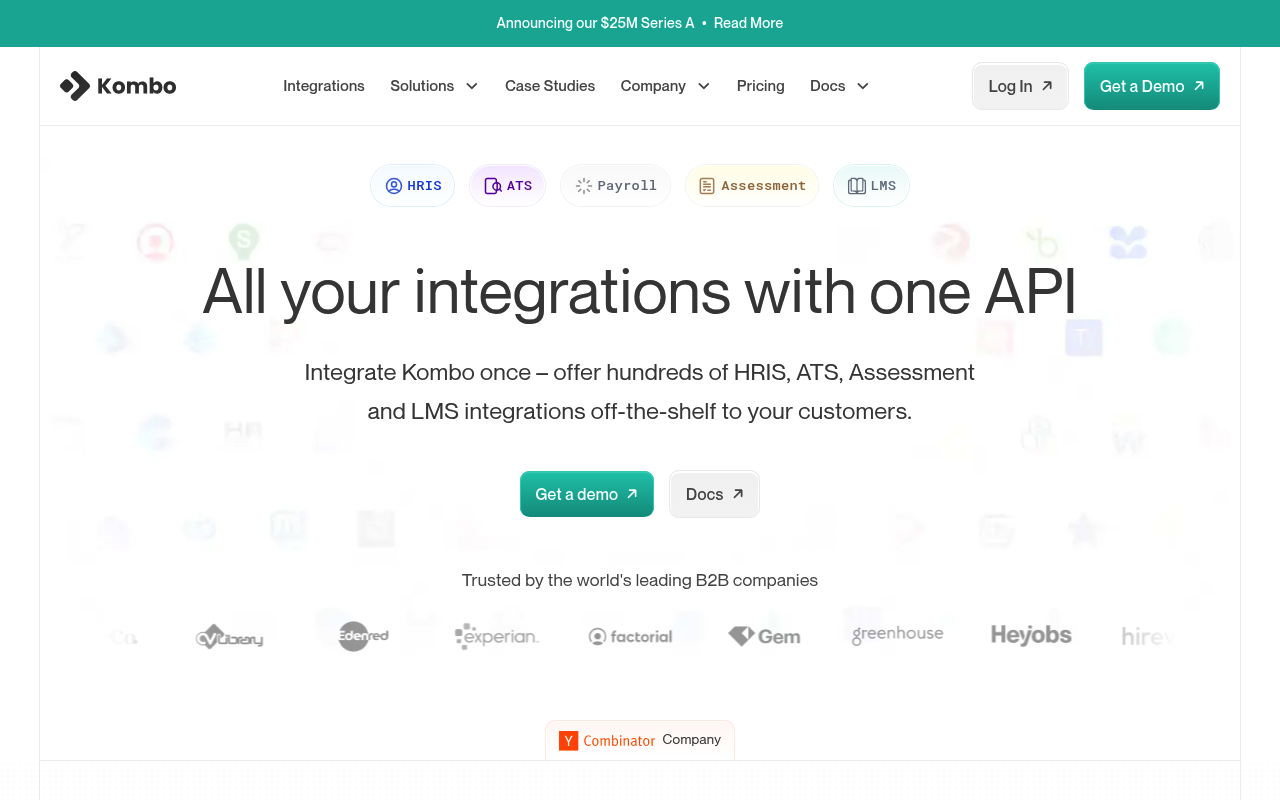
Kombo is a unified API for HR and ATS integrations, enabling B2B SaaS companies to connect with HRIS, payroll, recruiting, and learning systems through a single integration.
Kombo publishes 9 API contracts indexed on the APIs.io network, including AI Apply API, Custom Endpoints API, General API, and 6 more. Tagged areas include Applicant Tracking, Embedded iPaaS, HRIS, LMS, and Payroll.
The Kombo catalog on APIs.io includes 1 Spectral governance ruleset.
Kombo’s developer surface includes authentication, documentation, support, engineering blog, and 14 more developer resources.
What this lets a business do 1
Business capabilities this provider's published APIs can perform, derived from its own contracts. Browse all capabilities →
Kin Score
 Kin Score
How this is scored →
Kin Score
How this is scored →scored 2026-10-17 · rubric v0.24.0
Markets this provider is in provisional
The Kin Score Market layer reads a provider inside its market: its position, and how deep its integrations go. Depth is only comparable within a position. Provisional and unweighted: not part of the Kin Score or agent readiness.
| Market | Position | Depth | Registered MCP server | Declares compatibility |
|---|---|---|---|---|
| HR and Payroll | coverage | 47.1 | - | - |
Registered MCP server and declares compatibility are report only — not weighted. Undeclared means we found nothing we can read, so there is no number: we never infer integrations.
Standards implemented 1
Standards this provider implements or carries. De facto ones are profiled and measured by the API Commons; formal ones come from the standards directory and are linked by the provider's own tags. The evidence column says how each claim was established — not that it was made.
APIs 9
Individual APIs this provider publishes, each with its own machine-readable definition.
Kombo AI Apply API
Endpoints for AI-powered job application features.
Kombo Custom Endpoints API
Custom integration-specific endpoints.
Kombo General API
The General API from Kombo — 12 operation(s) for general.
Kombo Connect API
Endpoints for Kombo Connect, our end-user-facing flow for setting up new integrations.
Kombo Unified ATS API
Unified endpoints to access all the ATS concepts you might need.
Kombo Unified ATS (Assessment & Background Check) API
Unified endpoints to operate Assessments and Background Checks for many applicant tracking systems.
Kombo Unified HRIS API
Unified endpoints to access all the HR concepts you might need.
Kombo Unified LMS API
Unified endpoints to access all the LMS concepts you might need.
Kombo API
The Kombo API API from Kombo — 0 operation(s) for kombo api.
Scroll for all 9
Open Collections 10
Open, tool-agnostic API collections (OpenAPI-derived and Bruno).
API Collection
OPEN COLLECTIONKombo AI Apply API
OPEN COLLECTIONKombo AI Apply Custom Endpoints API
OPEN COLLECTIONKombo AI Apply General API
OPEN COLLECTIONKombo AI Apply Kombo Connect API
OPEN COLLECTIONKombo AI Apply Unified ATS API API
OPEN COLLECTIONKombo AI Apply Unified HRIS API API
OPEN COLLECTIONKombo AI Apply Unified LMS API API
OPEN COLLECTIONKombo API
OPEN COLLECTIONScroll for all 10
Pricing Plans 1
Published pricing tiers and plan structures.
Kombo Plans Pricing
PLANSRate Limits 1
Documented rate limits and quota policies.
Kombo Rate Limits
RATE LIMITSFinOps 1
Cost, billing, and metering signals for API financial operations.
Kombo Finops
FINOPSSpectral Rules 1
Spectral governance rulesets for linting and validating these APIs.
Kombo — jsonschema rules
SPECTRALJSON Schema 535
Standalone JSON Schema definitions for this provider's data models.
AiApplyJobPostingStatusUpdatedWebhookPayload
JSON SCHEMAAssessmentOrderReceivedWebhookPayload
JSON SCHEMABulkImportJobPostingInput
JSON SCHEMABulkImportJobPostingLocation
JSON SCHEMABulkImportResponse
JSON SCHEMAConnectionFlowFailedWebhookPayload
JSON SCHEMADataChangedWebhookPayload
JSON SCHEMADeleteHrisAbsencesAbsenceIdPositiveResponse
JSON SCHEMADeleteHrisAbsencesAbsenceIdRequestBody
JSON SCHEMADeleteHrisEmployeeSkillAssignmentsEmployeeSkillAssignmentIdParameterEmployeeSkillAssignmentId
JSON SCHEMADeleteHrisSkillsSkillIdParameterSkillId
JSON SCHEMADeleteHrisSkillsSkillIdPositiveResponse
JSON SCHEMADeleteHrisSkillsSkillIdRequestBody
JSON SCHEMADeleteIntegrationsIntegrationIdRequestBody
JSON SCHEMAGetAiApplyApplicationsParameterCursor
JSON SCHEMAGetAiApplyApplicationsParameterIds
JSON SCHEMAGetAiApplyApplicationsParameterJobPostingIds
JSON SCHEMAGetAiApplyApplicationsParameterPageSize
JSON SCHEMAGetAiApplyApplicationsPositiveResponse
JSON SCHEMAGetAiApplyCareerSitesParameterCursor
JSON SCHEMAGetAiApplyCareerSitesParameterIds
JSON SCHEMAGetAiApplyCareerSitesParameterPageSize
JSON SCHEMAGetAiApplyCareerSitesPositiveResponse
JSON SCHEMAGetAiApplyJobFeedsParameterCursor
JSON SCHEMAGetAiApplyJobFeedsParameterIds
JSON SCHEMAGetAiApplyJobFeedsParameterPageSize
JSON SCHEMAGetAiApplyJobFeedsPositiveResponse
JSON SCHEMAGetAiApplyPostingsParameterCareerSiteIds
JSON SCHEMAGetAiApplyPostingsParameterCursor
JSON SCHEMAGetAiApplyPostingsParameterIds
JSON SCHEMAGetAiApplyPostingsParameterJobCodes
JSON SCHEMAGetAiApplyPostingsParameterPageSize
JSON SCHEMAGetAiApplyPostingsPositiveResponse
JSON SCHEMAGetAiApplyUnifiedApiJobsParameterCursor
JSON SCHEMAGetAiApplyUnifiedApiJobsParameterIds
JSON SCHEMAGetAiApplyUnifiedApiJobsParameterJobCodes
JSON SCHEMAGetAiApplyUnifiedApiJobsParameterPageSize
JSON SCHEMAGetAiApplyUnifiedApiJobsParameterRemoteIds
JSON SCHEMAGetAiApplyUnifiedApiJobsPositiveResponse
JSON SCHEMAGetAssessmentOrdersOpenParameterCursor
JSON SCHEMAGetAssessmentOrdersOpenParameterPageSize
JSON SCHEMAGetAssessmentOrdersOpenPositiveResponse
JSON SCHEMAGetAssessmentOrdersParameterCreatedAfter
JSON SCHEMAGetAssessmentOrdersParameterCursor
JSON SCHEMAGetAssessmentOrdersParameterIds
JSON SCHEMAGetAssessmentOrdersParameterPageSize
JSON SCHEMAGetAssessmentOrdersParameterStatuses
JSON SCHEMAGetAssessmentOrdersPositiveResponse
JSON SCHEMAGetAssessmentPackagesPositiveResponse
JSON SCHEMAGetAtsApplicationsParameterCurrentStageIds
JSON SCHEMAGetAtsApplicationsParameterCursor
JSON SCHEMAGetAtsApplicationsParameterIds
JSON SCHEMAGetAtsApplicationsParameterIncludeDeleted
JSON SCHEMAGetAtsApplicationsParameterJobIds
JSON SCHEMAGetAtsApplicationsParameterJobRemoteIds
JSON SCHEMAGetAtsApplicationsParameterOutcome
JSON SCHEMAGetAtsApplicationsParameterOutcomes
JSON SCHEMAGetAtsApplicationsParameterPageSize
JSON SCHEMAGetAtsApplicationsParameterRemoteIds
JSON SCHEMAGetAtsApplicationsParameterUpdatedAfter
JSON SCHEMAGetAtsApplicationsPositiveResponse
JSON SCHEMAGetAtsApplicationStagesParameterCursor
JSON SCHEMAGetAtsApplicationStagesParameterIds
JSON SCHEMAGetAtsApplicationStagesParameterPageSize
JSON SCHEMAGetAtsApplicationStagesParameterRemoteIds
JSON SCHEMAGetAtsApplicationStagesParameterUpdatedAfter
JSON SCHEMAGetAtsApplicationStagesPositiveResponse
JSON SCHEMAGetAtsCandidatesParameterCursor
JSON SCHEMAGetAtsCandidatesParameterEmail
JSON SCHEMAGetAtsCandidatesParameterFirstName
JSON SCHEMAGetAtsCandidatesParameterIds
JSON SCHEMAGetAtsCandidatesParameterIncludeDeleted
JSON SCHEMAGetAtsCandidatesParameterJobIds
JSON SCHEMAGetAtsCandidatesParameterLastName
JSON SCHEMAGetAtsCandidatesParameterPageSize
JSON SCHEMAGetAtsCandidatesParameterRemoteIds
JSON SCHEMAGetAtsCandidatesParameterUpdatedAfter
JSON SCHEMAGetAtsCandidatesPositiveResponse
JSON SCHEMAGetAtsInterviewsParameterCursor
JSON SCHEMAGetAtsInterviewsParameterIds
JSON SCHEMAGetAtsInterviewsParameterIncludeDeleted
JSON SCHEMAGetAtsInterviewsParameterJobIds
JSON SCHEMAGetAtsInterviewsParameterPageSize
JSON SCHEMAGetAtsInterviewsParameterRemoteIds
JSON SCHEMAGetAtsInterviewsParameterUpdatedAfter
JSON SCHEMAGetAtsInterviewsPositiveResponse
JSON SCHEMAGetAtsJobsParameterCursor
JSON SCHEMAGetAtsJobsParameterEmploymentTypes
JSON SCHEMAGetAtsJobsParameterIds
JSON SCHEMAGetAtsJobsParameterIgnoreUnsupportedFilters
JSON SCHEMAGetAtsJobsParameterIncludeDeleted
JSON SCHEMAGetAtsJobsParameterJobCodes
JSON SCHEMAGetAtsJobsParameterNameContains
JSON SCHEMAGetAtsJobsParameterPageSize
JSON SCHEMAGetAtsJobsParameterPostUrl
JSON SCHEMAGetAtsJobsParameterRemoteCreatedAfter
JSON SCHEMAGetAtsJobsParameterRemoteIds
JSON SCHEMAGetAtsJobsParameterStatus
JSON SCHEMAGetAtsJobsParameterStatuses
JSON SCHEMAGetAtsJobsParameterUpdatedAfter
JSON SCHEMAGetAtsJobsParameterVisibilities
JSON SCHEMAGetAtsJobsPositiveResponse
JSON SCHEMAGetAtsOffersParameterCursor
JSON SCHEMAGetAtsOffersParameterIds
JSON SCHEMAGetAtsOffersParameterIncludeDeleted
JSON SCHEMAGetAtsOffersParameterPageSize
JSON SCHEMAGetAtsOffersParameterRemoteIds
JSON SCHEMAGetAtsOffersParameterUpdatedAfter
JSON SCHEMAGetAtsOffersPositiveResponse
JSON SCHEMAGetAtsRejectionReasonsParameterCursor
JSON SCHEMAGetAtsRejectionReasonsParameterIds
JSON SCHEMAGetAtsRejectionReasonsParameterPageSize
JSON SCHEMAGetAtsRejectionReasonsParameterRemoteIds
JSON SCHEMAGetAtsRejectionReasonsParameterUpdatedAfter
JSON SCHEMAGetAtsRejectionReasonsPositiveResponse
JSON SCHEMAGetAtsRolesParameterCursor
JSON SCHEMAGetAtsRolesParameterIds
JSON SCHEMAGetAtsRolesParameterIgnoreUnsupportedFilters
JSON SCHEMAGetAtsRolesParameterIncludeDeleted
JSON SCHEMAGetAtsRolesParameterPageSize
JSON SCHEMAGetAtsRolesParameterRemoteIds
JSON SCHEMAGetAtsRolesParameterScopes
JSON SCHEMAGetAtsRolesParameterUpdatedAfter
JSON SCHEMAGetAtsRolesPositiveResponse
JSON SCHEMAGetAtsTagsParameterCursor
JSON SCHEMAGetAtsTagsParameterIds
JSON SCHEMAGetAtsTagsParameterIgnoreUnsupportedFilters
JSON SCHEMAGetAtsTagsParameterIncludeDeleted
JSON SCHEMAGetAtsTagsParameterPageSize
JSON SCHEMAGetAtsTagsParameterRemoteIds
JSON SCHEMAGetAtsTagsParameterUpdatedAfter
JSON SCHEMAGetAtsTagsPositiveResponse
JSON SCHEMAGetAtsUsersParameterCursor
JSON SCHEMAGetAtsUsersParameterEmails
JSON SCHEMAGetAtsUsersParameterIds
JSON SCHEMAGetAtsUsersParameterIgnoreUnsupportedFilters
JSON SCHEMAGetAtsUsersParameterIncludeDeleted
JSON SCHEMAGetAtsUsersParameterPageSize
JSON SCHEMAGetAtsUsersParameterRemoteIds
JSON SCHEMAGetAtsUsersParameterUpdatedAfter
JSON SCHEMAGetAtsUsersPositiveResponse
JSON SCHEMAGetCheckApiKeyPositiveResponse
JSON SCHEMAGetCustomDatevDataPushesPositiveResponse
JSON SCHEMAGetCustomDatevEauRequestsEauIdParameterEauId
JSON SCHEMAGetHrisAbsencesParameterCursor
JSON SCHEMAGetHrisAbsencesParameterDateFrom
JSON SCHEMAGetHrisAbsencesParameterDateUntil
JSON SCHEMAGetHrisAbsencesParameterEmployeeId
JSON SCHEMAGetHrisAbsencesParameterIds
JSON SCHEMAGetHrisAbsencesParameterIncludeDeleted
JSON SCHEMAGetHrisAbsencesParameterPageSize
JSON SCHEMAGetHrisAbsencesParameterRemoteIds
JSON SCHEMAGetHrisAbsencesParameterTimeFrom
JSON SCHEMAGetHrisAbsencesParameterTimeUntil
JSON SCHEMAGetHrisAbsencesParameterTypeIds
JSON SCHEMAGetHrisAbsencesParameterUpdatedAfter
JSON SCHEMAGetHrisAbsencesPositiveResponse
JSON SCHEMAGetHrisAbsenceTypesParameterCursor
JSON SCHEMAGetHrisAbsenceTypesParameterIds
JSON SCHEMAGetHrisAbsenceTypesParameterIncludeDeleted
JSON SCHEMAGetHrisAbsenceTypesParameterPageSize
JSON SCHEMAGetHrisAbsenceTypesParameterRemoteIds
JSON SCHEMAGetHrisAbsenceTypesParameterUpdatedAfter
JSON SCHEMAGetHrisAbsenceTypesPositiveResponse
JSON SCHEMAGetHrisEmployeesFormPositiveResponse
JSON SCHEMAGetHrisEmployeeSkillAssignmentsParameterIds
JSON SCHEMAGetHrisEmployeesParameterCursor
JSON SCHEMAGetHrisEmployeesParameterCustomFields
JSON SCHEMAGetHrisEmployeesParameterEmploymentStatus
JSON SCHEMAGetHrisEmployeesParameterEmploymentStatuses
JSON SCHEMAGetHrisEmployeesParameterGroupIds
JSON SCHEMAGetHrisEmployeesParameterIds
JSON SCHEMAGetHrisEmployeesParameterIncludeDeleted
JSON SCHEMAGetHrisEmployeesParameterLegalEntityIds
JSON SCHEMAGetHrisEmployeesParameterPageSize
JSON SCHEMAGetHrisEmployeesParameterPersonalEmails
JSON SCHEMAGetHrisEmployeesParameterRemoteIds
JSON SCHEMAGetHrisEmployeesParameterUpdatedAfter
JSON SCHEMAGetHrisEmployeesParameterWorkEmails
JSON SCHEMAGetHrisEmployeesParameterWorkLocationIds
JSON SCHEMAGetHrisEmployeesPositiveResponse
JSON SCHEMAGetHrisEmploymentsParameterCursor
JSON SCHEMAGetHrisEmploymentsParameterIds
JSON SCHEMAGetHrisEmploymentsParameterIncludeDeleted
JSON SCHEMAGetHrisEmploymentsParameterPageSize
JSON SCHEMAGetHrisEmploymentsParameterRemoteIds
JSON SCHEMAGetHrisEmploymentsParameterUpdatedAfter
JSON SCHEMAGetHrisEmploymentsPositiveResponse
JSON SCHEMAGetHrisGroupsParameterCursor
JSON SCHEMAGetHrisGroupsParameterIds
JSON SCHEMAGetHrisGroupsParameterIncludeDeleted
JSON SCHEMAGetHrisGroupsParameterNameContains
JSON SCHEMAGetHrisGroupsParameterPageSize
JSON SCHEMAGetHrisGroupsParameterRemoteIds
JSON SCHEMAGetHrisGroupsParameterTypes
JSON SCHEMAGetHrisGroupsParameterUpdatedAfter
JSON SCHEMAGetHrisGroupsPositiveResponse
JSON SCHEMAGetHrisLegalEntitiesParameterCursor
JSON SCHEMAGetHrisLegalEntitiesParameterIds
JSON SCHEMAGetHrisLegalEntitiesParameterIncludeDeleted
JSON SCHEMAGetHrisLegalEntitiesParameterNameContains
JSON SCHEMAGetHrisLegalEntitiesParameterPageSize
JSON SCHEMAGetHrisLegalEntitiesParameterRemoteIds
JSON SCHEMAGetHrisLegalEntitiesParameterUpdatedAfter
JSON SCHEMAGetHrisLegalEntitiesPositiveResponse
JSON SCHEMAGetHrisLocationsParameterCursor
JSON SCHEMAGetHrisLocationsParameterIds
JSON SCHEMAGetHrisLocationsParameterIncludeDeleted
JSON SCHEMAGetHrisLocationsParameterNameContains
JSON SCHEMAGetHrisLocationsParameterPageSize
JSON SCHEMAGetHrisLocationsParameterRemoteIds
JSON SCHEMAGetHrisLocationsParameterUpdatedAfter
JSON SCHEMAGetHrisLocationsPositiveResponse
JSON SCHEMAGetHrisPerformanceReviewCyclesParameterIds
JSON SCHEMAGetHrisPerformanceReviewsParameterCursor
JSON SCHEMAGetHrisPerformanceReviewsParameterIds
JSON SCHEMAGetHrisPerformanceReviewsParameterPageSize
JSON SCHEMAGetHrisPerformanceReviewsParameterRemoteIds
JSON SCHEMAGetHrisPerformanceReviewsParameterTypes
JSON SCHEMAGetHrisPerformanceReviewsPositiveResponse
JSON SCHEMAGetHrisSkillsParameterIds
JSON SCHEMAGetHrisSkillsParameterNameContains
JSON SCHEMAGetHrisSkillsParameterRemoteIds
JSON SCHEMAGetHrisSkillsPositiveResponse
JSON SCHEMAGetHrisStaffingEntitiesParameterCursor
JSON SCHEMAGetHrisStaffingEntitiesParameterIds
JSON SCHEMAGetHrisStaffingEntitiesParameterModelTypes
JSON SCHEMAGetHrisStaffingEntitiesParameterPageSize
JSON SCHEMAGetHrisStaffingEntitiesParameterRemoteIds
JSON SCHEMAGetHrisStaffingEntitiesParameterStatuses
JSON SCHEMAGetHrisStaffingEntitiesParameterUpdatedAfter
JSON SCHEMAGetHrisStaffingEntitiesPositiveResponse
JSON SCHEMAGetHrisTeamsParameterCursor
JSON SCHEMAGetHrisTeamsParameterIds
JSON SCHEMAGetHrisTeamsParameterIncludeDeleted
JSON SCHEMAGetHrisTeamsParameterPageSize
JSON SCHEMAGetHrisTeamsParameterRemoteIds
JSON SCHEMAGetHrisTeamsParameterUpdatedAfter
JSON SCHEMAGetHrisTeamsPositiveResponse
JSON SCHEMAGetHrisTimeOffBalancesParameterCursor
JSON SCHEMAGetHrisTimeOffBalancesParameterEmployeeId
JSON SCHEMAGetHrisTimeOffBalancesParameterIds
JSON SCHEMAGetHrisTimeOffBalancesParameterPageSize
JSON SCHEMAGetHrisTimeOffBalancesParameterRemoteIds
JSON SCHEMAGetHrisTimeOffBalancesParameterUpdatedAfter
JSON SCHEMAGetHrisTimeOffBalancesPositiveResponse
JSON SCHEMAGetHrisTimesheetsParameterCursor
JSON SCHEMAGetHrisTimesheetsParameterEmployeeId
JSON SCHEMAGetHrisTimesheetsParameterEndedAfter
JSON SCHEMAGetHrisTimesheetsParameterEndedBefore
JSON SCHEMAGetHrisTimesheetsParameterIds
JSON SCHEMAGetHrisTimesheetsParameterIncludeDeleted
JSON SCHEMAGetHrisTimesheetsParameterPageSize
JSON SCHEMAGetHrisTimesheetsParameterRemoteIds
JSON SCHEMAGetHrisTimesheetsParameterStartedAfter
JSON SCHEMAGetHrisTimesheetsParameterStartedBefore
JSON SCHEMAGetHrisTimesheetsParameterUpdatedAfter
JSON SCHEMAGetHrisTimesheetsPositiveResponse
JSON SCHEMAGetIntegrationsIntegrationIdPositiveResponse
JSON SCHEMAGetLmsCourseProgressionsParameterCourseIds
JSON SCHEMAGetLmsCourseProgressionsParameterCursor
JSON SCHEMAGetLmsCourseProgressionsParameterIds
JSON SCHEMAGetLmsCourseProgressionsParameterPageSize
JSON SCHEMAGetLmsCourseProgressionsParameterRemoteIds
JSON SCHEMAGetLmsCourseProgressionsParameterUserIds
JSON SCHEMAGetLmsCourseProgressionsPositiveResponse
JSON SCHEMAGetLmsCoursesBulkTaskIdParameterTaskId
JSON SCHEMAGetLmsCoursesBulkTaskIdPositiveResponse
JSON SCHEMAGetLmsCoursesParameterCursor
JSON SCHEMAGetLmsCoursesParameterIds
JSON SCHEMAGetLmsCoursesParameterIncludeDeleted
JSON SCHEMAGetLmsCoursesParameterPageSize
JSON SCHEMAGetLmsCoursesParameterRemoteIds
JSON SCHEMAGetLmsCoursesParameterUpdatedAfter
JSON SCHEMAGetLmsCoursesPositiveResponse
JSON SCHEMAGetLmsSkillsParameterCursor
JSON SCHEMAGetLmsSkillsParameterIds
JSON SCHEMAGetLmsSkillsParameterIncludeDeleted
JSON SCHEMAGetLmsSkillsParameterPageSize
JSON SCHEMAGetLmsSkillsParameterRemoteIds
JSON SCHEMAGetLmsSkillsParameterUpdatedAfter
JSON SCHEMAGetLmsSkillsPositiveResponse
JSON SCHEMAGetLmsUsersParameterCursor
JSON SCHEMAGetLmsUsersParameterIds
JSON SCHEMAGetLmsUsersParameterIgnoreUnsupportedFilters
JSON SCHEMAGetLmsUsersParameterIncludeDeleted
JSON SCHEMAGetLmsUsersParameterPageSize
JSON SCHEMAGetLmsUsersParameterRemoteIds
JSON SCHEMAGetLmsUsersParameterUpdatedAfter
JSON SCHEMAGetLmsUsersParameterWorkEmails
JSON SCHEMAGetLmsUsersPositiveResponse
JSON SCHEMAGetToolsCategoryParameterCategory
JSON SCHEMAGetToolsCategoryPositiveResponse
JSON SCHEMAInlineAssessmentOrderReceivedWebhookPayload
JSON SCHEMAIntegrationCreatedWebhookPayload
JSON SCHEMAIntegrationDeletedWebhookPayload
JSON SCHEMAIntegrationStateChangedWebhookPayload
JSON SCHEMAPatchHrisEmployeesEmployeeIdPositiveResponse
JSON SCHEMAPatchHrisEmployeesEmployeeIdRequestBody
JSON SCHEMAPatchHrisEmployeeSkillAssignmentsEmployeeSkillAssignmentIdParameterEmployeeSkillAssignmentId
JSON SCHEMAPatchHrisSkillsSkillIdParameterSkillId
JSON SCHEMAPatchHrisSkillsSkillIdPositiveResponse
JSON SCHEMAPatchHrisSkillsSkillIdRequestBody
JSON SCHEMAPostAiApplyApplyPositiveResponse
JSON SCHEMAPostAiApplyApplyRequestBody
JSON SCHEMAPostAiApplyCareerSitesPositiveResponse
JSON SCHEMAPostAiApplyCareerSitesRequestBody
JSON SCHEMAPostAiApplyJobFeedsPositiveResponse
JSON SCHEMAPostAiApplyJobFeedsRequestBody
JSON SCHEMAPostAiApplyPostingsPositiveResponse
JSON SCHEMAPostAiApplyPostingsRequestBody
JSON SCHEMAPostAtsCandidatesCandidateIdTagsRequestBody
JSON SCHEMAPostAtsCandidatesPositiveResponse
JSON SCHEMAPostAtsCandidatesRequestBody
JSON SCHEMAPostAtsCustomAvionteSyncedJobsRequestBody
JSON SCHEMAPostAtsImportTrackedApplicationRequestBody
JSON SCHEMAPostAtsJobsJobIdApplicationsParameterJobId
JSON SCHEMAPostAtsJobsJobIdApplicationsPositiveResponse
JSON SCHEMAPostAtsJobsJobIdApplicationsRequestBody
JSON SCHEMAPostConnectActivateIntegrationRequestBody
JSON SCHEMAPostConnectCreateLinkPositiveResponse
JSON SCHEMAPostConnectCreateLinkRequestBody
JSON SCHEMAPostCustomDatevDownloadDocumentRequestBody
JSON SCHEMAPostCustomDatevPassthroughPositiveResponse
JSON SCHEMAPostCustomDatevPassthroughRequestBody
JSON SCHEMAPostCustomDatevPushDataGeneralRequestBody
JSON SCHEMAPostCustomDatevPushDataPayrollRequestBody
JSON SCHEMAPostForceSyncPositiveResponse
JSON SCHEMAPostForceSyncRequestBody
JSON SCHEMAPostHrisAbsencesPositiveResponse
JSON SCHEMAPostHrisAbsencesRequestBody
JSON SCHEMAPostHrisEmployeesFormPositiveResponse
JSON SCHEMAPostHrisEmployeesFormRequestBody
JSON SCHEMAPostHrisEmployeeSkillAssignmentsRequestBody
JSON SCHEMAPostHrisEmployeesPositiveResponse
JSON SCHEMAPostHrisEmployeesRequestBody
JSON SCHEMAPostHrisSkillsPositiveResponse
JSON SCHEMAPostHrisSkillsRequestBody
JSON SCHEMAPostLmsCourseProgressionsPositiveResponse
JSON SCHEMAPostLmsCourseProgressionsRequestBody
JSON SCHEMAPostLmsCoursesBulkPositiveResponse
JSON SCHEMAPostLmsCoursesBulkRequestBody
JSON SCHEMAPostLmsCoursesCourseIdDeactivateRequestBody
JSON SCHEMAPostPassthroughToolApiParameterApi
JSON SCHEMAPostPassthroughToolApiParameterTool
JSON SCHEMAPostPassthroughToolApiPositiveResponse
JSON SCHEMAPostPassthroughToolApiRequestBody
JSON SCHEMAPutAssessmentPackagesPositiveResponse
JSON SCHEMAPutAssessmentPackagesRequestBody
JSON SCHEMASchema1
JSON SCHEMASchema2
JSON SCHEMASchema3
JSON SCHEMASchema4
JSON SCHEMASchema5
JSON SCHEMASchema6
JSON SCHEMASyncFinishedWebhookPayload
JSON SCHEMAScroll for all 535
JSON Structure 1
JSON Structure definitions describing this provider's data shapes.
Kombo Structure
JSON STRUCTUREExamples 108
Example request and response payloads for these APIs.
Kombo Getatsjobs Example
EXAMPLEKombo Getatsoffers Example
EXAMPLEKombo Getatsroles Example
EXAMPLEKombo Getatstags Example
EXAMPLEKombo Getatsusers Example
EXAMPLEKombo Getcheckapikey Example
EXAMPLEKombo Gethrisgroups Example
EXAMPLEKombo Gethrisskills Example
EXAMPLEKombo Gethristeams Example
EXAMPLEKombo Getlmscourses Example
EXAMPLEKombo Getlmsskills Example
EXAMPLEKombo Getlmsusers Example
EXAMPLEKombo Postforcesync Example
EXAMPLEKombo Posthrisskills Example
EXAMPLEScroll for all 108
Security Posture 3
Authentication, domain security, vulnerability disclosure, and trust-center signals.
Agentic Access 1
Recommended x-agentic-access execution contracts for AI agents.
Resources
Documentation 2
Reference material describing how the API behaves
Agent Surfaces 2
MCP servers, agent skills, and machine-readable catalogs
Build 2
SDKs, sample code, and the tooling you integrate with
Access & Security 4
Authentication, authorization, and security posture
Operate 2
Status, limits, changes, and where to get help
Commercial 2
Pricing, plans, and the legal terms of use
Company 3
The organization behind the API
Other 1
Properties that don't map to a standard resource type
Source (apis.yml)
Work with this as data
Every provider here is available over the APIs.io API and to AI agents over MCP.