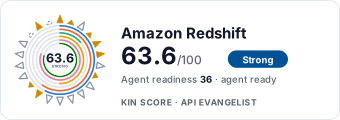
AWS Redshift website screenshot

AWS Redshift

Amazon Redshift is a fast, fully managed, petabyte-scale data warehouse service that makes it simple and cost-effective to analyze all your data using standard SQL and existing Business Intelligence tools.

3 APIs 10 Features
AnalyticsBig DataCloud DatabaseData WarehouseSQL

APIs

Amazon Redshift API

The Amazon Redshift API provides programmatic access to create and manage Amazon Redshift clusters and their associated resources including snapshots, parameter groups, subnet g...

Amazon Redshift Data API

The Amazon Redshift Data API enables you to run SQL statements without managing connections via a secure HTTP endpoint. It supports both synchronous and asynchronous SQL executi...

Amazon Redshift Serverless API

API for Amazon Redshift Serverless, which makes it easy to run analytics workloads without managing data warehouse infrastructure. Automatically provisions and scales data wareh...

Collections

Pricing Plans

Rate Limits

Aws Redshift Rate Limits

23 limits

RATE LIMITS

FinOps

Features

Petabyte-Scale Storage

Store and query petabytes of structured and semi-structured data with columnar storage.

Standard SQL Support

Query data using standard SQL and connect with existing BI tools via JDBC/ODBC.

Massively Parallel Processing

Distribute SQL operations across multiple nodes for high-performance query execution.

Columnar Storage

Store data in columnar format for efficient analytical query performance and compression.

Automated Snapshots

Automated and manual snapshots for point-in-time recovery of your cluster data.

Data Sharing

Share live data across Redshift clusters and accounts without copying data.

ML Integration

Run Amazon Redshift ML to create, train, and deploy machine learning models using SQL.

Serverless Mode

Run analytics workloads without managing cluster infrastructure with Redshift Serverless.

Federated Query

Query data across operational databases, data warehouses, and data lakes.

AQUA

Advanced Query Accelerator for up to 10x faster query performance using distributed hardware-accelerated cache.

Use Cases

Business Intelligence

Power BI dashboards and reports with fast analytical queries over large datasets.

Log Analytics

Analyze application logs and clickstream data for operational insights.

Financial Analytics

Process financial transactions and generate regulatory reports over historical data.

Data Lake Analytics

Query data in Amazon S3 data lakes using Redshift Spectrum without loading.

Machine Learning

Build and deploy ML models directly within the warehouse using SQL with Redshift ML.

Semantic Vocabularies

Aws Redshift Redshift Context

240 classes · 379 properties

JSON-LD

Aws Redshift Redshift Data Context

28 classes · 80 properties

JSON-LD

API Governance Rules

AWS Redshift API Rules

11 rules · 4 errors 6 warnings 1 info

SPECTRAL

JSON Structure

Redshift Account Attribute List Structure

1 properties

JSON STRUCTURE

Redshift Account Attribute Structure

2 properties

JSON STRUCTURE

Redshift Action Type Structure

0 properties

JSON STRUCTURE

Redshift Aqua Configuration Status Structure

0 properties

JSON STRUCTURE

Redshift Aqua Configuration Structure

2 properties

JSON STRUCTURE

Redshift Aqua Status Structure

0 properties

JSON STRUCTURE

Redshift Associated Cluster List Structure

0 properties

JSON STRUCTURE

Redshift Attribute List Structure

0 properties

JSON STRUCTURE

Redshift Attribute Name List Structure

0 properties

JSON STRUCTURE

Redshift Attribute Value List Structure

0 properties

JSON STRUCTURE

Redshift Attribute Value Target Structure

1 properties

JSON STRUCTURE

Redshift Authentication Profile Structure

2 properties

JSON STRUCTURE

Redshift Authorization Status Structure

0 properties

JSON STRUCTURE

Redshift Availability Zone List Structure

0 properties

JSON STRUCTURE

Redshift Availability Zone Structure

2 properties

JSON STRUCTURE

Redshift Boolean Optional Structure

0 properties

JSON STRUCTURE

Redshift Boolean Structure

0 properties

JSON STRUCTURE

Redshift Bucket Not Found Fault Structure

0 properties

JSON STRUCTURE

Redshift Cancel Resize Message Structure

1 properties

JSON STRUCTURE

Redshift Cluster Credentials Structure

3 properties

JSON STRUCTURE

Redshift Cluster Db Revision Structure

4 properties

JSON STRUCTURE

Redshift Cluster Db Revisions List Structure

0 properties

JSON STRUCTURE

Redshift Cluster Iam Role List Structure

0 properties

JSON STRUCTURE

Redshift Cluster Iam Role Structure

2 properties

JSON STRUCTURE

Redshift Cluster List Structure

0 properties

JSON STRUCTURE

Redshift Cluster Node Structure

3 properties

JSON STRUCTURE

Redshift Cluster Nodes List Structure

0 properties

JSON STRUCTURE

Redshift Cluster Not Found Fault Structure

0 properties

JSON STRUCTURE

Redshift Cluster Parameter Group Structure

4 properties

JSON STRUCTURE

Redshift Cluster Parameter Status Structure

3 properties

JSON STRUCTURE

Redshift Cluster Security Group Structure

5 properties

JSON STRUCTURE

Redshift Cluster Security Groups Structure

0 properties

JSON STRUCTURE

Redshift Cluster Structure

52 properties

JSON STRUCTURE

Redshift Cluster Subnet Group Structure

6 properties

JSON STRUCTURE

Redshift Cluster Subnet Groups Structure

0 properties

JSON STRUCTURE

Redshift Cluster Version List Structure

0 properties

JSON STRUCTURE

Redshift Cluster Version Structure

3 properties

JSON STRUCTURE

Redshift Cluster Versions Message Structure

2 properties

JSON STRUCTURE

Redshift Clusters Message Structure

2 properties

JSON STRUCTURE

Redshift Create Cluster Message Structure

34 properties

JSON STRUCTURE

Redshift Create Cluster Result Structure

1 properties

JSON STRUCTURE

Redshift Create Tags Message Structure

2 properties

JSON STRUCTURE

Redshift Create Usage Limit Message Structure

7 properties

JSON STRUCTURE

Redshift Customer Storage Message Structure

2 properties

JSON STRUCTURE

Redshift Data Blob Structure

0 properties

JSON STRUCTURE

Redshift Data Bool Structure

0 properties

JSON STRUCTURE

Redshift Data Boolean Structure

0 properties

JSON STRUCTURE

Redshift Data Boxed Boolean Structure

0 properties

JSON STRUCTURE

Redshift Data Boxed Double Structure

0 properties

JSON STRUCTURE

Redshift Data Boxed Long Structure

0 properties

JSON STRUCTURE

Redshift Data Client Token Structure

0 properties

JSON STRUCTURE

Redshift Data Column List Structure

0 properties

JSON STRUCTURE

Redshift Data Column Metadata List Structure

0 properties

JSON STRUCTURE

Redshift Data Column Metadata Structure

13 properties

JSON STRUCTURE

Redshift Data Database List Structure

0 properties

JSON STRUCTURE

Redshift Data Describe Table Request Structure

10 properties

JSON STRUCTURE

Redshift Data Field List Structure

0 properties

JSON STRUCTURE

Redshift Data Field Structure

6 properties

JSON STRUCTURE

Redshift Data Integer Structure

0 properties

JSON STRUCTURE

Redshift Data List Schemas Request Structure

9 properties

JSON STRUCTURE

Redshift Data List Schemas Response Structure

2 properties

JSON STRUCTURE

Redshift Data List Statements Limit Structure

0 properties

JSON STRUCTURE

Redshift Data List Tables Request Structure

10 properties

JSON STRUCTURE

Redshift Data List Tables Response Structure

2 properties

JSON STRUCTURE

Redshift Data Location Structure

0 properties

JSON STRUCTURE

Redshift Data Long Structure

0 properties

JSON STRUCTURE

Redshift Data Page Size Structure

0 properties

JSON STRUCTURE

Redshift Data Parameter Name Structure

0 properties

JSON STRUCTURE

Redshift Data Parameter Value Structure

0 properties

JSON STRUCTURE

Redshift Data Schema List Structure

0 properties

JSON STRUCTURE

Redshift Data Secret Arn Structure

0 properties

JSON STRUCTURE

Redshift Data Share Association Structure

5 properties

JSON STRUCTURE

Redshift Data Share List Structure

0 properties

JSON STRUCTURE

Redshift Data Share Status Structure

0 properties

JSON STRUCTURE

Redshift Data Share Structure

5 properties

JSON STRUCTURE

Redshift Data Sql List Structure

0 properties

JSON STRUCTURE

Redshift Data Sql Parameter Structure

2 properties

JSON STRUCTURE

Redshift Data Sql Parameters List Structure

0 properties

JSON STRUCTURE

Redshift Data Sql Records Structure

0 properties

JSON STRUCTURE

Redshift Data Statement Data Structure

10 properties

JSON STRUCTURE

Redshift Data Statement Id Structure

0 properties

JSON STRUCTURE

Redshift Data Statement List Structure

0 properties

JSON STRUCTURE

Redshift Data Statement Name String Structure

0 properties

JSON STRUCTURE

Redshift Data Statement String List Structure

0 properties

JSON STRUCTURE

Redshift Data Statement String Structure

0 properties

JSON STRUCTURE

Redshift Data Status String Structure

0 properties

JSON STRUCTURE

Redshift Data String Structure

0 properties

JSON STRUCTURE

Redshift Data Sub Statement Data Structure

11 properties

JSON STRUCTURE

Redshift Data Sub Statement List Structure

0 properties

JSON STRUCTURE

Redshift Data Table List Structure

0 properties

JSON STRUCTURE

Redshift Data Table Member Structure

3 properties

JSON STRUCTURE

Redshift Data Timestamp Structure

0 properties

JSON STRUCTURE

Redshift Data Transfer Progress Structure

6 properties

JSON STRUCTURE

Redshift Data Validation Exception Structure

0 properties

JSON STRUCTURE

Redshift Data Workgroup Name String Structure

0 properties

JSON STRUCTURE

Redshift Db Group List Structure

0 properties

JSON STRUCTURE

Redshift Default Cluster Parameters Structure

3 properties

JSON STRUCTURE

Redshift Delete Cluster Message Structure

4 properties

JSON STRUCTURE

Redshift Delete Cluster Result Structure

1 properties

JSON STRUCTURE

Redshift Delete Tags Message Structure

2 properties

JSON STRUCTURE

Redshift Delete Usage Limit Message Structure

1 properties

JSON STRUCTURE

Redshift Describe Clusters Message Structure

5 properties

JSON STRUCTURE

Redshift Describe Events Message Structure

7 properties

JSON STRUCTURE

Redshift Describe Resize Message Structure

1 properties

JSON STRUCTURE

Redshift Describe Tags Message Structure

6 properties

JSON STRUCTURE

Redshift Disable Logging Message Structure

1 properties

JSON STRUCTURE

Redshift Double Optional Structure

0 properties

JSON STRUCTURE

Redshift Double Structure

0 properties

JSON STRUCTURE

Redshift Ec2 Security Group List Structure

0 properties

JSON STRUCTURE

Redshift Ec2 Security Group Structure

4 properties

JSON STRUCTURE

Redshift Elastic Ip Status Structure

2 properties

JSON STRUCTURE

Redshift Enable Logging Message Structure

5 properties

JSON STRUCTURE

Redshift Endpoint Access List Structure

2 properties

JSON STRUCTURE

Redshift Endpoint Access Structure

10 properties

JSON STRUCTURE

Redshift Endpoint Accesses Structure

0 properties

JSON STRUCTURE

Redshift Endpoint Authorization Structure

9 properties

JSON STRUCTURE

Redshift Endpoint Authorizations Structure

0 properties

JSON STRUCTURE

Redshift Endpoint Not Found Fault Structure

0 properties

JSON STRUCTURE

Redshift Endpoint Structure

3 properties

JSON STRUCTURE

Redshift Event Categories List Structure

0 properties

JSON STRUCTURE

Redshift Event Categories Map List Structure

0 properties

JSON STRUCTURE

Redshift Event Categories Map Structure

2 properties

JSON STRUCTURE

Redshift Event Categories Message Structure

1 properties

JSON STRUCTURE

Redshift Event Info Map List Structure

0 properties

JSON STRUCTURE

Redshift Event Info Map Structure

4 properties

JSON STRUCTURE

Redshift Event List Structure

0 properties

JSON STRUCTURE

Redshift Event Structure

7 properties

JSON STRUCTURE

Redshift Event Subscription Structure

11 properties

JSON STRUCTURE

Redshift Event Subscriptions List Structure

0 properties

JSON STRUCTURE

Redshift Events Message Structure

2 properties

JSON STRUCTURE

Redshift Hsm Client Certificate Structure

3 properties

JSON STRUCTURE

Redshift Hsm Configuration List Structure

0 properties

JSON STRUCTURE

Redshift Hsm Configuration Message Structure

2 properties

JSON STRUCTURE

Redshift Hsm Configuration Structure

5 properties

JSON STRUCTURE

Redshift Hsm Status Structure

3 properties

JSON STRUCTURE

Redshift Iam Role Arn List Structure

0 properties

JSON STRUCTURE

Redshift Import Tables Completed Structure

0 properties

JSON STRUCTURE

Redshift Import Tables In Progress Structure

0 properties

JSON STRUCTURE

Redshift Import Tables Not Started Structure

0 properties

JSON STRUCTURE

Redshift Integer Optional Structure

0 properties

JSON STRUCTURE

Redshift Integer Structure

0 properties

JSON STRUCTURE

Redshift Invalid Data Share Fault Structure

0 properties

JSON STRUCTURE

Redshift Invalid Elastic Ip Fault Structure

0 properties

JSON STRUCTURE

Redshift Invalid Namespace Fault Structure

0 properties

JSON STRUCTURE

Redshift Invalid Restore Fault Structure

0 properties

JSON STRUCTURE

Redshift Invalid Schedule Fault Structure

0 properties

JSON STRUCTURE

Redshift Invalid Subnet Structure

0 properties

JSON STRUCTURE

Redshift Invalid Tag Fault Structure

0 properties

JSON STRUCTURE

Redshift Invalid Usage Limit Fault Structure

0 properties

JSON STRUCTURE

Redshift Ip Range List Structure

0 properties

JSON STRUCTURE

Redshift Ip Range Structure

3 properties

JSON STRUCTURE

Redshift Limit Exceeded Fault Structure

0 properties

JSON STRUCTURE

Redshift Log Destination Type Structure

0 properties

JSON STRUCTURE

Redshift Log Type List Structure

0 properties

JSON STRUCTURE

Redshift Logging Status Structure

8 properties

JSON STRUCTURE

Redshift Long Optional Structure

0 properties

JSON STRUCTURE

Redshift Long Structure

0 properties

JSON STRUCTURE

Redshift Maintenance Track Structure

3 properties

JSON STRUCTURE

Redshift Mode Structure

0 properties

JSON STRUCTURE

Redshift Modify Aqua Input Message Structure

2 properties

JSON STRUCTURE

Redshift Modify Aqua Output Message Structure

1 properties

JSON STRUCTURE

Redshift Modify Cluster Message Structure

25 properties

JSON STRUCTURE

Redshift Modify Cluster Result Structure

1 properties

JSON STRUCTURE

Redshift Modify Usage Limit Message Structure

3 properties

JSON STRUCTURE

Redshift Network Interface List Structure

0 properties

JSON STRUCTURE

Redshift Network Interface Structure

4 properties

JSON STRUCTURE

Redshift Node Configuration Option Structure

4 properties

JSON STRUCTURE

Redshift Operator Type Structure

0 properties

JSON STRUCTURE

Redshift Orderable Cluster Option Structure

4 properties

JSON STRUCTURE

Redshift Parameter Apply Type Structure

0 properties

JSON STRUCTURE

Redshift Parameter Group List Structure

0 properties

JSON STRUCTURE

Redshift Parameter Structure

9 properties

JSON STRUCTURE

Redshift Parameters List Structure

0 properties

JSON STRUCTURE

Redshift Partner Integration Info Structure

6 properties

JSON STRUCTURE

Redshift Partner Integration Status Structure

0 properties

JSON STRUCTURE

Redshift Partner Not Found Fault Structure

0 properties

JSON STRUCTURE

Redshift Pause Cluster Message Structure

1 properties

JSON STRUCTURE

Redshift Pause Cluster Result Structure

1 properties

JSON STRUCTURE

Redshift Pending Actions List Structure

0 properties

JSON STRUCTURE

Redshift Pending Modified Values Structure

11 properties

JSON STRUCTURE

Redshift Reboot Cluster Message Structure

1 properties

JSON STRUCTURE

Redshift Reboot Cluster Result Structure

1 properties

JSON STRUCTURE

Redshift Recurring Charge List Structure

0 properties

JSON STRUCTURE

Redshift Recurring Charge Structure

2 properties

JSON STRUCTURE

Redshift Reject Data Share Message Structure

1 properties

JSON STRUCTURE

Redshift Reserved Node List Structure

0 properties

JSON STRUCTURE

Redshift Reserved Node Offering Structure

9 properties

JSON STRUCTURE

Redshift Reserved Node Structure

13 properties

JSON STRUCTURE

Redshift Reserved Nodes Message Structure

2 properties

JSON STRUCTURE

Redshift Resize Cluster Message Structure

7 properties

JSON STRUCTURE

Redshift Resize Cluster Result Structure

1 properties

JSON STRUCTURE

Redshift Resize Info Structure

2 properties

JSON STRUCTURE

Redshift Resize Not Found Fault Structure

0 properties

JSON STRUCTURE

Redshift Resize Progress Message Structure

16 properties

JSON STRUCTURE

Redshift Resource Not Found Fault Structure

0 properties

JSON STRUCTURE

Redshift Restorable Node Type List Structure

0 properties

JSON STRUCTURE

Redshift Restore Status Structure

6 properties

JSON STRUCTURE

Redshift Resume Cluster Message Structure

1 properties

JSON STRUCTURE

Redshift Resume Cluster Result Structure

1 properties

JSON STRUCTURE

Redshift Revision Target Structure

3 properties

JSON STRUCTURE

Redshift Revision Targets List Structure

0 properties

JSON STRUCTURE

Redshift Schedule Definition List Structure

0 properties

JSON STRUCTURE

Redshift Schedule State Structure

0 properties

JSON STRUCTURE

Redshift Scheduled Action Filter Structure

2 properties

JSON STRUCTURE

Redshift Scheduled Action List Structure

0 properties

JSON STRUCTURE

Redshift Scheduled Action State Structure

0 properties

JSON STRUCTURE

Redshift Scheduled Action Structure

9 properties

JSON STRUCTURE

Redshift Scheduled Action Time List Structure

0 properties

JSON STRUCTURE

Redshift Scheduled Action Type Structure

3 properties

JSON STRUCTURE

Redshift Scheduled Actions Message Structure

2 properties

JSON STRUCTURE

Redshift Sensitive String Structure

0 properties

JSON STRUCTURE

Redshift Snapshot Copy Grant List Structure

0 properties

JSON STRUCTURE

Redshift Snapshot Copy Grant Structure

3 properties

JSON STRUCTURE

Redshift Snapshot Error Message Structure

4 properties

JSON STRUCTURE

Redshift Snapshot Identifier List Structure

0 properties

JSON STRUCTURE

Redshift Snapshot List Structure

0 properties

JSON STRUCTURE

Redshift Snapshot Message Structure

2 properties

JSON STRUCTURE

Redshift Snapshot Schedule List Structure

0 properties

JSON STRUCTURE

Redshift Snapshot Schedule Structure

7 properties

JSON STRUCTURE

Redshift Snapshot Sorting Entity Structure

2 properties

JSON STRUCTURE

Redshift Snapshot Structure

34 properties

JSON STRUCTURE

Redshift Sns Invalid Topic Fault Structure

0 properties

JSON STRUCTURE

Redshift Sns No Authorization Fault Structure

0 properties

JSON STRUCTURE

Redshift Sort By Order Structure

0 properties

JSON STRUCTURE

Redshift Source Ids List Structure

0 properties

JSON STRUCTURE

Redshift Source Not Found Fault Structure

0 properties

JSON STRUCTURE

Redshift Source Type Structure

0 properties

JSON STRUCTURE

Redshift String Structure

0 properties

JSON STRUCTURE

Redshift Subnet Already In Use Structure

0 properties

JSON STRUCTURE

Redshift Subnet Identifier List Structure

0 properties

JSON STRUCTURE

Redshift Subnet List Structure

0 properties

JSON STRUCTURE

Redshift Subnet Structure

3 properties

JSON STRUCTURE

Redshift Supported Operation List Structure

0 properties

JSON STRUCTURE

Redshift Supported Operation Structure

1 properties

JSON STRUCTURE

Redshift Supported Platform Structure

1 properties

JSON STRUCTURE

Redshift Supported Platforms List Structure

0 properties

JSON STRUCTURE

Redshift T Stamp Structure

0 properties

JSON STRUCTURE

Redshift Table Limit Exceeded Fault Structure

0 properties

JSON STRUCTURE

Redshift Table Restore Status List Structure

0 properties

JSON STRUCTURE

Redshift Table Restore Status Structure

14 properties

JSON STRUCTURE

Redshift Table Restore Status Type Structure

0 properties

JSON STRUCTURE

Redshift Tag Key List Structure

0 properties

JSON STRUCTURE

Redshift Tag Limit Exceeded Fault Structure

0 properties

JSON STRUCTURE

Redshift Tag List Structure

0 properties

JSON STRUCTURE

Redshift Tag Structure

2 properties

JSON STRUCTURE

Redshift Tag Value List Structure

0 properties

JSON STRUCTURE

Redshift Tagged Resource List Structure

0 properties

JSON STRUCTURE

Redshift Tagged Resource Structure

3 properties

JSON STRUCTURE

Redshift Track List Message Structure

2 properties

JSON STRUCTURE

Redshift Track List Structure

0 properties

JSON STRUCTURE

Redshift Unauthorized Operation Structure

0 properties

JSON STRUCTURE

Redshift Unsupported Option Fault Structure

0 properties

JSON STRUCTURE

Redshift Update Target Structure

3 properties

JSON STRUCTURE

Redshift Usage Limit Breach Action Structure

0 properties

JSON STRUCTURE

Redshift Usage Limit Feature Type Structure

0 properties

JSON STRUCTURE

Redshift Usage Limit Limit Type Structure

0 properties

JSON STRUCTURE

Redshift Usage Limit List Structure

2 properties

JSON STRUCTURE

Redshift Usage Limit Period Structure

0 properties

JSON STRUCTURE

Redshift Usage Limit Structure

8 properties

JSON STRUCTURE

Redshift Usage Limits Structure

0 properties

JSON STRUCTURE

Redshift Value String List Structure

0 properties

JSON STRUCTURE

Redshift Vpc Endpoint Structure

3 properties

JSON STRUCTURE

Redshift Vpc Endpoints List Structure

0 properties

JSON STRUCTURE

Redshift Vpc Identifier List Structure

0 properties

JSON STRUCTURE

Redshift Vpc Security Group Id List Structure

0 properties

JSON STRUCTURE

Example Payloads

Redshift Action Type Example

3 fields

EXAMPLE

Redshift Aqua Status Example

3 fields

EXAMPLE

Redshift Boolean Example

3 fields

EXAMPLE

Redshift Cluster Example

3 fields

EXAMPLE

Redshift Data Blob Example

3 fields

EXAMPLE

Redshift Data Bool Example

3 fields

EXAMPLE

Redshift Data Field Example

3 fields

EXAMPLE

Redshift Data Long Example

3 fields

EXAMPLE

Redshift Data Share Example

3 fields

EXAMPLE

Redshift Data String Example

3 fields

EXAMPLE

Redshift Double Example

3 fields

EXAMPLE

Redshift Endpoint Example

3 fields

EXAMPLE

Redshift Event Example

3 fields

EXAMPLE

Redshift Event List Example

3 fields

EXAMPLE

Redshift Hsm Status Example

3 fields

EXAMPLE

Redshift Integer Example

3 fields

EXAMPLE

Redshift Ip Range Example

3 fields

EXAMPLE

Redshift Long Example

3 fields

EXAMPLE

Redshift Mode Example

3 fields

EXAMPLE

Redshift Parameter Example

3 fields

EXAMPLE

Redshift Resize Info Example

3 fields

EXAMPLE

Redshift Snapshot Example

3 fields

EXAMPLE

Redshift Source Type Example

3 fields

EXAMPLE

Redshift String Example

3 fields

EXAMPLE

Redshift Subnet Example

3 fields

EXAMPLE

Redshift Subnet List Example

3 fields

EXAMPLE

Redshift T Stamp Example

3 fields

EXAMPLE

Redshift Tag Example

3 fields

EXAMPLE

Redshift Tag List Example

3 fields

EXAMPLE

Redshift Track List Example

3 fields

EXAMPLE

Redshift Usage Limit Example

3 fields

EXAMPLE

Resources

🔗
Website
Website
📜
TermsOfService
TermsOfService
📜
PrivacyPolicy
PrivacyPolicy
💬
Support
Support
📰
Blog
Blog
📄
ChangeLog
ChangeLog
🟢
StatusPage
StatusPage
💰
Pricing
Pricing
🚀
GettingStarted
GettingStarted
🔗
Documentation
Documentation
🔗
SpectralRules
SpectralRules
🔗
Vocabulary
Vocabulary

Sources

Raw ↑
opencollection: 1.0.0
info:
  name: Amazon Redshift
  version: '2012-12-01'
request:
  auth:
    type: apikey
    key: Authorization
    value: '{{Authorization}}'
    placement: header
items:
- info:
    name: Amazon Redshift - G E T_ Accept Reserved Node Exchange
    type: http
  http:
    method: GET
    url: http://redshift.{region}.amazonaws.com/#Action=AcceptReservedNodeExchange
    headers:
    - name: X-Amz-Content-Sha256
      value: ''
    - name: X-Amz-Date
      value: ''
    - name: X-Amz-Algorithm
      value: ''
    - name: X-Amz-Credential
      value: ''
    - name: X-Amz-Security-Token
      value: ''
    - name: X-Amz-Signature
      value: ''
    - name: X-Amz-SignedHeaders
      value: ''
    params:
    - name: ReservedNodeId
      value: ''
      type: query
      description: A string representing the node identifier of the DC1 Reserved Node to be exchanged.
    - name: TargetReservedNodeOfferingId
      value: ''
      type: query
      description: 'The unique identifier of the DC2 Reserved Node offering to be used for the exchange. You can obtain the
        value for the parameter by calling <a>GetReservedNodeExchangeOfferings</a> '
    - name: Action
      value: ''
      type: query
    - name: Version
      value: ''
      type: query
  docs: 'Exchanges a DC1 Reserved Node for a DC2 Reserved Node with no changes to the configuration (term, payment type, or
    number of nodes) and no additional costs. '
- info:
    name: Amazon Redshift - P O S T_ Accept Reserved Node Exchange
    type: http
  http:
    method: POST
    url: http://redshift.{region}.amazonaws.com/#Action=AcceptReservedNodeExchange
    headers:
    - name: X-Amz-Content-Sha256
      value: ''
    - name: X-Amz-Date
      value: ''
    - name: X-Amz-Algorithm
      value: ''
    - name: X-Amz-Credential
      value: ''
    - name: X-Amz-Security-Token
      value: ''
    - name: X-Amz-Signature
      value: ''
    - name: X-Amz-SignedHeaders
      value: ''
    params:
    - name: Action
      value: ''
      type: query
    - name: Version
      value: ''
      type: query
  docs: 'Exchanges a DC1 Reserved Node for a DC2 Reserved Node with no changes to the configuration (term, payment type, or
    number of nodes) and no additional costs. '
- info:
    name: Amazon Redshift - G E T_ Add Partner
    type: http
  http:
    method: GET
    url: http://redshift.{region}.amazonaws.com/#Action=AddPartner
    headers:
    - name: X-Amz-Content-Sha256
      value: ''
    - name: X-Amz-Date
      value: ''
    - name: X-Amz-Algorithm
      value: ''
    - name: X-Amz-Credential
      value: ''
    - name: X-Amz-Security-Token
      value: ''
    - name: X-Amz-Signature
      value: ''
    - name: X-Amz-SignedHeaders
      value: ''
    params:
    - name: AccountId
      value: ''
      type: query
      description: The Amazon Web Services account ID that owns the cluster.
    - name: ClusterIdentifier
      value: ''
      type: query
      description: The cluster identifier of the cluster that receives data from the partner.
    - name: DatabaseName
      value: ''
      type: query
      description: The name of the database that receives data from the partner.
    - name: PartnerName
      value: ''
      type: query
      description: The name of the partner that is authorized to send data.
    - name: Action
      value: ''
      type: query
    - name: Version
      value: ''
      type: query
  docs: Adds a partner integration to a cluster. This operation authorizes a partner to push status updates for the specified
    database. To complete the integration, you also set up the integration on the partner website.
- info:
    name: Amazon Redshift - P O S T_ Add Partner
    type: http
  http:
    method: POST
    url: http://redshift.{region}.amazonaws.com/#Action=AddPartner
    headers:
    - name: X-Amz-Content-Sha256
      value: ''
    - name: X-Amz-Date
      value: ''
    - name: X-Amz-Algorithm
      value: ''
    - name: X-Amz-Credential
      value: ''
    - name: X-Amz-Security-Token
      value: ''
    - name: X-Amz-Signature
      value: ''
    - name: X-Amz-SignedHeaders
      value: ''
    params:
    - name: Action
      value: ''
      type: query
    - name: Version
      value: ''
      type: query
  docs: Adds a partner integration to a cluster. This operation authorizes a partner to push status updates for the specified
    database. To complete the integration, you also set up the integration on the partner website.
- info:
    name: Amazon Redshift - G E T_ Associate Data Share Consumer
    type: http
  http:
    method: GET
    url: http://redshift.{region}.amazonaws.com/#Action=AssociateDataShareConsumer
    headers:
    - name: X-Amz-Content-Sha256
      value: ''
    - name: X-Amz-Date
      value: ''
    - name: X-Amz-Algorithm
      value: ''
    - name: X-Amz-Credential
      value: ''
    - name: X-Amz-Security-Token
      value: ''
    - name: X-Amz-Signature
      value: ''
    - name: X-Amz-SignedHeaders
      value: ''
    params:
    - name: DataShareArn
      value: ''
      type: query
      description: The Amazon Resource Name (ARN) of the datashare that the consumer is to use with the account or the namespace.
    - name: AssociateEntireAccount
      value: ''
      type: query
      description: A value that specifies whether the datashare is associated with the entire account.
    - name: ConsumerArn
      value: ''
      type: query
      description: The Amazon Resource Name (ARN) of the consumer that is associated with the datashare.
    - name: ConsumerRegion
      value: ''
      type: query
      description: From a datashare consumer account, associates a datashare with all existing and future namespaces in the
        specified Amazon Web Services Region.
    - name: Action
      value: ''
      type: query
    - name: Version
      value: ''
      type: query
  docs: From a datashare consumer account, associates a datashare with the account (AssociateEntireAccount) or the specified
    namespace (ConsumerArn). If you make this association, the consumer can consume the datashare.
- info:
    name: Amazon Redshift - P O S T_ Associate Data Share Consumer
    type: http
  http:
    method: POST
    url: http://redshift.{region}.amazonaws.com/#Action=AssociateDataShareConsumer
    headers:
    - name: X-Amz-Content-Sha256
      value: ''
    - name: X-Amz-Date
      value: ''
    - name: X-Amz-Algorithm
      value: ''
    - name: X-Amz-Credential
      value: ''
    - name: X-Amz-Security-Token
      value: ''
    - name: X-Amz-Signature
      value: ''
    - name: X-Amz-SignedHeaders
      value: ''
    params:
    - name: Action
      value: ''
      type: query
    - name: Version
      value: ''
      type: query
  docs: From a datashare consumer account, associates a datashare with the account (AssociateEntireAccount) or the specified
    namespace (ConsumerArn). If you make this association, the consumer can consume the datashare.
- info:
    name: Amazon Redshift - G E T_ Authorize Cluster Security Group Ingress
    type: http
  http:
    method: GET
    url: http://redshift.{region}.amazonaws.com/#Action=AuthorizeClusterSecurityGroupIngress
    headers:
    - name: X-Amz-Content-Sha256
      value: ''
    - name: X-Amz-Date
      value: ''
    - name: X-Amz-Algorithm
      value: ''
    - name: X-Amz-Credential
      value: ''
    - name: X-Amz-Security-Token
      value: ''
    - name: X-Amz-Signature
      value: ''
    - name: X-Amz-SignedHeaders
      value: ''
    params:
    - name: ClusterSecurityGroupName
      value: ''
      type: query
      description: The name of the security group to which the ingress rule is added.
    - name: CIDRIP
      value: ''
      type: query
      description: The IP range to be added the Amazon Redshift security group.
    - name: EC2SecurityGroupName
      value: ''
      type: query
      description: The EC2 security group to be added the Amazon Redshift security group.
    - name: EC2SecurityGroupOwnerId
      value: ''
      type: query
      description: '<p>The Amazon Web Services account number of the owner of the security group specified by the <i>EC2SecurityGroupName</i>
        parameter. The Amazon Web Services Access Key ID is not an acceptable value. </p> <p>Example: <code>111122223333</code>
        </p>'
    - name: Action
      value: ''
      type: query
    - name: Version
      value: ''
      type: query
  docs: <p>Adds an inbound (ingress) rule to an Amazon Redshift security group. Depending on whether the application accessing
    your cluster is running on the Internet or an Amazon EC2 instance, you can authorize inbound access to either a Classless
    Interdomain Routing (CIDR)/Internet Protocol (IP) range or to an Amazon EC2 security group. You can add as many as 20
    ingress rules to an Amazon Redshift security group.</p> <p>If you authorize access to an Amazon EC2 security group, specify
    <i>EC2SecurityGro
- info:
    name: Amazon Redshift - P O S T_ Authorize Cluster Security Group Ingress
    type: http
  http:
    method: POST
    url: http://redshift.{region}.amazonaws.com/#Action=AuthorizeClusterSecurityGroupIngress
    headers:
    - name: X-Amz-Content-Sha256
      value: ''
    - name: X-Amz-Date
      value: ''
    - name: X-Amz-Algorithm
      value: ''
    - name: X-Amz-Credential
      value: ''
    - name: X-Amz-Security-Token
      value: ''
    - name: X-Amz-Signature
      value: ''
    - name: X-Amz-SignedHeaders
      value: ''
    params:
    - name: Action
      value: ''
      type: query
    - name: Version
      value: ''
      type: query
  docs: <p>Adds an inbound (ingress) rule to an Amazon Redshift security group. Depending on whether the application accessing
    your cluster is running on the Internet or an Amazon EC2 instance, you can authorize inbound access to either a Classless
    Interdomain Routing (CIDR)/Internet Protocol (IP) range or to an Amazon EC2 security group. You can add as many as 20
    ingress rules to an Amazon Redshift security group.</p> <p>If you authorize access to an Amazon EC2 security group, specify
    <i>EC2SecurityGro
- info:
    name: Amazon Redshift - G E T_ Authorize Data Share
    type: http
  http:
    method: GET
    url: http://redshift.{region}.amazonaws.com/#Action=AuthorizeDataShare
    headers:
    - name: X-Amz-Content-Sha256
      value: ''
    - name: X-Amz-Date
      value: ''
    - name: X-Amz-Algorithm
      value: ''
    - name: X-Amz-Credential
      value: ''
    - name: X-Amz-Security-Token
      value: ''
    - name: X-Amz-Signature
      value: ''
    - name: X-Amz-SignedHeaders
      value: ''
    params:
    - name: DataShareArn
      value: ''
      type: query
      description: The Amazon Resource Name (ARN) of the datashare that producers are to authorize sharing for.
    - name: ConsumerIdentifier
      value: ''
      type: query
      description: The identifier of the data consumer that is authorized to access the datashare. This identifier is an Amazon
        Web Services account ID or a keyword, such as ADX.
    - name: Action
      value: ''
      type: query
    - name: Version
      value: ''
      type: query
  docs: From a data producer account, authorizes the sharing of a datashare with one or more consumer accounts or managing
    entities. To authorize a datashare for a data consumer, the producer account must have the correct access permissions.
- info:
    name: Amazon Redshift - P O S T_ Authorize Data Share
    type: http
  http:
    method: POST
    url: http://redshift.{region}.amazonaws.com/#Action=AuthorizeDataShare
    headers:
    - name: X-Amz-Content-Sha256
      value: ''
    - name: X-Amz-Date
      value: ''
    - name: X-Amz-Algorithm
      value: ''
    - name: X-Amz-Credential
      value: ''
    - name: X-Amz-Security-Token
      value: ''
    - name: X-Amz-Signature
      value: ''
    - name: X-Amz-SignedHeaders
      value: ''
    params:
    - name: Action
      value: ''
      type: query
    - name: Version
      value: ''
      type: query
  docs: From a data producer account, authorizes the sharing of a datashare with one or more consumer accounts or managing
    entities. To authorize a datashare for a data consumer, the producer account must have the correct access permissions.
- info:
    name: Amazon Redshift - G E T_ Authorize Endpoint Access
    type: http
  http:
    method: GET
    url: http://redshift.{region}.amazonaws.com/#Action=AuthorizeEndpointAccess
    headers:
    - name: X-Amz-Content-Sha256
      value: ''
    - name: X-Amz-Date
      value: ''
    - name: X-Amz-Algorithm
      value: ''
    - name: X-Amz-Credential
      value: ''
    - name: X-Amz-Security-Token
      value: ''
    - name: X-Amz-Signature
      value: ''
    - name: X-Amz-SignedHeaders
      value: ''
    params:
    - name: ClusterIdentifier
      value: ''
      type: query
      description: The cluster identifier of the cluster to grant access to.
    - name: Account
      value: ''
      type: query
      description: The Amazon Web Services account ID to grant access to.
    - name: VpcIds
      value: ''
      type: query
      description: The virtual private cloud (VPC) identifiers to grant access to.
    - name: Action
      value: ''
      type: query
    - name: Version
      value: ''
      type: query
  docs: Grants access to a cluster.
- info:
    name: Amazon Redshift - P O S T_ Authorize Endpoint Access
    type: http
  http:
    method: POST
    url: http://redshift.{region}.amazonaws.com/#Action=AuthorizeEndpointAccess
    headers:
    - name: X-Amz-Content-Sha256
      value: ''
    - name: X-Amz-Date
      value: ''
    - name: X-Amz-Algorithm
      value: ''
    - name: X-Amz-Credential
      value: ''
    - name: X-Amz-Security-Token
      value: ''
    - name: X-Amz-Signature
      value: ''
    - name: X-Amz-SignedHeaders
      value: ''
    params:
    - name: Action
      value: ''
      type: query
    - name: Version
      value: ''
      type: query
  docs: Grants access to a cluster.
- info:
    name: Amazon Redshift - G E T_ Authorize Snapshot Access
    type: http
  http:
    method: GET
    url: http://redshift.{region}.amazonaws.com/#Action=AuthorizeSnapshotAccess
    headers:
    - name: X-Amz-Content-Sha256
      value: ''
    - name: X-Amz-Date
      value: ''
    - name: X-Amz-Algorithm
      value: ''
    - name: X-Amz-Credential
      value: ''
    - name: X-Amz-Security-Token
      value: ''
    - name: X-Amz-Signature
      value: ''
    - name: X-Amz-SignedHeaders
      value: ''
    params:
    - name: SnapshotIdentifier
      value: ''
      type: query
      description: The identifier of the snapshot the account is authorized to restore.
    - name: SnapshotArn
      value: ''
      type: query
      description: The Amazon Resource Name (ARN) of the snapshot to authorize access to.
    - name: SnapshotClusterIdentifier
      value: ''
      type: query
      description: The identifier of the cluster the snapshot was created from. This parameter is required if your IAM user
        or role has a policy containing a snapshot resource element that specifies anything other than * for the cluster name.
    - name: AccountWithRestoreAccess
      value: ''
      type: query
      description: <p>The identifier of the Amazon Web Services account authorized to restore the specified snapshot.</p>
        <p>To share a snapshot with Amazon Web Services Support, specify amazon-redshift-support.</p>
    - name: Action
      value: ''
      type: query
    - name: Version
      value: ''
      type: query
  docs: <p>Authorizes the specified Amazon Web Services account to restore the specified snapshot.</p> <p> For more information
    about working with snapshots, go to <a href="https://docs.aws.amazon.com/redshift/latest/mgmt/working-with-snapshots.html">Amazon
    Redshift Snapshots</a> in the <i>Amazon Redshift Cluster Management Guide</i>.</p>
- info:
    name: Amazon Redshift - P O S T_ Authorize Snapshot Access
    type: http
  http:
    method: POST
    url: http://redshift.{region}.amazonaws.com/#Action=AuthorizeSnapshotAccess
    headers:
    - name: X-Amz-Content-Sha256
      value: ''
    - name: X-Amz-Date
      value: ''
    - name: X-Amz-Algorithm
      value: ''
    - name: X-Amz-Credential
      value: ''
    - name: X-Amz-Security-Token
      value: ''
    - name: X-Amz-Signature
      value: ''
    - name: X-Amz-SignedHeaders
      value: ''
    params:
    - name: Action
      value: ''
      type: query
    - name: Version
      value: ''
      type: query
  docs: <p>Authorizes the specified Amazon Web Services account to restore the specified snapshot.</p> <p> For more information
    about working with snapshots, go to <a href="https://docs.aws.amazon.com/redshift/latest/mgmt/working-with-snapshots.html">Amazon
    Redshift Snapshots</a> in the <i>Amazon Redshift Cluster Management Guide</i>.</p>
- info:
    name: Amazon Redshift - G E T_ Batch Delete Cluster Snapshots
    type: http
  http:
    method: GET
    url: http://redshift.{region}.amazonaws.com/#Action=BatchDeleteClusterSnapshots
    headers:
    - name: X-Amz-Content-Sha256
      value: ''
    - name: X-Amz-Date
      value: ''
    - name: X-Amz-Algorithm
      value: ''
    - name: X-Amz-Credential
      value: ''
    - name: X-Amz-Security-Token
      value: ''
    - name: X-Amz-Signature
      value: ''
    - name: X-Amz-SignedHeaders
      value: ''
    params:
    - name: Identifiers
      value: ''
      type: query
      description: A list of identifiers for the snapshots that you want to delete.
    - name: Action
      value: ''
      type: query
    - name: Version
      value: ''
      type: query
  docs: Deletes a set of cluster snapshots.
- info:
    name: Amazon Redshift - P O S T_ Batch Delete Cluster Snapshots
    type: http
  http:
    method: POST
    url: http://redshift.{region}.amazonaws.com/#Action=BatchDeleteClusterSnapshots
    headers:
    - name: X-Amz-Content-Sha256
      value: ''
    - name: X-Amz-Date
      value: ''
    - name: X-Amz-Algorithm
      value: ''
    - name: X-Amz-Credential
      value: ''
    - name: X-Amz-Security-Token
      value: ''
    - name: X-Amz-Signature
      value: ''
    - name: X-Amz-SignedHeaders
      value: ''
    params:
    - name: Action
      value: ''
      type: query
    - name: Version
      value: ''
      type: query
  docs: Deletes a set of cluster snapshots.
- info:
    name: Amazon Redshift - G E T_ Batch Modify Cluster Snapshots
    type: http
  http:
    method: GET
    url: http://redshift.{region}.amazonaws.com/#Action=BatchModifyClusterSnapshots
    headers:
    - name: X-Amz-Content-Sha256
      value: ''
    - name: X-Amz-Date
      value: ''
    - name: X-Amz-Algorithm
      value: ''
    - name: X-Amz-Credential
      value: ''
    - name: X-Amz-Security-Token
      value: ''
    - name: X-Amz-Signature
      value: ''
    - name: X-Amz-SignedHeaders
      value: ''
    params:
    - name: SnapshotIdentifierList
      value: ''
      type: query
      description: A list of snapshot identifiers you want to modify.
    - name: ManualSnapshotRetentionPeriod
      value: ''
      type: query
      description: <p>The number of days that a manual snapshot is retained. If you specify the value -1, the manual snapshot
        is retained indefinitely.</p> <p>The number must be either -1 or an integer between 1 and 3,653.</p> <p>If you decrease
        the manual snapshot retention period from its current value, existing manual snapshots that fall outside of the new
        retention period will return an error. If you want to suppress the errors and delete the snapshots, use the force
        option. </p>
    - name: Force
      value: ''
      type: query
      description: 'A boolean value indicating whether to override an exception if the retention period has passed. '
    - name: Action
      value: ''
      type: query
    - name: Version
      value: ''
      type: query
  docs: Modifies the settings for a set of cluster snapshots.
- info:
    name: Amazon Redshift - P O S T_ Batch Modify Cluster Snapshots
    type: http
  http:
    method: POST
    url: http://redshift.{region}.amazonaws.com/#Action=BatchModifyClusterSnapshots
    headers:
    - name: X-Amz-Content-Sha256
      value: ''
    - name: X-Amz-Date
      value: ''
    - name: X-Amz-Algorithm
      value: ''
    - name: X-Amz-Credential
      value: ''
    - name: X-Amz-Security-Token
      value: ''
    - name: X-Amz-Signature
      value: ''
    - name: X-Amz-SignedHeaders
      value: ''
    params:
    - name: Action
      value: ''
      type: query
    - name: Version
      value: ''
      type: query
  docs: Modifies the settings for a set of cluster snapshots.
- info:
    name: Amazon Redshift - G E T_ Cancel Resize
    type: http
  http:
    method: GET
    url: http://redshift.{region}.amazonaws.com/#Action=CancelResize
    headers:
    - name: X-Amz-Content-Sha256
      value: ''
    - name: X-Amz-Date
      value: ''
    - name: X-Amz-Algorithm
      value: ''
    - name: X-Amz-Credential
      value: ''
    - name: X-Amz-Security-Token
      value: ''
    - name: X-Amz-Signature
      value: ''
    - name: X-Amz-SignedHeaders
      value: ''
    params:
    - name: ClusterIdentifier
      value: ''
      type: query
      description: The unique identifier for the cluster that you want to cancel a resize operation for.
    - name: Action
      value: ''
      type: query
    - name: Version
      value: ''
      type: query
  docs: Cancels a resize operation for a cluster.
- info:
    name: Amazon Redshift - P O S T_ Cancel Resize
    type: http
  http:
    method: POST
    url: http://redshift.{region}.amazonaws.com/#Action=CancelResize
    headers:
    - name: X-Amz-Content-Sha256
      value: ''
    - name: X-Amz-Date
      value: ''
    - name: X-Amz-Algorithm
      value: ''
    - name: X-Amz-Credential
      value: ''
    - name: X-Amz-Security-Token
      value: ''
    - name: X-Amz-Signature
      value: ''
    - name: X-Amz-SignedHeaders
      value: ''
    params:
    - name: Action
      value: ''
      type: query
    - name: Version
      value: ''
      type: query
  docs: Cancels a resize operation for a cluster.
- info:
    name: Amazon Redshift - G E T_ Copy Cluster Snapshot
    type: http
  http:
    method: GET
    url: http://redshift.{region}.amazonaws.com/#Action=CopyClusterSnapshot
    headers:
    - name: X-Amz-Content-Sha256
      value: ''
    - name: X-Amz-Date
      value: ''
    - name: X-Amz-Algorithm
      value: ''
    - name: X-Amz-Credential
      value: ''
    - name: X-Amz-Security-Token
      value: ''
    - name: X-Amz-Signature
      value: ''
    - name: X-Amz-SignedHeaders
      value: ''
    params:
    - name: SourceSnapshotIdentifier
      value: ''
      type: query
      description: <p>The identifier for the source snapshot.</p> <p>Constraints:</p> <ul> <li> <p>Must be the identifier
        for a valid automated snapshot whose state is <code>available</code>.</p> </li> </ul>
    - name: SourceSnapshotClusterIdentifier
      value: ''
      type: query
      description: <p>The identifier of the cluster the source snapshot was created from. This parameter is required if your
        IAM user or role has a policy containing a snapshot resource element that specifies anything other than * for the
        cluster name.</p> <p>Constraints:</p> <ul> <li> <p>Must be the identifier for a valid cluster.</p> </li> </ul>
    - name: TargetSnapshotIdentifier
      value: ''
      type: query
      description: <p>The identifier given to the new manual snapshot.</p> <p>Constraints:</p> <ul> <li> <p>Cannot be null,
        empty, or blank.</p> </li> <li> <p>Must contain from 1 to 255 alphanumeric characters or hyphens.</p> </li> <li> <p>First
        character must be a letter.</p> </li> <li> <p>Cannot end with a hyphen or contain two consecutive hyphens.</p> </li>
        <li> <p>Must be unique for the Amazon Web Services account that is making the request.</p> </li> </ul>
    - name: ManualSnapshotRetentionPeriod
      value: ''
      type: query
      description: <p>The number of days that a manual snapshot is retained. If the value is -1, the manual snapshot is retained
        indefinitely. </p> <p>The value must be either -1 or an integer between 1 and 3,653.</p> <p>The default value is -1.</p>
    - name: Action
      value: ''
      type: query
    - name: Version
      value: ''
      type: query
  docs: <p>Copies the specified automated cluster snapshot to a new manual cluster snapshot. The source must be an automated
    snapshot and it must be in the available state.</p> <p>When you delete a cluster, Amazon Redshift deletes any automated
    snapshots of the cluster. Also, when the retention period of the snapshot expires, Amazon Redshift automatically deletes
    it. If you want to keep an automated snapshot for a longer period, you can make a manual copy of the snapshot. Manual
    snapshots are retained u
- info:
    name: Amazon Redshift - P O S T_ Copy Cluster Snapshot
    type: http
  http:
    method: POST
    url: http://redshift.{region}.amazonaws.com/#Action=CopyClusterSnapshot
    headers:
    - name: X-Amz-Content-Sha256
      value: ''
    - name: X-Amz-Date
      value: ''
    - name: X-Amz-Algorithm
      value: ''
    - name: X-Amz-Credential
      value: ''
    - name: X-Amz-Security-Token
      value: ''
    - name: X-Amz-Signature
      value: ''
    - name: X-Amz-SignedHeaders
      value: ''
    params:
    - name: Action
      value: ''
      type: query
    - name: Version
      value: ''
      type: query
  docs: <p>Copies the specified automated cluster snapshot to a new manual cluster snapshot. The source must be an automated
    snapshot and it must be in the available state.</p> <p>When you delete a cluster, Amazon Redshift deletes any automated
    snapshots of the cluster. Also, when the retention period of the snapshot expires, Amazon Redshift automatically deletes
    it. If you want to keep an automated snapshot for a longer period, you can make a manual copy of the snapshot. Manual
    snapshots are retained u
- info:
    name: Amazon Redshift - G E T_ Create Authentication Profile
    type: http
  http:
    method: GET
    url: http://redshift.{region}.amazonaws.com/#Action=CreateAuthenticationProfile
    headers:
    - name: X-Amz-Content-Sha256
      value: ''
    - name: X-Amz-Date
      value: ''
    - name: X-Amz-Algorithm
      value: ''
    - name: X-Amz-Credential
      value: ''
    - name: X-Amz-Security-Token
      value: ''
    - name: X-Amz-Signature
      value: ''
    - name: X-Amz-SignedHeaders
      value: ''
    params:
    - name: AuthenticationProfileName
      value: ''
      type: query
      description: The name of the authentication profile to be created.
    - name: AuthenticationProfileContent
      value: ''
      type: query
      description: The content of the authentication profile in JSON format. The maximum length of the JSON string is determined
        by a quota for your account.
    - name: Action
      value: ''
      type: query
    - name: Version
      value: ''
      type: query
  docs: Creates an authentication profile with the specified parameters.
- info:
    name: Amazon Redshift - P O S T_ Create Authentication Profile
    type: http
  http:
    method: POST
    url: http://redshift.{region}.amazonaws.com/#Action=CreateAuthenticationProfile
    headers:
    - name: X-Amz-Content-Sha256
      value: ''
    - name: X-Amz-Date
      value: ''
    - name: X-Amz-Algorithm
      value: ''
    - name: X-Amz-Credential
      value: ''
    - name: X-Amz-Security-Token
      value: ''
    - name: X-Amz-Signature
      value: ''
    - name: X-Amz-SignedHeaders
      value: ''
    params:
    - name: Action
      value: ''
      type: query
    - name: Version
      value: ''
      type: query
  docs: Creates an authentication profile with the specified parameters.
- info:
    name: Amazon Redshift - G E T_ Create Cluster
    type: http
  http:
    method: GET
    url: http://redshift.{region}.amazonaws.com/#Action=CreateCluster
    headers:
    - name: X-Amz-Content-Sha256
      value: ''
    - name: X-Amz-Date
      value: ''
    - name: X-Amz-Algorithm
      value: ''
    - name: X-Amz-Credential
      value: ''
    - name: X-Amz-Security-Token
      value: ''
    - name: X-Amz-Signature
      value: ''
    - name: X-Amz-SignedHeaders
      value: ''
    params:
    - name: DBName
      value: ''
      type: query
      description: '<p>The name of the first database to be created when the cluster is created.</p> <p>To create additional
        databases after the cluster is created, connect to the cluster with a SQL client and use SQL commands to create a
        database. For more information, go to <a href="https://docs.aws.amazon.com/redshift/latest/dg/t_creating_database.html">Create
        a Database</a> in the Amazon Redshift Database Developer Guide. </p> <p>Default: <code>dev</code> </p> <p>Constraints:</p>
        <ul> <li> <p>Must contain 1 to 64 alphanumeric characters.</p> </li> <li> <p>Must contain only lowercase letters.</p>
        </li> <li> <p>Cannot be a word that is reserved by the service. A list of reserved words can be found in <a href="https://docs.aws.amazon.com/redshift/latest/dg/r_pg_keywords.html">Reserved
        Words</a> in the Amazon Redshift Database Developer Guide. </p> </li> </ul>'
    - name: ClusterIdentifier
      value: ''
      type: query
      description: '<p>A unique identifier for the cluster. You use this identifier to refer to the cluster for any subsequent
        cluster operations such as deleting or modifying. The identifier also appears in the Amazon Redshift console.</p>
        <p>Constraints:</p> <ul> <li> <p>Must contain from 1 to 63 alphanumeric characters or hyphens.</p> </li> <li> <p>Alphabetic
        characters must be lowercase.</p> </li> <li> <p>First character must be a letter.</p> </li> <li> <p>Cannot end with
        a hyphen or contain two consecutive hyphens.</p> </li> <li> <p>Must be unique for all clusters within an Amazon Web
        Services account.</p> </li> </ul> <p>Example: <code>myexamplecluster</code> </p>'
    - name: ClusterType
      value: ''
      type: query
      description: '<p>The type of the cluster. When cluster type is specified as</p> <ul> <li> <p> <code>single-node</code>,
        the <b>NumberOfNodes</b> parameter is not required.</p> </li> <li> <p> <code>multi-node</code>, the <b>NumberOfNodes</b>
        parameter is required.</p> </li> </ul> <p>Valid Values: <code>multi-node</code> | <code>single-node</code> </p> <p>Default:
        <code>multi-node</code> </p>'
    - name: NodeType
      value: ''
      type: query
      description: '<p>The node type to be provisioned for the cluster. For information about node types, go to <a href="https://docs.aws.amazon.com/redshift/latest/mgmt/working-with-clusters.html#how-many-nodes">
        Working with Clusters</a> in the <i>Amazon Redshift Cluster Management Guide</i>. </p> <p>Valid Values: <code>ds2.xlarge</code>
        | <code>ds2.8xlarge</code> | <code>dc1.large</code> | <code>dc1.8xlarge</code> | <code>dc2.large</code> | <code>dc2.8xlarge</code>
        | <code>ra3.xlplus</code> | <code>ra3.4xlarge</code> | <code>ra3.16xlarge</code> </p>'
    - name: MasterUsername
      value: ''
      type: query
      description: <p>The user name associated with the admin user for the cluster that is being created.</p> <p>Constraints:</p>
        <ul> <li> <p>Must be 1 - 128 alphanumeric characters or hyphens. The user name can't be <code>PUBLIC</code>.</p> </li>
        <li> <p>Must contain only lowercase letters, numbers, underscore, plus sign, period (dot), at symbol (@), or hyphen.</p>
        </li> <li> <p>The first character must be a letter.</p> </li> <li> <p>Must not contain a colon (:) or a slash (/).</p>
        </li> <li> <p>Cannot be a reserved word. A list of reserved words can be found in <a href="https://docs.aws.amazon.com/redshift/latest/dg/r_pg_keywords.html">Reserved
        Words</a> in the Amazon Redshift Database Developer Guide. </p> </li> </ul>
    - name: MasterUserPassword
      value: ''
      type: query
      description: <p>The password associated with the admin user for the cluster that is being created.</p> <p>Constraints:</p>
        <ul> <li> <p>Must be between 8 and 64 characters in length.</p> </li> <li> <p>Must contain at least one uppercase
        letter.</p> </li> <li> <p>Must contain at least one lowercase letter.</p>

# --- truncated at 32 KB (371 KB total) ---
# Full source: https://raw.githubusercontent.com/api-evangelist/aws-redshift/refs/heads/main/apis.yml