Zapier
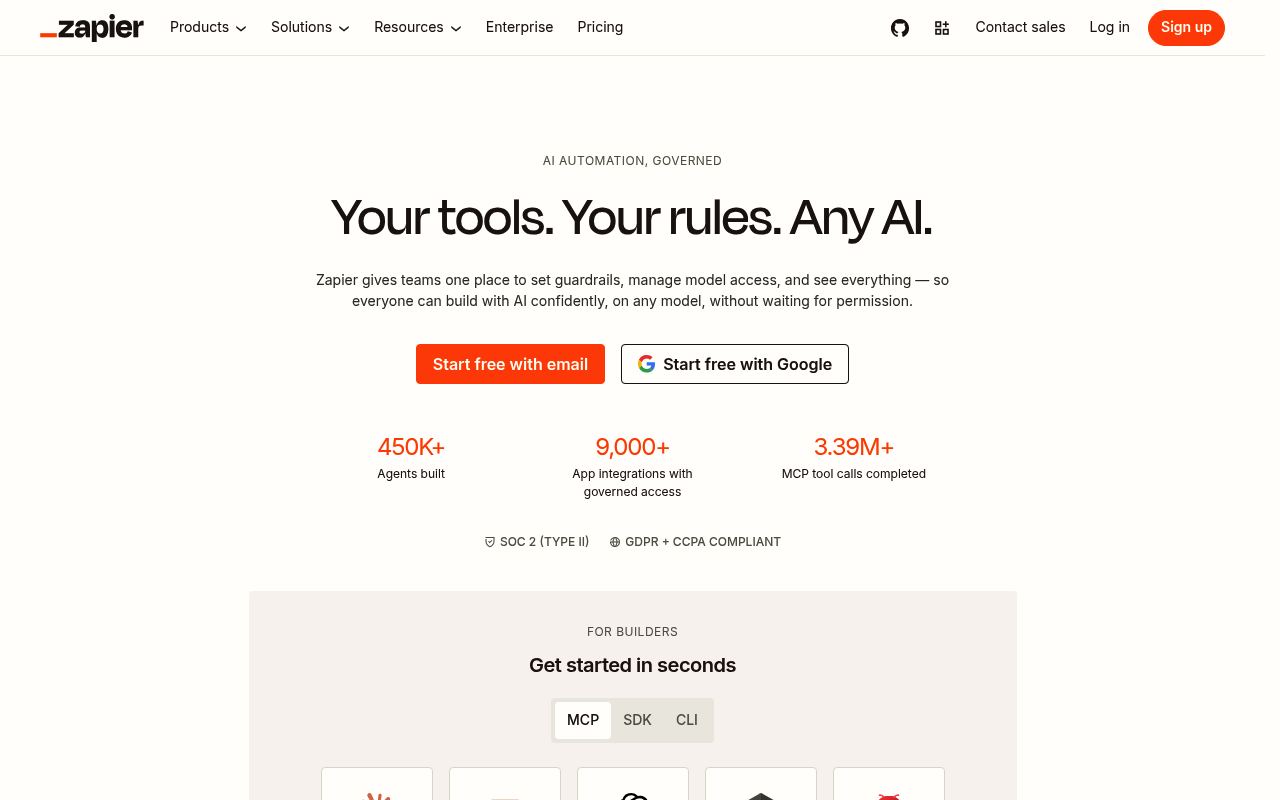
Zapier is an automation platform that connects different apps and services to automate workflows without requiring coding knowledge. It acts as a bridge between thousands of popular applications like Gmail, Slack, Salesforce, Google Sheets, Trello, and many others.
Zapier publishes 13 API contracts indexed on the APIs.io network, including Accounts API, Actions API, Apps API, and 10 more. Tagged areas include Zapier, Integration, iPaaS, Workflow Automation, and Automation.
The Zapier catalog on APIs.io includes 1 event-driven AsyncAPI specification, 3 JSON-LD contexts, and 2 Spectral governance rulesets.
Zapier’s developer surface includes authentication, changelog, CLI, sandbox, engineering blog, support, documentation, and 71 more developer resources.
Kin Score
 Kin Score
How this is scored →
Kin Score
How this is scored →scored 2026-10-17 · rubric v0.24.0
What adopting Zapier moves on the Kin Score 1
Zapier is an area vendor: providers adopt it to run part of their developer surface. This is the Kin Score checks its features can move for a provider that adopts it, what each one really earns, and what it earns nothing for.
Zapier MCP gives agents every Zapier action through one server per user at mcp.zapier.com; it is a distribution channel for an API that has a Zapier integration, not a server the provider owns. The best a provider can reach is platform (0.25 of 12 agent-readiness points) on mcp_server, and only by declaring it — and because the server is per-user, not per-provider, even that is a weak fit. Zapier MCP Skills are the end user’s Markdown on their own server and earn a provider nothing.
| Check | Earns | Through |
|---|---|---|
| MCP Serverconditional Agent ReadinessOnly if the provider declares mcp.zapier.com in its own mcp/ manifest. Zapier exposing the provider’s actions without that declaration earns the provider nothing, and the server is per-user rather than per-provider. |
3.0 of 12 | Zapier MCP hosted server |
What Zapier ships that earns nothing (6)
- Zapier MCP skills — Skills are written by the Zapier user and live on that user’s server; they are not provider-authored skills for the provider’s API.
- Integration Builder (Developer Platform) — A Zapier integration definition is Zapier’s app format; no check reads it as an Agent Skill, SDK or contract.
- Zapier MCP hosted server — OAuth happens between the MCP client and Zapier; the provider’s host serves nothing new.
- Zapier MCP hosted server — No registration_endpoint is added to the provider’s discovery document.
- Zapier MCP hosted server — Each Zapier MCP server is created per user and per client inside a Zapier account; there is no public, provider-specific endpoint an agent can construct.
- Tools derived from Zapier integrations — Listing in Zapier’s 9,000-app catalog is Zapier’s discoverability, not a WellKnown/APICatalog pointer.
A model, not a score. Adopting this vendor changes a provider's Kin Score only when the provider publishes the resulting artifacts on its own surface; nothing here writes a score, and no sponsorship or partnership can. The rating is not for sale → · Full vendor facets artifact
Markets this provider is in provisional
The Kin Score Market layer reads a provider inside its market: its position, and how deep its integrations go. Depth is only comparable within a position. Provisional and unweighted: not part of the Kin Score or agent readiness.
| Market | Position | Depth | Registered MCP server | Declares compatibility |
|---|---|---|---|---|
| Commerce Platform Ecosystems (Shopify, WooCommerce, Stripe Apps) | coverage | 54.2 | - | 1 |
| Workflow Automation (iPaaS bridges) | coverage | 54.2 | - | 1 |
Registered MCP server and declares compatibility are report only — not weighted. Undeclared means we found nothing we can read, so there is no number: we never infer integrations.
APIs 13
Individual APIs this provider publishes, each with its own machine-readable definition.
Zapier
Build and ship AI workflows in minutesno IT bottlenecks, no complexity. Just results.
Zapier AI Actions API
Zapier AI Actions (formerly Natural Language Actions) provides a universal natural language API optimized for AI and LLM-based experiences. It enables AI platforms and custom in...
Zapier MCP
Zapier MCP (Model Context Protocol) connects AI tools like Claude, ChatGPT, and Cursor to over 8,000 apps using the open Model Context Protocol standard. It provides a server en...
Zapier Accounts API
Refers to resources interacting with 'Accounts' associated resources
Zapier Actions API
Refers to resources interacting with 'Actions' associated resources
Zapier Apps API
Refers to resources interacting with 'Apps' associated resources
Zapier Authentications API
Refers to resources interacting with 'Authentications' associated resources
Zapier Categories API
Refers to resources interacting with 'Categories' associated resources
Zapier Experimental API
Refers to resources interacting with 'Experimental' associated resources
Zapier Inputs API
Refers to resources interacting with 'Inputs' associated resources
Zapier Outputs API
Refers to resources interacting with 'Outputs' associated resources
Zapier Zap Templates API
Refers to resources interacting with 'Zap Templates' associated resources
Zapier Zaps API
Refers to resources interacting with 'Zaps' associated resources
Scroll for all 13
Open Collections 12
Open, tool-agnostic API collections (OpenAPI-derived and Bruno).
API Collection
OPEN COLLECTIONPartner Accounts API
OPEN COLLECTIONPartner Accounts Actions API
OPEN COLLECTIONPartner Accounts Apps API
OPEN COLLECTIONPartner Accounts Authentications API
OPEN COLLECTIONPartner Accounts Categories API
OPEN COLLECTIONPartner Accounts Experimental API
OPEN COLLECTIONPartner Accounts Inputs API
OPEN COLLECTIONPartner Accounts Outputs API
OPEN COLLECTIONPartner API
OPEN COLLECTIONPartner Accounts Zap Templates API
OPEN COLLECTIONPartner Accounts Zaps API
OPEN COLLECTIONScroll for all 12
Arazzo Workflows 6
Multi-step API workflows described with the Arazzo specification.
Zapier Connect and Test an Action
Create an authentication for an app, list its actions, and test an action against the live third-party API.
ARAZZOZapier Create a Zap from Actions
List an app's actions, create a multi-step Zap, and confirm it appears in the user's Zap list.
ARAZZOZapier Discover and Configure an Action
Search for an app, list its actions, read the input fields, and resolve the choices for a dropdown field.
ARAZZOZapier Inspect an Action Schema
List an app's actions, then fetch both the input and output field schemas for a chosen action.
ARAZZOZapier Monitor Zap Runs
List the user's Zaps, pull recent runs, and branch when errored runs are present.
ARAZZOZapier Run an AI Action
Discover an action on an app, resolve its input fields, run it, and poll for the result.
ARAZZOMCP Servers 1
Model Context Protocol servers that expose these APIs to AI agents.
Zapier MCP Server
Zapier operates an official hosted (remote) MCP server that connects MCP-aware clients (Claude, ChatGPT, Cursor, VS Code, Windsurf, Kiro, Microsoft Copilot Studio) to Zapier's 9...
MCP SERVERPricing Plans 1
Published pricing tiers and plan structures.
Zapier Plans Pricing
PLANSRate Limits 1
Documented rate limits and quota policies.
Zapier Rate Limits
RATE LIMITSFinOps 1
Cost, billing, and metering signals for API financial operations.
Zapier Finops
FINOPSFeatures 16
Notable capabilities this provider offers.
Scroll for all 16
Event Specifications 1
AsyncAPI definitions for this provider's event-driven and streaming APIs.
Zapier Webhooks
ASYNCAPISemantic Vocabularies 3
JSON-LD contexts and semantic vocabularies used across these APIs.
Spectral Rules 2
Spectral governance rulesets for linting and validating these APIs.
Zapier — jsonschema rules
SPECTRALZapier API Rules
SPECTRALOpenAPI Overlays 1
Overlays applied on top of this provider's contracts. Each card says who wrote it: a document the provider publishes, or one API Evangelist derived or generated.
Zapier Partner Api Overlay
UNRECORDEDJSON Schema 152
Standalone JSON Schema definitions for this provider's data models.
_ActionRunResponseError
JSON SCHEMA_ActionRunResponse
JSON SCHEMA_ActionRunResponseStatusEnum
JSON SCHEMA_ActionTestRequest
JSON SCHEMA_AuthenticationCreateRequest
JSON SCHEMA_ListInputFieldsRequest
JSON SCHEMA_ListOutputFieldsRequest
JSON SCHEMA_RunActionRequest
JSON SCHEMA_RunActionResponse
JSON SCHEMAActionRunResponse
JSON SCHEMAAction
JSON SCHEMAActionTestRequest
JSON SCHEMAActionTestResponse
JSON SCHEMAActionTypeEnum
JSON SCHEMAActionsResponse
JSON SCHEMAAppCategory
JSON SCHEMAApp
JSON SCHEMAAppsImages
JSON SCHEMAAppsResponse
JSON SCHEMAApps
JSON SCHEMAAuthenticationCreateRequest
JSON SCHEMAAuthenticationResponse
JSON SCHEMAAuthentication
JSON SCHEMAAuthenticationTypeEnum
JSON SCHEMABaseMeta
JSON SCHEMACategoriesResponse
JSON SCHEMACategory
JSON SCHEMAChoiceParams
JSON SCHEMAChoiceRequest
JSON SCHEMAChoiceResponse
JSON SCHEMAChoice
JSON SCHEMACodeEnum
JSON SCHEMACreateZapRequest
JSON SCHEMACreateZapRequestStep
JSON SCHEMAErrorSource
JSON SCHEMAExpandedAppsResponse
JSON SCHEMAExpandedZap
JSON SCHEMAExpandedZapStep
JSON SCHEMAExpandedZapsResponse
JSON SCHEMAFieldsetFieldsField
JSON SCHEMAFieldset
JSON SCHEMAFormatEnum
JSON SCHEMAInfoField
JSON SCHEMAInputField
JSON SCHEMAInputFieldsResponse
JSON SCHEMAInvalidZapGuesserResponse
JSON SCHEMALinks
JSON SCHEMAListInputFieldsRequest
JSON SCHEMAListOutputFieldsRequest
JSON SCHEMAMeta
JSON SCHEMAOutputField
JSON SCHEMAOutputFieldsResponse
JSON SCHEMAProfile
JSON SCHEMARootFieldset
JSON SCHEMARunActionRequest
JSON SCHEMARunActionResponse
JSON SCHEMARunTypeEnum
JSON SCHEMATypeOfEnum
JSON SCHEMAValueTypeEnum
JSON SCHEMAWhitelabelAppLinks
JSON SCHEMAWhitelabelApp
JSON SCHEMAWhitelabelAppsResponse
JSON SCHEMAZapGuesserRawStep
JSON SCHEMAZapGuesserRequest
JSON SCHEMAZapGuesserResponse
JSON SCHEMAZapGuesserStep
JSON SCHEMAZapRequest
JSON SCHEMAZapRun
JSON SCHEMAZapRunStep
JSON SCHEMAZapRunsResponse
JSON SCHEMAZap
JSON SCHEMAZapStepApp
JSON SCHEMAZapStep
JSON SCHEMAZapTemplate
JSON SCHEMAZapTemplateStatusEnum
JSON SCHEMAZapTemplateStepImages
JSON SCHEMAZapTemplateStep
JSON SCHEMAZapsResponse
JSON SCHEMAAction
JSON SCHEMAActionRunResponse
JSON SCHEMA_ActionRunResponseError
JSON SCHEMA_ActionRunResponseStatusEnum
JSON SCHEMAActionsResponse
JSON SCHEMAActionTestRequest
JSON SCHEMAActionTestResponse
JSON SCHEMAActionTypeEnum
JSON SCHEMAApp
JSON SCHEMAAppCategory
JSON SCHEMAApps
JSON SCHEMAAppsImages
JSON SCHEMAAppsResponse
JSON SCHEMAAuthentication
JSON SCHEMAAuthenticationCreateRequest
JSON SCHEMAAuthenticationResponse
JSON SCHEMAAuthenticationTypeEnum
JSON SCHEMABaseMeta
JSON SCHEMACategoriesResponse
JSON SCHEMACategory
JSON SCHEMAChoice
JSON SCHEMAChoiceParams
JSON SCHEMAChoiceRequest
JSON SCHEMAChoiceResponse
JSON SCHEMACodeEnum
JSON SCHEMACreateZapRequest
JSON SCHEMACreateZapRequestStep
JSON SCHEMAError
JSON SCHEMAErrorResponse
JSON SCHEMAErrorSource
JSON SCHEMAExpandedAppsResponse
JSON SCHEMAExpandedZap
JSON SCHEMAExpandedZapsResponse
JSON SCHEMAExpandedZapStep
JSON SCHEMAFieldset
JSON SCHEMAFieldsetFieldsField
JSON SCHEMAFormatEnum
JSON SCHEMAInfoField
JSON SCHEMAInputField
JSON SCHEMAInputFieldsResponse
JSON SCHEMAInvalidZapGuesserResponse
JSON SCHEMALinks
JSON SCHEMAListInputFieldsRequest
JSON SCHEMAListOutputFieldsRequest
JSON SCHEMAMeta
JSON SCHEMAOutputField
JSON SCHEMAOutputFieldsResponse
JSON SCHEMAZapier Platform
JSON SCHEMAProfile
JSON SCHEMARootFieldset
JSON SCHEMARunActionRequest
JSON SCHEMARunActionResponse
JSON SCHEMARunTypeEnum
JSON SCHEMATypeOfEnum
JSON SCHEMAValueTypeEnum
JSON SCHEMAWhitelabelApp
JSON SCHEMAWhitelabelAppLinks
JSON SCHEMAWhitelabelAppsResponse
JSON SCHEMAZap
JSON SCHEMAZapGuesserRawStep
JSON SCHEMAZapGuesserRequest
JSON SCHEMAZapGuesserResponse
JSON SCHEMAZapGuesserStep
JSON SCHEMAZapRequest
JSON SCHEMAZapRun
JSON SCHEMAZapRunsResponse
JSON SCHEMAZapRunStep
JSON SCHEMAZapsResponse
JSON SCHEMAZapStep
JSON SCHEMAZapStepApp
JSON SCHEMAZapTemplate
JSON SCHEMAZapTemplateStatusEnum
JSON SCHEMAZapTemplateStep
JSON SCHEMAZapTemplateStepImages
JSON SCHEMAScroll for all 152
JSON Structure 80
JSON Structure definitions describing this provider's data shapes.
Partner Api Action Run Response Error Structure
JSON STRUCTUREPartner Api Action Run Response Status Enum Structure
JSON STRUCTUREPartner Api Action Run Response Structure
JSON STRUCTUREPartner Api Action Test Request Structure
JSON STRUCTUREPartner Api Authentication Create Request Structure
JSON STRUCTUREPartner Api List Input Fields Request Structure
JSON STRUCTUREPartner Api List Output Fields Request Structure
JSON STRUCTUREPartner Api Run Action Request Structure
JSON STRUCTUREPartner Api Run Action Response Structure
JSON STRUCTUREPartner Api Action Run Response Structure
JSON STRUCTUREPartner Api Action Structure
JSON STRUCTUREPartner Api Action Test Request Structure
JSON STRUCTUREPartner Api Action Test Response Structure
JSON STRUCTUREPartner Api Action Type Enum Structure
JSON STRUCTUREPartner Api Actions Response Structure
JSON STRUCTUREPartner Api App Category Structure
JSON STRUCTUREPartner Api App Structure
JSON STRUCTUREPartner Api Apps Images Structure
JSON STRUCTUREPartner Api Apps Response Structure
JSON STRUCTUREPartner Api Apps Structure
JSON STRUCTUREPartner Api Authentication Create Request Structure
JSON STRUCTUREPartner Api Authentication Response Structure
JSON STRUCTUREPartner Api Authentication Structure
JSON STRUCTUREPartner Api Authentication Type Enum Structure
JSON STRUCTUREPartner Api Base Meta Structure
JSON STRUCTUREPartner Api Categories Response Structure
JSON STRUCTUREPartner Api Category Structure
JSON STRUCTUREPartner Api Choice Params Structure
JSON STRUCTUREPartner Api Choice Request Structure
JSON STRUCTUREPartner Api Choice Response Structure
JSON STRUCTUREPartner Api Choice Structure
JSON STRUCTUREPartner Api Code Enum Structure
JSON STRUCTUREPartner Api Create Zap Request Step Structure
JSON STRUCTUREPartner Api Create Zap Request Structure
JSON STRUCTUREPartner Api Error Source Structure
JSON STRUCTUREPartner Api Expanded Apps Response Structure
JSON STRUCTUREPartner Api Expanded Zap Step Structure
JSON STRUCTUREPartner Api Expanded Zap Structure
JSON STRUCTUREPartner Api Expanded Zaps Response Structure
JSON STRUCTUREPartner Api Fieldset Fields Field Structure
JSON STRUCTUREPartner Api Fieldset Structure
JSON STRUCTUREPartner Api Format Enum Structure
JSON STRUCTUREPartner Api Info Field Structure
JSON STRUCTUREPartner Api Input Field Structure
JSON STRUCTUREPartner Api Input Fields Response Structure
JSON STRUCTUREPartner Api Invalid Zap Guesser Response Structure
JSON STRUCTUREPartner Api Links Structure
JSON STRUCTUREPartner Api List Input Fields Request Structure
JSON STRUCTUREPartner Api List Output Fields Request Structure
JSON STRUCTUREPartner Api Meta Structure
JSON STRUCTUREPartner Api Output Field Structure
JSON STRUCTUREPartner Api Output Fields Response Structure
JSON STRUCTUREPartner Api Profile Structure
JSON STRUCTUREPartner Api Root Fieldset Structure
JSON STRUCTUREPartner Api Run Action Request Structure
JSON STRUCTUREPartner Api Run Action Response Structure
JSON STRUCTUREPartner Api Run Type Enum Structure
JSON STRUCTUREPartner Api Type Of Enum Structure
JSON STRUCTUREPartner Api Value Type Enum Structure
JSON STRUCTUREPartner Api Whitelabel App Links Structure
JSON STRUCTUREPartner Api Whitelabel App Structure
JSON STRUCTUREPartner Api Whitelabel Apps Response Structure
JSON STRUCTUREPartner Api Zap Guesser Raw Step Structure
JSON STRUCTUREPartner Api Zap Guesser Request Structure
JSON STRUCTUREPartner Api Zap Guesser Response Structure
JSON STRUCTUREPartner Api Zap Guesser Step Structure
JSON STRUCTUREPartner Api Zap Request Structure
JSON STRUCTUREPartner Api Zap Run Step Structure
JSON STRUCTUREPartner Api Zap Run Structure
JSON STRUCTUREPartner Api Zap Runs Response Structure
JSON STRUCTUREPartner Api Zap Step App Structure
JSON STRUCTUREPartner Api Zap Step Structure
JSON STRUCTUREPartner Api Zap Structure
JSON STRUCTUREPartner Api Zap Template Status Enum Structure
JSON STRUCTUREPartner Api Zap Template Step Images Structure
JSON STRUCTUREPartner Api Zap Template Step Structure
JSON STRUCTUREPartner Api Zap Template Structure
JSON STRUCTUREPartner Api Zaps Response Structure
JSON STRUCTUREZapier Platform Structure
JSON STRUCTUREZapier Structure
JSON STRUCTUREScroll for all 80
Examples 88
Example request and response payloads for these APIs.
Partner Api Action Example
EXAMPLEPartner Api App Example
EXAMPLEPartner Api Apps Example
EXAMPLEPartner Api Category Example
EXAMPLEPartner Api Choice Example
EXAMPLEPartner Api Fieldset Example
EXAMPLEPartner Api Links Example
EXAMPLEPartner Api Meta Example
EXAMPLEPartner Api Profile Example
EXAMPLEPartner Api Zap Example
EXAMPLEPartner Api Zap Run Example
EXAMPLEPartner Api Zap Step Example
EXAMPLEZapier Get Actions Example
EXAMPLEZapier Get Choices Example
EXAMPLEZapier Get V2 Apps Example
EXAMPLEZapier Get V2 Zaps Example
EXAMPLEZapier Get Zap Runs Example
EXAMPLEZapier Post Zaps Example
EXAMPLEZapier Test Action Example
EXAMPLEZapier V1 Apps List Example
EXAMPLEZapier V1 Zaps List Example
EXAMPLEScroll for all 88
Security Posture 3
Authentication, domain security, vulnerability disclosure, and trust-center signals.
Scopes 1
OAuth scopes governing access to this provider's APIs.
Agentic Access 1
Recommended x-agentic-access execution contracts for AI agents.
Use Cases 7
What developers build with this provider.
Customer support
Data management
Lead management
Marketing campaigns
Project management
Sales pipeline
Tickets and incidents
Scroll for all 7
Resources
Get Started 5
Portal, sign-up, and the first successful call
Documentation 4
Reference material describing how the API behaves
Agent Surfaces 7
MCP servers, agent skills, and machine-readable catalogs
Scroll for all 7
Design & Contract 22
Pagination, idempotency, versioning, errors, and events
Scroll for all 22
Build 6
SDKs, sample code, and the tooling you integrate with
Access & Security 5
Authentication, authorization, and security posture
Learn 1
Tutorials, courses, talks, and written guidance
Operate 8
Status, limits, changes, and where to get help
Scroll for all 8
Commercial 6
Pricing, plans, and the legal terms of use
Company 6
The organization behind the API
Other 8
Properties that don't map to a standard resource type
Scroll for all 8
Source (apis.yml)
Work with this as data
Every provider here is available over the APIs.io API and to AI agents over MCP.