Home Providers Microsoft Project
Microsoft Project
Microsoft Project is a project management software product developed by Microsoft. It provides tools for developing plans, assigning resources to tasks, tracking progress, managing budgets, and analyzing workloads. Microsoft Project offers REST APIs via SharePoint/Project Online, a Client-Side Object Model (CSOM), OData reporting feeds, and JavaScript APIs for building add-ins and integrations.
Microsoft Project is listed with 21 APIs on the APIs.io network, including Assignments API, Calendars API, Custom Fields API, and 18 more. Tagged areas include Budgeting, Gantt Charts, Microsoft, Project Management, and Resource Management.
The Microsoft Project catalog on APIs.io includes 2 JSON-LD contexts and 3 Spectral governance rulesets.
Microsoft Project’s developer surface includes documentation, changelog, authentication, developer portal, engineering blog, pricing, support, and 45 more developer resources.
21 APIs12 Features8 Use Cases
On this page
Kin Score FAQ ☀ Get your badge Standards 2
APIs 21
Postman 13
Open Collections 13
Pricing
Pricing Plans 1
Rate Limits 1
FinOps 1
Features 12
Vocabularies 2
Spectral Rules 3
JSON Schema 7
JSON Structure 7
Examples 7
Security Posture 4
Scopes 1
Agentic Access 1
Use Cases 8
Integrations 10
Resources 52
apis.yml
45 Operational Transparency
0 Create-or-Update Ergonomics
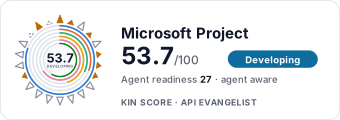
Composite quality — 53.7/100 · developing
Agent readiness — 27/100 · agent aware
Standards this provider implements or carries. De facto ones are profiled and measured by the API Commons ; formal ones come from the standards directory and are linked by the provider's own tags. The evidence column says how each claim was established — not that it was made.
measured — observed by APIs.io (published)
measured — observed by APIs.io (declared)
Individual APIs this provider publishes, each with its own machine-readable definition.
Scroll for all 21
Ready-to-run Postman collections for exercising this provider's APIs.
Scroll for all 13
Open, tool-agnostic API collections (OpenAPI-derived and Bruno).
Scroll for all 13
Microsoft Project API pricing
Not yet checked against Microsoft Project's own pricing page. Compiled by API Evangelist on 2026-05-05 from www.microsoft.com/en-us/microsoft-365/project/compare-mic... ; confirm before you rely on a figure. A free plan or tier is listed.
Plan Price
Microsoft Planner (included with Microsoft 365) freemium
— Planner Plan 1 subscription
$10.00 per per-user license / month Planner and Project Plan 3 subscription
$30.00 per per-user license / month Project Standard 2024 (one-time) subscription
$679.99 per one-time license / year Project Professional 2024 (one-time) subscription
$1129.99 per one-time license / year Project Plan 5 (End of Sale) enterprise
—
Plan details, limits and sources →
Rate limits
SharePoint Online dynamic throttling: Dynamic per-user / per-tenant throttling based on resource consumption; no published per-second cap. varies Power Platform requests (Microsoft 365 / Project license): 6000 requests per day Power Platform non-licensed pool (Power Apps / Automate, Project tenant): 25000 requests per day
Compiled by API Evangelist, not yet checked against Microsoft Project's documentation. Rate-limit details →
Billed by: seat-month · FinOps profile →
Published pricing tiers and plan structures.
Documented rate limits and quota policies.
Uptime the provider promises or reports, as SLA4OAI. Read from its own pages; APIs.io runs no monitors.
Cost, billing, and metering signals for API financial operations.
Notable capabilities this provider offers.
Scroll for all 12
JSON-LD contexts and semantic vocabularies used across these APIs.
Spectral governance rulesets for linting and validating these APIs.
Standalone JSON Schema definitions for this provider's data models.
Scroll for all 7
JSON Structure definitions describing this provider's data shapes.
Scroll for all 7
Example request and response payloads for these APIs.
Scroll for all 7
Authentication, domain security, vulnerability disclosure, and trust-center signals.
OAuth scopes governing access to this provider's APIs.
Recommended x-agentic-access execution contracts for AI agents.
What developers build with this provider.
Scroll for all 8
Pre-built integrations with other platforms and tools.
Scroll for all 10
Get Started 4
Portal, sign-up, and the first successful call
Documentation 1
Reference material describing how the API behaves
Agent Surfaces 3
MCP servers, agent skills, and machine-readable catalogs
Design & Contract 10
Pagination, idempotency, versioning, errors, and events
Scroll for all 10
Build 5
SDKs, sample code, and the tooling you integrate with
Access & Security 8
Authentication, authorization, and security posture
Scroll for all 8
Learn 1
Tutorials, courses, talks, and written guidance
Operate 6
Status, limits, changes, and where to get help
Commercial 8
Pricing, plans, and the legal terms of use
Scroll for all 8
Company 3
The organization behind the API
Other 3
Properties that don't map to a standard resource type
Source (apis.yml)
aid: microsoft-project
name: Microsoft Project
description: Microsoft Project is a project management software product developed by Microsoft. It provides tools for developing
  plans, assigning resources to tasks, tracking progress, managing budgets, and analyzing workloads. Microsoft Project offers
  REST APIs via SharePoint/Project Online, a Client-Side Object Model (CSOM), OData reporting feeds, and JavaScript APIs for
  building add-ins and integrations.
type: Index
deliveryModel:
  model: saas
  license_evidence:
    not_product:
    - officedev/project-samples
  open_source: unknown
  commercial: true
  callable_host: true
  label: Hosted service · you call their endpoint
  confidence: low
  source:
  - openapi
  - pricing
  - repository-not-product
  generated: '2026-09-25'
  method: derived
accessModel:
  pricing: freemium
  onboarding: self-serve
  trial: false
  try_now: true
  public: false
  gated: none
  gated_source:
  - onboarding
  label: Freemium · Self-serve signup
  confidence: medium
  source:
  - plans
  - authentication
  - security
  generated: '2026-11-06'
  method: derived
image: https://kinlane-images.s3.amazonaws.com/shared/apis-json/icons/microsoft-project.png
tags:
- Budgeting
- Gantt Charts
- Microsoft
- Project Management
- Resource Management
- Scheduling
- Task Management
- Project Portfolio Management
tags_raw:
- Budgeting
- Gantt Charts
- Microsoft
- Project Management
- Resource Management
- Scheduling
- Task Management
- Project Portfolio Management
url: https://developer.microsoft.com/en-us/microsoft-365
created: '2024-01-15'
modified: '2026-05-19'
specificationVersion: '0.23'
maintainers:
- FN: Kin Lane
  email: kin@apievangelist.com
common:
- type: Spectral
  url: rules/microsoft-project-spectral-rules.yml
- type: Spectral
  url: rules/microsoft-project-rules.yml
- type: Spectral
  url: rules/microsoft-project-jsonschema-spectral-rules.yml
- type: JSONLD
  url: json-ld/microsoft-project-context.jsonld
- type: Vocabulary
  url: vocabulary/microsoft-project-vocabulary.yml
- type: DataModel
  url: data-model/microsoft-project-data-model.yml
- type: Compliance
  url: https://www.microsoft.com/en-us/trust-center
- type: ErrorCatalog
  url: errors/microsoft-project-problem-types.yml
- type: Conformance
  url: conformance/microsoft-project-conformance.yml
- type: LLMsTxt
  url: llms/microsoft-project-llms.txt
- type: SecurityTxt
  url: well-known/microsoft-project-security.txt
- type: WellKnown
  url: well-known/microsoft-project-well-known.yml
- type: Hosts
  url: hosts/microsoft-project-hosts.yml
- type: Vendors
  url: vendors/microsoft-project-vendors.yml
- type: Security
  url: https://www.microsoft.com/security
- type: Leadership
  url: https://news.microsoft.com/leadership
- type: Documentation
  url: https://learn.microsoft.com/docs/
- type: ChangeLog
  url: https://developer.microsoft.com/en-us/changelog
- type: TrustCenter
  url: security/microsoft-project-trust-center.yml
- type: Plans
  url: plans/microsoft-project-plans-pricing.yml
- type: RateLimits
  url: rate-limits/microsoft-project-rate-limits.yml
- type: FinOps
  url: finops/microsoft-project-finops.yml
- type: X-portal
  url: https://developer.microsoft.com/
- type: X-pricing
  url: https://www.microsoft.com/en-us/microsoft-365/project/compare-microsoft-project-management-software
- type: X-status
  url: https://status.cloud.microsoft/
- type: X-blog
  url: https://techcommunity.microsoft.com/t5/project-blog/bg-p/ProjectBlog
- type: X-terms-of-service
  url: https://www.microsoft.com/en-us/legal/terms-of-use
- type: X-privacy-policy
  url: https://privacy.microsoft.com/en-us/privacystatement
- type: StatusPage
  url: https://status.microsoft.com/
- type: Website
  url: https://www.microsoft.com/
- type: PostmanWorkspace
  url: https://www.postman.com/kinlaneapi/microsoft-project/overview
- type: AgenticAccess
  url: agentic-access/microsoft-project-agentic-access.yml
- type: VulnerabilityDisclosure
  url: security/microsoft-project-vulnerability-disclosure.yml
- type: DomainSecurity
  url: security/microsoft-project-domain-security.yml
- type: Authentication
  url: authentication/microsoft-project-authentication.yml
- type: OAuthScopes
  url: scopes/microsoft-project-scopes.yml
- type: Portal
  url: https://developer.microsoft.com/en-us/microsoft-365
- type: DeveloperPortal
  url: https://learn.microsoft.com/en-us/office/client-developer/project/project-programming-tasks
- type: Blog
  url: https://techcommunity.microsoft.com/t5/project-blog/bg-p/ProjectBlog
- type: TermsOfService
  url: https://www.microsoft.com/en-us/legal/terms-of-use
- type: PrivacyPolicy
  url: https://privacy.microsoft.com/en-us/privacystatement
- type: Pricing
  url: https://www.microsoft.com/en-us/microsoft-365/project/compare-microsoft-project-management-software
- type: Support
  url: https://support.microsoft.com/
- type: GitHubRepository
  url: https://github.com/OfficeDev/Project-Samples
- type: StackOverflow
  url: https://stackoverflow.com/questions/tagged/ms-project
- type: Training
  url: https://support.microsoft.com/en-us/project
- type: GettingStarted
  url: https://learn.microsoft.com/en-us/office/client-developer/project/getting-started-developing-project-server-workflows
- type: GitHubOrganization
  url: https://github.com/OfficeDev
- type: CodeExamples
  url: https://github.com/OfficeDev/Project-Accelerator
  title: Project Accelerator
- type: CodeExamples
  url: https://github.com/OfficeDev/Project-Dataverse-Plugin-Sample
  title: Dataverse Plugin Sample
- type: SpectralRules
  url: rules/microsoft-project-spectral-rules.yml
- type: Vocabulary
  url: vocabulary/microsoft-project-vocabulary.yaml
- type: Features
  data:
  - name: Gantt Charts
    description: Visual timeline charts for project scheduling with task dependencies, critical path analysis, and milestone
      tracking.
  - name: Task Management
    description: Create, assign, and track tasks with predecessors, successors, constraints, and deadlines.
  - name: Resource Management
    description: Assign resources to tasks, view workloads, and manage resource availability and capacity.
  - name: Portfolio Management
    description: Manage multiple projects as a portfolio with prioritization, budgeting, and resource allocation across projects.
  - name: Budgeting and Cost Tracking
    description: Track project costs, budgets, and earned value metrics for financial project management.
  - name: Scheduling Engine
    description: Automatic scheduling with task dependencies, resource leveling, and critical path calculation.
  - name: Timesheets
    description: Time tracking and approval workflows for resource hours and project progress reporting.
  - name: Custom Fields
    description: Define enterprise custom fields, lookup tables, and formulas for extended project metadata.
  - name: Reporting and Dashboards
    description: Pre-built and custom reports with Power BI integration for project, resource, and portfolio analytics.
  - name: Workflow Automation
    description: Demand management workflows for project proposals, approvals, and stage-gate governance.
  - name: Collaboration
    description: SharePoint-based project sites with document libraries, issue tracking, and team communication.
  - name: Power Platform Integration
    description: Integration with Power BI, Power Automate, and Power Apps for extended project management scenarios.
- type: UseCases
  data:
  - name: IT Project Management
    description: Plan and track IT infrastructure, software development, and digital transformation projects.
  - name: Construction Project Planning
    description: Schedule construction phases, manage subcontractors, and track material costs.
  - name: Product Development
    description: Coordinate product development timelines, milestones, and cross-functional team resources.
  - name: Portfolio Optimization
    description: Evaluate and prioritize project portfolios based on strategic alignment, ROI, and resource constraints.
  - name: Resource Capacity Planning
    description: Forecast resource demand, identify bottlenecks, and optimize resource allocation across projects.
  - name: Program Management
    description: Manage interdependent projects as programs with shared resources and coordinated timelines.
  - name: Agile Project Tracking
    description: Track agile sprints, backlogs, and team velocity alongside traditional waterfall schedules.
  - name: Compliance Reporting
    description: Generate audit trails and compliance reports for project governance and regulatory requirements.
- type: Integrations
  data:
  - name: Microsoft Teams
    description: View and manage project tasks directly within Microsoft Teams channels and tabs.
  - name: Power BI
    description: Connect to Project Online data for interactive dashboards and portfolio analytics.
  - name: SharePoint
    description: SharePoint-based project sites for document management, collaboration, and task synchronization.
  - name: Microsoft 365
    description: Deep integration with Outlook, Excel, Word, and other Microsoft 365 applications.
  - name: Power Automate
    description: Automate project workflows, notifications, and approvals using Power Automate flows.
  - name: Power Apps
    description: Build custom project management applications using Power Apps with Project data.
  - name: Azure DevOps
    description: Connect project schedules with Azure DevOps work items for software development projects.
  - name: Microsoft Planner
    description: Integrate lightweight task planning in Planner with enterprise project management in Project.
  - name: Dataverse
    description: Project for the web stores data in Microsoft Dataverse, enabling custom integrations and extensions.
  - name: Excel
    description: Export and import project data to Excel for custom analysis, reporting, and data manipulation.
apis:
- aid: microsoft-project:csom-api
  name: Microsoft Project Online CSOM API
  description: Client-Side Object Model API for programmatic access to Project Online and Project Server. Provides .NET, Silverlight,
    Windows Phone, and JavaScript interfaces for CRUD operations on projects, tasks, resources, assignments, custom fields,
    lookup tables, and enterprise project types.
  image: https://kinlane-images.s3.amazonaws.com/shared/apis-json/apis-json-logo.jpg
  humanURL: https://learn.microsoft.com/en-us/office/client-developer/project/client-side-object-model-csom-for-project-2013
  baseURL: https://{tenant}.sharepoint.com/sites/pwa/_api/ProjectServer
  tags:
  - .NET
  - Client Library
  - CSOM
  - JavaScript
  - Project
  - Resources
  - Task
  tags_raw:
  - .NET
  - Client Library
  - CSOM
  - JavaScript
  - Projects
  - Resources
  - Tasks
  properties:
  - type: Documentation
    url: https://learn.microsoft.com/en-us/office/client-developer/project/client-side-object-model-csom-for-project-2013
  - type: SDKs
    url: https://www.nuget.org/packages/Microsoft.SharePointOnline.CSOM/
    title: .NET SDK
  - type: GettingStarted
    url: https://learn.microsoft.com/en-us/office/client-developer/project/getting-started-with-the-project-server-csom-and-.net
- aid: microsoft-project:odata-reporting-api
  name: Microsoft Project OData Reporting API
  description: OData-based reporting feed for read-only access to Project Server and Project Online reporting data. Provides
    access to project, task, resource, assignment, and timesheet reporting tables and views via the ProjectData service endpoint.
  image: https://kinlane-images.s3.amazonaws.com/shared/apis-json/apis-json-logo.jpg
  humanURL: https://learn.microsoft.com/en-us/office/client-developer/project/project-server-2013-architecture
  baseURL: https://{tenant}.sharepoint.com/sites/pwa/_api/ProjectData
  tags:
  - OData
  - Project
  - Reporting
  - Resources
  - Task
  tags_raw:
  - OData
  - Projects
  - Reporting
  - Resources
  - Tasks
  properties:
  - type: Documentation
    url: https://learn.microsoft.com/en-us/office/client-developer/project/project-server-2013-architecture
  - type: Authentication
    url: https://learn.microsoft.com/en-us/sharepoint/dev/sp-add-ins/authorization-and-authentication-of-sharepoint-add-ins
- aid: microsoft-project:javascript-api
  name: Microsoft Project JavaScript API
  description: JavaScript API for building Office Add-ins that extend Microsoft Project desktop client. Enables reading task,
    resource, and view data from the active project within a task pane add-in.
  image: https://kinlane-images.s3.amazonaws.com/shared/apis-json/apis-json-logo.jpg
  humanURL: https://learn.microsoft.com/en-us/office/dev/add-ins/project/project-add-ins
  baseURL: https://appsforoffice.microsoft.com/lib/1/hosted/office.js
  tags:
  - Add-Ins
  - JavaScript
  - Office
  - Task Pane
  properties:
  - type: Documentation
    url: https://learn.microsoft.com/en-us/office/dev/add-ins/project/project-add-ins
  - type: GettingStarted
    url: https://learn.microsoft.com/en-us/office/dev/add-ins/quickstarts/project-quickstart
  - type: APIReference
    url: https://learn.microsoft.com/en-us/javascript/api/office/office.context
  - type: CodeExamples
    url: https://developer.microsoft.com/en-us/microsoft-365/gallery/?filterBy=Project,Samples
- aid: microsoft-project:microsoft-project-assignments-api
  name: Microsoft Project Assignments API
  description: Manage resource assignments to tasks
  humanURL: https://learn.microsoft.com/en-us/office/client-developer/project/client-side-object-model-csom-for-project-2013
  baseURL: https://{tenant}.sharepoint.com/sites/pwa/_api/ProjectServer
  tags:
  - Assignments
  properties:
  - type: OpenAPI
    url: openapi/microsoft-project-assignments-api-openapi.yml
  - type: Documentation
    url: https://learn.microsoft.com/en-us/office/client-developer/project/client-side-object-model-csom-for-project-2013
  - type: APIReference
    url: https://learn.microsoft.com/en-us/office/client-developer/project/javascript-library-and-rest-reference-for-project-server-2013
  - type: Authentication
    url: https://learn.microsoft.com/en-us/sharepoint/dev/sp-add-ins/authorization-and-authentication-of-sharepoint-add-ins
  - type: CodeExamples
    url: https://github.com/OfficeDev/Project-Samples/tree/main/O365-Project-Online-REST-Samples
  - type: CodeExamples
    url: https://github.com/OfficeDev/Project-Add-in-REST-BasicDataOperations
  - type: JSONSchema
    url: json-schema/rest-api-project-schema.json
  - type: JSONSchema
    url: json-schema/rest-api-task-schema.json
  - type: JSONSchema
    url: json-schema/rest-api-enterprise-resource-schema.json
  - type: JSONSchema
    url: json-schema/rest-api-assignment-schema.json
  - type: JSONSchema
    url: json-schema/rest-api-calendar-schema.json
  - type: JSONSchema
    url: json-schema/rest-api-custom-field-schema.json
  - type: JSONSchema
    url: json-schema/rest-api-time-sheet-schema.json
  - type: JSONStructure
    url: json-structure/rest-api-project-structure.json
  - type: JSONStructure
    url: json-structure/rest-api-task-structure.json
  - type: JSONStructure
    url: json-structure/rest-api-enterprise-resource-structure.json
  - type: JSONStructure
    url: json-structure/rest-api-assignment-structure.json
  - type: JSONStructure
    url: json-structure/rest-api-calendar-structure.json
  - type: JSONStructure
    url: json-structure/rest-api-custom-field-structure.json
  - type: JSONStructure
    url: json-structure/rest-api-time-sheet-structure.json
  - type: JSONLD
    url: json-ld/microsoft-project-rest-api-context.jsonld
  - type: Examples
    url: examples/rest-api-project-example.json
  - type: Examples
    url: examples/rest-api-task-example.json
  - type: Examples
    url: examples/rest-api-enterprise-resource-example.json
  - type: Examples
    url: examples/rest-api-assignment-example.json
  - type: Examples
    url: examples/rest-api-calendar-example.json
  - type: Examples
    url: examples/rest-api-custom-field-example.json
  - type: Examples
    url: examples/rest-api-time-sheet-example.json
- aid: microsoft-project:microsoft-project-calendars-api
  name: Microsoft Project Calendars API
  description: Manage enterprise calendars
  humanURL: https://learn.microsoft.com/en-us/office/client-developer/project/client-side-object-model-csom-for-project-2013
  baseURL: https://{tenant}.sharepoint.com/sites/pwa/_api/ProjectServer
  tags:
  - Calendar
  tags_raw:
  - Calendars
  properties:
  - type: OpenAPI
    url: openapi/microsoft-project-calendars-api-openapi.yml
  - type: Documentation
    url: https://learn.microsoft.com/en-us/office/client-developer/project/client-side-object-model-csom-for-project-2013
  - type: APIReference
    url: https://learn.microsoft.com/en-us/office/client-developer/project/javascript-library-and-rest-reference-for-project-server-2013
  - type: Authentication
    url: https://learn.microsoft.com/en-us/sharepoint/dev/sp-add-ins/authorization-and-authentication-of-sharepoint-add-ins
  - type: CodeExamples
    url: https://github.com/OfficeDev/Project-Samples/tree/main/O365-Project-Online-REST-Samples
  - type: CodeExamples
    url: https://github.com/OfficeDev/Project-Add-in-REST-BasicDataOperations
  - type: JSONSchema
    url: json-schema/rest-api-project-schema.json
  - type: JSONSchema
    url: json-schema/rest-api-task-schema.json
  - type: JSONSchema
    url: json-schema/rest-api-enterprise-resource-schema.json
  - type: JSONSchema
    url: json-schema/rest-api-assignment-schema.json
  - type: JSONSchema
    url: json-schema/rest-api-calendar-schema.json
  - type: JSONSchema
    url: json-schema/rest-api-custom-field-schema.json
  - type: JSONSchema
    url: json-schema/rest-api-time-sheet-schema.json
  - type: JSONStructure
    url: json-structure/rest-api-project-structure.json
  - type: JSONStructure
    url: json-structure/rest-api-task-structure.json
  - type: JSONStructure
    url: json-structure/rest-api-enterprise-resource-structure.json
  - type: JSONStructure
    url: json-structure/rest-api-assignment-structure.json
  - type: JSONStructure
    url: json-structure/rest-api-calendar-structure.json
  - type: JSONStructure
    url: json-structure/rest-api-custom-field-structure.json
  - type: JSONStructure
    url: json-structure/rest-api-time-sheet-structure.json
  - type: JSONLD
    url: json-ld/microsoft-project-rest-api-context.jsonld
  - type: Examples
    url: examples/rest-api-project-example.json
  - type: Examples
    url: examples/rest-api-task-example.json
  - type: Examples
    url: examples/rest-api-enterprise-resource-example.json
  - type: Examples
    url: examples/rest-api-assignment-example.json
  - type: Examples
    url: examples/rest-api-calendar-example.json
  - type: Examples
    url: examples/rest-api-custom-field-example.json
  - type: Examples
    url: examples/rest-api-time-sheet-example.json
- aid: microsoft-project:microsoft-project-custom-fields-api
  name: Microsoft Project Custom Fields API
  description: Manage enterprise custom field definitions
  humanURL: https://learn.microsoft.com/en-us/office/client-developer/project/client-side-object-model-csom-for-project-2013
  baseURL: https://{tenant}.sharepoint.com/sites/pwa/_api/ProjectServer
  tags:
  - Custom Fields
  properties:
  - type: OpenAPI
    url: openapi/microsoft-project-custom-fields-api-openapi.yml
  - type: Documentation
    url: https://learn.microsoft.com/en-us/office/client-developer/project/client-side-object-model-csom-for-project-2013
  - type: APIReference
    url: https://learn.microsoft.com/en-us/office/client-developer/project/javascript-library-and-rest-reference-for-project-server-2013
  - type: Authentication
    url: https://learn.microsoft.com/en-us/sharepoint/dev/sp-add-ins/authorization-and-authentication-of-sharepoint-add-ins
  - type: CodeExamples
    url: https://github.com/OfficeDev/Project-Samples/tree/main/O365-Project-Online-REST-Samples
  - type: CodeExamples
    url: https://github.com/OfficeDev/Project-Add-in-REST-BasicDataOperations
  - type: JSONSchema
    url: json-schema/rest-api-project-schema.json
  - type: JSONSchema
    url: json-schema/rest-api-task-schema.json
  - type: JSONSchema
    url: json-schema/rest-api-enterprise-resource-schema.json
  - type: JSONSchema
    url: json-schema/rest-api-assignment-schema.json
  - type: JSONSchema
    url: json-schema/rest-api-calendar-schema.json
  - type: JSONSchema
    url: json-schema/rest-api-custom-field-schema.json
  - type: JSONSchema
    url: json-schema/rest-api-time-sheet-schema.json
  - type: JSONStructure
    url: json-structure/rest-api-project-structure.json
  - type: JSONStructure
    url: json-structure/rest-api-task-structure.json
  - type: JSONStructure
    url: json-structure/rest-api-enterprise-resource-structure.json
  - type: JSONStructure
    url: json-structure/rest-api-assignment-structure.json
  - type: JSONStructure
    url: json-structure/rest-api-calendar-structure.json
  - type: JSONStructure
    url: json-structure/rest-api-custom-field-structure.json
  - type: JSONStructure
    url: json-structure/rest-api-time-sheet-structure.json
  - type: JSONLD
    url: json-ld/microsoft-project-rest-api-context.jsonld
  - type: Examples
    url: examples/rest-api-project-example.json
  - type: Examples
    url: examples/rest-api-task-example.json
  - type: Examples
    url: examples/rest-api-enterprise-resource-example.json
  - type: Examples
    url: examples/rest-api-assignment-example.json
  - type: Examples
    url: examples/rest-api-calendar-example.json
  - type: Examples
    url: examples/rest-api-custom-field-example.json
  - type: Examples
    url: examples/rest-api-time-sheet-example.json
- aid: microsoft-project:microsoft-project-enterprise-project-types-api
  name: Microsoft Project Enterprise Project Types API
  description: Manage enterprise project type configurations
  humanURL: https://learn.microsoft.com/en-us/office/client-developer/project/client-side-object-model-csom-for-project-2013
  baseURL: https://{tenant}.sharepoint.com/sites/pwa/_api/ProjectServer
  tags:
  - Enterprise Project Types
  properties:
  - type: OpenAPI
    url: openapi/microsoft-project-enterprise-project-types-api-openapi.yml
  - type: Documentation
    url: https://learn.microsoft.com/en-us/office/client-developer/project/client-side-object-model-csom-for-project-2013
  - type: APIReference
    url: https://learn.microsoft.com/en-us/office/client-developer/project/javascript-library-and-rest-reference-for-project-server-2013
  - type: Authentication
    url: https://learn.microsoft.com/en-us/sharepoint/dev/sp-add-ins/authorization-and-authentication-of-sharepoint-add-ins
  - type: CodeExamples
    url: https://github.com/OfficeDev/Project-Samples/tree/main/O365-Project-Online-REST-Samples
  - type: CodeExamples
    url: https://github.com/OfficeDev/Project-Add-in-REST-BasicDataOperations
  - type: JSONSchema
    url: json-schema/rest-api-project-schema.json
  - type: JSONSchema
    url: json-schema/rest-api-task-schema.json
  - type: JSONSchema
    url: json-schema/rest-api-enterprise-resource-schema.json
  - type: JSONSchema
    url: json-schema/rest-api-assignment-schema.json
  - type: JSONSchema
    url: json-schema/rest-api-calendar-schema.json
  - type: JSONSchema
    url: json-schema/rest-api-custom-field-schema.json
  - type: JSONSchema
    url: json-schema/rest-api-time-sheet-schema.json
  - type: JSONStructure
    url: json-structure/rest-api-project-structure.json
  - type: JSONStructure
    url: json-structure/rest-api-task-structure.json
  - type: JSONStructure
    url: json-structure/rest-api-enterprise-resource-structure.json
  - type: JSONStructure
    url: json-structure/rest-api-assignment-structure.json
  - type: JSONStructure
    url: json-structure/rest-api-calendar-structure.json
  - type: JSONStructure
    url: json-structure/rest-api-custom-field-structure.json
  - type: JSONStructure
    url: json-structure/rest-api-time-sheet-structure.json
  - type: JSONLD
    url: json-ld/microsoft-project-rest-api-context.jsonld
  - type: Examples
    url: examples/rest-api-project-example.json
  - type: Examples
    url: examples/rest-api-task-example.json
  - type: Examples
    url: examples/rest-api-enterprise-resource-example.json
  - type: Examples
    url: examples/rest-api-assignment-example.json
  - type: Examples
    url: examples/rest-api-calendar-example.json
  - type: Examples
    url: examples/rest-api-custom-field-example.json
  - type: Examples
    url: examples/rest-api-time-sheet-example.json
- aid: microsoft-project:microsoft-project-event-handlers-api
  name: Microsoft Project Event Handlers API
  description: Manage event handler subscriptions
  humanURL: https://learn.microsoft.com/en-us/office/client-developer/project/client-side-object-model-csom-for-project-2013
  baseURL: https://{tenant}.sharepoint.com/sites/pwa/_api/ProjectServer
  tags:
  - Event Handlers
  properties:
  - type: OpenAPI
    url: openapi/microsoft-project-event-handlers-api-openapi.yml
  - type: Documentation
    url: https://learn.microsoft.com/en-us/office/client-developer/project/client-side-object-model-csom-for-project-2013
  - type: APIReference
    url: https://learn.microsoft.com/en-us/office/client-developer/project/javascript-library-and-rest-reference-for-project-server-2013
  - type: Authentication
    url: https://learn.microsoft.com/en-us/sharepoint/dev/sp-add-ins/authorization-and-authentication-of-sharepoint-add-ins
  - type: CodeExamples
    url: https://github.com/OfficeDev/Project-Samples/tree/main/O365-Project-Online-REST-Samples
  - type: CodeExamples
    url: https://github.com/OfficeDev/Project-Add-in-REST-BasicDataOperations
  - type: JSONSchema
    url: json-schema/rest-api-project-schema.json
  - type: JSONSchema
    url: json-schema/rest-api-task-schema.json
  - type: JSONSchema
    url: json-schema/rest-api-enterprise-resource-schema.json
  - type: JSONSchema
    url: json-schema/rest-api-assignment-schema.json
  - type: JSONSchema
    url: json-schema/rest-api-calendar-schema.json
  - type: JSONSchema
    url: json-schema/rest-api-custom-field-schema.json
  - type: JSONSchema
    url: json-schema/rest-api-time-sheet-schema.json
  - type: JSONStructure
    url: json-structure/rest-api-project-structure.json
  - type: JSONStructure
    url: json-structure/rest-api-task-structure.json
  - type: JSONStructure
    url: json-structure/rest-api-enterprise-resource-structure.json
  - type: JSONStructure
    url: json-structure/rest-api-assignment-structure.json
  - type: JSONStructure
    url: json-structure/rest-api-calendar-structure.json
  - type: JSONStructure
    url: json-structure/rest-api-custom-field-structure.json
  - type: JSONStructure
    url: json-structure/rest-api-time-sheet-structure.json
  - type: JSONLD
    url: json-ld/microsoft-project-rest-api-context.jsonld
  - type: Examples
    url: examples/rest-api-project-example.json
  - type: Examples
    url: examples/rest-api-task-example.json
  - type: Examples
    url: examples/rest-api-enterprise-resource-example.json
  - type: Examples
    url: examples/rest-api-assignment-example.json
  - type: Examples
    url: examples/rest-api-calendar-example.json
  - type: Examples
    url: examples/rest-api-custom-field-example.json
  - type: Examples
    url: examples/rest-api-time-sheet-example.json
- aid: microsoft-project:microsoft-project-lookup-tables-api
  name: Microsoft Project Lookup Tables API
  description: Manage lookup table definitions and entries
  humanURL: https://learn.microsoft.com/en-us/office/client-developer/project/client-side-object-model-csom-for-project-2013
  baseURL: https://{tenant}.sharepoint.com/sites/pwa/_api/ProjectServer
  tags:
  - Lookup Tables
  properties:
  - type: OpenAPI
    url: openapi/microsoft-project-lookup-tables-api-openapi.yml
  - type: Documentation
    url: https://learn.microsoft.com/en-us/office/client-developer/project/client-side-object-model-csom-for-project-2013
  - type: APIReference
    url: https://learn.microsoft.com/en-us/office/client-developer/project/javascript-library-and-rest-reference-for-project-server-2013
  - type: Authentication
    url: https://learn.microsoft.com/en-us/sharepoint/dev/sp-add-ins/authorization-and-authentication-of-sharepoint-add-ins
  - type: CodeExamples
    url: https://github.com/OfficeDev/Project-Samples/tree/main/O365-Project-Online-REST-Samples
  - type: CodeExamples
    url: https://github.com/OfficeDev/Project-Add-in-REST-BasicDataOperations
  - type: JSONSchema
    url: json-schema/rest-api-project-schema.json
  - type: JSONSchema
    url: json-schema/rest-api-task-schema.json
  - type: JSONSchema
    url: json-schema/rest-api-enterprise-resource-schema.json
  - type: JSONSchema
    url: json-schema/rest-api-assignment-schema.json
  - type: JSONSchema
    url: json-schema/rest-api-calendar-schema.json
  - type: JSONSchema
    url: json-schema/rest-api-custom-field-schema.json
  - type: JSONSchema
    url: json-schema/rest-api-time-sheet-schema.json
  - type: JSONStructure
    url: json-structure/rest-api-project-structure.json
  - type: JSONStructure
    url: json-structure/rest-api-task-structure.json
  - type: JSONStructure
    url: json-structure/rest-api-enterprise-resource-structure.json
  - type: JSONStructure
    url: json-structure/rest-api-assignment-structure.json
  - type: JSONStructure
    url: json-structure/rest-api-calendar-structure.json
  - type: JSONStructure
    url: json-structure/rest-api-custom-field-structure.json
  - type: JSONStructure
    url: json-structure/rest-api-time-sheet-structure.json
  - type: JSONLD
    url: json-ld/microsoft-project-rest-api-context.jsonld
  - type: Examples
    url: examples/rest-api-project-example.json
  - type: Examples
    url: examples/rest-api-task-example.json
  - type: Examples
    url: examples/rest-api-enterprise-resource-example.json
  - type: Examples
    url: examples/rest-api-assignment-example.json
  - type: Examples
    url: examples/rest-api-calendar-example.json
  - type: Examples
    url: examples/rest-api-custom-field-example.json
  - type: Examples
    url: examples/rest-api-time-sheet-example.json
- aid: microsoft-project:microsoft-project-phases-api
  name: Microsoft Project Phases API
  description: Manage workflow phases
  humanURL: https://learn.microsoft.com/en-us/office/client-developer/project/client-side-object-model-csom-for-project-2013
  baseURL: https://{tenant}.sharepoint.com/sites/pwa/_api/ProjectServer
  tags:
  - Phases
  properties:
  - type: OpenAPI
    url: openapi/microsoft-project-phases-api-openapi.yml
  - type: Documentation
    url: https://learn.microsoft.com/en-us/office/client-developer/project/client-side-object-model-csom-for-project-2013
  - type: APIReference
    url: https://learn.microsoft.com/en-us/office/client-developer/project/javascript-library-and-rest-reference-for-project-server-2013
  - type: Authentication
    url: https://learn.microsoft.com/en-us/sharepoint/dev/sp-add-ins/authorization-and-authentication-of-sharepoint-add-ins
  - type: CodeExamples
    url: https://github.com/OfficeDev/Project-Samples/tree/main/O365-Project-Online-REST-Samples
  - type: CodeExamples
    url: https://github.com/OfficeDev/Project-Add-in-REST-BasicDataOperations
  - type: JSONSchema
    url: json-schema/rest-api-project-schema.json
  - type: JSONSchema
    url: json-schema/rest-api-task-schema.json
  - type: JSONSchema
    url: json-schema/rest-api-enterprise-resource-schema.json
  - type: JSONSchema
    url: json-schema/rest-api-assignment-schema.json
  - type: JSONSchema
    url: json-schema/rest-api-calendar-schema.json
  - type: JSONSchema
    url: json-schema/rest-api-custom-field-schema.json
  - type: JSONSchema
    url: json-schema/rest-api-time-sheet-schema.json
  - type: JSONStructure
    url: json-structure/rest-api-project-structure.json
  - type: JSONStructure
    url: json-structure/rest-api-task-structure.json
  - type: JSONStructure
    url: json-structure/rest-api-enterprise-resource-structure.json
  - type: JSONStructure
    url: json-structure/rest-api-assignment-structure.json
  - type: JSONStructure
    url: json-structure/rest-api-calendar-structure.json
  - type: JSONStructure
    url: json-structure/rest-api-custom-field-structure.json
  - type: JSONStructure
    url: json-structure/rest-api-time-sheet-structure.json
  - type: JSONLD
    url: json-ld/microsoft-project-rest-api-context.jsonld
  - type: Examples
    url: examples/rest-api-project-example.json
  - type: Examples
    url: examples/rest-api-task-example.json


# --- truncated at 32 KB (53 KB total) ---
# Full source: https://artifacts.apis.io/microsoft-project/apis.yml
Microsoft Project API — frequently asked questions
Does Microsoft Project have an API?
Yes. APIs.io lists 21 APIs from Microsoft Project, including Microsoft Project Online CSOM API, Microsoft Project OData Reporting API and Microsoft Project JavaScript API, and 18 more.
Is there an OpenAPI specification for the Microsoft Project API?
Yes. APIs.io indexes 13 OpenAPI specifications for Microsoft Project, each linked for download from this page.
How do I authenticate with the Microsoft Project API?
Microsoft Project documents its authentication (oauth2 · 1 scheme). The details are profiled on APIs.io as Microsoft Project Authentication.
How much does the Microsoft Project API cost?
APIs.io lists 6 pricing plans for Microsoft Project, with each plan's price, limits and inclusions under Pricing on this page.
Is the Microsoft Project API ready for AI agents?
Microsoft Project has a Kin Score of 53.7 out of 100 (developing) and an Agent Readiness score of 26.5 (agent-aware), scored by API Evangelist on 2026-11-06.
Every provider here is available over the APIs.io API and to AI agents over MCP.
MCP server
One button, every client — Claude, Cursor, VS Code and the rest.
https://apis.io/mcp
Tools for providers
9 MCP tools reach this
find_providersBrowse and filter every provider in the catalog. get_provider_artifactsEvery artifact this provider publishes, grouped by type. get_provider_operationsEvery operation across all of their OpenAPIs — one call instead of parsing every spec. get_provider_toolsEvery MCP tool they ship, with the operation each wraps. get_provider_evidenceHow each part of their score was established. Free — the basis for a claim should not sit behind it. get_provider_ratingPRO — composite, band, trend and facet scores. apis_io_searchSTART HERE — APIs, providers and tags for one query, each with its total. resolveTurn a domain, URL or GitHub org into the provider it belongs to. find_cohortsEvery scored population of providers in the catalog.
All 92 tools →
Call it yourself
curl for this page
This provider
curl "https://apis.io/api/v1/providers/microsoft-project"
All providers
curl "https://apis.io/api/v1/providers?limit=25"
Every operation they expose
curl "https://apis.io/api/v1/providers/microsoft-project/operations?limit=25"
How their score was established
curl "https://apis.io/api/v1/providers/microsoft-project/evidence"
Calls without X-API-Key need no key. Calls with it need a paid plan — get a key .
Get an API key
Free tier, no form to fill in. Signing in shares your email address with us — we
store it to create your key and to recognise you if you sign in with another
provider. See our Privacy Policy and
Terms .
A second provider on the same verified email joins the account you already have.
 Kin Score
How this is scored →
 It updates itself when the score changes. Paste this where you link to your API docs: