Home Providers Hyperbrowser
Hyperbrowser
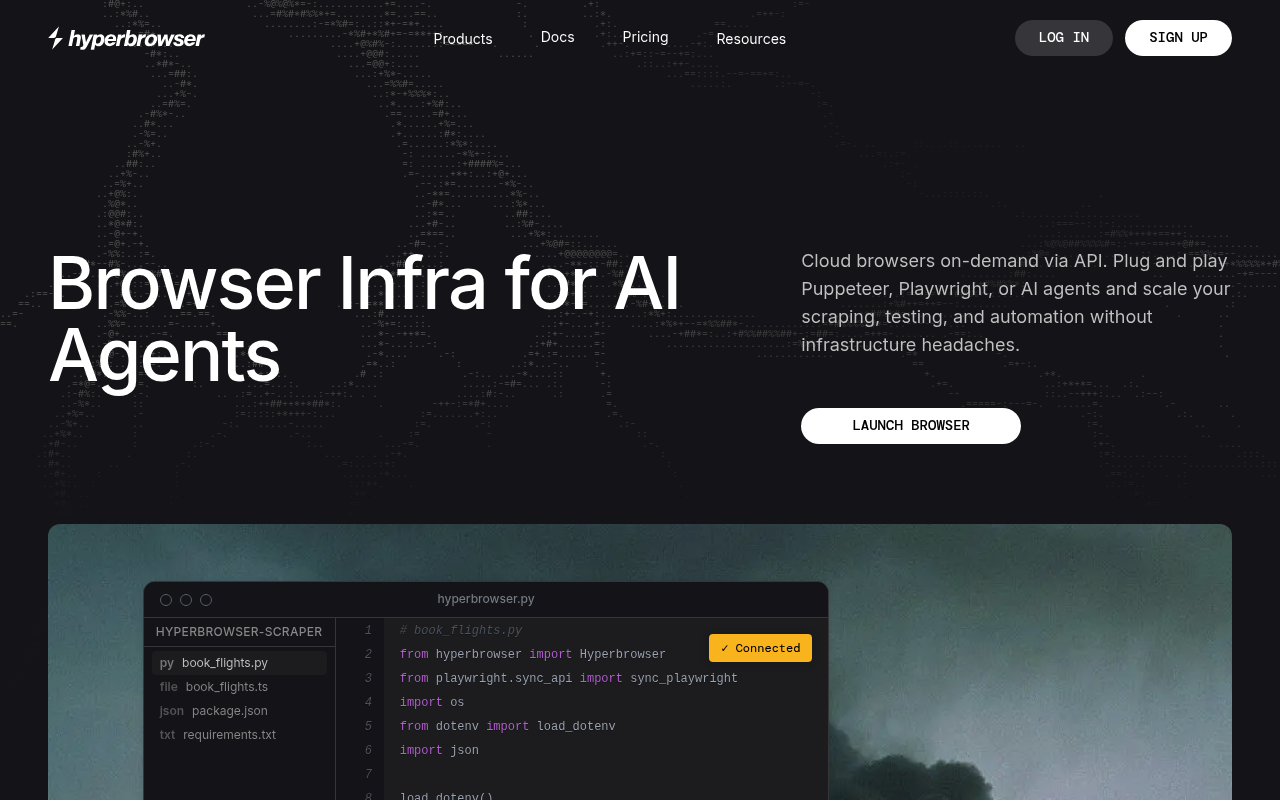
Hyperbrowser provides cloud browser infrastructure tailored for AI agents, bundling managed Chromium sessions with web scraping, crawling, and data-extraction APIs. The platform ships the open-source HyperAgent framework and first-class integrations for Browser-Use, Claude Computer Use, Gemini Computer Use, and OpenAI's CUA, so teams can deploy general-purpose web agents quickly. Customers include AI startups, data teams, and enterprises that need stealthy, multi-region browsers with CAPTCHA solving, proxies, and session profiles. Python and Node SDKs cover sessions, scrape/crawl/extract jobs, agent task management, and an MCP server lets any Model Context Protocol client (Claude Desktop, Cursor, Windsurf, etc.) drive Hyperbrowser tools. Pricing is usage-based via the hyperbrowser.ai pricing page.
Hyperbrowser publishes 11 API contracts indexed on the APIs.io network, including Sessions API, Profiles API, Scrape API, and 8 more. Tagged areas include Headless Browser, Browser Infrastructure, Web Scraping, Web Crawling, and Data Extraction.
The Hyperbrowser catalog on APIs.io includes 1 JSON-LD context and 2 Spectral governance rulesets.
Hyperbrowser’s developer surface includes authentication, documentation, API reference, getting-started guide, engineering blog, pricing, signup flow, and 35 more developer resources.
1 published contract
On this page
Kin Score Standards 1
APIs 11
Postman 8
Open Collections 14
Arazzo 9
Pricing Plans 1
Rate Limits 1
FinOps 1
Vocabularies 1
Spectral Rules 2
JSON Schema 5
JSON Structure 1
Examples 5
Security Posture 2
Agentic Access 1
Resources 42
apis.yml
8 Operational Transparency
0 Create-or-Update Ergonomics
Composite quality — 46.3/100 · developing
Agent readiness — 26/100 · agent aware
Standards this provider implements or carries. De facto ones are profiled and measured by the API Commons ; formal ones come from the standards directory and are linked by the provider's own tags. The evidence column says how each claim was established — not that it was made.
tagged — the provider's own APIs.json carries the standard as a tag; implementation not verified
Individual APIs this provider publishes, each with its own machine-readable definition.
Scroll for all 11
Ready-to-run Postman collections for exercising this provider's APIs.
Scroll for all 8
Open, tool-agnostic API collections (OpenAPI-derived and Bruno).
Scroll for all 14
Multi-step API workflows described with the Arazzo specification.
Scroll for all 9
Published pricing tiers and plan structures.
Documented rate limits and quota policies.
Cost, billing, and metering signals for API financial operations.
JSON-LD contexts and semantic vocabularies used across these APIs.
Spectral governance rulesets for linting and validating these APIs.
Standalone JSON Schema definitions for this provider's data models.
JSON Structure definitions describing this provider's data shapes.
Example request and response payloads for these APIs.
Authentication, domain security, vulnerability disclosure, and trust-center signals.
Recommended x-agentic-access execution contracts for AI agents.
Get Started 2
Portal, sign-up, and the first successful call
Documentation 2
Reference material describing how the API behaves
Agent Surfaces 2
MCP servers, agent skills, and machine-readable catalogs
Design & Contract 14
Pagination, idempotency, versioning, errors, and events
Scroll for all 14
Build 12
SDKs, sample code, and the tooling you integrate with
Scroll for all 12
Access & Security 2
Authentication, authorization, and security posture
Operate 1
Status, limits, changes, and where to get help
Commercial 5
Pricing, plans, and the legal terms of use
Company 2
The organization behind the API
Source (apis.yml)
aid: hyperbrowser
name: Hyperbrowser
description: Hyperbrowser provides cloud browser infrastructure tailored for AI agents, bundling managed Chromium sessions
  with web scraping, crawling, and data-extraction APIs. The platform ships the open-source HyperAgent framework and first-class
  integrations for Browser-Use, Claude Computer Use, Gemini Computer Use, and OpenAI's CUA, so teams can deploy general-purpose
  web agents quickly. Customers include AI startups, data teams, and enterprises that need stealthy, multi-region browsers
  with CAPTCHA solving, proxies, and session profiles. Python and Node SDKs cover sessions, scrape/crawl/extract jobs, agent
  task management, and an MCP server lets any Model Context Protocol client (Claude Desktop, Cursor, Windsurf, etc.) drive
  Hyperbrowser tools. Pricing is usage-based via the hyperbrowser.ai pricing page.
type: Index
deliveryModel:
  model: saas
  open_source: false
  commercial: true
  callable_host: true
  label: Hosted service · you call their endpoint
  confidence: high
  source:
  - openapi
  - pricing
  generated: '2026-08-28'
  method: derived
accessModel:
  pricing: free
  onboarding: self-serve
  trial: false
  try_now: true
  public: false
  label: Free · Self-serve signup
  confidence: medium
  source:
  - plans
  - authentication
  - security
  generated: '2026-09-03'
  method: derived
position: Producing
access: 3rd-Party
image: https://kinlane-images.s3.amazonaws.com/shared/apis-json/icons/hyperbrowser.png
x-docs-platform: mintlify
x-docs-platform-confidence: medium
x-docs-platform-checked: 2026-10-03
tags:
- Headless Browser
- Browser Infrastructure
- Web Scraping
- Web Crawling
- Data Extraction
- AI Agents
- Browser Automation
- Computer Use
- Stealth
- Proxies
- CAPTCHA Solving
- MCP
- HyperAgent
- x402
tags_raw:
- Headless Browser
- Browser Infrastructure
- Web Scraping
- Web Crawling
- Data Extraction
- AI Agents
- Browser Automation
- Computer Use
- Stealth
- Proxies
- CAPTCHA Solving
- MCP
- HyperAgent
- X402
url: https://raw.githubusercontent.com/api-evangelist/hyperbrowser/refs/heads/main/apis.yml
created: '2026-05-23'
modified: '2026-05-25'
specificationVersion: '0.23'
apis:
- aid: hyperbrowser:sessions-api
  name: Hyperbrowser Sessions API
  description: 'Manage cloud Chromium browser sessions: create, list, inspect, update, and stop sessions; retrieve recording,
    video, and downloads URLs; and run manual CAPTCHA evaluation. Sessions expose a WebSocket CDP endpoint and an optional
    live-view URL.'
  humanURL: https://docs.hyperbrowser.ai/sessions/overview
  baseURL: https://api.hyperbrowser.ai
  tags:
  - Sessions
  - Browser Infrastructure
  - Stealth
  - Proxies
  properties:
  - type: Documentation
    url: https://docs.hyperbrowser.ai/sessions/overview
  - type: APIReference
    url: https://docs.hyperbrowser.ai/api-reference/sessions
  - type: OpenAPI
    url: openapi/hyperbrowser-sessions-api-openapi.yml
  - type: JSONSchema
    url: json-schema/hyperbrowser-session-schema.json
  - type: JSONStructure
    url: json-structure/hyperbrowser-session-structure.json
  - type: Examples
    url: examples/hyperbrowser-create-session-example.json
  authentication:
  - type: API Key
    description: Account API key passed via the `x-api-key` HTTP header.
- aid: hyperbrowser:profiles-api
  name: Hyperbrowser Profiles API
  description: Create, list, fetch, and delete persistent browser profiles that retain cookies, local storage, and authenticated
    state across sessions.
  humanURL: https://docs.hyperbrowser.ai/sessions/advanced-privacy-and-anti-detection/profiles
  baseURL: https://api.hyperbrowser.ai
  tags:
  - Profiles
  - Sessions
  properties:
  - type: Documentation
    url: https://docs.hyperbrowser.ai/sessions/advanced-privacy-and-anti-detection/profiles
  - type: OpenAPI
    url: openapi/hyperbrowser-profiles-api-openapi.yml
  authentication:
  - type: API Key
    description: Account API key passed via the `x-api-key` HTTP header.
- aid: hyperbrowser:scrape-api
  name: Hyperbrowser Scrape API
  description: Single-page and batch scrape jobs returning HTML, Markdown, links, and screenshots with asynchronous status
    polling.
  humanURL: https://docs.hyperbrowser.ai/scrape/overview
  baseURL: https://api.hyperbrowser.ai
  tags:
  - Scrape
  - Web Scraping
  - Batch
  properties:
  - type: Documentation
    url: https://docs.hyperbrowser.ai/scrape/overview
  - type: OpenAPI
    url: openapi/hyperbrowser-scrape-api-openapi.yml
  - type: JSONSchema
    url: json-schema/hyperbrowser-scrape-job-schema.json
  - type: Examples
    url: examples/hyperbrowser-scrape-example.json
  authentication:
  - type: API Key
    description: Account API key passed via the `x-api-key` HTTP header.
- aid: hyperbrowser:crawl-api
  name: Hyperbrowser Crawl API
  description: Recursive crawl jobs across many pages with structured page-by-page results and status polling.
  humanURL: https://docs.hyperbrowser.ai/crawl/overview
  baseURL: https://api.hyperbrowser.ai
  tags:
  - Crawl
  - Web Crawling
  properties:
  - type: Documentation
    url: https://docs.hyperbrowser.ai/crawl/overview
  - type: OpenAPI
    url: openapi/hyperbrowser-crawl-api-openapi.yml
  - type: JSONSchema
    url: json-schema/hyperbrowser-crawl-job-schema.json
  authentication:
  - type: API Key
    description: Account API key passed via the `x-api-key` HTTP header.
- aid: hyperbrowser:extract-api
  name: Hyperbrowser Extract API
  description: Structured data extraction jobs that pull typed records from one or more pages using prompts and JSON schemas.
  humanURL: https://docs.hyperbrowser.ai/extract/overview
  baseURL: https://api.hyperbrowser.ai
  tags:
  - Extract
  - Structured Extraction
  - Data Extraction
  properties:
  - type: Documentation
    url: https://docs.hyperbrowser.ai/extract/overview
  - type: OpenAPI
    url: openapi/hyperbrowser-extract-api-openapi.yml
  - type: JSONSchema
    url: json-schema/hyperbrowser-extract-job-schema.json
  - type: Examples
    url: examples/hyperbrowser-extract-example.json
  authentication:
  - type: API Key
    description: Account API key passed via the `x-api-key` HTTP header.
- aid: hyperbrowser:extensions-api
  name: Hyperbrowser Extensions API
  description: Upload and list custom Chrome extensions that can be attached to browser sessions for advanced automation,
    custom UI, or workflow tooling.
  humanURL: https://docs.hyperbrowser.ai/sessions/advanced-privacy-and-anti-detection/uploading-extensions
  baseURL: https://api.hyperbrowser.ai
  tags:
  - Extensions
  - Sessions
  properties:
  - type: Documentation
    url: https://docs.hyperbrowser.ai/sessions/advanced-privacy-and-anti-detection/uploading-extensions
  - type: OpenAPI
    url: openapi/hyperbrowser-extensions-api-openapi.yml
  authentication:
  - type: API Key
    description: Account API key passed via the `x-api-key` HTTP header.
- aid: hyperbrowser:web-api
  name: Hyperbrowser Web API
  description: 'Stateless web utilities: fetch a single page, run a web search, or start a crawl. Includes `/x402` micropayment-gated
    variants of fetch and search for permissionless, pay-per-call usage.'
  humanURL: https://docs.hyperbrowser.ai/web/overview
  baseURL: https://api.hyperbrowser.ai
  tags:
  - Web
  - Fetch
  - Search
  - x402
  tags_raw:
  - Web
  - Fetch
  - Search
  - X402
  properties:
  - type: Documentation
    url: https://docs.hyperbrowser.ai/web/overview
  - type: OpenAPI
    url: openapi/hyperbrowser-web-api-openapi.yml
  - type: Examples
    url: examples/hyperbrowser-web-search-example.json
  authentication:
  - type: API Key
    description: Account API key passed via the `x-api-key` HTTP header.
- aid: hyperbrowser:hyperbrowser-profile-api
  name: Hyperbrowser Profile API
  description: The Profile API from Hyperbrowser — 2 operation(s) for profile.
  humanURL: https://docs.hyperbrowser.ai/sessions/overview
  baseURL: https://api.hyperbrowser.ai
  tags:
  - Profiles
  tags_raw:
  - Profile
  properties:
  - type: OpenAPI
    url: openapi/hyperbrowser-profile-api-openapi.yml
- aid: hyperbrowser:hyperbrowser-session-api
  name: Hyperbrowser Session API
  description: The Session API from Hyperbrowser — 8 operation(s) for session.
  humanURL: https://docs.hyperbrowser.ai/sessions/overview
  baseURL: https://api.hyperbrowser.ai
  tags:
  - Sessions
  tags_raw:
  - Session
  properties:
  - type: OpenAPI
    url: openapi/hyperbrowser-session-api-openapi.yml
- aid: hyperbrowser:hyperbrowser-task-api
  name: Hyperbrowser Task API
  description: The Task API from Hyperbrowser — 20 operation(s) for task.
  humanURL: https://docs.hyperbrowser.ai/sessions/overview
  baseURL: https://api.hyperbrowser.ai
  tags:
  - Task
  properties:
  - type: OpenAPI
    url: openapi/hyperbrowser-task-api-openapi.yml
- aid: hyperbrowser:hyperbrowser-x402-api
  name: Hyperbrowser X402 API
  description: The X402 API from Hyperbrowser — 2 operation(s) for x402.
  humanURL: https://docs.hyperbrowser.ai/sessions/overview
  baseURL: https://api.hyperbrowser.ai
  tags:
  - x402
  tags_raw:
  - X402
  properties:
  - type: OpenAPI
    url: openapi/hyperbrowser-x402-api-openapi.yml
features:
- name: Cloud Browser Sessions
  description: Managed Chromium sessions with lifecycle, recording, and download retrieval.
- name: Scrape and Crawl
  description: Single-page scrape, batch scrape, and recursive crawl jobs with status polling.
- name: Structured Extraction
  description: Extract typed data from pages using prompts and JSON schemas.
- name: Agent Task APIs
  description: Start, stop, and monitor agentic tasks across HyperAgent, Browser-Use, Claude CUA, Gemini CUA, and OpenAI CUA.
- name: Stealth and Proxies
  description: Anti-detection, residential and datacenter proxies, static IPs, and multi-region routing.
- name: Browser Profiles
  description: Persist authenticated state and cookies across sessions.
- name: CAPTCHA Solving
  description: Built-in CAPTCHA handling for protected sites.
- name: Extensions and Uploads
  description: Add custom Chrome extensions and handle file uploads and downloads.
- name: MCP Server
  description: Model Context Protocol server for Claude Desktop, Cursor, Windsurf, and other MCP clients.
- name: X402 Pay-per-Call
  description: Per-call payments via the HTTP 402 protocol for permissionless usage of fetch and search.
useCases:
- name: Production Web Agents
  description: Power agents that browse, click, and complete real workflows on third-party sites.
- name: Large-Scale Data Extraction
  description: Run scrape and crawl jobs across millions of pages with proxy rotation.
- name: Computer Use Agents
  description: Provide a stealthy browser for Claude, Gemini, and OpenAI computer-use models.
- name: Lead and Market Research
  description: Crawl sites and extract structured records into CRMs and data warehouses.
- name: RL and Eval Environments
  description: Use snapshots and profiles to train and evaluate web-using agents.
integrations:
- name: HyperAgent
- name: Browser-Use
- name: Playwright
- name: Puppeteer
- name: Stagehand
- name: Anthropic Claude Computer Use
- name: Google Gemini Computer Use
- name: OpenAI CUA
- name: LangChain
- name: LlamaIndex
- name: MCP
- name: n8n
- name: X402 Payment Protocol
common:
- type: AgenticAccess
  url: agentic-access/hyperbrowser-agentic-access.yml
- type: DomainSecurity
  url: security/hyperbrowser-domain-security.yml
- type: Authentication
  url: authentication/hyperbrowser-authentication.yml
- type: PostmanWorkspace
  url: https://www.postman.com/kinlaneapi/hyperbrowser/overview
- type: Arazzo
  url: arazzo/hyperbrowser-batch-scrape-and-retrieve-workflow.yml
  name: Hyperbrowser Batch Scrape and Retrieve
- type: Arazzo
  url: arazzo/hyperbrowser-browser-use-task-run-workflow.yml
  name: Hyperbrowser Browser Use Task Run
- type: Arazzo
  url: arazzo/hyperbrowser-crawl-site-and-retrieve-workflow.yml
  name: Hyperbrowser Crawl Site and Retrieve
- type: Arazzo
  url: arazzo/hyperbrowser-extract-structured-data-workflow.yml
  name: Hyperbrowser Extract Structured Data
- type: Arazzo
  url: arazzo/hyperbrowser-hyperagent-task-run-workflow.yml
  name: Hyperbrowser HyperAgent Task Run
- type: Arazzo
  url: arazzo/hyperbrowser-persistent-profile-session-workflow.yml
  name: Hyperbrowser Persistent Profile Session
- type: Arazzo
  url: arazzo/hyperbrowser-scrape-and-retrieve-workflow.yml
  name: Hyperbrowser Scrape and Retrieve
- type: Arazzo
  url: arazzo/hyperbrowser-session-lifecycle-workflow.yml
  name: Hyperbrowser Session Lifecycle
- type: Arazzo
  url: arazzo/hyperbrowser-session-recording-retrieval-workflow.yml
  name: Hyperbrowser Session Recording Retrieval
- type: Arazzo
  url: arazzo/hyperbrowser-web-crawl-and-retrieve-workflow.yml
  name: Hyperbrowser Web Crawl and Retrieve
- type: Arazzo
  url: arazzo/hyperbrowser-web-search-then-fetch-workflow.yml
  name: Hyperbrowser Web Search then Fetch
- type: Website
  url: https://hyperbrowser.ai
- type: Documentation
  url: https://docs.hyperbrowser.ai
- type: APIReference
  url: https://docs.hyperbrowser.ai/api-reference
- type: GettingStarted
  url: https://docs.hyperbrowser.ai/quickstart
- type: Blog
  url: https://hyperbrowser.ai/blog
- type: GitHubOrganization
  url: https://github.com/hyperbrowserai
- type: Pricing
  url: https://hyperbrowser.ai/pricing
- type: Signup
  url: https://app.hyperbrowser.ai/signup
- type: TermsOfService
  url: https://hyperbrowser.ai/terms
- type: PrivacyPolicy
  url: https://hyperbrowser.ai/privacy
- type: LlmsText
  url: https://hyperbrowser.ai/llms.txt
- type: SDKs
  url: https://github.com/hyperbrowserai/python-sdk
- type: SDKs
  url: https://github.com/hyperbrowserai/node-sdk
- type: SDKs
  url: https://pypi.org/project/hyperbrowser/
- type: SDKs
  url: https://www.npmjs.com/package/@hyperbrowser/sdk
- type: Tools
  url: https://github.com/hyperbrowserai/mcp
- type: Tools
  url: https://github.com/hyperbrowserai/HyperAgent
- type: Tools
  url: https://github.com/hyperbrowserai/n8n-node
- type: CodeExamples
  url: https://github.com/hyperbrowserai/examples
- type: CodeExamples
  url: https://github.com/hyperbrowserai/hyperbrowser-app-examples
- type: CodeExamples
  url: https://github.com/hyperbrowserai/cua-as-a-tool
- type: Plans
  url: plans/hyperbrowser-plans-pricing.yml
- type: RateLimits
  url: rate-limits/hyperbrowser-rate-limits.yml
- type: FinOps
  url: finops/hyperbrowser-finops.yml
- type: Vocabulary
  url: vocabulary/hyperbrowser-vocabulary.yml
- type: JSONLD
  url: json-ld/hyperbrowser-context.jsonld
- type: SpectralRules
  url: rules/hyperbrowser-rules.yml
maintainers:
- FN: Kin Lane
  email: kin@apievangelist.com
Every provider here is available over the APIs.io API and to AI agents over MCP.
MCP server
One button, every client — Claude, Cursor, VS Code and the rest.
https://apis.io/mcp
Tools for providers
9 MCP tools reach this
find_providersBrowse and filter every provider in the catalog. get_provider_artifactsEvery artifact this provider publishes, grouped by type. get_provider_operationsEvery operation across all of their OpenAPIs — one call instead of parsing every spec. get_provider_toolsEvery MCP tool they ship, with the operation each wraps. get_provider_evidenceHow each part of their score was established. Free — the basis for a claim should not sit behind it. get_provider_ratingPRO — composite, band, trend and facet scores. apis_io_searchSTART HERE — APIs, providers and tags for one query, each with its total. resolveTurn a domain, URL or GitHub org into the provider it belongs to. find_cohortsEvery scored population of providers in the catalog.
All 92 tools →
Call it yourself
curl for this page
This provider
curl "https://apis.io/api/v1/providers/hyperbrowser"
All providers
curl "https://apis.io/api/v1/providers?limit=25"
Every operation they expose
curl "https://apis.io/api/v1/providers/hyperbrowser/operations?limit=25"
How their score was established
curl "https://apis.io/api/v1/providers/hyperbrowser/evidence"
Discovery needs no key. Ratings and market analysis are Pro.
Get an API key
Free tier, no form to fill in. Signing in shares your email address with us — we
store it to create your key and to recognise you if you sign in with another
provider. See our Privacy Policy and
Terms .
A second provider on the same verified email joins the account you already have.
 Kin Score
How this is scored →
Kin Score
How this is scored →