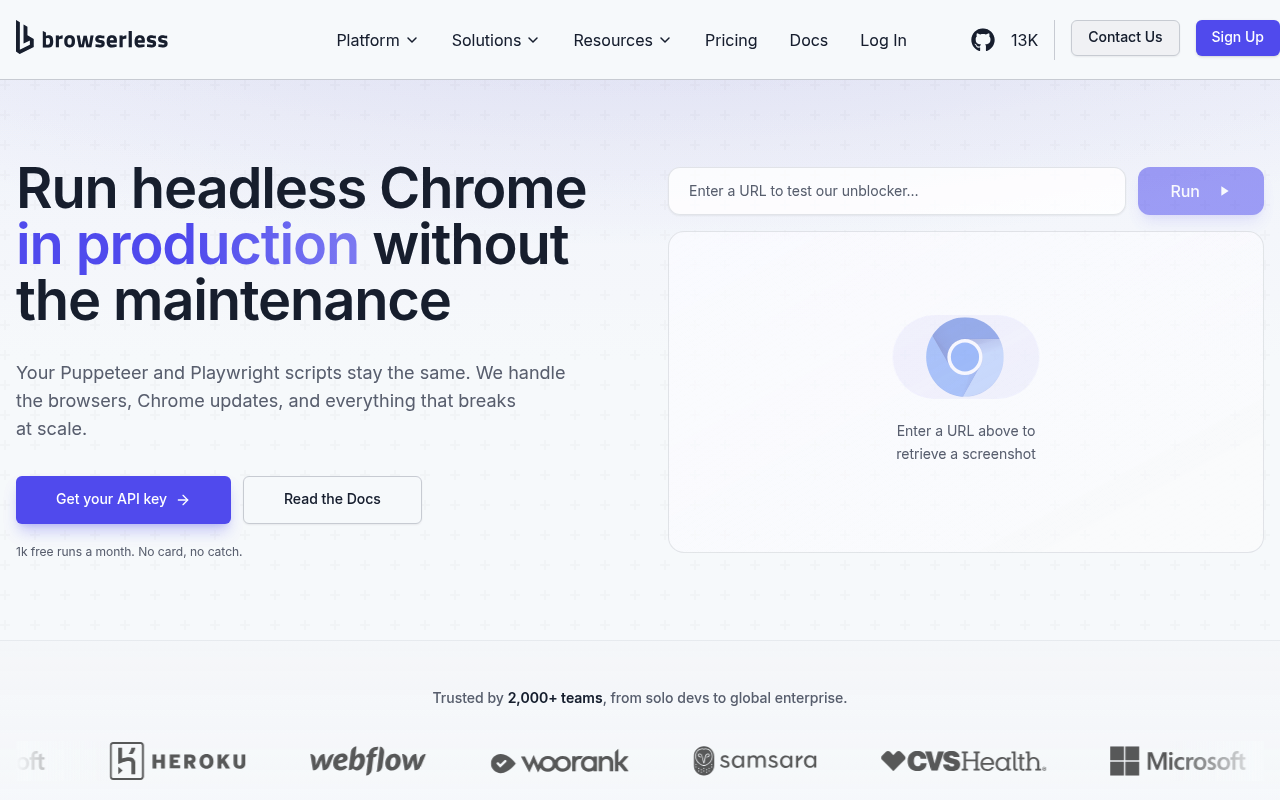
Browserless website screenshot

Browserless

Browserless is a cloud browser-automation platform that runs managed Chromium, Chrome, Edge, Firefox, and WebKit browsers for Puppeteer, Playwright, and Selenium clients, plus a GraphQL-based stealth automation layer (BrowserQL) and a family of REST APIs for screenshots, PDFs, content scraping, function execution, performance audits, smart scraping, search, mapping, and full-site crawling. A built-in MCP server exposes browser tooling to Claude, Cursor, VS Code, and other agentic clients. The company also maintains a popular open-source Docker image of the same name (13k+ GitHub stars), residential proxies, CAPTCHA solving, session profiles, recordings, and hybrid live-URL workflows. Target customers are AI startups, agent developers, web scrapers, RPA teams, QA / monitoring teams, and enterprises running production browser automation at scale, with free, prototyping, starter, scale, and enterprise plans (including self-hosted licensing).

1 APIs 0 Features
Headless BrowserBrowser InfrastructureWeb AutomationAI AgentsWeb ScrapingBrowserQLPuppeteerPlaywrightSeleniumCDPStealthCAPTCHA SolvingResidential ProxyPDF GenerationScreenshotsSmart ScrapeCrawlSearchMCPSession RecordingHybrid Automation

APIs

Browserless Cloud API

The Browserless Cloud API is a multi-surface browser platform combining (1) WebSocket BaaS endpoints compatible with Puppeteer, Playwright, and Selenium across Chromium, Chrome,...

Collections

Browserless

POSTMAN

Arazzo Workflows

Browserless Content To PDF

Render a URL's HTML, then feed that exact HTML into the PDF engine to produce a self-contained PDF.

ARAZZO

Browserless Full Page Archive

Unblock a protected URL, then branch into structured scraping or a content+PDF archive depending on whether unblocked HTML was returned.

ARAZZO

Browserless Function Then Download

Use the function API to drive a page that triggers a file download, then retrieve the downloaded artifacts via the download API.

ARAZZO

Browserless Function Then Screenshot

Run custom JavaScript against a page via the function API, then capture a screenshot to confirm the resulting state.

ARAZZO

Browserless Performance Audit

Run a Lighthouse-style performance audit on a URL, then capture a screenshot of the audited page.

ARAZZO

Browserless Scrape Then Screenshot

Extract structured elements from a page, then capture a screenshot of the same page as visual evidence.

ARAZZO

Browserless Site Capture Bundle

Render a single URL three ways — HTML content, PNG screenshot, and PDF — in one pass.

ARAZZO

Browserless Unblock Then Render

Bypass bot detection on a protected URL, then re-render its HTML content and a PDF using the unblocked content.

ARAZZO

GraphQL

Pricing Plans

Rate Limits

Browserless Rate Limits

10 limits

RATE LIMITS

FinOps

Semantic Vocabularies

Browserless Context

0 classes · 4 properties

JSON-LD

API Governance Rules

Browserless API Rules

10 rules · 6 warnings 4 info

SPECTRAL

JSON Structure

Browserless Profile Structure

8 properties

JSON STRUCTURE

Browserless Session Structure

11 properties

JSON STRUCTURE

Example Payloads

Browserless Pdf Example

2 fields

EXAMPLE

Browserless Scrape Example

2 fields

EXAMPLE

Browserless Session Example

2 fields

EXAMPLE

Resources

🔗
PostmanWorkspace
PostmanWorkspace
🔗
Arazzo
Arazzo
🔗
Arazzo
Arazzo
🔗
Arazzo
Arazzo
🔗
Arazzo
Arazzo
🔗
Arazzo
Arazzo
🔗
Arazzo
Arazzo
🔗
Arazzo
Arazzo
🔗
Arazzo
Arazzo
🔗
Website
Website
🔗
Documentation
Documentation
🔗
APIReference
APIReference
📰
Blog
Blog
👥
GitHubOrganization
GitHubOrganization
💰
Pricing
Pricing
🔗
Enterprise
Enterprise
📄
ChangeLog
ChangeLog
🟢
StatusPage
StatusPage
📝
Signup
Signup
🔗
Login
Login
📜
TermsOfService
TermsOfService
📜
PrivacyPolicy
PrivacyPolicy
🔗
LlmsText
LlmsText

Sources

Raw ↑
opencollection: 1.0.0
info:
  name: Browserless
  version: 2.49.0
items:
- info:
    name: Browser REST APIs
    type: folder
  items:
  - info:
      name: /chrome/content
      type: http
    http:
      method: POST
      url: '{{baseUrl}}/chrome/content'
      params:
      - name: blockAds
        value: ''
        type: query
      - name: launch
        value: ''
        type: query
      - name: profile
        value: ''
        type: query
      - name: timeout
        value: ''
        type: query
      - name: token
        value: ''
        type: query
      - name: trackingId
        value: ''
        type: query
      body:
        type: json
        data: '{}'
    docs: A JSON-based API. Given a "url" or "html" field, runs and returns HTML content after the page has loaded and JavaScript
      has parsed.
  - info:
      name: /chrome/download
      type: http
    http:
      method: POST
      url: '{{baseUrl}}/chrome/download'
      params:
      - name: blockAds
        value: ''
        type: query
      - name: launch
        value: ''
        type: query
      - name: profile
        value: ''
        type: query
      - name: timeout
        value: ''
        type: query
      - name: token
        value: ''
        type: query
      - name: trackingId
        value: ''
        type: query
      body:
        type: json
        data: '{}'
    docs: 'A JSON or JavaScript content-type API for returning files Chrome has downloaded during

      the execution of puppeteer code, which is ran inside context of the browser.

      Browserless sets up a blank page, a fresh download directory, injects your puppeteer code, and then executes it.

      You can load external libraries via the "import" syntax, and import ESM-style modules

      that are written for execution inside of the browser. Once your script is finished, any

      downloaded files from Chromium are returned back '
  - info:
      name: /chrome/function
      type: http
    http:
      method: POST
      url: '{{baseUrl}}/chrome/function'
      params:
      - name: blockAds
        value: ''
        type: query
      - name: launch
        value: ''
        type: query
      - name: profile
        value: ''
        type: query
      - name: timeout
        value: ''
        type: query
      - name: token
        value: ''
        type: query
      - name: trackingId
        value: ''
        type: query
      body:
        type: json
        data: '{}'
    docs: 'A JSON or JavaScript content-type API for running puppeteer code in the browser''s context.

      Browserless sets up a blank page, injects your puppeteer code, and runs it.

      You can optionally load external libraries via the "import" module that are meant for browser usage.

      Values returned from the function are checked and an appropriate content-type and response is sent back

      to your HTTP call.'
  - info:
      name: /json/new
      type: http
    http:
      method: PUT
      url: '{{baseUrl}}/json/new'
    docs: 'Returns a JSON payload that acts as a pass-through to the DevTools /json/new HTTP API in Chromium.

      Browserless mocks this payload so that remote clients can connect to the underlying "webSocketDebuggerUrl"

      which will cause Browserless to start the browser and proxy that request into a blank page.'
  - info:
      name: /json/protocol
      type: http
    http:
      method: GET
      url: '{{baseUrl}}/json/protocol'
    docs: Returns Protocol JSON meta-data that Chrome and Chromium come with.
  - info:
      name: /json/version
      type: http
    http:
      method: GET
      url: '{{baseUrl}}/json/version'
    docs: Returns a JSON payload that acts as a pass-through to the DevTools /json/version protocol in Chrome and Chromium.
  - info:
      name: /chrome/pdf
      type: http
    http:
      method: POST
      url: '{{baseUrl}}/chrome/pdf'
      params:
      - name: blockAds
        value: ''
        type: query
      - name: launch
        value: ''
        type: query
      - name: profile
        value: ''
        type: query
      - name: timeout
        value: ''
        type: query
      - name: token
        value: ''
        type: query
      - name: trackingId
        value: ''
        type: query
      body:
        type: json
        data: '{}'
    docs: 'A JSON-based API for getting a PDF binary from either a supplied

      "url" or "html" payload in your request. Many options exist for

      injecting cookies, request interceptors, user-agents and waiting for

      selectors, timers and more.'
  - info:
      name: /chrome/performance
      type: http
    http:
      method: POST
      url: '{{baseUrl}}/chrome/performance'
      params:
      - name: blockAds
        value: ''
        type: query
      - name: launch
        value: ''
        type: query
      - name: profile
        value: ''
        type: query
      - name: timeout
        value: ''
        type: query
      - name: token
        value: ''
        type: query
      - name: trackingId
        value: ''
        type: query
      body:
        type: json
        data: '{}'
    docs: Run lighthouse performance audits with a supplied "url" in your JSON payload.
  - info:
      name: /chrome/scrape
      type: http
    http:
      method: POST
      url: '{{baseUrl}}/chrome/scrape'
      params:
      - name: blockAds
        value: ''
        type: query
      - name: launch
        value: ''
        type: query
      - name: profile
        value: ''
        type: query
      - name: timeout
        value: ''
        type: query
      - name: token
        value: ''
        type: query
      - name: trackingId
        value: ''
        type: query
      body:
        type: json
        data: '{}'
    docs: 'A JSON-based API that returns text, html, and meta-data from a given list of selectors.

      Debugging information is available by sending in the appropriate flags in the "debugOpts"

      property. Responds with an array of JSON objects.'
  - info:
      name: /chrome/screenshot
      type: http
    http:
      method: POST
      url: '{{baseUrl}}/chrome/screenshot'
      params:
      - name: blockAds
        value: ''
        type: query
      - name: launch
        value: ''
        type: query
      - name: profile
        value: ''
        type: query
      - name: timeout
        value: ''
        type: query
      - name: token
        value: ''
        type: query
      - name: trackingId
        value: ''
        type: query
      body:
        type: json
        data: '{}'
    docs: 'A JSON-based API for getting a screenshot binary from either a supplied

      "url" or "html" payload in your request. Many options exist including

      cookies, user-agents, setting timers and network mocks.'
  - info:
      name: /chromium/content
      type: http
    http:
      method: POST
      url: '{{baseUrl}}/chromium/content'
      params:
      - name: blockAds
        value: ''
        type: query
      - name: launch
        value: ''
        type: query
      - name: profile
        value: ''
        type: query
      - name: timeout
        value: ''
        type: query
      - name: token
        value: ''
        type: query
      - name: trackingId
        value: ''
        type: query
      body:
        type: json
        data: '{}'
    docs: 'A JSON-based API. Given a "url" or "html" field, runs and returns HTML content after the page has loaded and JavaScript
      has parsed.


      **Note:** This endpoint is also available at: `/content` for backwards compatibility.'
  - info:
      name: /chromium/download
      type: http
    http:
      method: POST
      url: '{{baseUrl}}/chromium/download'
      params:
      - name: blockAds
        value: ''
        type: query
      - name: launch
        value: ''
        type: query
      - name: profile
        value: ''
        type: query
      - name: timeout
        value: ''
        type: query
      - name: token
        value: ''
        type: query
      - name: trackingId
        value: ''
        type: query
      body:
        type: json
        data: '{}'
    docs: 'A JSON or JavaScript content-type API for returning files Chrome has downloaded during

      the execution of puppeteer code, which is ran inside context of the browser.

      Browserless sets up a blank page, a fresh download directory, injects your puppeteer code, and then executes it.

      You can load external libraries via the "import" syntax, and import ESM-style modules

      that are written for execution inside of the browser. Once your script is finished, any

      downloaded files from Chromium are returned back '
  - info:
      name: /chromium/function
      type: http
    http:
      method: POST
      url: '{{baseUrl}}/chromium/function'
      params:
      - name: blockAds
        value: ''
        type: query
      - name: launch
        value: ''
        type: query
      - name: profile
        value: ''
        type: query
      - name: timeout
        value: ''
        type: query
      - name: token
        value: ''
        type: query
      - name: trackingId
        value: ''
        type: query
      body:
        type: json
        data: '{}'
    docs: 'A JSON or JavaScript content-type API for running puppeteer code in the browser''s context.

      Browserless sets up a blank page, injects your puppeteer code, and runs it.

      You can optionally load external libraries via the "import" module that are meant for browser usage.

      Values returned from the function are checked and an appropriate content-type and response is sent back

      to your HTTP call.


      **Note:** This endpoint is also available at: `/function` for backwards compatibility.'
  - info:
      name: /chromium/performance
      type: http
    http:
      method: POST
      url: '{{baseUrl}}/chromium/performance'
      params:
      - name: blockAds
        value: ''
        type: query
      - name: launch
        value: ''
        type: query
      - name: profile
        value: ''
        type: query
      - name: timeout
        value: ''
        type: query
      - name: token
        value: ''
        type: query
      - name: trackingId
        value: ''
        type: query
      body:
        type: json
        data: '{}'
    docs: 'Run lighthouse performance audits with a supplied "url" in your JSON payload.


      **Note:** This endpoint is also available at: `/performance` for backwards compatibility.'
  - info:
      name: /chromium/scrape
      type: http
    http:
      method: POST
      url: '{{baseUrl}}/chromium/scrape'
      params:
      - name: blockAds
        value: ''
        type: query
      - name: launch
        value: ''
        type: query
      - name: profile
        value: ''
        type: query
      - name: timeout
        value: ''
        type: query
      - name: token
        value: ''
        type: query
      - name: trackingId
        value: ''
        type: query
      body:
        type: json
        data: '{}'
    docs: 'A JSON-based API that returns text, html, and meta-data from a given list of selectors.

      Debugging information is available by sending in the appropriate flags in the "debugOpts"

      property. Responds with an array of JSON objects.


      **Note:** This endpoint is also available at: `/scrape` for backwards compatibility.'
  - info:
      name: /edge/content
      type: http
    http:
      method: POST
      url: '{{baseUrl}}/edge/content'
      params:
      - name: blockAds
        value: ''
        type: query
      - name: launch
        value: ''
        type: query
      - name: profile
        value: ''
        type: query
      - name: timeout
        value: ''
        type: query
      - name: token
        value: ''
        type: query
      - name: trackingId
        value: ''
        type: query
      body:
        type: json
        data: '{}'
    docs: A JSON-based API. Given a "url" or "html" field, runs and returns HTML content after the page has loaded and JavaScript
      has parsed.
  - info:
      name: /edge/download
      type: http
    http:
      method: POST
      url: '{{baseUrl}}/edge/download'
      params:
      - name: blockAds
        value: ''
        type: query
      - name: launch
        value: ''
        type: query
      - name: profile
        value: ''
        type: query
      - name: timeout
        value: ''
        type: query
      - name: token
        value: ''
        type: query
      - name: trackingId
        value: ''
        type: query
      body:
        type: json
        data: '{}'
    docs: 'A JSON or JavaScript content-type API for returning files Chrome has downloaded during

      the execution of puppeteer code, which is ran inside context of the browser.

      Browserless sets up a blank page, a fresh download directory, injects your puppeteer code, and then executes it.

      You can load external libraries via the "import" syntax, and import ESM-style modules

      that are written for execution inside of the browser. Once your script is finished, any

      downloaded files from Chromium are returned back '
  - info:
      name: /edge/function
      type: http
    http:
      method: POST
      url: '{{baseUrl}}/edge/function'
      params:
      - name: blockAds
        value: ''
        type: query
      - name: launch
        value: ''
        type: query
      - name: profile
        value: ''
        type: query
      - name: timeout
        value: ''
        type: query
      - name: token
        value: ''
        type: query
      - name: trackingId
        value: ''
        type: query
      body:
        type: json
        data: '{}'
    docs: 'A JSON or JavaScript content-type API for running puppeteer code in the browser''s context.

      Browserless sets up a blank page, injects your puppeteer code, and runs it.

      You can optionally load external libraries via the "import" module that are meant for browser usage.

      Values returned from the function are checked and an appropriate content-type and response is sent back

      to your HTTP call.'
  - info:
      name: /edge/pdf
      type: http
    http:
      method: POST
      url: '{{baseUrl}}/edge/pdf'
      params:
      - name: blockAds
        value: ''
        type: query
      - name: launch
        value: ''
        type: query
      - name: profile
        value: ''
        type: query
      - name: timeout
        value: ''
        type: query
      - name: token
        value: ''
        type: query
      - name: trackingId
        value: ''
        type: query
      body:
        type: json
        data: '{}'
    docs: 'A JSON-based API for getting a PDF binary from either a supplied

      "url" or "html" payload in your request. Many options exist for

      injecting cookies, request interceptors, user-agents and waiting for

      selectors, timers and more.'
  - info:
      name: /edge/performance
      type: http
    http:
      method: POST
      url: '{{baseUrl}}/edge/performance'
      params:
      - name: blockAds
        value: ''
        type: query
      - name: launch
        value: ''
        type: query
      - name: profile
        value: ''
        type: query
      - name: timeout
        value: ''
        type: query
      - name: token
        value: ''
        type: query
      - name: trackingId
        value: ''
        type: query
      body:
        type: json
        data: '{}'
    docs: Run lighthouse performance audits with a supplied "url" in your JSON payload.
  - info:
      name: /edge/scrape
      type: http
    http:
      method: POST
      url: '{{baseUrl}}/edge/scrape'
      params:
      - name: blockAds
        value: ''
        type: query
      - name: launch
        value: ''
        type: query
      - name: profile
        value: ''
        type: query
      - name: timeout
        value: ''
        type: query
      - name: token
        value: ''
        type: query
      - name: trackingId
        value: ''
        type: query
      body:
        type: json
        data: '{}'
    docs: 'A JSON-based API that returns text, html, and meta-data from a given list of selectors.

      Debugging information is available by sending in the appropriate flags in the "debugOpts"

      property. Responds with an array of JSON objects.'
  - info:
      name: /edge/screenshot
      type: http
    http:
      method: POST
      url: '{{baseUrl}}/edge/screenshot'
      params:
      - name: blockAds
        value: ''
        type: query
      - name: launch
        value: ''
        type: query
      - name: profile
        value: ''
        type: query
      - name: timeout
        value: ''
        type: query
      - name: token
        value: ''
        type: query
      - name: trackingId
        value: ''
        type: query
      body:
        type: json
        data: '{}'
    docs: 'A JSON-based API for getting a screenshot binary from either a supplied

      "url" or "html" payload in your request. Many options exist including

      cookies, user-agents, setting timers and network mocks.'
  - info:
      name: /chrome/export
      type: http
    http:
      method: POST
      url: '{{baseUrl}}/chrome/export'
      params:
      - name: blockAds
        value: ''
        type: query
      - name: externalProxyServer
        value: ''
        type: query
      - name: launch
        value: ''
        type: query
      - name: profile
        value: ''
        type: query
      - name: proxy
        value: ''
        type: query
      - name: proxyCity
        value: ''
        type: query
      - name: proxyCountry
        value: ''
        type: query
      - name: proxyLocaleMatch
        value: ''
        type: query
      - name: proxyPreset
        value: ''
        type: query
      - name: proxyState
        value: ''
        type: query
      - name: proxySticky
        value: ''
        type: query
      - name: timeout
        value: ''
        type: query
      - name: token
        value: ''
        type: query
      - name: trackingId
        value: ''
        type: query
      body:
        type: json
        data: '{}'
    docs: Exports a webpage to a PDF or image format. This API is useful for generating reports, screenshots, or PDFs of web
      pages.
  - info:
      name: /chrome/unblock
      type: http
    http:
      method: POST
      url: '{{baseUrl}}/chrome/unblock'
      params:
      - name: blockAds
        value: ''
        type: query
      - name: externalProxyServer
        value: ''
        type: query
      - name: launch
        value: ''
        type: query
      - name: profile
        value: ''
        type: query
      - name: proxy
        value: ''
        type: query
      - name: proxyCity
        value: ''
        type: query
      - name: proxyCountry
        value: ''
        type: query
      - name: proxyLocaleMatch
        value: ''
        type: query
      - name: proxyPreset
        value: ''
        type: query
      - name: proxyState
        value: ''
        type: query
      - name: proxySticky
        value: ''
        type: query
      - name: timeout
        value: ''
        type: query
      - name: token
        value: ''
        type: query
      - name: trackingId
        value: ''
        type: query
      body:
        type: json
        data: '{}'
    docs: 'Unblocks the provided URL from being blocked due to bot detection.

      Returns a payload of Cookies, HTML, a base64 encoded screenshot,

      and a "browserWSEndpoint" to allow connecting to the browser when

      specified in the JSON Payload. Only supports CDP or Puppeteer

      like libraries when connecting to the "browserWSEndpoint".'
  - info:
      name: /chromium/export
      type: http
    http:
      method: POST
      url: '{{baseUrl}}/chromium/export'
      params:
      - name: blockAds
        value: ''
        type: query
      - name: externalProxyServer
        value: ''
        type: query
      - name: launch
        value: ''
        type: query
      - name: profile
        value: ''
        type: query
      - name: proxy
        value: ''
        type: query
      - name: proxyCity
        value: ''
        type: query
      - name: proxyCountry
        value: ''
        type: query
      - name: proxyLocaleMatch
        value: ''
        type: query
      - name: proxyPreset
        value: ''
        type: query
      - name: proxyState
        value: ''
        type: query
      - name: proxySticky
        value: ''
        type: query
      - name: timeout
        value: ''
        type: query
      - name: token
        value: ''
        type: query
      - name: trackingId
        value: ''
        type: query
      body:
        type: json
        data: '{}'
    docs: 'Exports a webpage to a PDF or image format. This API is useful for generating reports, screenshots, or PDFs of
      web pages.


      **Note:** This endpoint is also available at: `/export` for backwards compatibility.'
  - info:
      name: /unblock
      type: http
    http:
      method: POST
      url: '{{baseUrl}}/unblock'
      params:
      - name: blockAds
        value: ''
        type: query
      - name: externalProxyServer
        value: ''
        type: query
      - name: launch
        value: ''
        type: query
      - name: profile
        value: ''
        type: query
      - name: proxy
        value: ''
        type: query
      - name: proxyCity
        value: ''
        type: query
      - name: proxyCountry
        value: ''
        type: query
      - name: proxyLocaleMatch
        value: ''
        type: query
      - name: proxyPreset
        value: ''
        type: query
      - name: proxyState
        value: ''
        type: query
      - name: proxySticky
        value: ''
        type: query
      - name: timeout
        value: ''
        type: query
      - name: token
        value: ''
        type: query
      - name: trackingId
        value: ''
        type: query
      body:
        type: json
        data: '{}'
    docs: 'Unblocks the provided URL from being blocked due to bot detection.

      Returns a payload of Cookies, HTML, a base64 encoded screenshot,

      and a "browserWSEndpoint" to allow connecting to the browser when

      specified in the JSON Payload. Only supports CDP or Puppeteer

      like libraries when connecting to the "browserWSEndpoint".


      **Note:** This endpoint is also available at: `/chromium/unblock` for backwards compatibility.'
  - info:
      name: /map
      type: http
    http:
      method: POST
      url: '{{baseUrl}}/map'
      params:
      - name: timeout
        value: ''
        type: query
      - name: token
        value: ''
        type: query
      body:
        type: json
        data: '{}'
    docs: 'Primarily discovers URLs from the site''s sitemap, supplemented

      with link extraction from the page via the smart-scrape strategy

      pipeline (HTTP-first, browser fallback for JS-rendered pages).

      Use the search parameter to order results by relevance.'
  - info:
      name: /pdf
      type: http
    http:
      method: POST
      url: '{{baseUrl}}/pdf'
      params:
      - name: blockAds
        value: ''
        type: query
      - name: externalProxyServer
        value: ''
        type: query
      - name: launch
        value: ''
        type: query
      - name: profile
        value: ''
        type: query
      - name: proxy
        value: ''
        type: query
      - name: proxyCity
        value: ''
        type: query
      - name: proxyCountry
        value: ''
        type: query
      - name: proxyLocaleMatch
        value: ''
        type: query
      - name: proxyPreset
        value: ''
        type: query
      - name: proxyState
        value: ''
        type: query
      - name: proxySticky
        value: ''
        type: query
      - name: timeout
        value: ''
        type: query
      - name: token
        value: ''
        type: query
      - name: trackingId
        value: ''
        type: query
      body:
        type: json
        data: '{}'
    docs: 'A JSON-based API for getting a PDF binary from either a supplied

      "url" or "html" payload in your request. Many options exist for

      injecting cookies, request interceptors, user-agents and waiting for

      selectors, timers and more.


      **Note:** This endpoint is also available at: `/chromium/pdf` for backwards compatibility.'
  - info:
      name: /screenshot
      type: http
    http:
      method: POST
      url: '{{baseUrl}}/screenshot'
      params:
      - name: blockAds
        value: ''
        type: query
      - name: externalProxyServer
        value: ''
        type: query
      - name: launch
        value: ''
        type: query
      - name: profile
        value: ''
        type: query
      - name: proxy
        value: ''
        type: query
      - name: proxyCity
        value: ''
        type: query
      - name: proxyCountry
        value: ''
        type: query
      - name: proxyLocaleMatch
        value: ''
        type: query
      - name: proxyPreset
        value: ''
        type: query
      - name: proxyState
        value: ''
        type: query
      - name: proxySticky
        value: ''
        type: query
      - name: timeout
        value: ''
        type: query
      - name: token
        value: ''
        type: query
      - name: trackingId
        value: ''
        type: query
      body:
        type: json
        data: '{}'
    docs: 'A JSON-based API for getting a screenshot binary from either a supplied

      "url" or "html" payload in your request. Many options exist including

      cookies, user-agents, setting timers and network mocks.


      **Note:** This endpoint is also available at: `/chromium/screenshot` for backwards compatibility.'
  - info:
      name: /search
      type: http
    http:
      method: POST
      url: '{{baseUrl}}/search'
      params:
      - name: timeout
        value: ''
        type: query
      - name: token
        value: ''
        type: query
      body:
        type: json
        data: '{}'
    docs: Search the web and optionally scrape result pages. Accepts a query, performs a web search via SearXNG, and optionally
      scrapes each result URL — returning structured, LLM-ready data (markdown, HTML, links, or screenshots).
  - info:
      name: /smart-scrape
      type: http
    http:
      method: POST
      url: '{{baseUrl}}/smart-scrape'
      params:
      - name: profile
        value: ''
        type: query
      - name: timeout
        value: ''
        type: query
      - name: token
        value: ''
        type: query
      body:
        type: json
        data: '{}'
    docs: Intelligently scrapes a URL using cascading strategies (HTTP fetch, proxy, headless browser, etc).
  - info:
      name: /stealth/bql?(/*)
      type: http
    http:
      method: POST
      url: '{{baseUrl}}/stealth/bql?(/*)'
      params:
      - name: blockAds
        value: ''
        type: query
      - name: blockConsentModals
        value: ''
        type: query
      - name: externalProxyServer
        value: ''
        type: query
      - name: humanlike
        value: ''
        type: query
      - name: launch
        value: ''
        type: query
      - name: profile
        value: ''
        type: query
      - name: proxy
        value: ''
        type: query
      - name: proxyCity
        value: ''
        type: query
      - name: proxyCountry
        value: ''
        type: query
      - name: proxyLocaleMatch
        value: ''
        type: query
      - name: proxyPreset
        value: ''
        type: query
      - name: proxyState
        value: ''
        type: query
      - name: proxySticky
        value: ''
        type: query
      - name: replay
        value: ''
        type: query
      - name: timeout
        value: ''
        type: query
      - name: token
        value: ''
        type: query
      - name: trackingId
        value: ''
        type: query
      body:
        type: json
        data: '{}'
    docs: Parses and executes BrowserQL requests, powered by the BrowserQL Editor or by other API integrations. See the BrowserQL
      Editor for more documentation on this API.
  - info:
      name: /chrome/bql?(/*)
      type: http
    http:
      method: POST
      url: '{{baseUrl}}/chrome/bql?(/*)'
      params:
      - name: blockAds
        value: ''
        type: query
      - name: blockConsentModals
        value: ''
        type: query
      - name: externalProxyServer
        value: ''
        type: query
      - name: humanlike
        value: ''
        type: query
      - name: launch
        value: ''
        type: query
      - name: profile
        value: ''
        type: query
      - name: proxy
        value: ''
        type: query
      - name: proxyCity
        value: ''
        type: query
      - name: proxyCountry
        value: ''
        type: query
      - name: proxyLocaleMatch
        value: ''
        type: query
      - name: proxyPreset
        value: ''
        type: query
      - name: proxyState
        value: ''
        type: query
      - name: proxySticky
        value: ''
        type: query
      - name: replay
        value: ''
        type: query
      - name: timeout
        value: ''
        type: query
      - name: token
        value: ''
        type: query
      - name: trackingId
        value: ''
        type: query
      body:
        type: json
        data: '{}'
    docs: Parses and executes BrowserQL requests, powered by the BrowserQL Editor or by other API integrations. See the BrowserQL
      Editor for more documentation on this API.
  - info:
      name: /chromium/bql?(/*)
      type: http
    http:
      method: POST
      url: '{{baseUrl}}/chromium/bql?(/*)'
      params:
      - name: blockAds
        value: ''
        type: query
      - name: blockConsentModals
        value: ''
        type: query
      - name: externalProxyServer
        value: ''
        type: query
      - name: humanlike
        value: ''
        type: query
      - name: launch
        value: ''
        type: query
      - name: profile
        value: ''
        type: query
      - name: proxy
        value: ''
        type: query
      - name: proxyCity
        value: ''
        type: query
      - name: proxyCountry
        value: ''
        type: query
      - name: proxyLocaleMatch
        value: ''
        type: query
      - name: proxyPreset
        value: ''
        type: query
      - name: proxyState
        value: ''
        type: query
      - name: proxySticky
        value: ''
        type: query
      - name: replay
        value: ''
        type: query
      - name: timeout
        value: ''
        type: query
      - name: token
        value: ''
        type: query
      - name: trackingId
        value: ''
        type: query
      body:
        type: json
        data: '{}'
    docs: Parses and executes BrowserQL requests, powered by the BrowserQL Editor or by other API integrations. See the BrowserQL
      Editor for more documentation on this API.
  - info:
      name: /crawl/*
      type: http
    http:
      method: GET
      url: '{{baseUrl}}/crawl/*'
      params:
      - name: skip
        value: ''
        type: query
      - name: token
        value: ''
        type: query
    docs: Get the status of a crawl job and its paginated page results. Returns progress counters, per-page metadata with
      content URLs, and a `next` URL for offset-based pagination via the `skip` parameter.
  - info:
      name: /crawl/*
      type: http
    http:
      method: DELETE
      url: '{{baseUrl}}/crawl/*'
      params:
      - name: token
        value: ''
        type: query
    docs: Cancel a running crawl job by its ID. Any pages already completed remain available for retrieval. Returns a 409
      if the crawl is already in a terminal state.
  - info:
      name: /crawl
      type: http
    http:
      method: GET
      url: '{{baseUrl}}/crawl'
      params:
      - name: cursor
        value: ''
        type: query
      - name: limit
        value: ''
        type: query
      - name: status
        value: ''
        type: query
      - name: token
        value: ''
        type: query
    docs: List all crawl jobs for the authenticated token. Returns an array of crawl summaries with status, progress counters,
      and timestamps. Supports cursor-based pagination via the `nextCursor` field.
  - info:
      name: /crawl
      type: http
    http:

# --- truncated at 32 KB (63 KB total) ---
# Full source: https://raw.githubusercontent.com/api-evangelist/browserless/refs/heads/main/apis.yml
