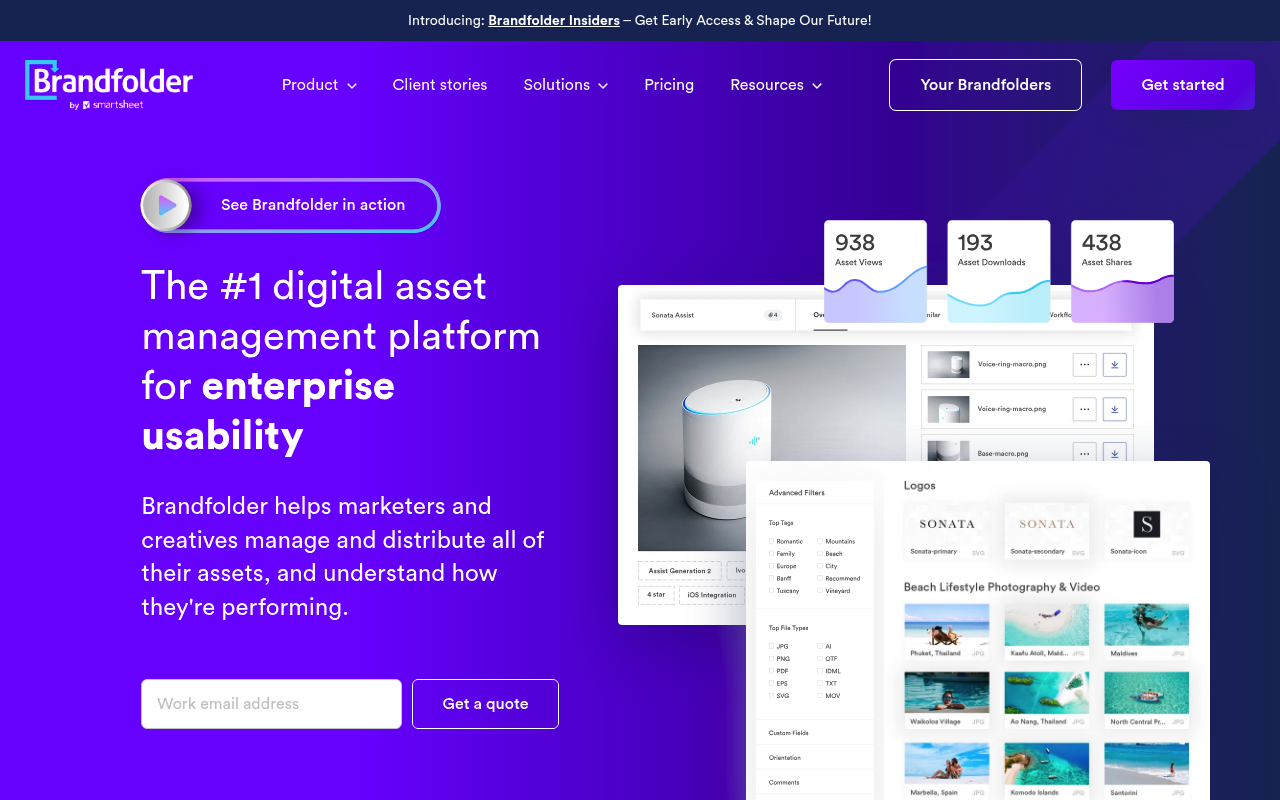
Brandfolder is a digital asset management (DAM) platform and Smartsheet company that provides a RESTful API for managing brand assets, collections, sections, tags, share links, webhooks, and asset distribution permissions. The API enables organizations to push Brandfolder content to other applications, pull data from external sources, and synchronize Brandfolder with other platforms.
Brandfolder publishes 13 API contracts indexed on the APIs.io network, including Assets API, Attachments API, Binary Upload API, and 10 more. Tagged areas include Digital Asset Management, Brand Management, Assets, Media, and Collection.
The Brandfolder catalog on APIs.io includes 1 event-driven AsyncAPI specification and 1 JSON-LD context.
Brandfolder’s developer surface includes authentication, documentation, engineering blog, pricing, getting-started guide, support, changelog, and 30 more developer resources.
Regulatory Posture applies to this provider. Its tags matched the
Horizontal (data, software, accessibility, platform) regime, so
Regulatory Posture carries 15 points of the composite.
If this regime is wrong for your business, say so on your
provider repo — the
applicability map is public and we will correct it.
Create-or-Update Ergonomics applies to this provider. This API accepts writes, so it
carries 10 points of the composite. It is scored from the published contracts
themselves: whether a caller can create-or-update in one call, whether the write accepts a key the caller already
holds, and whether the response says which branch ran. Without that, every write needs a search-and-branch in
front of it, and the first time that check is skipped a duplicate record is created.
Scored against the observed mean rather than raw — a provider at the catalog average is unchanged by this facet,
not penalised by it.
The six quality facets above are damped to 75 points between them,
because the conditional facet above carries the other
25. That is why each facet's contribution is shown against a damped
maximum: raising a quality facet moves the composite by 75% of its nominal
weight, not 100%. The full arithmetic is at apis.io/rating/.
Improve this rating by publishing the missing artifacts — every area above can be raised, and the full rubric is at apis.io/rating/. Every facet and dimension name above is a link: it opens that measurement's own page — what it means, the exact checks that feed it, how the whole catalog distributes on it, and the providers at the top of it. This rating is computed from github.com/api-evangelist/brandfolder: open an issue to ask a question, or submit a pull request to add artifacts.
Submit an artifact on GitHub — free →Manage your own listing — the Influence plan, $499/mo →
Markets this provider is in provisional
The Kin Score Market layer reads a provider inside its market:
its position, and how deep its integrations go. Depth is only comparable within a position. Provisional and unweighted:
not part of the Kin Score or agent readiness.
Registered MCP server and declares compatibility are report only — not weighted.
Undeclared means we found nothing we can read, so there is no number: we never infer integrations.
Assets are the core resource of Brandfolder. They act like containers that hold all of your digital resources and files, which we call Attachments. They belong to a Section in a...
Attachments are the representation of digital assets in Brandfolder. Generally speaking, they are actual files but can also be colors, fonts, links to embedded/external media, e...
Brandfolder's Binary Upload service allows for authenticated users to upload locally stored files into Brandfolder via our API. Binary Upload is a multi-step process: 1. [Get an...
Collections are nested under a Brandfolder and contain many Assets. They are mainly used as an additional way to organize, manage, share, and restrict access to a subset of Asse...
Custom Fields can be assigned to Assets and are generally helpful for organizing and searching Assets within a Brandfolder, as well as for understanding more details about each ...
Invitations are exactly what they sound like and can be created to invite Users to join your Organization, Brandfolder, or Collection as a `guest`, `collaborator`, `admin`, or (...
Brandfolder's Labels are an enhanced organization and findability feature meant to provide the peace of mind that comes with an organization's existing folder structure. Think o...
Sections are nested under a Brandfolder and contain many Assets. They exist to help keep Assets organized within a Brandfolder. They also determine which type of digital assets ...
Tags can be assigned to Assets and are generally helpful for organizing and searching Assets within a Brandfolder. Each Tag is essentially a keyword associated with exactly one ...
User permissions describe relationships between Organizations, Brandfolders, Collections, Portals or Brandguides and the users that have access to them. Learn more about permiss...
The Brandfolder Webhooks service allows you to subscribe to event-based notifications (callbacks) when a qualifying event is triggered within Brandfolder. Asset data will then b...
Overlays applied on top of this provider's contracts. Each card says who wrote it: a document the provider publishes, or one API Evangelist derived or generated.
aid: brandfolder
name: Brandfolder
description: Brandfolder is a digital asset management (DAM) platform and Smartsheet company that provides a RESTful API for
managing brand assets, collections, sections, tags, share links, webhooks, and asset distribution permissions. The API enables
organizations to push Brandfolder content to other applications, pull data from external sources, and synchronize Brandfolder
with other platforms.
deliveryModel:
model: saas
open_source: false
commercial: true
callable_host: true
label: Hosted service · you call their endpoint
confidence: high
source:
- openapi
- pricing
generated: '2026-08-28'
method: derived
accessModel:
pricing: paid
onboarding: approval
trial: false
try_now: false
public: false
label: Paid · Requires approval
confidence: medium
source:
- plans
generated: '2026-07-22'
method: derived
image: https://kinlane-images.s3.amazonaws.com/shared/apis-json/icons/brandfolder.png
url: https://raw.githubusercontent.com/api-evangelist/brandfolder/refs/heads/main/apis.yml
created: 2026-06-13
modified: 2026-08-13
specificationVersion: '0.23'
x-docs-platform: redocly
x-docs-platform-confidence: high
x-docs-platform-checked: 2026-09-20
tags:
- Digital Asset Management
- Brand Management
- Assets
- Media
- Collection
- Smartsheet
tags_raw:
- Digital Asset Management
- DAM
- Brand Management
- Assets
- Media
- Collections
- Smartsheet
apis:
- aid: brandfolder:brandfolder-assets-api
name: Brandfolder Assets API
description: Assets are the core resource of Brandfolder. They act like containers that hold all of your digital resources
and files, which we call Attachments. They belong to a Section in a Brandfolder and can also exist within many Collections.
humanURL: https://developers.smartsheet.com/api/brandfolder
baseURL: https://brandfolder.com/api/v4
tags:
- Assets
tags_raw:
- assets
properties:
- type: OpenAPI
url: openapi/brandfolder-assets-api-openapi.yml
- type: Documentation
url: https://developers.smartsheet.com/api/brandfolder
- type: APIReference
url: https://developers.smartsheet.com/api/brandfolder/openapi
- type: Webhooks
url: asyncapi/brandfolder-webhooks.yml
- type: ToolCrosswalk
url: mcp/brandfolder-tool-crosswalk.yml
- type: ErrorCatalog
url: errors/brandfolder-problem-types.yml
- type: DataModel
url: data-model/brandfolder-data-model.yml
- aid: brandfolder:brandfolder-attachments-api
name: Brandfolder Attachments API
description: 'Attachments are the representation of digital assets in Brandfolder. Generally speaking, they are actual files
but can also be colors, fonts, links to embedded/external media, etc. They belong to an Asset and contain extra metadata
related to the files they represent.
> **Note:**
>
> If you need to list all of an organization''s attachments, follow these steps:
>
> 1. List all Brandfolders: `GET /brandfolders?include=organization`
> 2. List all sections for each Brandfolder within the target organization: `GET /brandfolders/{brandfolder_id}/sections`
> 3. Iteratively list assets and their attachments for each Section: `GET /sections/{section_id}/assets?include=attachments`'
humanURL: https://developers.smartsheet.com/api/brandfolder
baseURL: https://brandfolder.com/api/v4
tags:
- Attachments
tags_raw:
- attachments
properties:
- type: OpenAPI
url: openapi/brandfolder-attachments-api-openapi.yml
- type: Documentation
url: https://developers.smartsheet.com/api/brandfolder
- type: APIReference
url: https://developers.smartsheet.com/api/brandfolder/openapi
- type: Webhooks
url: asyncapi/brandfolder-webhooks.yml
- type: ToolCrosswalk
url: mcp/brandfolder-tool-crosswalk.yml
- type: ErrorCatalog
url: errors/brandfolder-problem-types.yml
- type: DataModel
url: data-model/brandfolder-data-model.yml
- aid: brandfolder:brandfolder-binary-upload-api
name: Brandfolder Binary Upload API
description: "Brandfolder's Binary Upload service allows for authenticated users to upload locally stored files into Brandfolder\
\ via our API.\n\nBinary Upload is a multi-step process:\n\n1. [Get an upload URL](/api/brandfolder/openapi/binary_upload/opidstorageserviceuploadrequestsget)\n\
2. Upload the file to the storage bucket using one of the methods below : \n - [Upload a file](/api/brandfolder/openapi/binary_upload/opidstorageservicebfuploadrequestbucketput)\n\
\ - [Resumable upload](/api/brandfolder/openapi/binary_upload/opidstorageservicebfuploadrequestpost)\n3. [Create an\
\ asset](/api/brandfolder/openapi/assets/opidapiv4collectionsassetsbybrandfolderidpost), telling the Brandfolder API the\
\ attachment is at that URL.\n\nThe Brandfolder Upload Request endpoint will return a response body with a signed `upload_url`,\
\ `resumable_upload_url`, storage `service_type` and `object_url`.\n\nEach Binary Upload `request_url` and `object_url`\
\ are designed to be used one time for a singular Asset. Both the `upload_url` and `resumable_upload_url` will expire\
\ 24 hours after they're issued. Assets uploaded to the `object_url` will be stored for 7 days before being purged. Should\
\ any of these URLs expire, you will simply need to restart the workflow to obtain active URLs. \n\n> **Tip:** We recommend\
\ that you use the Resumable Upload flow if you have poor internet connection, you're uploading local files that are larger\
\ than 200MB or if you're uploading files from a server that are larger than 500MB.\n\n"
humanURL: https://developers.smartsheet.com/api/brandfolder
baseURL: https://brandfolder.com/api/v4
tags: []
tags_raw:
- binary_upload
properties:
- type: OpenAPI
url: openapi/brandfolder-binary-upload-api-openapi.yml
- type: Documentation
url: https://developers.smartsheet.com/api/brandfolder
- type: APIReference
url: https://developers.smartsheet.com/api/brandfolder/openapi
- type: Webhooks
url: asyncapi/brandfolder-webhooks.yml
- type: ToolCrosswalk
url: mcp/brandfolder-tool-crosswalk.yml
- type: ErrorCatalog
url: errors/brandfolder-problem-types.yml
- type: DataModel
url: data-model/brandfolder-data-model.yml
- aid: brandfolder:brandfolder-brandfolders-api
name: Brandfolder Brandfolders API
description: Brandfolders are nested directly underneath an Organization in the overall heirarchy. They can have many Collections,
Sections, and Assets.
humanURL: https://developers.smartsheet.com/api/brandfolder
baseURL: https://brandfolder.com/api/v4
tags:
- brandfolders
properties:
- type: OpenAPI
url: openapi/brandfolder-brandfolders-api-openapi.yml
- type: Documentation
url: https://developers.smartsheet.com/api/brandfolder
- type: APIReference
url: https://developers.smartsheet.com/api/brandfolder/openapi
- type: Webhooks
url: asyncapi/brandfolder-webhooks.yml
- type: ToolCrosswalk
url: mcp/brandfolder-tool-crosswalk.yml
- type: ErrorCatalog
url: errors/brandfolder-problem-types.yml
- type: DataModel
url: data-model/brandfolder-data-model.yml
- aid: brandfolder:brandfolder-collections-api
name: Brandfolder Collections API
description: Collections are nested under a Brandfolder and contain many Assets. They are mainly used as an additional way
to organize, manage, share, and restrict access to a subset of Assets within your Brandfolder without having to upload
Assets to multiple places.
humanURL: https://developers.smartsheet.com/api/brandfolder
baseURL: https://brandfolder.com/api/v4
tags:
- Collection
tags_raw:
- collections
properties:
- type: OpenAPI
url: openapi/brandfolder-collections-api-openapi.yml
- type: Documentation
url: https://developers.smartsheet.com/api/brandfolder
- type: APIReference
url: https://developers.smartsheet.com/api/brandfolder/openapi
- type: Webhooks
url: asyncapi/brandfolder-webhooks.yml
- type: ToolCrosswalk
url: mcp/brandfolder-tool-crosswalk.yml
- type: ErrorCatalog
url: errors/brandfolder-problem-types.yml
- type: DataModel
url: data-model/brandfolder-data-model.yml
- aid: brandfolder:brandfolder-custom-fields-api
name: Brandfolder Custom Fields API
description: 'Custom Fields can be assigned to Assets and are generally helpful for organizing and searching Assets within
a Brandfolder, as well as for understanding more details about each Asset.
Each Custom Field is essentially a key/value pair associated with **exactly one Asset**. Keys and values are always a
string type, so use `"123"` instead of `123`.
For example, if you have several Assets that represent products you sell in different colors, you might create a Custom
Field for each of those Assets with a key of `"color"` and a value of `"blue"` or `"red"`, etc. If you modify or delete
a `"color":"blue"` Custom Field for any particular Asset, it will not affect other Custom Fields on other Assets, even
if they have the same key and/or value.
> **IMPORTANT:** Think carefully about whether Tags or Custom Fields are better suited to meet the needs of your particular
use case.'
humanURL: https://developers.smartsheet.com/api/brandfolder
baseURL: https://brandfolder.com/api/v4
tags:
- Custom Fields
tags_raw:
- custom_fields
properties:
- type: OpenAPI
url: openapi/brandfolder-custom-fields-api-openapi.yml
- type: Documentation
url: https://developers.smartsheet.com/api/brandfolder
- type: APIReference
url: https://developers.smartsheet.com/api/brandfolder/openapi
- type: Webhooks
url: asyncapi/brandfolder-webhooks.yml
- type: ToolCrosswalk
url: mcp/brandfolder-tool-crosswalk.yml
- type: ErrorCatalog
url: errors/brandfolder-problem-types.yml
- type: DataModel
url: data-model/brandfolder-data-model.yml
- aid: brandfolder:brandfolder-invitations-api
name: Brandfolder Invitations API
description: 'Invitations are exactly what they sound like and can be created to invite Users to join your Organization,
Brandfolder, or Collection as a `guest`, `collaborator`, `admin`, or (when inviting someone to an Organization) `owner`.
Learn more about the permission levels you can grant Users in our Knowledge Base article on <a href="https://help.smartsheet.com/115002602273-User-Permissions"
target="_blank">User Permissions</a>.'
humanURL: https://developers.smartsheet.com/api/brandfolder
baseURL: https://brandfolder.com/api/v4
tags:
- Invitations
tags_raw:
- invitations
properties:
- type: OpenAPI
url: openapi/brandfolder-invitations-api-openapi.yml
- type: Documentation
url: https://developers.smartsheet.com/api/brandfolder
- type: APIReference
url: https://developers.smartsheet.com/api/brandfolder/openapi
- type: Webhooks
url: asyncapi/brandfolder-webhooks.yml
- type: ToolCrosswalk
url: mcp/brandfolder-tool-crosswalk.yml
- type: ErrorCatalog
url: errors/brandfolder-problem-types.yml
- type: DataModel
url: data-model/brandfolder-data-model.yml
- aid: brandfolder:brandfolder-labels-api
name: Brandfolder Labels API
description: 'Brandfolder''s Labels are an enhanced organization and findability feature meant to provide the peace of mind
that comes with an organization''s existing folder structure. Think of Labels like your music playlists--any asset can
be assigned to a label or multiple labels.
Labels are not turned on for every account. If you are unsure whether you have or need Labels, please contact brandfoldersupport@smartsheet.com.'
humanURL: https://developers.smartsheet.com/api/brandfolder
baseURL: https://brandfolder.com/api/v4
tags:
- Labels
tags_raw:
- labels
properties:
- type: OpenAPI
url: openapi/brandfolder-labels-api-openapi.yml
- type: Documentation
url: https://developers.smartsheet.com/api/brandfolder
- type: APIReference
url: https://developers.smartsheet.com/api/brandfolder/openapi
- type: Webhooks
url: asyncapi/brandfolder-webhooks.yml
- type: ToolCrosswalk
url: mcp/brandfolder-tool-crosswalk.yml
- type: ErrorCatalog
url: errors/brandfolder-problem-types.yml
- type: DataModel
url: data-model/brandfolder-data-model.yml
- aid: brandfolder:brandfolder-organizations-api
name: Brandfolder Organizations API
description: An Organization is the top level resource of all objects in Brandfolder. It can have many Brandfolders nested
beneath it.
humanURL: https://developers.smartsheet.com/api/brandfolder
baseURL: https://brandfolder.com/api/v4
tags:
- Organization
tags_raw:
- organizations
properties:
- type: OpenAPI
url: openapi/brandfolder-organizations-api-openapi.yml
- type: Documentation
url: https://developers.smartsheet.com/api/brandfolder
- type: APIReference
url: https://developers.smartsheet.com/api/brandfolder/openapi
- type: Webhooks
url: asyncapi/brandfolder-webhooks.yml
- type: ToolCrosswalk
url: mcp/brandfolder-tool-crosswalk.yml
- type: ErrorCatalog
url: errors/brandfolder-problem-types.yml
- type: DataModel
url: data-model/brandfolder-data-model.yml
- aid: brandfolder:brandfolder-sections-api
name: Brandfolder Sections API
description: Sections are nested under a Brandfolder and contain many Assets. They exist to help keep Assets organized within
a Brandfolder. They also determine which type of digital assets can be uploaded within them (files, external media, fonts,
etc.).
humanURL: https://developers.smartsheet.com/api/brandfolder
baseURL: https://brandfolder.com/api/v4
tags:
- Sections
tags_raw:
- sections
properties:
- type: OpenAPI
url: openapi/brandfolder-sections-api-openapi.yml
- type: Documentation
url: https://developers.smartsheet.com/api/brandfolder
- type: APIReference
url: https://developers.smartsheet.com/api/brandfolder/openapi
- type: Webhooks
url: asyncapi/brandfolder-webhooks.yml
- type: ToolCrosswalk
url: mcp/brandfolder-tool-crosswalk.yml
- type: ErrorCatalog
url: errors/brandfolder-problem-types.yml
- type: DataModel
url: data-model/brandfolder-data-model.yml
- aid: brandfolder:brandfolder-tags-api
name: Brandfolder Tags API
description: 'Tags can be assigned to Assets and are generally helpful for organizing and searching Assets within a Brandfolder.
Each Tag is essentially a keyword associated with exactly one Asset.
For example, if you have several Assets that represent products you sell, you might create a "product" Tag for each one.
If you modify or delete the "product" Tag for any particular Asset, it will not affect other Tags with the same value
on other Assets.
Tags have a read-only attribute called `auto_generated` which indicates if the Tag was created automatically by our smart
analysis of the file Attachment(s) (`true`) or if a User created the Tag (`false`).
> **IMPORTANT:** Think carefully about whether Tags or Custom Fields are better suited to meet the needs of your particular
use case.'
humanURL: https://developers.smartsheet.com/api/brandfolder
baseURL: https://brandfolder.com/api/v4
tags:
- Tags
tags_raw:
- tags
properties:
- type: OpenAPI
url: openapi/brandfolder-tags-api-openapi.yml
- type: Documentation
url: https://developers.smartsheet.com/api/brandfolder
- type: APIReference
url: https://developers.smartsheet.com/api/brandfolder/openapi
- type: Webhooks
url: asyncapi/brandfolder-webhooks.yml
- type: ToolCrosswalk
url: mcp/brandfolder-tool-crosswalk.yml
- type: ErrorCatalog
url: errors/brandfolder-problem-types.yml
- type: DataModel
url: data-model/brandfolder-data-model.yml
- aid: brandfolder:brandfolder-user-permissions-api
name: Brandfolder User Permissions API
description: 'User permissions describe relationships between Organizations, Brandfolders, Collections, Portals or Brandguides
and the users that have access to them.
Learn more about permissioning in our Knowledge Base article on <a href="https://help.smartsheet.com/115002602273-User-Permissions"
target="_blank">User Permissions</a>.'
humanURL: https://developers.smartsheet.com/api/brandfolder
baseURL: https://brandfolder.com/api/v4
tags:
- User Permissions
tags_raw:
- user_permissions
properties:
- type: OpenAPI
url: openapi/brandfolder-user-permissions-api-openapi.yml
- type: Documentation
url: https://developers.smartsheet.com/api/brandfolder
- type: APIReference
url: https://developers.smartsheet.com/api/brandfolder/openapi
- type: Webhooks
url: asyncapi/brandfolder-webhooks.yml
- type: ToolCrosswalk
url: mcp/brandfolder-tool-crosswalk.yml
- type: ErrorCatalog
url: errors/brandfolder-problem-types.yml
- type: DataModel
url: data-model/brandfolder-data-model.yml
- aid: brandfolder:brandfolder-webhooks-api
name: Brandfolder Webhooks API
description: "The Brandfolder Webhooks service allows you to subscribe to event-based notifications (callbacks) when a qualifying\
\ event is triggered within Brandfolder. Asset data will then be sent to the user-provided `callback_url` at the time\
\ the subscribed event occurs within the specified Brandfolder. \n\n> NOTE: The `callback_url` must be accessible from\
\ the public internet, meaning any localhost, private network domains, or domains that require authentication will all\
\ fail.\n\n<h2>Authentication</h2>\n\nUtilizing Webhooks requires authentication with the resource (Brandfolder) being\
\ subscribed to. A user's unique API Key is required in a header for actions on all endpoints related to the Webhooks\
\ service.\n\n- Find your API key at <a href=\"https://brandfolder.com/profile#integrations\" target=\"_blank\">https://brandfolder.com/profile#integrations</a>.\n\
- Click the icon to the right of your key to copy it to your clipboard.\n\nThere are two required headers in each request:\
\ \n\n`Content-Type: application/json` <br>\n`Authorization: Bearer <api_key>`\n\nThe provided API Key is checked against\
\ any provided resource (where applicable) to confirm the appropriate permissions.\n___\n\n<h2>Service Details</h2>\n\n\
The Brandfolder Webhooks service allows for subscriptions to events within individual Brandfolders. \n\n> NOTE: Asset\
\ data updates made at the Collection level will trigger a Brandfolder Webhook subscription. Since assets live at the\
\ Brandfolder level, any updates made at the Collection level would be reflected on the Brandfolder level as well, thus\
\ triggering a Webhook.\n\nDue to the way Brandfolder manages assets, you will see both an `\"asset.create\"` event and\
\ an `\"asset.update\"` event upon creation of a new asset. A `create` event is triggered when Brandfolder recognizes\
\ the new asset and begins to process it for use. An `update` event is triggered when the asset is ready for use.\n\n\
The following event types trigger webhooks:\n\n* `asset.create` - Asset creation. A new asset has been added to a subscribed\
\ Brandfolder.\n* `asset.update` - Asset update. Asset data has been updated within a subscribed Brandfolder. One or more\
\ of the following asset attributes has been updated:\n * Name\n * Description\n * Section\n * Approval status\n\
\ * Expiration status\n * Comments & Annotations\n * Adding / Updating\n * Deleting\n * Tags\n\
\ * Adding / Updating\n * Deleting\n * Custom Fields\n * Adding / Updating\n * Deleting\n\
* `asset.delete` - Asset deletion. An asset has been removed from within a subscribed Brandfolder.\n\n> Once a Webhook\
\ subscription as been created, the payload that will be sent to the user-provided `callback_url` after an event has been\
\ triggered will have the following structure:\n\n```json\n{\n \"data\": {\n \"attributes\": {\n \
\ \"key\": \"<unique_asset_identifier>\",\n \"event_time\": \"<event occurance timestamp in format YYYY-MM-DD\
\ HH:MM:SS.000000 with six decimal place microsecond precision>\",\n \"event_type\": \"<the event type that\
\ triggered the webhook>\",\n \"brandfolder_key\": \"<unique_brandfolder_identifier>\",\n \"organization_key\"\
: \"<unique_organization_identifier>\"\n },\n \"webhook_id\": \"<webhook_id>\"\n }\n}\n```\n\n> NOTE:\
\ The callback payload is a \"skinny\" payload -- it indicates which assets changed and the type of event that occurred,\
\ but does not contain any data from the assets themselves.\n\nThe Brandfolder Webhook service requires your application\
\ to immediately acknowledge receipt of any Webhooks by returning a `2xx` HTTP status code. If Brandfolder does not receive\
\ an acknowledgement or any non `2xx` HTTP status code is returned, Brandfolder will retry the Webhook up to 15 times\
\ with exponentially increasing wait times in between. \n\n**Any Webhook subscriptions that continue to fail without remedy\
\ will be made inactive.**\n\nMessages may be sent out of order to the `callback_url` associated with a Webhook subscription.\
\ The `event_time` provided in the payload can be used to order events.\n\nIf the API Key associated with a Webhook subscription\
\ loses access to the associated resource, the subscription will be deactivated within 30 minutes."
humanURL: https://developers.smartsheet.com/api/brandfolder
baseURL: https://brandfolder.com/api/v4
tags:
- Webhook
tags_raw:
- webhooks
properties:
- type: OpenAPI
url: openapi/brandfolder-webhooks-api-openapi.yml
- type: Documentation
url: https://developers.smartsheet.com/api/brandfolder
- type: APIReference
url: https://developers.smartsheet.com/api/brandfolder/openapi
- type: Webhooks
url: asyncapi/brandfolder-webhooks.yml
- type: ToolCrosswalk
url: mcp/brandfolder-tool-crosswalk.yml
- type: ErrorCatalog
url: errors/brandfolder-problem-types.yml
- type: DataModel
url: data-model/brandfolder-data-model.yml
common:
- type: CapabilityMap
url: capabilities/brandfolder-capability-edges.yml
name: Brandfolder Business Capability Map
- type: Overlay
url: overlays/brandfolder-openapi-original-overlay.yaml
- type: MCPServer
url: mcp/brandfolder-mcp.yml
- type: AgenticAccess
url: agentic-access/brandfolder-agentic-access.yml
- type: Authentication
url: authentication/brandfolder-authentication.yml
- type: TrustCenter
url: security/brandfolder-trust-center.yml
- type: DomainSecurity
url: security/brandfolder-domain-security.yml
- type: Website
url: https://brandfolder.com
- type: Documentation
url: https://developers.smartsheet.com/api/brandfolder
- type: GitHubOrganization
url: https://github.com/brandfolder
- type: LinkedIn
url: https://www.linkedin.com/company/brandfolder-inc-
- type: Blog
url: https://brandfolder.engineering/
- type: Pricing
url: https://brandfolder.com/pricing
- type: StatusPage
url: https://status.brandfolder.com/
- type: X
url: https://twitter.com/Brandfolder
- type: DeveloperPortal
url: https://developers.smartsheet.com/api/brandfolder
- type: GettingStarted
url: https://developers.smartsheet.com/api/brandfolder/introduction
- type: Support
url: https://help.smartsheet.com/brandfolder
- type: Community
url: https://community.smartsheet.com/
- type: Login
url: https://brandfolder.com/signin/
- type: TermsOfService
url: https://www.smartsheet.com/legal/user-agreement
- type: PrivacyPolicy
url: https://www.smartsheet.com/legal/privacy
- type: Integrations
url: https://brandfolder.com/integrations/
- type: Security
url: https://www.smartsheet.com/legal/bugbounty
- type: VulnerabilityDisclosure
url: security/brandfolder-vulnerability-disclosure.yml
- type: Compliance
url: https://www.smartsheet.com/legal/security
- type: Conformance
url: conformance/brandfolder-conformance.yml
- type: Packages
url: packages/brandfolder-packages.yml
- type: SDKs
url: packages/brandfolder-packages.yml
- type: Components
url: components/brandfolder-components.yml
- type: Conventions
url: conventions/brandfolder-conventions.yml
- type: Lifecycle
url: lifecycle/brandfolder-lifecycle.yml
- type: ChangeLog
url: changelog/brandfolder-changelog.yml
- type: LLMsTxt
url: llms/brandfolder-llms.txt
- type: AgentSkill
url: skills/_index.yml
- type: Plans
url: plans/brandfolder-plans-pricing.yml
- type: RateLimits
url: rate-limits/brandfolder-rate-limits.yml
- type: FinOps
url: finops/brandfolder-finops.yml
maintainers:
- FN: Kin Lane
email: kin@apievangelist.com
x-enrichment:
date: '2026-08-13'
status: enriched
artifacts_added: 28
pass: local-v1
Discovery needs no key. Ratings and market analysis are Pro.
Get an API key
Free tier, no form to fill in. Signing in shares your email address with us — we
store it to create your key and to recognise you if you sign in with another
provider. See our Privacy Policy and
Terms.
 Kin Score
How this is scored →
Kin Score
How this is scored →