Business capabilities this provider's published APIs can perform, derived from its own
contracts. Browse all capabilities →
Individual APIs this provider publishes, each with its own machine-readable definition.
Model Context Protocol servers that expose these APIs to AI agents.
Published pricing tiers and plan structures.
Documented rate limits and quota policies.
AsyncAPI definitions for this provider's event-driven and streaming APIs.
Overlays applied on top of this provider's contracts. Each card says who wrote it: a document the provider publishes, or one API Evangelist derived or generated.
Authentication, domain security, vulnerability disclosure, and trust-center signals.
OAuth scopes governing access to this provider's APIs.
aid: agree-com
name: Agree.com
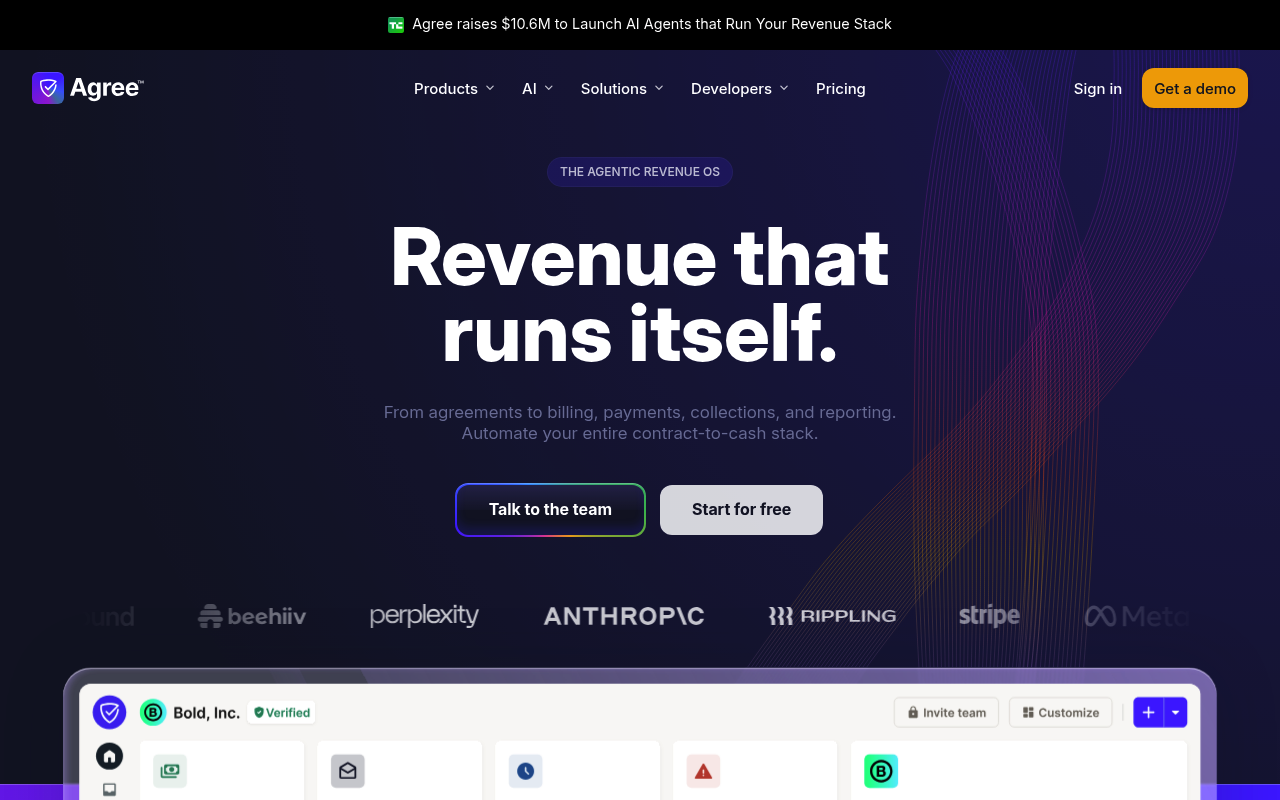
description: Agree.com is a contract-to-cash platform that combines free, unlimited e-signatures with invoicing, billing and
  integrated payments, positioning itself directly against DocuSign and Bill.com by giving the signature product away and
  monetizing the money movement that follows it. The company raised a $7.2M seed round led by Pelion Venture Partners in May
  2025 after a $3M pre-seed led by Better Tomorrow Ventures. It markets an "agentic revenue operating system" built from named
  AI agents for contracts, billing, collections, recovery, reconciliation and insight. For developers it publishes a 56-operation
  REST API covering agreements, invoices, contacts, customers, cash-flow and recovery reporting, and webhooks, described by
  a real OpenAPI 3.0 document served anonymously at secure.agree.com/documentation/openapi, plus a hosted remote MCP server
  at secure.agree.com/mcp discoverable through RFC 9728 protected resource metadata and guarded by an OAuth 2.1 authorization
  server with PKCE and dynamic client registration.
image: https://agree.com/img/social/social-media-card.png
url: https://raw.githubusercontent.com/api-evangelist/agree-com/refs/heads/main/apis.yml
x-type: company
x-source: harvest:secondary-market
specificationVersion: '0.20'
created: '2026-09-12'
modified: '2026-09-12'
tags:
- Agreements
- E-Signature
- Contract Management
- Invoicing
- Billing
- Payments
- Accounts Receivable
- Fintech
- Financial Services
- Webhook
- MCP
- Agent-Native
tags_raw:
- Agreements
- Electronic Signature
- Contract Management
- Invoicing
- Billing
- Payments
- Accounts Receivable
- Fintech
- Financial-Services
- Webhooks
- MCP
- agent-native
position: Producing
apis:
- aid: agree-com:agree-com-agreements-api
  name: Agree.com Agreements API
  description: "Create, send, and manage agreements with recipients and field assignments.\n\n## Overview\n\nAgreements are\
    \ documents that require signatures from one or more recipients. Each agreement is created from a template and can have\
    \ specific fields (like signature fields, date fields, text fields) assigned to specific recipients.\n\n**Key concepts:**\n\
    \n- Agreements are created from templates\n- Each agreement must have exactly one recipient with the `owner` role (the\
    \ account holder)\n- Fields can be assigned to specific recipients via `assigned_fields`\n- Agreements can include invoices\
    \ for payment collection\n- Recipients can be specified by `contact_id` or by providing contact details inline\n\n## Creating\
    \ an Agreement\n\n### Basic Agreement Creation\n\nHere's a basic example of creating an agreement from a template:\n\n\
    ```bash\ncurl -X POST https://api.agree.com/api/v1/agreements \\\n  -H \"Authorization: Bearer YOUR_API_KEY\" \\\n  -H\
    \ \"Content-Type: application/json\" \\\n  -d '{\n    \"template_id\": \"550e8400-e29b-41d4-a716-446655440000\",\n   \
    \ \"name\": \"Service Agreement\",\n    \"recipients\": [\n      {\n        \"contact_id\": \"770e8400-e29b-41d4-a716-446655440000\"\
    ,\n        \"role\": \"owner\"\n      },\n      {\n        \"contact_id\": \"880e8400-e29b-41d4-a716-446655440000\",\n\
    \        \"role\": \"signer\"\n      }\n    ]\n  }'\n```\n\n### The Owner Role Requirement\n\n**Important:** When creating\
    \ an agreement, exactly one recipient must be assigned the `owner` role. This recipient must be the account holder (the\
    \ person whose API key is being used). The owner is the person initiating the agreement creation.\n\n**Common mistake:**\
    \ If you assign yourself as a `signer` instead of `owner`, the request will fail with a validation error.\n\n**Correct\
    \ approach:**\n```json\n{\n  \"recipients\": [\n    {\n      \"contact_id\": \"YOUR_CONTACT_ID\",\n      \"role\": \"\
    owner\"\n    },\n    {\n      \"contact_id\": \"CLIENT_CONTACT_ID\",\n      \"role\": \"signer\"\n    }\n  ]\n}\n```\n\
    \n**Incorrect approach (will fail):**\n```json\n{\n  \"recipients\": [\n    {\n      \"contact_id\": \"YOUR_CONTACT_ID\"\
    ,\n      \"role\": \"signer\"  // ❌ Wrong - must be \"owner\"\n    }\n  ]\n}\n```\n\n### Finding Your Contact ID\n\nThe\
    \ account holder (you) is also a contact in your organization. To find your own Contact ID:\n\n```bash\ncurl https://api.agree.com/api/v1/contacts\
    \ \\\n  -H \"Authorization: Bearer YOUR_API_KEY\"\n```\n\nThis returns a list of all contacts in your organization, including\
    \ yourself. Look for the contact with your email address - that's your Contact ID. You can also filter by email:\n\n```bash\n\
    curl \"https://api.agree.com/api/v1/contacts?email=your-email@example.com\" \\\n  -H \"Authorization: Bearer YOUR_API_KEY\"\
    \n```\n\n**Response:**\n```json\n{\n  \"data\": [\n    {\n      \"id\": \"770e8400-e29b-41d4-a716-446655440000\",\n  \
    \    \"name\": \"Your Name\",\n      \"email\": \"your-email@example.com\",\n      \"company\": \"Your Company\",\n  \
    \    ...\n    }\n  ],\n  \"pagination\": {\n    \"page\": 1,\n    \"page_size\": 10,\n    \"total_pages\": 1,\n    \"\
    total_entries\": 1\n  }\n}\n```\n\nUse the `id` field from the contact that matches your email address as your `contact_id`\
    \ when creating agreements.\n\n### Assigning Fields to Recipients\n\nWhen creating an agreement, you can assign specific\
    \ fields to specific recipients. Fields are identified by their field IDs (as defined in the template).\n\n**Example:\
    \ Assigning Fields**\n\n```bash\ncurl -X POST https://api.agree.com/api/v1/agreements \\\n  -H \"Authorization: Bearer\
    \ YOUR_API_KEY\" \\\n  -H \"Content-Type: application/json\" \\\n  -d '{\n    \"template_id\": \"550e8400-e29b-41d4-a716-446655440000\"\
    ,\n    \"name\": \"Service Agreement\",\n    \"recipients\": [\n      {\n        \"contact_id\": \"770e8400-e29b-41d4-a716-446655440000\"\
    ,\n        \"role\": \"owner\",\n        \"assigned_fields\": [\"company_address\", \"date\"]\n      },\n      {\n   \
    \     \"contact_id\": \"880e8400-e29b-41d4-a716-446655440000\",\n        \"role\": \"signer\",\n        \"assigned_fields\"\
    : [\"signature_field\", \"date_field\"]\n      }\n    ]\n  }'\n```\n\nIn this example:\n- The owner is assigned `company_address`\
    \ and `date` fields\n- The signer is assigned `signature_field` and `date_field` fields\n\n**Field Assignment Rules:**\n\
    \n- Field IDs must match exactly as defined in the template\n- Fields not assigned to any recipient will be assigned to\
    \ the owner by default\n- You can assign multiple fields to the same recipient\n- The same field cannot be assigned to\
    \ multiple recipients\n\n**Complete Example with All Options:**\n\n```bash\ncurl -X POST https://api.agree.com/api/v1/agreements\
    \ \\\n  -H \"Authorization: Bearer YOUR_API_KEY\" \\\n  -H \"Content-Type: application/json\" \\\n  -d '{\n    \"template_id\"\
    : \"550e8400-e29b-41d4-a716-446655440000\",\n    \"name\": \"Service Agreement with Invoice\",\n    \"delivery_mode\"\
    : \"managed\",\n    \"field_values\": {\n      \"field_1\": \"John Doe\",\n      \"field_2\": \"2024-01-01\"\n    },\n\
    \    \"recipients\": [\n      {\n        \"contact_id\": \"770e8400-e29b-41d4-a716-446655440000\",\n        \"role\":\
    \ \"owner\",\n        \"assigned_fields\": [\"company_address\", \"date\"]\n      },\n      {\n        \"contact\": {\n\
    \          \"email\": \"client@example.com\",\n          \"name\": \"Jane Smith\",\n          \"company\": \"Client Corp\"\
    \n        },\n        \"role\": \"signer\",\n        \"assigned_fields\": [\"signature_field\", \"date_field\"]\n    \
    \  }\n    ],\n    \"signing_order_enabled\": false,\n    \"payments_enabled\": true,\n    \"reminder_schedule\": \"weekly\"\
    ,\n    \"invoice\": {\n      \"billing_contact\": {\n        \"email\": \"client@example.com\",\n        \"name\": \"\
    Jane Smith\"\n      },\n      \"amount\": 15000,\n      \"currency\": \"USD\",\n      \"memo\": \"Payment for services\"\
    ,\n      \"payment_methods\": [\"card\", \"ach\"],\n      \"payment_terms_type\": \"net\",\n      \"payment_terms_days\"\
    : 30\n    }\n  }'\n```\n\n## Daisy-Chaining: Attaching an Invoice to an Agreement\n\nThere are two ways to attach an invoice\
    \ to an agreement:\n\n### Option 1: Create Agreement with Invoice (Single Request)\n\nThe simplest approach is to include\
    \ the invoice in the agreement creation request:\n\n```bash\ncurl -X POST https://api.agree.com/api/v1/agreements \\\n\
    \  -H \"Authorization: Bearer YOUR_API_KEY\" \\\n  -H \"Content-Type: application/json\" \\\n  -d '{\n    \"template_id\"\
    : \"550e8400-e29b-41d4-a716-446655440000\",\n    \"name\": \"Service Agreement with Invoice\",\n    \"recipients\": [\n\
    \      {\n        \"contact_id\": \"YOUR_CONTACT_ID\",\n        \"role\": \"owner\"\n      },\n      {\n        \"contact_id\"\
    : \"CLIENT_CONTACT_ID\",\n        \"role\": \"signer\"\n      }\n    ],\n    \"invoice\": {\n      \"billing_contact\"\
    : {\n        \"email\": \"client@example.com\",\n        \"name\": \"Jane Smith\"\n      },\n      \"amount\": 15000,\n\
    \      \"currency\": \"USD\",\n      \"memo\": \"Payment for services rendered\",\n      \"payment_methods\": [\"card\"\
    , \"ach\"],\n      \"payment_terms_type\": \"net\",\n      \"payment_terms_days\": 30\n    }\n  }'\n```\n\nThis creates\
    \ both the agreement and an associated invoice template in a single API call. The invoice template is linked to the agreement\
    \ via the `invoice_template_id` field.\n\n### Option 2: Two-Step Process (Create Agreement, Then Create Invoice)\n\nIf\
    \ you need more control or want to create the invoice separately:\n\n**Step 1: Create the Agreement**\n\n```bash\ncurl\
    \ -X POST https://api.agree.com/api/v1/agreements \\\n  -H \"Authorization: Bearer YOUR_API_KEY\" \\\n  -H \"Content-Type:\
    \ application/json\" \\\n  -d '{\n    \"template_id\": \"550e8400-e29b-41d4-a716-446655440000\",\n    \"name\": \"Service\
    \ Agreement\",\n    \"recipients\": [\n      {\n        \"contact_id\": \"YOUR_CONTACT_ID\",\n        \"role\": \"owner\"\
    \n      },\n      {\n        \"contact_id\": \"CLIENT_CONTACT_ID\",\n        \"role\": \"signer\"\n      }\n    ]\n  }'\n\
    ```\n\n**Response includes agreement ID:**\n```json\n{\n  \"data\": {\n    \"id\": \"990e8400-e29b-41d4-a716-446655440000\"\
    ,\n    ...\n  }\n}\n```\n\n**Step 2: Create Invoice and Link to Agreement**\n\n```bash\ncurl -X POST https://api.agree.com/api/v1/invoices\
    \ \\\n  -H \"Authorization: Bearer YOUR_API_KEY\" \\\n  -H \"Content-Type: application/json\" \\\n  -d '{\n    \"invoice\"\
    : {\n      \"agreement_id\": \"990e8400-e29b-41d4-a716-446655440000\",\n      \"billing_contact\": {\n        \"email\"\
    : \"client@example.com\",\n        \"name\": \"Jane Smith\"\n      },\n      \"amount\": 15000,\n      \"currency\": \"\
    USD\",\n      \"memo\": \"Payment for services rendered\",\n      \"payment_methods\": [\"card\", \"ach\"],\n      \"\
    payment_terms_type\": \"net\",\n      \"payment_terms_days\": 30\n    }\n  }'\n```\n\n**When to use each approach:**\n\
    \n- **Option 1 (single request):** Use when you want to create the agreement and invoice together atomically. This is\
    \ simpler and ensures the invoice is always linked to the agreement.\n\n- **Option 2 (two-step):** Use when you need to:\n\
    \  - Create the agreement first and review it before adding the invoice\n  - Create multiple invoices for the same agreement\n\
    \  - Have more control over the invoice creation timing\n  - Handle errors separately for agreement vs invoice creation\n\
    \n## Recipient Roles\n\n| Role | Description |\n|------|-------------|\n| `owner` | The account holder initiating the\
    \ agreement. Exactly one recipient must have this role. |\n| `signer` | A recipient who needs to sign the agreement |\n\
    | `viewer` | A recipient who can view but not sign the agreement |\n| `payee` | A recipient who will receive payment (used\
    \ with invoices) |\n\n## Field Values (Prefilling)\n\nYou can prefill field values when creating an agreement:\n\n```json\n\
    {\n  \"template_id\": \"550e8400-e29b-41d4-a716-446655440000\",\n  \"name\": \"Service Agreement\",\n  \"field_values\"\
    : {\n    \"field_1\": \"John Doe\",\n    \"field_2\": \"2024-01-01\",\n    \"company_name\": \"Acme Corp\"\n  },\n  \"\
    recipients\": [...]\n}\n```\n\nKeys in `field_values` must match **`field_id`** values from your template. Fetch the template\
    \ to list `field_names` (non-variable fields) and `variables` (each variable’s `field_id` and display `name`):\n\n```bash\n\
    curl https://api.agree.com/api/v1/agreements/templates/550e8400-e29b-41d4-a716-446655440000 \\\n  -H \"Authorization:\
    \ Bearer YOUR_API_KEY\"\n```\n\nThe response includes a `field_names` array listing all available fields in the template,\
    \ plus a `variables` array for template variables (see below). Use each field’s **`field_id`** as the key in `field_values`\
    \ (for variables, use the `field_id` from the `variables` entry, not the display `name`).\n\n### Typed values and rich\
    \ text\n\nEach entry in `field_values` can be either:\n\n1. **A string** (legacy): plain text. Works for any field or\
    \ variable.\n2. **An object** with a `content` string and optional `content_type`:\n   ```json\n   {\n     \"content\"\
    : \"<strong>Renewal</strong> 2026-05-01\",\n     \"content_type\": \"html\"\n   }\n   ```\n   - `content` (required):\
    \ the payload.\n   - `content_type` (optional): `plaintext`, `html`, or `markdown`. If omitted, **`plaintext`** is\nused.\n\
    **Rich text applies only to template variables.** If the `field_values` key matches a **variable** `field_id` (from `GET\
    \ /api/v1/agreements/templates/:id` → `data.variables`), then `content_type` **`html`** or **`markdown`** is converted\
    \ into styled inline content in the agreement body (bold, italics, line breaks, HTML lists, markdown list lines with `-`\
    \ / `*`, etc.).\n\nFor **all non-variable fields** (text, date, signature, checkbox, and every other fillable field),\
    \ typed objects are accepted, but **only the plain-text form** is stored on the field—**formatting is not preserved**.\
    \ Use plain strings for those unless you only need a simple string payload.\n\nInvalid typed objects (for example missing\
    \ `content` or an invalid `content_type`) return **400 Bad Request** with an error referencing `field_values`.\n\n## Custom\
    \ Variables (Template Variables)\n\nTemplates can contain **custom variables** — placeholder fields for dynamic content\
    \ like names, dates, or amounts. Variables remain as live fields in the agreement until it is sent, at which point they\
    \ are resolved into plain text.\n\nVariable values can be provided at creation time via `field_values`, or filled in later\
    \ through the editor UI. **All variables must have values before the agreement can be sent.**\n\n**Rich text:** Only keys\
    \ that correspond to **variables** (see `variables[].field_id`) honor `content_type` of `html` or `markdown` and keep\
    \ formatting in the document. Other fields always receive plain text only—see [Typed values and rich text](#typed-values-and-rich-text).\n\
    \n### Step 1: Discover Template Variables\n\nFetch the template to see its variables:\n\n```bash\ncurl https://api.agree.com/api/v1/agreements/templates/TEMPLATE_ID\
    \ \\\n  -H \"Authorization: Bearer YOUR_API_KEY\"\n```\n\n**Response:**\n```json\n{\n  \"data\": {\n    \"id\": \"550e8400-e29b-41d4-a716-446655440000\"\
    ,\n    \"name\": \"Employment Agreement\",\n    \"field_names\": [\"signature_field\", \"date_field\"],\n    \"variables\"\
    : [\n      {\n        \"name\": \"Employee Name\",\n        \"field_id\": \"var_abc123\"\n      },\n      {\n        \"\
    name\": \"Start Date\",\n        \"field_id\": \"var_def456\"\n      },\n      {\n        \"name\": \"Salary\",\n    \
    \    \"field_id\": \"var_ghi789\"\n      }\n    ]\n  }\n}\n```\n\nThe `variables` array lists each custom variable with\
    \ its `name` (display label) and `field_id` (the key to use in `field_values`).\n\n### Step 2: Provide Variable Values\
    \ (Optional at Creation)\n\nWhen creating the agreement, you can pre-fill variable values via `field_values`. Any variables\
    \ not provided will remain as unfilled live fields in the agreement.\n\n```bash\ncurl -X POST https://api.agree.com/api/v1/agreements\
    \ \\\n  -H \"Authorization: Bearer YOUR_API_KEY\" \\\n  -H \"Content-Type: application/json\" \\\n  -d '{\n    \"template_id\"\
    : \"550e8400-e29b-41d4-a716-446655440000\",\n    \"name\": \"Employment Agreement - Jane Smith\",\n    \"field_values\"\
    : {\n      \"var_abc123\": \"Jane Smith\",\n      \"var_def456\": \"2025-03-01\",\n      \"var_ghi789\": \"$120,000\"\n\
    \    },\n    \"recipients\": [\n      {\n        \"contact_id\": \"YOUR_CONTACT_ID\",\n        \"role\": \"owner\"\n \
    \     },\n      {\n        \"contact\": {\n          \"email\": \"jane@example.com\",\n          \"name\": \"Jane Smith\"\
    \n        },\n        \"role\": \"signer\",\n        \"assigned_fields\": [\"signature_field\", \"date_field\"]\n    \
    \  }\n    ]\n  }'\n```\n\nWhen the agreement is sent, variable values are resolved into plain text — recipients will see\
    \ \"Jane Smith\" rather than a placeholder (rich variable content is flattened at send time).\n\n### Rich text examples\
    \ (variables only)\n\nPlain string (unchanged):\n\n```json\n\"var_abc123\": \"Jane Smith\"\n```\n\nHTML (lists, emphasis,\
    \ etc.):\n\n```json\n\"var_schedule\": {\n  \"content_type\": \"html\",\n  \"content\": \"<ul><li>Payment 1 on 2026-03-17</li><li>Payment\
    \ 2 on 2026-04-17</li></ul>\"\n}\n```\n\nMarkdown (line breaks, `-` / `*` list lines, `**bold**`, `*italic*`, `_italic_`):\n\
    \n```json\n\"var_schedule\": {\n  \"content_type\": \"markdown\",\n  \"content\": \"- **First** payment on 2026-03-17\\\
    n- Second payment on 2026-04-17\"\n}\n```\n\nDefault to plaintext when `content_type` is omitted:\n\n```json\n\"var_note\"\
    : { \"content\": \"Shown as plain text only\" }\n```\n\n### Error Handling\n\nIf you attempt to send an agreement with\
    \ unfilled variables, the API returns a `400 Bad Request`:\n\n```json\n{\n  \"error\": \"Unfilled variables: Employee\
    \ Name, Start Date. All variables must have values before sending.\"\n}\n```\n\n## Listing Agreements\n\nRetrieve agreements\
    \ with optional filtering:\n\n```bash\n# Get all agreements\ncurl https://api.agree.com/api/v1/agreements \\\n  -H \"\
    Authorization: Bearer YOUR_API_KEY\"\n\n# Filter by status\ncurl \"https://api.agree.com/api/v1/agreements?status=drafted\"\
    \ \\\n  -H \"Authorization: Bearer YOUR_API_KEY\"\n```\n\n### Query Parameters\n\n| Parameter | Type | Description |\n\
    |-----------|------|-------------|\n| `page` | integer | Page number (default: 1) |\n| `page_size` | integer | Items per\
    \ page (default: 10, max: 100) |\n| `status` | string | Filter by status: `created`, `drafted`, `sent`, `signed`, `executed`,\
    \ `terminated` |\n\n## Sending an Agreement\n\nAfter creating an agreement, send it to recipients:\n\n```bash\ncurl -X\
    \ POST https://api.agree.com/api/v1/agreements/990e8400-e29b-41d4-a716-446655440000/send \\\n  -H \"Authorization: Bearer\
    \ YOUR_API_KEY\" \\\n  -H \"Content-Type: application/json\" \\\n  -d '{\n    \"delivery_mode\": \"managed\"\n  }'\n```\n\
    \n**Delivery Modes:**\n\n- `managed` - Agree sends emails to recipients automatically\n- `embedded` - Emails are suppressed\
    \ (you handle delivery yourself)\n\n## Create and Send in One Step\n\nFor convenience, create and send an agreement in\
    \ a single request:\n\n```bash\ncurl -X POST https://api.agree.com/api/v1/agreements/create_and_send \\\n  -H \"Authorization:\
    \ Bearer YOUR_API_KEY\" \\\n  -H \"Content-Type: application/json\" \\\n  -d '{\n    \"template_id\": \"550e8400-e29b-41d4-a716-446655440000\"\
    ,\n    \"name\": \"Service Agreement\",\n    \"delivery_mode\": \"managed\",\n    \"recipients\": [\n      {\n       \
    \ \"contact_id\": \"YOUR_CONTACT_ID\",\n        \"role\": \"owner\"\n      },\n      {\n        \"contact_id\": \"CLIENT_CONTACT_ID\"\
    ,\n        \"role\": \"signer\"\n      }\n    ]\n  }'\n```\n\n## Updating an Agreement\n\nUpdate agreement details and\
    \ recipients. You can include `field_values` inside `agreement` the same way as on create; **rich text (`html` / `markdown`)\
    \ still applies only to template variables**—see [Typed values and rich text](#typed-values-and-rich-text).\n\n```bash\n\
    curl -X PUT https://api.agree.com/api/v1/agreements/990e8400-e29b-41d4-a716-446655440000 \\\n  -H \"Authorization: Bearer\
    \ YOUR_API_KEY\" \\\n  -H \"Content-Type: application/json\" \\\n  -d '{\n    \"agreement\": {\n      \"name\": \"Updated\
    \ Service Agreement\",\n      \"recipients\": [\n        {\n          \"contact_id\": \"YOUR_CONTACT_ID\",\n         \
    \ \"role\": \"owner\",\n          \"assigned_fields\": [\"company_address\"]\n        },\n        {\n          \"contact_id\"\
    : \"CLIENT_CONTACT_ID\",\n          \"role\": \"signer\",\n          \"assigned_fields\": [\"signature_field\"]\n    \
    \    }\n      ]\n    }\n  }'\n```\n\n**Note:** Updating recipients replaces all existing recipients. Make sure to include\
    \ all recipients you want to keep.\n\n## Agreement Statuses\n\n| Status | Description |\n|--------|-------------|\n| `created`\
    \ | Agreement created but not yet finalized |\n| `drafted` | Agreement is in draft state (default when created) |\n| `sent`\
    \ | Agreement has been sent to recipients |\n| `viewed` | At least one recipient has viewed the agreement |\n| `signed`\
    \ | At least one recipient has signed |\n| `executed` | Agreement is fully executed (all required signatures collected)\
    \ |\n| `renewed` | Agreement has been renewed |\n| `terminated` | Agreement has been terminated |\n\n## Fields Reference\n\
    \n### Core Fields\n\n| Field | Type | Description |\n|-------|------|-------------|\n| `id` | UUID | Unique agreement\
    \ identifier |\n| `name` | string | Agreement name |\n| `status` | string | Current status (see statuses above) |\n| `template_id`\
    \ | UUID | Template used to create this agreement |\n| `organization_id` | UUID | Your organization's ID |\n| `invoice_template_id`\
    \ | UUID | Associated invoice template (if invoice was created) |\n\n### Recipient Fields\n\n| Field | Type | Description\
    \ |\n|-------|------|-------------|\n| `recipients` | array | List of recipients with their roles and assigned fields\
    \ |\n| `signing_order` | array | List of recipient IDs in signing order (if enabled) |\n| `signing_order_enabled` | boolean\
    \ | Whether signing order is enforced |\n\n### Delivery Fields\n\n| Field | Type | Description |\n|-------|------|-------------|\n\
    | `delivery_mode` | string | `embedded` or `managed` |\n| `reminder_schedule` | string | `none`, `daily`, `weekly`, or\
    \ `monthly` |\n| `reminder_scheduled_at` | datetime | When the next reminder will be sent |\n\n### Date Fields\n\n| Field\
    \ | Type | Description |\n|-------|------|-------------|\n| `starts_at` | datetime | When the agreement starts |\n| `ends_at`\
    \ | datetime | When the agreement ends |\n| `executed_at` | datetime | When the agreement was fully executed |\n| `last_reminder_sent_at`\
    \ | datetime | When the last reminder was sent |"
  humanURL: https://secure.agree.com/documentation
  baseURL: https://secure.agree.com/api/v1
  tags:
  - Agreements
  properties:
  - type: OpenAPI
    url: openapi/agree-com-agreements-api-openapi.yml
  - type: Documentation
    url: https://secure.agree.com/documentation
  - type: APIReference
    url: https://secure.agree.com/documentation
  - type: GettingStarted
    url: https://secure.agree.com/documentation#section/Introduction/Quick-Start
  - type: Authentication
    url: https://secure.agree.com/documentation#section/Introduction/Authentication
  - type: ErrorCatalog
    url: errors/agree-com-problem-types.yml
  - type: DataModel
    url: data-model/agree-com-data-model.yml
  - type: Conventions
    url: conventions/agree-com-conventions.yml
  - type: AsyncAPI
    url: asyncapi/agree-com-webhooks-asyncapi.yml
  - type: Webhooks
    url: asyncapi/agree-com-webhooks-asyncapi.yml
  - type: ToolCrosswalk
    url: mcp/agree-com-tool-crosswalk.yml
- aid: agree-com:agree-com-contacts-api
  name: Agree.com Contacts API
  description: "Manage your organization's contacts - the people and companies you do business with.\n\n## Overview\n\nContacts\
    \ are the foundation of your billing workflow. Before you can send an invoice, you need someone to send it to. Contacts\
    \ store customer information like name, email, company, and job title.\n\n**Key concepts:**\n\n- Each contact belongs\
    \ to a single organization\n- Email addresses must be unique within your organization\n- Contacts can be created explicitly\
    \ via the API, or automatically when you send an invoice to a new email address\n- Deleting a contact is a soft delete\
    \ - the record is retained for historical invoices\n\n## Creating a Contact\n\nTo add a new contact to your address book:\n\
    \n```bash\ncurl -X POST https://api.agree.com/api/v1/contacts \\\n  -H \"Authorization: Bearer YOUR_API_KEY\" \\\n  -H\
    \ \"Content-Type: application/json\" \\\n  -d '{\n    \"contact\": {\n      \"name\": \"Jane Smith\",\n      \"email\"\
    : \"jane@acme.com\",\n      \"company\": \"Acme Corporation\",\n      \"title\": \"CFO\"\n    }\n  }'\n```\n\n**Response:**\n\
    \n```json\n{\n  \"data\": {\n    \"id\": \"550e8400-e29b-41d4-a716-446655440000\",\n    \"name\": \"Jane Smith\",\n  \
    \  \"email\": \"jane@acme.com\",\n    \"company\": \"Acme Corporation\",\n    \"title\": \"CFO\",\n    \"address\": null,\n\
    \    \"organization_id\": \"660e8400-e29b-41d4-a716-446655440000\",\n    \"inserted_at\": \"2025-01-15T10:30:00Z\",\n\
    \    \"updated_at\": \"2025-01-15T10:30:00Z\"\n  }\n}\n```\n\n## Using Contacts with Invoices\n\nOnce you have a contact,\
    \ you can reference them when creating invoices. There are two ways to associate a contact with an invoice:\n\n### Option\
    \ 1: Use `contact_id`\n\nIf you already have a contact, pass their ID:\n\n```json\n{\n  \"invoice\": {\n    \"contact_id\"\
    : \"550e8400-e29b-41d4-a716-446655440000\",\n    \"amount\": {\"amount\": 10000, \"currency\": \"USD\"}\n  }\n}\n```\n\
    \n### Option 2: Use `billing_contact`\n\nPass contact details directly - this will find or create the contact automatically:\n\
    \n```json\n{\n  \"invoice\": {\n    \"billing_contact\": {\n      \"email\": \"jane@acme.com\",\n      \"name\": \"Jane\
    \ Smith\",\n      \"company\": \"Acme Corporation\"\n    },\n    \"amount\": {\"amount\": 10000, \"currency\": \"USD\"\
    }\n  }\n}\n```\n\nIf a contact with that email already exists, their details will be updated. If not, a new contact is\
    \ created.\n\n## Listing and Filtering Contacts\n\nRetrieve contacts with optional filtering:\n\n```bash\n# Get all contacts\n\
    curl https://api.agree.com/api/v1/contacts \\\n  -H \"Authorization: Bearer YOUR_API_KEY\"\n\n# Search by email\ncurl\
    \ \"https://api.agree.com/api/v1/contacts?email=jane\" \\\n  -H \"Authorization: Bearer YOUR_API_KEY\"\n\n# Filter by\
    \ company\ncurl \"https://api.agree.com/api/v1/contacts?company=acme\" \\\n  -H \"Authorization: Bearer YOUR_API_KEY\"\
    \n```\n\n### Query Parameters\n\n| Parameter | Type | Description |\n|-----------|------|-------------|\n| `page` | integer\
    \ | Page number (default: 1) |\n| `page_size` | integer | Items per page (default: 10, max: 100) |\n| `email` | string\
    \ | Filter by email address (fuzzy search) |\n| `company` | string | Filter by company name (fuzzy search) |\n\n## Updating\
    \ a Contact\n\nUpdate contact details using PUT:\n\n```bash\ncurl -X PUT https://api.agree.com/api/v1/contacts/550e8400-e29b-41d4-a716-446655440000\
    \ \\\n  -H \"Authorization: Bearer YOUR_API_KEY\" \\\n  -H \"Content-Type: application/json\" \\\n  -d '{\n    \"contact\"\
    : {\n      \"title\": \"CEO\",\n      \"company\": \"Acme Corp International\"\n    }\n  }'\n```\n\n## Deleting a Contact\n\
    \nDelete a contact by ID:\n\n```bash\ncurl -X DELETE https://api.agree.com/api/v1/contacts/550e8400-e29b-41d4-a716-446655440000\
    \ \\\n  -H \"Authorization: Bearer YOUR_API_KEY\"\n```\n\n**Note:** This performs a soft delete. The contact record is\
    \ retained for historical purposes (existing invoices will still show the contact information), but will no longer appear\
    \ in your contacts list.\n\n## Fields Reference\n\n| Field | Type | Description |\n|-------|------|-------------|\n| `id`\
    \ | UUID | Unique contact identifier |\n| `name` | string | Contact's full name (required) |\n| `email` | string | Contact's\
    \ email address (required, unique per organization) |\n| `company` | string | Company or organization name |\n| `title`\
    \ | string | Job title or role |\n| `address` | string | Mailing address |\n| `organization_id` | UUID | Your organization's\
    \ ID |\n| `inserted_at` | datetime | When the contact was created |\n| `updated_at` | datetime | When the contact was\
    \ last updated |"
  humanURL: https://secure.agree.com/documentation
  baseURL: https://secure.agree.com/api/v1
  tags:
  - Contacts
  properties:
  - type: OpenAPI
    url: openapi/agree-com-contacts-api-openapi.yml
  - type: Documentation
    url: https://secure.agree.com/documentation
  - type: APIReference
    url: https://secure.agree.com/documentation
  - type: GettingStarted
    url: https://secure.agree.com/documentation#section/Introduction/Quick-Start
  - type: Authentication
    url: https://secure.agree.com/documentation#section/Introduction/Authentication
  - type: ErrorCatalog
    url: errors/agree-com-problem-types.yml
  - type: DataModel
    url: data-model/agree-com-data-model.yml
  - type: Conventions
    url: conventions/agree-com-conventions.yml
  - type: AsyncAPI
    url: asyncapi/agree-com-webhooks-asyncapi.yml
  - type: Webhooks
    url: asyncapi/agree-com-webhooks-asyncapi.yml
  - type: ToolCrosswalk
    url: mcp/agree-com-tool-crosswalk.yml
- aid: agree-com:agree-com-customers-api
  name: Agree.com Customers API
  description: The Customers API from Agree.com — 2 operation(s) for customers.
  humanURL: https://secure.agree.com/documentation
  baseURL: https://secure.agree.com/api/v1
  tags:
  - Customers
  properties:
  - type: OpenAPI
    url: openapi/agree-com-customers-api-openapi.yml
  - type: Documentation
    url: https://secure.agree.com/documentation
  - type: APIReference
    url: https://secure.agree.com/documentation
  - type: GettingStarted
    url: https://secure.agree.com/documentation#section/Introduction/Quick-Start
  - type: Authentication
    url: https://secure.agree.com/documentation#section/Introduction/Authentication
  - type: ErrorCatalog
    url: errors/agree-com-problem-types.yml
  - type: DataModel
    url: data-model/agree-com-data-model.yml
  - type: Conventions
    url: conventions/agree-com-conventions.yml
  - type: AsyncAPI
    url: asyncapi/agree-com-webhooks-asyncapi.yml
  - type: Webhooks
    url: asyncapi/agree-com-webhooks-asyncapi.yml
  - type: ToolCrosswalk
    url: mcp/agree-com-tool-crosswalk.yml


# --- truncated at 32 KB (68 KB total) ---
# Full source: https://raw.githubusercontent.com/api-evangelist/agree-com/refs/heads/main/apis.yml
Every provider here is available over the APIs.io API and to AI agents over MCP.
 Kin Score
How this is scored →
Kin Score
How this is scored → It updates itself when the score changes. Paste this where you link to your API docs: