Armor
Armor (legal name Armor Defense Inc.) is a cybersecurity company headquartered in Plano, Texas, founded as FireHost in 2009 by Chris Drake and rebranded as Armor as its portfolio expanded from secure cloud hosting into managed security. Armor sells vendor-agnostic, cloud-native managed detection and response (Armor MDR), compliant managed private cloud (Armor Enterprise Cloud), the Armor Agent workload protection agent (formerly Armor Anywhere), and compliance and offensive-security professional services, to more than 1,700 organizations across 40 countries with a 24/7 follow-the-sun SOC operating from Plano, London, Singapore and Pune. Armor publishes a public developer portal at developer.armor.com that serves sixteen machine-readable contracts through ReDoc: four Swagger 2.0 documents for the original v1 Armor Services API on api.armor.com (account management, infrastructure, security and support, 254 operations) and twelve OpenAPI 3.0.3 documents for the v2 platform on *.api.secure-prod.services (accounts, agent management, compliance and CSPM, container security, incident management, infrastructure management, log management, notifications, webhooks, the unified MDR public API, and the ARMOR-PSK and FH-AUTH authentication contracts). Armor also publishes a detailed first-party llms.txt at armor.com/llms.txt and holds SOC 2 Type II, HITRUST CSF, PCI DSS Level 1 Service Provider, ISO 27001, TX-RAMP Level 2, HIPAA and Data Privacy Framework attestations.
Armor publishes 73 API contracts indexed on the APIs.io network, including Access Control Lists API, Account API, Account Management API, and 70 more. Tagged areas include Company, Cybersecurity, Managed Detection and Response, Cloud Security, and Compliance.
The Armor catalog on APIs.io includes 1 event-driven AsyncAPI specification and 1 Spectral governance ruleset.
Armor’s developer surface includes documentation, API reference, engineering blog, support, pricing, signup flow, authentication, and 24 more developer resources.
What this lets a business do 4
Business capabilities this provider's published APIs can perform, derived from its own contracts. Browse all capabilities →
Kin Score
 Kin Score
How this is scored →
Kin Score
How this is scored →scored 2026-11-06 · rubric v0.27.0
 It updates itself when the score changes. Paste this where you link to your API docs:
<a href="https://apis.io/providers/armor/"><img src="https://apis.io/badge/armor/card.svg" alt="Armor on APIs.io — Kin Score by API Evangelist"></a>Other styles, a README pill and a shields.io endpoint are on the badge page.
- MCP Server +12 pts — deployment.mode + probe verdict on the mcp/ manifest, not the pointer; an unprobed slug falls back to authorship
- Idempotency +9 pts — OpenAPI mutating operations declare an idempotency key — a header, a request-body property, or a named de-duplication token whose own description says so (verified); else common[].type matches /idempoten/i (documented)
- A2A Agent Card +8 pts — a2a/
-a2a.yml manifest, graded on conformance.grade against A2A 1.0.0 - Rate-Limit Signaling +7 pts — OpenAPI responses document X-RateLimit-* / RateLimit headers (verified), else a rate_limits artifact or RateLimits link (documented)
- Registration Without a Human +6 pts — a `registration_endpoint` in the served RFC 8414 / OIDC discovery document
- Pagination +5 pts — share of collection GETs (an array, or one wrapped in data/items/results ...) that declare a page/limit/offset/cursor parameter, a Link header or a next/cursor field; na with no collection GETs
- Operational Transparency scores 18.4 — up to +10.6 composite points
- Contract Quality scores 58.1 — up to +10.5 composite points
- Developer Ergonomics scores 54.2 — up to +9.2 composite points
Markets this provider is in provisional
The Kin Score Market layer reads a provider inside its market: its position, and how deep its integrations go. Depth is only comparable within a position. Provisional and unweighted: not part of the Kin Score or agent readiness.
| Market | Position | Depth | Registered MCP server | Declares compatibility |
|---|---|---|---|---|
| Cloud Security Attestation and Secure-by-Design | distribution | 28.8 | - | - |
| Common Criteria Certified Products (ISO/IEC 15408, NIAP Product Compliant List) | distribution | 28.8 | - | - |
Registered MCP server and declares compatibility are report only — not weighted. Undeclared means we found nothing we can read, so there is no number: we never infer integrations.
Standards implemented 2
Standards this provider implements or carries. De facto ones are profiled and measured by the API Commons; formal ones come from the standards directory and are linked by the provider's own tags. The evidence column says how each claim was established — not that it was made.
APIs 73
Individual APIs this provider publishes, each with its own machine-readable definition.
Armor Access Control Lists API
Operations for managing ACLs (deprecated)
Armor Account API
Account management operations
Armor Account Management API
The Account Management API from Armor — 47 operation(s) for account management.
Armor Account Primary Billing API
The AccountPrimaryBilling API from Armor — 1 operation(s) for accountprimarybilling.
Armor Active Response API
The ActiveResponse API from Armor — 1 operation(s) for activeresponse.
Armor Advanced Backup API
The Advanced Backup API from Armor — 38 operation(s) for advanced backup.
Armor AIP - Entity Intelligence API
Threat intelligence data for security entities
Armor AIP - Incident Data API
AI-processed incident data and analytics
Armor Assessments API
Assessment account management
Armor Authentication API
FH-AUTH authentication flow endpoints. ## Flow Overview 1. POST `/auth/authorize` with credentials → receive authorization code 2. POST `/auth/token` with code → receive access ...
Armor Cloud Connections API
Cloud connection management operations
Armor Connector API
Connector management operations
Armor CSPM Connector API
Cloud Security Posture Management cloud connectors
Armor CSPM Control Remediation API
CSPM control remediation information
Armor CSPM Policies API
CSPM policy management
Armor CSPM Policy Controls API
CSPM policy controls management
Armor CSPM Report API
CSPM report operations
Armor CSPM Report Configuration API
CSPM report configuration management
Armor CSPM Resources API
CSPM resource management
Armor CSPM Summary API
CSPM cloud connector summary
Armor CSPM Usage API
CSPM cloud connector usage
Armor Defender - Investigation API
Investigation package and live response operations
Armor Defender - Machine Actions API
Execute and manage actions on Microsoft Defender machines
Armor Defender - Machines API
Microsoft Defender machine/device management
Armor Detection Rules API
Operations for retrieving and managing detection rules
Armor Detections API
The detection resource enables an API customer to build a webhook detection configuration.
Armor EDR API
Endpoint Detection and Response operations
Armor Events API
The event-type resource enables an API user to maintain the event types.
Armor Flow Sources API
Operations for managing flow sources
Armor Health API
Service health and monitoring endpoints
Armor Health Monitoring Status API
Health monitoring status operations
Armor Image API
Image management operations
Armor Infrastructure API
The Infrastructure API from Armor — 35 operation(s) for infrastructure.
Armor JSM - Incidents API
Security incident management
Armor JSM - Metrics API
Metrics aggregation and reporting
Armor JSM - Organizations API
JSM organization management
Armor JSM - Service Requests API
Service request management
Armor Keys API
The Keys API from Armor — 2 operation(s) for keys.
Armor Log Endpoints API
Operations for managing log endpoints
Armor Log Groups API
Operations for managing log groups
Armor Log Sources API
Operations for managing log sources
Armor Malware Configuration API
Malware configuration APIs. These APIs are only available for specific partners.
Armor Meta API
Meta resources and utility operations
Armor Network Services API
The Network Services API from Armor — 23 operation(s) for network services.
Armor Notifications API
The notification resource enables an API customer to build a webhook notification configuration.
Armor Preferences API
The Preferences resource describes a list of user-level preferences.
Armor Registry API
Registry management operations
Armor Reports - MSR API
Monthly Security Report file management and retrieval
Armor Scheduled Tasks API
The tasks resource enables an API customer to schedule, cancel and view agent CLI operations.
Armor Secure Notes API
The secure notes resource allows users to securely store and manage sensitive information such as passwords, credentials, and other confidential data.
Armor Security Analytics API
The Security Analytics API from Armor — 2 operation(s) for security analytics.
Armor Security API
The Security API from Armor — 29 operation(s) for security.
Armor Security Detection Events API
Security detection event operations
Armor Security Detections API
Security detection operations
Armor Security Detections Overview API
Security detections overview operations
Armor Security Incidents API
The Security Incidents API from Armor — 2 operation(s) for security incidents.
Armor Sensor API
Sensor management operations
Armor Support API
The Support API from Armor — 16 operation(s) for support.
Armor Tags API
Tag management operations
Armor TI - Customer Intelligence API
Customer-specific threat intelligence
Armor TI - GraphQL API
Proxy endpoint for OpenCTI GraphQL queries
Armor TI - Threat Actors API
Retrieve threat actor intelligence data
Armor Toolbox API
Infrastructure management toolbox operations
Armor Tours API
The tours resource describes a list of UI tours that help users learn about features in the ARMOR Management Portal. The preferences stored in this resource aid the portal in de...
Armor Trend API
Trend AV report operations
Armor Utilization API
The Utilization API from Armor — 2 operation(s) for utilization.
Armor VS Exclusions API
Vulnerability scan exclusions management
Armor VS Reports API
Vulnerability scan reports
Armor Vulnerability Scanning API
Vulnerability scanning operations
Armor Context Sensitive Help API
The ContextSensitiveHelp API from Armor — 1 operation(s) for contextsensitivehelp.
Armor Edr Health API
The EdrHealth API from Armor — 1 operation(s) for edrhealth.
Armor Health Monitoring API
The Health Monitoring API from Armor — 8 operation(s) for health monitoring.
Armor Security Services API
The Security Services API from Armor — 8 operation(s) for security services.
Scroll for all 73
Open Collections 70
Open, tool-agnostic API collections (OpenAPI-derived and Bruno).
Armor Log Management Access Control Lists API
OPEN COLLECTIONContainer Security Account API
OPEN COLLECTIONArmor Services Account Management API
OPEN COLLECTIONArmor Services Account Primary Billing API
OPEN COLLECTIONArmor Services Active Response API
OPEN COLLECTIONArmor Services Advanced Backup API
OPEN COLLECTIONMDR Public AIP - Entity Intelligence API
OPEN COLLECTIONMDR Public AIP - Incident Data API
OPEN COLLECTIONArmor Compliance Assessments API
OPEN COLLECTIONArmor FH-AUTH Security Authentication API
OPEN COLLECTIONAccounts Cloud Connections API
OPEN COLLECTIONContainer Security Connector API
OPEN COLLECTIONArmor Compliance CSPM Connector API
OPEN COLLECTIONArmor Compliance CSPM Control Remediation API
OPEN COLLECTIONArmor Compliance CSPM Policies API
OPEN COLLECTIONArmor Compliance CSPM Policy Controls API
OPEN COLLECTIONArmor Compliance CSPM Report API
OPEN COLLECTIONArmor Compliance CSPM Report Configuration API
OPEN COLLECTIONArmor Compliance CSPM Resources API
OPEN COLLECTIONArmor Compliance CSPM Summary API
OPEN COLLECTIONArmor Compliance CSPM Usage API
OPEN COLLECTIONMDR Public Defender - Investigation API
OPEN COLLECTIONMDR Public Defender - Machine Actions API
OPEN COLLECTIONMDR Public Defender - Machines API
OPEN COLLECTIONMDR Public Detection Rules API
OPEN COLLECTIONArmor Webhooks Detections API
OPEN COLLECTIONIncident Management EDR API
OPEN COLLECTIONArmor Webhooks Events API
OPEN COLLECTIONArmor Log Management Flow Sources API
OPEN COLLECTIONMDR Public Health API
OPEN COLLECTIONAgent Management Health Monitoring Status API
OPEN COLLECTIONContainer Security Image API
OPEN COLLECTIONArmor Services Infrastructure API
OPEN COLLECTIONMDR Public JSM - Incidents API
OPEN COLLECTIONMDR Public JSM - Metrics API
OPEN COLLECTIONMDR Public JSM - Organizations API
OPEN COLLECTIONMDR Public JSM - Service Requests API
OPEN COLLECTIONArmor Services Keys API
OPEN COLLECTIONArmor Log Management Log Endpoints API
OPEN COLLECTIONArmor Log Management Log Groups API
OPEN COLLECTIONArmor Log Management Log Sources API
OPEN COLLECTIONAgent Management Malware Configuration API
OPEN COLLECTIONArmor Log Management Meta API
OPEN COLLECTIONArmor Services Network Services API
OPEN COLLECTIONArmor Webhooks Notifications API
OPEN COLLECTIONNotifications Preferences API
OPEN COLLECTIONContainer Security Registry API
OPEN COLLECTIONMDR Public Reports - MSR API
OPEN COLLECTIONAgent Management Scheduled Tasks API
OPEN COLLECTIONAccounts Secure Notes API
OPEN COLLECTIONArmor Services Security Analytics API
OPEN COLLECTIONArmor Services Security API
OPEN COLLECTIONIncident Management Security Detection Events API
OPEN COLLECTIONIncident Management Security Detections API
OPEN COLLECTIONIncident Management Security Detections Overview API
OPEN COLLECTIONArmor Services Security Incidents API
OPEN COLLECTIONContainer Security Sensor API
OPEN COLLECTIONArmor Services Support API
OPEN COLLECTIONAgent Management Tags API
OPEN COLLECTIONMDR Public TI - Customer Intelligence API
OPEN COLLECTIONMDR Public TI - GraphQL API
OPEN COLLECTIONMDR Public TI - Threat Actors API
OPEN COLLECTIONInfrastructure Management Toolbox API
OPEN COLLECTIONAccounts Tours API
OPEN COLLECTIONIncident Management Trend API
OPEN COLLECTIONArmor User API
OPEN COLLECTIONArmor Services Utilization API
OPEN COLLECTIONArmor Compliance VS Exclusions API
OPEN COLLECTIONArmor Compliance VS Reports API
OPEN COLLECTIONArmor Compliance Vulnerability Scanning API
OPEN COLLECTIONScroll for all 70
Agent Skills 10
Packaged agent skills for driving this provider's APIs from an AI assistant.
Contain a machine through Microsoft Defender
AGENT SKILLManage the Armor Agent fleet
AGENT SKILLOnboard a log source into Armor SIEM
AGENT SKILLPull Armor threat intelligence
AGENT SKILLTriage an Armor MDR incident
AGENT SKILLScroll for all 10
Armor API pricing
Prices published by Armor, read 2026-09-20 from www.armor.com/solutions/pricing.
| Plan | Price |
|---|---|
| Armor Agent Free Tier | $0 per endpoint Includes: up to 5 endpoints |
| Armor Agent Premium Tier | $99 per endpoint Includes: no endpoint limit |
| Armor Managed Detection and Response (MDR) | starts at $4,380/month for 500 endpoints Includes: 500 endpoints |
| Armor Enterprise Cloud (AEC) | Pricing depends on scope; request a quote or demo to learn more. |
Plan details, limits and sources →
Billed by: endpoint · FinOps profile →
Pricing Plans 2
Published pricing tiers and plan structures.
Armor Plans Pricing
PLANSService Levels 1
Uptime the provider promises or reports, as SLA4OAI. Read from its own pages; APIs.io runs no monitors.
Armor
SLAFinOps 1
Cost, billing, and metering signals for API financial operations.
Armor Finops
FINOPSEvent Specifications 1
AsyncAPI definitions for this provider's event-driven and streaming APIs.
Armor Webhooks Events
ASYNCAPISpectral Rules 1
Spectral governance rulesets for linting and validating these APIs.
Armor API Rules
SPECTRALOpenAPI Overlays 16
Overlays applied on top of this provider's contracts. Each card says who wrote it: a document the provider publishes, or one API Evangelist derived or generated.
Armor Accounts Overlay
DERIVEDArmor Agent Management Overlay
DERIVEDArmor Compliance Overlay
DERIVEDArmor Container Security Overlay
DERIVEDArmor Fh Auth Overlay
DERIVEDArmor Log Management Overlay
DERIVEDArmor Mdr Public Overlay
DERIVEDArmor Notifications Overlay
DERIVEDArmor Psk Auth Overlay
DERIVEDArmor V1 Infrastructure Overlay
DERIVEDArmor V1 Security Overlay
DERIVEDArmor V1 Support Overlay
DERIVEDArmor Webhooks Overlay
DERIVEDScroll for all 16
Security Posture 2
Authentication, domain security, vulnerability disclosure, and trust-center signals.
Scopes 1
OAuth scopes governing access to this provider's APIs.
Agentic Access 1
Recommended x-agentic-access execution contracts for AI agents.
Resources
Get Started 2
Portal, sign-up, and the first successful call
Documentation 2
Reference material describing how the API behaves
Agent Surfaces 4
MCP servers, agent skills, and machine-readable catalogs
Design & Contract 6
Pagination, idempotency, versioning, errors, and events
Build 3
SDKs, sample code, and the tooling you integrate with
Access & Security 4
Authentication, authorization, and security posture
Operate 2
Status, limits, changes, and where to get help
Commercial 4
Pricing, plans, and the legal terms of use
Company 2
The organization behind the API
Other 2
Properties that don't map to a standard resource type
Source (apis.yml)
Armor API — frequently asked questions
Does Armor have an API?
Yes. APIs.io lists 73 APIs from Armor, including Armor Access Control Lists API, Armor Account API and Armor Account Management API, and 70 more.
Is there an OpenAPI specification for the Armor API?
Yes. APIs.io indexes 73 OpenAPI specifications for Armor, each linked for download from this page.
How do I authenticate with the Armor API?
Armor documents its authentication (apiKey/http/oauth2 · 6 schemes). The details are profiled on APIs.io as Armor Authentication.
How much does the Armor API cost?
Armor publishes its prices; its Armor Agent Free Tier plan is $0 per endpoint as of 2026-09-20. APIs.io lists 4 pricing plans for Armor, with each plan's price, limits and inclusions under Pricing on this page.
Is the Armor API ready for AI agents?
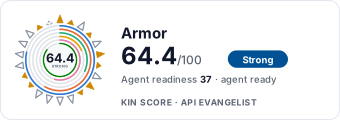
Armor has a Kin Score of 64.4 out of 100 (strong) and an Agent Readiness score of 36.5 (agent-ready), scored by API Evangelist on 2026-11-06.
Work with this as data
Every provider here is available over the APIs.io API and to AI agents over MCP.