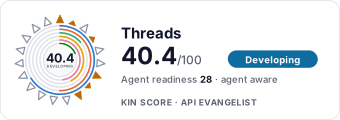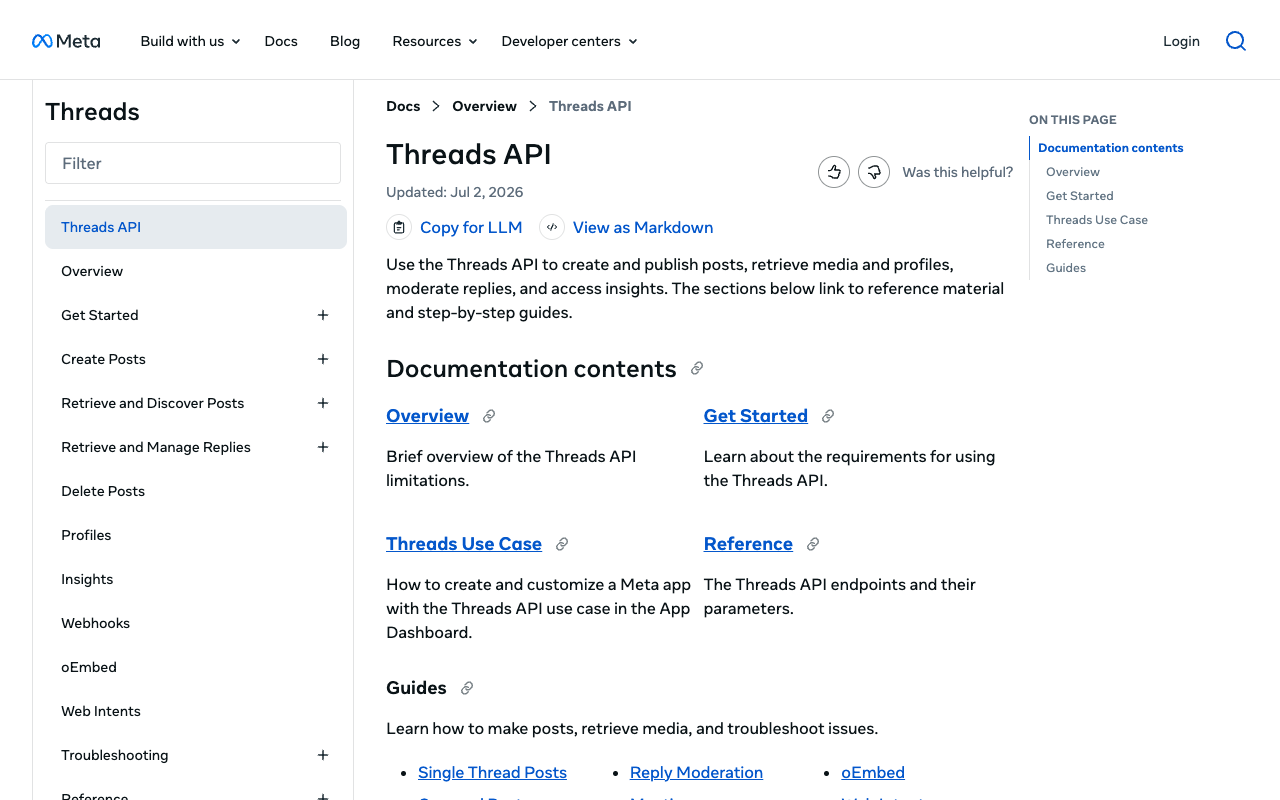
Threads website screenshot

Threads

The Meta Threads API enables developers to build integrations for the Threads social media platform. It supports publishing text, image, video, carousel, and quote posts, reading and managing replies, accessing profile information, retrieving media insights, and managing account settings. Authentication uses OAuth 2.0 with scoped access tokens.

1 APIs 0 Features
SocialSocial NetworksMetaPublishingMedia

APIs

Threads API

The Threads API enables developers to build their own unique integrations, and helps creators and brands manage their Threads presence at scale. Supports single and carousel pos...

Collections

Pricing Plans

Rate Limits

Threads Api Rate Limits

5 limits

RATE LIMITS

FinOps

Semantic Vocabularies

Threads Api Context

26 classes · 0 properties

JSON-LD

API Governance Rules

Threads API Rules

7 rules · 3 errors 3 warnings 1 info

SPECTRAL

JSON Structure

Threads Api Thread Structure

0 properties

JSON STRUCTURE

Example Payloads

Resources

🔗
LinkedIn
LinkedIn
🔗
Website
Website
🌐
DeveloperPortal
DeveloperPortal
🚀
GettingStarted
GettingStarted
🔑
Authentication
Authentication
📄
ChangeLog
ChangeLog
🔗
Webhooks
Webhooks
🔗
PostmanWorkspace
PostmanWorkspace
📜
TermsOfService
TermsOfService
📜
PrivacyPolicy
PrivacyPolicy

Sources

Raw ↑
opencollection: 1.0.0
info:
  name: Threads API
  version: 1.0.0
items:
- info:
    name: Authorization
    type: folder
  items:
  - info:
      name: Exchange the Code For a Token
      type: http
    http:
      method: POST
      url: http://{{api_host}}/oauth/access_token
      params:
      - name: client_id
        value: '{{app_id}}'
        type: query
        description: 'Your Threads App ID displayed in App Dashboard > App settings > Basic > Threads App ID. Example: 990602627938098.'
      - name: client_secret
        value: '{{app_secret}}'
        type: query
        description: 'Your Threads App Secret displayed in App Dashboard > App settings > Basic > Threads App secret. Example:
          a1b2C3D4.'
      - name: code
        value: '{{code}}'
        type: query
        description: Authorization Code
      - name: grant_type
        value: authorization_code
        type: query
        description: This value is required
      - name: redirect_uri
        value: '{{redirect_uri}}'
        type: query
        description: The redirect URI you passed when you directed the user to the Authorization Window. This must be the
          same URI or the request will be rejected.
      body:
        type: form-urlencoded
        data: []
    docs: Once you receive a code, exchange it for a short-lived access token by sending a `POST` request to the /oauth/access_token
      [endpoint](https://developers.facebook.com/docs/threads/get-started/get-access-tokens-and-permissions#step-2--exchange-the-code-for-a-token)
  - info:
      name: Get Long-Lived Access Token
      type: http
    http:
      method: GET
      url: http://{{api_host}}/access_token
      params:
      - name: grant_type
        value: th_exchange_token
        type: query
      - name: client_secret
        value: '{{app_secret}}'
        type: query
    docs: Use the `GET` /access_token [endpoint](https://developers.facebook.com/docs/threads/get-started/long-lived-tokens#get-a-long-lived-token)
      to exchange a short-lived Threads user access token for a long-lived token.
- info:
    name: Read And Manage Threads > Retrieve Threads Media Objects
    type: folder
  items:
  - info:
      name: Get a List of All a User's Threads
      type: http
    http:
      method: GET
      url: http://{{api_host}}/me/threads
      params:
      - name: fields
        value: '{{fields_threads}}'
        type: query
        description: 'id (default): The media''s ID.


          media_product_type: Surface where the media is published. In the case of Threads, the value is THREADS.


          media_type: The media type for a Threads post will be one of these values: TEXT_POST, IMAGE, VIDEO, CAROUSEL_ALBUM,
          AUDIO, or REPOST_FACADE.


          media_url: The posts media URL.


          permalink: Permanent link to the post. Will be omitted if the media contains copyrighted material or has been flagged
          for a copyright violation.


          owner: Instagram user ID who created the post.


          username: Instagram username who created the post.


          text: Represents text for a Threads post.


          timestamp: Post time. The publish date in ISO 8601 format.


          shortcode: Shortcode of the media.


          thumbnail_url: URL of thumbnail. This only shows up for Threads media with video.


          children: List of child posts. This only shows up for carousel posts.


          is_quote_post: Indicates if the media is a quoted post made by another user.'
      - name: limit
        value: '50'
        type: query
        description: Query string parameter representing the maximum number of media objects or records to return
    docs: Use the `GET` /{threads-user-id}/threads [endpoint](https://developers.facebook.com/docs/threads/threads-media#retrieve-a-list-of-all-a-user-s-threads)
      to return a paginated list of all threads created by a user.
  - info:
      name: Get Threads Post Details
      type: http
    http:
      method: GET
      url: http://{{api_host}}/:thread_id
      params:
      - name: fields
        value: '{{fields_threads}}'
        type: query
        description: 'id (default): The media''s ID.


          media_product_type: Surface where the media is published. In the case of Threads, the value is THREADS.


          media_type: The media type for a Threads post will be one of these values: TEXT_POST, IMAGE, VIDEO, CAROUSEL_ALBUM,
          AUDIO, or REPOST_FACADE.


          media_url: The posts media URL.


          permalink: Permanent link to the post. Will be omitted if the media contains copyrighted material or has been flagged
          for a copyright violation.


          owner: Instagram user ID who created the post.


          username: Instagram username who created the post.


          text: Represents text for a Threads post.


          timestamp: Post time. The publish date in ISO 8601 format.


          shortcode: Shortcode of the media.


          thumbnail_url: URL of thumbnail. This only shows up for Threads media with video.


          children: List of child posts. This only shows up for carousel posts.


          is_quote_post: Indicates if the media is a quoted post made by another user.'
      - name: thread_id
        value: ''
        type: path
    docs: Use the `GET` /{threads-media-id} [endpoint](https://developers.facebook.com/docs/threads/threads-media#retrieve-a-single-threads-media-object)
      to return an individual Threads media object.
- info:
    name: Read And Manage Threads > Read and Manage Threads Replies
    type: folder
  items:
  - info:
      name: Control Who Can Reply
      type: http
    http:
      method: POST
      url: http://{{api_host}}/me/threads
      params:
      - name: media_type
        value: '{{media_type}}'
        type: query
      - name: text
        value: Text
        type: query
      - name: reply_control
        value: '{{reply_control}}'
        type: query
    docs: Use the [reply_control](https://developers.facebook.com/docs/threads/reply-management#control-who-can-reply) parameter
      to specify who can reply to a post being created for publishing.
  - info:
      name: Get Threads Replies
      type: http
    http:
      method: GET
      url: http://{{api_host}}/:thread_id/replies
      params:
      - name: fields
        value: text
        type: query
        description: 'id (default): The media''s ID.


          text: Represents text for a Threads reply. This is optional on image, video, and carousel replies.


          username: Instagram username who created the post.

          Note: This only works for public users, your own user, and users that you follow.


          permalink: Permanent link to the post. Will be omitted if the media contains copyrighted material or has been flagged
          for a copyright violation.

          Note: This only works for public users, your own user, and users that you follow.


          timestamp: The publish date and time of the post in ISO 8601 format.


          media_product_type: Surface where the media is published. In the case of Threads, the value is THREADS.


          media_type: The media type for a Threads reply.

          Values: TEXT_POST, IMAGE, VIDEO, CAROUSEL_ALBUM


          media_url: The posts media URL. This only shows for image, video, and carousel replies.


          shortcode: Shortcode of the media.


          thumbnail_url: URL of thumbnail. This only shows for Threads replies with video.


          children: List of child posts. This only shows for carousel replies.


          has_replies: true if the Threads post or reply has replies that you can see.


          root_post: Media ID of the top-level post or original thread in the reply tree.

          Note: This only appears on replies.


          replied_to: Media ID of the immediate parent of the reply.

          Note: This only appears on replies.


          is_reply: true if the Threads media is a reply. false if the Threads media is a top-level post.


          hide_status: Whether or not the reply is hidden.

          Values: NOT_HUSHED, UNHUSHED, HIDDEN'
      - name: reverse
        value: 'false'
        type: query
      - name: thread_id
        value: ''
        type: path
    docs: Use `GET` /replies [endpoint](https://developers.facebook.com/docs/threads/reply-management#replies) to fetch a
      paginated list of all top-level replies.
  - info:
      name: Get Threads Conversations
      type: http
    http:
      method: GET
      url: http://{{api_host}}/:thread_id/conversation
      params:
      - name: fields
        value: '{{fields_replies}}'
        type: query
        description: 'id (default): The media''s ID.


          text: Represents text for a Threads reply. This is optional on image, video, and carousel replies.


          username: Instagram username who created the post.

          Note: This only works for public users, your own user, and users that you follow.


          permalink: Permanent link to the post. Will be omitted if the media contains copyrighted material or has been flagged
          for a copyright violation.

          Note: This only works for public users, your own user, and users that you follow.


          timestamp: The publish date and time of the post in ISO 8601 format.


          media_product_type: Surface where the media is published. In the case of Threads, the value is THREADS.


          media_type: The media type for a Threads reply.Values: TEXT_POST, IMAGE, VIDEO, CAROUSEL_ALBUM


          media_url: The posts media URL. This only shows for image, video, and carousel replies.


          shortcode: Shortcode of the media.


          thumbnail_url: URL of thumbnail. This only shows for Threads replies with video.


          children: List of child posts. This only shows for carousel replies.


          has_replies: true if the Threads post or reply has replies that you can see.


          root_post: Media ID of the top-level post or original thread in the reply tree.

          Note: This only appears on replies.


          replied_to: Media ID of the immediate parent of the reply.

          Note: This only appears on replies.


          is_reply: true if the Threads media is a reply. false if the Threads media is a top-level post.


          hide_status: Whether or not the reply is hidden.

          Values: NOT_HUSHED, UNHUSHED, HIDDEN'
      - name: reverse
        value: 'false'
        type: query
      - name: thread_id
        value: ''
        type: path
    docs: Use `GET` /conversation [endpoint](https://developers.facebook.com/docs/threads/reply-management#conversations)
      to fetch a paginated and flattened list of all top-level and nested replies.
  - info:
      name: Hide Replies
      type: http
    http:
      method: POST
      url: http://{{api_host}}/:reply_thread_id/manage_reply
      params:
      - name: hide
        value: 'true'
        type: query
      - name: reply_thread_id
        value: ''
        type: path
    docs: Use `POST` /manage_reply [endpoint](https://developers.facebook.com/docs/threads/reply-management#hide-replies)
      to hide/unhide any top-level replies.
- info:
    name: Post to Threads > Quote Threads Posts
    type: folder
  items:
  - info:
      name: 2. Publish Threads Quote Post
      type: http
    http:
      method: POST
      url: http://{{api_host}}/me/threads_publish
      params:
      - name: creation_id
        value: '{{container_id}}'
        type: query
        description: Identifier of the Threads media container created from the /threads endpoint.
    docs: Use the `POST` /{threads-user-id}/threads_publish [endpoint](https://developers.facebook.com/docs/threads/posts#step-2--publish-a-threads-media-container)
      to publish the container ID returned in the previous step.
- info:
    name: Post to Threads > Repost Threads Posts
    type: folder
  items:
  - info:
      name: Repost Threads Post
      type: http
    http:
      method: POST
      url: http://{{api_host}}/:thread_id/repost
      params:
      - name: thread_id
        value: ''
        type: path
    docs: Use the `POST` /{threads-user-id}/threads_publish [endpoint](https://developers.facebook.com/docs/threads/posts#step-2--publish-a-threads-media-container)
      to publish the container ID returned in the previous step.
- info:
    name: Read And Manage Threads > Retrieve Threads Profiles
    type: folder
  items:
  - info:
      name: Get Threads User's Profile Information
      type: http
    http:
      method: GET
      url: http://{{api_host}}/me
      params:
      - name: fields
        value: '{{fields_profile}}'
        type: query
        description: 'id: Threads user ID. This is returned by default.


          username: Handle or unique username on Threads. This is the same as the username on Instagram.


          threads_profile_picture_url: URL of the user''s profile picture on Threads.


          threads_biography: Biography text on Threads profile.'
    docs: Use the `GET` /{threads-user-id}?fields=id,username,... [endpoint](https://developers.facebook.com/docs/threads/threads-profiles#retrieve-a-threads-user-s-profile-information)
      to return profile information about a Threads user.
- info:
    name: Read And Manage Threads > Read Threads Insights
    type: folder
  items:
  - info:
      name: Get Post Insights
      type: http
    http:
      method: GET
      url: http://{{api_host}}/:thread_id/insights
      params:
      - name: metric
        value: '{{metrics_post}}'
        type: query
        description: 'views: The number of times the post was viewed.

          Note: This metric is in development.


          likes: The number of likes on the post.


          replies: The number of replies on the post.

          Note: This number includes only top-level replies.


          reposts: The number of times the post was reposted.


          quotes: The number of times the post was quoted.'
      - name: thread_id
        value: ''
        type: path
    docs: Use the `GET` /{threads-media-id}/insights [endpoint](https://developers.facebook.com/docs/threads/insights#media-insights)
      to return the insights of a given Threads post.
  - info:
      name: Get Account Insights
      type: http
    http:
      method: GET
      url: http://{{api_host}}/me/threads_insights
      params:
      - name: metric
        value: '{{metrics_account}}'
        type: query
        description: 'views: The number of times the post was viewed.

          Note: This metric is in development.


          likes: The number of likes on the post.


          replies: The number of replies on the post.

          Note: This number includes only top-level replies.


          reposts: The number of times the post was reposted.


          quotes: The number of times the post was quoted.


          reposts: The number of times your posts were quoted.


          followers_count: Your total number of followers on Threads.


          follower_demographics: The demographic characteristics of followers, including countries, cities and gender distribution.

          Note: Does not support the since and until parameters.'
    docs: Use the `GET` /{threads-user-id}/threads_insights [endpoint](https://developers.facebook.com/docs/threads/insights#user-insights)
      to return the insights of a given Threads user.
- info:
    name: Read And Manage Threads > Read Replies Media Objects
    type: folder
  items:
  - info:
      name: Get a List of All a User's Replies
      type: http
    http:
      method: GET
      url: http://{{api_host}}/me/replies
      params:
      - name: fields
        value: '{{fields_replies}}'
        type: query
        description: 'id (default): The media''s ID.


          media_product_type: Surface where the media is published. In the case of Threads, the value is THREADS.


          media_type: The media type for a Threads post will be one of these values: TEXT_POST, IMAGE, VIDEO, CAROUSEL_ALBUM,
          AUDIO, or REPOST_FACADE.


          media_url: The posts media URL.


          permalink: Permanent link to the post. Will be omitted if the media contains copyrighted material or has been flagged
          for a copyright violation.


          owner: Instagram user ID who created the post.


          username: Instagram username who created the post.


          text: Represents text for a Threads post.


          timestamp: Post time. The publish date in ISO 8601 format.


          shortcode: Shortcode of the media.


          thumbnail_url: URL of thumbnail. This only shows up for Threads media with video.


          children: List of child posts. This only shows up for carousel posts.


          is_quote_post: Indicates if the media is a quoted post made by another user.'
      - name: limit
        value: '50'
        type: query
        description: Query string parameter representing the maximum number of media objects or records to return
    docs: Use the `GET` /{threads-user-id}/threads [endpoint](https://developers.facebook.com/docs/threads/threads-media#retrieve-a-list-of-all-a-user-s-threads)
      to return a paginated list of all threads created by a user.
- info:
    name: Troubleshooting
    type: folder
  items:
  - info:
      name: Check Container's Publishing Status
      type: http
    http:
      method: GET
      url: http://{{api_host}}/:container_id/
      params:
      - name: fields
        value: '{{fields_container}}'
        type: query
        description: 'EXPIRED  The container was not published within 24 hours and has expired.

          ERROR  The container failed to complete the publishing process.

          FINISHED  The container and its media object are ready to be published.

          IN_PROGRESS  The container is still in the publishing process.

          PUBLISHED  The container''s media object has been published.

          '
      - name: container_id
        value: ''
        type: path
    docs: Use `POST` /{threads-user-id}/threads_publish [endpoint](https://developers.facebook.com/docs/threads/troubleshooting#publishing-does-not-return-a-media-id)
      to check a container's publishing status.
  - info:
      name: Retrieve Publishing Quota Limit
      type: http
    http:
      method: GET
      url: http://{{api_host}}/me/threads_publishing_limit
      params:
      - name: fields
        value: '{{fields_quota}}'
        type: query
        description: user's current Threads API usage total.
    docs: Use `GET` /threads_publishing_limit [endpoint](https://developers.facebook.com/docs/threads/troubleshooting#retrieve-publishing-quota-limit)
      to check a user's publishing API quota limit.
bundled: true