Microsoft Active Directory and Microsoft Entra ID provide identity and access management for organizations of all sizes. Microsoft Graph API is the unified REST API gateway for accessing and managing Microsoft Entra ID (formerly Azure Active Directory), including users, groups, applications, devices, conditional access policies, identity governance, and directory administration. Legacy on-premises Active Directory is managed through LDAP, Kerberos, and PowerShell protocols; cloud identity is managed through Microsoft Graph.
Microsoft Active Directory publishes 25 API contracts indexed on the APIs.io network, including App Role Assignments API, Applications API, Groups API, and 22 more. Tagged areas include Active Directory, Authentication, Authorization, Directory Services, and Identity and Access Management.
The Microsoft Active Directory catalog on APIs.io includes 1 JSON-LD context and 2 Spectral governance rulesets.
Microsoft Active Directory’s developer surface includes authentication, developer portal, getting-started guide, documentation, API reference, CLI, engineering blog, and 40 more developer resources.
Regulatory Posture applies to this provider. Its tags matched the
Horizontal (data, software, accessibility, platform) regime, so
Regulatory Posture carries 15 points of the composite.
If this regime is wrong for your business, say so on your
provider repo — the
applicability map is public and we will correct it.
Create-or-Update Ergonomics applies to this provider. This API accepts writes, so it
carries 10 points of the composite. It is scored from the published contracts
themselves: whether a caller can create-or-update in one call, whether the write accepts a key the caller already
holds, and whether the response says which branch ran. Without that, every write needs a search-and-branch in
front of it, and the first time that check is skipped a duplicate record is created.
Scored against the observed mean rather than raw — a provider at the catalog average is unchanged by this facet,
not penalised by it.
The six quality facets above are damped to 75 points between them,
because the conditional facet above carries the other
25. That is why each facet's contribution is shown against a damped
maximum: raising a quality facet moves the composite by 75% of its nominal
weight, not 100%. The full arithmetic is at apis.io/rating/.
Show this score on your site.
It updates itself when the score changes. Paste this where you link to your API docs:
<a href="https://apis.io/providers/active-directory/"><img src="https://apis.io/badge/active-directory/card.svg" alt="Microsoft Active Directory on APIs.io — Kin Score by API Evangelist"></a>
Other styles, a README pill and a shields.io endpoint are on the badge page.
Raise your score.
Agent readiness — checks not met, largest first (exact, from this profile):
MCP Server+12 pts — deployment.mode + probe verdict on the mcp/ manifest, not the pointer; an unprobed slug falls back to authorship
Idempotency+9 pts — OpenAPI mutating operations declare an idempotency key — a header, a request-body property, or a named de-duplication token whose own description says so (verified); else common[].type matches /idempoten/i (documented)
Stable Error Semantics+8 pts — OpenAPI $refs a shared error schema across 4xx/5xx responses (verified), else common[].type includes ErrorCatalog / ErrorCodes / DeclineCodes
A2A Agent Card+8 pts — a2a/-a2a.yml manifest, graded on conformance.grade against A2A 1.0.0
The Kin Score Market layer reads a provider inside its market:
its position, and how deep its integrations go. Depth is only comparable within a position. Provisional and unweighted:
not part of the Kin Score or agent readiness.
Registered MCP server and declares compatibility are report only — not weighted.
Undeclared means we found nothing we can read, so there is no number: we never infer integrations.
Standards this provider implements or carries. De facto ones are profiled and measured by the API Commons; formal ones come from the standards directory and are linked by the provider's own tags. The evidence column says how each claim was established — not that it was made.
Manage devices registered or joined to Microsoft Entra ID, including Entra joined, Entra registered, and hybrid Azure AD joined devices. Retrieve BitLocker recovery keys and Loc...
Manage Microsoft Entra built-in and custom directory roles, role assignments, and role-scoped administrative units. Assign administrator roles to users, groups, or service princ...
Create and manage Microsoft Entra Conditional Access policies that enforce access controls based on user, location, device, and risk signals. Configure named locations, authenti...
Manage Microsoft Entra ID Governance features including access reviews, entitlement management (access packages, catalogs, and policies), Privileged Identity Management (PIM) fo...
Detect, investigate, and remediate identity-based risks using Microsoft Entra ID Protection. Access risk detections, risky users, risky service principals, and risk events, and ...
Manage authentication methods registered for users in Microsoft Entra ID, including FIDO2 security keys, Microsoft Authenticator, phone (SMS/voice call), email OTP, Windows Hell...
Access audit logs, sign-in logs, provisioning logs, and identity-related reports for monitoring, compliance, and troubleshooting. Stream logs to Azure Monitor and Log Analytics ...
The Microsoft identity platform provides authentication and authorization services using standards-compliant implementations of OAuth 2.0 and OpenID Connect, enabling developers...
Microsoft Entra Verified ID is a managed verifiable credentials service that enables organizations to issue, manage, and verify decentralized identity credentials based on W3C s...
Microsoft Entra ID Governance APIs in Microsoft Graph enable automated access reviews, entitlement management, lifecycle workflows, and privileged identity management for identi...
Microsoft Entra ID supports SCIM 2.0 protocol for automatic user and group provisioning to cloud applications, enabling automated identity lifecycle management through standardi...
The Microsoft Entra PowerShell module provides cmdlets for managing Microsoft Entra resources programmatically, built on the Microsoft Graph PowerShell SDK.
name: Microsoft Active Directory
url: https://developer.microsoft.com/en-us/graph
x-parent: microsoft-entra
description: Microsoft Active Directory and Microsoft Entra ID provide identity and access management for organizations of
  all sizes. Microsoft Graph API is the unified REST API gateway for accessing and managing Microsoft Entra ID (formerly Azure
  Active Directory), including users, groups, applications, devices, conditional access policies, identity governance, and
  directory administration. Legacy on-premises Active Directory is managed through LDAP, Kerberos, and PowerShell protocols;
  cloud identity is managed through Microsoft Graph.
deliveryModel:
  model: saas
  license_evidence:
    not_product:
    - azure-ad-b2c/rest-api
    - azuread/azure-activedirectory-library-for-dotnet
    - azuread/microsoft-authentication-library-for-dotnet
    - azuread/microsoft-authentication-library-for-java
    - azuread/microsoft-authentication-library-for-js
  open_source: unknown
  commercial: true
  callable_host: true
  label: Hosted service · you call their endpoint
  confidence: low
  source:
  - openapi
  - pricing
  - repository-not-product
  generated: '2026-09-25'
  method: derived
accessModel:
  pricing: freemium
  onboarding: self-serve
  trial: false
  try_now: true
  public: false
  gated: none
  gated_source:
  - onboarding
  label: Freemium · Self-serve signup
  confidence: high
  source:
  - plans
  - authentication
  - rate-limits
  - security
  generated: '2026-11-02'
  method: derived
image: https://learn.microsoft.com/en-us/entra/media/index/active-directory.svg
created: '2024-01-01'
modified: '2026-09-16'
specificationVersion: '0.23'
tags:
- Active Directory
- Authentication
- Authorization
- Directory Services
- Identity and Access Management
- Microsoft Entra
- Zero Trust
tags_raw:
- Active Directory
- Authentication
- Authorization
- Directory Services
- Identity Management
- Microsoft Entra
- Zero Trust
apis:
- name: Microsoft Graph Devices API
  description: Manage devices registered or joined to Microsoft Entra ID, including Entra joined, Entra registered, and hybrid
    Azure AD joined devices. Retrieve BitLocker recovery keys and Local Admin Password Solution (LAPS) credentials for managed
    devices.
  humanURL: https://learn.microsoft.com/en-us/graph/api/resources/device
  baseURL: https://graph.microsoft.com/v1.0
  tags:
  - Devices
  - Endpoint Management
  - Identity and Access Management
  tags_raw:
  - Devices
  - Endpoint Management
  - Identity Management
  properties:
  - type: Documentation
    url: https://learn.microsoft.com/en-us/graph/api/resources/device
- name: Microsoft Graph Directory Roles and Administrative Units API
  description: Manage Microsoft Entra built-in and custom directory roles, role assignments, and role-scoped administrative
    units. Assign administrator roles to users, groups, or service principals, and create scoped role assignments via administrative
    units.
  humanURL: https://learn.microsoft.com/en-us/graph/api/resources/directoryrole
  baseURL: https://graph.microsoft.com/v1.0
  tags:
  - Authorization
  - Directory Services
  - Role Management
  properties:
  - type: Documentation
    url: https://learn.microsoft.com/en-us/graph/api/resources/directoryrole
- name: Microsoft Graph Conditional Access API
  description: Create and manage Microsoft Entra Conditional Access policies that enforce access controls based on user, location,
    device, and risk signals. Configure named locations, authentication context class references, and evaluate policy impact
    using what-if analysis.
  humanURL: https://learn.microsoft.com/en-us/graph/api/resources/conditionalaccesspolicy
  baseURL: https://graph.microsoft.com/v1.0
  tags:
  - Authorization
  - Conditional Access
  - Security
  - Zero Trust
  properties:
  - type: Documentation
    url: https://learn.microsoft.com/en-us/graph/api/resources/conditionalaccesspolicy
- name: Microsoft Graph Identity Governance API
  description: Manage Microsoft Entra ID Governance features including access reviews, entitlement management (access packages,
    catalogs, and policies), Privileged Identity Management (PIM) for just-in-time role activation, and lifecycle workflows
    for joiner/mover/leaver employee identity lifecycle automation.
  humanURL: https://learn.microsoft.com/en-us/graph/api/resources/identitygovernance-overview
  baseURL: https://graph.microsoft.com/v1.0
  tags:
  - Governance
  - Identity and Access Management
  - Lifecycle Management
  - Privileged Identity Management
  tags_raw:
  - Governance
  - Identity Management
  - Lifecycle Management
  - Privileged Identity Management
  properties:
  - type: Documentation
    url: https://learn.microsoft.com/en-us/graph/api/resources/identitygovernance-overview
- name: Microsoft Graph Identity Protection API
  description: Detect, investigate, and remediate identity-based risks using Microsoft Entra ID Protection. Access risk detections,
    risky users, risky service principals, and risk events, and feed data into SIEM tools for security correlation and incident
    response.
  humanURL: https://learn.microsoft.com/en-us/graph/api/resources/identityprotection-overview
  baseURL: https://graph.microsoft.com/v1.0
  tags:
  - Identity Protection
  - Risk Management
  - Security
  properties:
  - type: Documentation
    url: https://learn.microsoft.com/en-us/graph/api/resources/identityprotection-overview
- name: Microsoft Graph Authentication Methods API
  description: Manage authentication methods registered for users in Microsoft Entra ID, including FIDO2 security keys, Microsoft
    Authenticator, phone (SMS/voice call), email OTP, Windows Hello for Business, and temporary access passes. Configure authentication
    method policies and authentication strength requirements.
  humanURL: https://learn.microsoft.com/en-us/graph/api/resources/authenticationmethods-overview
  baseURL: https://graph.microsoft.com/v1.0
  tags:
  - Authentication
  - MFA
  - Passwordless
  - Security
  properties:
  - type: Documentation
    url: https://learn.microsoft.com/en-us/graph/api/resources/authenticationmethods-overview
- name: Microsoft Graph Identity and Access Reports API
  description: Access audit logs, sign-in logs, provisioning logs, and identity-related reports for monitoring, compliance,
    and troubleshooting. Stream logs to Azure Monitor and Log Analytics or to third-party SIEM tools for security operations.
  humanURL: https://learn.microsoft.com/en-us/graph/api/resources/report-identity-access
  baseURL: https://graph.microsoft.com/v1.0
  tags:
  - Audit Logs
  - Compliance
  - Monitoring
  - Reports
  properties:
  - type: Documentation
    url: https://learn.microsoft.com/en-us/graph/api/resources/report-identity-access
- aid: active-directory:active-directory-app-role-assignments-api
  name: Microsoft Active Directory App Role Assignments API
  description: The App Role Assignments API from Microsoft Active Directory — 1 operation(s) for app role assignments.
  humanURL: https://learn.microsoft.com/en-us/graph/api/resources/users
  baseURL: https://graph.microsoft.com/v1.0
  tags:
  - App Role Assignments
  properties:
  - type: OpenAPI
    url: openapi/active-directory-app-role-assignments-api-openapi.yml
  - type: Documentation
    url: https://learn.microsoft.com/en-us/graph/api/resources/users
  - type: JSONSchema
    url: json-schema/users-user-schema.json
  - type: JSONSchema
    url: json-schema/users-password-profile-schema.json
  - type: JSONStructure
    url: json-structure/users-user-structure.json
  - type: Examples
    url: examples/users-user-example.json
  - type: Documentation
    url: https://learn.microsoft.com/en-us/graph/api/resources/groups-overview
  - type: JSONSchema
    url: json-schema/groups-group-schema.json
  - type: JSONStructure
    url: json-structure/groups-group-structure.json
  - type: Examples
    url: examples/groups-group-example.json
  - type: Documentation
    url: https://learn.microsoft.com/en-us/graph/api/resources/applications-api-overview
  - type: JSONSchema
    url: json-schema/applications-application-schema.json
  - type: JSONSchema
    url: json-schema/applications-service-principal-schema.json
  - type: JSONStructure
    url: json-structure/applications-application-structure.json
  - type: Examples
    url: examples/applications-application-example.json
- aid: active-directory:active-directory-applications-api
  name: Microsoft Active Directory Applications API
  description: The Applications API from Microsoft Active Directory — 2 operation(s) for applications.
  humanURL: https://learn.microsoft.com/en-us/graph/api/resources/users
  baseURL: https://graph.microsoft.com/v1.0
  tags:
  - Application
  tags_raw:
  - Applications
  properties:
  - type: OpenAPI
    url: openapi/active-directory-applications-api-openapi.yml
  - type: Documentation
    url: https://learn.microsoft.com/en-us/graph/api/resources/users
  - type: JSONSchema
    url: json-schema/users-user-schema.json
  - type: JSONSchema
    url: json-schema/users-password-profile-schema.json
  - type: JSONStructure
    url: json-structure/users-user-structure.json
  - type: Examples
    url: examples/users-user-example.json
  - type: Documentation
    url: https://learn.microsoft.com/en-us/graph/api/resources/groups-overview
  - type: JSONSchema
    url: json-schema/groups-group-schema.json
  - type: JSONStructure
    url: json-structure/groups-group-structure.json
  - type: Examples
    url: examples/groups-group-example.json
  - type: Documentation
    url: https://learn.microsoft.com/en-us/graph/api/resources/applications-api-overview
  - type: JSONSchema
    url: json-schema/applications-application-schema.json
  - type: JSONSchema
    url: json-schema/applications-service-principal-schema.json
  - type: JSONStructure
    url: json-structure/applications-application-structure.json
  - type: Examples
    url: examples/applications-application-example.json
- aid: active-directory:active-directory-groups-api
  name: Microsoft Active Directory Groups API
  description: The Groups API from Microsoft Active Directory — 6 operation(s) for groups.
  humanURL: https://learn.microsoft.com/en-us/graph/api/resources/users
  baseURL: https://graph.microsoft.com/v1.0
  tags:
  - Group
  tags_raw:
  - Groups
  properties:
  - type: OpenAPI
    url: openapi/active-directory-groups-api-openapi.yml
  - type: Documentation
    url: https://learn.microsoft.com/en-us/graph/api/resources/users
  - type: JSONSchema
    url: json-schema/users-user-schema.json
  - type: JSONSchema
    url: json-schema/users-password-profile-schema.json
  - type: JSONStructure
    url: json-structure/users-user-structure.json
  - type: Examples
    url: examples/users-user-example.json
  - type: Documentation
    url: https://learn.microsoft.com/en-us/graph/api/resources/groups-overview
  - type: JSONSchema
    url: json-schema/groups-group-schema.json
  - type: JSONStructure
    url: json-structure/groups-group-structure.json
  - type: Examples
    url: examples/groups-group-example.json
  - type: Documentation
    url: https://learn.microsoft.com/en-us/graph/api/resources/applications-api-overview
  - type: JSONSchema
    url: json-schema/applications-application-schema.json
  - type: JSONSchema
    url: json-schema/applications-service-principal-schema.json
  - type: JSONStructure
    url: json-structure/applications-application-structure.json
  - type: Examples
    url: examples/applications-application-example.json
- aid: active-directory:active-directory-members-api
  name: Microsoft Active Directory Members API
  description: The Members API from Microsoft Active Directory — 2 operation(s) for members.
  humanURL: https://learn.microsoft.com/en-us/graph/api/resources/users
  baseURL: https://graph.microsoft.com/v1.0
  tags:
  - Members
  properties:
  - type: OpenAPI
    url: openapi/active-directory-members-api-openapi.yml
  - type: Documentation
    url: https://learn.microsoft.com/en-us/graph/api/resources/users
  - type: JSONSchema
    url: json-schema/users-user-schema.json
  - type: JSONSchema
    url: json-schema/users-password-profile-schema.json
  - type: JSONStructure
    url: json-structure/users-user-structure.json
  - type: Examples
    url: examples/users-user-example.json
  - type: Documentation
    url: https://learn.microsoft.com/en-us/graph/api/resources/groups-overview
  - type: JSONSchema
    url: json-schema/groups-group-schema.json
  - type: JSONStructure
    url: json-structure/groups-group-structure.json
  - type: Examples
    url: examples/groups-group-example.json
  - type: Documentation
    url: https://learn.microsoft.com/en-us/graph/api/resources/applications-api-overview
  - type: JSONSchema
    url: json-schema/applications-application-schema.json
  - type: JSONSchema
    url: json-schema/applications-service-principal-schema.json
  - type: JSONStructure
    url: json-structure/applications-application-structure.json
  - type: Examples
    url: examples/applications-application-example.json
- aid: active-directory:active-directory-owners-api
  name: Microsoft Active Directory Owners API
  description: The Owners API from Microsoft Active Directory — 1 operation(s) for owners.
  humanURL: https://learn.microsoft.com/en-us/graph/api/resources/users
  baseURL: https://graph.microsoft.com/v1.0
  tags:
  - Owners
  properties:
  - type: OpenAPI
    url: openapi/active-directory-owners-api-openapi.yml
  - type: Documentation
    url: https://learn.microsoft.com/en-us/graph/api/resources/users
  - type: JSONSchema
    url: json-schema/users-user-schema.json
  - type: JSONSchema
    url: json-schema/users-password-profile-schema.json
  - type: JSONStructure
    url: json-structure/users-user-structure.json
  - type: Examples
    url: examples/users-user-example.json
  - type: Documentation
    url: https://learn.microsoft.com/en-us/graph/api/resources/groups-overview
  - type: JSONSchema
    url: json-schema/groups-group-schema.json
  - type: JSONStructure
    url: json-structure/groups-group-structure.json
  - type: Examples
    url: examples/groups-group-example.json
  - type: Documentation
    url: https://learn.microsoft.com/en-us/graph/api/resources/applications-api-overview
  - type: JSONSchema
    url: json-schema/applications-application-schema.json
  - type: JSONSchema
    url: json-schema/applications-service-principal-schema.json
  - type: JSONStructure
    url: json-structure/applications-application-structure.json
  - type: Examples
    url: examples/applications-application-example.json
- aid: active-directory:active-directory-service-principals-api
  name: Microsoft Active Directory Service Principals API
  description: The Service Principals API from Microsoft Active Directory — 3 operation(s) for service principals.
  humanURL: https://learn.microsoft.com/en-us/graph/api/resources/users
  baseURL: https://graph.microsoft.com/v1.0
  tags:
  - Service Principals
  properties:
  - type: OpenAPI
    url: openapi/active-directory-service-principals-api-openapi.yml
  - type: Documentation
    url: https://learn.microsoft.com/en-us/graph/api/resources/users
  - type: JSONSchema
    url: json-schema/users-user-schema.json
  - type: JSONSchema
    url: json-schema/users-password-profile-schema.json
  - type: JSONStructure
    url: json-structure/users-user-structure.json
  - type: Examples
    url: examples/users-user-example.json
  - type: Documentation
    url: https://learn.microsoft.com/en-us/graph/api/resources/groups-overview
  - type: JSONSchema
    url: json-schema/groups-group-schema.json
  - type: JSONStructure
    url: json-structure/groups-group-structure.json
  - type: Examples
    url: examples/groups-group-example.json
  - type: Documentation
    url: https://learn.microsoft.com/en-us/graph/api/resources/applications-api-overview
  - type: JSONSchema
    url: json-schema/applications-application-schema.json
  - type: JSONSchema
    url: json-schema/applications-service-principal-schema.json
  - type: JSONStructure
    url: json-structure/applications-application-structure.json
  - type: Examples
    url: examples/applications-application-example.json
- aid: active-directory:active-directory-users-api
  name: Microsoft Active Directory Users API
  description: The Users API from Microsoft Active Directory — 5 operation(s) for users.
  humanURL: https://learn.microsoft.com/en-us/graph/api/resources/users
  baseURL: https://graph.microsoft.com/v1.0
  tags:
  - User
  tags_raw:
  - Users
  properties:
  - type: OpenAPI
    url: openapi/active-directory-users-api-openapi.yml
  - type: Documentation
    url: https://learn.microsoft.com/en-us/graph/api/resources/users
  - type: JSONSchema
    url: json-schema/users-user-schema.json
  - type: JSONSchema
    url: json-schema/users-password-profile-schema.json
  - type: JSONStructure
    url: json-structure/users-user-structure.json
  - type: Examples
    url: examples/users-user-example.json
  - type: Documentation
    url: https://learn.microsoft.com/en-us/graph/api/resources/groups-overview
  - type: JSONSchema
    url: json-schema/groups-group-schema.json
  - type: JSONStructure
    url: json-structure/groups-group-structure.json
  - type: Examples
    url: examples/groups-group-example.json
  - type: Documentation
    url: https://learn.microsoft.com/en-us/graph/api/resources/applications-api-overview
  - type: JSONSchema
    url: json-schema/applications-application-schema.json
  - type: JSONSchema
    url: json-schema/applications-service-principal-schema.json
  - type: JSONStructure
    url: json-structure/applications-application-structure.json
  - type: Examples
    url: examples/applications-application-example.json
- name: LDAP Protocol Interface
  description: Lightweight Directory Access Protocol interface for querying and modifying Active Directory.
  humanURL: https://docs.microsoft.com/en-us/previous-versions/windows/desktop/ldap/lightweight-directory-access-protocol-ldap-api
  baseURL: ldap://[domain-controller]:389
  tags:
  - Directory
  - LDAP
  - Protocol
  - Query
  tags_raw:
  - Directory
  - Ldap
  - Protocol
  - Queries
  properties:
  - type: Documentation
    url: https://docs.microsoft.com/en-us/windows/win32/ad/active-directory-ldap
  - type: Protocol Specification
    url: https://datatracker.ietf.org/doc/html/rfc4511
  - type: Examples
    url: https://docs.microsoft.com/en-us/windows/win32/ad/example-code-for-searching-active-directory
- name: PowerShell Active Directory Module
  description: PowerShell cmdlets for managing Active Directory Domain Services.
  humanURL: https://docs.microsoft.com/en-us/powershell/module/activedirectory/
  tags:
  - Administration
  - Automation
  - PowerShell
  - Scripting
  tags_raw:
  - Administration
  - Automation
  - Powershell
  - Scripting
  properties:
  - type: Documentation
    url: https://docs.microsoft.com/en-us/powershell/module/activedirectory/
  - type: GettingStarted
    url: https://docs.microsoft.com/en-us/powershell/module/activedirectory/get-aduser
  - type: Examples
    url: https://docs.microsoft.com/en-us/powershell/scripting/samples/sample-scripts-for-administration
- name: Azure AD Graph API (Deprecated)
  description: Legacy REST API for Azure Active Directory (being replaced by Microsoft Graph).
  humanURL: https://docs.microsoft.com/en-us/previous-versions/azure/ad/graph/
  baseURL: https://graph.windows.net
  tags:
  - Microsoft Azure
  - Deprecated
  - Legacy
  - REST
  tags_raw:
  - Azure
  - Deprecated
  - Legacy
  - Rest
  properties:
  - type: Documentation
    url: https://docs.microsoft.com/en-us/previous-versions/azure/ad/graph/api/api-catalog
  - type: Migration Guide
    url: https://docs.microsoft.com/en-us/graph/migrate-azure-ad-graph-overview
  - type: Deprecation Notice
    url: https://docs.microsoft.com/en-us/graph/migrate-azure-ad-graph-overview
- aid: microsoft-active-directory:microsoft-active-directory-directory-roles-api
  name: Microsoft Active Directory Roles API
  description: The Directory Roles API from Microsoft Active Directory — 2 operation(s) for directory roles.
  humanURL: https://docs.microsoft.com/en-us/graph/overview
  baseURL: https://graph.microsoft.com
  tags:
  - Directory Roles
  properties:
  - type: OpenAPI
    url: openapi/active-directory-directory-roles-api-openapi.yml
  - type: Documentation
    url: https://docs.microsoft.com/en-us/graph/api/overview
  - type: Authentication
    url: https://docs.microsoft.com/en-us/graph/auth/
  - type: SDKs
    url: https://docs.microsoft.com/en-us/graph/sdks/sdks-overview
  - type: Pricing
    url: https://azure.microsoft.com/en-us/pricing/details/active-directory/
- name: Azure AD Authentication Library (ADAL)
  description: Authentication library for Azure AD (being replaced by MSAL).
  humanURL: https://docs.microsoft.com/en-us/azure/active-directory/develop/active-directory-authentication-libraries
  tags:
  - Authentication
  - Legacy
  - Library
  properties:
  - type: Documentation
    url: https://docs.microsoft.com/en-us/azure/active-directory/develop/active-directory-authentication-libraries
  - type: GitHubRepository
    url: https://github.com/AzureAD/azure-activedirectory-library-for-dotnet
- name: Microsoft Authentication Library (MSAL)
  description: Modern authentication library for Microsoft identity platform.
  humanURL: https://docs.microsoft.com/en-us/azure/active-directory/develop/msal-overview
  tags:
  - Authentication
  - Library
  - OAuth
  - OpenID Connect
  tags_raw:
  - Authentication
  - Library
  - OAuth
  - OpenID Connect
  properties:
  - type: Documentation
    url: https://docs.microsoft.com/en-us/azure/active-directory/develop/msal-overview
  - type: GitHubRepository
    url: https://github.com/AzureAD/microsoft-authentication-library-for-js
    title: JavaScript SDK
  - type: CodeExamples
    url: https://docs.microsoft.com/en-us/azure/active-directory/develop/sample-v2-code
  - type: GitHubRepository
    url: https://github.com/AzureAD/microsoft-authentication-library-for-dotnet
    title: .NET SDK
  - type: GitHubRepository
    url: https://github.com/AzureAD/microsoft-authentication-library-for-python
    title: Python SDK
  - type: GitHubRepository
    url: https://github.com/AzureAD/microsoft-authentication-library-for-java
    title: Java SDK
  - type: GitHubRepository
    url: https://github.com/AzureAD/microsoft-authentication-library-for-objc
    title: iOS SDK
  - type: Documentation
    url: https://learn.microsoft.com/en-us/entra/msal/
    title: MSAL Documentation
- name: Microsoft Identity Platform
  description: The Microsoft identity platform provides authentication and authorization services using standards-compliant
    implementations of OAuth 2.0 and OpenID Connect, enabling developers to build applications that sign in users and access
    secured APIs.
  humanURL: https://learn.microsoft.com/en-us/entra/identity-platform/
  baseURL: https://login.microsoftonline.com
  tags:
  - App Registration
  - Authentication
  - Authorization
  - OAuth
  - OpenID Connect
  tags_raw:
  - App Registration
  - Authentication
  - Authorization
  - OAuth
  - OpenID Connect
  properties:
  - type: Documentation
    url: https://learn.microsoft.com/en-us/entra/identity-platform/
  - type: Documentation
    url: https://learn.microsoft.com/en-us/entra/identity-platform/v2-protocols
    title: OAuth Documentation
  - type: Documentation
    url: https://learn.microsoft.com/en-us/entra/identity-platform/v2-protocols-oidc
    title: OpenID Connect Documentation
  - type: Documentation
    url: https://learn.microsoft.com/en-us/entra/identity-platform/v2-oauth2-auth-code-flow
    title: Authorization Code Flow
  - type: GettingStarted
    url: https://learn.microsoft.com/en-us/entra/identity-platform/quickstart-register-app
    title: App Registration Guide
  - type: Documentation
    url: https://learn.microsoft.com/en-us/entra/identity-platform/scopes-oidc
    title: Scopes and Permissions
  - type: CodeExamples
    url: https://learn.microsoft.com/en-us/entra/identity-platform/quickstart-web-app-sign-in
- name: Microsoft Entra Verified ID API
  description: Microsoft Entra Verified ID is a managed verifiable credentials service that enables organizations to issue,
    manage, and verify decentralized identity credentials based on W3C standards.
  humanURL: https://learn.microsoft.com/en-us/entra/verified-id/
  baseURL: https://verifiedid.did.msidentity.com
  tags:
  - Decentralized Identity
  - Identity Verification
  - Verifiable Credentials
  - W3C
  properties:
  - type: Documentation
    url: https://learn.microsoft.com/en-us/entra/verified-id/
  - type: APIReference
    url: https://learn.microsoft.com/en-us/entra/verified-id/admin-api
    title: Admin API
  - type: APIReference
    url: https://learn.microsoft.com/en-us/entra/verified-id/vc-network-api
    title: Network API
  - type: Documentation
    url: https://learn.microsoft.com/en-us/entra/verified-id/decentralized-identifier-overview
    title: Overview
  - type: GettingStarted
    url: https://learn.microsoft.com/en-us/entra/verified-id/verifiable-credentials-configure-tenant
- name: Microsoft Entra ID Governance API
  description: Microsoft Entra ID Governance APIs in Microsoft Graph enable automated access reviews, entitlement management,
    lifecycle workflows, and privileged identity management for identity governance scenarios.
  humanURL: https://learn.microsoft.com/en-us/entra/id-governance/identity-governance-overview
  baseURL: https://graph.microsoft.com
  tags:
  - Access Reviews
  - Entitlement Management
  - Governance
  - Lifecycle Workflows
  - Privileged Identity Management
  properties:
  - type: Documentation
    url: https://learn.microsoft.com/en-us/entra/id-governance/identity-governance-overview
  - type: APIReference
    url: https://learn.microsoft.com/en-us/graph/api/resources/identitygovernance-overview?view=graph-rest-1.0
  - type: Documentation
    url: https://learn.microsoft.com/en-us/entra/id-governance/deploy-access-reviews
    title: Access Reviews
  - type: Documentation
    url: https://learn.microsoft.com/en-us/entra/id-governance/lifecycle-workflows-deployment
    title: Lifecycle Workflows
  - type: Pricing
    url: https://learn.microsoft.com/en-us/entra/id-governance/licensing-fundamentals
- name: Microsoft Entra SCIM Provisioning API
  description: Microsoft Entra ID supports SCIM 2.0 protocol for automatic user and group provisioning to cloud applications,
    enabling automated identity lifecycle management through standardized REST APIs.
  humanURL: https://learn.microsoft.com/en-us/entra/identity/app-provisioning/use-scim-to-provision-users-and-groups
  tags:
  - Automation
  - Group Management
  - Provisioning
  - SCIM
  - User Management
  properties:
  - type: Documentation
    url: https://learn.microsoft.com/en-us/entra/identity/app-provisioning/use-scim-to-provision-users-and-groups
  - type: Documentation
    url: https://learn.microsoft.com/en-us/entra/architecture/sync-scim
    title: Architecture Guide
  - type: GitHubRepository
    url: https://github.com/azure-ad-b2c/rest-api
- name: Microsoft Entra PowerShell
  description: The Microsoft Entra PowerShell module provides cmdlets for managing Microsoft Entra resources programmatically,
    built on the Microsoft Graph PowerShell SDK.
  humanURL: https://learn.microsoft.com/en-us/powershell/entra-powershell/overview?view=entra-powershell
  tags:
  - Automation
  - CLI
  - PowerShell
  - Scripting
  properties:
  - type: Documentation
    url: https://learn.microsoft.com/en-us/powershell/entra-powershell/?view=entra-powershell
  - type: GettingStarted
    url: https://learn.microsoft.com/en-us/powershell/entra-powershell/installation?view=entra-powershell
    title: Installation
  - type: GitHubRepository
    url: https://github.com/microsoftgraph/entra-powershell
common:
- type: FinOps
  url: finops/active-directory-finops.yml
- type: RateLimits
  url: rate-limits/active-directory-rate-limits.yml
- type: Plans
  url: plans/active-directory-plans-pricing.yml
- type: Service Status
  url: https://status.azure.com/
- type: Website
  url: https://www.microsoft.com/
- type: CapabilityMap
  url: capabilities/active-directory-capability-edges.yml
  name: Microsoft Active Directory Business Capability Map
- type: AgenticAccess
  url: agentic-access/active-directory-agentic-access.yml
- type: VulnerabilityDisclosure
  url: security/active-directory-vulnerability-disclosure.yml
- type: DomainSecurity
  url: security/active-directory-domain-security.yml
- type: Authentication
  url: authentication/active-directory-authentication.yml
- type: OAuthScopes
  url: scopes/active-directory-scopes.yml
- type: PostmanWorkspace
  url: https://www.postman.com/kinlaneapi/microsoft-active-directory/overview
- type: Arazzo
  url: arazzo/active-directory-audit-user-group-memberships-workflow.yml
  name: Active Directory Audit User Group Memberships
- type: Arazzo
  url: arazzo/active-directory-create-group-and-add-members-workflow.yml
  name: Active Directory Create Group And Add Two Members
- type: Arazzo
  url: arazzo/active-directory-create-m365-group-with-owner-workflow.yml
  name: Active Directory Create Microsoft 365 Group With Owner
- type: Arazzo
  url: arazzo/active-directory-decommission-application-workflow.yml
  name: Active Directory Decommission Application
- type: Arazzo
  url: arazzo/active-directory-find-user-and-update-profile-workflow.yml
  name: Active Directory Find User And Update Profile
- type: Arazzo
  url: arazzo/active-directory-offboard-user-from-group-workflow.yml
  name: Active Directory Offboard User From Group
- type: Arazzo
  url: arazzo/active-directory-onboard-user-to-existing-group-workflow.yml
  name: Active Directory Onboard User To Existing Group
- type: Arazzo
  url: arazzo/active-directory-provision-application-with-membership-workflow.yml
  name: Active Directory Provision Application With Service Principal
- type: Arazzo
  url: arazzo/active-directory-provision-user-into-new-group-workflow.yml
  name: Active Directory Provision User Into New Group
- type: Arazzo
  url: arazzo/active-directory-rename-group-and-list-members-workflow.yml
  name: Active Directory Rename Group And List Members
- type: Arazzo
  url: arazzo/active-directory-self-service-profile-review-workflow.yml
  name: Active Directory Self-Service Profile Review
- type: Arazzo
  url: arazzo/active-directory-transfer-user-between-groups-workflow.yml
  name: Active Directory Transfer User Between Groups
- type: Arazzo
  url: arazzo/active-directory-update-application-redirect-uris-workflow.yml
  name: Active Directory Update Application Redirect URIs
- type: Portal
  url: https://developer.microsoft.com/en-us/graph
- type: GettingStarted
  url: https://learn.microsoft.com/en-us/graph/get-started
- type: Documentation
  url: https://learn.microsoft.com/en-us/graph/overview
- type: Authentication
  url: https://learn.microsoft.com/en-us/graph/auth/auth-concepts
- type: APIReference
  url: https://learn.microsoft.com/en-us/graph/api/overview
- type: RateLimits
  url: https://learn.microsoft.com/en-us/graph/throttling
- type: SDKs
  url: https://learn.microsoft.com/en-us/graph/sdks/sdks-overview
- type: CLI
  url: https://learn.microsoft.com/en-us/cli/azure/ad
- type: Blog
  url: https://devblogs.microsoft.com/microsoft365dev/
- type: StatusPage
  url: https://azure.status.microsoft.com/
- type: Support
  url: https://developer.microsoft.com/en-us/graph/support
- type: TermsOfService
  url: https://learn.microsoft.com/en-us/legal/microsoft-apis/terms-of-use
- type: PrivacyPolicy
  url: https://privacy.microsoft.com/privacystatement
- type: Pricing
  url: https://www.microsoft.com/en-us/security/business/microsoft-entra-pricing
- type: ChangeLog
  url: https://learn.microsoft.com/en-us/graph/changelog
- type: GitHubOrganization
  url: https://github.com/microsoftgraph
- type: GitHubRepository
  url: https://github.com/microsoftgraph/microsoft-graph-openapi
- type: StackOverflow
  url: https://stackoverflow.com/questions/tagged/microsoft-graph
- type: Training
  url: https://learn.microsoft.com/en-us/training/paths/m365-msgraph-associate/
- type: SpectralRules
  url: rules/active-directory-spectral-rules.yml
- type: Vocabulary
  url: vocabulary/active-directory-vocabulary.yaml
- type: JSONLD
  url: json-ld/active-directory-context.jsonld
- type: Features
  data:
  - name: Unified Identity API
    description: Single REST endpoint (graph.microsoft.com) for all Microsoft Entra identity and directory operations.


# --- truncated at 32 KB (35 KB total) ---
# Full source: https://artifacts.apis.io/active-directory/apis.yml
Microsoft Active Directory API — frequently asked questions
Does Microsoft Active Directory have an API?
Yes. APIs.io lists 25 APIs from Microsoft Active Directory, including Microsoft Graph Devices API, Microsoft Graph Directory Roles and Administrative Units API and Microsoft Graph Conditional Access API, and 22 more.
Is there an OpenAPI specification for the Microsoft Active Directory API?
Yes. APIs.io indexes 8 OpenAPI specifications for Microsoft Active Directory, each linked for download from this page.
How do I authenticate with the Microsoft Active Directory API?
Microsoft Active Directory documents its authentication (oauth2 · 1 scheme). The details are profiled on APIs.io as Active Directory Authentication.
How much does the Microsoft Active Directory API cost?
APIs.io lists 11 pricing plans for Microsoft Active Directory, with each plan's price, limits and inclusions under Pricing Plans on this page.
Is the Microsoft Active Directory API ready for AI agents?
Microsoft Active Directory has a Kin Score of 63.4 out of 100 (strong) and an Agent Readiness score of 28.9 (agent-ready), scored by API Evangelist on 2026-11-02.
Discovery needs no key. Ratings and market analysis are Pro.
Get an API key
Free tier, no form to fill in. Signing in shares your email address with us — we
store it to create your key and to recognise you if you sign in with another
provider. See our Privacy Policy and
Terms.
 Kin Score
How this is scored →
Kin Score
How this is scored →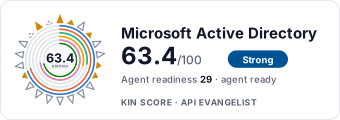 It updates itself when the score changes. Paste this where you link to your API docs: