Home Providers Loops
Loops
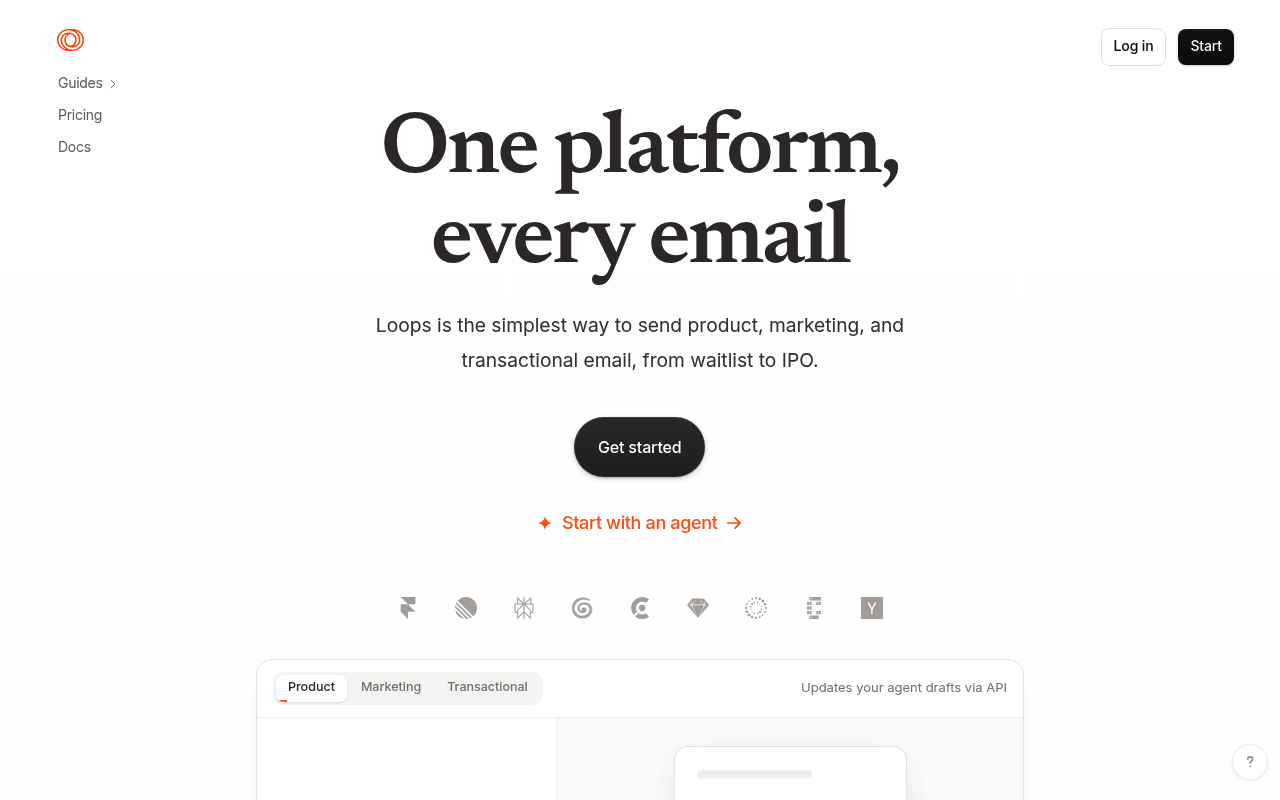
Loops is an email platform built for software companies, combining marketing campaigns, product and lifecycle automation, and transactional email on one contact model. Its REST API v1 exposes 64 operations across contacts, contact properties, mailing lists, audience segments, events and event patterns, campaigns, transactional emails, email messages authored in its own LMX markup, themes, components, uploads and workflow graphs, plus a 17-event signed webhook surface. Loops publishes its OpenAPI 3.1 document openly, ships first-party SDKs for JavaScript, Go, PHP, Ruby and Nuxt, a Go CLI, four versioned Agent Skills, and a hosted OAuth-protected MCP server at mcp.loops.so. Pricing is based on stored subscribed contacts rather than send volume, with a permanent free tier. The operating company is Astrodon Corporation.
Loops publishes 21 API contracts indexed on the APIs.io network, including API key API, Audience segments API, Campaign groups API, and 18 more. Tagged areas include Email, Email API, Marketing Automation, Transactional Email, and Lifecycle Email.
The Loops catalog on APIs.io includes 1 event-driven AsyncAPI specification and 1 Spectral governance ruleset.
Loops’ developer surface includes authentication, code examples, CLI, changelog, documentation, API reference, getting-started guide, and 39 more developer resources.
1 published contract1 MCP Servers4 Agent Skills
On this page
Kin Score FAQ ☀ Get your badge Standards 6
APIs 21
Open Collections 11
MCP Servers 1
Agent Skills 4
Pricing Plans 2
Rate Limits 1
FinOps 1
Event Specs 1
Spectral Rules 1
Overlays 36
Security Posture 3
Scopes 1
Agentic Access 1
Resources 46
apis.yml
Business capabilities this provider's published APIs can perform, derived from its own
contracts. Browse all capabilities →
The questions people put to an LLM, and the jobs they hand an agent, that Loops's APIs answer — each one linked to the operation that does it.
Generated by API Evangelist
Showing 12 of 18 APIs with phrasing — see every API .
74 Operational Transparency
11 Create-or-Update Ergonomics
Composite quality — 75.4/100 · exemplar
Agent readiness — 65/100 · agent native
Markets this provider is in provisional
The Kin Score Market layer reads a provider inside its market:
its position, and how deep its integrations go. Depth is only comparable within a position. Provisional and unweighted:
not part of the Kin Score or agent readiness.
Registered MCP server and declares compatibility are report only — not weighted .
Undeclared means we found nothing we can read, so there is no number: we never infer integrations.
Standards this provider implements or carries. De facto ones are profiled and measured by the API Commons ; formal ones come from the standards directory and are linked by the provider's own tags. The evidence column says how each claim was established — not that it was made.
measured — observed by APIs.io (verified)
measured — observed by APIs.io (published)
measured — observed by APIs.io (verified)
measured — observed by APIs.io (published)
measured — observed by APIs.io (published)
measured — observed by APIs.io (declared)
Individual APIs this provider publishes, each with its own machine-readable definition.
Scroll for all 21
Open, tool-agnostic API collections (OpenAPI-derived and Bruno).
Scroll for all 11
Model Context Protocol servers that expose these APIs to AI agents.
Packaged agent skills for driving this provider's APIs from an AI assistant.
Published pricing tiers and plan structures.
Documented rate limits and quota policies.
Cost, billing, and metering signals for API financial operations.
AsyncAPI definitions for this provider's event-driven and streaming APIs.
Spectral governance rulesets for linting and validating these APIs.
Overlays applied on top of this provider's contracts. Each card says who wrote it: a document the provider publishes, or one API Evangelist derived or generated.
Scroll for all 36
Authentication, domain security, vulnerability disclosure, and trust-center signals.
OAuth scopes governing access to this provider's APIs.
Recommended x-agentic-access execution contracts for AI agents.
Get Started 5
Portal, sign-up, and the first successful call
Documentation 3
Reference material describing how the API behaves
Agent Surfaces 5
MCP servers, agent skills, and machine-readable catalogs
Design & Contract 7
Pagination, idempotency, versioning, errors, and events
Scroll for all 7
Build 6
SDKs, sample code, and the tooling you integrate with
Access & Security 5
Authentication, authorization, and security posture
Operate 4
Status, limits, changes, and where to get help
Commercial 6
Pricing, plans, and the legal terms of use
Company 3
The organization behind the API
Other 2
Properties that don't map to a standard resource type
Source (apis.yml)
aid: loops
url: https://raw.githubusercontent.com/api-evangelist/loops/refs/heads/main/apis.yml
name: Loops
kind: company
description: Loops is an email platform built for software companies, combining marketing campaigns, product and lifecycle
  automation, and transactional email on one contact model. Its REST API v1 exposes 64 operations across contacts, contact
  properties, mailing lists, audience segments, events and event patterns, campaigns, transactional emails, email messages
  authored in its own LMX markup, themes, components, uploads and workflow graphs, plus a 17-event signed webhook surface.
  Loops publishes its OpenAPI 3.1 document openly, ships first-party SDKs for JavaScript, Go, PHP, Ruby and Nuxt, a Go CLI,
  four versioned Agent Skills, and a hosted OAuth-protected MCP server at mcp.loops.so. Pricing is based on stored subscribed
  contacts rather than send volume, with a permanent free tier. The operating company is Astrodon Corporation.
deliveryModel:
  model: saas
  open_source: false
  commercial: true
  callable_host: true
  label: Hosted service · you call their endpoint
  confidence: high
  source:
  - openapi
  - pricing
  generated: '2026-08-28'
  method: derived
accessModel:
  pricing: freemium
  onboarding: self-serve
  trial: false
  try_now: true
  public: true
  label: Free plan, self-serve signup
  confidence: high
  source:
  - https://loops.so/pricing
  - https://loops.so/docs/api-reference/intro
  generated: '2026-08-13'
  method: searched
image: https://kinlane-images.s3.amazonaws.com/shared/apis-json/icons/loops.png
tags:
- Email
- Email API
- Marketing Automation
- Transactional Email
- Lifecycle Email
- Webhook
- Software-as-a-Service
- Communications
- Developer Tools
- MCP
- Agents
- Campaigns
tags_raw:
- Email
- Email API
- Marketing Automation
- Transactional Email
- Lifecycle Email
- Webhooks
- SaaS
- Communications
- Developer Tools
- MCP
- Agents
- Campaigns
created: '2026-05-08'
modified: '2026-08-13'
specificationVersion: '0.23'
apis:
- aid: loops:loops-api-key-api
  name: Loops API key API
  description: Validate a Loops API key and discover which team it belongs to. 1 operation(s) in the Loops REST API v1 (OpenAPI
    1.21.6).
  humanURL: https://loops.so/docs/api-reference/api-key
  baseURL: https://app.loops.so/api/v1
  tags:
  - APIKeys
  tags_raw:
  - API key
  properties:
  - type: OpenAPI
    url: openapi/loops-api-key-api-openapi.yml
  - type: Overlay
    url: overlays/loops-api-key-overlay.yaml
  - type: Documentation
    url: https://loops.so/docs/api-reference/api-key
  - type: APIReference
    url: https://loops.so/docs/api-reference/intro
- aid: loops:loops-audience-segments-api
  name: Loops Audience segments API
  description: Read and create saved audience segments used to target campaigns and workflows. 3 operation(s) in the Loops
    REST API v1 (OpenAPI 1.21.6).
  humanURL: https://loops.so/docs/api-reference/list-audience-segments
  baseURL: https://app.loops.so/api/v1
  tags:
  - Audience Segments
  tags_raw:
  - Audience segments
  properties:
  - type: OpenAPI
    url: openapi/loops-audience-segments-api-openapi.yml
  - type: Overlay
    url: overlays/loops-audience-segments-overlay.yaml
  - type: Documentation
    url: https://loops.so/docs/api-reference/list-audience-segments
  - type: APIReference
    url: https://loops.so/docs/api-reference/intro
- aid: loops:loops-campaign-groups-api
  name: Loops Campaign groups API
  description: Organize campaigns into groups. 4 operation(s) in the Loops REST API v1 (OpenAPI 1.21.6).
  humanURL: https://loops.so/docs/api-reference/list-campaign-groups
  baseURL: https://app.loops.so/api/v1
  tags:
  - Campaign Groups
  tags_raw:
  - Campaign groups
  properties:
  - type: OpenAPI
    url: openapi/loops-campaign-groups-api-openapi.yml
  - type: Overlay
    url: overlays/loops-campaign-groups-overlay.yaml
  - type: Documentation
    url: https://loops.so/docs/api-reference/list-campaign-groups
  - type: APIReference
    url: https://loops.so/docs/api-reference/intro
- aid: loops:loops-campaigns-api
  name: Loops Campaigns API
  description: Create, target, schedule and update email campaigns. 4 operation(s) in the Loops REST API v1 (OpenAPI 1.21.6).
  humanURL: https://loops.so/docs/api-reference/list-campaigns
  baseURL: https://app.loops.so/api/v1
  tags:
  - Campaigns
  properties:
  - type: OpenAPI
    url: openapi/loops-campaigns-api-openapi.yml
  - type: Overlay
    url: overlays/loops-campaigns-overlay.yaml
  - type: Documentation
    url: https://loops.so/docs/api-reference/list-campaigns
  - type: APIReference
    url: https://loops.so/docs/api-reference/intro
- aid: loops:loops-components-api
  name: Loops Components API
  description: Create, read and update reusable LMX email components. 4 operation(s) in the Loops REST API v1 (OpenAPI 1.21.6).
  humanURL: https://loops.so/docs/api-reference/list-components
  baseURL: https://app.loops.so/api/v1
  tags:
  - Components
  properties:
  - type: OpenAPI
    url: openapi/loops-components-api-openapi.yml
  - type: Overlay
    url: overlays/loops-components-overlay.yaml
  - type: Documentation
    url: https://loops.so/docs/api-reference/list-components
  - type: APIReference
    url: https://loops.so/docs/api-reference/intro
- aid: loops:loops-configuration-api
  name: Loops Configuration API
  description: Read team configuration, including dedicated sending IP addresses. 1 operation(s) in the Loops REST API v1
    (OpenAPI 1.21.6).
  humanURL: https://loops.so/docs/api-reference/dedicated-sending-ips
  baseURL: https://app.loops.so/api/v1
  tags:
  - Configuration
  properties:
  - type: OpenAPI
    url: openapi/loops-configuration-api-openapi.yml
  - type: Overlay
    url: overlays/loops-configuration-overlay.yaml
  - type: Documentation
    url: https://loops.so/docs/api-reference/dedicated-sending-ips
  - type: APIReference
    url: https://loops.so/docs/api-reference/intro
- aid: loops:loops-contact-properties-api
  name: Loops Contact properties API
  description: Create and list the custom properties available on contacts. 2 operation(s) in the Loops REST API v1 (OpenAPI
    1.21.6).
  humanURL: https://loops.so/docs/api-reference/list-contact-properties
  baseURL: https://app.loops.so/api/v1
  tags:
  - Contact properties
  properties:
  - type: OpenAPI
    url: openapi/loops-contact-properties-api-openapi.yml
  - type: Overlay
    url: overlays/loops-contact-properties-overlay.yaml
  - type: Documentation
    url: https://loops.so/docs/api-reference/list-contact-properties
  - type: APIReference
    url: https://loops.so/docs/api-reference/intro
- aid: loops:loops-contacts-api
  name: Loops Contacts API
  description: Create, update, find and delete contacts, and manage suppression status. 6 operation(s) in the Loops REST API
    v1 (OpenAPI 1.21.6).
  humanURL: https://loops.so/docs/api-reference/create-contact
  baseURL: https://app.loops.so/api/v1
  tags:
  - Contacts
  properties:
  - type: OpenAPI
    url: openapi/loops-contacts-api-openapi.yml
  - type: Overlay
    url: overlays/loops-contacts-overlay.yaml
  - type: Documentation
    url: https://loops.so/docs/api-reference/create-contact
  - type: APIReference
    url: https://loops.so/docs/api-reference/intro
- aid: loops:loops-email-messages-api
  name: Loops Email messages API
  description: Read, update, preview and Guardian-validate the LMX body of campaigns, workflow emails and transactional templates.
    4 operation(s) in the Loops REST API v1 (OpenAPI 1.21.6).
  humanURL: https://loops.so/docs/api-reference/get-email-message
  baseURL: https://app.loops.so/api/v1
  tags:
  - Email messages
  properties:
  - type: OpenAPI
    url: openapi/loops-email-messages-api-openapi.yml
  - type: Overlay
    url: overlays/loops-email-messages-overlay.yaml
  - type: Documentation
    url: https://loops.so/docs/api-reference/get-email-message
  - type: APIReference
    url: https://loops.so/docs/api-reference/intro
- aid: loops:loops-event-patterns-api
  name: Loops Event patterns API
  description: Read the event patterns Loops has detected from incoming events, including their observed properties. 3 operation(s)
    in the Loops REST API v1 (OpenAPI 1.21.6).
  humanURL: https://loops.so/docs/api-reference/list-event-patterns
  baseURL: https://app.loops.so/api/v1
  tags:
  - Event patterns
  properties:
  - type: OpenAPI
    url: openapi/loops-event-patterns-api-openapi.yml
  - type: Overlay
    url: overlays/loops-event-patterns-overlay.yaml
  - type: Documentation
    url: https://loops.so/docs/api-reference/list-event-patterns
  - type: APIReference
    url: https://loops.so/docs/api-reference/intro
- aid: loops:loops-events-api
  name: Loops Events API
  description: Send events that update contact activity and trigger published workflows. 1 operation(s) in the Loops REST
    API v1 (OpenAPI 1.21.6).
  humanURL: https://loops.so/docs/api-reference/send-event
  baseURL: https://app.loops.so/api/v1
  tags:
  - Event
  tags_raw:
  - Events
  properties:
  - type: OpenAPI
    url: openapi/loops-events-api-openapi.yml
  - type: Overlay
    url: overlays/loops-events-overlay.yaml
  - type: Documentation
    url: https://loops.so/docs/api-reference/send-event
  - type: APIReference
    url: https://loops.so/docs/api-reference/intro
- aid: loops:loops-mailing-lists-api
  name: Loops Mailing lists API
  description: List the mailing lists in your account. 1 operation(s) in the Loops REST API v1 (OpenAPI 1.21.6).
  humanURL: https://loops.so/docs/api-reference/list-mailing-lists
  baseURL: https://app.loops.so/api/v1
  tags:
  - Mailing Lists
  tags_raw:
  - Mailing lists
  properties:
  - type: OpenAPI
    url: openapi/loops-mailing-lists-api-openapi.yml
  - type: Overlay
    url: overlays/loops-mailing-lists-overlay.yaml
  - type: Documentation
    url: https://loops.so/docs/api-reference/list-mailing-lists
  - type: APIReference
    url: https://loops.so/docs/api-reference/intro
- aid: loops:loops-themes-api
  name: Loops Themes API
  description: Create, read and update reusable email themes. 4 operation(s) in the Loops REST API v1 (OpenAPI 1.21.6).
  humanURL: https://loops.so/docs/api-reference/list-themes
  baseURL: https://app.loops.so/api/v1
  tags:
  - Themes
  properties:
  - type: OpenAPI
    url: openapi/loops-themes-api-openapi.yml
  - type: Overlay
    url: overlays/loops-themes-overlay.yaml
  - type: Documentation
    url: https://loops.so/docs/api-reference/list-themes
  - type: APIReference
    url: https://loops.so/docs/api-reference/intro
- aid: loops:loops-transactional-emails-api
  name: Loops Transactional emails API
  description: Create, edit, publish, list and send transactional email templates with data variables. 8 operation(s) in the
    Loops REST API v1 (OpenAPI 1.21.6).
  humanURL: https://loops.so/docs/api-reference/send-transactional-email
  baseURL: https://app.loops.so/api/v1
  tags:
  - Transactional Emails
  tags_raw:
  - Transactional emails
  properties:
  - type: OpenAPI
    url: openapi/loops-transactional-emails-api-openapi.yml
  - type: Overlay
    url: overlays/loops-transactional-emails-overlay.yaml
  - type: Documentation
    url: https://loops.so/docs/api-reference/send-transactional-email
  - type: APIReference
    url: https://loops.so/docs/api-reference/intro
- aid: loops:loops-transactional-groups-api
  name: Loops Transactional groups API
  description: Organize transactional emails into groups. 4 operation(s) in the Loops REST API v1 (OpenAPI 1.21.6).
  humanURL: https://loops.so/docs/api-reference/list-transactional-groups
  baseURL: https://app.loops.so/api/v1
  tags:
  - Transactional groups
  properties:
  - type: OpenAPI
    url: openapi/loops-transactional-groups-api-openapi.yml
  - type: Overlay
    url: overlays/loops-transactional-groups-overlay.yaml
  - type: Documentation
    url: https://loops.so/docs/api-reference/list-transactional-groups
  - type: APIReference
    url: https://loops.so/docs/api-reference/intro
- aid: loops:loops-uploads-api
  name: Loops Uploads API
  description: Upload image assets for use in emails via a presigned-URL flow. 2 operation(s) in the Loops REST API v1 (OpenAPI
    1.21.6).
  humanURL: https://loops.so/docs/api-reference/create-upload
  baseURL: https://app.loops.so/api/v1
  tags:
  - Uploads
  properties:
  - type: OpenAPI
    url: openapi/loops-uploads-api-openapi.yml
  - type: Overlay
    url: overlays/loops-uploads-overlay.yaml
  - type: Documentation
    url: https://loops.so/docs/api-reference/create-upload
  - type: APIReference
    url: https://loops.so/docs/api-reference/intro
- aid: loops:loops-workflow-nodes-api
  name: Loops Workflow nodes API
  description: Create, read, update, delete and reroute the nodes of a workflow graph. 7 operation(s) in the Loops REST API
    v1 (OpenAPI 1.21.6).
  humanURL: https://loops.so/docs/api-reference/get-workflow-node
  baseURL: https://app.loops.so/api/v1
  tags:
  - Workflow nodes
  properties:
  - type: OpenAPI
    url: openapi/loops-workflow-nodes-api-openapi.yml
  - type: Overlay
    url: overlays/loops-workflow-nodes-overlay.yaml
  - type: Documentation
    url: https://loops.so/docs/api-reference/get-workflow-node
  - type: APIReference
    url: https://loops.so/docs/api-reference/intro
- aid: loops:loops-workflows-api
  name: Loops Workflows API
  description: List, create, inspect and update automation workflows and their mailing-list targeting. 5 operation(s) in the
    Loops REST API v1 (OpenAPI 1.21.6).
  humanURL: https://loops.so/docs/api-reference/list-workflows
  baseURL: https://app.loops.so/api/v1
  tags:
  - Workflows
  properties:
  - type: OpenAPI
    url: openapi/loops-workflows-api-openapi.yml
  - type: Overlay
    url: overlays/loops-workflows-overlay.yaml
  - type: Documentation
    url: https://loops.so/docs/api-reference/list-workflows
  - type: APIReference
    url: https://loops.so/docs/api-reference/intro
- aid: loops:loops-mcp-server
  name: Loops MCP Server
  description: Remote Model Context Protocol server for Loops, reachable at https://mcp.loops.so over Streamable HTTP with
    OAuth 2.0 (PKCE, scope "mcp"). Exposes four meta-tools — search, describe, execute and teams — that let an agent discover
    and run any operation in the Loops REST API for any team the signed-in user can access.
  humanURL: https://loops.so/docs/mcp-server
  baseURL: https://mcp.loops.so
  tags:
  - MCP
  - Agents
  - Email
  properties:
  - type: MCPServer
    url: mcp/loops-mcp.yml
  - type: ToolCrosswalk
    url: mcp/loops-tool-crosswalk.yml
  - type: OAuthScopes
    url: scopes/loops-scopes.yml
  - type: Documentation
    url: https://loops.so/docs/mcp-server
- aid: loops:loops-webhooks
  name: Loops Webhooks
  description: Outbound event surface. Seventeen signed event types covering contact lifecycle, mailing-list membership, and
    email delivery, engagement and complaint signals, delivered by HTTP POST to one subscriber-configured endpoint per account
    and verified with an HMAC-SHA256 signature over {webhook-id}.{webhook-timestamp}.{raw-body}.
  humanURL: https://loops.so/docs/webhooks
  baseURL: https://app.loops.so/api/v1
  tags:
  - Webhook
  - Event
  - Email
  tags_raw:
  - Webhooks
  - Events
  - Email
  properties:
  - type: AsyncAPI
    url: asyncapi/loops-webhooks-asyncapi.yml
  - type: Webhooks
    url: asyncapi/loops-webhooks-asyncapi.yml
  - type: Documentation
    url: https://loops.so/docs/webhooks
- aid: loops:loops-webhooks-api
  name: Loops Webhooks API
  description: Events Loops sends to your configured webhook endpoint when certain events happen in your account. Configure
    an endpoint in Settings → Webhooks. Each account supports one webhook endpoint. Events are signed with `webhook-id`, `webhook-timestamp`,
    and `webhook-signature` headers and delivered at a maximum rate of 10 per second. See https://loops.so/docs/webhooks for
    setup, verification, and payload details.
  humanURL: https://loops.so/docs/api-reference/api-key
  baseURL: https://app.loops.so/api/v1
  tags:
  - Webhook
  tags_raw:
  - Webhooks
  properties:
  - type: OpenAPI
    url: openapi/loops-webhooks-api-openapi.yml
common:
- type: CapabilityMap
  url: capabilities/loops-capability-edges.yml
  name: Loops Business Capability Map
- type: AgenticAccess
  url: agentic-access/loops-agentic-access.yml
- type: Authentication
  url: authentication/loops-authentication.yml
- type: OAuthScopes
  url: scopes/loops-scopes.yml
- type: Conventions
  url: conventions/loops-conventions.yml
- type: Idempotency
  url: conventions/loops-conventions.yml
- type: ErrorCatalog
  url: errors/loops-problem-types.yml
- type: RateLimits
  url: rate-limits/loops-rate-limits.yml
- type: Plans
  url: plans/loops-plans-pricing.yml
- type: FinOps
  url: finops/loops-finops.yml
- type: DataModel
  url: data-model/loops-data-model.yml
- type: Examples
  url: examples/loops-examples.yml
- type: Packages
  url: packages/loops-packages.yml
- type: SDKs
  url: packages/loops-packages.yml
- type: CLI
  url: cli/loops-cli.yml
- type: MCPServer
  url: mcp/loops-mcp.yml
- type: ToolCrosswalk
  url: mcp/loops-tool-crosswalk.yml
- type: AgentSkill
  url: skills/_index.yml
- type: AsyncAPI
  url: asyncapi/loops-webhooks-asyncapi.yml
- type: Webhooks
  url: asyncapi/loops-webhooks-asyncapi.yml
- type: WellKnown
  url: well-known/loops-well-known.yml
- type: Lifecycle
  url: lifecycle/loops-lifecycle.yml
- type: StatusPage
  url: https://status.loops.so
- type: ChangeLog
  url: changelog/loops-changelog.yml
- type: Conformance
  url: conformance/loops-conformance.yml
- type: Compliance
  url: conformance/loops-conformance.yml
- type: TrustCenter
  url: security/loops-trust-center.yml
- type: DomainSecurity
  url: security/loops-domain-security.yml
- type: LLMsTxt
  url: llms/loops-llms.txt
- type: Website
  url: https://loops.so/
- type: DeveloperPortal
  url: https://loops.so/docs
- type: Documentation
  url: https://loops.so/docs
- type: APIReference
  url: https://loops.so/docs/api-reference/intro
- type: GettingStarted
  url: https://loops.so/docs/quickstart
- type: Quickstart
  url: https://loops.so/docs/quickstart-agents
- type: Support
  url: https://app.loops.so/settings?page=support
- type: Blog
  url: https://loops.so/engineering
- type: GitHubOrganization
  url: https://github.com/Loops-so
- type: Pricing
  url: https://loops.so/pricing
- type: SignUp
  url: https://app.loops.so/register
- type: Login
  url: https://app.loops.so/
- type: TermsOfService
  url: https://loops.so/terms
- type: PrivacyPolicy
  url: https://loops.so/privacy
- type: DataProcessingAgreement
  url: https://loops.so/dpa
- type: LinkedIn
  url: https://www.linkedin.com/company/sendwithloops
- type: Integrations
  url: https://loops.so/docs/integrations
- type: Glossary
  url: https://loops.so/glossary
maintainers:
- FN: Kin Lane
  email: kin@apievangelist.com
x-enrichment:
  date: '2026-08-13'
  status: enriched
  artifacts_added: 49
  pass: local-v1
Loops API — frequently asked questions
Does Loops have an API?
Yes. APIs.io lists 21 APIs from Loops, including Loops API key API, Loops Audience segments API and Loops Campaign groups API, and 18 more.
Is there an OpenAPI specification for the Loops API?
Yes. APIs.io indexes 19 OpenAPI specifications for Loops, each linked for download from this page.
How do I authenticate with the Loops API?
Loops documents its authentication (http/oauth2 · 2 schemes). The details are profiled on APIs.io as Loops Authentication.
How much does the Loops API cost?
APIs.io lists 3 pricing plans for Loops, with each plan's price, limits and inclusions under Pricing Plans on this page.
Does Loops have an MCP server?
Yes. APIs.io lists 1 MCP server for Loops: Remote MCP server at mcp.loops.so over streamable HTTP requiring OAuth; 4 tools listed.
Is the Loops API ready for AI agents?
Loops has a Kin Score of 75.4 out of 100 (exemplar) and an Agent Readiness score of 65.0 (agent-native), scored by API Evangelist on 2026-11-02.
Every provider here is available over the APIs.io API and to AI agents over MCP.
MCP server
One button, every client — Claude, Cursor, VS Code and the rest.
https://apis.io/mcp
Tools for providers
9 MCP tools reach this
find_providersBrowse and filter every provider in the catalog. get_provider_artifactsEvery artifact this provider publishes, grouped by type. get_provider_operationsEvery operation across all of their OpenAPIs — one call instead of parsing every spec. get_provider_toolsEvery MCP tool they ship, with the operation each wraps. get_provider_evidenceHow each part of their score was established. Free — the basis for a claim should not sit behind it. get_provider_ratingPRO — composite, band, trend and facet scores. apis_io_searchSTART HERE — APIs, providers and tags for one query, each with its total. resolveTurn a domain, URL or GitHub org into the provider it belongs to. find_cohortsEvery scored population of providers in the catalog.
All 92 tools →
Call it yourself
curl for this page
This provider
curl "https://apis.io/api/v1/providers/loops"
All providers
curl "https://apis.io/api/v1/providers?limit=25"
Every operation they expose
curl "https://apis.io/api/v1/providers/loops/operations?limit=25"
How their score was established
curl "https://apis.io/api/v1/providers/loops/evidence"
Discovery needs no key. Ratings and market analysis are Pro.
Get an API key
Free tier, no form to fill in. Signing in shares your email address with us — we
store it to create your key and to recognise you if you sign in with another
provider. See our Privacy Policy and
Terms .
A second provider on the same verified email joins the account you already have.
 Kin Score
How this is scored →
Kin Score
How this is scored → It updates itself when the score changes. Paste this where you link to your API docs: