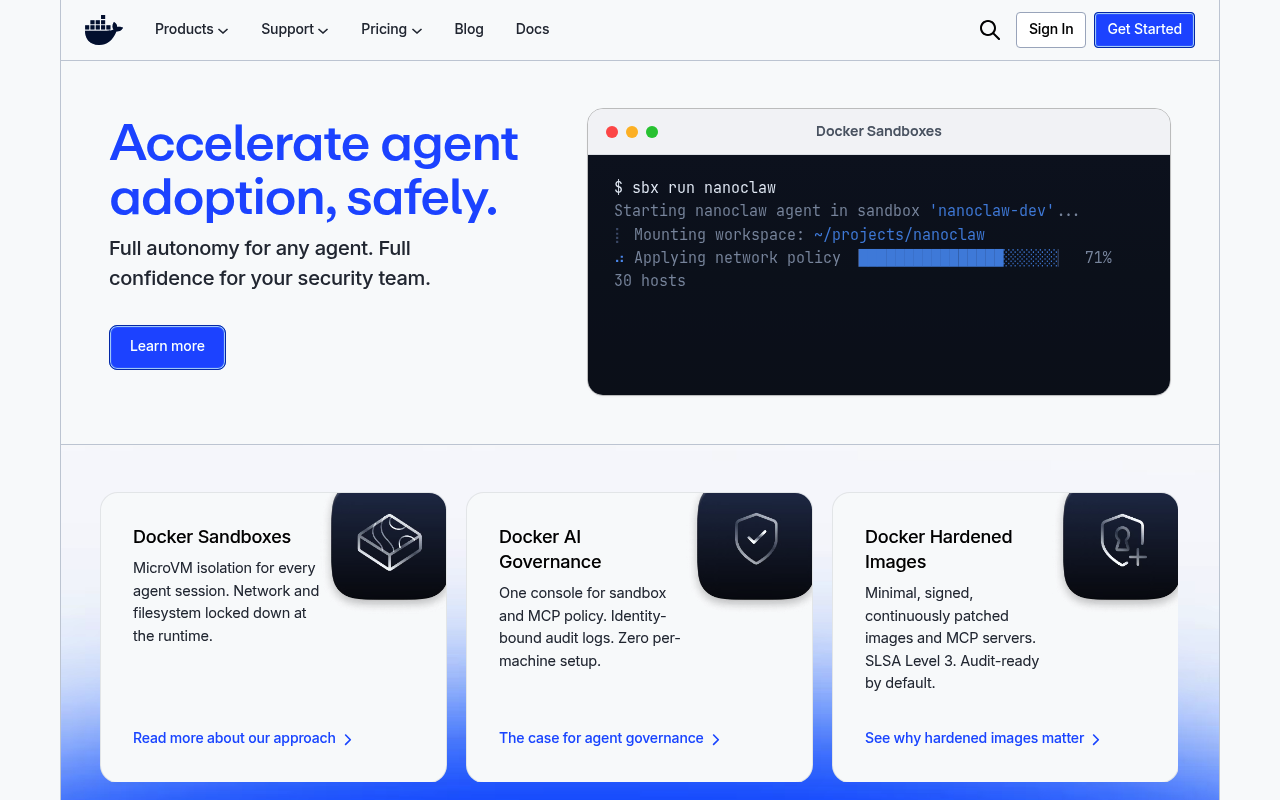
Docker website screenshot

Docker

Docker is a platform for developers and sysadmins to build, share, and run applications in containers, packaging code and dependencies together for consistent deployment across environments.

1 APIs 0 Features
CloudContainersDevOpsInfrastructureMicroservices

APIs

Docker

Docker is a platform that lets developers package applications and all their dependencies into standardized units called containers. These containers bundle everything needed to...

Collections

Pricing Plans

Docker Plans Pricing

3 plans

PLANS

Rate Limits

Docker Rate Limits

5 limits

RATE LIMITS

FinOps

Docker Finops

FINOPS

Resources

🔗
LinkedIn
LinkedIn
🔗
Website
Website
🔗
Documentation
Documentation
📰
Blog
Blog
👥
GitHubOrganization
GitHubOrganization
💰
Pricing
Pricing
📝
Signup
Signup
🟢
StatusPage
StatusPage
📜
TermsOfService
TermsOfService
📜
PrivacyPolicy
PrivacyPolicy
🔗
Twitter
Twitter
🔗
MCPServer
MCPServer
🔗
LlmsText
LlmsText

Sources

Raw ↑
opencollection: 1.0.0
info:
  name: Docker Engine API
  version: '1.54'
items:
- info:
    name: Container
    type: folder
  items:
  - info:
      name: List containers
      type: http
    http:
      method: GET
      url: '{{baseUrl}}/containers/json'
      params:
      - name: all
        value: ''
        type: query
        description: 'Return all containers. By default, only running containers are shown.

          '
      - name: limit
        value: ''
        type: query
        description: 'Return this number of most recently created containers, including

          non-running ones.

          '
      - name: size
        value: ''
        type: query
        description: 'Return the size of container as fields `SizeRw` and `SizeRootFs`.

          '
      - name: filters
        value: ''
        type: query
        description: 'Filters to process on the container list, encoded as JSON (a

          `map[string][]string`). For example, `{"status": ["paused"]}` will

          only return paused containers.


          Available filters:


          - `ancestor`=(`<image-name>[:<tag>]`, `<image id>`, or `<image@digest>`)

          - `before`=(`<container id>` or `<container name>`)

          - `expose`=(`<port>[/<proto>]`|`<startport-endport>/[<proto>]`)

          - `exited=<int>` containers with exit code of `<int>`

          - `health`=(`starting`|`healthy`|`unhealthy`|`none`)

          - `id=<ID>` a container''s ID

          - `isolation=`(`default`|`process`|`hyperv`) (Windows daemon only)

          - `is-task=`(`true`|`false`)

          - `label=key` or `label="key=value"` of a container label

          - `name=<name>` a container''s name

          - `network`=(`<network id>` or `<network name>`)

          - `publish`=(`<port>[/<proto>]`|`<startport-endport>/[<proto>]`)

          - `since`=(`<container id>` or `<container name>`)

          - `status=`(`created`|`restarting`|`running`|`removing`|`paused`|`exited`|`dead`)

          - `volume`=(`<volume name>` or `<mount point destination>`)

          '
    docs: 'Returns a list of containers. For details on the format, see the

      [inspect endpoint](#operation/ContainerInspect).


      Note that it uses a different, smaller representation of a container

      than inspecting a single container. For example, the list of linked

      containers is not propagated .

      '
  - info:
      name: Create a container
      type: http
    http:
      method: POST
      url: '{{baseUrl}}/containers/create'
      params:
      - name: name
        value: ''
        type: query
        description: 'Assign the specified name to the container. Must match

          `/?[a-zA-Z0-9][a-zA-Z0-9_.-]+`.

          '
      - name: platform
        value: ''
        type: query
        description: "Platform in the format `os[/arch[/variant]]` used for image lookup.\n\nWhen specified, the daemon checks\
          \ if the requested image is present\nin the local image cache with the given OS and Architecture, and\notherwise\
          \ returns a `404` status.\n\nIf the option is not set, the host's native OS and Architecture are\nused to look up\
          \ the image in the image cache. However, if no platform\nis passed and the given image does exist in the local image\
          \ cache,\nbut its OS or architecture does not match, the container is created\nwith the available image, and a warning\
          \ is added to the `Warnings`\nfield in the response, for example;\n\n    WARNING: The requested image's platform\
          \ (linux/arm64/v8) does not\n             match the detected host platform (linux/amd64) and no\n             specific\
          \ platform was requested\n"
    docs: Create a container
  - info:
      name: Inspect a container
      type: http
    http:
      method: GET
      url: '{{baseUrl}}/containers/:id/json'
      params:
      - name: id
        value: ''
        type: path
        description: ID or name of the container
      - name: size
        value: ''
        type: query
        description: Return the size of container as fields `SizeRw` and `SizeRootFs`
    docs: Return low-level information about a container.
  - info:
      name: List processes running inside a container
      type: http
    http:
      method: GET
      url: '{{baseUrl}}/containers/:id/top'
      params:
      - name: id
        value: ''
        type: path
        description: ID or name of the container
      - name: ps_args
        value: ''
        type: query
        description: The arguments to pass to `ps`. For example, `aux`
    docs: 'On Unix systems, this is done by running the `ps` command. This endpoint

      is not supported on Windows.

      '
  - info:
      name: Get container logs
      type: http
    http:
      method: GET
      url: '{{baseUrl}}/containers/:id/logs'
      params:
      - name: id
        value: ''
        type: path
        description: ID or name of the container
      - name: follow
        value: ''
        type: query
        description: Keep connection after returning logs.
      - name: stdout
        value: ''
        type: query
        description: Return logs from `stdout`
      - name: stderr
        value: ''
        type: query
        description: Return logs from `stderr`
      - name: since
        value: ''
        type: query
        description: Only return logs since this time, as a UNIX timestamp
      - name: until
        value: ''
        type: query
        description: Only return logs before this time, as a UNIX timestamp
      - name: timestamps
        value: ''
        type: query
        description: Add timestamps to every log line
      - name: tail
        value: ''
        type: query
        description: 'Only return this number of log lines from the end of the logs.

          Specify as an integer or `all` to output all log lines.

          '
    docs: 'Get `stdout` and `stderr` logs from a container.


      Note: This endpoint works only for containers with the `json-file` or

      `journald` logging driver.

      '
  - info:
      name: Get changes on a container’s filesystem
      type: http
    http:
      method: GET
      url: '{{baseUrl}}/containers/:id/changes'
      params:
      - name: id
        value: ''
        type: path
        description: ID or name of the container
    docs: 'Returns which files in a container''s filesystem have been added, deleted,

      or modified. The `Kind` of modification can be one of:


      - `0`: Modified ("C")

      - `1`: Added ("A")

      - `2`: Deleted ("D")

      '
  - info:
      name: Export a container
      type: http
    http:
      method: GET
      url: '{{baseUrl}}/containers/:id/export'
      params:
      - name: id
        value: ''
        type: path
        description: ID or name of the container
    docs: Export the contents of a container as a tarball.
  - info:
      name: Get container stats based on resource usage
      type: http
    http:
      method: GET
      url: '{{baseUrl}}/containers/:id/stats'
      params:
      - name: id
        value: ''
        type: path
        description: ID or name of the container
      - name: stream
        value: ''
        type: query
        description: 'Stream the output. If false, the stats will be output once and then

          it will disconnect.

          '
      - name: one-shot
        value: ''
        type: query
        description: 'Only get a single stat instead of waiting for 2 cycles. Must be used

          with `stream=false`.

          '
    docs: 'This endpoint returns a live stream of a container’s resource usage

      statistics.


      The `precpu_stats` is the CPU statistic of the *previous* read, and is

      used to calculate the CPU usage percentage. It is not an exact copy

      of the `cpu_stats` field.


      If either `precpu_stats.online_cpus` or `cpu_stats.online_cpus` is

      nil then for compatibility with older daemons the length of the

      corresponding `cpu_usage.percpu_usage` array should be used.


      On a cgroup v2 host, the following fields are not set

      * `blk'
  - info:
      name: Resize a container TTY
      type: http
    http:
      method: POST
      url: '{{baseUrl}}/containers/:id/resize'
      params:
      - name: id
        value: ''
        type: path
        description: ID or name of the container
      - name: h
        value: ''
        type: query
        description: Height of the TTY session in characters
      - name: w
        value: ''
        type: query
        description: Width of the TTY session in characters
    docs: Resize the TTY for a container.
  - info:
      name: Start a container
      type: http
    http:
      method: POST
      url: '{{baseUrl}}/containers/:id/start'
      params:
      - name: id
        value: ''
        type: path
        description: ID or name of the container
      - name: detachKeys
        value: ''
        type: query
        description: 'Override the key sequence for detaching a container. Format is a

          single character `[a-Z]` or `ctrl-<value>` where `<value>` is one

          of: `a-z`, `@`, `^`, `[`, `,` or `_`.

          '
    docs: Start a container
  - info:
      name: Stop a container
      type: http
    http:
      method: POST
      url: '{{baseUrl}}/containers/:id/stop'
      params:
      - name: id
        value: ''
        type: path
        description: ID or name of the container
      - name: signal
        value: ''
        type: query
        description: 'Signal to send to the container as an integer or string (e.g. `SIGINT`).

          '
      - name: t
        value: ''
        type: query
        description: Number of seconds to wait before killing the container
    docs: Stop a container
  - info:
      name: Restart a container
      type: http
    http:
      method: POST
      url: '{{baseUrl}}/containers/:id/restart'
      params:
      - name: id
        value: ''
        type: path
        description: ID or name of the container
      - name: signal
        value: ''
        type: query
        description: 'Signal to send to the container as an integer or string (e.g. `SIGINT`).

          '
      - name: t
        value: ''
        type: query
        description: Number of seconds to wait before killing the container
    docs: Restart a container
  - info:
      name: Kill a container
      type: http
    http:
      method: POST
      url: '{{baseUrl}}/containers/:id/kill'
      params:
      - name: id
        value: ''
        type: path
        description: ID or name of the container
      - name: signal
        value: ''
        type: query
        description: 'Signal to send to the container as an integer or string (e.g. `SIGINT`).

          '
    docs: 'Send a POSIX signal to a container, defaulting to killing to the

      container.

      '
  - info:
      name: Update a container
      type: http
    http:
      method: POST
      url: '{{baseUrl}}/containers/:id/update'
      params:
      - name: id
        value: ''
        type: path
        description: ID or name of the container
    docs: 'Change various configuration options of a container without having to

      recreate it.

      '
  - info:
      name: Rename a container
      type: http
    http:
      method: POST
      url: '{{baseUrl}}/containers/:id/rename'
      params:
      - name: id
        value: ''
        type: path
        description: ID or name of the container
      - name: name
        value: ''
        type: query
        description: New name for the container
    docs: Rename a container
  - info:
      name: Pause a container
      type: http
    http:
      method: POST
      url: '{{baseUrl}}/containers/:id/pause'
      params:
      - name: id
        value: ''
        type: path
        description: ID or name of the container
    docs: 'Use the freezer cgroup to suspend all processes in a container.


      Traditionally, when suspending a process the `SIGSTOP` signal is used,

      which is observable by the process being suspended. With the freezer

      cgroup the process is unaware, and unable to capture, that it is being

      suspended, and subsequently resumed.

      '
  - info:
      name: Unpause a container
      type: http
    http:
      method: POST
      url: '{{baseUrl}}/containers/:id/unpause'
      params:
      - name: id
        value: ''
        type: path
        description: ID or name of the container
    docs: Resume a container which has been paused.
  - info:
      name: Attach to a container
      type: http
    http:
      method: POST
      url: '{{baseUrl}}/containers/:id/attach'
      params:
      - name: id
        value: ''
        type: path
        description: ID or name of the container
      - name: detachKeys
        value: ''
        type: query
        description: 'Override the key sequence for detaching a container.Format is a single

          character `[a-Z]` or `ctrl-<value>` where `<value>` is one of: `a-z`,

          `@`, `^`, `[`, `,` or `_`.

          '
      - name: logs
        value: ''
        type: query
        description: 'Replay previous logs from the container.


          This is useful for attaching to a container that has started and you

          want to output everything since the container started.


          If `stream` is also enabled, once all the previous output has been

          returned, it will seamlessly transition into streaming current

          output.

          '
      - name: stream
        value: ''
        type: query
        description: 'Stream attached streams from the time the request was made onwards.

          '
      - name: stdin
        value: ''
        type: query
        description: Attach to `stdin`
      - name: stdout
        value: ''
        type: query
        description: Attach to `stdout`
      - name: stderr
        value: ''
        type: query
        description: Attach to `stderr`
    docs: 'Attach to a container to read its output or send it input. You can attach

      to the same container multiple times and you can reattach to containers

      that have been detached.


      Either the `stream` or `logs` parameter must be `true` for this endpoint

      to do anything.


      See the [documentation for the `docker attach` command](https://docs.docker.com/engine/reference/commandline/attach/)

      for more details.


      ### Hijacking


      This endpoint hijacks the HTTP connection to transport `stdin`, `stdout`,

      and `stderr`'
  - info:
      name: Attach to a container via a websocket
      type: http
    http:
      method: GET
      url: '{{baseUrl}}/containers/:id/attach/ws'
      params:
      - name: id
        value: ''
        type: path
        description: ID or name of the container
      - name: detachKeys
        value: ''
        type: query
        description: 'Override the key sequence for detaching a container.Format is a single

          character `[a-Z]` or `ctrl-<value>` where `<value>` is one of: `a-z`,

          `@`, `^`, `[`, `,`, or `_`.

          '
      - name: logs
        value: ''
        type: query
        description: Return logs
      - name: stream
        value: ''
        type: query
        description: Return stream
      - name: stdin
        value: ''
        type: query
        description: Attach to `stdin`
      - name: stdout
        value: ''
        type: query
        description: Attach to `stdout`
      - name: stderr
        value: ''
        type: query
        description: Attach to `stderr`
    docs: Attach to a container via a websocket
  - info:
      name: Wait for a container
      type: http
    http:
      method: POST
      url: '{{baseUrl}}/containers/:id/wait'
      params:
      - name: id
        value: ''
        type: path
        description: ID or name of the container
      - name: condition
        value: ''
        type: query
        description: 'Wait until a container state reaches the given condition.


          Defaults to `not-running` if omitted or empty.

          '
    docs: Block until a container stops, then returns the exit code.
  - info:
      name: Remove a container
      type: http
    http:
      method: DELETE
      url: '{{baseUrl}}/containers/:id'
      params:
      - name: id
        value: ''
        type: path
        description: ID or name of the container
      - name: v
        value: ''
        type: query
        description: Remove anonymous volumes associated with the container.
      - name: force
        value: ''
        type: query
        description: If the container is running, kill it before removing it.
      - name: link
        value: ''
        type: query
        description: Remove the specified link associated with the container.
    docs: Remove a container
  - info:
      name: Get an archive of a filesystem resource in a container
      type: http
    http:
      method: GET
      url: '{{baseUrl}}/containers/:id/archive'
      params:
      - name: id
        value: ''
        type: path
        description: ID or name of the container
      - name: path
        value: ''
        type: query
        description: Resource in the container’s filesystem to archive.
    docs: Get a tar archive of a resource in the filesystem of container id.
  - info:
      name: Extract an archive of files or folders to a directory in a container
      type: http
    http:
      method: PUT
      url: '{{baseUrl}}/containers/:id/archive'
      params:
      - name: id
        value: ''
        type: path
        description: ID or name of the container
      - name: path
        value: ''
        type: query
        description: 'Path to a directory in the container to extract the archive’s contents into. '
      - name: noOverwriteDirNonDir
        value: ''
        type: query
        description: 'If `1`, `true`, or `True` then it will be an error if unpacking the

          given content would cause an existing directory to be replaced with

          a non-directory and vice versa.

          '
      - name: copyUIDGID
        value: ''
        type: query
        description: 'If `1`, `true`, then it will copy UID/GID maps to the dest file or

          dir

          '
    docs: 'Upload a tar archive to be extracted to a path in the filesystem of container id.

      `path` parameter is asserted to be a directory. If it exists as a file, 400 error

      will be returned with message "not a directory".

      '
  - info:
      name: Get information about files in a container
      type: http
    http:
      method: HEAD
      url: '{{baseUrl}}/containers/:id/archive'
      params:
      - name: id
        value: ''
        type: path
        description: ID or name of the container
      - name: path
        value: ''
        type: query
        description: Resource in the container’s filesystem to archive.
    docs: 'A response header `X-Docker-Container-Path-Stat` is returned, containing

      a base64 - encoded JSON object with some filesystem header information

      about the path.

      '
  - info:
      name: Delete stopped containers
      type: http
    http:
      method: POST
      url: '{{baseUrl}}/containers/prune'
      params:
      - name: filters
        value: ''
        type: query
        description: 'Filters to process on the prune list, encoded as JSON (a `map[string][]string`).


          Available filters:

          - `until=<timestamp>` Prune containers created before this timestamp. The `<timestamp>` can be Unix timestamps,
          date formatted timestamps, or Go duration strings (e.g. `10m`, `1h30m`) computed relative to the daemon machine’s
          time.

          - `label` (`label=<key>`, `label=<key>=<value>`, `label!=<key>`, or `label!=<key>=<value>`) Prune containers with
          (or without, in case `label!=...` is used) the specified labels.

          '
    docs: Delete stopped containers
- info:
    name: Image
    type: folder
  items:
  - info:
      name: List Images
      type: http
    http:
      method: GET
      url: '{{baseUrl}}/images/json'
      params:
      - name: all
        value: ''
        type: query
        description: Show all images. Only images from a final layer (no children) are shown by default.
      - name: filters
        value: ''
        type: query
        description: 'A JSON encoded value of the filters (a `map[string][]string`) to

          process on the images list.


          Available filters:


          - `before`=(`<image-name>[:<tag>]`,  `<image id>` or `<image@digest>`)

          - `dangling=true`

          - `label=key` or `label="key=value"` of an image label

          - `reference`=(`<image-name>[:<tag>]`)

          - `since`=(`<image-name>[:<tag>]`,  `<image id>` or `<image@digest>`)

          - `until=<timestamp>`

          '
      - name: shared-size
        value: ''
        type: query
        description: Compute and show shared size as a `SharedSize` field on each image.
      - name: digests
        value: ''
        type: query
        description: Show digest information as a `RepoDigests` field on each image.
      - name: manifests
        value: ''
        type: query
        description: Include `Manifests` in the image summary.
      - name: identity
        value: ''
        type: query
        description: Include `Identity` in each manifest summary. Requires `manifests=1`.
    docs: Returns a list of images on the server. Note that it uses a different, smaller representation of an image than inspecting
      a single image.
  - info:
      name: Build an image
      type: http
    http:
      method: POST
      url: '{{baseUrl}}/build'
      headers:
      - name: Content-type
        value: ''
      - name: X-Registry-Config
        value: ''
      params:
      - name: dockerfile
        value: ''
        type: query
        description: Path within the build context to the `Dockerfile`. This is ignored if `remote` is specified and points
          to an external `Dockerfile`.
      - name: t
        value: ''
        type: query
        description: A name and optional tag to apply to the image in the `name:tag` format. If you omit the tag the default
          `latest` value is assumed. You can provide several `t` parameters.
      - name: extrahosts
        value: ''
        type: query
        description: Extra hosts to add to /etc/hosts
      - name: remote
        value: ''
        type: query
        description: A Git repository URI or HTTP/HTTPS context URI. If the URI points to a single text file, the file’s contents
          are placed into a file called `Dockerfile` and the image is built from that file. If the URI points to a tarball,
          the file is downloaded by the daemon and the contents therein used as the context for the build. If the URI points
          to a tarball and the `dockerfile` parameter is also specified, there must be a file with the corresponding path
          inside the tarball.
      - name: q
        value: ''
        type: query
        description: Suppress verbose build output.
      - name: nocache
        value: ''
        type: query
        description: Do not use the cache when building the image.
      - name: cachefrom
        value: ''
        type: query
        description: JSON array of images used for build cache resolution.
      - name: pull
        value: ''
        type: query
        description: Attempt to pull the image even if an older image exists locally.
      - name: rm
        value: ''
        type: query
        description: Remove intermediate containers after a successful build.
      - name: forcerm
        value: ''
        type: query
        description: Always remove intermediate containers, even upon failure.
      - name: memory
        value: ''
        type: query
        description: Set memory limit for build.
      - name: memswap
        value: ''
        type: query
        description: Total memory (memory + swap). Set as `-1` to disable swap.
      - name: cpushares
        value: ''
        type: query
        description: CPU shares (relative weight).
      - name: cpusetcpus
        value: ''
        type: query
        description: CPUs in which to allow execution (e.g., `0-3`, `0,1`).
      - name: cpuperiod
        value: ''
        type: query
        description: The length of a CPU period in microseconds.
      - name: cpuquota
        value: ''
        type: query
        description: Microseconds of CPU time that the container can get in a CPU period.
      - name: buildargs
        value: ''
        type: query
        description: 'JSON map of string pairs for build-time variables. Users pass these values at build-time. Docker uses
          the buildargs as the environment context for commands run via the `Dockerfile` RUN instruction, or for variable
          expansion in other `Dockerfile` instructions. This is not meant for passing secret values.


          For example, the build arg `FOO=bar` would become `{"FOO":"bar"}` in JSON. This would result in the query parameter
          `buildargs={"FOO":"bar"}`. Note that `{"FOO":"bar"}` should be URI component encoded.


          [Read more about the buildargs instruction.](https://docs.docker.com/engine/reference/builder/#arg)

          '
      - name: shmsize
        value: ''
        type: query
        description: Size of `/dev/shm` in bytes. The size must be greater than 0. If omitted the system uses 64MB.
      - name: squash
        value: ''
        type: query
        description: Squash the resulting images layers into a single layer. *(Experimental release only.)*
      - name: labels
        value: ''
        type: query
        description: Arbitrary key/value labels to set on the image, as a JSON map of string pairs.
      - name: networkmode
        value: ''
        type: query
        description: 'Sets the networking mode for the run commands during build. Supported

          standard values are: `bridge`, `host`, `none`, and `container:<name|id>`.

          Any other value is taken as a custom network''s name or ID to which this

          container should connect to.

          '
      - name: platform
        value: ''
        type: query
        description: Platform in the format os[/arch[/variant]]
      - name: target
        value: ''
        type: query
        description: Target build stage
      - name: outputs
        value: ''
        type: query
        description: 'BuildKit output configuration in the format of a stringified JSON array of objects.

          Each object must have two top-level properties: `Type` and `Attrs`.

          The `Type` property must be set to ''moby''.

          The `Attrs` property is a map of attributes for the BuildKit output configuration.

          See https://docs.docker.com/build/exporters/oci-docker/ for more information.


          Example:


          ```

          [{"Type":"moby","Attrs":{"type":"image","force-compression":"true","compression":"zstd"}}]

          ```

          '
      - name: version
        value: ''
        type: query
        description: 'Version of the builder backend to use.


          - `1` is the first generation classic (deprecated) builder in the Docker daemon (default)

          - `2` is [BuildKit](https://github.com/moby/buildkit)

          '
    docs: 'Build an image from a tar archive with a `Dockerfile` in it.


      The `Dockerfile` specifies how the image is built from the tar archive. It is typically in the archive''s root, but
      can be at a different path or have a different name by specifying the `dockerfile` parameter. [See the `Dockerfile`
      reference for more information](https://docs.docker.com/engine/reference/builder/).


      The Docker daemon performs a preliminary validation of the `Dockerfile` before starting the build, and returns an error
      if'
  - info:
      name: Delete builder cache
      type: http
    http:
      method: POST
      url: '{{baseUrl}}/build/prune'
      params:
      - name: reserved-space
        value: ''
        type: query
        description: Amount of disk space in bytes to keep for cache
      - name: max-used-space
        value: ''
        type: query
        description: Maximum amount of disk space allowed to keep for cache
      - name: min-free-space
        value: ''
        type: query
        description: Target amount of free disk space after pruning
      - name: all
        value: ''
        type: query
        description: Remove all types of build cache
      - name: filters
        value: ''
        type: query
        description: 'A JSON encoded value of the filters (a `map[string][]string`) to

          process on the list of build cache objects.


          Available filters:


          - `until=<timestamp>` remove cache older than `<timestamp>`. The `<timestamp>` can be Unix timestamps, date formatted
          timestamps, or Go duration strings (e.g. `10m`, `1h30m`) computed relative to the daemon''s local time.

          - `id=<id>`

          - `parent=<id>`

          - `type=<string>`

          - `description=<string>`

          - `inuse`

          - `shared`

          - `private`

          '
    docs: Delete builder cache
  - info:
      name: Create an image
      type: http
    http:
      method: POST
      url: '{{baseUrl}}/images/create'
      headers:
      - name: X-Registry-Auth
        value: ''
      params:
      - name: fromImage
        value: ''
        type: query
        description: 'Name of the image to pull. If the name includes a tag or digest, specific behavior applies:


          - If only `fromImage` includes a tag, that tag is used.

          - If both `fromImage` and `tag` are provided, `tag` takes precedence.

          - If `fromImage` includes a digest, the image is pulled by digest, and `tag` is ignored.

          - If neither a tag nor digest is specified, all tags are pulled.

          '
      - name: fromSrc
        value: ''
        type: query
        description: Source to import. The value may be a URL from which the image can be retrieved or `-` to read the image
          from the request body. This parameter may only be used when importing an image.
      - name: repo
        value: ''
        type: query
        description: Repository name given to an image when it is imported. The repo may include a tag. This parameter may
          only be used when importing an image.
      - name: tag
        value: ''
        type: query
        description: Tag or digest. If empty when pulling an image, this causes all tags for the given image to be pulled.
      - name: message
        value: ''
        type: query
        description: Set commit message for imported image.
      - name: changes
        value: ''
        type: query
        description: 'Apply `Dockerfile` instructions to the image that is created,

          for example: `changes=ENV DEBUG=true`.

          Note that `ENV DEBUG=true` should be URI component encoded.


          Supported `Dockerfile` instructions:

          `CMD`|`ENTRYPOINT`|`ENV`|`EXPOSE`|`ONBUILD`|`USER`|`VOLUME`|`WORKDIR`

          '
      - name: platform
        value: ''
        type: query
        description: 'Platform in the format os[/arch[/variant]].


          When used in combination with the `fromImage` option, the daemon checks

          if the given image is present in the local image cache with the given

          OS and Architecture, and otherwise attempts to pull the image. If the

          option is not set, the host''s native OS and Architecture are used.

          If the given image does not exist in the local image cache, the daemon

          attempts to pull the image with the host''s native OS and Architecture.

          If the given image does exists in the local image cache, but its OS or

          architecture does not match, a warning is produced.


          When used with the `fromSrc` option to import an image from an archive,

          this option sets the platform information for the imported image. If

          the option is not set, the host''s native OS and Architecture are used

          for the imported image.

          '
    docs: Pull or import an image.
  - info:
      name: Inspect an image
      type: http
    http:
      method: GET
      url: '{{baseUrl}}/images/:name/json'
      params:
      - name: name
        value: ''
        type: path
        description: Image name or id
      - name: manifests
        value: ''
        type: query
        description: 'Include Manifests in t

# --- truncated at 32 KB (75 KB total) ---
# Full source: https://raw.githubusercontent.com/api-evangelist/docker/refs/heads/main/apis.yml
