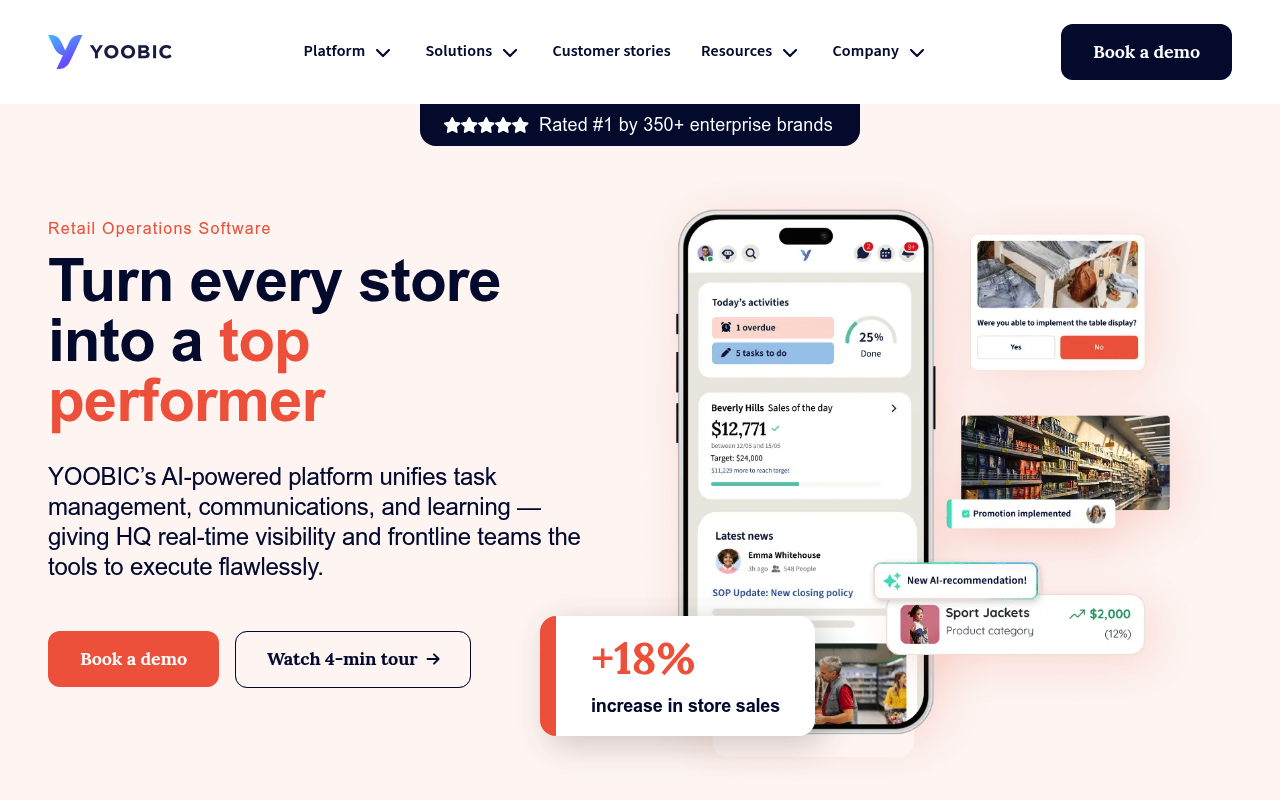
YOOBIC is an AI-powered frontline employee experience and retail operations platform that unifies task management, internal communications, and mobile microlearning, giving headquarters real-time visibility and frontline teams the tools to execute in-store. It serves retail, grocery, fashion and luxury, convenience, pharmacy, restaurant/QSR, and fitness brands. The YOOBIC Public API is a RESTful JSON API (OpenAPI 3.0, 230 paths / 265 operations across 41 resource groups) for programmatically managing users, stores, missions, campaigns, learning, communities, and webhooks, secured with JWT bearer tokens.
Yoobic publishes 41 API contracts indexed on the APIs.io network, including Answers API, Badges API, Bot Messages API, and 38 more. Tagged areas include Company, Retail, Frontline Operations, Task Management, and Workforce.
The Yoobic catalog on APIs.io includes 1 event-driven AsyncAPI specification.
Yoobic’s developer surface includes documentation, engineering blog, pricing, signup flow, support, authentication, and 16 more developer resources.
Regulatory Posture applies to this provider. Its tags matched the
Horizontal (data, software, accessibility, platform) regime, so
Regulatory Posture carries 15 points of the composite.
If this regime is wrong for your business, say so on your
provider repo — the
applicability map is public and we will correct it.
Create-or-Update Ergonomics applies to this provider. This API accepts writes, so it
carries 10 points of the composite. It is scored from the published contracts
themselves: whether a caller can create-or-update in one call, whether the write accepts a key the caller already
holds, and whether the response says which branch ran. Without that, every write needs a search-and-branch in
front of it, and the first time that check is skipped a duplicate record is created.
Scored against the observed mean rather than raw — a provider at the catalog average is unchanged by this facet,
not penalised by it.
The six quality facets above are damped to 75 points between them,
because the conditional facet above carries the other
25. That is why each facet's contribution is shown against a damped
maximum: raising a quality facet moves the composite by 75% of its nominal
weight, not 100%. The full arithmetic is at apis.io/rating/.
Improve this rating by publishing the missing artifacts — every area above can be raised, and the full rubric is at apis.io/rating/. Every facet and dimension name above is a link: it opens that measurement's own page — what it means, the exact checks that feed it, how the whole catalog distributes on it, and the providers at the top of it. This rating is computed from github.com/api-evangelist/yoobic: open an issue to ask a question, or submit a pull request to add artifacts.
Submit an artifact on GitHub — free →Manage your own listing — the Influence plan, $499/mo →
Standards this provider implements or carries. De facto ones are profiled and measured by the API Commons; formal ones come from the standards directory and are linked by the provider's own tags. The evidence column says how each claim was established — not that it was made.
Answers are the users’ replies to the questions raised by their colleagues in the Questions menu. Other users can vote for answers they think are best...
A badge is a customized reward earned by a learner after completing a lesson. ### Fields | Field | Type | Required | Readonly | OrderBy | Description |...
This API is exclusively used to handle bots external to YOOBIC. External bots are an AI feature of the YOOBIC chat that enhances user interactions by aut...
Business KPIs data allows integration of external business data per location. This is the data that will be used to display Business KPIs in the Act...
A campaign is the main structure used to send tasks to frontline teams and collect data about how they execute them. It is essentially a configurabl...
Holds a list of catalogs and their relevant data. Each catalog contains a list of [`products`](#group-products). ### Fields | Field | Type | Required...
Chats are used for internal communication between users directly in the YOOBIC app. ### Fields | Field | Type | Required | Readonly | OrderBy | Descript...
Get all feeds comments. ### Fields | Field | Type | Required | Readonly | OrderBy | Description | |----------------------|:--------------:|:--------:...
When a plan is assigned to a user it creates a course. ### Fields | Field | Type | Required | Readonly | OrderBy | Description | |--------------------...
Events can be created and managed through the YOOBIC app and are displayed in the calendar. Events can be public (visible to all users sharing at least...
Files provides information about the external files used in the application. ### Fields | Field | Type | Required | Readonly | OrderBy | Description | |...
Groups are used to manage users. This is VERY important as Groups are what make using the application much simpler. By adding Users to Groups, when you...
An Inventory is a custom data structure to manage and use data in a similar way as in a spreadsheet or database directly from the YOOBIC Platform. E...
The Jobs endpoint allows you to query the status of your asynchronous jobs, whether they are queued, running, completed, or expired. The `id` required to...
Lessons are the activities the users perform during their trainings. ### Fields | Field | Type | Required | Readonly | OrderBy | Description | |------...
Missions are the basic campaign type. The store users will receive missions with fields to complete, for example send a photo of their display or cha...
Contains information coming from the news feed tab ### Fields | Field | Type | Required | Readonly | OrderBy | Description | |----------------------|:---...
contains information about uploaded photos and photos taken as part of a mission and its relations to the mission. ### Fields | Field | Type | Required...
A plan is the main description of a course that's assigned to users. ### Fields | Field | Type | Required | Readonly | OrderBy | Description | |--------...
Products represent usually physical products and are organised by [`catalog`](#group-catalogs) ### Fields | Field | Type | Required | Readonly | Orde...
Questions are a Social Learning feature, allowing users to learn tips / expertise from each other. They can ask questions and others can reply to th...
Get the list of Roles available for the users in your organization. The roles are defined by a combination of `client_role` and `client_role_extension` ...
This endpoint exposes the login method in order to create a valid access token for subsequents call to the API, as well as an endpoint for invalidati...
A shift object represents a scheduled period of time in which a specific employee is expected to work at a specific store. The object includes informat...
Stores are a very important part of the application. They represent physical locations of stores. They are the entities which receive missions (not the...
Expose users for your company. Remember: - Users are the people at your company with access to the YOOBIC mobile and/or web apps. - Users can be assigne...
Through this endpoint the details and/or the approval of the visit could be set. By default, the visits will be shown as pending until they are approve...
You can create webhooks with HTTP targets to build integrations with the services or with your back-end system. Examples: - Alert your team in Slack ...
Overlays applied on top of this provider's contracts. Each card says who wrote it: a document the provider publishes, or one API Evangelist derived or generated.
aid: yoobic
name: Yoobic
description: YOOBIC is an AI-powered frontline employee experience and retail operations platform that unifies task management,
internal communications, and mobile microlearning, giving headquarters real-time visibility and frontline teams the tools
to execute in-store. It serves retail, grocery, fashion and luxury, convenience, pharmacy, restaurant/QSR, and fitness brands.
The YOOBIC Public API is a RESTful JSON API (OpenAPI 3.0, 230 paths / 265 operations across 41 resource groups) for programmatically
managing users, stores, missions, campaigns, learning, communities, and webhooks, secured with JWT bearer tokens.
deliveryModel:
model: saas
open_source: false
commercial: true
callable_host: false
label: Hosted service · you call their endpoint
confidence: medium
source:
- openapi
- pricing
generated: '2026-08-28'
method: derived
accessModel:
pricing: unknown
onboarding: self-serve
trial: false
try_now: false
public: false
label: Self-serve signup
confidence: medium
source:
- authentication
generated: '2026-07-22'
method: derived
image: https://yoobic.com/wp-content/uploads/2025/11/cropped-favicon-1-1-270x270.png
url: https://raw.githubusercontent.com/api-evangelist/yoobic/refs/heads/main/apis.yml
x-type: company
x-source: vc-portfolio
x-backed-by:
- insight-partners
x-tier: stub
x-tier-reason: portfolio-lead
specificationVersion: '0.23'
created: '2026-07-17'
modified: '2026-10-06'
tags:
- Company
- Retail
- Frontline Operations
- Task Management
- Workforce
- Microlearning
- Employee Experience
- REST
- Webhook
- SCIM
tags_raw:
- Company
- Retail
- Frontline Operations
- Task Management
- Workforce
- Microlearning
- Employee Experience
- REST
- Webhooks
- SCIM
apis:
- aid: yoobic:yoobic-answers-api
name: Yoobic Answers API
description: "<a id=\"group-answers\"></a>\nAnswers are the users’ replies to the questions raised by their colleagues in\
\ the Questions menu. Other users can vote for answers they think are best, like them, and a user with the right permission\
\ can also validate an answer to indicate it is the right or best one.\n\n### Fields\n\n| Field | Type\
\ | Required | Readonly | OrderBy | Description |\n|----------------------|:-----------:|:--------:|:----------:|:-------:|---------------------------|\n\
|`answer_id` | string | x | x | | Unique id of the answer |\n|`question_id` \
\ | string | | x | | Reference to the question |\n|`user_id` | string\
\ | | x | | User id answering this question |\n|`text` | string | \
\ | x | | The answer |\n|`image` | string | | x |\
\ | The url to the image |\n|`is_verified` | boolean | | x | | Whether\
\ or not this is a verified answer | \n|`user_verified` | string | | x | | User id\
\ verifying this answer | \n|`likes` | number | | x | | Likes count | \n\
|`created_date` | date | | x | | Creation date |\n|`updated_date`\
\ | date | | x | x | Last update date |"
humanURL: https://docs.yoobic.com/api.html
baseURL: https://api.yoobic.com/public/api
tags:
- Answers
properties:
- type: OpenAPI
url: openapi/yoobic-answers-api-openapi.yml
- type: Documentation
url: https://docs.yoobic.com/api.html
- type: APIReference
url: https://docs.yoobic.com/api.html
- type: Postman
url: https://assets.yoobic.com/raw/upload/v1767016464/3c85c240-dd03-4981-9814-bc6e5e861fa0.zip
- type: ErrorCatalog
url: errors/yoobic-problem-types.yml
- type: Conventions
url: conventions/yoobic-conventions.yml
- type: ChangeLog
url: changelog/yoobic-changelog.yml
- type: Lifecycle
url: lifecycle/yoobic-lifecycle.yml
- type: Conformance
url: conformance/yoobic-conformance.yml
- type: Sandbox
url: sandbox/yoobic-sandbox.yml
- type: Webhooks
url: asyncapi/yoobic-webhooks.yml
- aid: yoobic:yoobic-badges-api
name: Yoobic Badges API
description: '<a id="group-badges"></a>
A badge is a customized reward earned by a learner after completing a lesson.
### Fields
| Field | Type | Required | Readonly | OrderBy | Description |
|----------------------|:--------------:|:--------:|:--------:|:-------:|---------------------------|
|`badge_id` | string | x | x | | Unique id of the badge |
|`creator_id` | string | | x | | Unique id of the badge creator |
|`title` | string | | x | | Badge title |
|`icon` | string | | x | | Badge icon name |
|`created_date` | date | | x | | Creation date |
|`updated_date` | date | | x | x | Last update date |'
humanURL: https://docs.yoobic.com/api.html
baseURL: https://api.yoobic.com/public/api
tags:
- Badges
properties:
- type: OpenAPI
url: openapi/yoobic-badges-api-openapi.yml
- type: Documentation
url: https://docs.yoobic.com/api.html
- type: APIReference
url: https://docs.yoobic.com/api.html
- type: Postman
url: https://assets.yoobic.com/raw/upload/v1767016464/3c85c240-dd03-4981-9814-bc6e5e861fa0.zip
- type: ErrorCatalog
url: errors/yoobic-problem-types.yml
- type: Conventions
url: conventions/yoobic-conventions.yml
- type: ChangeLog
url: changelog/yoobic-changelog.yml
- type: Lifecycle
url: lifecycle/yoobic-lifecycle.yml
- type: Conformance
url: conformance/yoobic-conformance.yml
- type: Sandbox
url: sandbox/yoobic-sandbox.yml
- type: Webhooks
url: asyncapi/yoobic-webhooks.yml
- aid: yoobic:yoobic-bot-messages-api
name: Yoobic Bot Messages API
description: '<a id="group-bot_messages"></a>
Bot analytics allow you to improve your bots by understanding how your teams use them and how satisfied they are with
the answers. The key metrics available can be used to monitor the usage of the feature and to analyze frequent questions
where knowledge is lacking in order to create new content and add it to the NEO Chatbot sources.
### Fields
| Field | Type | Required | Readonly | OrderBy | Description |
|-------|:----:|:--------:|:--------:|:-------:|-------------|
|`bot_id`| string | | x | | Unique id of the bot |
|`bot_message_id`| string | | x | | Unique if of the message sent to the bot |
|`user_id`| string | | x | | Unique id of the user that sent the question |
|`username`| string | | x | | Username of the user that sent the question |
|`question`| string | | x | | Question of the user |
|`answer`| string | | x | | Answer of the bot to the question of the user |
|`feedback`| boolean | | x | | True if the user put a ‘thumbs up’ and false if the user put a ‘thumbs down'' on the answer
of the bot |
|`answered`| boolean | | x | | True if the question was answered and false if it wasn’t (equivalent to ‘I don’t know''
response from the bot'') |
|`created_date`| date | | x | | Created Date |
|`updated_date`| date | | x | | Updated Date |'
humanURL: https://docs.yoobic.com/api.html
baseURL: https://api.yoobic.com/public/api
tags:
- Bot Messages
properties:
- type: OpenAPI
url: openapi/yoobic-bot-messages-api-openapi.yml
- type: Documentation
url: https://docs.yoobic.com/api.html
- type: APIReference
url: https://docs.yoobic.com/api.html
- type: Postman
url: https://assets.yoobic.com/raw/upload/v1767016464/3c85c240-dd03-4981-9814-bc6e5e861fa0.zip
- type: ErrorCatalog
url: errors/yoobic-problem-types.yml
- type: Conventions
url: conventions/yoobic-conventions.yml
- type: ChangeLog
url: changelog/yoobic-changelog.yml
- type: Lifecycle
url: lifecycle/yoobic-lifecycle.yml
- type: Conformance
url: conformance/yoobic-conformance.yml
- type: Sandbox
url: sandbox/yoobic-sandbox.yml
- type: Webhooks
url: asyncapi/yoobic-webhooks.yml
- aid: yoobic:yoobic-bots-api
name: Yoobic Bots API
description: '<a id="group-bots"></a>
This API is exclusively used to handle bots external to YOOBIC. External bots are an AI feature of the YOOBIC chat that
enhances user interactions by automating workflows and streamlining processes to boost efficiency. By using third party
bot APIs on top of the YOOBIC NEO chatbots, we enable users to access an unlimited number of specialised bots for back-office
automations, HR, IT help, and more.
### Fields
| Field | Type | Required | Readonly | OrderBy | Description |
|----------------------|:--------------:|:--------:|:--------:|:-------:|---------------------------|
|`bot_id` | string | | x | | Unique id of the bot |
|`creator_id` | string | | x | | Unique id of the badge creator |
|`name` | string | | | | Bot name |
|`is_active` | boolean | | | | Enable or disable this bot (default: true) |
|`webhook_url` | string | | | | Unique http target url to the bot |
|`created_date` | date | | x | | Creation date |
|`updated_date` | date | | x | x | Last update date |'
humanURL: https://docs.yoobic.com/api.html
baseURL: https://api.yoobic.com/public/api
tags:
- Bots
properties:
- type: OpenAPI
url: openapi/yoobic-bots-api-openapi.yml
- type: Documentation
url: https://docs.yoobic.com/api.html
- type: APIReference
url: https://docs.yoobic.com/api.html
- type: Postman
url: https://assets.yoobic.com/raw/upload/v1767016464/3c85c240-dd03-4981-9814-bc6e5e861fa0.zip
- type: ErrorCatalog
url: errors/yoobic-problem-types.yml
- type: Conventions
url: conventions/yoobic-conventions.yml
- type: ChangeLog
url: changelog/yoobic-changelog.yml
- type: Lifecycle
url: lifecycle/yoobic-lifecycle.yml
- type: Conformance
url: conformance/yoobic-conformance.yml
- type: Sandbox
url: sandbox/yoobic-sandbox.yml
- type: Webhooks
url: asyncapi/yoobic-webhooks.yml
- aid: yoobic:yoobic-business-kpis-data-salesdata-api
name: Yoobic Business KPIs data - salesdata API
description: "<a id=\"group-salesdata\"></a>\nBusiness KPIs data allows integration of external business data per location.\
\ This is the data that will be used to display Business KPIs in the Activity Hub or Today's focus widget of the application.\n\
\nPeriods can be: yearly, monthly, weekly, or daily.\n\nSalesdata uniqueness is determined by:\n\n- store_id\n\n- reporting_date\n\
\n- title\n\n- category\n\n- value_frequency\n\n- target\n\nIn case a new salesdata is created with values for the latter\
\ five which already exist in a salesdata, then the salesdata will be updated. Otherwise, a new salesdata entry will be\
\ created\n\nThe category parameter refers to which KPI will use this data point to calculate the value in the app. For\
\ example, the 5 predefined KPIs are based on the following categories:\n\n- `sales` for the Sales KPI, calculated as\
\ the Sum of all sales data in the KPI's frequency\n\n- `sales` and `transactions` for the Average Basket KPI, calculated\
\ as SUM(sales) / SUM(transactions) in the KPI's frequency\n\n- `items` and `transactions` for the UPT KPI, calculated\
\ as SUM(items) / SUM(transactions) in the KPI's frequency\n\n- `transactions` and `traffic` for the Conversion rate KPI,\
\ calculated as SUM(transactions) / SUM(traffic) in the KPI's frequency\n\n- `reviews` for the Reviews, calculated as\
\ AVG(reviews) in the KPI's frequency\n\n- **For Custom KPIs**, the category must match the category defined in the **Business\
\ KPI configuration menu**.\n\n**Reporting Date**\n\n- The `reporting_date` must correspond to the expected calculation\
\ period of the KPI.\n\n- Example: For daily sales data, push one entry per store each day (e.g., timestamp at store closing\
\ time).\n\n**Targets**\n\n- Define a target with the parameter `target: true`.\n\n- The `reporting_date` should correspond\
\ to the target's period.\n - For weekly targets, use the timestamp for the start of the week.\n\n### Fields\n\n| Field\
\ | Type | Required | Readonly | OrderBy | Description |\n|----------------------|:--------------:|:--------:|:--------:|:-------:|---------------------------|\n\
|`salesdata_id` | string | | x | | Unique id of the salesdata|\n|`store_id` \
\ | string | | | x | Unique id of the store |\n|`store_client_id` | string\
\ | | | | client_id of the store. Can be used instead of the store_id |\n|`reporting_date`\
\ | date | x | | | Reporting date |\n|`title` | string\
\ | x | | x | The salesdata report title|\n|`category` | string | \
\ x | | x | Salesdata name |\n|`value` | number | x | | \
\ | Salesdata value |\n|`value_currency` | string | | | | Salesdata\
\ currency |\n|`value_frequency` | string | x | | | The product measuring frequency\
\ : yearly / monthly / weekly / daily / hourly |\n|`target` | boolean | | |\
\ | Indicates if the associated value is a target |\n|`created_date` | date | | x\
\ | | Creation date |\n|`updated_date` | date | | x | x \
\ | Last update date |\n\nEither store_id or store_client_id can be used."
humanURL: https://docs.yoobic.com/api.html
baseURL: https://api.yoobic.com/public/api
tags:
- Business KPIs data - salesdata
properties:
- type: OpenAPI
url: openapi/yoobic-business-kpis-data-salesdata-api-openapi.yml
- type: Documentation
url: https://docs.yoobic.com/api.html
- type: APIReference
url: https://docs.yoobic.com/api.html
- type: Postman
url: https://assets.yoobic.com/raw/upload/v1767016464/3c85c240-dd03-4981-9814-bc6e5e861fa0.zip
- type: ErrorCatalog
url: errors/yoobic-problem-types.yml
- type: Conventions
url: conventions/yoobic-conventions.yml
- type: ChangeLog
url: changelog/yoobic-changelog.yml
- type: Lifecycle
url: lifecycle/yoobic-lifecycle.yml
- type: Conformance
url: conformance/yoobic-conformance.yml
- type: Sandbox
url: sandbox/yoobic-sandbox.yml
- type: Webhooks
url: asyncapi/yoobic-webhooks.yml
- aid: yoobic:yoobic-campaigns-api
name: Yoobic Campaigns API
description: "<a id=\"group-campaigns\"></a>\nA campaign is the main structure used to send tasks to frontline teams and\
\ collect data about how they execute them. It is essentially a configurable form with instructions and fields (checklists,\
\ buttons, photos, open text, etc.) that users fill in from the field. They are used for many operational needs like audits,\
\ promotions, checklists, surveys, health and safety monitoring, and other day-to-day activities.\n\nThere are 4 different\
\ types of campaigns available in YOOBIC:\n\n- Quick task\n\n- Memo\n\n- Form\n\n- Workflow\n\nArchived campaigns are\
\ visible in the [campaigns_archive](#group-campaigns_archive) table.\n\n### Fields\n\n| Field | Type \
\ | Required | Readonly | OrderBy | Description |\n|----------------------|:-----------:|:--------:|:----------:|:-------:|---------------------------|\n\
|`campaign_id` | string | x | x | | Unique id of the campaign |\n|`title` \
\ | string | x | | | The campaign title |\n|`description` | string\
\ | | | | The campaign description |\n|`type` | string | x \
\ | | | The campaign type (mission, service, todo, poll, lesson, visit) |\n|`group_ids` \
\ | array | x | | | Group ids that can see this campaign |\n|`user_ids` \
\ | array | | | | User ids that can see this campaign |\n|`tags` |\
\ array | | | | The list of tags |\n|`scoring` | boolean |\
\ | | | true if scoring is enabled for missions from this campaign, false otherwise | \n|`recurring`\
\ | boolean | | | | true if this campaign is recurring, false if it is a one-off\
\ campaign | \n|`active` | boolean | | x | | true if campaign is neither paused\
\ nor archived | \n|`archived` | boolean | | x | | true if campaign is paused\
\ | \n|`icon_url` | string | | | | `_downloadURL` of a File or a `url` of\
\ a Photo. Icon size recommendation is 100px X 100px. |\n|`background_url` | string | | \
\ | | `_downloadURL` of a File or a `url` of a Photo. |\n|`page_titles` | array | | \
\ | | An ordered list of page titles i.e. first title is the first page title etc. |\n|`questions` \
\ | array | | | | The campaign's questions |\n|`created_date` | date\
\ | | x | | Creation date |\n|`updated_date` | date | \
\ | x | x | Last update date |\n\nThe `questions` field is defined as an array of:\n| Field\
\ | Type | Description |\n|----------------------|----------------|---------------------------|\n\
|`question_id` | string | Unique id of the question |\n|`question_type` | string | The type\
\ of the question. Supported types: `text`, `textarea`, `toggle`, `checkbox`, `information`, `todo`, `photo`, `multiphotos`,\
\ `selectbuttons`, `select`, `selectmulti`, `address`, `date`, `number`, `starrating`, `image`. |\n|`question` \
\ | string | The title of the question |\n|`question_description`| string | The description of the\
\ question |\n|`mandatory` | boolean | If `true`, the question has to be answered. Defaults to `false`\
\ |\n|`page_number` | number | The number of the page the question appears in |\n|`question_number` \
\ | number | The number of the question |\n|`hide_mobile` | boolean | Hide the question on mobile\
\ devices. Defaults to `false`. |\n|`question_attributes` | object | Question attributes for specific question\
\ types.|\n\nThe `question_attributes` field is defined as an object with the following fields:\n| Field \
\ | Type | Description |\n|----------------------|----------------|---------------------------|\n\
|`max_photos` | number | Maximum of allowed photos to upload. Applies only to questions of type `multiphotos`.\
\ |\n|`values` | array | Values to be displayed as options to choose from in the question.\
\ Applies only to questions of type `selectbuttons`, `select`, `selectmulti`. |\n|`min` | number\
\ | If present, value must be above or including it. Applies only to questions of type `number`. |\n|`max` \
\ | number | If present, value must be below or including it. Applies only to questions of type `number`,\
\ `starrating`. |\n\n#### Question Types\n\n<a id=\"group-campaigns-question-types\"></a>\n**Important** \nBelow is\
\ a list of the supported types and their value types:\n\n| question_type | Type | Description |\n|---------------|:--------------:|-------------|\n\
| address | string | |\n| date | string | |\n| information |\
\ string | |\n| select | string | Single value chosen from the `values` defined in\
\ `question_attributes` |\n| textarea | string | |\n| text | string | \
\ |\n| photo | URL | A valid image URL |\n| multiphotos | array of URLs | Valid image\
\ URLs and up to `max_photos` defined in `question_attributes` |\n| selectbuttons | array | Multiple values\
\ chosen from the `values` defined in `question_attributes` |\n| selectmulti | array | Multiple values\
\ chosen from the `values` defined in `question_attributes` |\n| number | number | Might have min,\
\ max borders as defined in `question_attributes` |\n| starrating | number | Might have max border as\
\ defined in `question_attributes`. No negatives allowed. |\n| checkbox | boolean | |\n|\
\ toggle | boolean | |\n| image | | This is a readonly property (informative)\
\ which does not have a value. |\n\n**Important**\n\n- If `page_titles` does not have a title for a given page then a\
\ default will be given - \nSo i.e. if the values are - \n```json\n[ \"first chapter\", \"second chapter\" ]\n```\
\ \nand there are three pages in total, then the title for the third page will be `Page 3`.\n\n- To filter on `live` campaigns\
\ only you should filter accordingly: \n```json\n{ \"active\": true, \"archived\": { \"neq\": true } }\n```"
humanURL: https://docs.yoobic.com/api.html
baseURL: https://api.yoobic.com/public/api
tags:
- Campaigns
properties:
- type: OpenAPI
url: openapi/yoobic-campaigns-api-openapi.yml
- type: Documentation
url: https://docs.yoobic.com/api.html
- type: APIReference
url: https://docs.yoobic.com/api.html
- type: Postman
url: https://assets.yoobic.com/raw/upload/v1767016464/3c85c240-dd03-4981-9814-bc6e5e861fa0.zip
- type: ErrorCatalog
url: errors/yoobic-problem-types.yml
- type: Conventions
url: conventions/yoobic-conventions.yml
- type: ChangeLog
url: changelog/yoobic-changelog.yml
- type: Lifecycle
url: lifecycle/yoobic-lifecycle.yml
- type: Conformance
url: conformance/yoobic-conformance.yml
- type: Sandbox
url: sandbox/yoobic-sandbox.yml
- type: Webhooks
url: asyncapi/yoobic-webhooks.yml
- aid: yoobic:yoobic-catalogs-api
name: Yoobic Catalogs API
description: '<a id="group-catalogs"></a>
Holds a list of catalogs and their relevant data.
Each catalog contains a list of [`products`](#group-products).
### Fields
| Field | Type | Required | Readonly | OrderBy | Description |
|----------------------|:--------------:|:--------:|:--------:|:-------:|-------------|
|`catalog_id` | string | x | x | x | Unique id of the catalog |
|`title` | string | x | | | The catalog title |
|`group_ids` | array | x | | | Group ids that can see this catalog |
|`user _ids` | array | | | | User ids that can see this catalog |
|`created_date` | date | | x | | Creation date |
|`updated_date` | date | | x | x | Last update date |'
humanURL: https://docs.yoobic.com/api.html
baseURL: https://api.yoobic.com/public/api
tags:
- Catalog
tags_raw:
- Catalogs
properties:
- type: OpenAPI
url: openapi/yoobic-catalogs-api-openapi.yml
- type: Documentation
url: https://docs.yoobic.com/api.html
- type: APIReference
url: https://docs.yoobic.com/api.html
- type: Postman
url: https://assets.yoobic.com/raw/upload/v1767016464/3c85c240-dd03-4981-9814-bc6e5e861fa0.zip
- type: ErrorCatalog
url: errors/yoobic-problem-types.yml
- type: Conventions
url: conventions/yoobic-conventions.yml
- type: ChangeLog
url: changelog/yoobic-changelog.yml
- type: Lifecycle
url: lifecycle/yoobic-lifecycle.yml
- type: Conformance
url: conformance/yoobic-conformance.yml
- type: Sandbox
url: sandbox/yoobic-sandbox.yml
- type: Webhooks
url: asyncapi/yoobic-webhooks.yml
- aid: yoobic:yoobic-chats-api
name: Yoobic Chats API
description: '<a id="group-chats"></a>
Chats are used for internal communication between users directly in the YOOBIC app.
### Fields
| Field | Type | Required | Readonly | OrderBy | Description |
|-------|:----:|:--------:|:--------:|:-------:|-------------|
|`sender_id`| string | x | | | Unique id of the user account from which the message is sent |
|`recipient_id`| string | x | | | Unique id of the user that will receive the message |
|`text`| string | x | | | Text of the message |
|`attachments`| file | | | | File link |'
humanURL: https://docs.yoobic.com/api.html
baseURL: https://api.yoobic.com/public/api
tags:
- Chats
properties:
- type: OpenAPI
url: openapi/yoobic-chats-api-openapi.yml
- type: Documentation
url: https://docs.yoobic.com/api.html
- type: APIReference
url: https://docs.yoobic.com/api.html
- type: Postman
url: https://assets.yoobic.com/raw/upload/v1767016464/3c85c240-dd03-4981-9814-bc6e5e861fa0.zip
- type: ErrorCatalog
url: errors/yoobic-problem-types.yml
- type: Conventions
url: conventions/yoobic-conventions.yml
- type: ChangeLog
url: changelog/yoobic-changelog.yml
- type: Lifecycle
url: lifecycle/yoobic-lifecycle.yml
- type: Conformance
url: conformance/yoobic-conformance.yml
- type: Sandbox
url: sandbox/yoobic-sandbox.yml
- type: Webhooks
url: asyncapi/yoobic-webhooks.yml
- aid: yoobic:yoobic-comments-api
name: Yoobic Comments API
description: '<a id="group-comments"></a>
Get all feeds comments.
### Fields
| Field | Type | Required | Readonly | OrderBy | Description |
|----------------------|:--------------:|:--------:|:--------:|:-------:|--------------------------- |
|`comment_id` | string | | x | | Unique id of the comment |
|`news_id` | string | | x | | Related feed reference |
|`user_id` | string | | x | | Related user reference |
|`text` | string | | x | | comment text |
|`text_en` | string | | x | | Comment text translated to English |
|`language` | string | | x | | Comment text automatically detected language |
|`sentiment` | number | | x | | Comment text sentiment represented by a number
between -1 and 1 |'
humanURL: https://docs.yoobic.com/api.html
baseURL: https://api.yoobic.com/public/api
tags:
- Comments
properties:
- type: OpenAPI
url: openapi/yoobic-comments-api-openapi.yml
- type: Documentation
url: https://docs.yoobic.com/api.html
- type: APIReference
url: https://docs.yoobic.com/api.html
- type: Postman
url: https://assets.yoobic.com/raw/upload/v1767016464/3c85c240-dd03-4981-9814-bc6e5e861fa0.zip
- type: ErrorCatalog
url: errors/yoobic-problem-types.yml
- type: Conventions
url: conventions/yoobic-conventions.yml
- type: ChangeLog
url: changelog/yoobic-changelog.yml
- type: Lifecycle
url: lifecycle/yoobic-lifecycle.yml
- type: Conformance
url: conformance/yoobic-conformance.yml
- type: Sandbox
url: sandbox/yoobic-sandbox.yml
- type: Webhooks
url: asyncapi/yoobic-webhooks.yml
- aid: yoobic:yoobic-communities-api
name: Yoobic Communities API
description: '<a id="group-communities"></a>
Communities are a sub-section of the general Newsfeed tab in YOOBIC. Unlike the Newsfeed, where you can read all the posts
shared for your company, a community can be narrowed to a specific topic and a specific audience, chosen by the Community
creator. Depending on the Community Type (''open'', ‘secret’ or ‘compulsory’), users can join or leave communities to
decide what kind of content they want to see in their feed. This feature customises the content in the newsfeed for each
user.
### Fields
| Field | Type | Required | Readonly | OrderBy | Description |
|---------------------------|:----------:|:------------:|:------------:|:-----------:|-----------------------------------------------------------|
| `community_id` | String | | x | | Unique id of the community |
| `name` | String | x | | | Name of the community |
| `description` | String | | | | Description of the community |
| `creator_id` | String | | x | | Unique id of a user who created
the community |
| `type` | String | x | | | Type of the community, can be “open”,
“secret” or "compulsory" |
| `audience_id` | String | x | | | Audience id that has access to
this community |
| `allow_posts_from_all` | Boolean | | | | Enable all members of the community
to post |
| `disable_notifications` | Boolean | | | | Disable notifications for new posts
from this community |
| `hide_posts_from_newsfeed`| Boolean | | | | Don’t show the posts from this
community in the main newsfeed |
| `created_date` | Date | | x | | Created Date |
| `updated_date` | Date | | | | Updated Date |'
humanURL: https://docs.yoobic.com/api.html
baseURL: https://api.yoobic.com/public/api
tags:
- Community
tags_raw:
- Communities
properties:
# --- truncated at 32 KB (165 KB total) ---
# Full source: https://raw.githubusercontent.com/api-evangelist/yoobic/refs/heads/main/apis.yml
Discovery needs no key. Ratings and market analysis are Pro.
Get an API key
Free tier, no form to fill in. Signing in shares your email address with us — we
store it to create your key and to recognise you if you sign in with another
provider. See our Privacy Policy and
Terms.
 Kin Score
How this is scored →
Kin Score
How this is scored →