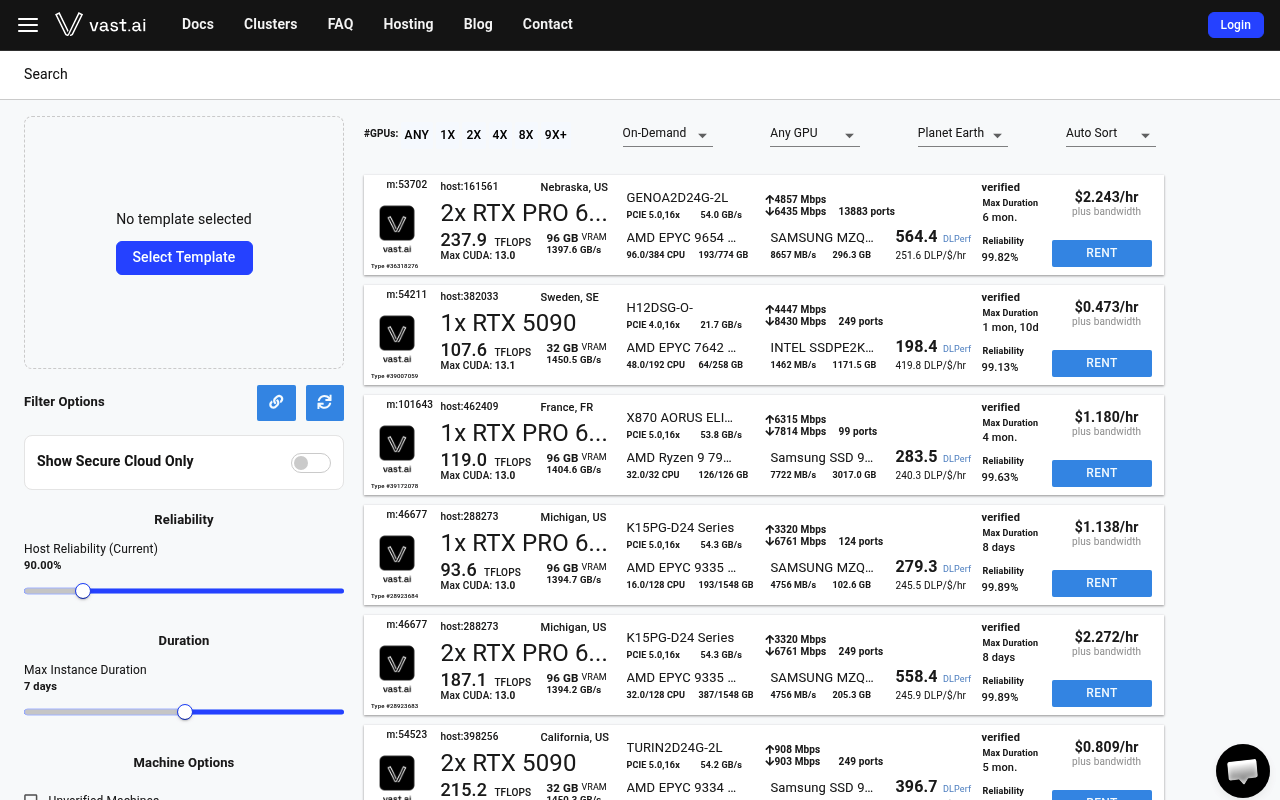
Vast.ai website screenshot

Vast.ai

Vast.ai is a decentralized GPU marketplace that matches buyers with 40+ datacenters and individual hosts renting out NVIDIA GPUs at market prices. It exposes a REST API, Python SDK, and vastai CLI for searching GPU offers, renting instances, attaching persistent volumes, and running serverless workloads across 68+ GPU types including H100, H200, B200, A100, and consumer RTX cards.

1 APIs 6 Features
AICloudComputeGPUMachine LearningMarketplaceServerless

APIs

Vast.ai REST API

The Vast.ai REST API is the control plane for the GPU marketplace. It supports searching offers across hosts, renting and managing instances, configuring machines and templates,...

Collections

GraphQL

Vast.ai GraphQL API

Vast.ai is a decentralized GPU marketplace for AI and ML workloads. The API covers instance rental, machine offers, container management, SSH access configuration, and billing f...

GRAPHQL

Pricing Plans

Vast Ai Plans Pricing

1 plans

PLANS

Rate Limits

Vast Ai Rate Limits

2 limits

RATE LIMITS

FinOps

Features

GPU Marketplace

Market-driven matching of buyers with 40+ datacenters and individual hosts across 68+ GPU types.

On-Demand Instances

Per-second-billed GPU rentals with guaranteed uptime, with no minimum hours.

Interruptible Instances

Fault-tolerant workloads priced 50%+ cheaper than on-demand with potential preemption.

Reserved Capacity

Up to 50% discounts on 1, 3, or 6-month commitments for stable workloads.

Serverless Endpoints

Serverless GPU workers built on the pyworker agent for autoscaling inference.

Templates

Pre-configured instance templates for fast launching of common workloads.

Integrations

Docker

Bring-your-own Docker image support across all rental instances.

SSH

Direct SSH access to rented instances for development and orchestration.

Resources

🔗
Website
Website
🔗
Developer
Developer
🔗
Documentation
Documentation
🌐
Portal
Portal
📝
Signup
Signup
🔗
Login
Login
💰
Pricing
Pricing
📰
Blog
Blog
📜
TermsOfService
TermsOfService
📜
PrivacyPolicy
PrivacyPolicy
💬
Support
Support
👥
GitHubOrganization
GitHubOrganization
🔗
LinkedIn
LinkedIn
🔗
CLI
CLI
📦
SDKs
SDKs
🔗
Samples
Samples
🔗
LlmsText
LlmsText

Sources

Raw ↑
opencollection: 1.0.0
info:
  name: Vast.ai API
  version: 1.0.0
request:
  auth:
    type: bearer
    token: '{{bearerToken}}'
items:
- info:
    name: Network Volumes
    type: folder
  items:
  - info:
      name: add network-disk
      type: http
    http:
      method: POST
      url: https://console.vast.ai/api/v0/network_disk/
      body:
        type: json
        data: '{}'
    docs: 'Adds a network disk to be used to create network volume offers, or adds machines to an existing network disk.

      CLI Usage: vast add network_disk <machine_id>... <mount_point> [options]'
  - info:
      name: list network-volume
      type: http
    http:
      method: POST
      url: https://console.vast.ai/api/v0/network_volume/
      body:
        type: json
        data: '{}'
    docs: 'Lists a network disk for rent as network volumes, or updates an existing listing with a new price/size/end date/discount

      CLI Usage: vast list network-volume <disk_id> [options]'
  - info:
      name: create network-volume
      type: http
    http:
      method: PUT
      url: https://console.vast.ai/api/v0/network_volume/
      body:
        type: json
        data: '{}'
    docs: 'Creates a network volume from an offer

      CLI Usage: vast create network-volume <offer_id>'
  - info:
      name: search network volumes
      type: http
    http:
      method: POST
      url: https://console.vast.ai/api/v0/network_volumes/search/
      body:
        type: json
        data: '{}'
    docs: 'Search for available GPU machine offers with advanced filtering and sorting.

      CLI Usage: ``` vast search network-volumes --order=storage_cost ''reliability > 0.99 geolocation in [US, CA]''```'
  - info:
      name: unlist network-volume
      type: http
    http:
      method: POST
      url: https://console.vast.ai/api/v0/network_volume/unlist
      body:
        type: json
        data: '{}'
    docs: 'Unlists a network volume for rent

      CLI Usage: vast unlist network-volume <offer_id>'
- info:
    name: Instances
    type: folder
  items:
  - info:
      name: attach ssh-key
      type: http
    http:
      method: POST
      url: https://console.vast.ai/api/v0/instances/:id/ssh/
      params:
      - name: id
        value: ''
        type: path
        description: ID of the instance to attach the SSH key to
      body:
        type: json
        data: '{}'
    docs: 'Attaches an SSH key to the specified instance, allowing SSH access using the provided key.


      CLI Usage: vast attach instance_id ssh_key'
  - info:
      name: copy
      type: http
    http:
      method: PUT
      url: https://console.vast.ai/api/v0/commands/copy_direct/
      body:
        type: json
        data: '{}'
    docs: Initiate a remote copy operation to transfer data from one instance to another or between an instance and the local
      machine.
  - info:
      name: cancel copy
      type: http
    http:
      method: DELETE
      url: https://console.vast.ai/api/v0/commands/copy_direct/
      body:
        type: json
        data: '{}'
    docs: Cancel a remote copy operation specified by the destination ID (dst_id).
  - info:
      name: cloud copy
      type: http
    http:
      method: POST
      url: https://console.vast.ai/api/v0/commands/rclone/
      body:
        type: json
        data: '{}'
    docs: Starts a cloud copy operation by sending a command to the remote server. The operation can transfer data between
      an instance and a cloud service.
  - info:
      name: cancel sync
      type: http
    http:
      method: DELETE
      url: https://console.vast.ai/api/v0/commands/rclone/
      body:
        type: json
        data: '{}'
    docs: 'Cancels an in-progress remote sync operation identified by the destination instance ID.

      This operation cannot be resumed once canceled and must be restarted if needed.'
  - info:
      name: change bid
      type: http
    http:
      method: PUT
      url: https://console.vast.ai/api/v0/instances/bid_price/:id/
      params:
      - name: id
        value: ''
        type: path
        description: Instance ID
      body:
        type: json
        data: '{}'
    docs: 'Change the current bid price of an instance to a specified price.

      CLI Usage: vastai change bid id [--price PRICE]'
  - info:
      name: create instance
      type: http
    http:
      method: PUT
      url: https://console.vast.ai/api/v0/asks/:id/
      params:
      - name: id
        value: ''
        type: path
        description: ID of the offer to accept
      body:
        type: json
        data: '{}'
    docs: 'Creates a new instance by accepting an "ask" contract from a provider. This is the main endpoint for launching
      new instances on Vast.ai.

      CLI Usage: vast create instance <offer_id> [options]'
  - info:
      name: show instance
      type: http
    http:
      method: GET
      url: https://console.vast.ai/api/v0/instances/:id/
      params:
      - name: id
        value: '123'
        type: path
        description: The ID of the instance to retrieve.
    docs: 'Retrieves the details of a specific instance for the authenticated user.

      This endpoint returns detailed information including SSH connection parameters, instance state, resource utilization,
      template data, and pricing details.'
  - info:
      name: manage instance
      type: http
    http:
      method: PUT
      url: https://console.vast.ai/api/v0/instances/:id/
      params:
      - name: id
        value: '1234'
        type: path
        description: ID of the instance to modify
      body:
        type: json
        data: '{}'
    docs: 'Manage instance state and labels. The operation is determined by the request body parameters.


      CLI Usage:

      - To stop: vastai stop instance <ID>

      - To start: vastai start instance <ID>

      - To label: vastai label instance <ID> <label>'
  - info:
      name: destroy instance
      type: http
    http:
      method: DELETE
      url: https://console.vast.ai/api/v0/instances/:id/
      params:
      - name: id
        value: '4242'
        type: path
        description: ID of the instance to destroy
    docs: 'Destroys/deletes an instance permanently. This is irreversible and will delete all data.


      CLI Usage: vast-ai destroy instance <id>

      Example: vast-ai destroy instance 4242'
  - info:
      name: detach ssh-key
      type: http
    http:
      method: DELETE
      url: https://console.vast.ai/api/v0/instances/:id/ssh/:key/
      params:
      - name: id
        value: ''
        type: path
        description: ID of the instance to detach the SSH key from
      - name: key
        value: ''
        type: path
        description: Numeric ID of the SSH key to detach
    docs: 'Detaches an SSH key from a specified instance, removing SSH access for

      that key.


      CLI Usage: vastai detach <instance_id> <ssh_key_id>


      Example: vastai detach 99999 12345'
  - info:
      name: execute
      type: http
    http:
      method: PUT
      url: https://console.vast.ai/api/v0/instances/command/:id/
      params:
      - name: id
        value: ''
        type: path
        description: ID of the instance to execute command on
      body:
        type: json
        data: '{}'
    docs: 'Executes a constrained remote command on a specified instance.

      The command output can be retrieved from the returned result URL.


      CLI Usage: vastai execute <instance_id> <command>

      Example: vastai execute 12345 "ls -l"'
  - info:
      name: show logs
      type: http
    http:
      method: PUT
      url: https://console.vast.ai/api/v0/instances/request_logs/:id
      params:
      - name: id
        value: ''
        type: path
        description: ID of the instance to get logs from
      body:
        type: json
        data: '{}'
    docs: 'Request logs from a specific instance. The logs will be uploaded to S3 and

      can be retrieved from a generated URL. Supports both container logs and daemon

      system logs.


      CLI Usage: vast logs INSTANCE_ID [--tail LINES] [--filter GREP] [--daemon-logs]'
  - info:
      name: prepay instance
      type: http
    http:
      method: PUT
      url: https://console.vast.ai/api/v0/instances/prepay/:id/
      params:
      - name: id
        value: ''
        type: path
        description: ID of the instance to prepay for
      body:
        type: json
        data: '{}'
    docs: 'Deposit credits into a reserved instance to receive usage discounts.

      The discount rate is calculated based on how many months of usage the prepaid amount covers.

      Maximum discount is typically 40%.


      CLI Usage: vastai prepay instance <ID> <AMOUNT>

      Example: vastai prepay instance 1234 500.0'
  - info:
      name: reboot instance
      type: http
    http:
      method: PUT
      url: https://console.vast.ai/api/v0/instances/reboot/:id/
      params:
      - name: id
        value: '1234'
        type: path
        description: ID of the instance to reboot
    docs: 'Stops and starts a container without losing GPU priority. Updates container status to ''rebooting''

      and executes docker stop/start commands on the host machine.


      CLI Usage: vastai reboot instance <ID>'
  - info:
      name: recycle instance
      type: http
    http:
      method: PUT
      url: https://console.vast.ai/api/v0/instances/recycle/:id/
      params:
      - name: id
        value: '1234'
        type: path
        description: ID of the instance to recycle
    docs: 'Destroys and recreates container in place (from newly pulled image) without losing GPU priority.

      Updates container status to ''recycling'' and executes docker stop/remove commands on the host machine.


      CLI Usage: vastai recycle instance <ID>'
  - info:
      name: show ssh-keys
      type: http
    http:
      method: GET
      url: https://console.vast.ai/api/v0/instances/:instance_id/ssh/
      params:
      - name: instance_id
        value: '17816188'
        type: path
        description: The ID of the instance to retrieve SSH keys for.
    docs: Retrieves the SSH keys associated with a specific instance.
  - info:
      name: show instances
      type: http
    http:
      method: GET
      url: https://console.vast.ai/api/v0/instances/
    docs: 'Retrieve a list of instances for the authenticated user.


      CLI Usage: vast-ai show instances [OPTIONS] [--api-key API_KEY] [--raw]'
- info:
    name: Machines
    type: folder
  items:
  - info:
      name: cancel maint
      type: http
    http:
      method: PUT
      url: https://console.vast.ai/api/v0/machines/:machine_id/cancel_maint
      params:
      - name: machine_id
        value: ''
        type: path
        description: ID of the machine to cancel maintenance for.
    docs: Cancel a scheduled maintenance window for a specified machine.
  - info:
      name: cleanup machine
      type: http
    http:
      method: PUT
      url: https://console.vast.ai/api/v0/machines/:machine_id/cleanup
      params:
      - name: machine_id
        value: ''
        type: path
        description: The ID of the machine to clean up.
      body:
        type: json
        data: '{}'
    docs: 'This endpoint removes expired contracts on a specified machine, freeing up space.


      CLI Usage: vast-ai cleanup machine {machine_id}'
  - info:
      name: list machine
      type: http
    http:
      method: PUT
      url: https://console.vast.ai/api/v0/machines/create_asks/
      body:
        type: json
        data: '{}'
    docs: 'Creates or updates ask contracts for a machine to list it for rent on the vast.ai platform.

      Allows setting pricing, minimum GPU requirements, end date and discount rates.


      CLI Usage: vast list machine <machine_id> [options]'
  - info:
      name: remove defjob
      type: http
    http:
      method: DELETE
      url: https://console.vast.ai/api/v0/machines/:machine_id/defjob
      params:
      - name: machine_id
        value: ''
        type: path
        description: ID of the machine to remove the default job from.
    docs: 'Deletes the default job (background instances) for a specified machine.


      CLI Usage: vast-ai remove defjob {machine_id}'
  - info:
      name: show reports
      type: http
    http:
      method: GET
      url: https://console.vast.ai/api/v0/machines/:machine_id/reports
      params:
      - name: machine_id
        value: ''
        type: path
        description: The unique identifier of the machine.
    docs: 'Retrieves a list of the most recent reports for a given machine. Each report includes details such as the problem
      identified, a message describing the issue, and the timestamp when the report was created.


      CLI Usage: vastai reports <machine_id>'
  - info:
      name: schedule maint
      type: http
    http:
      method: PUT
      url: https://console.vast.ai/api/v0/machines/:machine_id/dnotify
      params:
      - name: machine_id
        value: ''
        type: path
        description: ID of the machine to schedule maintenance for.
      body:
        type: json
        data: '{}'
    docs: 'Schedules a maintenance window for a specified machine and notifies clients.


      CLI Usage: vast-ai schedule maint {machine_id} --sdate {sdate} --duration {duration}'
  - info:
      name: set defjob
      type: http
    http:
      method: PUT
      url: https://console.vast.ai/api/v0/machines/create_bids/
      body:
        type: json
        data: '{}'
    docs: 'Creates default jobs (background instances) for a specified machine with the given parameters.


      CLI Usage: vast set defjob {machine_id} --price_gpu {price} --price_inetu {price} --price_inetd {price} --image {image}
      [--args {args}]'
  - info:
      name: set min-bid
      type: http
    http:
      method: PUT
      url: https://console.vast.ai/api/v0/machines/:machine_id/minbid
      params:
      - name: machine_id
        value: ''
        type: path
        description: The ID of the machine.
      body:
        type: json
        data: '{}'
    docs: 'Sets the minimum bid price for a specified machine.


      CLI Usage: vast set min-bid {machine_id} --price {price}'
  - info:
      name: show machines
      type: http
    http:
      method: GET
      url: https://console.vast.ai/api/v0/machines/
      params:
      - name: user_id
        value: ''
        type: query
        description: The ID of the user whose machines are being requested.
    docs: Fetches data for multiple machines associated with the authenticated user.
  - info:
      name: unlist machine
      type: http
    http:
      method: DELETE
      url: https://console.vast.ai/api/v0/machines/:machine_id/asks
      params:
      - name: machine_id
        value: ''
        type: path
        description: The ID of the machine to unlist.
    docs: 'Removes all ''ask'' type offer contracts for a specified machine, effectively unlisting it from being available
      for rent.


      CLI Usage: vastai unlist machine <id>'
- info:
    name: Accounts
    type: folder
  items:
  - info:
      name: show api keys
      type: http
    http:
      method: GET
      url: https://console.vast.ai/api/v0/auth/apikeys/
    docs: 'Retrieves all API keys associated with the authenticated user.


      CLI Usage: vastai show api-keys'
  - info:
      name: create api-key
      type: http
    http:
      method: POST
      url: https://console.vast.ai/api/v0/auth/apikeys/
      body:
        type: json
        data: '{}'
    docs: 'Creates a new API key with specified permissions for the authenticated user.


      CLI Usage: vast create api-key --name NAME --permission_file PERMISSIONS [--key_params PARAMS]


      Example:

      vast create api-key --name "read-only" --permission_file permissions.json'
  - info:
      name: show env vars
      type: http
    http:
      method: GET
      url: https://console.vast.ai/api/v0/secrets/
    docs: 'Retrieve a list of environment variables (secrets) for the authenticated user.


      CLI Usage: vast-ai show env-vars [-s]'
  - info:
      name: create env-var
      type: http
    http:
      method: POST
      url: https://console.vast.ai/api/v0/secrets/
      body:
        type: json
        data: '{}'
    docs: 'Creates a new encrypted environment variable for the authenticated user.

      Keys are automatically converted to uppercase. Values are encrypted before storage.

      There is a limit on the total number of environment variables per user.


      CLI Usage: vast create env-var KEY VALUE'
  - info:
      name: update env var
      type: http
    http:
      method: PUT
      url: https://console.vast.ai/api/v0/secrets/
      body:
        type: json
        data: '{}'
    docs: 'Updates the value of an existing environment variable for the authenticated user.


      CLI Usage: vast-ai set env-var KEY VALUE'
  - info:
      name: delete env var
      type: http
    http:
      method: DELETE
      url: https://console.vast.ai/api/v0/secrets/
      body:
        type: json
        data: '{}'
    docs: 'Deletes an environment variable associated with the authenticated user.

      The variable must exist and belong to the requesting user.


      CLI Usage: vastai delete env-var <name>'
  - info:
      name: show ssh keys
      type: http
    http:
      method: GET
      url: https://console.vast.ai/api/v0/ssh/
      headers:
      - name: Authorization
        value: ''
    docs: Retrieve a list of SSH keys associated with the authenticated user's account.
  - info:
      name: create ssh-key
      type: http
    http:
      method: POST
      url: https://console.vast.ai/api/v0/ssh/
      body:
        type: json
        data: '{}'
    docs: 'Creates a new SSH key and associates it with your account.

      The key will be automatically added to all your current instances.


      CLI Usage: vast create ssh-key <ssh_key>

      Example: vast create ssh-key "ssh-rsa AAAAB3NzaC1..."'
  - info:
      name: create subaccount
      type: http
    http:
      method: POST
      url: https://console.vast.ai/api/v0/users/
      body:
        type: json
        data: '{}'
    docs: 'Creates either a standalone user account or a subaccount under a parent account.

      Subaccounts can be restricted to host-only functionality.


      CLI Usage: vastai create subaccount --email EMAIL --username USERNAME --password PASSWORD --type host'
  - info:
      name: set user
      type: http
    http:
      method: PUT
      url: https://console.vast.ai/api/v0/users/
      body:
        type: json
        data: '{}'
    docs: 'Updates the user data for the authenticated user.


      CLI Usage: vast set user --file {file_path}'
  - info:
      name: show api key
      type: http
    http:
      method: GET
      url: https://console.vast.ai/api/v0/auth/apikeys/:id/
      params:
      - name: id
        value: '123'
        type: path
        description: ID of the API key to retrieve
    docs: 'Retrieves an existing API key belonging to the authenticated user.


      CLI Usage: vastai show api-key ID'
  - info:
      name: delete api key
      type: http
    http:
      method: DELETE
      url: https://console.vast.ai/api/v0/auth/apikeys/:id/
      params:
      - name: id
        value: '123'
        type: path
        description: ID of the API key to delete
    docs: 'Deletes an existing API key belonging to the authenticated user.

      The API key is soft-deleted by setting a deleted_at timestamp.


      CLI Usage: vastai delete api-key ID'
  - info:
      name: update ssh key
      type: http
    http:
      method: PUT
      url: https://console.vast.ai/api/v0/ssh/:id/
      params:
      - name: id
        value: ''
        type: path
        description: ID of the SSH key to update
      body:
        type: json
        data: '{}'
    docs: 'Updates the specified SSH key with the provided value.


      CLI Usage: vastai update ssh-key id ssh_key'
  - info:
      name: delete ssh key
      type: http
    http:
      method: DELETE
      url: https://console.vast.ai/api/v0/ssh/:id/
      params:
      - name: id
        value: ''
        type: path
        description: ID of the SSH key to delete
    docs: 'Removes an SSH key from the authenticated user''s account

      CLI Usage: vastai delete ssh-key <id>`'
  - info:
      name: reset api key
      type: http
    http:
      method: PUT
      url: https://console.vast.ai/api/v0/commands/reset_apikey/
      body:
        type: json
        data: '{}'
    docs: 'Resets the API key for the authenticated user. This operation generates a new API key and invalidates the old one.


      CLI Usage: vast-ai reset api-key'
  - info:
      name: show connections
      type: http
    http:
      method: GET
      url: https://console.vast.ai/api/v0/users/cloud_integrations/
    docs: 'Retrieves the list of cloud connections associated with the authenticated user.


      CLI Usage: vastai show connections'
  - info:
      name: show ipaddrs
      type: http
    http:
      method: GET
      url: https://console.vast.ai/api/v0/users/:user_id/ipaddrs/
      params:
      - name: user_id
        value: me
        type: path
        description: The ID of the user whose IP address history is being retrieved.
    docs: 'This endpoint retrieves the history of IP address accesses for the authenticated user.


      CLI Usage: vast-ai show ipaddrs'
  - info:
      name: show subaccounts
      type: http
    http:
      method: GET
      url: https://console.vast.ai/api/v0/subaccounts/
    docs: 'Retrieve a list of subaccounts associated with the authenticated user''s account.


      CLI Usage: vast-ai show subaccounts'
  - info:
      name: show team role
      type: http
    http:
      method: GET
      url: https://console.vast.ai/api/v0/team/roles/:id/
      params:
      - name: id
        value: admin
        type: path
        description: Name of the team role
    docs: 'Retrieve details of a specific team role by its name.


      CLI Usage: vastai show team-role NAME'
  - info:
      name: show user
      type: http
    http:
      method: GET
      url: https://console.vast.ai/api/v0/users/current/
    docs: 'Retrieve information about the current authenticated user, excluding the API key.


      CLI Usage: vastai show user'
  - info:
      name: transfer credit
      type: http
    http:
      method: PUT
      url: https://console.vast.ai/api/v0/commands/transfer_credit/
      body:
        type: json
        data: '{}'
    docs: 'Transfers specified amount of credits from the authenticated user''s account to another user''s account.

      The recipient can be specified by either email address or user ID.


      CLI Usage: vast.py transfer credit <recipient_email> <amount>'
- info:
    name: Serverless
    type: folder
  items:
  - info:
      name: show workergroup
      type: http
    http:
      method: GET
      url: https://console.vast.ai/api/v0/workergroups/
    docs: 'Retrieves the list of workergroups associated with the authenticated user.


      CLI Usage: vastai show workergroups'
  - info:
      name: create workergroup
      type: http
    http:
      method: POST
      url: https://console.vast.ai/api/v0/workergroups/
      body:
        type: json
        data: '{}'
    docs: 'Creates a new workergroup configuration that manages worker instances for a serverless endpoint.


      CLI Usage: vast-ai create workergroup --template_hash <HASH> --endpoint_name <NAME> [options]'
  - info:
      name: show endpoints
      type: http
    http:
      method: GET
      url: https://console.vast.ai/api/v0/endptjobs/
    docs: Retrieve a list of endpoint jobs for the authenticated user.
  - info:
      name: create endpoint
      type: http
    http:
      method: POST
      url: https://console.vast.ai/api/v0/endptjobs/
      body:
        type: json
        data: '{}'
    docs: 'This endpoint creates a new job processing endpoint with specified parameters.


      CLI Usage: vast-ai create endpoint'
  - info:
      name: update workergroup
      type: http
    http:
      method: PUT
      url: https://console.vast.ai/api/v0/workergroups/:id/
      params:
      - name: id
        value: ''
        type: path
        description: The ID of the workergroup to update.
      body:
        type: json
        data: '{}'
    docs: 'Updates the properties of an existing workergroup based on the provided parameters.


      CLI Usage: vastai update workergroup <ID> [OPTIONS]'
  - info:
      name: delete workergroup
      type: http
    http:
      method: DELETE
      url: https://console.vast.ai/api/v0/workergroups/:id/
      params:
      - name: id
        value: ''
        type: path
        description: ID of the workergroup to delete
    docs: 'Deletes an existing workergroup.


      CLI Usage: vastai delete workergroup <ID>'
  - info:
      name: update endpoint
      type: http
    http:
      method: PUT
      url: https://console.vast.ai/api/v0/endptjobs/:id/
      params:
      - name: id
        value: ''
        type: path
        description: ID of the endpoint group to update
      body:
        type: json
        data: '{}'
    docs: 'Updates the specified endpoint group with the provided parameters.


      CLI Usage: vastai update endpoint ID [OPTIONS]'
  - info:
      name: delete endpoint
      type: http
    http:
      method: DELETE
      url: https://console.vast.ai/api/v0/endptjobs/:id/
      params:
      - name: id
        value: ''
        type: path
        description: ID of the endpoint group to delete
    docs: 'Deletes an endpoint group by ID. Associated workergroups will also be deleted.


      CLI Usage: vastai delete endpoint <ID>'
  - info:
      name: get workergroup logs
      type: http
    http:
      method: POST
      url: https://console.vast.ai/get_workergroup_logs/
      body:
        type: json
        data: '{}'
    docs: Retrieves logs for a specific workergroup by ID.
  - info:
      name: get workergroup workers
      type: http
    http:
      method: POST
      url: https://console.vast.ai/get_workergroup_workers/
      body:
        type: json
        data: '{}'
    docs: 'Retrieves the current list and status of workers for a specific workergroup.


      Useful for monitoring, debugging connectivity issues, and understanding resource usage within a workergroup.'
  - info:
      name: get endpoint logs
      type: http
    http:
      method: POST
      url: https://console.vast.ai/get_endpoint_logs/
      body:
        type: json
        data: '{}'
    docs: Retrieves logs for a specific endpoint by name.
  - info:
      name: get endpoint workers
      type: http
    http:
      method: POST
      url: https://console.vast.ai/get_endpoint_workers/
      body:
        type: json
        data: '{}'
    docs: 'Retrieves the current list and status of workers for a specific endpoint.


      Useful for monitoring, debugging connectivity issues, and understanding resource usage.'
  - info:
      name: route
      type: http
    http:
      method: POST
      url: https://console.vast.ai/route/
      body:
        type: json
        data: '{}'
    docs: 'Calls on the serverless engine to retrieve a GPU instance address within your endpoint for processing a request.


      The engine will return either a ready worker URL or status information if no workers are available.'
- info:
    name: Team
    type: folder
  items:
  - info:
      name: create team
      type: http
    http:
      method: POST
      url: https://console.vast.ai/api/v0/team
      body:
        type: json
        data: '{}'
    docs: 'Creates a new team with the authenticated user as the owner. The user''s existing API key

      becomes the owner key for the team. The user cannot already be a team or be a member of another team.


      The operation:

      1. Converts the user into a team

      2. Creates default team roles (member, manager, owner)

      3. Converts user''s API key into the owner key

      4. Adds the creating user as a team member


      CLI Usage: vast create team --name <team_name>'
  - info:
      name: create team role
      type: http
    http:
      method: POST
      url: https://console.vast.ai/api/v0/team/role
      body:
        type: json
        data: '{}'
    docs: 'Creates a new role within a team. Only team owners or managers with the appropriate permissions can perform this
      operation.


      CLI Usage: vast create team role --name <role_name> --permissions <permissions_json>'
  - info:
      name: destroy team
      type: http
    http:
      method: DELETE
      url: https://console.vast.ai/api/v0/team/
    docs: 'Deletes a team and all associated data including API keys, rights, invitations,

      memberships and metadata. The team owner''s master API key is converted to a normal client key.


      CLI Usage: vast-ai destroy team'
  - info:
      name: invite team member
      type: http
    http:
      method: POST
      url: https://console.vast.ai/api/v0/team/invite/
      body:
        type: json
        data: '{}'
    docs: 'Sends an invitation email to the specified user to join the team with the given role.


      CLI Usage: vast-ai invite team-member --email EMAIL --role ROLE'
  - info:
      name: remove team member
      type: http
    http:
      method: DELETE
      url: https://console.vast.ai/api/v0/team/members/:id
      params:
      - name: id
        value: '12345'
        type: path
        description: User ID of the team member to remove
    docs: 'Removes a member from the team by revoking their team-related API keys and updating membership status.

      Cannot remove the team owner.


      CLI Usage: vast-ai remove team-member ID

      Example: vast-ai remove team-member 12345'
  - info:
      name: remove team role
      type: http
    http:
      method: DELETE
      url: https://console.vast.ai/api/v0/team/roles/:id
      params:
      - name: id
        value: developer
        type: path
        description: Name of the role to remove
    docs: 'Removes a role from the team. Cannot remove the team owner role.


      CLI Usage: vast-ai remove team-role NAME

      Example: vast-ai remove team-role developer'
  - info:
      name: show team members
      type: http
    http:
      method: GET
      url: https://console.vast.ai/api/v0/team/members/
    docs: 'Retrieve a list of team members associated with the authenticated user''s team.


      CLI Usage: vastai show team-members'
  - info:
      name: update team role
      type: http
    http:
      method: PUT
      url: https://console.vast.ai/api/v0/team/roles/:id/
      params:
      - name: id
        value: ''
        type: path
        description: ID of the role to update.
      body:
        type: json
        data: '{}'
    docs: Update an existing team role with new name and permissions.
  - info:
      name: show team roles
      type: http
    http:
      method: GET
      url: https://console.vast.ai/api/v0/team/roles-full/
    docs: 'Retrieve a list of all roles for a team, excluding the ''team_owner'' role.


      CLI Usage: vastai show team-roles'
- info:
    name: Search
    type: folder
  items:
  - info:
      name: search templates
      type: http
    http:
      method: GET
      url: https://console.vast.ai/api/v0/template/
      params:
      - name: query
        value: ''
        type: query
        description: Search query string to match against template fields.
      - name: select_filters
        value: ''
        type: query
        description: Filters to apply on the search results.
      - name: order_by
        value: ''
        type: query
        description: Column to order the results by.
    docs: 'Searches for templates based on query parameters and retrieves matching templates.


      CLI Usage: vast search templates'
  - info:
      name: search benchmarks
      type: http
    http:
      method: GET
      url: https://console.vast.ai/api/v0/benchmarks/
      params:
      - name: query
        value: score>1000
        type: query
        description: Search query string to filter benchmarks.
    docs: 'Retrieve benchmark data based on search parameters.


      CLI Usage: vast-ai search benchmarks'
  - info:
      name: search offers
      type: http
    http:
      method: PUT
      url: https://console.vast.ai/api/v0/search/asks/
      body:
        type: json
        data: '{}'
    docs: 'Search for available GPU machine offers with advanced filtering and sorting.

      Default filters applied unless --no-default: - verified: true - e

# --- truncated at 32 KB (37 KB total) ---
# Full source: https://raw.githubusercontent.com/api-evangelist/vast-ai/refs/heads/main/apis.yml
