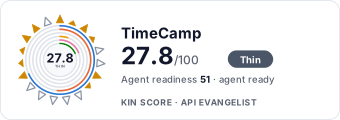
TimeCamp

TimeCamp is a time tracking and timesheet platform used by teams to log billable hours, run attendance and time-off, approve timesheets, and measure productivity across projects. Its documented REST API - free on every plan, including the free tier - covers time entries, timers, tasks and projects, users and groups, attendance, approvals, tags, billing rates, expenses, and computer activity data, authenticated with a per-user API token sent as a bearer header.

10 APIs 0 Features
Time TrackingTimesheetsProductivityAttendanceProject ManagementBilling

APIs

TimeCamp Time Entries API

Create, read, update, and delete time entries - the core timesheet records. Filter entries by date range, users, tasks, and tags, merge duplicate entries, track entry changes an...

TimeCamp Timer API

Start, stop, and inspect running timers. A single POST /timer endpoint switches on an action parameter (start, stop, status), and GET /timer_running returns all currently runnin...

TimeCamp Tasks and Projects API

Manage the task and project tree that time is tracked against - create, update, and delete tasks, fetch task details, set task colors and tags. The v3 surface adds project listi...

TimeCamp Users and Groups API

Administer the account - list all users, fetch your own profile (/me), invite and update users, manage per-user settings, and organize users into groups with group-level setting...

TimeCamp Attendance API

Attendance and time-off surface - pull attendance records per period, read and set per-user day types (working day, vacation, sick leave), submit attendance requests, and use th...

TimeCamp Timesheet Approvals API

Timesheet approval workflow - fetch and create approvals for user timesheet periods, list users subject to approval, and drive the v3 flow with approval listing, status changes ...

TimeCamp Computer Activities API

Read the desktop-agent productivity data - application and website usage captured by the TimeCamp tracker - via GET /activity, plus v3 endpoints for sites-and-apps activity logs...

TimeCamp Tags API

Manage tag lists and tags used to slice time entries for reporting - create and update tag lists, add tags, scope tags to groups, and attach or remove tags on individual time en...

TimeCamp Billing Rates and Expenses API

Monetize tracked time - get and set billing rates per task, per user, per task-user pair, and per group, and manage expenses through the v3 endpoints including expense categorie...

TimeCamp Data Export API

Bulk reporting surface on the v3 API - request dataset exports, poll export status, check dataset availability, and download results, plus custom field templates and values that...

Collections

Pricing Plans

Timecamp Plans Pricing

5 plans

PLANS

Rate Limits

Timecamp Rate Limits

2 limits

RATE LIMITS

FinOps

Resources

🔗
DomainSecurity
DomainSecurity
🔑
Authentication
Authentication
🔗
LinkedIn
LinkedIn
🔗
Website
Website
🔗
Documentation
Documentation
💬
Support
Support
💰
Pricing
Pricing
📰
Blog
Blog
🔗
Plans
Plans
🔗
RateLimits
RateLimits
🔗
FinOps
FinOps

Sources

Raw ↑
opencollection: 1.0.0
info:
  name: TimeCamp API
  version: '1.0'
request:
  auth:
    type: bearer
    token: '{{apiToken}}'
items:
- info:
    name: Time Entries
    type: folder
  items:
  - info:
      name: Get time entries
      type: http
    http:
      method: GET
      url: https://app.timecamp.com/third_party/api/entries
    docs: 'Get time entry or entries.


      If both `modify_from` and `modify_to` parameters are provided, `from` and `to` are not required.'
  - info:
      name: Create time entry
      type: http
    http:
      method: POST
      url: https://app.timecamp.com/third_party/api/entries
      body:
        type: json
        data: '{}'
    docs: Create time entry.
  - info:
      name: Update time entry
      type: http
    http:
      method: PUT
      url: https://app.timecamp.com/third_party/api/entries
      body:
        type: json
        data: '{}'
    docs: Update time entries.
  - info:
      name: Delete time entry
      type: http
    http:
      method: DELETE
      url: https://app.timecamp.com/third_party/api/entries
    docs: Delete time entries.
  - info:
      name: Get time entries changes
      type: http
    http:
      method: GET
      url: https://app.timecamp.com/third_party/api/entries_changes
    docs: Get time enties changes.
  - info:
      name: Get time entries deletions
      type: http
    http:
      method: GET
      url: https://app.timecamp.com/third_party/api/entries_deletions
    docs: Get time enties deletions.
  - info:
      name: Merge time entries
      type: http
    http:
      method: POST
      url: https://app.timecamp.com/third_party/api/entries_merge
      body:
        type: json
        data: '{}'
    docs: Merge two time entries into one.
  - info:
      name: Get logged time in a week
      type: http
    http:
      method: GET
      url: https://app.timecamp.com/third_party/api/logged_time_in_week
    docs: This endpoint gets a `day` and returns array with summarized entries time per day for this week. The time is returned
      in seconds.
  - info:
      name: Get time entries by user permissions
      type: http
    http:
      method: POST
      url: https://app.timecamp.com/third_party/api/v3/time-entries/list
      body:
        type: json
        data: '{}'
    docs: Get time entries by user access and permissions.
  - info:
      name: Create time entry
      type: http
    http:
      method: POST
      url: https://app.timecamp.com/third_party/api/v3/time-entries/create
      body:
        type: json
        data: '{}'
    docs: Create a time entry.
  - info:
      name: Update time entry
      type: http
    http:
      method: PUT
      url: https://app.timecamp.com/third_party/api/v3/time-entries/{id}
      body:
        type: json
        data: '{}'
    docs: Update a time entry by id.
  - info:
      name: Delete time entry
      type: http
    http:
      method: DELETE
      url: https://app.timecamp.com/third_party/api/v3/time-entries/{id}
    docs: Delete a time entry by id.
- info:
    name: Timer
    type: folder
  items:
  - info:
      name: Start, stop, get timer
      type: http
    http:
      method: POST
      url: https://app.timecamp.com/third_party/api/timer
      body:
        type: json
        data: '{}'
    docs: Get timer status, start new timer or stop one.
  - info:
      name: Delete timer
      type: http
    http:
      method: DELETE
      url: https://app.timecamp.com/third_party/api/timer
    docs: Deletes timer without saving tracked time.
  - info:
      name: Get information about running timer
      type: http
    http:
      method: GET
      url: https://app.timecamp.com/third_party/api/timer_running
    docs: Returns information about running timer.
- info:
    name: Tasks and Projects
    type: folder
  items:
  - info:
      name: Get task info
      type: http
    http:
      method: GET
      url: https://app.timecamp.com/third_party/api/tasks
    docs: 'Returns information about task or tasks.


      If asked about specific task (`task_id` or `external_task_id` was provided) and no task was found it returns error status
      of `404 Not Found`.'
  - info:
      name: Create new task
      type: http
    http:
      method: POST
      url: https://app.timecamp.com/third_party/api/tasks
      body:
        type: json
        data: '{}'
    docs: Create new task. To ceate new task you should have proper permissions.
  - info:
      name: Update task info
      type: http
    http:
      method: PUT
      url: https://app.timecamp.com/third_party/api/tasks
      body:
        type: json
        data: '{}'
    docs: Modify existing task. To modify a task you should have proper permissions.
  - info:
      name: Delete task
      type: http
    http:
      method: DELETE
      url: https://app.timecamp.com/third_party/api/tasks
    docs: '>Endpoint deprecated instead use <a href="/#/operations/post-task-remove">this</a>

      Delete task. To delete a task you should have proper permissions. You need to include `task_id` in GET.'
  - info:
      name: Get task details
      type: http
    http:
      method: GET
      url: https://app.timecamp.com/third_party/api/task_details
    docs: Get task details.
  - info:
      name: Add/change color in task
      type: http
    http:
      method: PUT
      url: https://app.timecamp.com/third_party/api/task_color
      body:
        type: json
        data: '{}'
    docs: Creates job to add/change a task color (for everyone).
  - info:
      name: List projects tree
      type: http
    http:
      method: POST
      url: https://app.timecamp.com/third_party/api/v3/projects
      body:
        type: json
        data: '{}'
    docs: List projects tree
  - info:
      name: Search in projects tree
      type: http
    http:
      method: POST
      url: https://app.timecamp.com/third_party/api/v3/projects/search
      body:
        type: json
        data: '{}'
    docs: Search in projects tree
  - info:
      name: List assigned users for project task
      type: http
    http:
      method: GET
      url: https://app.timecamp.com/third_party/api/v3/projects/{taskId}/assigned-users
    docs: Returns active users assigned to a task, including inherited assignments metadata.
  - info:
      name: Assign users to project task
      type: http
    http:
      method: PUT
      url: https://app.timecamp.com/third_party/api/v3/projects/{taskId}/assign
      body:
        type: json
        data: '{}'
    docs: Assigns one or more users to the selected project task with the provided project role.
  - info:
      name: Task duplicate
      type: http
    http:
      method: POST
      url: https://app.timecamp.com/third_party/api/v3/task/duplicate
      body:
        type: json
        data: '{}'
    docs: Task duplicate
  - info:
      name: Archive a batch of tasks
      type: http
    http:
      method: PATCH
      url: https://app.timecamp.com/third_party/api/v3/task-archive/archive-batch
      body:
        type: json
        data: '{}'
    docs: Queues multiple active tasks for archiving. Tasks that are already archived are skipped.
- info:
    name: Users and Groups
    type: folder
  items:
  - info:
      name: Get all users data
      type: http
    http:
      method: GET
      url: https://app.timecamp.com/third_party/api/users
    docs: Retrieves information about all users in an account
  - info:
      name: Get your user data
      type: http
    http:
      method: GET
      url: https://app.timecamp.com/third_party/api/me
    docs: Get your user data.
  - info:
      name: Update user
      type: http
    http:
      method: POST
      url: https://app.timecamp.com/third_party/api/user
      body:
        type: json
        data: '{}'
    docs: Update user's data. If `user_id` is not provided, the data for the user associated with the API key will be updated.
  - info:
      name: Get user
      type: http
    http:
      method: GET
      url: https://app.timecamp.com/third_party/api/user/{user_id}
    docs: Returns user's information. If `user_id` is not provided then returns current user data. Provide comma separated
      ids for multiple users ie. `132,423,456`.
  - info:
      name: Get user setting
      type: http
    http:
      method: GET
      url: https://app.timecamp.com/third_party/api/user/{user_id}/setting
    docs: Return user's setting value.
  - info:
      name: Update user setting
      type: http
    http:
      method: PUT
      url: https://app.timecamp.com/third_party/api/user/{user_id}/setting
      body:
        type: json
        data: '{}'
    docs: Update user setting.
  - info:
      name: Get all groups
      type: http
    http:
      method: GET
      url: https://app.timecamp.com/third_party/api/group
    docs: Get all groups.
  - info:
      name: Update group
      type: http
    http:
      method: POST
      url: https://app.timecamp.com/third_party/api/group
      body:
        type: json
        data: '{}'
    docs: 'Modify existing group. Edit permission is required.


      WARNING: backend might not return a response, but changes will be applied!'
  - info:
      name: Get users in group
      type: http
    http:
      method: GET
      url: https://app.timecamp.com/third_party/api/group/{group_id}/user
    docs: Get users from given group.
  - info:
      name: Get time tracking roles
      type: http
    http:
      method: GET
      url: https://app.timecamp.com/third_party/api/tt_role
    docs: Returns roles allowed for your root group with permissions.
- info:
    name: Attendance
    type: folder
  items:
  - info:
      name: Get attendance
      type: http
    http:
      method: GET
      url: https://app.timecamp.com/third_party/api/attendance
    docs: Get attendance
  - info:
      name: Retrieve all possible day types for attendance
      type: http
    http:
      method: GET
      url: https://app.timecamp.com/third_party/api/attendance/day_types
    docs: Returns a list of all possible day types to declare in attendance.
  - info:
      name: Retrieve attendance data for a user within a date range
      type: http
    http:
      method: GET
      url: https://app.timecamp.com/third_party/api/attendance/{userId}/user
    docs: Retrieve attendance data for a user within a date range
  - info:
      name: Insert or update user attendance records
      type: http
    http:
      method: POST
      url: https://app.timecamp.com/third_party/api/attendance/{userId}/user
      body:
        type: json
        data: '{}'
    docs: 'Inserts or updates attendance records for a user. Each entry corresponds to one day.

      The `shouldBe` and `vacationTime` fields are optional.


      **Important:** The date range constraint does not mean a limit of 100 entries, but rather that the maximum range between
      the earliest and latest dates in the payload must not exceed 100 days.'
  - info:
      name: Create attendance request [beta]
      type: http
    http:
      method: POST
      url: https://app.timecamp.com/third_party/api/attendance-request
      body:
        type: json
        data: '{}'
    docs: 'Creates an attendance request for a specified user and date.

      The request can be created by the user themselves or by an administrator/supervisor for another user.

      Depending on permissions and day type settings, the request may be auto-approved or require manual approval.

      Note: This is a beta version.'
  - info:
      name: Has Pending Attendance Requests [beta]
      type: http
    http:
      method: GET
      url: https://app.timecamp.com/third_party/api/attendance-request/has-pending
    docs: 'Checks if the current user has any pending attendance requests to process. Note: This is a beta version.'
  - info:
      name: Attendance calendar search [beta]
      type: http
    http:
      method: POST
      url: https://app.timecamp.com/third_party/api/v3/attendance/calendar/search
      body:
        type: json
        data: '{}'
    docs: 'Returns attendance calendar data for users in a date range. Note: This is a beta version.'
  - info:
      name: Predefined Days Assigned To Group [beta]
      type: http
    http:
      method: GET
      url: https://app.timecamp.com/third_party/api/v3/attendance/predefined-days/{groupId}
    docs: 'List of all predefined days assigned directly to given group. Note: This is a beta version.'
- info:
    name: Timesheet Approvals
    type: folder
  items:
  - info:
      name: Get approvals
      type: http
    http:
      method: GET
      url: https://app.timecamp.com/third_party/api/approval
    docs: Get approval or approvals
  - info:
      name: Create/Update approval
      type: http
    http:
      method: POST
      url: https://app.timecamp.com/third_party/api/approval
      body:
        type: json
        data: '{}'
    docs: Create new approval or update existing one.
  - info:
      name: Get approval users
      type: http
    http:
      method: GET
      url: https://app.timecamp.com/third_party/api/approval_users
    docs: Returns list with user ids which you are able to either approve or reject.
  - info:
      name: List approval
      type: http
    http:
      method: POST
      url: https://app.timecamp.com/third_party/api/v3/approval/list
      body:
        type: json
        data: '{}'
    docs: Get approval list by filters
  - info:
      name: Change status of approval
      type: http
    http:
      method: PUT
      url: https://app.timecamp.com/third_party/api/v3/approval/{id}/change-status
      body:
        type: json
        data: '{}'
    docs: Change status of approval
  - info:
      name: Bulk change status of approval
      type: http
    http:
      method: PUT
      url: https://app.timecamp.com/third_party/api/v3/approval/bulk-change-status
      body:
        type: json
        data: '{}'
    docs: Bulk change status of approval
  - info:
      name: Send reminder
      type: http
    http:
      method: POST
      url: https://app.timecamp.com/third_party/api/v3/approval/send-reminder
      body:
        type: json
        data: '{}'
    docs: Send reminder
- info:
    name: Computer Activities
    type: folder
  items:
  - info:
      name: Get computer activities
      type: http
    http:
      method: GET
      url: https://app.timecamp.com/third_party/api/activity
    docs: Get computer activities.
  - info:
      name: List of sites and apps
      type: http
    http:
      method: POST
      url: https://app.timecamp.com/third_party/api/v3/activity-log/sites-and-apps
      body:
        type: json
        data: '{}'
    docs: List of sites and apps
- info:
    name: Tags
    type: folder
  items:
  - info:
      name: Get tag list
      type: http
    http:
      method: GET
      url: https://app.timecamp.com/third_party/api/tag_list
    docs: Get tag list data.
  - info:
      name: Create new tag list
      type: http
    http:
      method: POST
      url: https://app.timecamp.com/third_party/api/tag_list
      body:
        type: json
        data: '{}'
    docs: Create new tag list.
  - info:
      name: Create tag
      type: http
    http:
      method: POST
      url: https://app.timecamp.com/third_party/api/tag
      body:
        type: json
        data: '{}'
    docs: Create tag. Do not provide `tag_id` in url, because while creating new tag a new, unique `tag_id` will be made.
      If you provide `tag_id` in url, a 400 HTTP response is returned.
  - info:
      name: Get tag data
      type: http
    http:
      method: GET
      url: https://app.timecamp.com/third_party/api/tag/{tag_id}
    docs: Get tag data.
  - info:
      name: Get time entry tags
      type: http
    http:
      method: GET
      url: https://app.timecamp.com/third_party/api/entries/{entry_id}/tags
    docs: Get tags for a given time entry ID.
  - info:
      name: Add tags to time entry
      type: http
    http:
      method: PUT
      url: https://app.timecamp.com/third_party/api/entries/{entry_id}/tags
      body:
        type: json
        data: '{}'
    docs: Assing tags to time entry or entries.
- info:
    name: Billing Rates and Expenses
    type: folder
  items:
  - info:
      name: Get billing rate for task
      type: http
    http:
      method: GET
      url: https://app.timecamp.com/third_party/api/task/{task_id}/rate
    docs: Returns all billing rates for given `task_id` or returns specific `rate_id` data for given `task_id`.
  - info:
      name: Update/create billing rate for task
      type: http
    http:
      method: POST
      url: https://app.timecamp.com/third_party/api/task/{task_id}/rate
      body:
        type: json
        data: '{}'
    docs: This endpoint updates value or creates new rate for given `rateTypeId` and `task_id`.
  - info:
      name: Get billing rate for user
      type: http
    http:
      method: GET
      url: https://app.timecamp.com/third_party/api/user/{user_id}/rate
    docs: Returns billing rate for given user or users.
  - info:
      name: Update/create billing rate for user
      type: http
    http:
      method: POST
      url: https://app.timecamp.com/third_party/api/user/{user_id}/rate
      body:
        type: json
        data: '{}'
    docs: This endpoint updates value or creates new rate for given `rateTypeId` and `user_id`.
  - info:
      name: Get billing rate for group
      type: http
    http:
      method: GET
      url: https://app.timecamp.com/third_party/api/group/{group_id}/rate
    docs: Returns all billing rates for given `group_id` or returns specific `rate_id` data for given `group_id`.
  - info:
      name: List expense
      type: http
    http:
      method: POST
      url: https://app.timecamp.com/third_party/api/v3/expense/list
      body:
        type: json
        data: '{}'
    docs: List expense
  - info:
      name: Create expense
      type: http
    http:
      method: POST
      url: https://app.timecamp.com/third_party/api/v3/expense
      body:
        type: json
        data: '{}'
    docs: Create expense
  - info:
      name: Update expense
      type: http
    http:
      method: PUT
      url: https://app.timecamp.com/third_party/api/v3/expense/{id}
      body:
        type: json
        data: '{}'
    docs: Update expense
  - info:
      name: List expense category
      type: http
    http:
      method: GET
      url: https://app.timecamp.com/third_party/api/v3/expense/category
    docs: List expense category
- info:
    name: Data Export and Custom Fields
    type: folder
  items:
  - info:
      name: Get exports
      type: http
    http:
      method: GET
      url: https://app.timecamp.com/third_party/api/v3/data-export/exports
    docs: Get exports
  - info:
      name: Create export request
      type: http
    http:
      method: POST
      url: https://app.timecamp.com/third_party/api/v3/export-request
      body:
        type: json
        data: '{}'
    docs: Create export request
  - info:
      name: Get export by ID
      type: http
    http:
      method: GET
      url: https://app.timecamp.com/third_party/api/v3/data-export/export/{exportId}
    docs: Get export by ID
  - info:
      name: Get list of dataset availability
      type: http
    http:
      method: GET
      url: https://app.timecamp.com/third_party/api/v3/data-export/dataset-availability
    docs: Get list of dataset availability
  - info:
      name: List Custom Field Templates
      type: http
    http:
      method: GET
      url: https://app.timecamp.com/third_party/api/v3/custom-fields/template/list
    docs: List Custom Field Templates
  - info:
      name: Create Custom Field Template
      type: http
    http:
      method: POST
      url: https://app.timecamp.com/third_party/api/v3/custom-fields/template/create
      body:
        type: json
        data: '{}'
    docs: Create Custom Field Template