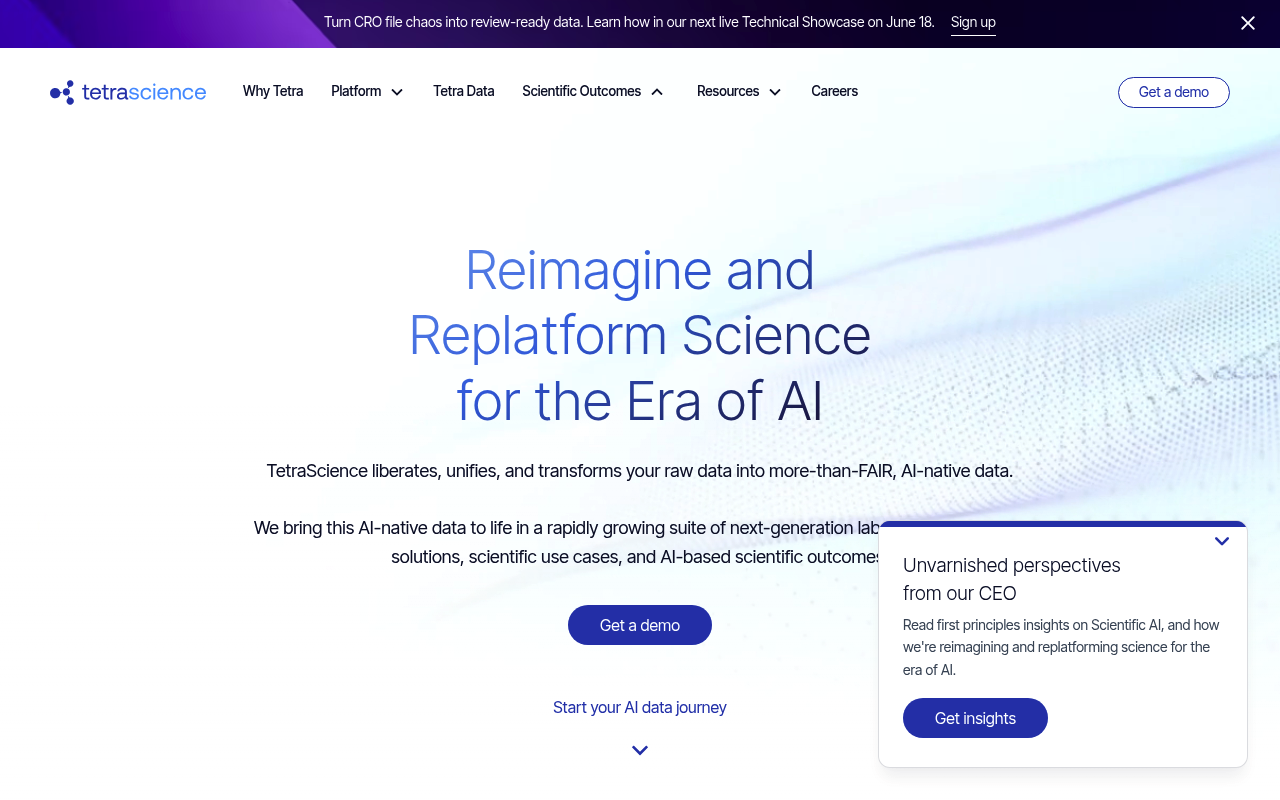
TetraScience
TetraScience is the scientific data and AI platform company behind the Tetra Scientific Data and AI Cloud — purpose-built infrastructure that liberates, replatforms, and engineers raw lab data from instruments, informatics systems, and partner organizations into FAIR, AI-native Tetra Data. The platform combines lab data automation (agents and integrations for hundreds of instruments and applications), a vendor- agnostic data lake, an Intermediate Data Schema (IDS) layer, pipelines for data engineering, GxP-aligned compliance, and the Tetra AI Layer with Tetra Sciborgs (scientific AI agents) to accelerate discovery, development, manufacturing, and quality outcomes for pharma, biotech, CROs, and CDMOs.
APIs
Tetra Scientific Data and AI Cloud API
The Tetra Scientific Data and AI Cloud API (Tetra Data Platform API) is the programmatic surface for managing tenants, organizations, users, roles, agents, integrations, pipelin...
Collections
Pricing Plans
Rate Limits
FinOps
Tetrascience Finops
FINOPSSemantic Vocabularies
API Governance Rules
Resources
Sources
opencollection: 1.0.0
info:
name: TetraScience Data and AI Cloud API
version: '4.0'
request:
auth:
type: apikey
key: ts-auth-token
value: '{{ts-auth-token}}'
placement: header
items:
- info:
name: Commands
type: folder
items:
- info:
name: Search commands
type: http
http:
method: GET
url: https://api.tetrascience.com/v1/commands
params:
- name: targetId
value: ''
type: query
description: ID of the target that received and processed command(s). Supports one or more values, such as `targetId=71003689-9619-43aa-809a-a693ede72e8b&targetId=740b1e83-eaf0-4e03-b134-97fb575a8c4c`
- name: action
value: ''
type: query
description: Action label, such as TetraScience.Connector.sdc.CreateMeasurementOrder. Supports one or more values,
such as `action=TetraScience.Connector.sdc.CreateMeasurementOrder&action=TetraScience.Connector.ValidateConfig`
- name: status
value: ''
type: query
description: 'Command status: CREATED, UNSENT, PENDING, EXPIRED, PURGED, ERROR, PROCESSING, REJECTED, SUCCESS, FAILURE.
Supports one or more values, such as `status=FAILURE&status=SUCCESS`'
- name: fromDate
value: ''
type: query
description: Deprecated name for `createdAtAfter`
- name: toDate
value: ''
type: query
description: Deprecated name for `createdAtBefore`
- name: createdAtBefore
value: ''
type: query
description: Commands created on or before a given date (ISO timestamp)
- name: createdAtAfter
value: ''
type: query
description: Commands created on or after a given date (ISO timestamp)
- name: expiresAtBefore
value: ''
type: query
description: Commands expiring on or before a given date (ISO timestamp)
- name: expiresAtAfter
value: ''
type: query
description: Commands expiring on or after a given date (ISO timestamp)
- name: updatedAtBefore
value: ''
type: query
description: Commands updated on or before a given date (ISO timestamp)
- name: updatedAtAfter
value: ''
type: query
description: Commands updated on or after a given date (ISO timestamp)
- name: from
value: ''
type: query
description: Display commands started from specified number in the results array. By default, commands are displayed
from the start of the array (the number 0). This parameter is included if the result set is large, pagination might
be required. This parameter is typically used in conjunction with size.
- name: size
value: ''
type: query
description: Indicates the number of results to return in the request. This parameter is included if the result set
is large, pagination might be required. This parameter is typically used in conjunction with from.
- name: sortBy
value: ''
type: query
description: 'Sort field: createdAt | updatedAt | expiresAt.'
- name: sort
value: ''
type: query
description: 'Sort order: asc | desc'
- name: metadata
value: ''
type: query
description: Metadata key-value pairs, such as metadata.vendor=tetra. Pairs must be exact matches of existing metadata
values.
docs: Use this endpoint to search all on-premises commands based on various filters. This endpoint is useful when you
want to filter out commands, get all successful, or unsuccessful commands, get all commands that are sent to some agent/connector,
commands that are created within a certain time range and more.
- info:
name: Create command
type: http
http:
method: POST
url: https://api.tetrascience.com/v1/commands
body:
type: json
data: '{}'
docs: 'Use this endpoint to create a new command for an on-premises connector/agent. It also automatically sends command
to SQS queue for execution. Once it is in the queue, the connector/agent listening on the target queue picks up the
command, tries to execute it, and sends the response back to the command service.
The maximum create command request size is 10 MB.'
- info:
name: Purge queue
type: http
http:
method: DELETE
url: https://api.tetrascience.com/v1/commands
params:
- name: targetId
value: ''
type: query
description: Agent or connector ID for which queue should be purged
docs: Use this method to purge all existing commands from the target queue. This command can be useful when testing new
pipelines and command creation and the queue is blocked by a large number of unexecuted commands. When you fire this
endpoint, all commands are deleted from the queue, and the command status is changed to PURGED. Also, during the purge,
the queue for the given target is blocked and does not receive new commands.
- info:
name: Get command history
type: http
http:
method: GET
url: https://api.tetrascience.com/v1/commands/:id/history
params:
- name: id
value: ''
type: path
description: Command id
docs: Use this endpoint to obtain all the changes of a given command. It should return all status changes including who
made the change and when the change was made.
- info:
name: Get one command
type: http
http:
method: GET
url: https://api.tetrascience.com/v1/commands/:id
params:
- name: id
value: ''
type: path
description: Command ID
docs: Use this endpoint to obtain all the details for one single command. You will need to supply the command id as the
path variable. This endpoint returns details like the command id, creation time, expiration time, the action, actual
request body, and more.
- info:
name: List command actions
type: http
http:
method: GET
url: https://api.tetrascience.com/v1/commands/actions
docs: 'Use this endpoint to list all distinct on-premises command actions.
Note that this API does not control command actions, so this result may contain erroneous or unsent actions.'
- info:
name: Agents
type: folder
items:
- info:
name: Get command queue
type: http
http:
method: GET
url: https://api.tetrascience.com/v1/agents/:agentId/command-queue
params:
- name: agentId
value: ''
type: path
description: The ID of the agent
docs: Use this endpoint to get details about the command queue of an agent
- info:
name: Enable or disable command queue.
type: http
http:
method: PUT
url: https://api.tetrascience.com/v1/agents/:agentId/command-queue
params:
- name: agentId
value: ''
type: path
description: The ID of the agent.
body:
type: json
data: '{}'
docs: Use this endpoint to enable or disable the command queue of an agent.
- info:
name: Get agents
type: http
http:
method: GET
url: https://api.tetrascience.com/v1/agents
params:
- name: include
value: labels
type: query
description: Each agent returned will include its associated labels when the value is 'labels'. Otherwise this parameter
is ignored
docs: Use this endpoint to get a list of agents.
- info:
name: Create an agent
type: http
http:
method: POST
url: https://api.tetrascience.com/v1/agents
body:
type: json
data: '{}'
docs: Use this endpoint to create a new agent.
- info:
name: Enable or disable an agent
type: http
http:
method: PUT
url: https://api.tetrascience.com/v1/agents/:agentId/enabled
params:
- name: agentId
value: ''
type: path
description: The ID of the agent.
body:
type: json
data: '{}'
docs: Use this endpoint to enable or disable an agent
- info:
name: Get File-Log agent configuration list
type: http
http:
method: GET
url: https://api.tetrascience.com/v1/agents/:agentId/configuration/list
params:
- name: agentId
value: ''
type: path
description: Agent ID
- name: page
value: ''
type: query
description: Page number
- name: size
value: ''
type: query
description: Number of items per page
- name: by
value: ''
type: query
description: Filter by agent config type
- name: status
value: ''
type: query
description: Filter by agent config by its command status
- name: order
value: ''
type: query
description: Sorting order by creation date
docs: Use this endpoint to get the past configurations of a File-Log agent
- info:
name: Get File-Log agent configuration
type: http
http:
method: GET
url: https://api.tetrascience.com/v1/agents/:agentId/configuration
params:
- name: agentId
value: ''
type: path
description: Agent ID
- name: type
value: ''
type: query
description: Type of the configuration to be returned, 'cloud' or 'local'. If the parameter is not provided, The endpoint
will default to 'local' type.
docs: Use this endpoint to get the latest configuration, of the type requested, of a File Log Agent
- info:
name: Remotely configure a running File-Log agent
type: http
http:
method: POST
url: https://api.tetrascience.com/v1/agents/:agentId/configuration
params:
- name: agentId
value: ''
type: path
description: Agent ID
body:
type: json
data: '{}'
docs: '-| This endpoint allows configuration of a running File-Log Agent with paths. The File-Log Agent must be version
4.1.0 or greater, and configured to Receive Commands. Additionally, the Command Queue must be enabled for this Agent
on TDP.
This will remove any paths not included in the JSON. To preserve existing paths, you must include them each time you
POST.
If the target''s command queue doesn''t exist or is not accessible, the API will return a 400 error code and doesn''t
create the command.
For'
- info:
name: Get agent
type: http
http:
method: GET
url: https://api.tetrascience.com/v1/agents/:agentId
params:
- name: agentId
value: ''
type: path
description: The ID of the agent.
docs: Use this endpoint to get the details of a single agent.
- info:
name: Update an agent
type: http
http:
method: PUT
url: https://api.tetrascience.com/v1/agents/:agentId
params:
- name: agentId
value: ''
type: path
description: The ID of the agent.
body:
type: json
data: '{}'
docs: Use this endpoint to update a single agent
- info:
name: Change agent connector
type: http
http:
method: PUT
url: https://api.tetrascience.com/v1/agents/:agentId/connector
params:
- name: agentId
value: ''
type: path
description: The ID of the agent.
body:
type: json
data: '{}'
docs: Use this endpoint to change the connector of an agent
- info:
name: Deprecated - Get File-Log agent configuration
type: http
http:
method: GET
url: https://api.tetrascience.com/v1/agents/:agentId/config
params:
- name: agentId
value: ''
type: path
description: Agent ID
- name: type
value: ''
type: query
description: Type of the configuration to be returned, 'cloud' or 'local'. If this parameter is not provided, the
endpoint will default to 'local'.
docs: This endpoint has been deprecated in favor of /v1/agents/{agentId}/configuration. Both endpoints are identical.
- info:
name: Deprecated - Remotely configure a running File-Log agent
type: http
http:
method: POST
url: https://api.tetrascience.com/v1/agents/:agentId/config
params:
- name: agentId
value: ''
type: path
description: Agent ID
body:
type: json
data: '{}'
docs: -| This endpoint has been deprecated in favor of /v1/agents/{agentId}/configuration. Both endpoints are identical.
- info:
name: Data Acquisition
type: folder
items:
- info:
name: Agent Temp AWS Credentials
type: http
http:
method: POST
url: https://api.tetrascience.com/v1/data-acquisition/agent/credentials
body:
type: json
data: '{}'
docs: This endpoint returns temporary credentials for a given organization based on Data Hub policy. When using those
credentials, client can upload files to their Amazon S3 bucket and write log to Amazon CloudWatch. Returned credentials
have expiration time 60 minutes.
- info:
name: Agent Configuration
type: http
http:
method: POST
url: https://api.tetrascience.com/v1/data-acquisition/agent/config
body:
type: json
data: '{}'
docs: This endpoint returns all the parameters that client needs in order to upload files directly to Amazon S3 and upload
log directly to Amazon CloudWatch. Using these values and temporary credentials obtained from `/v1/data-acquisition/agent/credentials`
client can upload files to S3 into their bucket and log to CloudWatch into their log groups.
- info:
name: Agent Status (Heart Beat)
type: http
http:
method: POST
url: https://api.tetrascience.com/v1/data-acquisition/agent/status
body:
type: json
data: '{}'
docs: 'This endpoint allows TetraScience Agent to send heartbeats to the Tetrascience platform periodically. Platform
will return the agent''s name. It''s recommended to send a heartbeat every 30 seconds.
It requires a user-defined agent set up in the TetraScience Web UI.
Required fields:
- agentId
- agentVersion
Optional fields:
- agent
- sourceType - If agent defines various source types, like file-log agent, this should be an array of objects with `filePath`
and `type` values. Otherwise, it should '
- info:
name: Agent Status Setting Update
type: http
http:
method: PUT
url: https://api.tetrascience.com/v1/data-acquisition/agent/status
body:
type: json
data: '{}'
docs: "This endpoint allows TetraScience Agent to send status setting update to platform. Tetrascience agents have start/stop\
\ button. When start button is clicked, agent should hit endpoint with `statusSetting=STARTED`. Opposite, when stop\
\ button is clicked, agent should hit endpoint with `statusSetting=STOPPED`.\n\n It requires a user-defined agent set\
\ up in the TetraScience Web UI"
- info:
name: Agent System Metric Upload
type: http
http:
method: POST
url: https://api.tetrascience.com/v1/data-acquisition/agent/systemmetric
body:
type: multipart-form
data:
- name: agentId
type: text
value: ''
- name: agentVersion
type: text
value: ''
- name: systemmetric
type: text
value: ''
docs: TetraScience Agent can periodically upload system metrics of itself and the host environment the Agent is running.
It requires a user-defined agent set up in the TetraScience Web UI. Uploaded system metric file should be new line delimited
JSON file. See below for more details.
- info:
name: File Upload
type: http
http:
method: POST
url: https://api.tetrascience.com/v1/data-acquisition/agent/upload
body:
type: multipart-form
data:
- name: agentId
type: text
value: ''
- name: agent
type: text
value: ''
- name: agentVersion
type: text
value: ''
- name: sourceType
type: text
value: ''
- name: fileCategory
type: text
value: ''
- name: fileId
type: text
value: ''
- name: traceId
type: text
value: ''
- name: filePath
type: text
value: ''
- name: file
type: text
value: ''
- name: payloadGzip
type: text
value: ''
- name: metadata
type: text
value: ''
- name: tags
type: text
value: ''
- name: labels
type: text
value: ''
docs: 'This endpoint uploads a file to TetraScience Cloud. It requires a user-defined agent set up in the TetraScience
Web UI. API users can use it to upload, manage their files, and trigger pipelines.
Maximum payload size: 500MB
Validations performed by this endpoint:
1. `agentId` must be a valid ID of the user defined agent (UDA)
2. param `sourceType` must contain only lower case alphanumerical characters and dashes
3. params `metadata` and `tags` must contain only ASCII characters; `tags` valu'
- info:
name: Agent Log Upload
type: http
http:
method: POST
url: https://api.tetrascience.com/v1/data-acquisition/agent/log
body:
type: multipart-form
data:
- name: agentId
type: text
value: ''
- name: agentVersion
type: text
value: ''
- name: log
type: text
value: ''
docs: This endpoint uploads agents log to TetraScience Cloud. It requires a user-defined agent set up in the TetraScience
Web UI.
- info:
name: Data Apps
type: folder
items:
- info:
name: Check how many data apps match the provided access control rules
type: http
http:
method: POST
url: https://api.tetrascience.com/v1/dataapps/rules-check
body:
type: json
data: '{}'
docs: Check how many data apps match the provided access control rules
- info:
name: Clear the selected data app and auth cookies
type: http
http:
method: DELETE
url: https://api.tetrascience.com/v1/dataapps/apps/container/cookies
docs: Clear the selected data app and auth cookies
- info:
name: Fetch connector key value by key for a data app
type: http
http:
method: GET
url: https://api.tetrascience.com/v1/dataapps/kv/:appSlug/:key
params:
- name: appSlug
value: ''
type: path
- name: artifact_type
value: ''
type: query
description: Required artifact type filter used during authorization and app lookup.
- name: namespace
value: ''
type: query
description: Required artifact namespace filter used during authorization and app lookup.
- name: key
value: ''
type: path
description: Connector key. Commas are not allowed.
docs: Fetch connector key value by key for a data app
- info:
name: Delete connector key value by key for a data app
type: http
http:
method: DELETE
url: https://api.tetrascience.com/v1/dataapps/kv/:appSlug/:key
params:
- name: appSlug
value: ''
type: path
- name: artifact_type
value: ''
type: query
description: Required artifact type filter used during authorization and app lookup.
- name: namespace
value: ''
type: query
description: Required artifact namespace filter used during authorization and app lookup.
- name: key
value: ''
type: path
description: Connector key. Commas are not allowed.
docs: Delete connector key value by key for a data app
- info:
name: Download container logs for a specific data app
type: http
http:
method: GET
url: https://api.tetrascience.com/v1/dataapps/apps/:id/logs/download
params:
- name: id
value: ''
type: path
- name: since
value: ''
type: query
description: Relative time range for logs (30s, 10m, 30m, 1h, 12h, 1d, 3d, 1w for download)
docs: Download container logs for a specific data app
- info:
name: Execute a DML query on external or lakehouse schemas
type: http
http:
method: POST
url: https://api.tetrascience.com/v1/dataapps/data/executeDML
body:
type: json
data: '{}'
docs: Execute a DML query on external or lakehouse schemas
- info:
name: List installed Data Apps
type: http
http:
method: GET
url: https://api.tetrascience.com/v1/dataapps/apps
params:
- name: limit
value: ''
type: query
description: Maximum number of items to return
- name: page
value: ''
type: query
description: Page number for pagination (starts from 1)
- name: includeLabels
value: ''
type: query
description: Include labels for each data app
- name: labelKey
value: ''
type: query
description: Filter data apps by label key
- name: labelValue
value: ''
type: query
description: Filter data apps by label value (requires labelKey)
- name: type
value: ''
type: query
description: Filter data apps by type (CONNECTED or CONTAINER)
- name: search
value: ''
type: query
description: Search term to filter data apps by name, description, or slug
- name: sort
value: ''
type: query
description: Field to sort results by
- name: sortDirection
value: ''
type: query
description: Sort direction (asc or desc)
docs: Retrieves a paginated list of Data Apps currently installed in your organization. Supports filtering by type, labels,
and search term.
- info:
name: Fetch container data app by connector or data app ID
type: http
http:
method: GET
url: https://api.tetrascience.com/v1/dataapps/apps/container/:id
params:
- name: id
value: ''
type: path
docs: Fetch container data app by connector or data app ID
- info:
name: Fetch container logs for a specific data app
type: http
http:
method: GET
url: https://api.tetrascience.com/v1/dataapps/apps/:id/logs
params:
- name: id
value: ''
type: path
- name: mode
value: ''
type: query
description: 'Log fetch mode: "time" for time-based, "count" for last N messages'
- name: since
value: ''
type: query
description: Relative time range for logs (30s, 10m, 30m, 1h, 12h, 1d, 3d, 1w). Used when mode=time
- name: count
value: ''
type: query
description: Number of most recent log messages to return. Used when mode=count
- name: limit
value: ''
type: query
description: Maximum number of log events per request (for pagination)
- name: nextToken
value: ''
type: query
description: Token for pagination
docs: Fetch container logs for a specific data app
- info:
name: Get Data App details
type: http
http:
method: GET
url: https://api.tetrascience.com/v1/dataapps/apps/:id
params:
- name: id
value: ''
type: path
description: Data App ID
docs: Retrieves complete details of a single installed Data App, including metadata, deployment configuration, platform
requirements, assigned labels, and associated providers.
- info:
name: Fetch next chunk for an executed DML statement
type: http
http:
method: GET
url: https://api.tetrascience.com/v1/dataapps/data/fetchDMLResult
params:
- name: statementId
value: ''
type: query
- name: chunkIndex
value: ''
type: query
docs: Fetch next chunk for an executed DML statement
- info:
name: List connector key value keys for a data app
type: http
http:
method: GET
url: https://api.tetrascience.com/v1/dataapps/kv/:appSlug
params:
- name: appSlug
value: ''
type: path
- name: artifact_type
value: ''
type: query
description: Required artifact type filter used during authorization and app lookup.
- name: namespace
value: ''
type: query
description: Required artifact namespace filter used during authorization and app lookup.
docs: List connector key value keys for a data app
- info:
name: Save connector key values for a data app
type: http
http:
method: PUT
url: https://api.tetrascience.com/v1/dataapps/kv/:appSlug
params:
- name: appSlug
value: ''
type: path
- name: artifact_type
value: ''
type: query
description: Required artifact type filter used during authorization and app lookup.
- name: namespace
value: ''
type: query
description: Required artifact namespace filter used during authorization and app lookup.
body:
type: json
data: '{}'
docs: Save connector key values for a data app
- info:
name: Update Data App labels for access control
type: http
http:
method: PUT
url: https://api.tetrascience.com/v1/dataapps/apps/:id/labels
params:
- name: id
value: ''
type: path
description: Data App ID
body:
type: json
data: '{}'
docs: Replaces all labels assigned to a Data App. Labels drive EARS (Entitlement and Access Rights Service) access control
policies — use them to control which users and teams can see and interact with a Data App. Pass an empty array to clear
all labels.
- info:
name: Connectors
type: folder
items:
- info:
name: Get all Connectors
type: http
http:
method: GET
url: https://api.tetrascience.com/v1/data-acquisition/connectors
docs: '**:warning: This is a new API which is still subject to change.**
Use this endpoint to get a list of Connectors.'
- info:
name: Get a Connector by id
type: http
http:
method: GET
url: https://api.tetrascience.com/v1/data-acquisition/connectors/:id
params:
- name: id
value: ''
type: path
description: The Connector's id.
- name: resolveSecrets
value: ''
type: query
description: If true, resolves secrets in the Connector's config. Requires organization admin permissions.
- name: include
value: config
type: query
description: Include additional Connector fields. 'config' includes the Connector's config. 'artifact' includes the
Connector artifact's details.
docs: '**:warning: This is a new API which is still subject to change.**
Use this endpoint to get a Connector''s details by id.'
- info:
name: Get a Connector's metrics
type: http
http:
method: GET
url: https://api.tetrascience.com/v1/data-acquisition/connectors/:id/metrics
params:
- name: id
value: ''
type: path
description: The Connector's id.
docs: '**:warning: This is a new API which is still subject to change.**
Use this endpoint to get the metrics reported by a Connector, including resource usage and file upload and error rates.'
- info:
name: Get a Connector's reported files
type: http
http:
method: GET
url: https://api.tetrascience.com/v1/data-acquisition/connectors/:id/files
params:
- name: id
value: ''
type: path
description: The Connector's id.
- name: fileIds
value: ''
type: query
description: A list of file ids to filter by.
- name: excludeFileIds
value: ''
type: query
description: A list of file ids to exclude from the response.
- name: uniqueExternalIds
value: ''
type: query
description: A list of unique external ids to filter by. Used by Connectors to deduplicate external files.
- name: excludeUniqueExternalIds
value: ''
type: query
description: A list of unique external ids to exclude from the response. Used by Connectors to deduplicate external
files.
- name: statuses
value: ''
type: query
description: A list of file statuses to filter by.
- name: maxErrors
value: ''
type: query
description: The maximum number of errors to filter by. Used by Connectors to limit file upload retries.
- name: createdBefore
value: ''
type: query
description: The maximum creation date to filter by.
- name: createdAfter
value: ''
type: query
description: The minimum creation date to filter by.
- name: updatedBefore
value: ''
type: query
description: The maximum update date to filter by.
- name: updatedAfter
value: ''
type: query
description: The minimum update date to filter by.
- name: orderBy
value: ''
type: query
description: The field to order by.
- name: orderDirection
value: ''
type: query
description: The order direction.
- name: take
value: ''
type: query
description: The number of files to take. Default is 50.
- name: skip
value: ''
type: query
description: The number of files to skip.
docs: '**:warning: This is a new API which is still subject to change.**
Use this endpoint to get metadata about the files reported by a Connector, including those that have not yet been uploaded
or that have failed.'
- info:
name: Get statistics about a Connector's files
type: http
http:
method: GET
url: https://api.tetrascience.com/v1/data-acquisition/connectors/:id/files/stats
params:
- name: id
value: ''
type: path
description: The Connector's id.
docs: '**:warning: This is a new API which is still subject to change.**
Use this endpoint to get the file statistics reported by a Connector, including the total number of files and the number
of files in each status.'
- info:
name: Data App Providers
type: folder
items:
- info:
name: Fetch all data app providers
type: http
http:
method: GET
url: https://api.tetrascience.com/v1/dataapps/providers
params:
- name: limit
value: ''
type: query
description: Maximum number of items to return
- name: page
value: ''
type: query
description: Page number for pagination (starts from 1)
- name: providerName
value: ''
type: query
description: The name of the provider to filter on
- name: orgId
value: ''
type: query
- name: includeArn
value: ''
type: query
description: Indicate if the secret ARNs should be included in the response
docs: Fetch all data app providers
- info:
name: Create a new Data App Provider
type: http
http:
method: POST
url: https://api.tetrascience.com/v1/dataapps/providers
body:
type: json
data: '{}'
docs: Create a new Data App Provider
- info:
name: Fetch a Data App Provider
type: http
http:
method: GET
url: https://api.tetrascience.com/v1/dataapps/providers/:id
params:
- name: id
value: ''
type: path
- name: orgId
value: ''
type: query
- name: includeArn
value: ''
type: query
docs: Fetch a Data App Provider
- info:
# --- truncated at 32 KB (150 KB total) ---
# Full source: https://raw.githubusercontent.com/api-evangelist/tetrascience/refs/heads/main/apis.yml