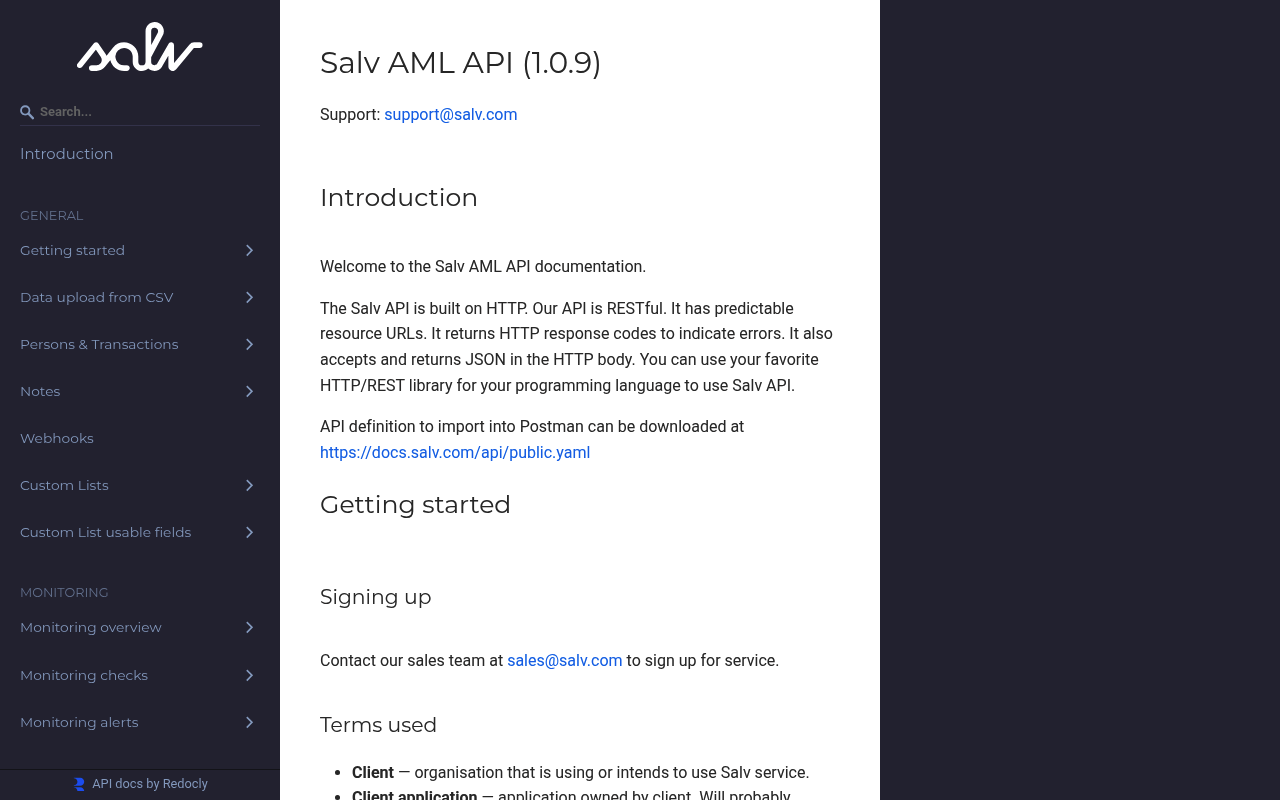
Salv is an Estonian financial-crime prevention (FinCrime) SaaS platform used by banks, fintechs, and payment service providers to detect money laundering and prevent fraud. Its products include Salv Screening (sanctions, PEP/RCA and adverse-media screening), Salv Monitoring (real-time and post-event transaction monitoring), Salv Risk Scoring, and Salv Bridge (collaborative intelligence sharing). The Salv AML API (OpenAPI 3.0.3, OAuth2 client-credentials, scope `aml`) exposes 36 operations across persons, transactions, monitoring, screening, risk, alerts, custom lists, and bulk data upload, with a webhook surface for alert and status events. Salv is ISO/IEC 27001:2022 certified and SOC 2 Type 2 compliant.
Salv publishes 15 API contracts indexed on the APIs.io network, including Alert API, Alerts API, Aml API, and 12 more. Tagged areas include Company, AML, Financial Crime, Compliance, and RegTech.
The Salv catalog on APIs.io includes 1 event-driven AsyncAPI specification.
Salv’s developer surface includes documentation, API reference, getting-started guide, engineering blog, support, authentication, sandbox, and 25 more developer resources.
Regulatory Posture applies to this provider. Its tags matched the
Horizontal (data, software, accessibility, platform) regime, so
Regulatory Posture carries 15 points of the composite.
If this regime is wrong for your business, say so on your
provider repo — the
applicability map is public and we will correct it.
Create-or-Update Ergonomics applies to this provider. This API accepts writes, so it
carries 10 points of the composite. It is scored from the published contracts
themselves: whether a caller can create-or-update in one call, whether the write accepts a key the caller already
holds, and whether the response says which branch ran. Without that, every write needs a search-and-branch in
front of it, and the first time that check is skipped a duplicate record is created.
Scored against the observed mean rather than raw — a provider at the catalog average is unchanged by this facet,
not penalised by it.
The six quality facets above are damped to 75 points between them,
because the conditional facet above carries the other
25. That is why each facet's contribution is shown against a damped
maximum: raising a quality facet moves the composite by 75% of its nominal
weight, not 100%. The full arithmetic is at apis.io/rating/.
Improve this rating by publishing the missing artifacts — every area above can be raised, and the full rubric is at apis.io/rating/. Every facet and dimension name above is a link: it opens that measurement's own page — what it means, the exact checks that feed it, how the whole catalog distributes on it, and the providers at the top of it. This rating is computed from github.com/api-evangelist/salv: open an issue to ask a question, or submit a pull request to add artifacts.
Submit an artifact on GitHub — free →Manage your own listing — the Influence plan, $499/mo →
Salv has multiple properties that are associated with individual alerts and influence alert management process based on their assignment. Using the initial alert ID and TYPE tha...
This section contains all operations managing the state of persons and transactions. There are three endpoints for creating or modifying a person, make sure to choose the right ...
Endpoints to add, update, delete and get custom list records. Custom Lists can be used in two ways: - Custom Lists can be used to screen persons and transactions against them in...
## Steps to upload data using CSV 1. Format the csv file and add all the mandatory data fields indicated in the [User Manual](https://help.salv.com/en/articles/154650-data-overv...
Manual alerts allow compliance officers to create alerts manually for persons or transactions that require investigation outside of automated monitoring and screening processes....
Person & Transaction monitoring. Real-time (ONLINE) scenarios should be used when an alert created by the scenario should block the transaction. [Example: Real-time (pre-process...
Risks levels are assigned to persons according to configured risk rules. It is up to client how to interpret each particular level. Risk rules are configured in Salv UI. Person ...
Screening alert is created when a particular field of a particular person matches against one of the screening lists. Screening alert has a list of hits, each of which represent...
Overlays applied on top of this provider's contracts. Each card says who wrote it: a document the provider publishes, or one API Evangelist derived or generated.
aid: salv
deliveryModel:
  model: unknown
  open_source: false
  commercial: false
  callable_host: true
  label: Delivery model not determined — needs a product licence on record
  confidence: low
  source:
  - openapi
  generated: '2026-08-28'
  method: derived
accessModel:
  pricing: unknown
  onboarding: self-serve
  trial: false
  try_now: false
  public: false
  label: Self-serve signup
  confidence: medium
  source:
  - authentication
  generated: '2026-07-22'
  method: derived
image: https://kinlane-images.s3.amazonaws.com/shared/apis-json/icons/salv.png
name: Salv
description: Salv is an Estonian financial-crime prevention (FinCrime) SaaS platform used by banks, fintechs, and payment
  service providers to detect money laundering and prevent fraud. Its products include Salv Screening (sanctions, PEP/RCA
  and adverse-media screening), Salv Monitoring (real-time and post-event transaction monitoring), Salv Risk Scoring, and
  Salv Bridge (collaborative intelligence sharing). The Salv AML API (OpenAPI 3.0.3, OAuth2 client-credentials, scope `aml`)
  exposes 36 operations across persons, transactions, monitoring, screening, risk, alerts, custom lists, and bulk data upload,
  with a webhook surface for alert and status events. Salv is ISO/IEC 27001:2022 certified and SOC 2 Type 2 compliant.
url: https://raw.githubusercontent.com/api-evangelist/salv/refs/heads/main/apis.yml
x-type: company
x-source: vc-portfolio
x-backed-by:
- seedcamp
x-tier: stub
x-tier-reason: portfolio-lead
specificationVersion: '0.23'
created: '2026-07-17'
modified: '2026-10-06'
x-docs-platform: redocly
x-docs-platform-confidence: medium
x-docs-platform-checked: 2026-10-04
tags:
- Company
- AML
- Financial Crime
- Compliance
- RegTech
- Sanctions Screening
- Transaction Monitoring
- Fraud Prevention
tags_raw:
- Company
- Anti-Money Laundering
- Financial Crime
- Compliance
- RegTech
- Sanctions Screening
- Transaction Monitoring
- Fraud Prevention
apis:
- aid: salv:salv-alert-api
  name: Salv Alert API
  description: The alert API from Salv — 1 operation(s) for alert.
  humanURL: https://docs.salv.com/
  baseURL: https://app.salv.com/api
  tags:
  - Alert
  tags_raw:
  - alert
  properties:
  - type: OpenAPI
    url: openapi/salv-alert-api-openapi.yml
- aid: salv:salv-alerts-api
  name: Salv Alerts API
  description: 'Salv has multiple properties that are associated with individual alerts and influence alert management process
    based on their assignment. Using the initial alert ID and TYPE that are generated after different checks are triggered
    and communicated via API or WEBHOOKS, it is possible to programmatically modify these properties to streamline your business
    logic.


    **Attention:** To start using this API, the client id used for authentication needs to be created **after 16.05.2023**.
    If your integration currently uses credentials created before this date, you must create a NEW credentials pair, and replace
    the existing one.'
  humanURL: https://docs.salv.com/
  baseURL: https://app.salv.com/api
  tags:
  - Alerts
  tags_raw:
  - alerts
  properties:
  - type: OpenAPI
    url: openapi/salv-alerts-api-openapi.yml
- aid: salv:salv-aml-api
  name: Salv Aml API
  description: "This section contains all operations managing the state of persons and transactions.\n\nThere are three endpoints\
    \ for creating or modifying a person, make sure to choose the right one for your task:\n* [Create new person](#tag/aml/operation/addPersonV2)\
    \ will create a new person if a person with the same ID does not already exist in our system. \n* [Patch person](#tag/aml/operation/patchPersonV2)\
    \ partially updates an existing person if this person exists in the system. A request to this endpoint will only update\
    \ or add \nattributes which are provided in the request. Use this endpoint to update selected \nattributes of a person\
    \ or to add new attributes without changing attributes not present in the request payload. This endpoint may also be used\
    \ to update person type.\n* [Update person](#tag/aml/operation/updatePersonV2) updates an existing person if this person\
    \ exists in the system. A request to this endpoint must contain both person type and attributes. \nA request to this endpoint\
    \ overwrites both person type and attributes with the values given in the request.\n\nID of a person or a transaction\
    \ is a case-sensitive text field in our system. Salv does not transform the ID in any way. Only the following characters\
    \ are allowed: Alphanumerics `a-zA-Z0-9`, hyphens `-`, underscores `_`, colons `:`, dots `.`.\n\nAll requests must use\
    \ ISO-8601 formatted timestamps. That includes defined fields (e.g. timestamp property in \"Create new transaction\" request)\
    \ and custom key-value pairs (e.g. under attributes property in \"Create new person\" request).\n\nFor any data passed\
    \ in person or transaction objects, the keys must adhere to the following rules:  \n- It must not contain a \"**.**\"\n\
    - It must not consist of whitespaces\n\n## Example: Uploading person and transaction\nThis example shows how to upload\
    \ data to use it later for monitoring or screening.\n\n### 1. Add a person if not already added\nAdd a new person, according\
    \ to the documentation at [addPerson(POST)](#operation/addPersonV2).\n\nIf the person has already been added to Salv,\
    \ then skip this step.\n\n#### With cURL\n```\ncurl --request POST \\\n  --url https://app.salv.com/api/v2/persons \\\n\
    \  --header 'Authorization: Bearer {yourBearerToken}' \\\n  --header 'Content-Type: application/json' \\\n  --data '{\n\
    \  \"id\": \"bbt12345\",\n  \"type\": \"INDIVIDUAL\",\n  \"attributes\": {\n    \"first_name\": \"Sheldon\",\n    \"last_name\"\
    : \"Cooper\",\n    \"dob\": \"1983-05-12\",\n    \"city\": \"Pasadena\",\n    \"street_address\": \"2311 North Los Robles\
    \ Avenue\",\n    \"country\": \"US\",\n    \"onboarding_date\": \"2019-04-16\",\n    \"email\": \"sheldon.cooper@gmail.com\"\
    ,\n    \"phone_number\": \"+1582693582\",\n    \"id_document\": \"passport\",\n    \"id_country\": \"US\",\n    \"gender\"\
    : \"F\"\n  }\n}'\n```\n\n#### With Python Requests\n```\nimport requests\n\nurl = \"https://app.salv.com/api/v2/persons\"\
    \n\npayload = {\n    \"id\": \"bbt12345\",\n    \"type\": \"INDIVIDUAL\",\n    \"attributes\": {\n        \"first_name\"\
    : \"Sheldon\",\n        \"last_name\": \"Cooper\",\n        \"dob\": \"1983-05-12\",\n        \"city\": \"Pasadena\",\n\
    \        \"street_address\": \"2311 North Los Robles Avenue\",\n        \"country\": \"US\",\n        \"onboarding_date\"\
    : \"2019-04-16\",\n        \"email\": \"sheldon.cooper@gmail.com\",\n        \"phone_number\": \"+1582693582\",\n    \
    \    \"id_document\": \"passport\",\n        \"id_country\": \"US\",\n        \"gender\": \"F\"\n    }\n}\nheaders = {\n\
    \    \"Content-Type\": \"application/json\",\n    \"Authorization\": \"{yourBearerToken}\"\n}\n\nresponse = requests.request(\"\
    POST\", url, json=payload, headers=headers)\n\nprint(response.text)\n```\n### 2. Add a transaction\nAdd a new transaction,\
    \ according to the documentation at [addTransaction(POST)](#operation/addTransaction).\n\n#### With cURL\n```\ncurl --request\
    \ POST \\\n  --url https://app.salv.com/api/v1/persons/bbt12345/transactions \\\n  --header 'Authorization: Bearer {yourBearerToken}'\
    \ \\\n  --header 'Content-Type: application/json' \\\n  --data '{\n  \"id\": \"aeio-1234567\",\n  \"attributes\": {\n\
    \    \"sender_name\": \"Sheldon Cooper\",\n    \"sender_account\": \"GB123456789\",\n    \"receiver_name\": \"Leonard\
    \ Hofstadter\",\n    \"receiver_account\": \"DE987654321\",\n    \"amount\": \"15678.34\",\n    \"type\": \"wire_transfer\"\
    ,\n    \"direction\": \"I\",\n    \"timestamp\": \"2022-01-20T08:48:39.000Z\"\n  }\n}'\n```\n\n#### With Python Requests\n\
    ```\nimport requests\n\nurl = \"https://app.salv.com/api/v1/persons/bbt12345/transactions\"\n\npayload = {\n    \"id\"\
    : \"aeio-1234567\",\n    \"attributes\": {\n        \"sender_name\": \"Sheldon Cooper\",\n        \"sender_account\":\
    \ \"GB123456789\",\n        \"receiver_name\": \"Leonard Hofstadter\",\n        \"receiver_account\": \"DE987654321\"\
    ,\n        \"amount\": \"15678.34\",\n        \"type\": \"wire_transfer\",\n        \"direction\": \"I\",\n        \"\
    timestamp\": \"2022-01-20T08:48:39.000Z\"\n    }\n}\nheaders = {\n    \"Content-Type\": \"application/json\",\n    \"\
    Authorization\": \"{yourBearerToken}\"\n}\n\nresponse = requests.request(\"POST\", url, json=payload, headers=headers)\n\
    \nprint(response.text)\n```"
  humanURL: https://docs.salv.com/
  baseURL: https://app.salv.com/api
  tags:
  - AML
  tags_raw:
  - aml
  properties:
  - type: OpenAPI
    url: openapi/salv-aml-api-openapi.yml
- aid: salv:salv-custom-list-record-api
  name: Salv Custom List Record API
  description: 'Endpoints to add, update, delete and get custom list records.


    Custom Lists can be used in two ways:

    - Custom Lists can be used to screen persons and transactions against them in the same way it works for Dow Jones

    lists. For example, if a client has some in-house black list, it can be added to screening as custom list.

    - Custom Lists can be referenced in monitoring scenarios. For example, a scenario may trigger when the transaction

    amount is higher than some threshold and the recipient country is in custom list of high risk countries.'
  humanURL: https://docs.salv.com/
  baseURL: https://app.salv.com/api
  tags:
  - custom-list-record
  properties:
  - type: OpenAPI
    url: openapi/salv-custom-list-record-api-openapi.yml
- aid: salv:salv-custom-list-usable-field-public-api
  name: Salv Custom List Usable Field Public API
  description: Custom list usable fields can be used in [Screening search](#tag/screening-searches/operation/search)
  humanURL: https://docs.salv.com/
  baseURL: https://app.salv.com/api
  tags:
  - custom-list-usable-field-public
  properties:
  - type: OpenAPI
    url: openapi/salv-custom-list-usable-field-public-api-openapi.yml
- aid: salv:salv-data-upload-api
  name: Salv Data Upload API
  description: "## Steps to upload data using CSV\n1. Format the  csv file and add all the mandatory data fields indicated\
    \ in the  [User Manual](https://help.salv.com/en/articles/154650-data-overview)\n\n2. Upload the [csv file via API](#tag/data-upload/operation/uploadData).\
    \  Note: the upload API response contains the id that will to be used in status check API call (step 3). \nWhen a data\
    \ file has been successfully uploaded, an HTTP response with 202 status code is returned. A response with 202 status code\
    \ indicates that the file has been uploaded successfully and the system will try to process the data. It does not guarantee\
    \ that data will be successfully processed.\n\n      What will happen next?\n      1.  First comes the **validation phase**:\
    \ \n          1. If the Schemas are added in the UI, then our system will validate the file against the schemas (e.g.\
    \ if there is a field added with DATE type, then system will validate if the date format is correct)\n          2. If\
    \ no Schemas are added in the UI, then our system will consider all fields as STRING\n\n          Note: during this validation\
    \ phase we do not check if the transaction has been added to the system before. \n\n          3. If there are any errors,\
    \ then no data will be uploaded. In this case calling [check status API call](#tag/data-upload/operation/getDataUploadStatus)\
    \ will return FAILED status and a error message for the the first error encountered. The error message will be in the\
    \ `reason` field in a human readable text. \n          4. If there are no errors, then the upload phase starts.\n\n  \
    \    2. Second (if no errors occurred) comes the **upload phase**: our system will start uploading and saving data in\
    \ batches of 1000, and in case of transaction file will check for duplicates and if the person is present in the system.\
    \  \n          1. If no errors occur, then the file is uploaded successfully.\n          2. If an error occurs, then when\
    \ step no 3 ([check status API call](#tag/data-upload/operation/getDataUploadStatus)) is done, then: \n              1.\
    \ system will show the first error and give the id of the person or transaction that caused the error. \n            \
    \  2. system will show the id of the last uploaded person or transaction and the id of the first person or transaction\
    \ that was not uploaded.\n\n              and, \n\n              3. the data following the last uploaded person or transaction\
    \ will not be uploaded. \n      - Example:\n\n        > Csv file has 200 000 rows. There is a duplicate id on row 87 456.\
    \  In **validation phase** duplicate errors are not checked thus the file will move on to the **upload phase**. First\
    \ 87 000 rows are uploaded without any errors. Rows starting from 87 001 will not get uploaded because there is a duplicate\
    \ error in the batch (the patch of 1000 that gets checked). System will show that there is a duplicate, will show the\
    \ id of the duplicate Person or Transaction and will show the last uploaded Person or Transaction id and the last id that\
    \ was not added. \n\n        Example of an **upload phase** error message:\n\n        ```jsx\n        {\n            \"\
    status\": \"PARTIALLY_COMPLETED\",\n            \"reason\": \"The upload appears to contain transactions (id ameio-1234567)\
    \ that have already been added to Salv. Please make sure that your upload does not contain any duplicates or transactions\
    \ that have already been added to Salv. The first transaction not added to Salv with this upload has id fmeio-1234567.\
    \ Last processed and saved row was with id: dseio-1234567\"\n        }\n        ```\n\n3. In order to check the status\
    \ of the file upload either use [get status of data upload API call](#tag/data-upload/operation/getDataUploadStatus) or\
    \ check Data upload page on app.salv.com. This will provide the status and any further information about the errors."
  humanURL: https://docs.salv.com/
  baseURL: https://app.salv.com/api
  tags:
  - Data Upload
  tags_raw:
  - data-upload
  properties:
  - type: OpenAPI
    url: openapi/salv-data-upload-api-openapi.yml
- aid: salv:salv-manual-alerts-api
  name: Salv Manual Alerts API
  description: 'Manual alerts allow compliance officers to create alerts manually for persons or transactions that require
    investigation

    outside of automated monitoring and screening processes. These alerts can be used to flag suspicious activity identified

    through external sources, customer complaints, or other manual review processes.


    Manual alerts support the same status workflow as other alert types and can be integrated into existing case management
    processes.'
  humanURL: https://docs.salv.com/
  baseURL: https://app.salv.com/api
  tags:
  - manual-alerts
  properties:
  - type: OpenAPI
    url: openapi/salv-manual-alerts-api-openapi.yml
- aid: salv:salv-monitoring-checks-api
  name: Salv Monitoring Checks API
  description: 'Person & Transaction monitoring.


    Real-time (ONLINE) scenarios should be used when an alert created by the scenario should block the transaction. [Example:
    Real-time (pre-processing) transaction monitoring](#tag/monitoring-overview/Example:-Real-time-(pre-processing)-transaction-monitoring)


    Post-event (OFFLINE) scenarios should be used when an alert created should NOT block the transaction. [Example: Simple
    integration](#tag/aml/Example:-Uploading-person-and-transaction)


    In the rare occasion that a monitoring check fails with error code 500, the transaction should be blocked. In that case
    Salv has not been able to verify that the transaction is safe to process.'
  humanURL: https://docs.salv.com/
  baseURL: https://app.salv.com/api
  tags:
  - monitoring-checks
  properties:
  - type: OpenAPI
    url: openapi/salv-monitoring-checks-api-openapi.yml
- aid: salv:salv-note-api
  name: Salv Note API
  description: The note API from Salv — 1 operation(s) for note.
  humanURL: https://docs.salv.com/
  baseURL: https://app.salv.com/api
  tags:
  - Note
  tags_raw:
  - note
  properties:
  - type: OpenAPI
    url: openapi/salv-note-api-openapi.yml
- aid: salv:salv-risk-api
  name: Salv Risk API
  description: "Risks levels are assigned to persons according to configured risk rules. It is up to client how\nto interpret\
    \ each particular level.\n\nRisk rules are configured in Salv UI.\n\nPerson risk is scored every time one of the following\
    \ triggering events occurs:\n- the person is created\n- the person is updated\n- a transaction is added to the person\n\
    - a monitoring alert is created for the person\n- the status of a monitoring alert of the person is updated\n- the status\
    \ of a screening alert of the person is changed to any true positive status\n- the status of a screening alert of the\
    \ person is changed from any of true positive statuses to non true positive status\n\nPerson risk scoring happens in the\
    \ background and the service does not guarantee any time frame for it.\n\nRisk levels can be overridden by client operators\
    \ for any particular person. They would need to choose one \nof the preconfigured override reasons, which are also configured\
    \ in Salv UI."
  humanURL: https://docs.salv.com/
  baseURL: https://app.salv.com/api
  tags:
  - Risk Management
  tags_raw:
  - risk
  - Risk
  properties:
  - type: OpenAPI
    url: openapi/salv-risk-api-openapi.yml
- aid: salv:salv-screening-alerts-api
  name: Salv Screening Alerts API
  description: Screening alert is created when a particular field of a particular person matches against one of the screening
    lists. Screening alert has a list of hits, each of which represent one matched record from screening list. Some of the
    hits can be cleared automatically according to the configured clearance rules and goodlists.
  humanURL: https://docs.salv.com/
  baseURL: https://app.salv.com/api
  tags:
  - screening-alerts
  properties:
  - type: OpenAPI
    url: openapi/salv-screening-alerts-api-openapi.yml
- aid: salv:salv-screening-checks-api
  name: Salv Screening Checks API
  description: Screening checks for transaction and person.
  humanURL: https://docs.salv.com/
  baseURL: https://app.salv.com/api
  tags:
  - screening-checks
  properties:
  - type: OpenAPI
    url: openapi/salv-screening-checks-api-openapi.yml
- aid: salv:salv-screening-list-groups-api
  name: Salv Screening List Groups API
  description: Screening selectors can be used in screening search. These can be used in [Screening search](#tag/screening-searches/operation/search)
  humanURL: https://docs.salv.com/
  baseURL: https://app.salv.com/api
  tags:
  - screening-list-groups
  properties:
  - type: OpenAPI
    url: openapi/salv-screening-list-groups-api-openapi.yml
- aid: salv:salv-screening-searches-api
  name: Salv Screening Searches API
  description: Screening search can be used to check any name against screening lists without first uploading a person or
    a transaction.
  humanURL: https://docs.salv.com/
  baseURL: https://app.salv.com/api
  tags:
  - screening-searches
  properties:
  - type: OpenAPI
    url: openapi/salv-screening-searches-api-openapi.yml
- aid: salv:salv-unresolved-alerts-api
  name: Salv Unresolved Alerts API
  description: Endpoints to check if given entity has anything unresolved
  humanURL: https://docs.salv.com/
  baseURL: https://app.salv.com/api
  tags:
  - unresolved-alerts
  properties:
  - type: OpenAPI
    url: openapi/salv-unresolved-alerts-api-openapi.yml
maintainers:
- FN: Kin Lane
  email: kin@apievangelist.com
- FN: APIs.json
  email: info@apis.io
common:
- url: https://salv.com/feed
  type: BlogRSS
- type: CapabilityMap
  url: capabilities/salv-capability-edges.yml
  name: Salv Business Capability Map
- type: Overlay
  url: overlays/salv-aml-overlay.yaml
- type: DeveloperPortal
  url: https://docs.salv.com/
- type: Documentation
  url: https://docs.salv.com/
- type: APIReference
  url: https://docs.salv.com/
- type: GettingStarted
  url: https://docs.salv.com/
- type: Blog
  url: https://salv.com/blog/
- type: Support
  url: mailto:support@salv.com
- type: PrivacyPolicy
  url: https://salv.com/privacy-policy/
- type: Authentication
  url: authentication/salv-authentication.yml
- type: OAuthScopes
  url: scopes/salv-scopes.yml
- type: X-MCPServerCandidate
  url: mcp/salv-mcp.yml
  note: 'Renamed from MCPServer 2026-09-03 (roadmap#247): the manifest self-describes as status: candidate — a tool list derived
    from the published API contracts, not an existing server. The scorer already read the manifest and reported mcp_server
    correctly; the MCPServer type was crediting the artifact-type surfaces with a server that does not exist.'
- type: AgentSkill
  url: skills/_index.yml
- type: LLMsTxt
  url: llms/salv-llms.txt
- type: WellKnown
  url: well-known/salv-well-known.yml
- type: SecurityTxt
  url: well-known/salv-security.txt
- type: Webhooks
  url: asyncapi/salv-webhooks.yml
- type: Conventions
  url: conventions/salv-conventions.yml
- type: ErrorCatalog
  url: errors/salv-problem-types.yml
- type: DataModel
  url: data-model/salv-data-model.yml
- type: Lifecycle
  url: lifecycle/salv-lifecycle.yml
- type: Deprecation
  url: lifecycle/salv-lifecycle.yml
- type: RateLimits
  url: rate-limits/salv-rate-limits.yml
- type: Sandbox
  url: sandbox/salv-sandbox.yml
- type: Conformance
  url: conformance/salv-conformance.yml
- type: Compliance
  url: https://salv.com/
- type: AgenticAccess
  url: agentic-access/salv-agentic-access.yml
- type: VulnerabilityDisclosure
  url: security/salv-vulnerability-disclosure.yml
- type: Security
  url: https://salv.com/bug-bounty/
- type: DomainSecurity
  url: security/salv-domain-security.yml
- type: Website
  url: http://salv.com
x-enrichment:
  date: '2026-07-21'
  status: enriched
  artifacts_added: 24
  pass: local-v1
Discovery needs no key. Ratings and market analysis are Pro.
Get an API key
Free tier, no form to fill in. Signing in shares your email address with us — we
store it to create your key and to recognise you if you sign in with another
provider. See our Privacy Policy and
Terms.
 Kin Score
How this is scored →
Kin Score
How this is scored →