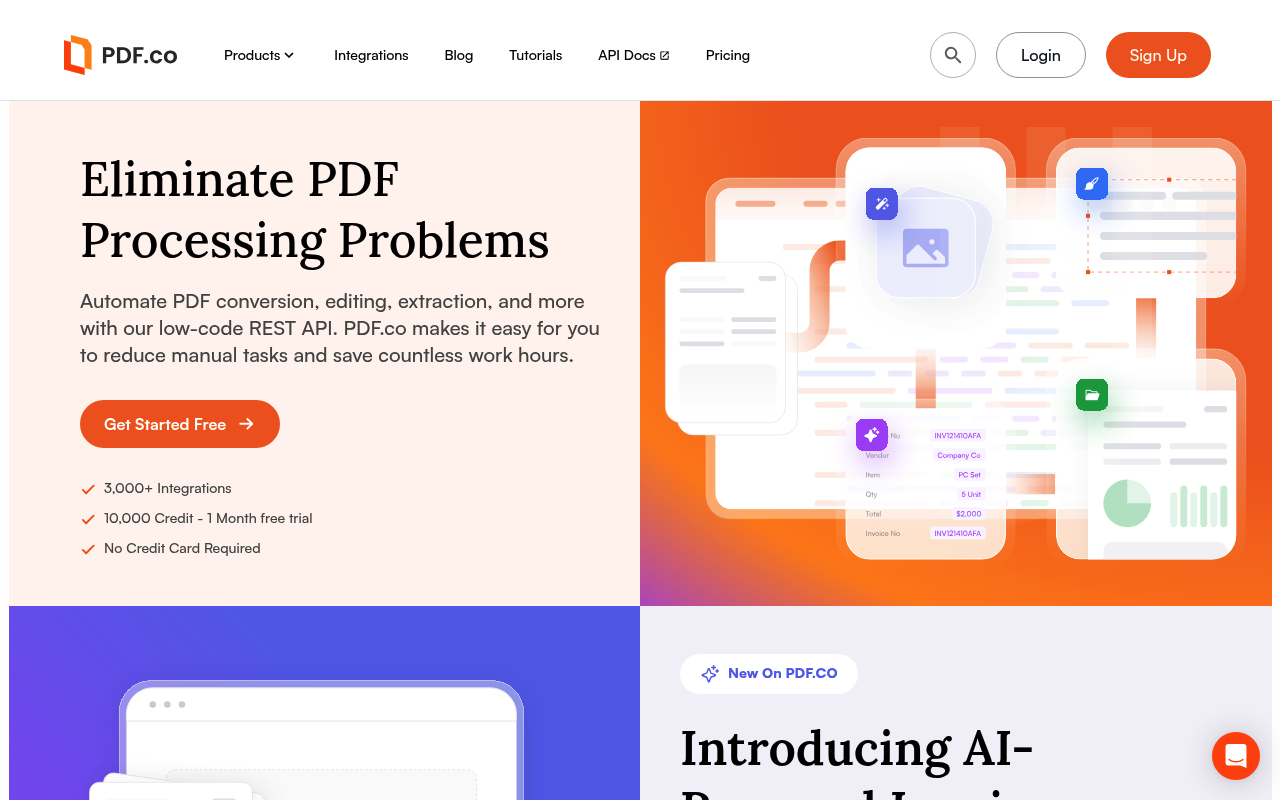
PDF.co website screenshot

PDF.co

9 APIs 0 Features
PDFDocument AutomationAIOCRInvoice ParsingDocument ParsingConversionFormsBarcodesE-Signature

APIs

PDF.co Extraction API

AI-powered data extraction from PDF, scanned, and image-based documents. Includes the AI Invoice Parser (zero-template invoice/receipt parsing), Document Parser (template-driven...

PDF.co Conversion API

Bidirectional document conversion: PDF to CSV, JSON, JSON-AI, text, XML, XLS, XLSX, HTML, JPG, PNG, TIFF, WebP; PDF from HTML, URL, DOC/DOCX, CSV/XLS/XLSX, images, and email (.m...

PDF.co Editing API

Programmatic PDF editing: add text/images/forms/links, replace text, replace text with images, delete text, delete or rotate pages, AI auto-rotate, search-and-replace, and form ...

PDF.co Merging and Splitting API

Merge multiple PDFs (and DOC, XLS, image inputs via /merge2) into a single document, or split PDFs by page ranges, indexes, or text-pattern search. Useful for document assembly,...

PDF.co Find and Search API

Locate text in PDFs and return coordinates (`/pdf/find`), AI-powered table location (`/pdf/find/table`), and make scanned PDFs text-searchable via OCR (`/pdf/makesearchable`) or...

PDF.co Forms API

Retrieve fillable form field details (`/pdf/info/fields`) for AcroForm and XFA PDFs. Pair with the Editing API's `/pdf/edit/add` endpoint to fill forms programmatically.

PDF.co Pages API

Delete pages by range, rotate pages by degrees, or use AI auto-rotation to detect and fix page orientation in scanned documents.

PDF.co Barcodes API

Generate high-quality barcode images (QR, Code128, DataMatrix, PDF417, EAN, UPC, and others) or read barcodes from PDF and image inputs by URL.

PDF.co Document, File, and System API

File operations and platform primitives: upload (form, base64, by URL, presigned URL), download, delete, MD5 hash; PDF compress (v2) and optimize; PDF info reader; email decode/...

Collections

PDF.co API

OPEN

Pricing Plans

Pdf Co Plans Pricing

7 plans

PLANS

Rate Limits

Pdf Co Rate Limits

0 limits

RATE LIMITS

FinOps

Pdf Co Finops

FINOPS

Semantic Vocabularies

Pdf Co Context

0 classes · 9 properties

JSON-LD

Example Payloads

Pdf Co Pdf To Json Example

2 fields

EXAMPLE

Resources

🌐
Portal
Portal
🔗
Documentation
Documentation
🔗
Documentation
Documentation
🔗
OpenAPI
OpenAPI
📝
Signup
Signup
🔗
Login
Login
💰
Pricing
Pricing
💬
Support
Support
🔗
Documentation
Documentation
👥
GitHub
GitHub
💻
SourceCode
SourceCode
🔗
MCP
MCP
🔗
Plugin
Plugin
📰
Blog
Blog
🔗
Documentation
Documentation
🔗
Security
Security
📜
TermsOfService
TermsOfService
📜
Privacy
Privacy
🔑
Authentication
Authentication
🔗
Webhooks
Webhooks
🔗
About
About
🔗
Plans
Plans
🔗
RateLimits
RateLimits
🔗
FinOps
FinOps

Sources

Raw ↑
opencollection: 1.0.0
info:
  name: PDF.co API
  version: '1.0'
request:
  auth:
    type: apikey
    key: x-api-key
    value: '{{x-api-key}}'
    placement: header
items:
- info:
    name: Extraction
    type: folder
  items:
  - info:
      name: AI Invoice Parser
      type: http
    http:
      method: POST
      url: https://api.pdf.co/v1/ai-invoice-parser
      body:
        type: json
        data: '{}'
    docs: Process invoices faster than ever by extracting data and structuring it automatically with our advanced AI. Get
      quick and accurate data from any invoice, no matter the layout.
  - info:
      name: Parse Document
      type: http
    http:
      method: POST
      url: https://api.pdf.co/v1/pdf/documentparser
      body:
        type: json
        data: '{}'
    docs: This API method extracts data from documents based on a document parser extraction template. With this API method,
      you can extract data from custom areas by searching form fields, tables, multiple pages, and more.
  - info:
      name: List All Templates
      type: http
    http:
      method: GET
      url: https://api.pdf.co/v1/pdf/documentparser/templates
    docs: Returns all **Document Parser** data extraction templates available to the current user.
  - info:
      name: Retrieve Template by ID
      type: http
    http:
      method: GET
      url: https://api.pdf.co/v1/pdf/documentparser/templates/:id
      params:
      - name: id
        value: ''
        type: path
        description: Document parser template id
    docs: Returns detailed information for document parser template by template’s id.
  - info:
      name: Extract Attachment
      type: http
    http:
      method: POST
      url: https://api.pdf.co/v1/pdf/attachments/extract
      body:
        type: json
        data: '{}'
    docs: Extracts attachments from a PDF file.
- info:
    name: Editing
    type: folder
  items:
  - info:
      name: PDF Add
      type: http
    http:
      method: POST
      url: https://api.pdf.co/v1/pdf/edit/add
      body:
        type: json
        data: '{}'
    docs: Add text, images, forms, other PDFs, fill forms, links to external sites and external PDF files. You can update
      or modify PDF and scanned PDF files.
  - info:
      name: Search and Replace with Text
      type: http
    http:
      method: POST
      url: https://api.pdf.co/v1/pdf/edit/replace-text
      body:
        type: json
        data: '{}'
    docs: Replaces text in a PDF file with a new text.
  - info:
      name: Search and Replace with Image
      type: http
    http:
      method: POST
      url: https://api.pdf.co/v1/pdf/edit/replace-text-with-image
      body:
        type: json
        data: '{}'
    docs: Modify a PDF file by searching for specific text and replacing it with an image.
  - info:
      name: PDF Search and Delete Text
      type: http
    http:
      method: POST
      url: https://api.pdf.co/v1/pdf/edit/delete-text
      body:
        type: json
        data: '{}'
    docs: Delete text from the PDF document with search strings.
- info:
    name: PDF Conversion
    type: folder
  items:
  - info:
      name: PDF to CSV
      type: http
    http:
      method: POST
      url: https://api.pdf.co/v1/pdf/convert/to/csv
      body:
        type: json
        data: '{}'
    docs: Convert PDF and scanned images into CSV representation with layout, columns, rows, and tables.
  - info:
      name: PDF to JSON
      type: http
    http:
      method: POST
      url: https://api.pdf.co/v1/pdf/convert/to/json2
      body:
        type: json
        data: '{}'
    docs: Convert PDF and scanned images into JSON representation with text, fonts, images, vectors, and formatting preserved.
  - info:
      name: PDF to JSON with AI
      type: http
    http:
      method: POST
      url: https://api.pdf.co/v1/pdf/convert/to/json-meta
      body:
        type: json
        data: '{}'
    docs: Convert PDF and scanned images into JSON using AI.
  - info:
      name: PDF to Text
      type: http
    http:
      method: POST
      url: https://api.pdf.co/v1/pdf/convert/to/text
      body:
        type: json
        data: '{}'
    docs: Convert PDF and scanned images to text with layout preserved. This method uses OCR and reporoduces layout.
  - info:
      name: PDF to Text (Simple)
      type: http
    http:
      method: POST
      url: https://api.pdf.co/v1/pdf/convert/to/text-simple
      body:
        type: json
        data: '{}'
    docs: This endpoint works faster and requires fewer credits as it is not using AI-powered layout analysis, OCR support,
      and also has no support for profiles for fine-tuning. For advanced conversion with layout analysis, OCR (for scanned
      pages), PDF repair, and other features please use the [PDF to Text](/api-reference/pdf-to-text) endpoint instead.
  - info:
      name: PDF to XLS
      type: http
    http:
      method: POST
      url: https://api.pdf.co/v1/pdf/convert/to/xls
      body:
        type: json
        data: '{}'
    docs: Convert PDF to Excel(.xls) with layout and fonts preserved.
  - info:
      name: PDF to XLSX
      type: http
    http:
      method: POST
      url: https://api.pdf.co/v1/pdf/convert/to/xlsx
      body:
        type: json
        data: '{}'
    docs: Convert PDF to Excel(.xlsx) with layout and fonts preserved.
  - info:
      name: PDF to XML
      type: http
    http:
      method: POST
      url: https://api.pdf.co/v1/pdf/convert/to/xml
      body:
        type: json
        data: '{}'
    docs: Convert PDF to XML with information about text value, tables, fonts, images, objects positions.
  - info:
      name: PDF to HTML
      type: http
    http:
      method: POST
      url: https://api.pdf.co/v1/pdf/convert/to/html
      body:
        type: json
        data: '{}'
    docs: Convert PDF and scanned images into HTML representation with text, fonts, images, vectors, formatting preserved.
  - info:
      name: PDF to JPG
      type: http
    http:
      method: POST
      url: https://api.pdf.co/v1/pdf/convert/to/jpg
      body:
        type: json
        data: '{}'
    docs: Convert PDF to JPEG image with high quality rendering.
  - info:
      name: PDF to PNG
      type: http
    http:
      method: POST
      url: https://api.pdf.co/v1/pdf/convert/to/png
      body:
        type: json
        data: '{}'
    docs: Convert PDF to PNG image with high quality rendering.
  - info:
      name: PDF to WEBP
      type: http
    http:
      method: POST
      url: https://api.pdf.co/v1/pdf/convert/to/webp
      body:
        type: json
        data: '{}'
    docs: Convert PDF to WebP image with high quality rendering.
  - info:
      name: PDF to TIFF
      type: http
    http:
      method: POST
      url: https://api.pdf.co/v1/pdf/convert/to/tiff
      body:
        type: json
        data: '{}'
    docs: Convert PDF to TIFF image with high quality rendering.
  - info:
      name: PDF from DOC
      type: http
    http:
      method: POST
      url: https://api.pdf.co/v1/pdf/convert/from/doc
      body:
        type: json
        data: '{}'
    docs: Convert DOC, DOCX, RTF, TXT, XPS files into PDF.
  - info:
      name: PDF from CSV
      type: http
    http:
      method: POST
      url: https://api.pdf.co/v1/pdf/convert/from/csv
      body:
        type: json
        data: '{}'
    docs: Convert CSV, XLS, XLSX files into PDF.
  - info:
      name: PDF from Image
      type: http
    http:
      method: POST
      url: https://api.pdf.co/v1/pdf/convert/from/image
      body:
        type: json
        data: '{}'
    docs: Convert JPG, PNG, TIFF image formats into PDF.
  - info:
      name: PDF from URL
      type: http
    http:
      method: POST
      url: https://api.pdf.co/v1/pdf/convert/from/url
      body:
        type: json
        data: '{}'
    docs: Convert URL into PDF. This method will process any JavaScript which the webpage triggers when it loads. For example
      if the the webpage triggers a JavaScript popup window then that will be included in the conversion process. There is
      no option to disable JavaScript on the supplied HTML page.
  - info:
      name: PDF from HTML
      type: http
    http:
      method: POST
      url: https://api.pdf.co/v1/pdf/convert/from/html
      body:
        type: json
        data: '{}'
    docs: Convert HTML into PDF. This method will process any JavaScript which the webpage triggers when it loads. For example
      if the the webpage triggers a JavaScript popup window then that will be included in the conversion process. There is
      no option to disable JavaScript on the supplied HTML page.
  - info:
      name: Return All Templates
      type: http
    http:
      method: GET
      url: https://api.pdf.co/v1/templates/html
    docs: Return all HTML templates for the current user.
  - info:
      name: Return HTML Template by ID
      type: http
    http:
      method: GET
      url: https://api.pdf.co/v1/templates/html/:id
      params:
      - name: id
        value: ''
        type: path
        description: HTML template id
    docs: Returns HTML template by template’s id.
  - info:
      name: PDF from Email
      type: http
    http:
      method: POST
      url: https://api.pdf.co/v1/pdf/convert/from/email
      body:
        type: json
        data: '{}'
    docs: Convert email files (.msg or .eml) code into PDF. Extract attachments (if any) from input email and embeds into
      PDF as PDF attachments.
- info:
    name: Excel Conversion
    type: folder
  items:
  - info:
      name: Excel to CSV
      type: http
    http:
      method: POST
      url: https://api.pdf.co/v1/xls/convert/to/csv
      body:
        type: json
        data: '{}'
    docs: Converts a xls/xlsx file to csv.
  - info:
      name: Excel to JSON
      type: http
    http:
      method: POST
      url: https://api.pdf.co/v1/xls/convert/to/json
      body:
        type: json
        data: '{}'
    docs: Converts a xls/xlsx/csv file to json.
  - info:
      name: Excel to HTML
      type: http
    http:
      method: POST
      url: https://api.pdf.co/v1/xls/convert/to/html
      body:
        type: json
        data: '{}'
    docs: Converts a xls/xlsx/csv file to html.
  - info:
      name: Excel to Text
      type: http
    http:
      method: POST
      url: https://api.pdf.co/v1/xls/convert/to/txt
      body:
        type: json
        data: '{}'
    docs: Converts a xls/xlsx/csv file to text.
  - info:
      name: Excel to XML
      type: http
    http:
      method: POST
      url: https://api.pdf.co/v1/xls/convert/to/xml
      body:
        type: json
        data: '{}'
    docs: Converts a xls/xlsx/csv file to xml.
  - info:
      name: Excel to PDF
      type: http
    http:
      method: POST
      url: https://api.pdf.co/v1/xls/convert/to/pdf
      body:
        type: json
        data: '{}'
    docs: Converts a xls/xlsx/csv file to pdf.
- info:
    name: PDF Merging & Splitting
    type: folder
  items:
  - info:
      name: Merge PDF
      type: http
    http:
      method: POST
      url: https://api.pdf.co/v1/pdf/merge
      body:
        type: json
        data: '{}'
    docs: Merge multiple PDF files into a single PDF document.
  - info:
      name: Merge Various Document Type
      type: http
    http:
      method: POST
      url: https://api.pdf.co/v1/pdf/merge2
      body:
        type: json
        data: '{}'
    docs: Merge PDF from two or more PDF, DOC, XLS, images, even ZIP with documents and images into a new PDF. This Merge
      2 endpoint is similar to [Merge PDF](/api-reference/merge/pdf) but it also supports `zip`, `doc`, `docx`, `xls`, `xlsx`,
      `rtf`, `txt`, `png`, `jpg` files as source. This Merge2 endpoint also consumes more credits than [Merge PDF](/api-reference/merge/pdf)
      because of the internal conversions.
  - info:
      name: Split PDF
      type: http
    http:
      method: POST
      url: https://api.pdf.co/v1/pdf/split
      body:
        type: json
        data: '{}'
    docs: Split a PDF into multiple PDF files using page indexes or page ranges.
  - info:
      name: Split PDF by Text Search
      type: http
    http:
      method: POST
      url: https://api.pdf.co/v1/pdf/split2
      body:
        type: json
        data: '{}'
    docs: Split a PDF into multiple PDF files using page indexes or page ranges.
- info:
    name: Forms
    type: folder
  items:
  - info:
      name: PDF Forms Info Reader
      type: http
    http:
      method: POST
      url: https://api.pdf.co/v1/pdf/info/fields
      body:
        type: json
        data: '{}'
    docs: Get information about fillable form fields inside a PDF file.
- info:
    name: Find & Search
    type: folder
  items:
  - info:
      name: PDF Find Text
      type: http
    http:
      method: POST
      url: https://api.pdf.co/v1/pdf/find
      body:
        type: json
        data: '{}'
    docs: Find text in PDF and get coordinates. Supports regular expressions.
  - info:
      name: Find Text in Table with AI
      type: http
    http:
      method: POST
      url: https://api.pdf.co/v1/pdf/find/table
      body:
        type: json
        data: '{}'
    docs: AI powered document analysis can scan your document for tables and return the array of tables on pages with coordinates
      and information about columns detected in these tables.
  - info:
      name: Make Text Searchable
      type: http
    http:
      method: POST
      url: https://api.pdf.co/v1/pdf/makesearchable
      body:
        type: json
        data: '{}'
    docs: This method converts scanned PDF documents (where pages are fully or partially made from scanned images) or image
      files into a text-searchable PDF. It runs OCR and adds an invisible text layer on top of your document that can be used
      for text search, text indexing, etc.
  - info:
      name: Make Text Unsearchable
      type: http
    http:
      method: POST
      url: https://api.pdf.co/v1/pdf/makeunsearchable
      body:
        type: json
        data: '{}'
    docs: This method converts PDF files into a "text unsearchable" version by converting your PDF into a "scanned" PDF file
      which is effectively a flat image.
- info:
    name: Document, File & System
    type: folder
  items:
  - info:
      name: PDF Compress
      type: http
    http:
      method: POST
      url: https://api.pdf.co/v2/pdf/compress
      body:
        type: json
        data: '{}'
    docs: Compress PDF files to reduce their size.
  - info:
      name: PDF Optimize
      type: http
    http:
      method: POST
      url: https://api.pdf.co/v1/pdf/optimize
      body:
        type: json
        data: '{}'
    docs: Optimize a PDF file to reduce its size.
  - info:
      name: PDF Info Reader
      type: http
    http:
      method: POST
      url: https://api.pdf.co/v1/pdf/info
      body:
        type: json
        data: '{}'
    docs: Get detailed information about a PDF document, it’s properties and security permissions.
  - info:
      name: Background & Job Check
      type: http
    http:
      method: POST
      url: https://api.pdf.co/v1/job/check
      body:
        type: json
        data: '{}'
    docs: Checks the [status](/api-reference/job-check/available-status-values) of a background job that was previously created
      with PDF.co API. Use this API to check the status of your asynchronous API calls.
  - info:
      name: Get Account Balance Info
      type: http
    http:
      method: GET
      url: https://api.pdf.co/v1/account/credit/balance
    docs: Get Account Balance Info
  - info:
      name: Document Classifier
      type: http
    http:
      method: POST
      url: https://api.pdf.co/v1/pdf/classifier
      body:
        type: json
        data: '{}'
    docs: Automatically find class of input PDF, JPG, PNG document by analyzing its content using the built-in AI or custom
      defined classification rules.
  - info:
      name: Send Email with File
      type: http
    http:
      method: POST
      url: https://api.pdf.co/v1/email/send
      body:
        type: json
        data: '{}'
    docs: Send an email. An email can be with or without attachment.
  - info:
      name: Extract Data from Email File
      type: http
    http:
      method: POST
      url: https://api.pdf.co/v1/email/decode
      body:
        type: json
        data: '{}'
    docs: Decode an email message to extract its components.
  - info:
      name: Extract Email Attachment
      type: http
    http:
      method: POST
      url: https://api.pdf.co/v1/email/extract-attachments
      body:
        type: json
        data: '{}'
    docs: Extract attachments from an email
  - info:
      name: Upload Small File
      type: http
    http:
      method: POST
      url: https://api.pdf.co/v1/file/upload
      body:
        type: json
        data: '{}'
    docs: 'Uploads a small (up to 100KB) local file as a temporary file in PDF.co storage. Note: temporary files are automatically
      permanently removed after 1 hour.'
  - info:
      name: Delete Temporary File
      type: http
    http:
      method: POST
      url: https://api.pdf.co/v1/file/delete
      body:
        type: json
        data: '{}'
    docs: Deletes temporary file (that was uploaded by you or generated by API).
  - info:
      name: Get MD5 Hash of File by URL
      type: http
    http:
      method: POST
      url: https://api.pdf.co/v1/file/hash
      body:
        type: json
        data: '{}'
    docs: Calculate and return MD5 hash of file by url. Commonly used to control if the source document has been changed or
      not because every little change will cause hash string to differ as well.
  - info:
      name: Upload File from URL
      type: http
    http:
      method: GET
      url: https://api.pdf.co/v1/file/upload/url
      params:
      - name: url
        value: ''
        type: query
        description: URL of the file to upload.
      - name: name
        value: ''
        type: query
        description: The name the file will be stored with.
      - name: httpusername
        value: ''
        type: query
      - name: httppassword
        value: ''
        type: query
    docs: Downloads file from a source url and uploads it as a temporary file. Temporary files are automatically permanently
      removed after 1 hour.
  - info:
      name: Upload File from URL
      type: http
    http:
      method: POST
      url: https://api.pdf.co/v1/file/upload/url
      body:
        type: json
        data: '{}'
    docs: Downloads file from a source url and uploads it as a temporary file. Temporary files are automatically permanently
      removed after 1 hour.
  - info:
      name: Upload File Using Base64
      type: http
    http:
      method: POST
      url: https://api.pdf.co/v1/file/upload/base64
      body:
        type: json
        data: '{}'
    docs: Creates a temporary file using base64 source data. You may use this temporary file URL with other API methods. Temporary
      files are automatically permanently removed after 1 hour.
  - info:
      name: Generate Pre-signed URL
      type: http
    http:
      method: GET
      url: https://api.pdf.co/v1/file/upload/get-presigned-url
      params:
      - name: name
        value: ''
        type: query
        description: File name for the generated output, the input must be in string format.
      - name: contenttype
        value: ''
        type: query
        description: The content type of the uploaded file
      - name: timeout
        value: ''
        type: query
        description: Timeout for output links in seconds.
    docs: This method generates links to upload your local file to. Use this presignedUrl from the response to upload your
      file. Once you upload your file to this presignedUrl using PUT, you can use the url link to access the uploaded file.
  - info:
      name: Add Password to PDF
      type: http
    http:
      method: POST
      url: https://api.pdf.co/v1/pdf/security/add
      body:
        type: json
        data: '{}'
    docs: Add password and security limitations to PDF
  - info:
      name: Remove Password from PDF
      type: http
    http:
      method: POST
      url: https://api.pdf.co/v1/pdf/security/remove
      body:
        type: json
        data: '{}'
    docs: Remove existing limits and password from PDF file.
- info:
    name: Pages
    type: folder
  items:
  - info:
      name: PDF Delete Pages
      type: http
    http:
      method: POST
      url: https://api.pdf.co/v1/pdf/edit/delete-pages
      body:
        type: json
        data: '{}'
    docs: Deletes selected pages inside a PDF file.
  - info:
      name: Rotate Selected Pages
      type: http
    http:
      method: POST
      url: https://api.pdf.co/v1/pdf/edit/rotate
      body:
        type: json
        data: '{}'
    docs: Rotates selected pages inside a PDF file.
  - info:
      name: Auto-rotate Pages with AI
      type: http
    http:
      method: POST
      url: https://api.pdf.co/v1/pdf/edit/rotate/auto
      body:
        type: json
        data: '{}'
    docs: Uses AI to automatically fix the rotation of pages inside scanned PDF based on text analysis. To change text language
      change the lang parameter (eng by default).
- info:
    name: Barcodes
    type: folder
  items:
  - info:
      name: Barcodes Generator
      type: http
    http:
      method: POST
      url: https://api.pdf.co/v1/barcode/generate
      body:
        type: json
        data: '{}'
    docs: Generate high quality barcode images. Supports QR Code, Datamatrix, Code 39, Code 128, PDF417 and many other barcode
      types.
  - info:
      name: Barcodes Reader
      type: http
    http:
      method: POST
      url: https://api.pdf.co/v1/barcode/read/from/url
      body:
        type: json
        data: '{}'
    docs: Read barcodes from images and PDF. Can read all popular barcode types from QR Code and Code 128, EAN to Datamatrix,
      PDF417, GS1 and many other barcodes.
bundled: true
