Maxio is a SaaS billing and financial operations platform formed from the merger of Chargify and SaaSOptics, providing subscription management, recurring billing, revenue recognition, and SaaS metrics for B2B software companies; the company operates as Maxio LLC. Maxio Advanced Billing (formerly Chargify) exposes a REST API for managing customers, subscriptions, products, components, invoices, and events. Authentication uses HTTP Basic auth with a per-site API key as the username.
Maxio publishes 42 API contracts indexed on the APIs.io network, including Advance Invoice API, API Exports API, Billing Portal API, and 39 more. Tagged areas include Billing, Subscription, Recurring Billing, Revenue Recognition, and SaaS Metrics.
The Maxio catalog on APIs.io includes 1 JSON-LD context and 1 Spectral governance ruleset.
Maxio’s developer surface includes changelog, sandbox, API reference, authentication, documentation, getting-started guide, support, and 46 more developer resources.
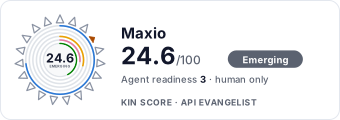
69.5/100exemplar▲ 44.9Agent43/100agent nativeFront door AI4/6
moderate
Heartbeat61/100
slowing
saas
Full breakdown ↓
scored 2026-11-13 · rubric v0.28.0 · Show this score on your site →
Regulatory Posture applies to this provider. Its tags matched the
Payments regime, so
Regulatory Posture carries 15 points of the composite.
If this regime is wrong for your business, say so on your
provider repo — the
applicability map is public and we will correct it.
Create-or-Update Ergonomics applies to this provider. This API accepts writes, so it
carries 10 points of the composite. It is scored from the published contracts
themselves: whether a caller can create-or-update in one call, whether the write accepts a key the caller already
holds, and whether the response says which branch ran. Without that, every write needs a search-and-branch in
front of it, and the first time that check is skipped a duplicate record is created.
Scored against the observed mean rather than raw — a provider at the catalog average is unchanged by this facet,
not penalised by it.
The six quality facets above are damped to 75 points between them,
because the conditional facet above carries the other
25. That is why each facet's contribution is shown against a damped
maximum: raising a quality facet moves the composite by 75% of its nominal
weight, not 100%. The full arithmetic is at apis.io/rating/.
Show this score on your site.
It updates itself when the score changes. Paste this where you link to your API docs:
<a href="https://apis.io/providers/maxio/"><img src="https://apis.io/badge/maxio/card.svg" alt="Maxio on APIs.io — Kin Score by API Evangelist"></a>
Other styles, a README pill and a shields.io endpoint are on the badge page.
Raise your score.
Agent readiness — checks not met, largest first (exact, from this profile):
Delegated User Identity+6 pts — a served discovery document listing authorization_code in grant_types_supported (served), else an oauth2 authorizationCode flow or openIdConnect declared in an OpenAPI (documented) Ask about this →
Typed Event Surface+6 pts — AsyncAPI document, OR webhooks/callbacks objects in the as-published OpenAPI, OR common[].type includes Webhooks Ask about this →
Protected Resource Metadata+5 pts — a served /.well-known/oauth-protected-resource carrying `resource` (documented), and naming its authorization_servers (verified) Ask about this →
4 more unmet checks in the Agent Readiness table above.
Kin Score — facets with the most composite points still available (weight × headroom):
Each check links to what satisfies it. Publish the artifact, or tell us where it already lives, and the score moves on the next scoring run.
Not sure how this applies to your stack? Ask about any one item. Kin Lane reads every question, looks at your profile and your situation, and replies with what a fix would take — scoped to that one area, priced up front, yours whether you ship it or not. Ask a question →
The Kin Score Market layer reads a provider inside its market:
its position, and how deep its integrations go. Depth is only comparable within a position. Provisional and unweighted:
not part of the Kin Score or agent readiness.
Registered MCP server and declares compatibility are report only — not weighted.
Undeclared means we found nothing we can read, so there is no number: we never infer integrations.
Standards this provider implements or carries. De facto ones are profiled and measured by the API Commons; formal ones come from the standards directory and are linked by the provider's own tags. The evidence column says how each claim was established — not that it was made.
Use the Advance Invoice feature to issue, retrieve, or void an invoice for a subscription ahead of its normal billing schedule, collecting an outstanding balance before the next...
API Exports allow you to generate and download bulk exports of subscriptions, invoices, and proforma invoices as asynchronous batch jobs, useful for reporting or migrating data ...
The Billing Portal object allows you to enable, disable, and manage customer access to the self-service Billing Portal, where customers can view invoices and manage their own pa...
The Component Feature object attaches a Feature Template to a Component as a feature catalog item with a concrete value, granting that feature to subscribers through the compone...
The Component Price Point object defines a specific pricing configuration for a Component, including the price point's rate structure and billing interval. A single Component ca...
The Component object represents an add-on item, such as a metered usage charge, quantity-based feature, or on/off toggle, that can be added to a subscription alongside the subsc...
The Coupon object defines a discount, either a percentage or a fixed amount, that can be applied to a subscription to reduce the subscription's billing amount. Coupons can be re...
Custom Fields let you define Metafields for a resource type and manage the Metadata values attached to individual records, so you can capture and store additional data beyond bu...
The Customer object represents the person or organization being billed and is the anchor that subscriptions, payment profiles, and invoices are all attached to. A customer recor...
Entitlements report what a subscription is allowed to do, and how much of it, based on the features granted by the subscription's products and components. When more than one pro...
The Event object records a discrete occurrence within your account, such as a payment, renewal, or subscription state change. The key identifies which type of event occurred, an...
The Segment object defines a distinct pricing variation within an event-based billing metric, based on one or more property values, such as a specific country or usage category....
The Feature Template object defines a feature once at the site level, such as Single Sign-On, a monthly API call limit, or a support tier. A feature template is not billable on ...
The Insights endpoints provide aggregate site-level statistics, such as customer and subscription counts, giving a high-level snapshot of account activity.
The Invoice object is the billing document generated for a subscription, itemizing charges, taxes, and payments, and tracking amounts owed. The role indicates what triggered the...
The Offer object packages a combination of products, components, and coupons into a single option that customers can subscribe to, just like a product. Once an offer is defined,...
The Payment Profile object represents a stored payment method on a customer's account. For more information, see [Managing Payment Methods](https://docs.maxio.com/getting-starte...
The Product Family object groups related Products, components, and coupons together for organizational purposes, such as products belonging to a single line of business, each sh...
The Product Feature object attaches a Feature Template to a Product as a feature catalog item with a concrete value, granting that feature to subscribers through the product. A ...
The Product Price Point object defines a specific pricing configuration for a Product, including price, billing interval, and trial terms. A single Product can have multiple pri...
The Product object defines what you sell, including default pricing, billing interval, and trial configuration. With the new catalog experience, the UI labels products as Plans,...
The Proforma Invoice object is a preview of an upcoming invoice, showing the charges a customer will be billed before the actual invoice is issued. A proforma invoice is not a f...
The Reason Code object defines a churn reason that can be presented to customers when they cancel a subscription, such as "too expensive" or "switching providers." Reason codes ...
The Referral Code object represents a code attached to a subscription, used to track and validate referrals as part of a referral program. For more information, see [Understand ...
Sales Commissions allow sellers with financial access to retrieve commission data for a site with Advanced Analytics enabled. These endpoints use a different, user-level authent...
The Site object represents a single billing account and holds site-wide configuration, such as default currency, tax settings, net terms, and which billing features are enabled....
Use the Subscription Components object to allocate, adjust, and report usage for the components attached to a subscription, including quantity-based, metered, and event-based co...
The Subscription Group Invoice Account object lets you manage prepayments and service credits for the shared invoice account of a Subscription Group, applying at the group level...
Use the Subscription Group Status object to manage the lifecycle of a Subscription Group as a whole, such as canceling every subscription within the group together.
The Subscription Group object links multiple subscriptions for a single customer under one shared payment profile and collection method, so you can consolidate billing instead o...
The Subscription Invoice Account object lets you manage a subscription's account balance, including prepayments, service credits, and refunds. For more information, see [Recordi...
The Subscription Note object stores an internal note attached to a subscription, used to record context, decisions, or history for your team. Notes are never exposed to the cust...
Use the Subscription Products object to migrate a subscription from one product or price point to another, including previewing the effects of a migration before committing to i...
The Subscription Renewals object lets you schedule, preview, and manage a subscription's upcoming renewal, including locking in specific pricing or canceling a scheduled renewal...
Subscription Status allows you to manage a subscription's lifecycle, including retrying a failed payment, canceling, pausing, resuming, and reactivating a subscription. For more...
Subscriptions connect a customer to a product and drive all recurring billing for that relationship, including invoice generation, billing start dates, and pricing structure acr...
Wallet Adjustments post a signed correction against a specific grant, or against an overdraft, on a wallet's ledger. Adjustments are intended for support and operations correcti...
The Wallet Product object is a billing product created specifically to denominate wallets and to price wallet purchases. A Wallet Product does not belong to a product family, an...
Wallet Purchases let a subscription buy additional prepaid units for a wallet, charged according to the subscription's collection method. A purchase can be previewed to quote th...
Use Wallet Transactions to fund a wallet with a one-time grant, consume units with a direct debit, and read the wallet's append-only ledger. For more information, see [Understan...
The Wallet object is a balance, owned by a subscription and denominated in the unit of a Wallet Product, that you can create, fund, drain, and read through the API. Wallets suit...
The Webhook object represents a single notification sent to your configured endpoint when an event occurs. A webhook tracks delivery status, including when it was last sent, whe...
Maxio's official hosted MCP connector. It connects AI clients such as Claude and ChatGPT to Maxio Advanced Billing and Maxio Core data. Maxio Support enables a feature flag, an ...
Overlays applied on top of this provider's contracts. Each card says who wrote it: a document the provider publishes, or one API Evangelist derived or generated.
aid: maxio
name: Maxio
description: Maxio is a SaaS billing and financial operations platform formed from the merger of Chargify and SaaSOptics,
  providing subscription management, recurring billing, revenue recognition, and SaaS metrics for B2B software companies;
  the company operates as Maxio LLC. Maxio Advanced Billing (formerly Chargify) exposes a REST API for managing customers,
  subscriptions, products, components, invoices, and events. Authentication uses HTTP Basic auth with a per-site API key as
  the username.
type: Index
deliveryModel:
  model: saas
  open_source: false
  commercial: true
  callable_host: false
  label: Hosted service · you call their endpoint
  confidence: medium
  source:
  - pricing
  generated: '2026-08-28'
  method: derived
accessModel:
  pricing: paid
  onboarding: unknown
  trial: false
  try_now: false
  public: false
  label: Paid
  confidence: high
  probe_state: covered
  source:
  - plans
  - authentication
  - rate-limits
  - security
  - sandbox
  generated: '2026-11-13'
  method: derived
image: https://kinlane-images.s3.amazonaws.com/shared/apis-json/icons/maxio.png
tags:
- Billing
- Subscription
- Recurring Billing
- Revenue Recognition
- SaaS Metrics
- Payments
tags_raw:
- Billing
- Subscriptions
- Recurring Billing
- Revenue Recognition
- SaaS Metrics
- Payments
url: https://raw.githubusercontent.com/api-evangelist/maxio/refs/heads/main/apis.yml
created: '2026-05-11'
modified: '2026-11-10'
specificationVersion: '0.23'
maintainers:
- FN: Kin Lane
  email: kin@apievangelist.com
common:
- type: AgenticAccess
  url: agentic-access/maxio-agentic-access.yml
- type: RateLimits
  url: rate-limits/maxio-rate-limits.yml
- type: Plans
  url: plans/maxio-plans-pricing.yml
- type: Spectral
  url: rules/maxio-rules.yml
- type: JSONLD
  url: json-ld/maxio-context.jsonld
- type: Vocabulary
  url: vocabulary/maxio-vocabulary.yml
- type: AgentSkill
  url: skills/_index.yml
- type: DataModel
  url: data-model/maxio-data-model.yml
- type: Components
  url: components/maxio-components.yml
- type: ChangeLog
  url: changelog/maxio-changelog.yml
- type: Idempotency
  url: conventions/maxio-conventions.yml
- type: Conventions
  url: conventions/maxio-conventions.yml
- type: Sandbox
  url: sandbox/maxio-sandbox.yml
- type: Compliance
  url: https://www.maxio.com/security
- type: Deprecation
  url: lifecycle/maxio-lifecycle.yml
- type: Lifecycle
  url: lifecycle/maxio-lifecycle.yml
- type: ErrorCatalog
  url: errors/maxio-error-codes.yml
- type: ErrorCatalog
  url: errors/maxio-problem-types.yml
- type: Conformance
  url: conformance/maxio-conformance.yml
- type: Overlay
  url: overlays/maxio-advanced-billing-overlay.yaml
- type: LLMsTxt
  url: llms/maxio-llms.txt
- type: MCPServer
  url: mcp/maxio-mcp.yml
- type: SecurityTxt
  url: well-known/maxio-api-statuspage-io-security.txt
- type: WellKnown
  url: well-known/maxio-well-known.yml
- type: Hosts
  url: hosts/maxio-hosts.yml
- type: IntegrationEdges
  url: integrations/maxio-integration-edges.yml
- type: Vendors
  url: vendors/maxio-vendors.yml
- type: SDKs
  url: packages/maxio-packages.yml
- type: Packages
  url: packages/maxio-packages.yml
- type: APIReference
  url: https://developers.maxio.com
- type: Authentication
  url: authentication/maxio-authentication.yml
- type: Sandbox
  url: https://www.maxio.com/sandbox
- type: Security
  url: https://www.maxio.com/security
- type: StatusPage
  url: https://maxio.statuspage.io/
- type: PrivacyPolicy
  url: https://www.maxio.com/privacy-policy
- type: TrustCenter
  url: security/maxio-trust-center.yml
- type: DomainSecurity
  url: security/maxio-domain-security.yml
- type: LinkedIn
  url: https://www.linkedin.com/company/wearemaxio
- type: Website
  url: https://www.maxio.com
- type: Documentation
  url: https://developers.maxio.com/
- type: HelpCenter
  url: https://docs.maxio.com/
- type: GitHubOrganization
  url: https://github.com/maxio-com
- type: Login
  url: https://www.maxio.com/login
- type: DeveloperPortal
  url: https://developers.maxio.com/
- type: GettingStarted
  url: https://docs.maxio.com/getting-started
- type: Support
  url: https://support.maxio.com/hc/en-us
- type: TermsOfService
  url: https://www.maxio.com/terms-and-conditions
- type: Newsroom
  url: https://www.maxio.com/news
- type: Pricing
  url: https://www.maxio.com/pricing
- type: LlmsText
  url: https://maxio.com/llms.txt
- url: https://www.maxio.com/blog
  type: Blog
- type: DataProcessing
  url: privacy/maxio-privacy-policy.yml
- type: Attestations
  url: compliance/maxio-compliance.yml
apis:
- aid: maxio:maxio-advance-invoice-api
  name: Maxio Advance Invoice API
  description: Use the Advance Invoice feature to issue, retrieve, or void an invoice for a subscription ahead of its normal
    billing schedule, collecting an outstanding balance before the next scheduled renewal. For more information, see [Issue
    Advance Invoices for Subscription Renewals](https://docs.maxio.com/billing/invoicing/advance-invoices/issue-advance-invoices-for-subscription-renewals).
  humanURL: https://developers.maxio.com/
  baseURL: https://{site}.chargify.com
  tags:
  - Advance Invoice
  properties:
  - type: OpenAPI
    url: openapi/maxio-advance-invoice-api-openapi.yml
  - type: Documentation
    url: https://developers.maxio.com/
  - type: GettingStarted
    url: https://developers.maxio.com/http/getting-started/how-to-get-started
  - type: Support
    url: https://developers.maxio.com/http/help/getting-support
  - type: Authentication
    url: https://developers.maxio.com/http/getting-started/authentication
  - type: API Keys
    url: https://docs.maxio.com/configuration/advanced-billing/advanced-billing-api-keys
  - type: JSONSchema
    url: json-schema/maxio-invoice-schema.json
- aid: maxio:maxio-api-exports-api
  name: Maxio API Exports API
  description: API Exports allow you to generate and download bulk exports of subscriptions, invoices, and proforma invoices
    as asynchronous batch jobs, useful for reporting or migrating data outside the standard paginated list endpoints. For
    more information, see [Billing Export Fields Reference](https://docs.maxio.com/insights/data-export/field-references/billing-export-fields-reference#invoice-line-items-fields).
  humanURL: https://developers.maxio.com/
  baseURL: https://{site}.chargify.com
  tags:
  - API Exports
  properties:
  - type: OpenAPI
    url: openapi/maxio-api-exports-api-openapi.yml
  - type: Documentation
    url: https://developers.maxio.com/
  - type: GettingStarted
    url: https://developers.maxio.com/http/getting-started/how-to-get-started
  - type: Support
    url: https://developers.maxio.com/http/help/getting-support
  - type: Authentication
    url: https://developers.maxio.com/http/getting-started/authentication
  - type: API Keys
    url: https://docs.maxio.com/configuration/advanced-billing/advanced-billing-api-keys
  - type: JSONSchema
    url: json-schema/maxio-subscription-schema.json
  - type: JSONSchema
    url: json-schema/maxio-invoice-schema.json
- aid: maxio:maxio-billing-portal-api
  name: Maxio Billing Portal API
  description: The Billing Portal object allows you to enable, disable, and manage customer access to the self-service Billing
    Portal, where customers can view invoices and manage their own payment details. For more information, see [Understand
    the Billing Portal](https://docs.maxio.com/billing/billing-portal/overview/understand-the-billing-portal).
  humanURL: https://developers.maxio.com/
  baseURL: https://{site}.chargify.com
  tags:
  - Billing Portal
  properties:
  - type: OpenAPI
    url: openapi/maxio-billing-portal-api-openapi.yml
  - type: Documentation
    url: https://developers.maxio.com/
  - type: GettingStarted
    url: https://developers.maxio.com/http/getting-started/how-to-get-started
  - type: Support
    url: https://developers.maxio.com/http/help/getting-support
  - type: Authentication
    url: https://developers.maxio.com/http/getting-started/authentication
  - type: API Keys
    url: https://docs.maxio.com/configuration/advanced-billing/advanced-billing-api-keys
- aid: maxio:maxio-component-features-api
  name: Maxio Component Features API
  description: 'The Component Feature object attaches a Feature Template to a Component as a feature catalog item with a concrete
    value, granting that feature to subscribers through the component.


    A component feature applies to the whole component by default, or can be scoped to a single component price point as an
    override. For more information, see [Configure Entitlements](https://docs.maxio.com/billing/catalog/entitlements/configure-entitlements).'
  humanURL: https://developers.maxio.com/
  baseURL: https://{site}.chargify.com
  tags:
  - Component Features
  properties:
  - type: OpenAPI
    url: openapi/maxio-component-features-api-openapi.yml
  - type: Documentation
    url: https://developers.maxio.com/
  - type: GettingStarted
    url: https://developers.maxio.com/http/getting-started/how-to-get-started
  - type: Support
    url: https://developers.maxio.com/http/help/getting-support
  - type: Authentication
    url: https://developers.maxio.com/http/getting-started/authentication
  - type: API Keys
    url: https://docs.maxio.com/configuration/advanced-billing/advanced-billing-api-keys
- aid: maxio:maxio-component-price-points-api
  name: 'Maxio Component: Price Points API'
  description: 'The Component Price Point object defines a specific pricing configuration for a Component, including the price
    point''s rate structure and billing interval.


    A single Component can have multiple price points, allowing different subscriptions to be billed for the same component
    under different terms.'
  humanURL: https://developers.maxio.com/
  baseURL: https://{site}.chargify.com
  tags:
  - 'Component: Price Points'
  properties:
  - type: OpenAPI
    url: openapi/maxio-component-price-points-api-openapi.yml
  - type: Documentation
    url: https://developers.maxio.com/
  - type: GettingStarted
    url: https://developers.maxio.com/http/getting-started/how-to-get-started
  - type: Support
    url: https://developers.maxio.com/http/help/getting-support
  - type: Authentication
    url: https://developers.maxio.com/http/getting-started/authentication
  - type: API Keys
    url: https://docs.maxio.com/configuration/advanced-billing/advanced-billing-api-keys
  - type: JSONSchema
    url: json-schema/maxio-component-schema.json
- aid: maxio:maxio-components-api
  name: Maxio Components API
  description: 'The Component object represents an add-on item, such as a metered usage charge, quantity-based feature, or
    on/off toggle, that can be added to a subscription alongside the subscription''s base Product. With the new catalog experience,
    the UI labels components as Products, while the API keeps the component name. See [Catalog terminology](https://docs.maxio.com/billing/catalog/overview/using-the-new-product-catalog#catalog-terminology).


    Components belong to a Product Family and are billed according to their pricing scheme and kind. Components can also grant
    features to subscribers through [Create Component Feature Catalog Item]($e/Component%20Features/createComponentFeature).
    For more information, see [Understand Products](https://docs.maxio.com/billing/catalog/products/understand-products) and
    [Hybrid pricing](https://docs.maxio.com/billing/catalog/products/use-product-pricing-schemes#hybrid-pricing).'
  humanURL: https://developers.maxio.com/
  baseURL: https://{site}.chargify.com
  tags:
  - Components
  properties:
  - type: OpenAPI
    url: openapi/maxio-components-api-openapi.yml
  - type: Documentation
    url: https://developers.maxio.com/
  - type: GettingStarted
    url: https://developers.maxio.com/http/getting-started/how-to-get-started
  - type: Support
    url: https://developers.maxio.com/http/help/getting-support
  - type: Authentication
    url: https://developers.maxio.com/http/getting-started/authentication
  - type: API Keys
    url: https://docs.maxio.com/configuration/advanced-billing/advanced-billing-api-keys
  - type: JSONSchema
    url: json-schema/maxio-component-schema.json
- aid: maxio:maxio-coupons-api
  name: Maxio Coupons API
  description: 'The Coupon object defines a discount, either a percentage or a fixed amount, that can be applied to a subscription
    to reduce the subscription''s billing amount.


    Coupons can be restricted to a specific Product Family, limited to a date range, and configured to apply once or recur
    over a set duration. For more information, see [Understand Coupons](https://docs.maxio.com/billing/catalog/coupons/understand-coupons).'
  humanURL: https://developers.maxio.com/
  baseURL: https://{site}.chargify.com
  tags:
  - Coupons
  properties:
  - type: OpenAPI
    url: openapi/maxio-coupons-api-openapi.yml
  - type: Documentation
    url: https://developers.maxio.com/
  - type: GettingStarted
    url: https://developers.maxio.com/http/getting-started/how-to-get-started
  - type: Support
    url: https://developers.maxio.com/http/help/getting-support
  - type: Authentication
    url: https://developers.maxio.com/http/getting-started/authentication
  - type: API Keys
    url: https://docs.maxio.com/configuration/advanced-billing/advanced-billing-api-keys
- aid: maxio:maxio-custom-fields-api
  name: Maxio Custom Fields API
  description: Custom Fields let you define Metafields for a resource type and manage the Metadata values attached to individual
    records, so you can capture and store additional data beyond built-in system fields. For more information, see [Understand
    Custom Fields](https://docs.maxio.com/configuration/advanced-billing/custom-fields/understand-custom-fields).
  humanURL: https://developers.maxio.com/
  baseURL: https://{site}.chargify.com
  tags:
  - Custom Fields
  properties:
  - type: OpenAPI
    url: openapi/maxio-custom-fields-api-openapi.yml
  - type: Documentation
    url: https://developers.maxio.com/
  - type: GettingStarted
    url: https://developers.maxio.com/http/getting-started/how-to-get-started
  - type: Support
    url: https://developers.maxio.com/http/help/getting-support
  - type: Authentication
    url: https://developers.maxio.com/http/getting-started/authentication
  - type: API Keys
    url: https://docs.maxio.com/configuration/advanced-billing/advanced-billing-api-keys
- aid: maxio:maxio-customers-api
  name: Maxio Customers API
  description: 'The Customer object represents the person or organization being billed and is the anchor that subscriptions,
    payment profiles, and invoices are all attached to.


    A customer record stores contact and billing details (name, address, tax exemption status, locale) along with references
    to related records, such as the customer''s default subscription group. For more information, see [Understand Customers
    for Subscription Management](https://docs.maxio.com/billing/subscriptions/customers/understand-customers-for-subscription-management).'
  humanURL: https://developers.maxio.com/
  baseURL: https://{site}.chargify.com
  tags:
  - Customers
  properties:
  - type: OpenAPI
    url: openapi/maxio-customers-api-openapi.yml
  - type: Documentation
    url: https://developers.maxio.com/
  - type: GettingStarted
    url: https://developers.maxio.com/http/getting-started/how-to-get-started
  - type: Support
    url: https://developers.maxio.com/http/help/getting-support
  - type: Authentication
    url: https://developers.maxio.com/http/getting-started/authentication
  - type: API Keys
    url: https://docs.maxio.com/configuration/advanced-billing/advanced-billing-api-keys
  - type: JSONSchema
    url: json-schema/maxio-subscription-schema.json
- aid: maxio:maxio-entitlements-api
  name: Maxio Entitlements API
  description: 'Entitlements report what a subscription is allowed to do, and how much of it, based on the features granted
    by the subscription''s products and components.


    When more than one product or component grants the same feature, the values are aggregated into one entry per feature
    key and periodicity. For more information, see [Read Subscription Entitlements with the API](https://docs.maxio.com/billing/catalog/entitlements/read-subscription-entitlements-with-the-api).'
  humanURL: https://developers.maxio.com/
  baseURL: https://{site}.chargify.com
  tags:
  - Entitlements
  properties:
  - type: OpenAPI
    url: openapi/maxio-entitlements-api-openapi.yml
  - type: Documentation
    url: https://developers.maxio.com/
  - type: GettingStarted
    url: https://developers.maxio.com/http/getting-started/how-to-get-started
  - type: Support
    url: https://developers.maxio.com/http/help/getting-support
  - type: Authentication
    url: https://developers.maxio.com/http/getting-started/authentication
  - type: API Keys
    url: https://docs.maxio.com/configuration/advanced-billing/advanced-billing-api-keys
- aid: maxio:maxio-events-api
  name: Maxio Events API
  description: 'The Event object records a discrete occurrence within your account, such as a payment, renewal, or subscription
    state change.


    The key identifies which type of event occurred, and event_specific_data carries a payload whose shape depends on that
    key.'
  humanURL: https://developers.maxio.com/
  baseURL: https://{site}.chargify.com
  tags:
  - Event
  tags_raw:
  - Events
  properties:
  - type: OpenAPI
    url: openapi/maxio-events-api-openapi.yml
  - type: Documentation
    url: https://developers.maxio.com/
  - type: GettingStarted
    url: https://developers.maxio.com/http/getting-started/how-to-get-started
  - type: Support
    url: https://developers.maxio.com/http/help/getting-support
  - type: Authentication
    url: https://developers.maxio.com/http/getting-started/authentication
  - type: API Keys
    url: https://docs.maxio.com/configuration/advanced-billing/advanced-billing-api-keys
- aid: maxio:maxio-events-based-billing-segments-api
  name: 'Maxio Events-Based Billing: Segments API'
  description: 'The Segment object defines a distinct pricing variation within an event-based billing metric, based on one
    or more property values, such as a specific country or usage category.


    Each segment carries its own set of prices, letting a single metric charge different rates depending on which segment
    an event falls into.'
  humanURL: https://developers.maxio.com/
  baseURL: https://{site}.chargify.com
  tags:
  - 'Events-Based Billing: Segments'
  properties:
  - type: OpenAPI
    url: openapi/maxio-events-based-billing-segments-api-openapi.yml
  - type: Documentation
    url: https://developers.maxio.com/
  - type: GettingStarted
    url: https://developers.maxio.com/http/getting-started/how-to-get-started
  - type: Support
    url: https://developers.maxio.com/http/help/getting-support
  - type: Authentication
    url: https://developers.maxio.com/http/getting-started/authentication
  - type: API Keys
    url: https://docs.maxio.com/configuration/advanced-billing/advanced-billing-api-keys
- aid: maxio:maxio-feature-templates-api
  name: Maxio Feature Templates API
  description: 'The Feature Template object defines a feature once at the site level, such as Single Sign-On, a monthly API
    call limit, or a support tier.


    A feature template is not billable on its own. Attach the template to products or components to grant the feature to subscribers.
    The kind (access_right, usage_limit, or service_right) determines how the feature''s value behaves. For more information,
    see [Configure Entitlements](https://docs.maxio.com/billing/catalog/entitlements/configure-entitlements).'
  humanURL: https://developers.maxio.com/
  baseURL: https://{site}.chargify.com
  tags:
  - Feature Templates
  properties:
  - type: OpenAPI
    url: openapi/maxio-feature-templates-api-openapi.yml
  - type: Documentation
    url: https://developers.maxio.com/
  - type: GettingStarted
    url: https://developers.maxio.com/http/getting-started/how-to-get-started
  - type: Support
    url: https://developers.maxio.com/http/help/getting-support
  - type: Authentication
    url: https://developers.maxio.com/http/getting-started/authentication
  - type: API Keys
    url: https://docs.maxio.com/configuration/advanced-billing/advanced-billing-api-keys
- aid: maxio:maxio-insights-api
  name: Maxio Insights API
  description: The Insights endpoints provide aggregate site-level statistics, such as customer and subscription counts, giving
    a high-level snapshot of account activity.
  humanURL: https://developers.maxio.com/
  baseURL: https://{site}.chargify.com
  tags:
  - Insights
  properties:
  - type: OpenAPI
    url: openapi/maxio-insights-api-openapi.yml
  - type: Documentation
    url: https://developers.maxio.com/
  - type: GettingStarted
    url: https://developers.maxio.com/http/getting-started/how-to-get-started
  - type: Support
    url: https://developers.maxio.com/http/help/getting-support
  - type: Authentication
    url: https://developers.maxio.com/http/getting-started/authentication
  - type: API Keys
    url: https://docs.maxio.com/configuration/advanced-billing/advanced-billing-api-keys
- aid: maxio:maxio-invoices-api
  name: Maxio Invoices API
  description: 'The Invoice object is the billing document generated for a subscription, itemizing charges, taxes, and payments,
    and tracking amounts owed.


    The role indicates what triggered the invoice (signup, renewal, usage, proration, etc.), and the status and due_date reflect
    where an invoice stands in the payment lifecycle. For more information, see [Get Started with Invoicing](https://docs.maxio.com/billing/invoicing/overview/get-started-with-invoicing).'
  humanURL: https://developers.maxio.com/
  baseURL: https://{site}.chargify.com
  tags:
  - Invoices
  properties:
  - type: OpenAPI
    url: openapi/maxio-invoices-api-openapi.yml
  - type: Documentation
    url: https://developers.maxio.com/
  - type: GettingStarted
    url: https://developers.maxio.com/http/getting-started/how-to-get-started
  - type: Support
    url: https://developers.maxio.com/http/help/getting-support
  - type: Authentication
    url: https://developers.maxio.com/http/getting-started/authentication
  - type: API Keys
    url: https://docs.maxio.com/configuration/advanced-billing/advanced-billing-api-keys
  - type: JSONSchema
    url: json-schema/maxio-invoice-schema.json
  - type: JSONSchema
    url: json-schema/maxio-credit-note-schema.json
- aid: maxio:maxio-offers-api
  name: Maxio Offers API
  description: 'The Offer object packages a combination of products, components, and coupons into a single option that customers
    can subscribe to, just like a product. Once an offer is defined, the offer can be used as an alternative to a product
    when creating subscriptions.


    Offers are commonly used to power self-service signup pages without requiring each pricing combination to be built manually.
    For more information, see [Understand Offers](https://docs.maxio.com/billing/catalog/offers/understand-offers).'
  humanURL: https://developers.maxio.com/
  baseURL: https://{site}.chargify.com
  tags:
  - Offers
  properties:
  - type: OpenAPI
    url: openapi/maxio-offers-api-openapi.yml
  - type: Documentation
    url: https://developers.maxio.com/
  - type: GettingStarted
    url: https://developers.maxio.com/http/getting-started/how-to-get-started
  - type: Support
    url: https://developers.maxio.com/http/help/getting-support
  - type: Authentication
    url: https://developers.maxio.com/http/getting-started/authentication
  - type: API Keys
    url: https://docs.maxio.com/configuration/advanced-billing/advanced-billing-api-keys
- aid: maxio:maxio-payment-profiles-api
  name: Maxio Payment Profiles API
  description: The Payment Profile object represents a stored payment method on a customer's account. For more information,
    see [Managing Payment Methods](https://docs.maxio.com/getting-started/maxio-platform-basics/advanced-billing-overview-and-resources/subscription-summary-tabs/managing-payment-methods).
  humanURL: https://developers.maxio.com/
  baseURL: https://{site}.chargify.com
  tags:
  - Payment Profiles
  properties:
  - type: OpenAPI
    url: openapi/maxio-payment-profiles-api-openapi.yml
  - type: Documentation
    url: https://developers.maxio.com/
  - type: GettingStarted
    url: https://developers.maxio.com/http/getting-started/how-to-get-started
  - type: Support
    url: https://developers.maxio.com/http/help/getting-support
  - type: Authentication
    url: https://developers.maxio.com/http/getting-started/authentication
  - type: API Keys
    url: https://docs.maxio.com/configuration/advanced-billing/advanced-billing-api-keys
- aid: maxio:maxio-product-families-api
  name: Maxio Product Families API
  description: The Product Family object groups related Products, components, and coupons together for organizational purposes,
    such as products belonging to a single line of business, each sharing a family-level handle and accounting code. For more
    information, see [Organize Product Families](https://docs.maxio.com/billing/catalog/plans/organize-product-families).
  humanURL: https://developers.maxio.com/
  baseURL: https://{site}.chargify.com
  tags:
  - Product Families
  properties:
  - type: OpenAPI
    url: openapi/maxio-product-families-api-openapi.yml
  - type: Documentation
    url: https://developers.maxio.com/
  - type: GettingStarted
    url: https://developers.maxio.com/http/getting-started/how-to-get-started
  - type: Support
    url: https://developers.maxio.com/http/help/getting-support
  - type: Authentication
    url: https://developers.maxio.com/http/getting-started/authentication
  - type: API Keys
    url: https://docs.maxio.com/configuration/advanced-billing/advanced-billing-api-keys
- aid: maxio:maxio-product-features-api
  name: Maxio Product Features API
  description: 'The Product Feature object attaches a Feature Template to a Product as a feature catalog item with a concrete
    value, granting that feature to subscribers through the product.


    A product feature applies to the whole product by default, or can be scoped to a single product price point as an override.
    For more information, see [Configure Entitlements](https://docs.maxio.com/billing/catalog/entitlements/configure-entitlements).'
  humanURL: https://developers.maxio.com/
  baseURL: https://{site}.chargify.com
  tags:
  - Product Features
  properties:
  - type: OpenAPI
    url: openapi/maxio-product-features-api-openapi.yml
  - type: Documentation
    url: https://developers.maxio.com/
  - type: GettingStarted
    url: https://developers.maxio.com/http/getting-started/how-to-get-started
  - type: Support
    url: https://developers.maxio.com/http/help/getting-support
  - type: Authentication
    url: https://developers.maxio.com/http/getting-started/authentication
  - type: API Keys
    url: https://docs.maxio.com/configuration/advanced-billing/advanced-billing-api-keys
- aid: maxio:maxio-product-price-points-api
  name: 'Maxio Product: Price Points API'
  description: 'The Product Price Point object defines a specific pricing configuration for a Product, including price, billing
    interval, and trial terms.


    A single Product can have multiple price points, letting you offer different rates or terms for the same product without
    creating separate products. Custom price points (type `custom`) can''t be updated, set as the product''s default, or given
    currency prices. Currency prices must mirror the price point''s primary pricing, so if the price point defines a trial
    or setup fee, each currency must define one too. For more information, see [Setting Up Plan Price Points](https://docs.maxio.com/billing/catalog/plans/setting-up-plan-price-points).'
  humanURL: https://developers.maxio.com/
  baseURL: https://{site}.chargify.com
  tags:
  - 'Product: Price Points'
  properties:
  - type: OpenAPI
    url: openapi/maxio-product-price-points-api-openapi.yml
  - type: Documentation
    url: https://developers.maxio.com/
  - type: GettingStarted
    url: https://developers.maxio.com/http/getting-started/how-to-get-started
  - type: Support
    url: https://developers.maxio.com/http/help/getting-support
  - type: Authentication
    url: https://developers.maxio.com/http/getting-started/authentication
  - type: API Keys
    url: https://docs.maxio.com/configuration/advanced-billing/advanced-billing-api-keys
- aid: maxio:maxio-products-api
  name: Maxio Products API
  description: 'The Product object defines what you sell, including default pricing, billing interval, and trial configuration.
    With the new catalog experience, the UI labels products as Plans, while the API keeps the product name. See [Catalog terminology](https://docs.maxio.com/billing/catalog/overview/using-the-new-product-catalog#catalog-terminology).


    Products are grouped under a Product Family and are the base type a customer subscribes to. Products can also grant features
    to subscribers through [Create Product Feature Catalog Item]($e/Product%20Features/createProductFeature). For more information,
    see [Understand Plans](https://docs.maxio.com/billing/catalog/plans/understand-plans).'
  humanURL: https://developers.maxio.com/
  baseURL: https://{site}.chargify.com
  tags:
  - Product
  tags_raw:
  - Products
  properties:
  - type: OpenAPI
    url: openapi/maxio-products-api-openapi.yml
  - type: Documentation
    url: https://developers.maxio.com/
  - type: GettingStarted
    url: https://developers.maxio.com/http/getting-started/how-to-get-started
  - type: Support
    url: https://developers.maxio.com/http/help/getting-support
  - type: Authentication
    url: https://developers.maxio.com/http/getting-started/authentication
  - type: API Keys
    url: https://docs.maxio.com/configuration/advanced-billing/advanced-billing-api-keys
- aid: maxio:maxio-proforma-invoices-api
  name: Maxio Proforma Invoices API
  description: The Proforma Invoice object is a preview of an upcoming invoice, showing the charges a customer will be billed
    before the actual invoice is issued. A proforma invoice is not a finalized billing document and is commonly used to give
    customers advance visibility into what they owe. For more information, see [Understand Proforma Invoices](https://docs.maxio.com/billing/invoicing/proforma-invoices/understand-proforma-invoices).
  humanURL: https://developers.maxio.com/
  baseURL: https://{site}.chargify.com
  tags:
  - Proforma Invoices
  properties:
  - type: OpenAPI
    url: openapi/maxio-proforma-invoices-api-openapi.yml
  - type: Documentation
    url: https://developers.maxio.com/
  - type: GettingStarted
    url: https://developers.maxio.com/http/getting-started/how-to-get-started
  - type: Support
    url: https://developers.maxio.com/http/help/getting-support
  - type: Authentication
    url: https://developers.maxio.com/http/getting-started/authentication
  - type: API Keys
    url: https://docs.maxio.com/configuration/advanced-billing/advanced-billing-api-keys
- aid: maxio:maxio-reason-codes-api
  name: Maxio Reason Codes API
  description: 'The Reason Code object defines a churn reason that can be presented to customers when they cancel a subscription,
    such as "too expensive" or "switching providers."


    Reason codes give merchants visibility into why subscribers are canceling. For more information, see [Configure Churn
    Reason Codes](https://docs.maxio.com/configuration/advanced-billing/settings/churn-reason-codes).'
  humanURL: https://developers.maxio.com/
  baseURL: https://{site}.chargify.com
  tags:
  - Reason Codes
  properties:
  - type: OpenAPI
    url: openapi/maxio-reason-codes-api-openapi.yml
  - type: Documentation
    url: https://developers.maxio.com/
  - type: GettingStarted
    url: https://developers.maxio.com/http/getting-started/how-to-get-started
  - type: Support
    url: https://developers.maxio.com/http/help/getting-support
  - type: Authentication
    url: https://developers.maxio.com/http/getting-started/authentication
  - type: API Keys
    url: https://docs.maxio.com/configuration/advanced-billing/advanced-billing-api-keys


# --- truncated at 32 KB (53 KB total) ---
# Full source: https://artifacts.apis.io/maxio/apis.yml
Maxio API — frequently asked questions
Does Maxio have an API?
Yes. APIs.io lists 42 APIs from Maxio, including Maxio Advance Invoice API, Maxio API Exports API and Maxio Billing Portal API, and 39 more.
Is there an OpenAPI specification for the Maxio API?
Yes. APIs.io indexes 42 OpenAPI specifications for Maxio, each linked for download from this page.
How do I authenticate with the Maxio API?
Maxio uses bearer-token authentication (http · 1 scheme). The details are profiled on APIs.io as Maxio Authentication.
How much does the Maxio API cost?
Maxio publishes its prices; its Grow plan is $599/ month as of 2026-11-10. APIs.io lists 2 pricing plans for Maxio, with each plan's price, limits and inclusions under Pricing on this page.
Does Maxio have an MCP server?
Yes. APIs.io lists 1 MCP server for Maxio: Maxio's official hosted MCP connector. It connects AI clients such as Claude and ChatGPT to Maxio Advanced Billing and Maxio Core data. Maxio Support enables a feature flag, an admin then configures i
Is the Maxio API ready for AI agents?
Maxio has a Kin Score of 69.5 out of 100 (exemplar) and an Agent Readiness score of 42.9 (agent-native), scored by API Evangelist on 2026-11-13.
Calls without X-API-Key need no key. Calls with it need a paid plan — get a key.
Get an API key
Free tier, no form to fill in. Signing in shares your email address with us — we
store it to create your key and to recognise you if you sign in with another
provider. See our Privacy Policy and
Terms.
 Kin Score
How this is scored →
 It updates itself when the score changes. Paste this where you link to your API docs: