Looker
Looker is a business intelligence and data analytics platform that enables organizations to explore, analyze, and share real-time business analytics.
6 APIs
6 Features
AnalyticsBI PlatformBusiness IntelligenceData AnalyticsData Visualization
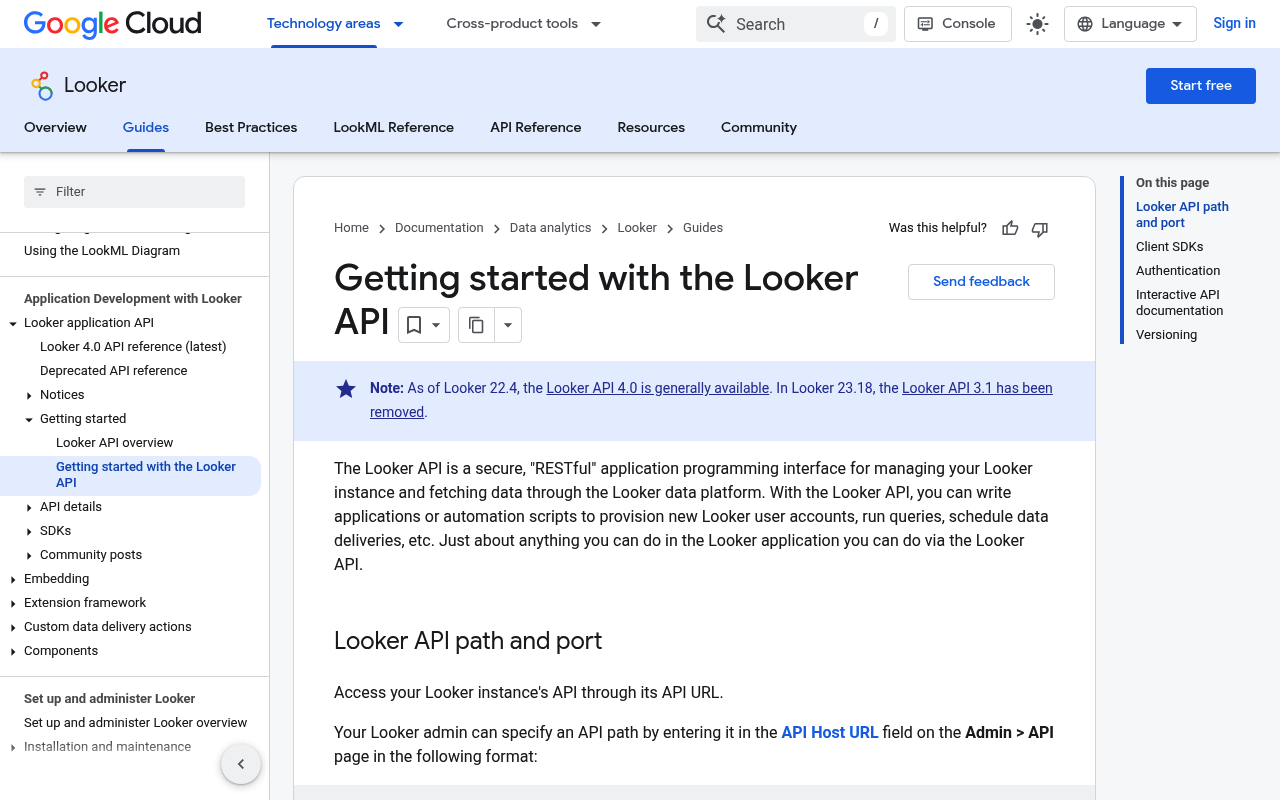
The Looker API provides programmatic access to Looker functionality including running queries, managing users, creating dashboards, and administering the platform.
API for programmatically managing LookML projects, models, and views.
The Looker Action API enables developers to define custom actions, or destinations, to which Looker can send query results, dashboard results, or user interactions via a webhook...
The Looker Embed SDK is a JavaScript library for embedding Looker content such as dashboards, Looks, Explores, reports, and extensions into web applications, with support for si...
The Looker Extension Framework provides APIs and SDKs for building custom extensions that run inside the Looker UI, with access to the Looker API, Looker components library, and...
The Looker (Google Cloud core) REST API provides management capabilities for Looker instances running on Google Cloud, including instance lifecycle management, backups, and oper...
Self-Service Analytics
Enable business users to explore data, build visualizations, and create dashboards without SQL knowledge using LookML models.
Data Modeling with LookML
Define reusable data models in LookML that provide a semantic layer between databases and end-user analytics.
Embedded Analytics
Embed interactive dashboards, reports, and data explorations directly into web applications using SSO and cookieless authentication.
Scheduled Reports
Schedule and deliver reports and dashboards via email, Slack, S3, or custom action destinations.
Custom Actions
Build webhook-based actions to send query results to any external destination or trigger workflows.
API-Driven Administration
Programmatically manage users, roles, dashboards, queries, and platform settings through the Looker API.
Executive Dashboards
Build real-time executive dashboards aggregating KPIs from multiple data sources for leadership visibility.
Customer-Facing Analytics
Embed analytics into SaaS products to provide customers with self-service reporting and data exploration.
Data Governance Reporting
Monitor data quality, usage patterns, and access controls across the organization through audit reports.
Marketing Performance Analytics
Analyze campaign performance, attribution, and ROI across marketing channels with unified data models.
Operational Monitoring
Track operational metrics and KPIs in real time with automated alerting and scheduled report delivery.
Google BigQuery
Native optimized connector for querying and analyzing data in Google BigQuery data warehouse.
Snowflake
High-performance connector for Snowflake cloud data warehouse with push-down query optimization.
Amazon Redshift
Native connector for querying and visualizing data in Amazon Redshift data warehouse.
Slack
Deliver scheduled reports and dashboard snapshots to Slack channels with interactive query capabilities.
Google Sheets
Export query results and dashboard data directly to Google Sheets for collaborative analysis.
Salesforce
Connect to Salesforce data for CRM analytics and combine with other data sources for unified views.
opencollection: 1.0.0
info:
name: Looker API
version: '4.0'
request:
auth:
type: bearer
token: '{{bearerToken}}'
items:
- info:
name: Auth
type: folder
items:
- info:
name: Looker Log in
type: http
http:
method: POST
url: https://{instance}.looker.com/api/4.0/login
body:
type: form-urlencoded
data:
- name: client_id
value: ''
- name: client_secret
value: ''
docs: Authenticates with the Looker API using client credentials and returns an access token. The client_id and client_secret
are generated from the Looker Admin panel under Users > API Keys. The returned access token must be included as a Bearer
token in the Authorization header for all subsequent API requests.
- info:
name: Looker Log Out
type: http
http:
method: DELETE
url: https://{instance}.looker.com/api/4.0/logout
docs: Revokes the current API access token, ending the authenticated session. After logout, the token can no longer be
used.
- info:
name: Look
type: folder
items:
- info:
name: Looker List All Looks
type: http
http:
method: GET
url: https://{instance}.looker.com/api/4.0/looks
params:
- name: fields
value: ''
type: query
description: Comma-separated list of field names to include in the response. Use this to limit response payload and
improve performance.
docs: Returns a list of all Looks accessible to the authenticated user. Supports filtering by fields to limit the response
payload.
- info:
name: Looker Search Looks
type: http
http:
method: GET
url: https://{instance}.looker.com/api/4.0/looks/search
params:
- name: fields
value: ''
type: query
description: Comma-separated list of field names to include in the response. Use this to limit response payload and
improve performance.
- name: limit
value: ''
type: query
description: Maximum number of results to return
- name: offset
value: ''
type: query
description: Number of results to skip before returning results
- name: title
value: ''
type: query
description: Filter by Look title (case-insensitive match)
- name: description
value: ''
type: query
description: Filter by Look description
- name: space_id
value: ''
type: query
description: Filter by space (folder) ID
- name: user_id
value: ''
type: query
description: Filter by creator user ID
- name: sorts
value: ''
type: query
description: Sort fields (e.g. title asc, created_at desc)
docs: Searches for Looks matching the specified criteria. Supports filtering by title, description, space, user, and other
attributes. Results are paginated.
- info:
name: Looker Get a Look
type: http
http:
method: GET
url: https://{instance}.looker.com/api/4.0/looks/:look_id
params:
- name: look_id
value: ''
type: path
description: The unique numeric ID of the Look
- name: fields
value: ''
type: query
description: Comma-separated list of field names to include in the response. Use this to limit response payload and
improve performance.
docs: Retrieves a single Look by its ID, including the query definition, visualization configuration, and metadata such
as the creator, space, and sharing settings.
- info:
name: Looker Update a Look
type: http
http:
method: PATCH
url: https://{instance}.looker.com/api/4.0/looks/:look_id
params:
- name: look_id
value: ''
type: path
description: The unique numeric ID of the Look
- name: fields
value: ''
type: query
description: Comma-separated list of field names to include in the response. Use this to limit response payload and
improve performance.
body:
type: json
data: '{}'
docs: Updates an existing Look. Only the fields provided in the request body are updated; all other fields remain unchanged.
- info:
name: Looker Delete a Look
type: http
http:
method: DELETE
url: https://{instance}.looker.com/api/4.0/looks/:look_id
params:
- name: look_id
value: ''
type: path
description: The unique numeric ID of the Look
docs: Permanently deletes the specified Look. This action cannot be undone. The Look is moved to trash first if soft delete
is enabled.
- info:
name: Looker Run a Look
type: http
http:
method: GET
url: https://{instance}.looker.com/api/4.0/looks/:look_id/run/:result_format
params:
- name: look_id
value: ''
type: path
description: The unique numeric ID of the Look
- name: result_format
value: ''
type: path
description: Format for the query results
- name: limit
value: ''
type: query
description: Maximum number of results to return
- name: apply_formatting
value: ''
type: query
description: Whether to apply model-specified formatting to results
- name: apply_vis
value: ''
type: query
description: Whether to apply visualization options to results
docs: Executes the query associated with a Look and returns the results in the specified format. Supported formats include
json, csv, txt, xlsx, html, md, json_label, json_detail, and png.
- info:
name: Dashboard
type: folder
items:
- info:
name: Looker List All Dashboards
type: http
http:
method: GET
url: https://{instance}.looker.com/api/4.0/dashboards
params:
- name: fields
value: ''
type: query
description: Comma-separated list of field names to include in the response. Use this to limit response payload and
improve performance.
docs: Returns a list of all dashboards accessible to the authenticated user. User-defined dashboards and LookML dashboards
are both included. Use the fields parameter to limit response size.
- info:
name: Looker Create a Dashboard
type: http
http:
method: POST
url: https://{instance}.looker.com/api/4.0/dashboards
body:
type: json
data: '{}'
docs: Creates a new user-defined dashboard. The dashboard can be populated with tiles, filters, and layout settings after
creation or as part of the request body.
- info:
name: Looker Search Dashboards
type: http
http:
method: GET
url: https://{instance}.looker.com/api/4.0/dashboards/search
params:
- name: fields
value: ''
type: query
description: Comma-separated list of field names to include in the response. Use this to limit response payload and
improve performance.
- name: limit
value: ''
type: query
description: Maximum number of results to return
- name: offset
value: ''
type: query
description: Number of results to skip before returning results
- name: title
value: ''
type: query
description: Filter by dashboard title
- name: description
value: ''
type: query
description: Filter by dashboard description
- name: space_id
value: ''
type: query
description: Filter by space (folder) ID
- name: user_id
value: ''
type: query
description: Filter by creator user ID
- name: sorts
value: ''
type: query
description: Sort fields
docs: Searches for dashboards matching the specified criteria including title, description, space, and creator. Results
are paginated.
- info:
name: Looker Get a Dashboard
type: http
http:
method: GET
url: https://{instance}.looker.com/api/4.0/dashboards/:dashboard_id
params:
- name: dashboard_id
value: ''
type: path
description: The dashboard ID. Numeric for user-defined dashboards or model::dashboard_name for LookML dashboards.
- name: fields
value: ''
type: query
description: Comma-separated list of field names to include in the response. Use this to limit response payload and
improve performance.
docs: Retrieves a single dashboard by its ID, including all dashboard elements (tiles), filters, and layout configuration.
For user-defined dashboards the ID is numeric; for LookML dashboards the ID is the model::dashboard_name string.
- info:
name: Looker Update a Dashboard
type: http
http:
method: PATCH
url: https://{instance}.looker.com/api/4.0/dashboards/:dashboard_id
params:
- name: dashboard_id
value: ''
type: path
description: The dashboard ID. Numeric for user-defined dashboards or model::dashboard_name for LookML dashboards.
body:
type: json
data: '{}'
docs: Updates an existing dashboard. Only the fields provided in the request body are updated. Dashboard elements and
filters can be updated through their own dedicated endpoints.
- info:
name: Looker Delete a Dashboard
type: http
http:
method: DELETE
url: https://{instance}.looker.com/api/4.0/dashboards/:dashboard_id
params:
- name: dashboard_id
value: ''
type: path
description: The dashboard ID. Numeric for user-defined dashboards or model::dashboard_name for LookML dashboards.
docs: Permanently deletes the specified dashboard and all of its elements, filters, and layout configuration. This action
cannot be undone.
- info:
name: Looker List Dashboard Elements
type: http
http:
method: GET
url: https://{instance}.looker.com/api/4.0/dashboards/:dashboard_id/dashboard_elements
params:
- name: dashboard_id
value: ''
type: path
description: The dashboard ID. Numeric for user-defined dashboards or model::dashboard_name for LookML dashboards.
- name: fields
value: ''
type: query
description: Comma-separated list of field names to include in the response. Use this to limit response payload and
improve performance.
docs: Returns all elements (tiles) for the specified dashboard. Each element contains a query, a Look reference, or a
text/markdown content block along with positioning and size information.
- info:
name: Looker List Dashboard Filters
type: http
http:
method: GET
url: https://{instance}.looker.com/api/4.0/dashboards/:dashboard_id/dashboard_filters
params:
- name: dashboard_id
value: ''
type: path
description: The dashboard ID. Numeric for user-defined dashboards or model::dashboard_name for LookML dashboards.
- name: fields
value: ''
type: query
description: Comma-separated list of field names to include in the response. Use this to limit response payload and
improve performance.
docs: Returns all filters defined on the specified dashboard. Dashboard filters allow users to dynamically change query
parameters across all tiles that listen to a given filter.
- info:
name: Query
type: folder
items:
- info:
name: Looker Create a Query
type: http
http:
method: POST
url: https://{instance}.looker.com/api/4.0/queries
params:
- name: fields
value: ''
type: query
description: Comma-separated list of field names to include in the response. Use this to limit response payload and
improve performance.
body:
type: json
data: '{}'
docs: Creates a new query object. A query defines the model, view, fields, filters, sorts, and limit used to retrieve
data from the underlying database. The query is not executed until you call the run_query endpoint. Queries are immutable
once created.
- info:
name: Looker Get a Query
type: http
http:
method: GET
url: https://{instance}.looker.com/api/4.0/queries/:query_id
params:
- name: query_id
value: ''
type: path
description: The unique numeric ID of the query
- name: fields
value: ''
type: query
description: Comma-separated list of field names to include in the response. Use this to limit response payload and
improve performance.
docs: Retrieves a query object by its ID. Returns the query definition including the model, view, fields, filters, sorts,
and limit.
- info:
name: Looker Run a Saved Query
type: http
http:
method: GET
url: https://{instance}.looker.com/api/4.0/queries/:query_id/run/:result_format
params:
- name: query_id
value: ''
type: path
description: The unique numeric ID of the query
- name: result_format
value: ''
type: path
description: Format for the query results
- name: limit
value: ''
type: query
description: Maximum number of results to return
- name: apply_formatting
value: ''
type: query
description: Whether to apply model-specified formatting
- name: apply_vis
value: ''
type: query
description: Whether to apply visualization options
- name: cache
value: ''
type: query
description: Whether to use cached results if available
- name: generate_drill_links
value: ''
type: query
description: Whether to generate drill links in results
- name: force_production
value: ''
type: query
description: Whether to force use of production models
docs: Executes a previously saved query and returns results in the specified format. The query must already exist. Supported
formats include json, csv, txt, xlsx, html, md, json_label, json_detail, sql, and png.
- info:
name: Looker Run an Inline Query
type: http
http:
method: POST
url: https://{instance}.looker.com/api/4.0/queries/run/:result_format
params:
- name: result_format
value: ''
type: path
description: Format for the query results
- name: limit
value: ''
type: query
description: Maximum number of results to return
- name: apply_formatting
value: ''
type: query
description: Whether to apply model-specified formatting
- name: apply_vis
value: ''
type: query
description: Whether to apply visualization options
- name: cache
value: ''
type: query
description: Whether to use cached results
body:
type: json
data: '{}'
docs: Creates and immediately executes a query in a single request. The query definition is provided in the request body
and does not need to be saved first. This is useful for ad-hoc queries.
- info:
name: User
type: folder
items:
- info:
name: Looker List All Users
type: http
http:
method: GET
url: https://{instance}.looker.com/api/4.0/users
params:
- name: fields
value: ''
type: query
description: Comma-separated list of field names to include in the response. Use this to limit response payload and
improve performance.
- name: limit
value: ''
type: query
description: Maximum number of results to return
- name: offset
value: ''
type: query
description: Number of results to skip before returning results
- name: sorts
value: ''
type: query
description: Sort fields (e.g. last_name asc, created_at desc)
- name: ids
value: ''
type: query
description: Comma-separated list of user IDs to retrieve
docs: Returns a list of all Looker user accounts. The response includes basic user information. Use the fields parameter
to include additional details such as roles, credentials, and sessions.
- info:
name: Looker Create a User
type: http
http:
method: POST
url: https://{instance}.looker.com/api/4.0/users
body:
type: json
data: '{}'
docs: Creates a new Looker user account. The new user will not have any credentials or roles assigned; those must be configured
separately via the credentials and role endpoints.
- info:
name: Looker Search Users
type: http
http:
method: GET
url: https://{instance}.looker.com/api/4.0/users/search
params:
- name: fields
value: ''
type: query
description: Comma-separated list of field names to include in the response. Use this to limit response payload and
improve performance.
- name: limit
value: ''
type: query
description: Maximum number of results to return
- name: offset
value: ''
type: query
description: Number of results to skip before returning results
- name: first_name
value: ''
type: query
description: Filter by first name
- name: last_name
value: ''
type: query
description: Filter by last name
- name: email
value: ''
type: query
description: Filter by email address
- name: is_disabled
value: ''
type: query
description: Filter by disabled status
- name: sorts
value: ''
type: query
description: Sort fields
docs: Searches for users matching the specified criteria. Supports filtering by name, email, and other user attributes.
Results are paginated.
- info:
name: Looker Get a User
type: http
http:
method: GET
url: https://{instance}.looker.com/api/4.0/users/:user_id
params:
- name: user_id
value: ''
type: path
description: The unique numeric ID of the user
- name: fields
value: ''
type: query
description: Comma-separated list of field names to include in the response. Use this to limit response payload and
improve performance.
docs: Retrieves a single user by their ID including their profile information, roles, and credential settings.
- info:
name: Looker Update a User
type: http
http:
method: PATCH
url: https://{instance}.looker.com/api/4.0/users/:user_id
params:
- name: user_id
value: ''
type: path
description: The unique numeric ID of the user
- name: fields
value: ''
type: query
description: Comma-separated list of field names to include in the response. Use this to limit response payload and
improve performance.
body:
type: json
data: '{}'
docs: Updates an existing user account. Only the fields provided in the request body are updated. Credentials and roles
are managed through separate endpoints.
- info:
name: Looker Delete a User
type: http
http:
method: DELETE
url: https://{instance}.looker.com/api/4.0/users/:user_id
params:
- name: user_id
value: ''
type: path
description: The unique numeric ID of the user
docs: Permanently deletes the specified user account. This removes the user and all their credentials. Content created
by the user (dashboards, Looks, etc.) is not deleted.
- info:
name: Looker Get Current User
type: http
http:
method: GET
url: https://{instance}.looker.com/api/4.0/users/me
params:
- name: fields
value: ''
type: query
description: Comma-separated list of field names to include in the response. Use this to limit response payload and
improve performance.
docs: Returns the user record for the currently authenticated user. This is useful for determining which user is associated
with the current API session.
- info:
name: Looker Get User Roles
type: http
http:
method: GET
url: https://{instance}.looker.com/api/4.0/users/:user_id/roles
params:
- name: user_id
value: ''
type: path
description: The unique numeric ID of the user
- name: fields
value: ''
type: query
description: Comma-separated list of field names to include in the response. Use this to limit response payload and
improve performance.
docs: Returns all roles assigned to the specified user. Roles define the permissions and model access granted to the user.
- info:
name: Looker Set User Roles
type: http
http:
method: PUT
url: https://{instance}.looker.com/api/4.0/users/:user_id/roles
params:
- name: user_id
value: ''
type: path
description: The unique numeric ID of the user
- name: fields
value: ''
type: query
description: Comma-separated list of field names to include in the response. Use this to limit response payload and
improve performance.
body:
type: json
data: '{}'
docs: Replaces all roles assigned to the specified user. Provide the complete list of role IDs that should be assigned
to the user. Any roles not included in the request will be removed.
bundled: true
