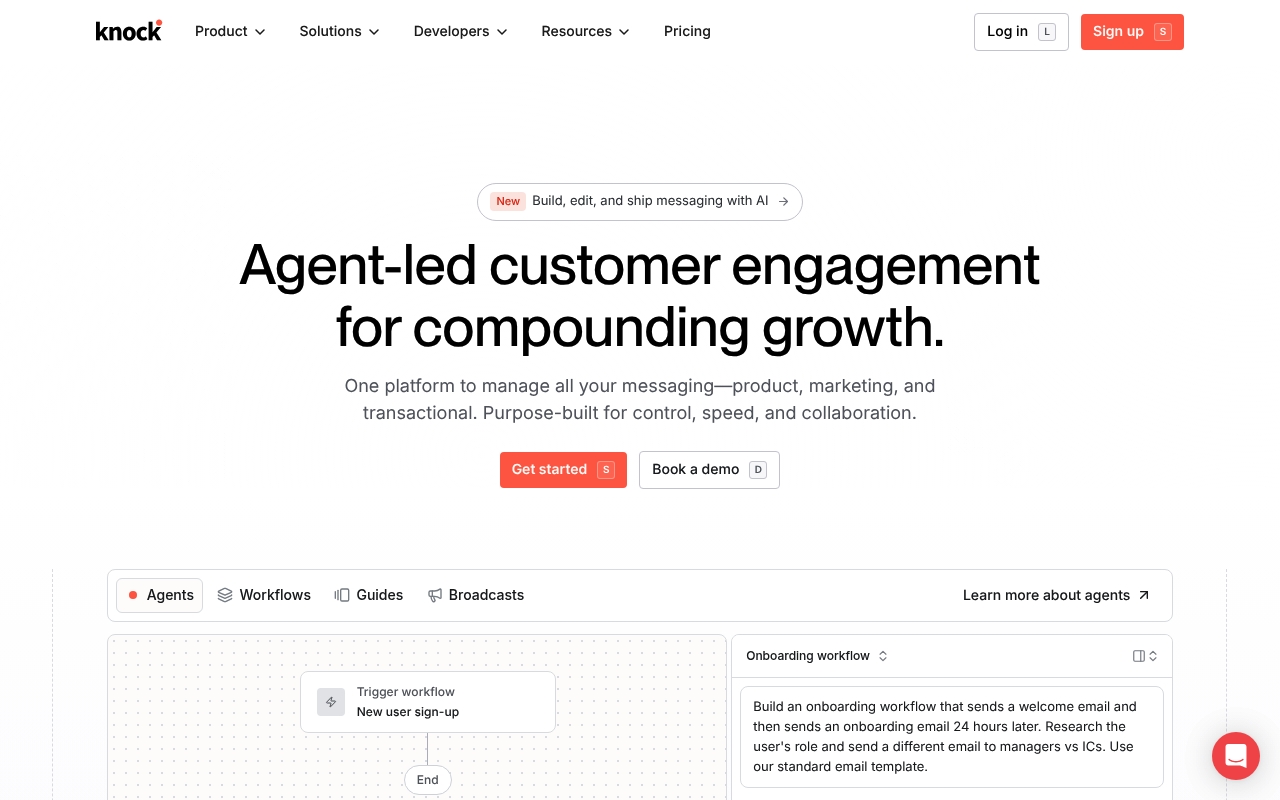
Knock
Knock is notifications infrastructure as a service — a product and customer messaging platform you use to power transactional, lifecycle, broadcast, and in-product messaging across email, SMS, push, in-app, in-app guides, chat (Slack / Discord / Teams / WhatsApp), and outbound webhooks. Knock exposes two REST surfaces — a runtime API (api.knock.app) for triggering workflows and managing recipients/messages, and a Management API (control.knock.app) for resource CRUD — together with official SDKs in Node, Python, Ruby, Go, Elixir, Java, .NET, PHP and mobile (Swift, Kotlin, Flutter, React Native, Expo); a CLI; a remote MCP server; an agent toolkit for OpenAI / AI SDK / Langchain / Mastra; outbound webhooks; AI agent workflow steps; SlackKit and TeamsKit; and a git-style environment / branch / commit model for safe promotion of notification resources.
Knock publishes 32 API contracts indexed on the APIs.io network, including Outbound Webhooks, Accounts API, API keys API, and 29 more. Tagged areas include Notification, Messaging, Infrastructure, Workflows, and Cross-Channel.
The Knock catalog on APIs.io includes 1 event-driven AsyncAPI specification, 1 JSON-LD context, and 3 Spectral governance rulesets.
Knock’s developer surface includes authentication, sandbox, CLI, developer portal, documentation, getting-started guide, signup flow, and 107 more developer resources.
What this lets a business do 1
Business capabilities this provider's published APIs can perform, derived from its own contracts. Browse all capabilities →
What people ask Knock 31
The questions people put to an LLM, and the jobs they hand an agent, that Knock's APIs answer — each one linked to the operation that does it. Generated by API Evangelist
Showing 12 of 31 APIs with phrasing — see every API.
Kin Score
 Kin Score
How this is scored →
Kin Score
How this is scored →scored 2026-10-17 · rubric v0.24.0
Markets this provider is in provisional
The Kin Score Market layer reads a provider inside its market: its position, and how deep its integrations go. Depth is only comparable within a position. Provisional and unweighted: not part of the Kin Score or agent readiness.
| Market | Position | Depth | Registered MCP server | Declares compatibility |
|---|---|---|---|---|
| Communications (CPaaS) | coverage | 47.5 | - | - |
| AI Agents (A2A agent cards) | coverage | 47.5 | - | - |
Registered MCP server and declares compatibility are report only — not weighted. Undeclared means we found nothing we can read, so there is no number: we never infer integrations.
Standards implemented 2
Standards this provider implements or carries. De facto ones are profiled and measured by the API Commons; formal ones come from the standards directory and are linked by the provider's own tags. The evidence column says how each claim was established — not that it was made.
APIs 32
Individual APIs this provider publishes, each with its own machine-readable definition.
Knock Outbound Webhooks
Outbound webhooks fire message lifecycle (sent, delivered, seen, read, interacted, archived, link_clicked, bounced, undelivered) and environment-change (workflow / email_layout ...
Knock Accounts API
Resources for managing your Knock account.
Knock API keys API
The API keys API from Knock — 1 operation(s) for api keys.
Knock Audiences API
The Audiences API from Knock — 4 operation(s) for audiences.
Knock Branches API
Branches in Knock are a way to isolate changes to your Knock resources.
Knock Broadcasts API
The Broadcasts API from Knock — 5 operation(s) for broadcasts.
Knock Bulk operations API
The Bulk operations API from Knock — 12 operation(s) for bulk operations.
Knock Channel data API
The Channel data API from Knock — 2 operation(s) for channel data.
Knock Channel Groups API
The Channel Groups API from Knock — 2 operation(s) for channel groups.
Knock Channels API
The Channels API from Knock — 2 operation(s) for channels.
Knock Commits API
Commits are versioned changes to resources.
Knock Email layouts API
Email layouts wrap your email templates and provide a consistent look and feel.
Knock Environments API
Environments are isolated instances of your account that map to your infrastructure.
Knock Feeds API
The Feeds API from Knock — 2 operation(s) for feeds.
Knock Guides API
Guides let you define in-app guides that can be displayed to users based on priority and other conditions.
Knock Integrations API
The Integrations API from Knock — 2 operation(s) for integrations.
Knock Members API
The Members API from Knock — 2 operation(s) for members.
Knock Message types API
A message type allows you to specify an in-app schema that defines the fields available for your in-app notifications.
Knock Messages API
The Messages API from Knock — 24 operation(s) for messages.
Knock Objects API
The Objects API from Knock — 19 operation(s) for objects.
Knock Partials API
Partials allow you to reuse content across templates.
Knock Providers API
The Providers API from Knock — 7 operation(s) for providers.
Knock Schedules API
The Schedules API from Knock — 3 operation(s) for schedules.
Knock Subscriptions API
The Subscriptions API from Knock — 4 operation(s) for subscriptions.
Knock Templates API
The Templates API from Knock — 1 operation(s) for templates.
Knock Tenants API
The Tenants API from Knock — 4 operation(s) for tenants.
Knock Translations API
Translations are per-locale string files that can be used in your templates.
Knock Users API
The Users API from Knock — 28 operation(s) for users.
Knock Variables API
The Variables API from Knock — 2 operation(s) for variables.
Knock Workflow recipient runs API
The Workflow recipient runs API from Knock — 2 operation(s) for workflow recipient runs.
Knock Workflow Triggers API
The Workflow Triggers API from Knock — 2 operation(s) for workflow triggers.
Knock Workflows API
Workflows let you express your cross-channel notification logic.
Scroll for all 32
Postman Collections 13
Ready-to-run Postman collections for exercising this provider's APIs.
Knock Audiences API
POSTMANKnock Bulk Operations API
POSTMANKnock Channels API
POSTMANKnock Integrations API
POSTMANKnock Management API (mAPI)
POSTMANKnock Messages API
POSTMANKnock Notify API
POSTMANKnock Objects API
POSTMANKnock Providers API
POSTMANKnock Schedules API
POSTMANKnock Tenants API
POSTMANKnock Users API
POSTMANKnock Workflows API
POSTMANScroll for all 13
Open Collections 48
Open, tool-agnostic API collections (OpenAPI-derived and Bruno).
API Collection
OPEN COLLECTIONKnock Audiences Accounts API
OPEN COLLECTIONKnock Audiences Accounts API keys API
OPEN COLLECTIONKnock Accounts Audiences API
OPEN COLLECTIONKnock Audiences Accounts Branches API
OPEN COLLECTIONKnock Audiences Accounts Broadcasts API
OPEN COLLECTIONKnock Audiences Accounts Bulk operations API
OPEN COLLECTIONKnock Audiences Accounts Channel data API
OPEN COLLECTIONKnock Audiences Accounts Channel Groups API
OPEN COLLECTIONKnock Audiences Accounts Channels API
OPEN COLLECTIONKnock Audiences Accounts Commits API
OPEN COLLECTIONKnock Audiences Accounts Email layouts API
OPEN COLLECTIONKnock Audiences Accounts Environments API
OPEN COLLECTIONKnock Audiences Accounts Feeds API
OPEN COLLECTIONKnock Audiences Accounts Guides API
OPEN COLLECTIONKnock Audiences Accounts Integrations API
OPEN COLLECTIONKnock Audiences Accounts Members API
OPEN COLLECTIONKnock Audiences Accounts Message types API
OPEN COLLECTIONKnock Audiences Accounts Messages API
OPEN COLLECTIONKnock Audiences Accounts Microsoft Teams API
OPEN COLLECTIONKnock Audiences Accounts Objects API
OPEN COLLECTIONKnock Audiences Accounts Partials API
OPEN COLLECTIONKnock Audiences Accounts Preferences API
OPEN COLLECTIONKnock Audiences Accounts Providers API
OPEN COLLECTIONKnock Audiences Accounts Schedules API
OPEN COLLECTIONKnock Audiences Accounts Slack API
OPEN COLLECTIONKnock Audiences Accounts Subscriptions API
OPEN COLLECTIONKnock Audiences Accounts Templates API
OPEN COLLECTIONKnock Audiences Accounts Tenants API
OPEN COLLECTIONKnock Audiences Accounts Translations API
OPEN COLLECTIONKnock Audiences Accounts Users API
OPEN COLLECTIONKnock Audiences Accounts Variables API
OPEN COLLECTIONKnock Audiences Accounts Workflow recipient runs API
OPEN COLLECTIONKnock Audiences Accounts Workflow Triggers API
OPEN COLLECTIONKnock Audiences Accounts Workflows API
OPEN COLLECTIONKnock Audiences API
OPEN COLLECTIONKnock Bulk Operations API
OPEN COLLECTIONKnock Channels API
OPEN COLLECTIONKnock Integrations API
OPEN COLLECTIONKnock Management API (mAPI)
OPEN COLLECTIONKnock Messages API
OPEN COLLECTIONKnock Notify API
OPEN COLLECTIONKnock Objects API
OPEN COLLECTIONKnock Providers API
OPEN COLLECTIONKnock Schedules API
OPEN COLLECTIONKnock Tenants API
OPEN COLLECTIONKnock Users API
OPEN COLLECTIONKnock Workflows API
OPEN COLLECTIONScroll for all 48
Arazzo Workflows 14
Multi-step API workflows described with the Arazzo specification.
Knock Bulk Identify Users and Notify
Bulk identify a batch of users, wait for the operation to complete, then notify them.
ARAZZOKnock Bulk Set Objects and Notify
Bulk upsert objects in a collection, wait for completion, then notify one object.
ARAZZOKnock Bulk Set Tenants and Verify
Bulk upsert tenants, wait for the operation to complete, then list tenants to verify.
ARAZZOKnock Cancellable Workflow Trigger
Identify a recipient, trigger a cancellable workflow, then cancel it by key.
ARAZZOKnock Identify User, Set Preferences, and Trigger Workflow
Identify a recipient, apply their notification preferences, then trigger a workflow for them.
ARAZZOKnock Merge Users and Re-notify
Identify a surviving user, merge a duplicate into it, then notify the merged user.
ARAZZOKnock Set Object Preferences and Audit Messages
Upsert an object, set its preference set, then audit messages sent to it.
ARAZZOKnock Set Object, Add Subscriptions, and Notify
Create an object, subscribe recipients to it, then notify subscribers via a workflow.
ARAZZOKnock Register Push Token and Read Feed
Identify a user, register their channel data, then read their in-app feed.
ARAZZOKnock Schedule a Recurring Workflow
Identify a recipient, create a recurring schedule, then verify it was registered.
ARAZZOKnock Tenant Onboarding and Notify
Set a tenant, identify a member user, then notify them scoped to the tenant.
ARAZZOKnock Trigger Then Archive Feed Message
Trigger a workflow, find the resulting in-app message, then archive it.
ARAZZOKnock Trigger Workflow and Inspect Message Content
Trigger a workflow then locate the generated message and read its rendered content.
ARAZZOKnock Trigger Workflow and Track Recipient Run
Trigger a workflow and poll its per-recipient run until it completes.
ARAZZOScroll for all 14
MCP Servers 1
Model Context Protocol servers that expose these APIs to AI agents.
Knock MCP Server
Knock ships an official remote (hosted) MCP server plus a local MCP server bundled with the Agent Toolkit. The remote server exposes tools to interact with all Knock resources t...
MCP SERVERPricing Plans 1
Published pricing tiers and plan structures.
Knock Plans Pricing
PLANSRate Limits 1
Documented rate limits and quota policies.
Knock Rate Limits
RATE LIMITSFinOps 1
Cost, billing, and metering signals for API financial operations.
Knock Finops
FINOPSFeatures 31
Notable capabilities this provider offers.
Scroll for all 31
Event Specifications 1
AsyncAPI definitions for this provider's event-driven and streaming APIs.
Knock Outbound Webhooks
Knock fires outbound webhook events for message lifecycle (sent, delivered, seen, read, interacted, archived, link_clicked, bounced, undelivered) and for environment changes (wo...
ASYNCAPISemantic Vocabularies 1
JSON-LD contexts and semantic vocabularies used across these APIs.
Knock App Context
JSON-LDSpectral Rules 3
Spectral governance rulesets for linting and validating these APIs.
OpenAPI Overlays 44
Overlays applied on top of this provider's contracts. Each card says who wrote it: a document the provider publishes, or one API Evangelist derived or generated.
Knock App Accounts Api Phrasing Overlay
GENERATEDKnock App Api Keys Api Phrasing Overlay
GENERATEDKnock App Audiences Api Phrasing Overlay
GENERATEDKnock App Audiences Overlay
UNRECORDEDKnock App Branches Api Phrasing Overlay
GENERATEDKnock App Bulk Operations Overlay
UNRECORDEDKnock App Channels Api Phrasing Overlay
GENERATEDKnock App Channels Overlay
UNRECORDEDKnock App Commits Api Phrasing Overlay
GENERATEDKnock App Feeds Api Phrasing Overlay
GENERATEDKnock App Guides Api Phrasing Overlay
GENERATEDKnock App Integrations Overlay
UNRECORDEDKnock App Management Overlay
UNRECORDEDKnock App Members Api Phrasing Overlay
GENERATEDKnock App Messages Api Phrasing Overlay
GENERATEDKnock App Messages Overlay
UNRECORDEDKnock App Notify Overlay
UNRECORDEDKnock App Objects Api Phrasing Overlay
GENERATEDKnock App Objects Overlay
UNRECORDEDKnock App Partials Api Phrasing Overlay
GENERATEDKnock App Providers Api Phrasing Overlay
GENERATEDKnock App Providers Overlay
UNRECORDEDKnock App Schedules Api Phrasing Overlay
GENERATEDKnock App Schedules Overlay
UNRECORDEDKnock App Templates Api Phrasing Overlay
GENERATEDKnock App Tenants Api Phrasing Overlay
GENERATEDKnock App Tenants Overlay
UNRECORDEDKnock App Users Api Phrasing Overlay
GENERATEDKnock App Users Overlay
UNRECORDEDKnock App Variables Api Phrasing Overlay
GENERATEDKnock App Workflows Api Phrasing Overlay
GENERATEDKnock App Workflows Overlay
UNRECORDEDScroll for all 44
JSON Schema 2
Standalone JSON Schema definitions for this provider's data models.
Knock Message
JSON SCHEMAKnock Workflow Trigger Request
JSON SCHEMAExamples 3
Example request and response payloads for these APIs.
Knock Identify User Example
EXAMPLESecurity Posture 2
Authentication, domain security, vulnerability disclosure, and trust-center signals.
Agentic Access 1
Recommended x-agentic-access execution contracts for AI agents.
Resources
Get Started 5
Portal, sign-up, and the first successful call
Documentation 12
Reference material describing how the API behaves
Scroll for all 12
Agent Surfaces 4
MCP servers, agent skills, and machine-readable catalogs
Design & Contract 29
Pagination, idempotency, versioning, errors, and events
Scroll for all 29
Build 32
SDKs, sample code, and the tooling you integrate with
Scroll for all 32
Access & Security 4
Authentication, authorization, and security posture
Operate 7
Status, limits, changes, and where to get help
Scroll for all 7
Commercial 5
Pricing, plans, and the legal terms of use
Company 2
The organization behind the API
Other 14
Properties that don't map to a standard resource type
Scroll for all 14
Source (apis.yml)
Work with this as data
Every provider here is available over the APIs.io API and to AI agents over MCP.