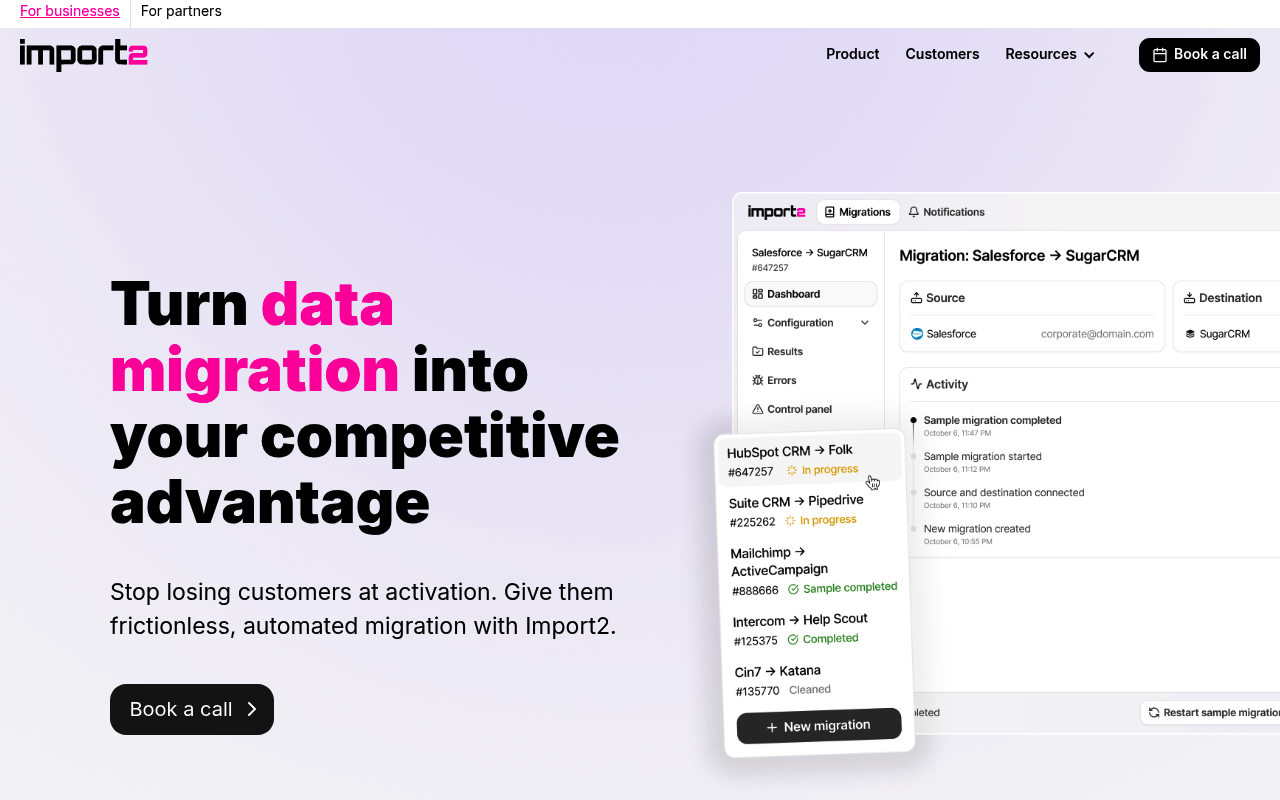
Import2 website screenshot

Import2

Import2 is a fully automated data-migration platform that moves customer data between SaaS applications — CRM, helpdesk, and project-management tools — without CSV exports or custom development. Users connect a source and destination app and Import2 moves records, custom fields, pipelines, and deal stages directly over each app's API, processing data in real time on a temporary machine that is destroyed after the migration. It supports 50+ tools (Salesforce, HubSpot, Zendesk, Pipedrive, Asana, Monday.com, Jira and more) and offers a free sample migration before a full run. Import2 also exposes a partner/vendor API (v2.1) so SaaS vendors can create and track automated migrations programmatically, plus sibling tools ViaCSV and MyCRMBackup.

Import2 publishes 2 APIs on the APIs.io network: Imports API and Tools API. Tagged areas include Company, Data Migration, Data Integration, CRM, and Help Desk.

Import2’s developer surface includes developer portal, documentation, API reference, getting-started guide, support, pricing, signup flow, and 19 more developer resources.

37.3/100 thin ▬ flat Agent 22/100 agent aware saas Full breakdown ↓
scored 2026-09-08 · rubric v0.20.0
1 APIs
CompanyData MigrationData IntegrationCRMHelp DeskSoftware-as-a-ServiceMigrationOnboarding

Kin Score

Kin Score Kin Score How this is scored →
scored 2026-09-08 · rubric v0.20.0
Create-or-Update Ergonomics applies to this provider. This API accepts writes, so it carries 10 points of the composite. It is scored from the published contracts themselves: whether a caller can create-or-update in one call, whether the write accepts a key the caller already holds, and whether the response says which branch ran. Without that, every write needs a search-and-branch in front of it, and the first time that check is skipped a duplicate record is created. Scored against the observed mean rather than raw — a provider at the catalog average is unchanged by this facet, not penalised by it.
Improve this rating by publishing the missing artifacts — every area above can be raised, and the full rubric is at apis.io/rating/. Every facet and dimension name above is a link: it opens that measurement's own page — what it means, the exact checks that feed it, how the whole catalog distributes on it, and the providers at the top of it. This rating is computed from github.com/api-evangelist/import2: open an issue to ask a question, or submit a pull request to add artifacts. Submit an artifact on GitHub — free → Manage your own listing — the Influence plan, $499/mo →

APIs 2

Individual APIs this provider publishes, each with its own machine-readable definition.

Import2 Imports API

Create and manage data migration (import) jobs.

Import2 Tools API

Supported source and destination migration tools.

Open Collections 3

Open, tool-agnostic API collections (OpenAPI-derived and Bruno).

API Collection

OPEN COLLECTION

Import2 Imports API

OPEN COLLECTION

Import2 Imports Tools API

OPEN COLLECTION

Rate Limits 1

Documented rate limits and quota policies.

Import2 Rate Limits

1 limits

RATE LIMITS

Security Posture 3

Authentication, domain security, vulnerability disclosure, and trust-center signals.

Import2 Authentication

http · 1 scheme

SECURITY

Import2 Domain Security

TLSv1.3 · HSTS · DMARC

SECURITY

Import2 Trust Center

SOC 2 Type II, GDPR, CCPA

SECURITY

Resources

Get Started 4

Portal, sign-up, and the first successful call

Documentation 2

Reference material describing how the API behaves

Agent Surfaces 3

MCP servers, agent skills, and machine-readable catalogs

Design & Contract 5

Pagination, idempotency, versioning, errors, and events

Build 1

SDKs, sample code, and the tooling you integrate with

Access & Security 4

Authentication, authorization, and security posture

Operate 2

Status, limits, changes, and where to get help

Commercial 3

Pricing, plans, and the legal terms of use

Company 1

The organization behind the API

Other 1

Properties that don't map to a standard resource type

Source (apis.yml)

apis.yml Raw ↑
aid: import2
name: Import2
description: Import2 is a fully automated data-migration platform that moves customer data between SaaS applications — CRM,
  helpdesk, and project-management tools — without CSV exports or custom development. Users connect a source and destination
  app and Import2 moves records, custom fields, pipelines, and deal stages directly over each app's API, processing data in
  real time on a temporary machine that is destroyed after the migration. It supports 50+ tools (Salesforce, HubSpot, Zendesk,
  Pipedrive, Asana, Monday.com, Jira and more) and offers a free sample migration before a full run. Import2 also exposes
  a partner/vendor API (v2.1) so SaaS vendors can create and track automated migrations programmatically, plus sibling tools
  ViaCSV and MyCRMBackup.
deliveryModel:
  model: saas
  open_source: false
  commercial: true
  callable_host: true
  label: Hosted service · you call their endpoint
  confidence: high
  source:
  - openapi
  - pricing
  generated: '2026-08-28'
  method: derived
accessModel:
  pricing: unknown
  onboarding: unknown
  trial: false
  try_now: false
  public: false
  label: Unknown
  confidence: low
  source:
  - authentication
  - rate-limits
  - security
  - sandbox
  generated: '2026-09-03'
  method: derived
image: https://cdn.prod.website-files.com/698e5a4787478ca03bb07614/699307813937eab1c0993d3d_webclip.png
url: https://raw.githubusercontent.com/api-evangelist/import2/refs/heads/main/apis.yml
x-type: company
x-source: vc-portfolio
x-backed-by:
- 500-global
x-tier: profiled
x-tier-reason: enriched-from-public-surface
specificationVersion: '0.23'
created: '2026-07-17'
modified: '2026-07-19'
tags:
- Company
- Data Migration
- Data Integration
- CRM
- Help Desk
- Software-as-a-Service
- Migration
- Onboarding
tags_raw:
- Company
- Data Migration
- Data Integration
- CRM
- Helpdesk
- SaaS
- Migration
- Onboarding
apis:
- aid: import2:import2-imports-api
  name: Import2 Imports API
  description: Create and manage data migration (import) jobs.
  humanURL: https://import2.github.io/
  baseURL: https://www.import2.com/api/v2.1
  tags:
  - Imports
  properties:
  - type: OpenAPI
    url: openapi/import2-imports-api-openapi.yml
- aid: import2:import2-tools-api
  name: Import2 Tools API
  description: Supported source and destination migration tools.
  humanURL: https://import2.github.io/
  baseURL: https://www.import2.com/api/v2.1
  tags:
  - Tools
  properties:
  - type: OpenAPI
    url: openapi/import2-tools-api-openapi.yml
maintainers:
- FN: Kin Lane
  email: kin@apievangelist.com
- FN: APIs.json
  email: info@apis.io
common:
- type: Overlay
  url: overlays/import2-openapi-overlay.yaml
- type: Website
  url: https://www.import2.com
- type: Portal
  url: https://partners.import2.com/
- type: Documentation
  url: https://help.import2.com/
- type: APIReference
  url: https://import2.github.io/
- type: GettingStarted
  url: https://www.import2.com/how-it-works
- type: Support
  url: https://help.import2.com/
- type: Pricing
  url: https://www.import2.com/pricing
- type: SignUp
  url: https://app.import2.com/session/new
- type: TermsOfService
  url: https://www.import2.com/terms-of-service
- type: PrivacyPolicy
  url: https://www.import2.com/privacy-policy
- type: GitHubOrganization
  url: https://github.com/import2
- type: Authentication
  url: authentication/import2-authentication.yml
- type: ErrorCatalog
  url: errors/import2-problem-types.yml
- type: RateLimits
  url: rate-limits/import2-rate-limits.yml
- type: Lifecycle
  url: lifecycle/import2-lifecycle.yml
- type: Conventions
  url: conventions/import2-conventions.yml
- type: DataModel
  url: data-model/import2-data-model.yml
- type: Sandbox
  url: sandbox/import2-sandbox.yml
- type: Conformance
  url: conformance/import2-conformance.yml
- type: Compliance
  url: https://trust.import2.com/
- type: TrustCenter
  url: security/import2-trust-center.yml
- type: DomainSecurity
  url: security/import2-domain-security.yml
- type: X-MCPServerCandidate
  url: mcp/import2-mcp.yml
  note: 'Renamed from MCPServer 2026-09-03 (roadmap#247): the manifest self-describes as status: candidate — a tool list derived
    from the published API contracts, not an existing server. The scorer already read the manifest and reported mcp_server
    correctly; the MCPServer type was crediting the artifact-type surfaces with a server that does not exist.'
- type: AgentSkill
  url: skills/_index.yml
- type: LLMsTxt
  url: llms/import2-llms.txt
x-enrichment:
  date: '2026-07-19'
  status: backfilled
  pass: local-v1
  note: backfilled from .gitignore signal + verified work evidence

Work with this as data

Every provider here is available over the APIs.io API and to AI agents over MCP.

MCP server

One button, every client — Claude, Cursor, VS Code and the rest.

https://apis.io/mcp

Tools for providers

9 MCP tools reach this
  • find_providersBrowse and filter every provider in the catalog.
  • get_provider_artifactsEvery artifact this provider publishes, grouped by type.
  • get_provider_operationsEvery operation across all of their OpenAPIs — one call instead of parsing every spec.
  • get_provider_toolsEvery MCP tool they ship, with the operation each wraps.
  • get_provider_evidenceHow each part of their score was established. Free — the basis for a claim should not sit behind it.
  • get_provider_ratingPRO — composite, band, trend and facet scores.
  • apis_io_searchSTART HERE — APIs, providers and tags for one query, each with its total.
  • resolveTurn a domain, URL or GitHub org into the provider it belongs to.
  • find_cohortsEvery scored population of providers in the catalog.
All 92 tools →

Call it yourself

curl for this page
This provider
curl "https://apis.io/api/v1/providers/import2"
All providers
curl "https://apis.io/api/v1/providers?limit=25"
Every operation they expose
curl "https://apis.io/api/v1/providers/import2/operations?limit=25"
How their score was established
curl "https://apis.io/api/v1/providers/import2/evidence"

Discovery needs no key. Ratings and market analysis are Pro.

Get an API key

Free tier, no form to fill in. Signing in shares your email address with us — we store it to create your key and to recognise you if you sign in with another provider. See our Privacy Policy and Terms.

A second provider on the same verified email joins the account you already have.
