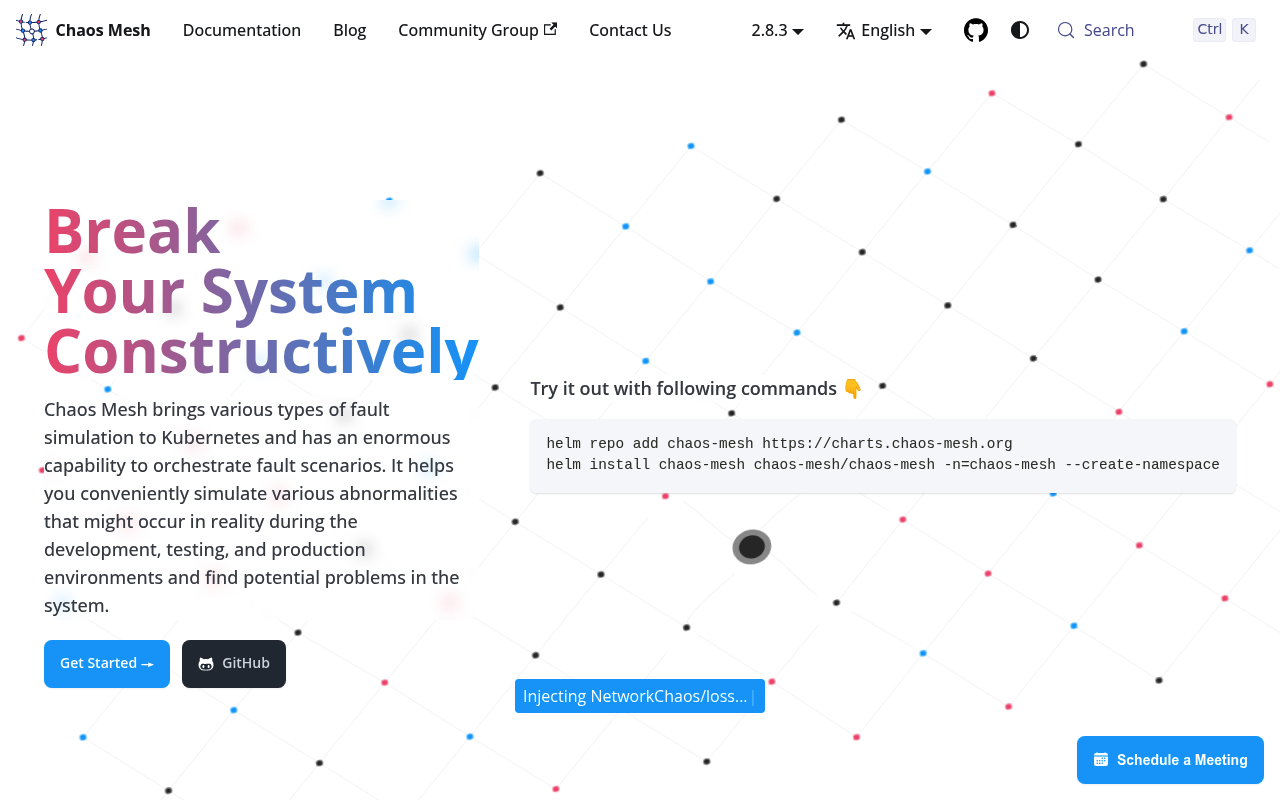
Chaos Mesh website screenshot

Chaos Mesh

Chaos Mesh is a CNCF graduated cloud-native chaos engineering platform that orchestrates chaos experiments on Kubernetes to test system resilience and reliability. It exposes Kubernetes Custom Resource Definitions (CRDs) for a wide range of chaos kinds (network, pod, IO, stress, DNS, time, kernel, JVM, HTTP), along with a Chaos Dashboard web UI backed by a REST API for creating, managing, and monitoring chaos experiments and workflows. Chaos Mesh integrates with Kubernetes, Argo Workflows, Prometheus, Grafana, and CI/CD pipelines to run experiments safely in staging and production environments.

1 APIs 23 Features
Chaos EngineeringCloud NativeCNCFFault InjectionKubernetesObservabilityOpen SourceReliabilityResilienceTesting

APIs

Chaos Mesh API

Chaos Mesh provides Kubernetes Custom Resources and a REST API for orchestrating chaos experiments including network faults, pod failures, IO chaos, stress testing, kernel chaos...

Collections

Pricing Plans

Chaos Mesh Plans Pricing

3 plans

PLANS

Rate Limits

Chaos Mesh Rate Limits

5 limits

RATE LIMITS

FinOps

Features

Pod Chaos
Network Chaos
IO Chaos
Stress Chaos
Kernel Chaos
Time Chaos
DNS Chaos
JVM Chaos
HTTP Chaos
AWS Chaos
GCP Chaos
Azure Chaos
Block Chaos
Physical Machine Chaos
Workflows
Schedules
Chaos Dashboard
Kubernetes CRDs
REST API
RBAC
Audit Events
Safe Mode
Status Monitoring

Use Cases

Resilience Testing
Disaster Recovery Drills
SRE Game Days
Canary Validation
Production Reliability Testing
Multi-Region Failover Testing
Performance Bottleneck Discovery
Observability Validation
Continuous Chaos in CI/CD
Microservices Dependency Testing
Database Fault Tolerance Testing

Integrations

Kubernetes
EKS
GKE
AKS
OpenShift
Rancher
Argo Workflows
Argo CD
Prometheus
Grafana
OpenTelemetry
Jaeger
Datadog
Litmus
GitHub Actions
GitLab CI
Jenkins
Tekton
Helm
AWS
Google Cloud
Azure

Semantic Vocabularies

Chaos Mesh Context

6 classes · 12 properties

JSON-LD

Resources

🔗
Website
Website
🔗
Documentation
Documentation
🚀
GettingStarted
GettingStarted
📰
Blog
Blog
📄
ChangeLog
ChangeLog
👥
GitHub
GitHub
👥
GitHubRepository
GitHubRepository
🔗
Community
Community
🔗
License
License
🔗
CNCF
CNCF
🔗
Slack
Slack
🔗
X
X
🔗
JSONLD
JSONLD
🔗
JSONSchema
JSONSchema

Sources

Raw ↑
opencollection: 1.0.0
info:
  name: Chaos Mesh Dashboard API
  version: 2.x
request:
  auth:
    type: bearer
    token: '{{bearerToken}}'
items:
- info:
    name: Experiments
    type: folder
  items:
  - info:
      name: Chaos Mesh List experiments
      type: http
    http:
      method: GET
      url: http://{dashboardHost}:{dashboardPort}/api/experiments
      params:
      - name: namespace
        value: ''
        type: query
        description: Kubernetes namespace to filter results by. If omitted, returns results from all namespaces.
      - name: kind
        value: ''
        type: query
        description: Chaos type kind to filter by, such as PodChaos, NetworkChaos, IOChaos, StressChaos, HTTPChaos, TimeChaos,
          DNSChaos, or KernelChaos.
      - name: name
        value: ''
        type: query
        description: Name substring to filter results by.
      - name: status
        value: ''
        type: query
        description: Status to filter experiments or schedules by.
    docs: Returns a list of chaos experiments across all or a filtered set of namespaces. Results can be filtered by namespace,
      kind (chaos type), name substring, and status. Each experiment entry includes the chaos type, namespace, name, current
      status, and creation timestamp.
  - info:
      name: Chaos Mesh Create an experiment
      type: http
    http:
      method: POST
      url: http://{dashboardHost}:{dashboardPort}/api/experiments
      body:
        type: json
        data: '{}'
    docs: Creates a new chaos experiment by submitting a Chaos Mesh custom resource to Kubernetes. The request body must include
      the kind field specifying the chaos type (e.g., PodChaos, NetworkChaos) and a spec field with the chaos-type-specific
      configuration. The experiment begins immediately upon creation unless a duration or schedule is specified.
  - info:
      name: Chaos Mesh Get an experiment
      type: http
    http:
      method: GET
      url: http://{dashboardHost}:{dashboardPort}/api/experiments/:uid
      params:
      - name: uid
        value: ''
        type: path
        description: Unique identifier (UUID) of the chaos experiment.
    docs: Returns detailed information about a specific chaos experiment identified by its UID. The response includes the
      full experiment specification, current status, affected pods, and event history.
  - info:
      name: Chaos Mesh Delete an experiment
      type: http
    http:
      method: DELETE
      url: http://{dashboardHost}:{dashboardPort}/api/experiments/:uid
      params:
      - name: uid
        value: ''
        type: path
        description: Unique identifier (UUID) of the chaos experiment.
      - name: force
        value: ''
        type: query
        description: When true, force-deletes the experiment without waiting for cleanup.
    docs: Deletes a chaos experiment and stops the ongoing fault injection. When force is true, the experiment is deleted
      immediately without waiting for graceful cleanup. The deleted experiment is moved to the archives.
  - info:
      name: Chaos Mesh Pause an experiment
      type: http
    http:
      method: PUT
      url: http://{dashboardHost}:{dashboardPort}/api/experiments/:uid/pause
      params:
      - name: uid
        value: ''
        type: path
        description: Unique identifier (UUID) of the chaos experiment.
    docs: Pauses a running chaos experiment, stopping fault injection without deleting the experiment resource. The experiment
      can be resumed by calling the start endpoint. Useful for temporarily halting chaos during incident response.
  - info:
      name: Chaos Mesh Start (resume) an experiment
      type: http
    http:
      method: PUT
      url: http://{dashboardHost}:{dashboardPort}/api/experiments/:uid/start
      params:
      - name: uid
        value: ''
        type: path
        description: Unique identifier (UUID) of the chaos experiment.
    docs: Resumes a paused chaos experiment, reinstating fault injection. Can also be used to start an experiment that was
      created in a paused state.
- info:
    name: Workflows
    type: folder
  items:
  - info:
      name: Chaos Mesh List workflows
      type: http
    http:
      method: GET
      url: http://{dashboardHost}:{dashboardPort}/api/workflows
      params:
      - name: namespace
        value: ''
        type: query
        description: Kubernetes namespace to filter results by. If omitted, returns results from all namespaces.
      - name: name
        value: ''
        type: query
        description: Name substring to filter results by.
      - name: status
        value: ''
        type: query
        description: Status to filter experiments or schedules by.
    docs: Returns a list of Chaos Mesh workflows. Workflows allow orchestrating multiple chaos experiments in serial or parallel
      sequences. Results can be filtered by namespace, name, and status.
  - info:
      name: Chaos Mesh Create a workflow
      type: http
    http:
      method: POST
      url: http://{dashboardHost}:{dashboardPort}/api/workflows
      body:
        type: json
        data: '{}'
    docs: Creates a new Chaos Mesh workflow for orchestrating multiple chaos experiments. The workflow spec defines a directed
      acyclic graph of tasks that can run in serial, parallel, or with suspend steps. Each task can reference a chaos template
      or be a sub-workflow.
  - info:
      name: Chaos Mesh Get a workflow
      type: http
    http:
      method: GET
      url: http://{dashboardHost}:{dashboardPort}/api/workflows/:uid
      params:
      - name: uid
        value: ''
        type: path
        description: Unique identifier (UUID) of the workflow.
    docs: Returns detailed information about a specific workflow including its current execution state, the status of each
      task node, and associated event history.
  - info:
      name: Chaos Mesh Update a workflow
      type: http
    http:
      method: PUT
      url: http://{dashboardHost}:{dashboardPort}/api/workflows/:uid
      params:
      - name: uid
        value: ''
        type: path
        description: Unique identifier (UUID) of the workflow.
      body:
        type: json
        data: '{}'
    docs: Updates an existing workflow definition. The updated spec replaces the existing workflow configuration. Running
      workflow nodes are not interrupted; changes take effect on future executions.
  - info:
      name: Chaos Mesh Delete a workflow
      type: http
    http:
      method: DELETE
      url: http://{dashboardHost}:{dashboardPort}/api/workflows/:uid
      params:
      - name: uid
        value: ''
        type: path
        description: Unique identifier (UUID) of the workflow.
    docs: Deletes a Chaos Mesh workflow and stops any running chaos tasks within it. The deleted workflow is moved to the
      archives.
- info:
    name: Schedules
    type: folder
  items:
  - info:
      name: Chaos Mesh List schedules
      type: http
    http:
      method: GET
      url: http://{dashboardHost}:{dashboardPort}/api/schedules
      params:
      - name: namespace
        value: ''
        type: query
        description: Kubernetes namespace to filter results by. If omitted, returns results from all namespaces.
      - name: name
        value: ''
        type: query
        description: Name substring to filter results by.
      - name: status
        value: ''
        type: query
        description: Status to filter experiments or schedules by.
    docs: Returns a list of chaos experiment schedules. Schedules use cron expressions to trigger chaos experiments automatically
      at configured intervals. Results can be filtered by namespace, name, and status.
  - info:
      name: Chaos Mesh Create a schedule
      type: http
    http:
      method: POST
      url: http://{dashboardHost}:{dashboardPort}/api/schedules
      body:
        type: json
        data: '{}'
    docs: Creates a new chaos experiment schedule. The schedule wraps a chaos experiment spec with a cron expression and optional
      history limits. The chaos experiment is instantiated automatically each time the schedule fires.
  - info:
      name: Chaos Mesh Get a schedule
      type: http
    http:
      method: GET
      url: http://{dashboardHost}:{dashboardPort}/api/schedules/:uid
      params:
      - name: uid
        value: ''
        type: path
        description: Unique identifier (UUID) of the schedule.
    docs: Returns detailed information about a specific chaos schedule including its cron expression, embedded chaos spec,
      and history of triggered experiment instances.
  - info:
      name: Chaos Mesh Delete a schedule
      type: http
    http:
      method: DELETE
      url: http://{dashboardHost}:{dashboardPort}/api/schedules/:uid
      params:
      - name: uid
        value: ''
        type: path
        description: Unique identifier (UUID) of the schedule.
    docs: Deletes a chaos experiment schedule. No further experiment instances will be created. Running experiments triggered
      by the schedule are not affected.
  - info:
      name: Chaos Mesh Pause a schedule
      type: http
    http:
      method: PUT
      url: http://{dashboardHost}:{dashboardPort}/api/schedules/:uid/pause
      params:
      - name: uid
        value: ''
        type: path
        description: Unique identifier (UUID) of the schedule.
    docs: Pauses a chaos schedule so that no new experiment instances are created while the schedule is suspended. Existing
      running experiments are not affected.
  - info:
      name: Chaos Mesh Start (resume) a schedule
      type: http
    http:
      method: PUT
      url: http://{dashboardHost}:{dashboardPort}/api/schedules/:uid/start
      params:
      - name: uid
        value: ''
        type: path
        description: Unique identifier (UUID) of the schedule.
    docs: Resumes a paused chaos schedule so that new experiment instances are created again on the configured cron schedule.
- info:
    name: Events
    type: folder
  items:
  - info:
      name: Chaos Mesh List events
      type: http
    http:
      method: GET
      url: http://{dashboardHost}:{dashboardPort}/api/events
      params:
      - name: objectId
        value: ''
        type: query
        description: UID of the object (experiment, workflow, or schedule) to filter events by.
      - name: namespace
        value: ''
        type: query
        description: Kubernetes namespace to filter results by. If omitted, returns results from all namespaces.
      - name: name
        value: ''
        type: query
        description: Name substring to filter results by.
      - name: kind
        value: ''
        type: query
        description: Chaos type kind to filter by, such as PodChaos, NetworkChaos, IOChaos, StressChaos, HTTPChaos, TimeChaos,
          DNSChaos, or KernelChaos.
      - name: type
        value: ''
        type: query
        description: Event type filter, e.g., Normal or Warning.
    docs: Returns a list of events generated by chaos experiments, workflows, and schedules. Events capture state transitions,
      errors, and lifecycle changes. Can be filtered by object ID, namespace, name, kind, and type.
- info:
    name: Archives
    type: folder
  items:
  - info:
      name: Chaos Mesh List archived experiments
      type: http
    http:
      method: GET
      url: http://{dashboardHost}:{dashboardPort}/api/archives
      params:
      - name: namespace
        value: ''
        type: query
        description: Kubernetes namespace to filter results by. If omitted, returns results from all namespaces.
      - name: name
        value: ''
        type: query
        description: Name substring to filter results by.
      - name: kind
        value: ''
        type: query
        description: Chaos type kind to filter by, such as PodChaos, NetworkChaos, IOChaos, StressChaos, HTTPChaos, TimeChaos,
          DNSChaos, or KernelChaos.
    docs: Returns a list of archived (completed or deleted) chaos experiments. Archives provide a historical record of past
      chaos activity. Can be filtered by namespace, name, and kind.
  - info:
      name: Chaos Mesh Get an archived experiment
      type: http
    http:
      method: GET
      url: http://{dashboardHost}:{dashboardPort}/api/archives/:uid
      params:
      - name: uid
        value: ''
        type: path
        description: Unique identifier (UUID) of the archived experiment.
    docs: Returns detailed information about a specific archived chaos experiment including its full spec, final status, and
      all associated events from its lifetime.
  - info:
      name: Chaos Mesh Delete an archive record
      type: http
    http:
      method: DELETE
      url: http://{dashboardHost}:{dashboardPort}/api/archives/:uid
      params:
      - name: uid
        value: ''
        type: path
        description: Unique identifier (UUID) of the archived experiment.
    docs: Permanently removes an archived experiment record from the database. This does not affect any running Kubernetes
      resources.
- info:
    name: Common
    type: folder
  items:
  - info:
      name: Chaos Mesh List namespaces
      type: http
    http:
      method: GET
      url: http://{dashboardHost}:{dashboardPort}/api/common/namespaces
    docs: Returns the list of Kubernetes namespaces available for targeting chaos experiments. Used to populate namespace
      selectors in the Chaos Dashboard UI.
  - info:
      name: Chaos Mesh List pods for a selector
      type: http
    http:
      method: POST
      url: http://{dashboardHost}:{dashboardPort}/api/common/pods
      body:
        type: json
        data: '{}'
    docs: Returns a list of pods matching the given label selectors and namespaces. Used to preview which pods will be affected
      by a chaos experiment before creating it, so operators can verify their target selector.
bundled: true
