Home Providers Anchor Browser
Anchor Browser
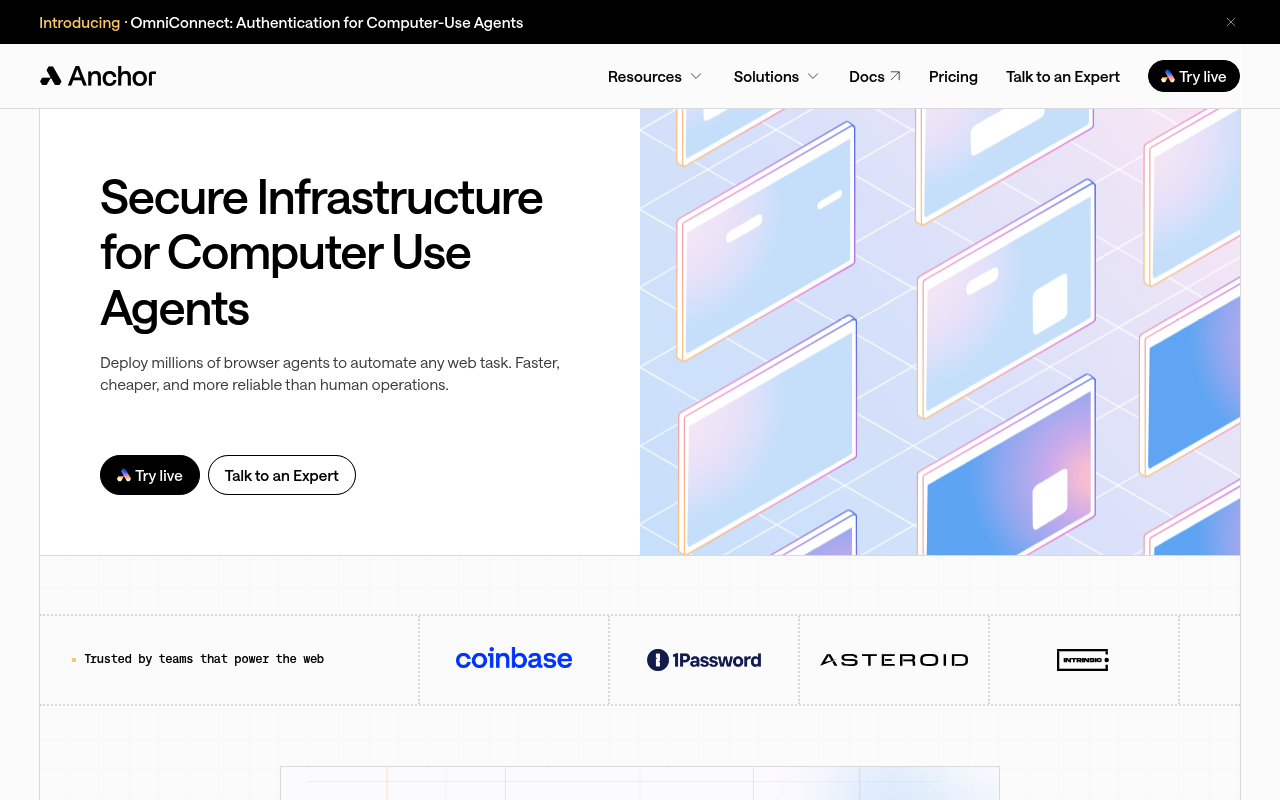
Anchor Browser is an AI-native cloud browser infrastructure platform that lets AI agents interact with the web the same way a human would. It provides hosted, isolated Chromium sessions ("Anchor Chromium"), built-in stealth and bot-evasion tuning, an authentication layer (OmniConnect) for managing logged-in user credentials, a built-in enterprise VPN, residential and sticky-IP proxies, a Web Action Cache that hardens flaky workflows into deterministic code, and a REST API plus SDKs for Playwright, Puppeteer, MCP, LangChain, and CrewAI. The platform is positioned as the sandbox runtime for agentic browser automation.
Anchor Browser publishes 20 API contracts indexed on the APIs.io network, including Agentic capabilities API, AI Tools API, Applications API, and 17 more. Tagged areas include Browser Infrastructure, AI Agents, Cloud Browser, Browser Automation, and Sandbox.
Anchor Browser’s developer surface includes authentication, developer portal, documentation, getting-started guide, signup flow, developer console, engineering blog, and 16 more developer resources.
1 published contract2 MCP Servers9 Features4 Use Cases
On this page
Kin Score
APIs 20
Open Collections 19
MCP Servers 2
Pricing Plans 1
Rate Limits 1
FinOps 1
Features 9
Security Posture 3
Agentic Access 1
Use Cases 4
Integrations 6
Resources 23
apis.yml
26 Operational Transparency
33 Create-or-Update Ergonomics
Composite quality — 43.3/100 · developing
Agent readiness — 57/100 · agent ready
Individual APIs this provider publishes, each with its own machine-readable definition.
Scroll for all 20
Open, tool-agnostic API collections (OpenAPI-derived and Bruno).
Scroll for all 19
Model Context Protocol servers that expose these APIs to AI agents.
Published pricing tiers and plan structures.
Documented rate limits and quota policies.
Cost, billing, and metering signals for API financial operations.
Notable capabilities this provider offers.
Scroll for all 9
Authentication, domain security, vulnerability disclosure, and trust-center signals.
Recommended x-agentic-access execution contracts for AI agents.
What developers build with this provider.
Pre-built integrations with other platforms and tools.
Get Started 4
Portal, sign-up, and the first successful call
Documentation 1
Reference material describing how the API behaves
Agent Surfaces 3
MCP servers, agent skills, and machine-readable catalogs
Build 2
SDKs, sample code, and the tooling you integrate with
Access & Security 5
Authentication, authorization, and security posture
Operate 3
Status, limits, changes, and where to get help
Commercial 3
Pricing, plans, and the legal terms of use
Company 2
The organization behind the API
Source (apis.yml)
aid: anchorbrowser
name: Anchor Browser
description: Anchor Browser is an AI-native cloud browser infrastructure platform that lets AI agents interact with the web
  the same way a human would. It provides hosted, isolated Chromium sessions ("Anchor Chromium"), built-in stealth and bot-evasion
  tuning, an authentication layer (OmniConnect) for managing logged-in user credentials, a built-in enterprise VPN, residential
  and sticky-IP proxies, a Web Action Cache that hardens flaky workflows into deterministic code, and a REST API plus SDKs
  for Playwright, Puppeteer, MCP, LangChain, and CrewAI. The platform is positioned as the sandbox runtime for agentic browser
  automation.
type: Index
deliveryModel:
  model: open-core
  license: MIT
  open_source: true
  commercial: true
  callable_host: true
  label: Open core · an OSS project plus a commercial hosted product
  confidence: high
  source:
  - license
  - openapi
  - pricing
  generated: '2026-08-28'
  method: derived
accessModel:
  pricing: free
  onboarding: self-serve
  trial: false
  try_now: true
  public: false
  label: Free · Self-serve signup
  confidence: medium
  source:
  - plans
  - authentication
  - security
  generated: '2026-09-03'
  method: derived
image: https://kinlane-images.s3.amazonaws.com/shared/apis-json/icons/anchorbrowser.png
x-docs-platform: mintlify
x-docs-platform-confidence: medium
x-docs-platform-checked: 2026-09-18
x-docs-hosting: vercel
tags:
- Browser Infrastructure
- AI Agents
- Cloud Browser
- Browser Automation
- Sandbox
- Stealth Browser
- MCP
url: https://raw.githubusercontent.com/api-evangelist/anchorbrowser/refs/heads/main/apis.yml
created: '2026-05-23'
modified: '2026-09-16'
specificationVersion: '0.23'
apis:
- aid: anchorbrowser:anchor-browser-api
  name: Anchor Browser API
  description: The Anchor Browser REST API exposes cloud browser sessions for AI agents. It covers session lifecycle (create,
    async create, status, end, list history), batch session creation (up to 5,000 simultaneous sessions), browser profiles
    (save/load cookies, local storage, cache), file upload/download inside sessions, recording with pause/resume, custom browser
    extensions, AI-driven task execution (Claude, Gemini, OpenAI), web unlocker for bot-protected sites, captcha solving,
    ad/popup blocking, sticky residential IPs, secret management, and CA certificate management. SDKs are Stainless-generated
    and an OpenAPI specification is published.
  humanURL: https://docs.anchorbrowser.io
  tags:
  - Browser Sessions
  - REST API
  - Browser Automation
  - AI Agents
  properties:
  - type: Documentation
    url: https://docs.anchorbrowser.io/introduction
  - type: GettingStarted
    url: https://docs.anchorbrowser.io/quickstart/use-via-sdk
  - type: APIReference
    url: https://docs.anchorbrowser.io
  - type: Authentication
    url: https://docs.anchorbrowser.io
  - type: Console
    url: https://app.anchorbrowser.io/playground
- aid: anchorbrowser:anchor-browser-mcp
  name: Anchor Browser MCP Server
  description: A Model Context Protocol server (hosted and open-source) that lets MCP-compatible AI clients drive Anchor Browser
    sessions as tools.
  humanURL: https://browsermcp.com
  tags:
  - MCP
  - AI Agents
  - Browser Automation
  properties:
  - type: Documentation
    url: https://docs.anchorbrowser.io
  - type: MCPServer
    url: https://browsermcp.com
- aid: anchorbrowser:anchor-browser-langchain
  name: LangChain Anchor Browser Tools
  description: LangChain-ready tools that wrap Anchor Browser-powered browser actions for use inside LangChain and LangGraph
    agent workflows.
  humanURL: https://github.com/anchorbrowser/langchain-anchorbrowser
  tags:
  - LangChain
  - AI Agents
  - Integration
  properties:
  - type: GitHubRepository
    url: https://github.com/anchorbrowser/langchain-anchorbrowser
- aid: anchorbrowser:anchorbrowser-agentic-capabilities-api
  name: Anchor Browser Agentic capabilities API
  description: The Agentic capabilities API from Anchor Browser — 3 operation(s) for agentic capabilities.
  humanURL: https://docs.anchorbrowser.io
  tags:
  - Agentic capabilities
  properties:
  - type: OpenAPI
    url: openapi/anchorbrowser-agentic-capabilities-api-openapi.yml
- aid: anchorbrowser:anchorbrowser-ai-tools-api
  name: Anchor Browser AI Tools API
  description: The AI Tools API from Anchor Browser — 2 operation(s) for ai tools.
  humanURL: https://docs.anchorbrowser.io
  tags:
  - AI Tools
  properties:
  - type: OpenAPI
    url: openapi/anchorbrowser-ai-tools-api-openapi.yml
- aid: anchorbrowser:anchorbrowser-applications-api
  name: Anchor Browser Applications API
  description: The Applications API from Anchor Browser — 6 operation(s) for applications.
  humanURL: https://docs.anchorbrowser.io
  tags:
  - Application
  tags_raw:
  - Applications
  properties:
  - type: OpenAPI
    url: openapi/anchorbrowser-applications-api-openapi.yml
- aid: anchorbrowser:anchorbrowser-batch-sessions-api
  name: Anchor Browser Batch Sessions API
  description: The Batch Sessions API from Anchor Browser — 3 operation(s) for batch sessions.
  humanURL: https://docs.anchorbrowser.io
  tags:
  - Batch Sessions
  properties:
  - type: OpenAPI
    url: openapi/anchorbrowser-batch-sessions-api-openapi.yml
- aid: anchorbrowser:anchorbrowser-billing-api
  name: Anchor Browser Billing API
  description: The Billing API from Anchor Browser — 1 operation(s) for billing.
  humanURL: https://docs.anchorbrowser.io
  tags:
  - Billing
  properties:
  - type: OpenAPI
    url: openapi/anchorbrowser-billing-api-openapi.yml
- aid: anchorbrowser:anchorbrowser-browser-sessions-api
  name: Anchor Browser Sessions API
  description: The Browser Sessions API from Anchor Browser — 10 operation(s) for browser sessions.
  humanURL: https://docs.anchorbrowser.io
  tags:
  - Browser Sessions
  properties:
  - type: OpenAPI
    url: openapi/anchorbrowser-browser-sessions-api-openapi.yml
- aid: anchorbrowser:anchorbrowser-certificates-api
  name: Anchor Browser Certificates API
  description: The Certificates API from Anchor Browser — 2 operation(s) for certificates.
  humanURL: https://docs.anchorbrowser.io
  tags:
  - Certificates
  properties:
  - type: OpenAPI
    url: openapi/anchorbrowser-certificates-api-openapi.yml
- aid: anchorbrowser:anchorbrowser-event-coordination-api
  name: Anchor Browser Event Coordination API
  description: The Event Coordination API from Anchor Browser — 2 operation(s) for event coordination.
  humanURL: https://docs.anchorbrowser.io
  tags:
  - Event Coordination
  properties:
  - type: OpenAPI
    url: openapi/anchorbrowser-event-coordination-api-openapi.yml
- aid: anchorbrowser:anchorbrowser-extensions-api
  name: Anchor Browser Extensions API
  description: The Extensions API from Anchor Browser — 2 operation(s) for extensions.
  humanURL: https://docs.anchorbrowser.io
  tags:
  - Extensions
  properties:
  - type: OpenAPI
    url: openapi/anchorbrowser-extensions-api-openapi.yml
- aid: anchorbrowser:anchorbrowser-identities-api
  name: Anchor Browser Identities API
  description: The Identities API from Anchor Browser — 2 operation(s) for identities.
  humanURL: https://docs.anchorbrowser.io
  tags:
  - Identities
  properties:
  - type: OpenAPI
    url: openapi/anchorbrowser-identities-api-openapi.yml
- aid: anchorbrowser:anchorbrowser-integrations-api
  name: Anchor Browser Integrations API
  description: The Integrations API from Anchor Browser — 2 operation(s) for integrations.
  humanURL: https://docs.anchorbrowser.io
  tags:
  - Integration
  tags_raw:
  - Integrations
  properties:
  - type: OpenAPI
    url: openapi/anchorbrowser-integrations-api-openapi.yml
- aid: anchorbrowser:anchorbrowser-os-level-control-api
  name: Anchor Browser OS Level Control API
  description: The OS Level Control API from Anchor Browser — 14 operation(s) for os level control.
  humanURL: https://docs.anchorbrowser.io
  tags:
  - OS Level Control
  properties:
  - type: OpenAPI
    url: openapi/anchorbrowser-os-level-control-api-openapi.yml
- aid: anchorbrowser:anchorbrowser-profiles-api
  name: Anchor Browser Profiles API
  description: The Profiles API from Anchor Browser — 2 operation(s) for profiles.
  humanURL: https://docs.anchorbrowser.io
  tags:
  - Profiles
  properties:
  - type: OpenAPI
    url: openapi/anchorbrowser-profiles-api-openapi.yml
- aid: anchorbrowser:anchorbrowser-session-recordings-api
  name: Anchor Browser Session Recordings API
  description: The Session Recordings API from Anchor Browser — 5 operation(s) for session recordings.
  humanURL: https://docs.anchorbrowser.io
  tags:
  - Session Recordings
  properties:
  - type: OpenAPI
    url: openapi/anchorbrowser-session-recordings-api-openapi.yml
- aid: anchorbrowser:anchorbrowser-tasks-api
  name: Anchor Browser Tasks API
  description: The Tasks API from Anchor Browser — 2 operation(s) for tasks.
  humanURL: https://docs.anchorbrowser.io
  tags:
  - Task
  tags_raw:
  - Tasks
  properties:
  - type: OpenAPI
    url: openapi/anchorbrowser-tasks-api-openapi.yml
- aid: anchorbrowser:anchorbrowser-tasks-legacy-api
  name: Anchor Browser Tasks (Legacy) API
  description: The Tasks (Legacy) API from Anchor Browser — 11 operation(s) for tasks (legacy).
  humanURL: https://docs.anchorbrowser.io
  tags:
  - Tasks (Legacy)
  properties:
  - type: OpenAPI
    url: openapi/anchorbrowser-tasks-legacy-api-openapi.yml
- aid: anchorbrowser:anchorbrowser-tools-api
  name: Anchor Browser Tools API
  description: The Tools API from Anchor Browser — 4 operation(s) for tools.
  humanURL: https://docs.anchorbrowser.io
  tags:
  - Tools
  properties:
  - type: OpenAPI
    url: openapi/anchorbrowser-tools-api-openapi.yml
common:
- type: Plans
  url: plans/anchorbrowser-plans-pricing.yml
- type: RateLimits
  url: rate-limits/anchorbrowser-rate-limits.yml
- type: FinOps
  url: finops/anchorbrowser-finops.yml
- type: Website
  url: https://www.anchorbrowser.io/
- type: IssueTracker
  url: https://github.com/anchorbrowser/langchain-anchorbrowser/issues
- type: License
  name: MIT
  url: https://github.com/anchorbrowser/langchain-anchorbrowser/blob/main/LICENSE
- type: AgenticAccess
  url: agentic-access/anchorbrowser-agentic-access.yml
- type: TrustCenter
  url: security/anchorbrowser-trust-center.yml
- type: DomainSecurity
  url: security/anchorbrowser-domain-security.yml
- type: Authentication
  url: authentication/anchorbrowser-authentication.yml
- type: Portal
  url: https://anchorbrowser.io
- type: Documentation
  url: https://docs.anchorbrowser.io
- type: GettingStarted
  url: https://docs.anchorbrowser.io/quickstart/use-via-sdk
- type: Authentication
  url: https://docs.anchorbrowser.io
- type: Signup
  url: https://app.anchorbrowser.io
- type: Console
  url: https://app.anchorbrowser.io/playground
- type: Blog
  url: https://anchorbrowser.io/blog
- type: StatusPage
  url: https://status.anchorbrowser.io
- type: TrustCenter
  url: https://trust.anchorbrowser.io
- type: SDKs
  url: https://docs.anchorbrowser.io/quickstart/use-via-sdk
  name: Anchor Browser SDKs (Stainless-generated)
- type: GitHubRepository
  url: https://github.com/anchorbrowser/langchain-anchorbrowser
  name: LangChain Anchor Browser Tools
- type: MCPServer
  url: https://browsermcp.com
  name: BrowserMCP
- type: Features
  data:
  - name: Cloud Browser Sessions
    description: Hosted, isolated Chromium sessions ("Anchor Chromium") allocated on demand and torn down per task, no local
      browser setup needed.
  - name: Stealth and Bot Evasion
    description: Humanized Chromium fork tuned to be recognized as legitimate by major bot-protection systems.
  - name: OmniConnect Authentication
    description: Manages user credentials and authentication lifecycles so agents can operate inside logged-in surfaces.
  - name: Anchor VPN
    description: Built-in enterprise VPN for routing browser traffic over trusted networks.
  - name: Residential and Sticky IPs
    description: Built-in residential proxy rotation, geo-targeting, and dedicated sticky IPs.
  - name: Web Action Cache
    description: Captures repeatable workflows as deterministic code so previously flaky automations become reliable.
  - name: AI Agent Integration
    description: Natural-language task execution against Claude, Gemini, and OpenAI, plus first-party MCP, LangChain, and
      CrewAI integrations.
  - name: Playwright and Puppeteer Support
    description: Existing Playwright and Puppeteer code can target Anchor sessions without code changes.
  - name: Recording and File I/O
    description: Per-session video recording with pause/resume and bidirectional file upload/download.
- type: UseCases
  data:
  - name: Agentic Web Automation
    description: Give AI agents a real browser to navigate sites that lack APIs, submit forms, and extract data.
  - name: Authenticated Workflow Automation
    description: Automate operations behind login flows (banking, SaaS dashboards, internal portals) without storing credentials
      on developer laptops.
  - name: Web Scraping at Scale
    description: Run up to 5,000 simultaneous sessions with rotating residential IPs and built-in captcha handling.
  - name: AI Agent Sandbox
    description: Give frontier model agents a safe, isolated browser to operate in without exposing the user's machine.
- type: Integrations
  data:
  - name: Model Context Protocol (MCP)
    description: Hosted and open-source MCP servers let any MCP-compatible client use Anchor Browser as a tool.
  - name: LangChain
    description: First-party LangChain tools wrap Anchor actions for use in LangChain and LangGraph agents.
  - name: CrewAI
    description: Integration for orchestrating multi-agent crews on top of Anchor sessions.
  - name: Playwright and Puppeteer
    description: Drop-in target for existing Playwright and Puppeteer automation code.
  - name: Cloudflare Web Bot Auth
    description: Integration with Cloudflare's signed-agent / Web Bot Auth scheme so Anchor sessions are recognized as legitimate
      agent traffic.
  - name: AWS Marketplace
    description: Available for procurement via AWS Marketplace.
- type: LlmsText
  url: https://docs.anchorbrowser.io/llms.txt
maintainers:
- FN: Kin Lane
  url: http://apievangelist.com
  email: kin@apievangelist.com
Every provider here is available over the APIs.io API and to AI agents over MCP.
MCP server
One button, every client — Claude, Cursor, VS Code and the rest.
https://apis.io/mcp
Tools for providers
9 MCP tools reach this
find_providersBrowse and filter every provider in the catalog. get_provider_artifactsEvery artifact this provider publishes, grouped by type. get_provider_operationsEvery operation across all of their OpenAPIs — one call instead of parsing every spec. get_provider_toolsEvery MCP tool they ship, with the operation each wraps. get_provider_evidenceHow each part of their score was established. Free — the basis for a claim should not sit behind it. get_provider_ratingPRO — composite, band, trend and facet scores. apis_io_searchSTART HERE — APIs, providers and tags for one query, each with its total. resolveTurn a domain, URL or GitHub org into the provider it belongs to. find_cohortsEvery scored population of providers in the catalog.
All 92 tools →
Call it yourself
curl for this page
This provider
curl "https://apis.io/api/v1/providers/anchorbrowser"
All providers
curl "https://apis.io/api/v1/providers?limit=25"
Every operation they expose
curl "https://apis.io/api/v1/providers/anchorbrowser/operations?limit=25"
How their score was established
curl "https://apis.io/api/v1/providers/anchorbrowser/evidence"
Discovery needs no key. Ratings and market analysis are Pro.
Get an API key
Free tier, no form to fill in. Signing in shares your email address with us — we
store it to create your key and to recognise you if you sign in with another
provider. See our Privacy Policy and
Terms .
A second provider on the same verified email joins the account you already have.
 Kin Score
How this is scored →
Kin Score
How this is scored →