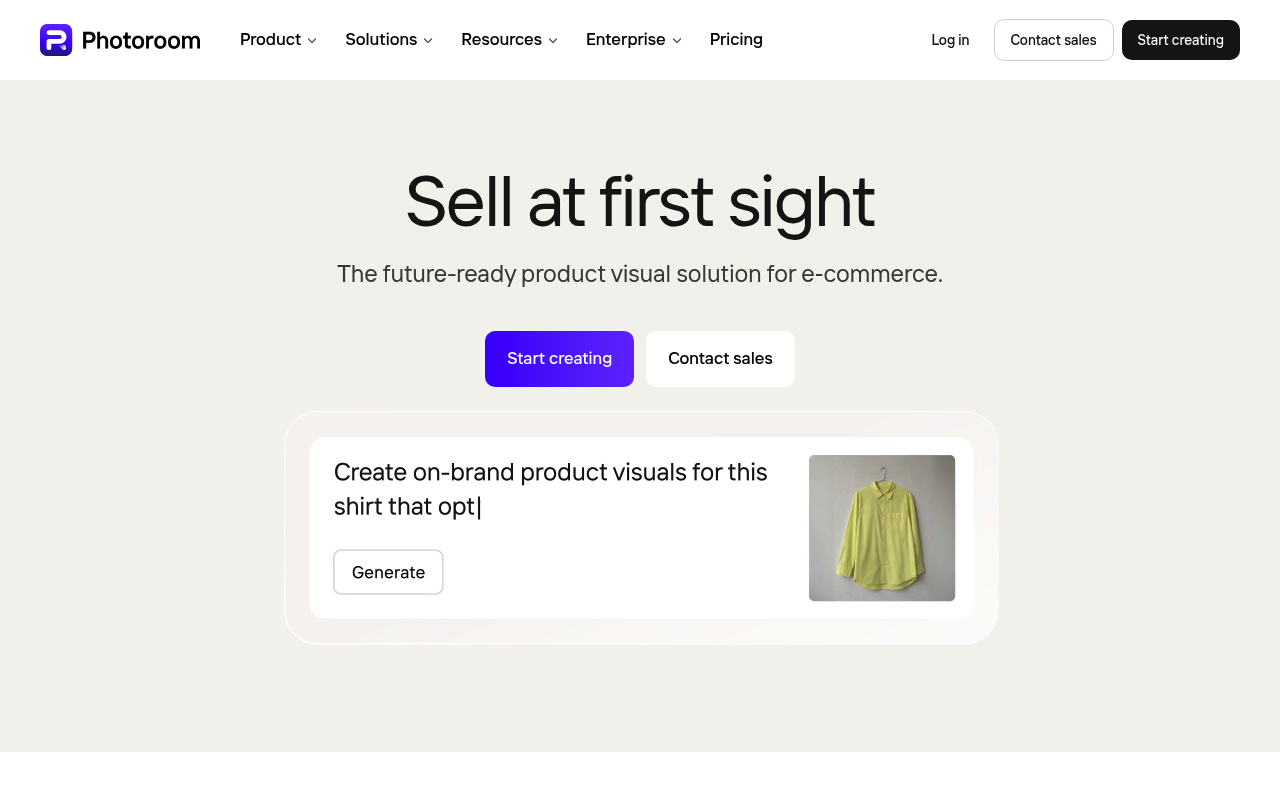
Photoroom website screenshot

Photoroom

Photoroom is an AI image editing platform with strong background removal and e-commerce-style product photo generation. Public APIs include the Remove Background API and the Image Editing API (Plus plan), with specialized endpoints for PhotoFix, Reposition, Product Beautifier, Analyze QA, Image to Video, Photo Composition, Virtual Model, Flat Lay, and Ghost Mannequin. OpenAPI spec is published.

1 APIs 0 Features
AIImage EditingBackground RemovalE-commerceVisual

APIs

Photoroom API

REST API for background removal, AI image editing, AI shadows, AI backgrounds, product reposition, virtual model, ghost mannequin, photo composition, and image to video. Authent...

Collections

Pricing Plans

Photoroom Plans Pricing

5 plans

PLANS

Rate Limits

Photoroom Rate Limits

3 limits

RATE LIMITS

FinOps

Resources

👥
GitHubOrganization
GitHubOrganization
🔗
LinkedIn
LinkedIn
🔗
Website
Website
🔗
Documentation
Documentation
🔗
OpenAPI
OpenAPI
🔗
Plans
Plans
🔗
RateLimits
RateLimits
🔗
FinOps
FinOps
🔗
LlmsText
LlmsText

Sources

Raw ↑
opencollection: 1.0.0
info:
  name: Photoroom API
  version: 1.0.0
request:
  auth:
    type: apikey
    key: x-api-key
    value: '{{x-api-key}}'
    placement: header
items:
- info:
    name: Remove Background (Basic plan)
    type: http
  http:
    method: POST
    url: '{{baseUrl}}/v1/segment'
    body:
      type: multipart-form
      data: []
  docs: Remove background from an image
- info:
    name: Account Details v1
    type: http
  http:
    method: GET
    url: '{{baseUrl}}/v1/account'
  docs: Get current account details, including remaining credits balance and monthly quota
- info:
    name: Account Details v2
    type: http
  http:
    method: GET
    url: '{{baseUrl}}/v2/account'
  docs: Get current account details, including remaining image edits and monthly quota
- info:
    name: Image Editing v2 (Plus plan)
    type: http
  http:
    method: GET
    url: '{{baseUrl}}/v2/edit'
    params:
    - name: background.blur.mode
      value: ''
      type: query
      description: 'Type of blur to apply to the background.

        - `gaussian`: Applies a gaussian blur to the background.

        - `bokeh`: Applies a bokeh blur to the background.'
    - name: background.blur.radius
      value: ''
      type: query
      description: 'Radius of the blur effect. Higher values mean the result will be blurrier.


        Minimum: 0, Maximum: 0.05'
    - name: background.color
      value: ''
      type: query
      description: 'Color of the background. If omitted, background will be transparent unless `background.imageUrl` or `background.imageFile`
        is provided. Can be a hex color without the hash sign (example: `FF0000`, `FF0000EE`) or color name (examples: `red`,
        `blue`)


        When `removeBackground` is set to `false`, the color will be used to fill padding areas created by `outputSize` and
        any transparent areas in the original image.'
    - name: background.expandPrompt
      value: ''
      type: query
      description: 'If `ai.auto`, a pre-processing step is applied to expand the prompt into a longer form.


        `auto` and `never` are legacy values that will be removed in the next major version.'
    - name: background.guidance.imageFile
      value: ''
      type: query
      description: 'Bytes of the image to use as a background image guidance. Only available in the POST request


        Can''t be provided if `removeBackground` is set to `false`


        The maximum size of the image is 30MB.'
    - name: background.guidance.imageUrl
      value: ''
      type: query
      description: 'URL of the image to use as a background image guidance.


        Can''t be provided if `removeBackground` is set to `false`


        The maximum size of the image is 30MB.'
    - name: background.guidance.scale
      value: ''
      type: query
      description: 'How closely the generated background will be matching the guiding image, between 0 and 1.


        A value of 1 means it will match the guiding image as much as possible, a value of 0 means the guiding image will
        be ignored.


        (Only working when using the [new model](https://docs.photoroom.com/image-editing-api-plus-plan/ai-backgrounds#important-model-selection))'
    - name: background.imageUrl
      value: ''
      type: query
      description: 'URL of the image to use as a background.


        Can''t be provided if `removeBackground` is set to `false`


        The maximum size of the image is 30MB.


        If `background.imageUrl` is provided, neither `background.imageFile` nor `background.prompt` can be provided, and
        vice versa.'
    - name: background.negativePrompt
      value: ''
      type: query
      description: '(LEGACY) This parameter will only have an effect when using the previous AI Backgrounds model, which is
        used when setting the header: `pr-ai-background-model-version: 2`


        A negative prompt to use for guiding the background generation process; If provided, the generation algorithm will
        try to avoid properties listed in the negativePrompt.'
    - name: background.prompt
      value: ''
      type: query
      description: 'Prompt to use for guiding the background generation process.


        Tips for writing high-quality prompts are available [in our documentation](https://docs.photoroom.com/image-editing-api-plus-plan/ai-backgrounds#how-to-write-a-high-quality-prompt).


        If `background.prompt` is provided, neither `background.imageUrl` nor `background.imageFile` can be provided, and
        vice versa.'
    - name: background.scaling
      value: ''
      type: query
      description: 'Whether the background should fit or fill (default) the output image If set to `fit`, the empty pixels
        will be transparent


        Can only be provided if `background.imageUrl` or `background.imageFile` is provided'
    - name: background.seed
      value: ''
      type: query
      description: Seed used to generate the background. Can be used to get similar looking results for the same prompt.
    - name: beautify.mode
      value: ''
      type: query
      description: 'If enabled, the input image will be beautified (imageFile or imageUrl).


        This is intended to enhance product images by automatically improving the aesthetics of the image, such as the lighting,
        background, and overall appearance.


        If set to `ai.auto`, the input image will be beautified to match the aesthetic of a packshot product image.


        If set to `ai.food`, the input image will be beautified in a way that''s specific to food images, such as placing
        the subject on a plate.


        If set to `ai.car`, the input image will be beautified in a way that''s specific to car images, such as removing reflections.


        Important:

        - the beautifier will not preserve the original background: we recommend using this option along with `removeBackground`
        set to `true`

        - the beautifier is meant for images of products, food, or cars; we do not recommend using it with subjects such as
        humans, pets, etc.'
    - name: beautify.seed
      value: ''
      type: query
      description: Seed used to run the subject beautifier. Can be used to get similar looking results for the same subject.
    - name: describeAnyChange.mode
      value: ''
      type: query
      description: '(DEPRECATED) Use `editWithAI.mode` instead.


        Describe any change mode to use on the main image used by the API.


        Currently, only `ai.auto` is supported.'
    - name: describeAnyChange.prompt
      value: ''
      type: query
      description: '(DEPRECATED) Use `editWithAI.prompt` instead.


        The natural language prompt describing the change to apply to the image.'
    - name: describeAnyChange.seed
      value: ''
      type: query
      description: '(DEPRECATED) Use `editWithAI.seed` instead.


        Seed used for the generation. Can be used to get similar looking results for the same prompt.'
    - name: editWithAI.additionalImages.{key}.imageUrl
      value: ''
      type: query
      description: URL of an additional reference image.
    - name: editWithAI.mode
      value: ''
      type: query
      description: 'Edit with AI mode to use on the main image used by the API.


        Currently, only `ai.auto` is supported.'
    - name: editWithAI.prompt
      value: ''
      type: query
      description: The natural language prompt describing the change to apply to the image.
    - name: editWithAI.seed
      value: ''
      type: query
      description: Seed used for the generation. Can be used to get similar looking results for the same prompt.
    - name: expand.mode
      value: ''
      type: query
      description: 'Expand mode to use on the main image used by the API.


        If set to `ai.auto`, all transparent pixels will automatically be filled based on the content of the current background
        (either the original background, if `removeBackground` has been set to `false`, or a static background, if `background.imageUrl`
        has been provided)


        Expand will rely on output size, subject position, and fitting mode.'
    - name: expand.seed
      value: ''
      type: query
      description: Seed used to generate the background. Can be used to get similar looking results for the same prompt.
    - name: export.dpi
      value: ''
      type: query
      description: 'The pixel density of the result image.


        Pixel density can be set to any value between 72 and 1200 dpi.'
    - name: export.format
      value: ''
      type: query
      description: 'The format of the result image.


        Default value is "png".


        Jpeg exports with a quality of 80 and WebP exports with a quality of 90.'
    - name: flatLay.mode
      value: ''
      type: query
      description: Must be set to `ai.auto` to enable flat lay generation.
    - name: flatLay.prompt
      value: ''
      type: query
      description: Optional text prompt to guide the generation style.
    - name: flatLay.size
      value: ''
      type: query
      description: The output size of the generated image.
    - name: ghostMannequin.mode
      value: ''
      type: query
      description: Must be set to `ai.auto` to enable ghost mannequin generation.
    - name: ghostMannequin.prompt
      value: ''
      type: query
      description: Optional text prompt to guide the generation style.
    - name: ghostMannequin.size
      value: ''
      type: query
      description: The output size of the generated image.
    - name: horizontalAlignment
      value: ''
      type: query
      description: '[Advanced] Defines the horizontal alignment of the cutout subject within its bounding box.


        Specifying a custom horizontal alignment will implicitly set `ignorePaddingAndSnapOnCroppedSides` to `false` for the
        horizontal direction.'
    - name: ignorePaddingAndSnapOnCroppedSides
      value: ''
      type: query
      description: 'If set to `true` (default), cropped sides of the subject will snap to the edges For instance, for a portrait
        image cropped below the elbows, the subject will be aligned at the bottom even if a bottom padding is provided (but
        it will still respect bottom margin)


        Can''t be provided if `removeBackground` is set to `false`


        (See positioning section of the documentation for more information)'
    - name: imageFromPrompt.prompt
      value: ''
      type: query
      description: The prompt to use for generating the image.
    - name: imageFromPrompt.seed
      value: ''
      type: query
      description: Seed used to run the AI image generator. Can be used to get similar looking results for the same prompt.
    - name: imageFromPrompt.size
      value: ''
      type: query
      description: Supported sizes for AI image generation
    - name: imageUrl
      value: ''
      type: query
      description: 'URL of the main image used by the API. The GET endpoint accepts `imageUrl` only.


        The maximum size of the image is 30MB.


        If you want to directly upload an image file, please instead use the POST endpoint with the argument `imageFile`.'
    - name: keepExistingAlphaChannel
      value: ''
      type: query
      description: If set to `auto` and if the image has transparency, the existing transparency will be used to cutout the
        subject.
    - name: layers
      value: ''
      type: query
    - name: lighting.mode
      value: ''
      type: query
      description: 'Lighting mode to use on the main image used by the API.


        If set to `ai.auto`, the lighting will be automatically adjusted


        If set to `ai.preserve-hue-and-saturation`, the lighting will be adjusted while keeping color hues and saturations
        as close as possible to the original image'
    - name: margin
      value: ''
      type: query
      description: 'General margin around the subject. Can be expressed as a number between 0 and 0.49, a percentage string
        between 0% and 49% (e.g., "30%"), or a pixel value string (e.g., "100px"). Unlike `padding`, margin is never ignored
        even on cropped sides of the subject. Expressed in a ratio of the output image size. See positioning section of the
        documentation for more information.


        Tips to assist with positioning are available [in our documentation](https://docs.photoroom.com/image-editing-api-plus-plan/positioning).'
    - name: marginBottom
      value: ''
      type: query
      description: Bottom Margin, overrides general margin on the bottom side. Accepts the same formats as `margin`.
    - name: marginLeft
      value: ''
      type: query
      description: Left Margin, overrides general margin on the left side. Accepts the same formats as `margin`.
    - name: marginRight
      value: ''
      type: query
      description: Right Margin, overrides general margin on the right side. Accepts the same formats as `margin`.
    - name: marginTop
      value: ''
      type: query
      description: Top Margin, overrides general margin on the top side. Accepts the same formats as `margin`.
    - name: maxHeight
      value: ''
      type: query
      description: 'Maximum output height. Can only be provided if `outputSize` is `originalImage` or `croppedSubject`. Useful
        for: redimensioning while keeping the aspect ratio'
    - name: maxWidth
      value: ''
      type: query
      description: 'Maximum output width. Can only be provided if `outputSize` is `originalImage` or `croppedSubject`. Useful
        for: resizing an image while keeping the aspect ratio'
    - name: outline.blurRadius
      value: ''
      type: query
      description: 'Blur radius for the outline, creating a glow or soft edge effect. Higher values mean the outline will
        be more blurred, 0 means no blur.


        Minimum: 0, Maximum: 0.025'
    - name: outline.color
      value: ''
      type: query
      description: 'Apply a colored outline around the subject to highlight it. Can be a hex color without the hash sign (example:
        `FF0000`, `FF0000EE`) or color name (examples: `red`, `blue`)'
    - name: outline.width
      value: ''
      type: query
      description: 'Width of the outline relative to the image size. Suggested values:

        - 0.01-0.02: Subtle/thin outline

        - 0.03-0.05: Standard/medium outline (default: 0.03)

        - 0.06-0.1: Bold/thick outline The value represents a ratio where 0.1 (10%) is the maximum thickness.


        Minimum: 0, Maximum: 0.1'
    - name: outputSize
      value: ''
      type: query
      description: 'Output size of the image. In the form of either:

        - `auto` to keep the template dimensions when templateId is defined, or behave like `originalImage` when templateId
        isn''t defined (default)

        - `widthxheight` for a custom size (example: `200x400`)

        - `originalImage` to keep the original image dimensions

        - `croppedSubject` to use the size of the foreground dimensions after cropping around it'
    - name: padding
      value: ''
      type: query
      description: 'General padding around the subject. Can be expressed as a number between 0 and 0.49, a percentage string
        between 0% and 49% (e.g., "30%"), or a pixel value string (e.g., "100px"). Unlike `margin`, padding will be ignored
        on cropped sides of the subject if that option is enabled. Expressed in a ratio of the size of the document, minus
        margins (similar to CSS). See positioning section of the documentation for more information.


        Tips to assist with positioning are available [in our documentation](https://docs.photoroom.com/image-editing-api-plus-plan/positioning).'
    - name: paddingBottom
      value: ''
      type: query
      description: Bottom padding, overrides general padding on the bottom side. Accepts the same formats as `padding`.
    - name: paddingLeft
      value: ''
      type: query
      description: Left padding, overrides general padding on the left side. Accepts the same formats as `padding`.
    - name: paddingRight
      value: ''
      type: query
      description: Right padding, overrides general padding on the right side. Accepts the same formats as `padding`.
    - name: paddingTop
      value: ''
      type: query
      description: Top padding, overrides general padding on the top side. Accepts the same formats as `padding`.
    - name: preserveMetadata
      value: ''
      type: query
      description: 'Controls which metadata from the original image will be preserved in the output image.


        - `never`: No metadata preservation (default)

        - `xmp`: Preserve XMP metadata including camera settings, copyright information, and other embedded metadata

        - `exifSubset`: Preserve EXIF Copyright (IFD0) and UserComment (ExifIFD) fields only.   **Deprecated** — use `exifSubsetWithXmpCompatibility`
        instead. Will be removed in a future release.

        - `exifSubsetWithXmpCompatibility`: Same as `exifSubset` but also writes Copyright and   UserComment as XMP fields
        (dc:rights / exif:UserComment) for applications that read   XMP instead of EXIF (e.g. Adobe products, macOS Preview).'
    - name: referenceBox
      value: ''
      type: query
      description: '[Advanced] `subjectBox` by default. When set to `originalImage`, the padding / margin will be around the
        original image and not the cropped subject.


        It can lead to the subject disappearing when scaling is set to ''fill'', for instance if the subject is on the left
        of a landscape image and outputSize is a square.


        Most use cases don''t require this option. It is useful if you''d like to maintain subject positioning in the original
        image.


        Can''t be provided if `removeBackground` is set to `false`


        (See positioning section of the documentation for more information)'
    - name: removeBackground
      value: ''
      type: query
      description: If enabled (default), the background of the image will be removed using PhotoRoom's award-winning algorithm
    - name: scaling
      value: ''
      type: query
      description: 'Whether the subject should fit (default) or fill the output image If set to `fit`, the empty pixels will
        be transparent


        Can only be provided if `imageUrl` or `imageFile` is provided'
    - name: segmentation.mode
      value: ''
      type: query
      description: Controls whether or not the salient object should be kept or ignored by the segmentation model.
    - name: segmentation.negativePrompt
      value: ''
      type: query
      description: A textual description of what the segmentation should remove.
    - name: segmentation.prompt
      value: ''
      type: query
      description: 'Warning: Text-Guided Segmentation is available as a preview feature. As such, please be aware that there
        could be breaking changes with a 2-week notice period. A textual description of what the segmentation should keep.'
    - name: shadow.directionOverride
      value: ''
      type: query
      description: 'Override for the direction of the shadow.


        Can be provided either as an angle in degrees or as one of the following presets:

        - `behind` = 0

        - `behindLeft` = 45

        - `left` = 90

        - `frontLeft` = 135

        - `front` = 180

        - `frontRight` = 225

        - `right` = 270

        - `behindRight` = 315


        When using degrees, 0 means the shadow is behind the subject, 90 means the shadow is at the left of the subject, 180
        means the shadow is in front of the subject, and 270 means the shadow is at the right of the subject.


        This option is only supported by the `2026-04-15` AI Shadows model. It requires setting `shadow.mode` to `ai.auto-with-overrides`.'
    - name: shadow.intensityOverride
      value: ''
      type: query
      description: 'Override for the intensity of the shadow.


        0 means a very faint shadow, 1 means a very dark shadow.


        This option is only supported by the `2026-04-15` AI Shadows model. It requires setting `shadow.mode` to `ai.auto-with-overrides`.'
    - name: shadow.mode
      value: ''
      type: query
      description: Shadow generation mode to use on the main image used by the API. If set to `ai.soft`, a soft shadow will
        be generated. Only compatible with legacy AI Shadows models If set to `ai.hard`, a hard shadow will be generated.
        Only compatible with legacy AI Shadows models If set to `ai.floating`, a floating shadow will be generated. Not compatible
        with the `2026-04-15` AI Shadows model If set to `ai.preset-soft`, a soft shadow will be generated. Only compatible
        with the `2026-04-15` AI Shadows model If set to `ai.preset-hard`, a hard shadow will be generated. Only compatible
        with the `2026-04-15` AI Shadows model If set to `ai.auto-with-overrides`, a shadow with most natural appearance for
        the input image will be generated. Override parameters can be provided to gain full control over the appearance of
        that shadow. Only compatible with the `2026-04-15` AI Shadows model
    - name: shadow.softnessOverride
      value: ''
      type: query
      description: 'Override for the softness of the shadow.


        0 means a very hard shadow, 1 means a very soft shadow.


        This option is only supported by the `2026-04-15` AI Shadows model. It requires setting `shadow.mode` to `ai.auto-with-overrides`.'
    - name: shadow.spreadOverride
      value: ''
      type: query
      description: 'Override for the spread of the shadow.


        Can be provided either as an angle in degrees or as one of the following presets:

        - `short` = 10

        - `medium` = 45

        - `long` = 90


        When using degrees, 0 means a very short shadow and 90 means a very long shadow.


        This option is only supported by the `2026-04-15` AI Shadows model. It requires setting `shadow.mode` to `ai.auto-with-overrides`.'
    - name: shadow.subjectPoseOverride
      value: ''
      type: query
      description: 'Override for the pose of the subject.


        Can be provided either as an angle in degrees or as one of the following presets:

        - `flatlay` = 0

        - `upright` = 90


        When using degrees, 0 means the subject is laying flat and 90 means the subject is placed upright.


        This option is only supported by the `2026-04-15` AI Shadows model. It requires setting `shadow.mode` to `ai.auto-with-overrides`.'
    - name: templateId
      value: ''
      type: query
      description: The ID of the template to render
    - name: textRemoval.mode
      value: ''
      type: query
      description: 'Text removal mode to use on the main image used by the API.


        If set to `ai.artificial`, artificial text will be automatically removed. Artificial text includes all text added
        on an image through post-precessing, such as company name, watermarks, discount, etc.


        If set to `ai.natural`, natural text will be automatically removed. Natural text includes text that naturally occurs
        in an image such as writing on buildings or clothings, road signs, etc.


        If set to `ai.all`, all text (natural and artificial) will be automatically removed.'
    - name: uncrop.mode
      value: ''
      type: query
      description: 'Uncrop mode to use on the main image used by the API.


        Currently, only `ai.auto` is supported. With `ai.auto`, the subject will be automatically detected and uncropped.'
    - name: uncrop.seed
      value: ''
      type: query
      description: Seed used to generate the background. Can be used to get similar looking results for the same prompt.
    - name: upscale.downscaleIfNeeded
      value: ''
      type: query
      description: 'Optional input downscaling strategy applied before AI Upscale when the selected model rejects the current
        input size.


        `never`: keep the current behavior and return an error when the image is too large. `always`: downscale oversized
        images to the largest input size accepted by the selected model before upscaling. `skipUpscaleIfNotNeeded`: only downscale
        oversized images when the 4x upscaled result can still be at least as large as the original input.'
    - name: upscale.mode
      value: ''
      type: query
      description: 'Warning: AI Upscale is available as a preview feature. As such, please be aware that there could be breaking
        changes with a 2-week notice period.


        If enabled, the input image will be upscaled (imageFile or imageUrl)


        Input limits depend on the model selected for AI Upscale. With the default model:

        - `ai.fast`: maximum 1,000,000 input pixels

        - `ai.slow`: maximum 262,144 input pixels


        The upscaling process will enlarge the input image up to 4 times its original size. This will significantly increase
        the resolution and affect both the input processing and the final output dimensions.


        ai.fast: This algorithm is optimized for speed and may not produce the highest quality results. ai.slow: This algorithm
        is optimized for quality and may take more time to process.'
    - name: verticalAlignment
      value: ''
      type: query
      description: '[Advanced] Defines the vertical alignment of the cutout subject within its bounding box.


        Specifying a custom vertical alignment will implicitly set `ignorePaddingAndSnapOnCroppedSides` to `false` for the
        vertical direction.'
    - name: virtualModel.additionalProductImages
      value: ''
      type: query
      description: Additional product images showing different angles or details of the same item. These help the model better
        understand the product and generate more accurate results.
    - name: virtualModel.mode
      value: ''
      type: query
      description: Must be set to `ai.auto` to enable virtual model generation.
    - name: virtualModel.model
      value: ''
      type: query
      description: The model (person) to use for the virtual try-on. Either a preset model name or a custom image.
    - name: virtualModel.pose
      value: ''
      type: query
      description: The pose of the model in the generated image.
    - name: virtualModel.prompt
      value: ''
      type: query
      description: Optional text prompt to guide the generation style.
    - name: virtualModel.quality
      value: ''
      type: query
      description: The output quality of the generated image. Higher quality produces larger images. `standard` outputs ~1K,
        `advanced` ~2K, and `premium` ~4K resolution.
    - name: virtualModel.scene
      value: ''
      type: query
      description: The scene (background/environment) to use. Either a preset scene name or a custom image.
    - name: virtualModel.size
      value: ''
      type: query
      description: The output size of the generated image.
  docs: 'This endpoint processes an image and applies one or more edits: background removal, AI-generated backgrounds (background.prompt),
    realistic shadows (shadow.mode), relighting (lighting.mode), text removal (textRemoval.mode), background blur (background.blur.*),
    subject outline (outline.*), AI beautification (beautify.mode), Flat Lay (flatLay.*), Ghost Mannequin (ghostMannequin.*),
    Virtual Model (virtualModel.*), AI expand (expand.mode), AI uncrop (uncrop.mode), AI upscale (upscale.mode), and posi'
- info:
    name: Image Editing v2 (Plus plan)
    type: http
  http:
    method: POST
    url: '{{baseUrl}}/v2/edit'
    body:
      type: multipart-form
      data:
      - name: background.blur.mode
        type: text
        value: ''
      - name: background.blur.radius
        type: text
        value: ''
      - name: background.color
        type: text
        value: ''
      - name: background.expandPrompt
        type: text
        value: ''
      - name: background.guidance.imageFile
        type: text
        value: ''
      - name: background.guidance.scale
        type: text
        value: ''
      - name: background.imageFile
        type: text
        value: ''
      - name: background.negativePrompt
        type: text
        value: ''
      - name: background.prompt
        type: text
        value: ''
      - name: background.scaling
        type: text
        value: ''
      - name: background.seed
        type: text
        value: ''
      - name: beautify.mode
        type: text
        value: ''
      - name: beautify.seed
        type: text
        value: ''
      - name: describeAnyChange.mode
        type: text
        value: ''
      - name: describeAnyChange.prompt
        type: text
        value: ''
      - name: describeAnyChange.seed
        type: text
        value: ''
      - name: editWithAI.additionalImages.{key}.imageFile
        type: text
        value: ''
      - name: editWithAI.mode
        type: text
        value: ''
      - name: editWithAI.prompt
        type: text
        value: ''
      - name: editWithAI.seed
        type: text
        value: ''
      - name: expand.mode
        type: text
        value: ''
      - name: expand.seed
        type: text
        value: ''
      - name: export.dpi
        type: text
        value: ''
      - name: export.format
        type: text
        value: ''
      - name: flatLay.mode
        type: text
        value: ''
      - name: flatLay.prompt
        type: text
        value: ''
      - name: flatLay.size
        type: text
        value: ''
      - name: ghostMannequin.mode
        type: text
        value: ''
      - name: ghostMannequin.prompt
        type: text
        value: ''
      - name: ghostMannequin.size
        type: text
        value: ''
      - name: horizontalAlignment
        type: text
        value: ''
      - name: ignorePaddingAndSnapOnCroppedSides
        type: text
        value: ''
      - name: imageFile
        type: text
        value: ''
      - name: imageFromPrompt.prompt
        type: text
        value: ''
      - name: imageFromPrompt.seed
        type: text
        value: ''
      - name: imageFromPrompt.size
        type: text
        value: ''
      - name: keepExistingAlphaChannel
        type: text
        value: ''
      - name: layers
        type: text
        value: ''
      - name: lighting.mode
        type: text
        value: ''
      - name: margin
        type: text
        value: ''
      - name: marginBottom
        type: text
        value: ''
      - name: marginLeft
        type: text
        value: ''
      - name: marginRight
        type: text
        value: ''
      - name: marginTop
        type: text
        value: ''
      - name: maxHeight
        type: text
        value: ''
      - name: maxWidth
        type: text
        value: ''
      - name: outline.blurRadius
        type: text
        value: ''
      - name: outline.color
        type: text
        value: ''
      - name: outline.width
        type: text
        value: ''
      - name: outputSize
        type: text
        value: ''
      - name: padding
        type: text
        value: ''
      - name: paddingBottom
        type: text
        value: ''
      - name: paddingLeft
        type: text
        value: ''
      - name: paddingRight
        type: text
        value: ''
      - name: paddingTop
        type: text
        value: ''
      - name: preserveMetadata
        type: text
        value: ''
      - name: referenceBox
        type: text
        value: ''
      - name: removeBackground
        type: text
        value: ''
      - name: scaling
        type: text
        value: ''
      - name: segmentation.mode
        type: text
        value: ''
      - name: segmentation.negativePrompt
        type: text
        value: ''
      - name: segmentation.prompt
        type: text
        value: ''
      - name: shadow.directionOverride
        type: text
        value: ''
      - name: shadow.intensityOverride
        type: text
        value: ''
      - name: shadow.mode
        type: text
        value: ''
      - name: shadow.softnessOverride
        type: text
        value: ''
      - name: shadow.spreadOverride
        type: text
        value: ''
      - name: shadow.subjectPoseOverride
        type: text
        value: ''
      - name: templateId
        type: text
        value: ''
      - name: textRemoval.mode
        type: text
        value: ''
      - name: uncrop.mode
        type: text
        value: ''
      - name: uncrop.seed
        type: text
        value: ''
      - name: 

# --- truncated at 32 KB (34 KB total) ---
# Full source: https://raw.githubusercontent.com/api-evangelist/photoroom/refs/heads/main/apis.yml