Microsoft Power Virtual Agents
Microsoft Power Virtual Agents (now Copilot Studio) enables building AI-powered conversational chatbots without coding. It provides APIs for integrating bots with custom applications and managing bot configurations programmatically.
Microsoft Power Virtual Agents is listed with 4 APIs on the APIs.io network, including Conversations API, Tokens API, and 2 more. Tagged areas include Chatbots, Conversational AI, Copilot Studio, and Microsoft.
Microsoft Power Virtual Agents’ developer surface includes authentication, developer portal, documentation, getting-started guide, support, engineering blog, and 11 more developer resources.
Kin Score
 Kin Score
How this is scored →
Kin Score
How this is scored →scored 2026-10-23 · rubric v0.25.0
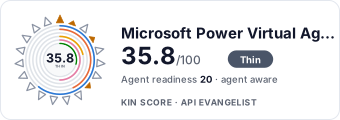 It updates itself when the score changes. Paste this where you link to your API docs:
<a href="https://apis.io/providers/microsoft-power-virtual-agents/"><img src="https://apis.io/badge/microsoft-power-virtual-agents/card.svg" alt="Microsoft Power Virtual Agents on APIs.io — Kin Score by API Evangelist"></a>Other styles, a README pill and a shields.io endpoint are on the badge page.
APIs 4
Individual APIs this provider publishes, each with its own machine-readable definition.
Copilot Studio Direct Line API
The Copilot Studio Direct Line API enables custom applications to communicate with bots built in Microsoft Copilot Studio (formerly Power Virtual Agents). It provides REST endpo...
Copilot Studio Bot Management API
The Copilot Studio management capabilities enable programmatic configuration and deployment of conversational AI agents. Developers can manage topics, entities, authentication s...
Microsoft Power Virtual Agents Conversations API
The Conversations API from Microsoft Power Virtual Agents — 3 operation(s) for conversations.
Microsoft Power Virtual Agents Tokens API
The Tokens API from Microsoft Power Virtual Agents — 2 operation(s) for tokens.
Open Collections 3
Open, tool-agnostic API collections (OpenAPI-derived and Bruno).
Microsoft Copilot Studio Direct Line Conversations API
OPEN COLLECTIONMicrosoft Copilot Studio Direct Line API
OPEN COLLECTIONPricing Plans 1
Published pricing tiers and plan structures.
Rate Limits 1
Documented rate limits and quota policies.
Microsoft Power Virtual Agents Rate Limits
RATE LIMITSFinOps 1
Cost, billing, and metering signals for API financial operations.
Security Posture 3
Authentication, domain security, vulnerability disclosure, and trust-center signals.
Agentic Access 1
Recommended x-agentic-access execution contracts for AI agents.
Resources
Get Started 2
Portal, sign-up, and the first successful call
Documentation 1
Reference material describing how the API behaves
Agent Surfaces 1
MCP servers, agent skills, and machine-readable catalogs
Build 1
SDKs, sample code, and the tooling you integrate with
Access & Security 3
Authentication, authorization, and security posture
Operate 3
Status, limits, changes, and where to get help
Commercial 4
Pricing, plans, and the legal terms of use
Company 2
The organization behind the API
Source (apis.yml)
Work with this as data
Every provider here is available over the APIs.io API and to AI agents over MCP.