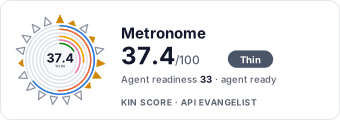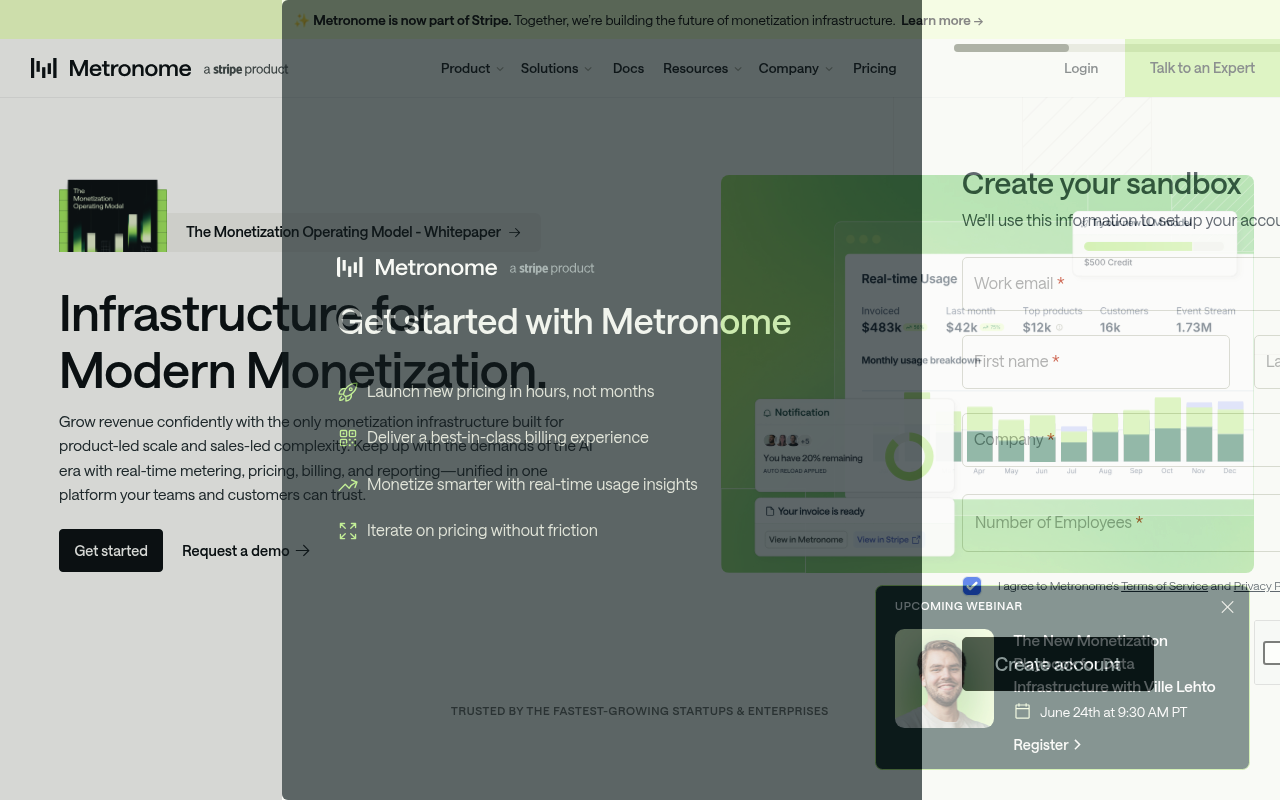
Metronome website screenshot

Metronome

Metronome is a usage-based billing platform providing real-time metering, pricing, invoicing, and revenue recognition for API and cloud services.

1 APIs 0 Features
BillingFinOpsMeteringPricingUsage-Based Billing

APIs

Metronome API

The Metronome API provides usage-based billing capabilities including customers, contracts, invoices, products, rate cards, billable metrics, usage event ingestion, alerts, cred...

Collections

Metronome

OPEN

Pricing Plans

Metronome Plans Pricing

3 plans

PLANS

Rate Limits

Metronome Rate Limits

5 limits

RATE LIMITS

FinOps

Resources

👥
GitHubOrganization
GitHubOrganization
🔗
LinkedIn
LinkedIn
🔗
Website
Website
🔗
Documentation
Documentation
🟢
StatusPage
StatusPage
🔗
LlmsText
LlmsText

Sources

Raw ↑
opencollection: 1.0.0
info:
  name: Metronome
  version: 1.0.0
request:
  auth:
    type: bearer
    token: '{{bearerToken}}'
items:
- info:
    name: Alerts
    type: folder
  items:
  - info:
      name: Archive a threshold notification
      type: http
    http:
      method: POST
      url: https://api.metronome.com/v1/alerts/archive
      body:
        type: json
        data: '{}'
    docs: 'Permanently disable a threshold notification and remove it from active monitoring across all customers. Archived
      threshold notifications stop evaluating immediately and can optionally release their uniqueness key for reuse in future
      threshold notification configurations.


      ### Use this endpoint to:

      - Decommission threshold notifications that are no longer needed

      - Clean up test or deprecated threshold notification configurations

      - Free up uniqueness keys for reuse with new threshold notifications'
  - info:
      name: Create a threshold notification
      type: http
    http:
      method: POST
      url: https://api.metronome.com/v1/alerts/create
      body:
        type: json
        data: '{}'
    docs: 'Create a new threshold notification to monitor customer spending, balances, and billing metrics in real-time. Metronome''s
      notification system provides industry-leading speed with immediate evaluation capabilities, enabling you to proactively
      manage customer accounts and prevent revenue leakage.


      This endpoint creates configurable threshold notifications that continuously monitor various billing thresholds including
      spend limits, credit balances, commitment utilization, and invoice totals. Thresh'
  - info:
      name: Get a threshold notification
      type: http
    http:
      method: POST
      url: https://api.metronome.com/v1/customer-alerts/get
      body:
        type: json
        data: '{}'
    docs: 'Retrieve the real-time evaluation status for a specific threshold notification-customer pair. This endpoint provides
      instant visibility into whether a customer has triggered a threshold notification condition, enabling you to monitor
      account health and take proactive action based on current threshold notification states.


      ### Use this endpoint to:

      - Check if a specific customer is currently violating an threshold notification (`in_alarm` status)

      - Verify threshold notification configuration deta'
  - info:
      name: Get all threshold notifications
      type: http
    http:
      method: POST
      url: https://api.metronome.com/v1/customer-alerts/list
      params:
      - name: next_page
        value: ''
        type: query
        description: Cursor that indicates where the next page of results should start.
      body:
        type: json
        data: '{}'
    docs: 'Retrieve all threshold notification configurations and their current statuses for a specific customer in a single
      API call. This endpoint provides a comprehensive view of all threshold notification monitoring a customer account.


      ### Use this endpoint to:

      - Display all active threshold notifications for a customer in dashboards or admin panels

      - Quickly identify which threshold notifications a customer is currently triggering

      - Audit threshold notification coverage for specific accounts

      - Filter'
  - info:
      name: Reset a threshold notification
      type: http
    http:
      method: POST
      url: https://api.metronome.com/v1/customer-alerts/reset
      body:
        type: json
        data: '{}'
    docs: 'Force an immediate re-evaluation of a specific threshold notification for a customer, clearing any previous state
      and triggering a fresh assessment against current thresholds. This endpoint ensures threshold notification accuracy
      after configuration changes or data corrections.


      ### Use this endpoint to:

      - Clear false positive threshold notifications after fixing data issues

      - Re-evaluate threshold notifications after adjusting customer balances or credits

      - Test threshold notification behavior '
- info:
    name: Billable metrics
    type: folder
  items:
  - info:
      name: Create a billable metric
      type: http
    http:
      method: POST
      url: https://api.metronome.com/v1/billable-metrics/create
      body:
        type: json
        data: '{}'
    docs: 'Create billable metrics programmatically with this endpoint—an essential step in configuring your pricing and packaging
      in Metronome.


      A billable metric is a customizable query that filters and aggregates events from your event stream. These metrics are
      continuously tracked as usage data enters Metronome through the ingestion pipeline. The ingestion process transforms
      raw usage data into actionable pricing metrics, enabling accurate metering and billing for your products.


      ### Use this endpoint '
  - info:
      name: Archive a billable metric
      type: http
    http:
      method: POST
      url: https://api.metronome.com/v1/billable-metrics/archive
      body:
        type: json
        data: '{}'
    docs: "Use this endpoint to retire billable metrics that are no longer used. After a billable metric is archived, that\
      \ billable metric can no longer be used in any new Products to define how that product should be metered. If you archive\
      \ a billable metric that is already associated with a Product, the Product will continue to function as usual, metering\
      \ based on the definition of the archived billable metric. \n\nArchived billable metrics will be returned on the `getBillableMetric`\
      \ and `listBillableMetri"
  - info:
      name: Get a billable metric
      type: http
    http:
      method: GET
      url: https://api.metronome.com/v1/billable-metrics/:billable_metric_id
      params:
      - name: billable_metric_id
        value: 13117714-3f05-48e5-a6e9-a66093f13b4d
        type: path
    docs: "Retrieves the complete configuration for a specific billable metric by its ID. Use this to review billable metric\
      \ setup before associating it with products. Returns the metric's `name`, `event_type_filter`, `property_filters`, `aggregation_type`,\
      \ `aggregation_key`, `group_keys`, `custom fields`, and `SQL query` (if it's a SQL billable metric). \n\nImportant:\
      \ \n- Archived billable metrics will include an `archived_at` timestamp; they no longer process new usage events but\
      \ remain accessible for histo"
  - info:
      name: Update a billable metric
      type: http
    http:
      method: PUT
      url: https://api.metronome.com/v1/billable-metrics/:billable_metric_id
      params:
      - name: billable_metric_id
        value: 13117714-3f05-48e5-a6e9-a66093f13b4d
        type: path
      body:
        type: json
        data: '{}'
    docs: "Updates only the display name of an existing billable metric. Use this to correct mistakes or apply standardized\
      \ naming conventions across all billable metrics. Returns the billable metric ID to confirm the update. \n\nImportant:\
      \ Only the name can be modified via this endpoint; configurations cannot be changed after creation. \n\n#### Example\
      \ workflow:\nIf you need to make changes to a streaming billable metric, for example, Metronome supports easily rolling\
      \ out these changes using a simple workflow:"
  - info:
      name: List all billable metrics
      type: http
    http:
      method: GET
      url: https://api.metronome.com/v1/billable-metrics
      params:
      - name: limit
        value: ''
        type: query
        description: Max number of results that should be returned
      - name: next_page
        value: ''
        type: query
        description: Cursor that indicates where the next page of results should start.
      - name: include_archived
        value: ''
        type: query
        description: If true, the list of returned metrics will include archived metrics
    docs: "Retrieves all billable metrics with their complete configurations. Use this for programmatic discovery and management\
      \ of billable metrics, such as associating metrics to products and auditing for orphaned or archived metrics. \nImportant:\
      \ Archived metrics are excluded by default; use `include_archived`=`true` parameter to include them.\n"
  - info:
      name: Get billable metrics for a customer
      type: http
    http:
      method: GET
      url: https://api.metronome.com/v1/customers/:customer_id/billable-metrics
      params:
      - name: customer_id
        value: d7abd0cd-4ae9-4db7-8676-e986a4ebd8dc
        type: path
      - name: limit
        value: ''
        type: query
        description: Max number of results that should be returned
      - name: next_page
        value: ''
        type: query
        description: Cursor that indicates where the next page of results should start.
      - name: on_current_plan
        value: ''
        type: query
        description: If true, the list of metrics will be filtered to just ones that are on the customer's current plan
      - name: include_archived
        value: ''
        type: query
        description: If true, the list of returned metrics will include archived metrics
    docs: 'Get all billable metrics available for a specific customer. Supports pagination and filtering by current plan status
      or archived metrics. Use this endpoint to see which metrics are being tracked for billing calculations for a given customer.

      '
- info:
    name: Settings
    type: folder
  items:
  - info:
      name: Set the billing provider API key
      type: http
    http:
      method: POST
      url: https://api.metronome.com/v1/client/billing-config/:billing_provider_type/apiKey
      params:
      - name: billing_provider_type
        value: stripe
        type: path
        description: The billing provider (currently only Stripe is supported).
      body:
        type: json
        data: '{}'
    docs: '(**Deprecated:** use [Create Stripe billing settings](#operation/createStripeBillingSettings) instead) Sets the
      api key for the billing provider. This is used for sending invoices to the billing provider. For example, if the billing
      provider is Stripe, this is the restricted key.

      '
  - info:
      name: Set the client webhook secret
      type: http
    http:
      method: POST
      url: https://api.metronome.com/v1/client/config/webhook_secret
      body:
        type: json
        data: '{}'
    docs: 'Sets the webhook secret for the client.  This is used for validating webhook messages send to the external Metronome
      webhook endpoint.

      '
  - info:
      name: Create Stripe billing settings
      type: http
    http:
      method: POST
      url: https://api.metronome.com/v1/client/billing-config/stripe
      body:
        type: json
        data: '{}'
    docs: "Create billing settings for Stripe.\n\nIf you plan on using prepaid credit grants and recharges, your Stripe API\
      \ key needs the following access:\n\n- Read & Write\n   - Invoices\n   - PaymentIntents\n- Read only:\n   - PaymentMethods\n\
      \   - Customers"
  - info:
      name: Update Stripe billing settings
      type: http
    http:
      method: PATCH
      url: https://api.metronome.com/v1/client/billing-config/stripe
      body:
        type: json
        data: '{}'
    docs: 'Apply partial updates to billing settings for Stripe. Individual settings can be deleted by specifying values as
      `null`.

      '
  - info:
      name: Delete Stripe billing settings
      type: http
    http:
      method: DELETE
      url: https://api.metronome.com/v1/client/billing-config/stripe
    docs: 'Delete all billing settings for Stripe

      '
  - info:
      name: List pricing units
      type: http
    http:
      method: GET
      url: https://api.metronome.com/v1/credit-types/list
      params:
      - name: limit
        value: ''
        type: query
        description: Max number of results that should be returned
      - name: next_page
        value: ''
        type: query
        description: Cursor that indicates where the next page of results should start.
    docs: 'List all pricing units. All fiat currency types (for example, USD or GBP) will be included, as well as any custom
      pricing units that were configured. Custom pricing units can be used to charge for usage in a non-fiat pricing unit,
      for example AI credits.


      Note: The USD (cents) pricing unit is 2714e483-4ff1-48e4-9e25-ac732e8f24f2.

      '
  - info:
      name: Set up account-level billing provider
      type: http
    http:
      method: POST
      url: https://api.metronome.com/v1/setUpBillingProvider
      body:
        type: json
        data: '{}'
    docs: 'Set up account-level configuration for a billing provider. Once configured, individual contracts across customers
      can be mapped to this configuration using the returned delivery_method_id.

      '
  - info:
      name: Upsert Anrok API token
      type: http
    http:
      method: POST
      url: https://api.metronome.com/v1/upsertAnrokApiToken
      body:
        type: json
        data: '{}'
    docs: 'Set the Anrok API token for some specified delivery_method_ids, which can be found in the `/listConfiguredBillingProviders`
      response. This maps the Anrok key to the appropriate billing entity. These API tokens are only used for Threshold Billing
      workflows today.

      '
  - info:
      name: Upsert Avalara credentials
      type: http
    http:
      method: POST
      url: https://api.metronome.com/v1/upsertAvalaraCredentials
      body:
        type: json
        data: '{}'
    docs: 'Set the Avalara credentials for some specified `delivery_method_ids`, which can be found in the `/listConfiguredBillingProviders`
      response. This maps the Avalara credentials to the appropriate billing entity. These credentials are only used for PLG
      Invoicing today.

      '
  - info:
      name: Rotate the HMAC secret used to sign delta stream messages
      type: http
    http:
      method: POST
      url: https://api.metronome.com/v1/rotateDeltaStreamSecret
      body:
        type: json
        data: '{}'
    docs: 'Rotate the HMAC secret used to sign delta stream messages. The new secret will be used for all messages after the
      `starting_on` time. If a `starting_on` time is not provided, the new secret will be used in 10 minutes.

      If this endpoint is called while a rotation is already in progress, the second call will replace the existing rotation
      and the previous rotation will be cancelled.

      '
  - info:
      name: List account-level billing providers
      type: http
    http:
      method: POST
      url: https://api.metronome.com/v1/listConfiguredBillingProviders
      body:
        type: json
        data: '{}'
    docs: 'Lists all configured billing providers and their delivery method configurations for your account. Returns provider
      details, delivery method IDs, and configuration settings needed for mapping individual customer contracts to billing
      integrations.

      '
- info:
    name: Usage
    type: folder
  items:
  - info:
      name: Ingest events
      type: http
    http:
      method: POST
      url: https://api.metronome.com/v1/ingest
      body:
        type: json
        data: '{}'
    docs: The ingest endpoint is the primary method for sending usage events to Metronome, serving as the foundation for all
      billing calculations in your usage-based pricing model. This high-throughput endpoint is designed for real-time streaming
      ingestion, supports backdating 34 days, and is built to handle mission-critical usage data with enterprise-grade reliability.
      Metronome supports 100,000 events per second without requiring pre-aggregation or rollups and can scale up from there.
      See the [Send usag
  - info:
      name: Get seats usage data
      type: http
    http:
      method: POST
      url: https://api.metronome.com/v1/usage/seats
      params:
      - name: limit
        value: ''
        type: query
        description: Max number of results that should be returned
      - name: next_page
        value: ''
        type: query
        description: Cursor that indicates where the next page of results should start.
      body:
        type: json
        data: '{}'
    docs: Fetch seats usage data for the specified customer, broken into intervals of the specified length.
  - info:
      name: Get usage data with paginated groupings
      type: http
    http:
      method: POST
      url: https://api.metronome.com/v1/usage/groups
      params:
      - name: limit
        value: ''
        type: query
        description: Max number of results that should be returned
      - name: next_page
        value: ''
        type: query
        description: Cursor that indicates where the next page of results should start.
      body:
        type: json
        data: '{}'
    docs: 'Retrieve granular usage data for a specific customer and billable metric, with the ability to break down usage
      by custom grouping dimensions. This endpoint enables deep usage analytics by segmenting data across attributes like
      region, user, model type, or any custom dimension defined in your billable metrics.


      ### Use this endpoint to:

      - Analyze usage patterns broken down by specific attributes (region, user, department, etc.)

      - Build detailed usage dashboards with dimensional filtering

      - Identi'
  - info:
      name: Get batched usage data
      type: http
    http:
      method: POST
      url: https://api.metronome.com/v1/usage
      params:
      - name: next_page
        value: ''
        type: query
        description: Cursor that indicates where the next page of results should start.
      body:
        type: json
        data: '{}'
    docs: 'Retrieve aggregated usage data across multiple customers and billable metrics in a single query. This batch endpoint
      enables you to fetch usage patterns at scale, broken down by time windows, making it ideal for building analytics dashboards,
      generating reports, and monitoring platform-wide usage trends.


      ### Use this endpoint to:

      - Generate platform-wide usage reports for internal teams

      - Monitor aggregate usage trends across your entire customer base

      - Create comparative usage analyses between'
  - info:
      name: Search events
      type: http
    http:
      method: POST
      url: https://api.metronome.com/v1/events/search
      body:
        type: json
        data: '{}'
    docs: "This endpoint retrieves events by transaction ID for events that occurred within the last 34 days. It is specifically\
      \ designed for sampling-based testing workflows to detect revenue leakage. The Event Search API provides a critical\
      \ observability tool that validates the integrity of your usage pipeline by allowing you to sample raw events and verify\
      \ their matching against active billable metrics. \n\nWhy event observability matters for revenue leakage:\nSilent revenue\
      \ loss occurs when events are dro"
  - info:
      name: Get purchased seats
      type: http
    http:
      method: GET
      url: https://api.metronome.com/v1/customers/:customer_id/purchasedSeats
      params:
      - name: customer_id
        value: d7abd0cd-4ae9-4db7-8676-e986a4ebd8dc
        type: path
    docs: Returns the number of seats purchased for the current period.
- info:
    name: Default
    type: folder
  items:
  - info:
      name: Create a billable metric
      type: http
    http:
      method: POST
      url: https://api.metronome.com/v1/billable-metrics
      body:
        type: json
        data: '{}'
    docs: Create a new billable metric
  - info:
      name: Log events from integration services to Cloudwatch
      type: http
    http:
      method: POST
      url: https://api.metronome.com/v1/integrations/log
      body:
        type: json
        data: '{}'
    docs: Log events from integration services to Cloudwatch
  - info:
      name: List all packages
      type: http
    http:
      method: POST
      url: https://api.metronome.com/v1/packages/list
      params:
      - name: limit
        value: ''
        type: query
        description: Max number of results that should be returned
      - name: next_page
        value: ''
        type: query
        description: Cursor that indicates where the next page of results should start.
      body:
        type: json
        data: '{}'
    docs: 'Lists all packages with details including name, aliases, duration, and terms. To view contracts on a specific package,
      use the `listContractsOnPackage` endpoint.

      '
- info:
    name: Customers
    type: folder
  items:
  - info:
      name: Set customer billable status
      type: http
    http:
      method: POST
      url: https://api.metronome.com/v1/customers/setBillableStatus
      body:
        type: json
        data: '{}'
    docs: Set a customer's billable status. This endpoint's availability is dependent on your client's configuration. Metronome
      1.0 plan invoices are not supported.
  - info:
      name: Archive a customer
      type: http
    http:
      method: POST
      url: https://api.metronome.com/v1/customers/archive
      body:
        type: json
        data: '{}'
    docs: "Use this endpoint to archive a customer while preserving auditability. Archiving a customer will automatically\
      \ archive all contracts as of the current date and void all corresponding invoices. Use this endpoint if a customer\
      \ is onboarded by mistake.\n\n### Usage guidelines:\n- Once a customer is archived, it cannot be unarchived.\n- Archived\
      \ customers can still be viewed through the API or the UI for audit purposes. \n- Ingest aliases remain idempotent for\
      \ archived customers. In order to reuse an ing"
  - info:
      name: Get a customer
      type: http
    http:
      method: GET
      url: https://api.metronome.com/v1/customers/:customer_id
      params:
      - name: customer_id
        value: d7abd0cd-4ae9-4db7-8676-e986a4ebd8dc
        type: path
    docs: 'Get detailed information for a specific customer by their Metronome ID. Returns customer profile data including
      name, creation date, ingest aliases, configuration settings, and custom fields. Use this endpoint to fetch complete
      customer details for billing operations or account management.


      Note: If searching for a customer billing configuration, use the `/getCustomerBillingConfigurations` endpoint.

      '
  - info:
      name: List customers
      type: http
    http:
      method: GET
      url: https://api.metronome.com/v1/customers
      params:
      - name: limit
        value: ''
        type: query
        description: Max number of results that should be returned
      - name: next_page
        value: ''
        type: query
        description: Cursor that indicates where the next page of results should start.
      - name: ingest_alias
        value: ''
        type: query
        description: Filter the customer list by ingest_alias
      - name: customer_ids
        value: ''
        type: query
        description: Filter the customer list by customer_id.  Up to 100 ids can be provided.
      - name: only_archived
        value: ''
        type: query
        description: Filter the customer list to only return archived customers. By default, only active customers are returned.
      - name: salesforce_account_ids
        value: ''
        type: query
        description: Filter the customer list by salesforce_account_id.  Up to 100 ids can be provided.
    docs: 'Gets a paginated list of all customers in your Metronome account. Use this endpoint to browse your customer base,
      implement customer search functionality, or sync customer data with external systems. Returns customer details including
      IDs, names, and configuration settings. Supports filtering and pagination parameters for efficient data retrieval.

      '
  - info:
      name: Create a customer
      type: http
    http:
      method: POST
      url: https://api.metronome.com/v1/customers
      body:
        type: json
        data: '{}'
    docs: "Create a new customer in Metronome and optionally the billing configuration (recommended) which dictates where\
      \ invoices for the customer will be sent or where payment will be collected. \n\n### Use this endpoint to:\nExecute\
      \ your customer provisioning workflows for either PLG motions, where customers originate in your platform, or SLG motions,\
      \ where customers originate in your sales system.\n\n### Key response fields: \nThis end-point returns the `customer_id`\
      \ created by the request. This id can be us"
  - info:
      name: Create or update customer ingest aliases
      type: http
    http:
      method: POST
      url: https://api.metronome.com/v1/customers/:customer_id/setIngestAliases
      params:
      - name: customer_id
        value: d7abd0cd-4ae9-4db7-8676-e986a4ebd8dc
        type: path
      body:
        type: json
        data: '{}'
    docs: "Sets the ingest aliases for a customer. Use this endpoint to associate a Metronome customer with an internal ID\
      \ for easier tracking between systems. Ingest aliases can be used in the `customer_id` field when sending usage events\
      \ to Metronome. \n\n### Usage guidelines:\n- This call is idempotent and fully replaces the set of ingest aliases for\
      \ the given customer.\n- Switching an ingest alias from one customer to another will associate all corresponding usage\
      \ to the new customer.\n- Use multiple ingest"
  - info:
      name: Update a customer name
      type: http
    http:
      method: POST
      url: https://api.metronome.com/v1/customers/:customer_id/setName
      params:
      - name: customer_id
        value: d7abd0cd-4ae9-4db7-8676-e986a4ebd8dc
        type: path
      body:
        type: json
        data: '{}'
    docs: 'Updates the display name for a customer record. Use this to correct customer names, update business names after
      rebranding, or maintain accurate customer information for invoicing and reporting. Returns the updated customer object
      with the new name applied immediately across all billing documents and interfaces.

      '
  - info:
      name: Update a customer configuration
      type: http
    http:
      method: POST
      url: https://api.metronome.com/v1/customers/:customer_id/updateConfig
      params:
      - name: customer_id
        value: d7abd0cd-4ae9-4db7-8676-e986a4ebd8dc
        type: path
      body:
        type: json
        data: '{}'
    docs: 'Update configuration settings for a specific customer, such as external system integrations (e.g., Salesforce account
      ID) and other customer-specific billing parameters. Use this endpoint to modify customer configurations without affecting
      core customer data like name or ingest aliases.

      '
  - info:
      name: Fetch billing provider configurations for a customer
      type: http
    http:
      method: POST
      url: https://api.metronome.com/v1/getCustomerBillingProviderConfigurations
      body:
        type: json
        data: '{}'
    docs: 'Returns all billing configurations previously set for the customer. Use during the contract provisioning process
      to fetch the `billing_provider_configuration_id` needed to set the contract billing configuration.

      '
  - info:
      name: Fetch revenue system configurations for a customer
      type: http
    http:
      method: POST
      url: https://api.metronome.com/v1/getCustomerRevenueSystemConfigurations
      body:
        type: json
        data: '{}'
    docs: 'Returns all revenue system configurations previously set for the customer.

      '
  - info:
      name: Set billing provider configurations for a customer
      type: http
    http:
      method: POST
      url: https://api.metronome.com/v1/setCustomerBillingProviderConfigurations
      body:
        type: json
        data: '{}'
    docs: 'Create a billing configuration for a customer. Once created, these configurations are available to associate to
      a contract and dictates which downstream system to collect payment in or send the invoice to. You can create multiple
      configurations per customer. The configuration formats are distinct for each downstream provider.


      ### Use this endpoint to:

      - Add the initial configuration to an existing customer. Once created, the billing configuration can then be associated
      to the customer''s contrac'
  - info:
      name: Archive billing provider configurations for a customer
      type: http
    http:
      method: POST
      url: https://api.metronome.com/v1/archiveCustomerBillingProviderConfigurations
      body:
        type: json
        data: '{}'
    docs: 'Deprecate an existing billing configuration for a customer to handle churn or billing and collection preference
      changes. Archiving a billing configuration takes effect immediately. If there are active contracts using the configuration,
      Metronome will archive the configuration on the contract and immediately stop metering to downstream systems.


      ### Use this endpoint to:

      - Remove billing provider customer data and configurations when no longer needed

      - Clean up test or deprecated billing provider'
  - info:
      name: Set revenue system configurations for a customer
      type: http
    http:
      method: POST
      url: https://api.metronome.com/v1/setCustomerRevenueSystemConfigurations
      body:
        type: json
        data: '{}'
    docs: 'Create a revenue system configuration for a customer. Once created, these configurations are available to associate
      to a contract and dictates which downstream system to use for revenue workflows. The configuration formats are distinct
      for each downstream provider.


      ### Use this endpoint to:

      - Add the initial configuration to an existing customer. Once created, the revenue system configuration can then be
      associated to the customer''s contract.

      - Add a new configuration to an existing customer.


      '
  - info:
      name: Archive revenue system configurations for a customer
      type: http
    http:
      method: POST
      url: https://api.metronome.com/v1/archiveCustomerRevenueSystemConfigurations
      body:
        type: json
        data: '{}'
    docs: 'Archive existing revenue system configurations for a customer. Archiving a revenue system configuration takes effect
      immediately.


      ### Use this endpoint to:

      - Remove revenue system configurations when no longer needed

      - Clean up test or deprecated revenue system configurations


      ### Key response fields:

      A successful response returns:

      - `customer_id`: The customer ID the configurations belong to

      - `customer_revenue_system_configuration_ids`: The archived configuration IDs

      '
  - info:
      name: Get an embeddable customer dashboard
      type: http
    http:
      method: POST
      url: https://api.metronome.com/v1/dashboards/getEmbeddableUrl
      body:
        type: json
        data: '{}'
    docs: 'Generate secure, embeddable dashboard URLs that allow you to seamlessly integrate Metronome''s billing visualizations
      directly into your application. This endpoint creates authenticated iframe-ready URLs for customer-specific dashboards,
      providing a white-labeled billing experience without building custom UI.


      ### Use this endpoint to:

      - Embed billing dashboards directly in your customer portal or admin interface

      - Provide self-service access to invoices, usage data, and credit balances

      - Build w'
- info:
    name: Invoices
    type: folder
  items:
  - info:
      name: Invoice seats
      type: http
    http:
      method: POST
      url: https://api.metronome.com/v1/customers/:customer_id/invoices/invoice_seats
      params:
      - name: customer_id
        value: d7abd0cd-4ae9-4db7-8676-e986a4ebd8dc
        type: path
      body:
        type: json
        data: '{}'
    docs: 'Creates an prorated invoice for a seat addition. As an alternative to this endpoint, you can elect to use automatic
      seat invoicing feature. Metronome will check for new seat usage every hour and automatically invoice for any new seats.
      For newly created active customer plans, there will be up to 4 hour delay before the first automatic seat 

# --- truncated at 32 KB (89 KB total) ---
# Full source: https://raw.githubusercontent.com/api-evangelist/metronome/refs/heads/main/apis.yml