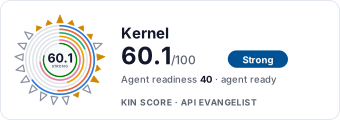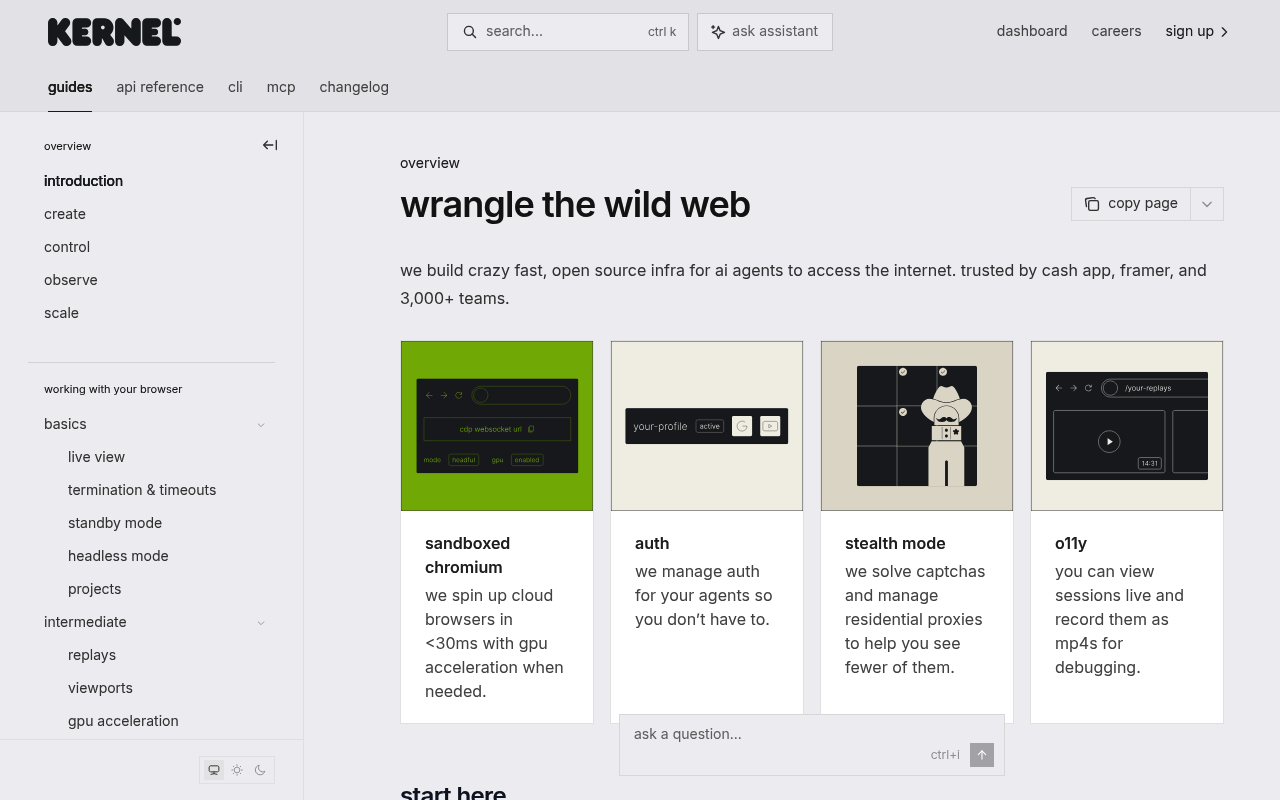
Kernel website screenshot

Kernel

Kernel is browser infrastructure for AI agents and web automations. Founded in 2025 by Catherine Jue (CEO) and Rafael Garcia (CTO) and backed by Accel and Y Combinator (S25), Kernel runs sandboxed Chromium browsers on a unikernel platform with sub-150ms cold starts, built-in stealth mode, residential proxies, CAPTCHA solving, session recording, live view, persistent profiles, and a serverless app platform that co-locates agent code with browsers. Kernel works with Playwright, Puppeteer, Browser Use, Stagehand, Magnitude, Notte, and the Anthropic/OpenAI/Gemini computer-use loops. The REST API at api.onkernel.com exposes browsers, browser pools, profiles, proxies, replays, extensions, computer controls, filesystem, processes, Playwright execution, managed auth, credentials, apps, deployments, invocations, and projects.

2 APIs 0 Features
AgentsAIArtificial IntelligenceBrowser AutomationBrowsersComputer UseHeadless BrowsersMCPPlaywrightWeb Agents

APIs

Kernel API

The Kernel REST API at api.onkernel.com is the unified control plane for browser infrastructure. It exposes browser session lifecycle, browser pools, profiles, proxies, replays,...

Kernel MCP Server

Hosted Model Context Protocol server at mcp.onkernel.com that exposes Kernel resources (browsers, profiles, proxies, apps) as MCP tools and bundles four standalone tools — compu...

Collections

Kernel API

OPEN

Resources

🌐
Portal
Portal
🔗
Documentation
Documentation
🔗
Documentation
Documentation
🔗
LlmsText
LlmsText
💰
Pricing
Pricing
📄
ChangeLog
ChangeLog
💬
Support
Support
🔗
Community
Community
💻
SourceCode
SourceCode
💻
SourceCode
SourceCode
📦
SDKs
SDKs
📦
SDKs
SDKs
📦
SDKs
SDKs
🔗
CLI
CLI
🔗
CLI
CLI
🔗
MCPServer
MCPServer
📦
SDKs
SDKs
📦
SDKs
SDKs
💻
SourceCode
SourceCode
🔗
Migration
Migration
🔗
Funding
Funding

Sources

Raw ↑
opencollection: 1.0.0
info:
  name: Kernel API
  version: 0.1.0
request:
  auth:
    type: bearer
    token: '{{bearerToken}}'
items:
- info:
    name: Invocations
    type: folder
  items:
  - info:
      name: List invocations
      type: http
    http:
      method: GET
      url: https://api.onkernel.com/invocations
      params:
      - name: app_name
        value: ''
        type: query
        description: Filter results by application name.
      - name: version
        value: ''
        type: query
        description: Filter results by application version.
      - name: action_name
        value: ''
        type: query
        description: Filter results by action name.
      - name: deployment_id
        value: ''
        type: query
        description: Filter results by deployment ID.
      - name: status
        value: ''
        type: query
        description: Filter results by invocation status.
      - name: since
        value: ''
        type: query
        description: Show invocations that have started since the given time (RFC timestamps or durations like 5m).
      - name: limit
        value: ''
        type: query
        description: Limit the number of invocations to return.
      - name: offset
        value: ''
        type: query
        description: Offset the number of invocations to return.
      auth:
        type: bearer
        token: '{{bearerToken}}'
    docs: List invocations. Optionally filter by application name, action name, status, deployment ID, or start time.
  - info:
      name: Invoke an action
      type: http
    http:
      method: POST
      url: https://api.onkernel.com/invocations
      body:
        type: json
        data: '{}'
      auth:
        type: bearer
        token: '{{bearerToken}}'
    docs: Invoke an action.
  - info:
      name: Get invocation details
      type: http
    http:
      method: GET
      url: https://api.onkernel.com/invocations/:id
      params:
      - name: id
        value: rr33xuugxj9h0bkf1rdt2bet
        type: path
        description: The invocation ID
      auth:
        type: bearer
        token: '{{bearerToken}}'
    docs: Get details about an invocation's status and output.
  - info:
      name: Update invocation
      type: http
    http:
      method: PATCH
      url: https://api.onkernel.com/invocations/:id
      params:
      - name: id
        value: ''
        type: path
        description: Invocation ID
      body:
        type: json
        data: '{}'
      auth:
        type: bearer
        token: '{{bearerToken}}'
    docs: Update an invocation's status or output. This can be used to cancel an invocation by setting the status to "failed".
  - info:
      name: List browsers for an invocation
      type: http
    http:
      method: GET
      url: https://api.onkernel.com/invocations/:id/browsers
      params:
      - name: id
        value: ''
        type: path
        description: Invocation ID
      auth:
        type: bearer
        token: '{{bearerToken}}'
    docs: Returns all active browser sessions created within the specified invocation.
  - info:
      name: Delete browser sessions for an invocation
      type: http
    http:
      method: DELETE
      url: https://api.onkernel.com/invocations/:id/browsers
      params:
      - name: id
        value: ''
        type: path
        description: Invocation ID
      auth:
        type: bearer
        token: '{{bearerToken}}'
    docs: Delete all browser sessions created within the specified invocation.
  - info:
      name: Stream invocation events via SSE
      type: http
    http:
      method: GET
      url: https://api.onkernel.com/invocations/:id/events
      params:
      - name: id
        value: ''
        type: path
        description: The invocation ID to follow.
      - name: since
        value: ''
        type: query
        description: Show logs since the given time (RFC timestamps or durations like 5m).
      auth:
        type: bearer
        token: '{{bearerToken}}'
    docs: 'Establishes a Server-Sent Events (SSE) stream that delivers real-time logs and

      status updates for an invocation. The stream terminates automatically

      once the invocation reaches a terminal state.

      '
- info:
    name: Proxies
    type: folder
  items:
  - info:
      name: List proxies
      type: http
    http:
      method: GET
      url: https://api.onkernel.com/proxies
      auth:
        type: bearer
        token: '{{bearerToken}}'
    docs: List proxies owned by the caller's organization.
  - info:
      name: Create a proxy
      type: http
    http:
      method: POST
      url: https://api.onkernel.com/proxies
      body:
        type: json
        data: '{}'
      auth:
        type: bearer
        token: '{{bearerToken}}'
    docs: Create a new proxy configuration for the caller's organization.
  - info:
      name: Get proxy by ID
      type: http
    http:
      method: GET
      url: https://api.onkernel.com/proxies/:id
      params:
      - name: id
        value: ''
        type: path
      auth:
        type: bearer
        token: '{{bearerToken}}'
    docs: Retrieve a proxy belonging to the caller's organization by ID.
  - info:
      name: Delete proxy by ID
      type: http
    http:
      method: DELETE
      url: https://api.onkernel.com/proxies/:id
      params:
      - name: id
        value: ''
        type: path
      auth:
        type: bearer
        token: '{{bearerToken}}'
    docs: Soft delete a proxy. Sessions referencing it are not modified.
  - info:
      name: Check proxy health
      type: http
    http:
      method: POST
      url: https://api.onkernel.com/proxies/:id/check
      params:
      - name: id
        value: ''
        type: path
      body:
        type: json
        data: '{}'
      auth:
        type: bearer
        token: '{{bearerToken}}'
    docs: Run a health check on the proxy to verify it's working. Optionally specify a URL to test reachability against a
      specific target. For ISP and datacenter proxies, this reliably tests whether the target site is reachable from the proxy's
      stable exit IP. For residential and mobile proxies, the exit node varies between requests, so this validates proxy configuration
      and connectivity rather than guaranteeing site-specific reachability.
- info:
    name: Browsers
    type: folder
  items:
  - info:
      name: List browser sessions
      type: http
    http:
      method: GET
      url: https://api.onkernel.com/browsers
      params:
      - name: status
        value: ''
        type: query
        description: Filter sessions by status. "active" returns only active sessions (default), "deleted" returns only soft-deleted
          sessions, "all" returns both.
      - name: include_deleted
        value: ''
        type: query
        description: 'Deprecated: Use status=all instead. When true, includes soft-deleted browser sessions in the results
          alongside active sessions.'
      - name: limit
        value: ''
        type: query
        description: Maximum number of results to return. Defaults to 20, maximum 100.
      - name: offset
        value: ''
        type: query
        description: Number of results to skip. Defaults to 0.
      - name: query
        value: ''
        type: query
        description: Search browsers by session ID, profile ID, proxy ID, or pool name.
      auth:
        type: bearer
        token: '{{bearerToken}}'
    docs: List all browser sessions with pagination support. Use status parameter to filter by session state.
  - info:
      name: Create a browser session
      type: http
    http:
      method: POST
      url: https://api.onkernel.com/browsers
      body:
        type: json
        data: '{}'
      auth:
        type: bearer
        token: '{{bearerToken}}'
    docs: Create a new browser session from within an action.
  - info:
      name: Get browser session details
      type: http
    http:
      method: GET
      url: https://api.onkernel.com/browsers/:id
      params:
      - name: id
        value: htzv5orfit78e1m2biiifpbv
        type: path
        description: Browser session ID
      - name: include_deleted
        value: ''
        type: query
        description: When true, includes soft-deleted browser sessions in the lookup.
      auth:
        type: bearer
        token: '{{bearerToken}}'
    docs: Get information about a browser session.
  - info:
      name: Update browser session
      type: http
    http:
      method: PATCH
      url: https://api.onkernel.com/browsers/:id
      params:
      - name: id
        value: htzv5orfit78e1m2biiifpbv
        type: path
        description: Browser session ID
      body:
        type: json
        data: '{}'
      auth:
        type: bearer
        token: '{{bearerToken}}'
    docs: Update a browser session.
  - info:
      name: Delete a browser session by ID.
      type: http
    http:
      method: DELETE
      url: https://api.onkernel.com/browsers/:id
      params:
      - name: id
        value: htzv5orfit78e1m2biiifpbv
        type: path
        description: Browser session ID
      auth:
        type: bearer
        token: '{{bearerToken}}'
    docs: Delete a browser session by ID
  - info:
      name: Ad-hoc upload one or more unpacked extensions to a running browser instance.
      type: http
    http:
      method: POST
      url: https://api.onkernel.com/browsers/:id/extensions
      params:
      - name: id
        value: ''
        type: path
        description: Browser session ID
      body:
        type: multipart-form
        data:
        - name: extensions
          type: text
          value: ''
      auth:
        type: bearer
        token: '{{bearerToken}}'
    docs: Loads one or more unpacked extensions and restarts Chromium on the browser instance.
  - info:
      name: Execute a batch of computer actions sequentially
      type: http
    http:
      method: POST
      url: https://api.onkernel.com/browsers/:id/computer/batch
      params:
      - name: id
        value: ''
        type: path
        description: Browser session ID
      body:
        type: json
        data: '{}'
      auth:
        type: bearer
        token: '{{bearerToken}}'
    docs: 'Send an array of computer actions to execute in order on the browser instance.

      Execution stops on the first error. This reduces network latency compared to

      sending individual action requests.

      '
  - info:
      name: Get the current mouse cursor position on the browser instance
      type: http
    http:
      method: POST
      url: https://api.onkernel.com/browsers/:id/computer/get_mouse_position
      params:
      - name: id
        value: ''
        type: path
        description: Browser session ID
      auth:
        type: bearer
        token: '{{bearerToken}}'
    docs: Get the current mouse cursor position on the browser instance
  - info:
      name: Make an HTTP request through the browser's network stack
      type: http
    http:
      method: POST
      url: https://api.onkernel.com/browsers/:id/curl
      params:
      - name: id
        value: ''
        type: path
        description: Browser session ID
      body:
        type: json
        data: '{}'
      auth:
        type: bearer
        token: '{{bearerToken}}'
    docs: 'Sends an HTTP request through Chrome''s HTTP request stack, inheriting

      the browser''s TLS fingerprint, cookies, proxy configuration, and headers.

      Returns a structured JSON response with status, headers, body, and timing.

      '
- info:
    name: Browser Replays
    type: folder
  items:
  - info:
      name: List browser session replays
      type: http
    http:
      method: GET
      url: https://api.onkernel.com/browsers/:id/replays
      params:
      - name: id
        value: ''
        type: path
        description: Browser session ID
      auth:
        type: bearer
        token: '{{bearerToken}}'
    docs: List all replays for the specified browser session.
  - info:
      name: Start a browser session replay recording
      type: http
    http:
      method: POST
      url: https://api.onkernel.com/browsers/:id/replays
      params:
      - name: id
        value: ''
        type: path
        description: Browser session ID
      body:
        type: json
        data: '{}'
      auth:
        type: bearer
        token: '{{bearerToken}}'
    docs: Start recording the browser session and return a replay ID.
  - info:
      name: Download a replay recording
      type: http
    http:
      method: GET
      url: https://api.onkernel.com/browsers/:id/replays/:replay_id
      params:
      - name: id
        value: ''
        type: path
        description: Browser session ID
      - name: replay_id
        value: ''
        type: path
        description: Replay recording identifier
      auth:
        type: bearer
        token: '{{bearerToken}}'
    docs: Download or stream the specified replay recording.
  - info:
      name: Stop a browser session replay recording
      type: http
    http:
      method: POST
      url: https://api.onkernel.com/browsers/:id/replays/:replay_id/stop
      params:
      - name: id
        value: ''
        type: path
        description: Browser session ID
      - name: replay_id
        value: ''
        type: path
        description: Replay recording identifier
      auth:
        type: bearer
        token: '{{bearerToken}}'
    docs: Stop the specified replay recording and persist the video.
- info:
    name: Browser Telemetry
    type: folder
  items:
  - info:
      name: Stream telemetry events via SSE
      type: http
    http:
      method: GET
      url: https://api.onkernel.com/browsers/:id/telemetry
      headers:
      - name: Last-Event-ID
        value: ''
      params:
      - name: id
        value: ''
        type: path
        description: Browser session ID
      auth:
        type: bearer
        token: '{{bearerToken}}'
    docs: 'Streams browser telemetry events as a server-sent events (SSE) stream. The stream closes when the browser session
      terminates. Each event frame includes an id: field containing a monotonically increasing sequence number; pass it as
      Last-Event-ID on reconnect to resume without gaps. The event: field is never set; all frames carry JSON in the data:
      field. A keepalive comment frame is sent every 15 seconds when no events arrive. Returns 404 if the browser session
      does not exist. If telemetry was not'
- info:
    name: Browser Computer Controls
    type: folder
  items:
  - info:
      name: Simulate a mouse click action on the browser instance
      type: http
    http:
      method: POST
      url: https://api.onkernel.com/browsers/:id/computer/click_mouse
      params:
      - name: id
        value: ''
        type: path
        description: Browser session ID
      body:
        type: json
        data: '{}'
      auth:
        type: bearer
        token: '{{bearerToken}}'
    docs: Simulate a mouse click action on the browser instance
  - info:
      name: Move the mouse cursor to the specified coordinates on the browser instance
      type: http
    http:
      method: POST
      url: https://api.onkernel.com/browsers/:id/computer/move_mouse
      params:
      - name: id
        value: ''
        type: path
        description: Browser session ID
      body:
        type: json
        data: '{}'
      auth:
        type: bearer
        token: '{{bearerToken}}'
    docs: Move the mouse cursor to the specified coordinates on the browser instance
  - info:
      name: Capture a screenshot of the browser instance
      type: http
    http:
      method: POST
      url: https://api.onkernel.com/browsers/:id/computer/screenshot
      params:
      - name: id
        value: ''
        type: path
        description: Browser session ID
      body:
        type: json
        data: '{}'
      auth:
        type: bearer
        token: '{{bearerToken}}'
    docs: Capture a screenshot of the browser instance
  - info:
      name: Type text on the browser instance
      type: http
    http:
      method: POST
      url: https://api.onkernel.com/browsers/:id/computer/type
      params:
      - name: id
        value: ''
        type: path
        description: Browser session ID
      body:
        type: json
        data: '{}'
      auth:
        type: bearer
        token: '{{bearerToken}}'
    docs: Type text on the browser instance
  - info:
      name: Press one or more keys on the host computer
      type: http
    http:
      method: POST
      url: https://api.onkernel.com/browsers/:id/computer/press_key
      params:
      - name: id
        value: ''
        type: path
        description: Browser session ID
      body:
        type: json
        data: '{}'
      auth:
        type: bearer
        token: '{{bearerToken}}'
    docs: Press one or more keys on the host computer
  - info:
      name: Scroll the mouse wheel at a position on the host computer
      type: http
    http:
      method: POST
      url: https://api.onkernel.com/browsers/:id/computer/scroll
      params:
      - name: id
        value: ''
        type: path
        description: Browser session ID
      body:
        type: json
        data: '{}'
      auth:
        type: bearer
        token: '{{bearerToken}}'
    docs: Scroll the mouse wheel at a position on the host computer
  - info:
      name: Drag the mouse along a path
      type: http
    http:
      method: POST
      url: https://api.onkernel.com/browsers/:id/computer/drag_mouse
      params:
      - name: id
        value: ''
        type: path
        description: Browser session ID
      body:
        type: json
        data: '{}'
      auth:
        type: bearer
        token: '{{bearerToken}}'
    docs: Drag the mouse along a path
  - info:
      name: Set cursor visibility
      type: http
    http:
      method: POST
      url: https://api.onkernel.com/browsers/:id/computer/cursor
      params:
      - name: id
        value: ''
        type: path
        description: Browser session ID
      body:
        type: json
        data: '{}'
      auth:
        type: bearer
        token: '{{bearerToken}}'
    docs: Set cursor visibility
  - info:
      name: Read text from the clipboard on the browser instance
      type: http
    http:
      method: POST
      url: https://api.onkernel.com/browsers/:id/computer/clipboard/read
      params:
      - name: id
        value: ''
        type: path
        description: Browser session ID
      auth:
        type: bearer
        token: '{{bearerToken}}'
    docs: Read text from the clipboard on the browser instance
  - info:
      name: Write text to the clipboard on the browser instance
      type: http
    http:
      method: POST
      url: https://api.onkernel.com/browsers/:id/computer/clipboard/write
      params:
      - name: id
        value: ''
        type: path
        description: Browser session ID
      body:
        type: json
        data: '{}'
      auth:
        type: bearer
        token: '{{bearerToken}}'
    docs: Write text to the clipboard on the browser instance
- info:
    name: Apps
    type: folder
  items:
  - info:
      name: List apps
      type: http
    http:
      method: GET
      url: https://api.onkernel.com/apps
      params:
      - name: app_name
        value: ''
        type: query
        description: Filter results by application name.
      - name: version
        value: ''
        type: query
        description: Filter results by version label.
      - name: limit
        value: ''
        type: query
        description: Limit the number of apps to return.
      - name: offset
        value: ''
        type: query
        description: Offset the number of apps to return.
      - name: query
        value: ''
        type: query
        description: Search apps by name.
      auth:
        type: bearer
        token: '{{bearerToken}}'
    docs: List applications. Optionally filter by app name and/or version label.
- info:
    name: Deployments
    type: folder
  items:
  - info:
      name: List deployments
      type: http
    http:
      method: GET
      url: https://api.onkernel.com/deployments
      params:
      - name: app_name
        value: ''
        type: query
        description: Filter results by application name.
      - name: app_version
        value: ''
        type: query
        description: Filter results by application version. Requires app_name to be set.
      - name: limit
        value: ''
        type: query
        description: Limit the number of deployments to return.
      - name: offset
        value: ''
        type: query
        description: Offset the number of deployments to return.
      auth:
        type: bearer
        token: '{{bearerToken}}'
    docs: List deployments. Optionally filter by application name and version.
  - info:
      name: Create a deployment
      type: http
    http:
      method: POST
      url: https://api.onkernel.com/deployments
      body:
        type: multipart-form
        data: []
      auth:
        type: bearer
        token: '{{bearerToken}}'
    docs: Create a new deployment.
  - info:
      name: Get deployment details
      type: http
    http:
      method: GET
      url: https://api.onkernel.com/deployments/:id
      params:
      - name: id
        value: ''
        type: path
        description: Deployment ID
      auth:
        type: bearer
        token: '{{bearerToken}}'
    docs: Get information about a deployment's status.
  - info:
      name: Delete a deployment
      type: http
    http:
      method: DELETE
      url: https://api.onkernel.com/deployments/:id
      params:
      - name: id
        value: ''
        type: path
        description: Deployment ID
      auth:
        type: bearer
        token: '{{bearerToken}}'
    docs: Stops a running deployment and marks it for deletion. If the deployment is already in a terminal state (stopped
      or failed), returns immediately.
  - info:
      name: Stream deployment events via SSE
      type: http
    http:
      method: GET
      url: https://api.onkernel.com/deployments/:id/events
      params:
      - name: id
        value: ''
        type: path
        description: The deployment ID to follow.
      - name: since
        value: ''
        type: query
        description: Show logs since the given time (RFC timestamps or durations like 5m).
      auth:
        type: bearer
        token: '{{bearerToken}}'
    docs: 'Establishes a Server-Sent Events (SSE) stream that delivers real-time logs and

      status updates for a deployment. The stream terminates automatically

      once the deployment reaches a terminal state.

      '
- info:
    name: Browser Filesystem
    type: folder
  items:
  - info:
      name: Read file contents
      type: http
    http:
      method: GET
      url: https://api.onkernel.com/browsers/:id/fs/read_file
      params:
      - name: id
        value: ''
        type: path
        description: Browser session ID
      - name: path
        value: ''
        type: query
        description: Absolute file path to read.
      auth:
        type: bearer
        token: '{{bearerToken}}'
    docs: Read file contents
  - info:
      name: Write or create a file
      type: http
    http:
      method: PUT
      url: https://api.onkernel.com/browsers/:id/fs/write_file
      params:
      - name: id
        value: ''
        type: path
        description: Browser session ID
      - name: path
        value: ''
        type: query
        description: Destination absolute file path.
      - name: mode
        value: ''
        type: query
        description: Optional file mode (octal string, e.g. 644). Defaults to 644.
      auth:
        type: bearer
        token: '{{bearerToken}}'
    docs: Write or create a file
  - info:
      name: List files in a directory
      type: http
    http:
      method: GET
      url: https://api.onkernel.com/browsers/:id/fs/list_files
      params:
      - name: id
        value: ''
        type: path
        description: Browser session ID
      - name: path
        value: ''
        type: query
        description: Absolute directory path.
      auth:
        type: bearer
        token: '{{bearerToken}}'
    docs: List files in a directory
  - info:
      name: Create a new directory
      type: http
    http:
      method: PUT
      url: https://api.onkernel.com/browsers/:id/fs/create_directory
      params:
      - name: id
        value: ''
        type: path
        description: Browser session ID
      body:
        type: json
        data: '{}'
      auth:
        type: bearer
        token: '{{bearerToken}}'
    docs: Create a new directory
  - info:
      name: Delete a file
      type: http
    http:
      method: PUT
      url: https://api.onkernel.com/browsers/:id/fs/delete_file
      params:
      - name: id
        value: ''
        type: path
        description: Browser session ID
      body:
        type: json
        data: '{}'
      auth:
        type: bearer
        token: '{{bearerToken}}'
    docs: Delete a file
  - info:
      name: Delete a directory
      type: http
    http:
      method: PUT
      url: https://api.onkernel.com/browsers/:id/fs/delete_directory
      params:
      - name: id
        value: ''
        type: path
        description: Browser session ID
      body:
        type: json
        data: '{}'
      auth:
        type: bearer
        token: '{{bearerToken}}'
    docs: Delete a directory
  - info:
      name: Set file or directory permissions/ownership
      type: http
    http:
      method: PUT
      url: https://api.onkernel.com/browsers/:id/fs/set_file_permissions
      params:
      - name: id
        value: ''
        type: path
        description: Browser session ID
      body:
        type: json
        data: '{}'
      auth:
        type: bearer
        token: '{{bearerToken}}'
    docs: Set file or directory permissions/ownership
  - info:
      name: Get information about a file or directory
      type: http
    http:
      method: GET
      url: https://api.onkernel.com/browsers/:id/fs/file_info
      params:
      - name: id
        value: ''
        type: path
        description: Browser session ID
      - name: path
        value: ''
        type: query
        description: Absolute path of the file or directory.
      auth:
        type: bearer
        token: '{{bearerToken}}'
    docs: Get information about a file or directory
  - info:
      name: Move or rename a file or directory
      type: http
    http:
      method: PUT
      url: https://api.onkernel.com/browsers/:id/fs/move
      params:
      - name: id
        value: ''
        type: path
        description: Browser session ID
      body:
        type: json
        data: '{}'
      auth:
        type: bearer
        token: '{{bearerToken}}'
    docs: Move or rename a file or directory
  - info:
      name: Watch a directory for changes
      type: http
    http:
      method: POST
      url: https://api.onkernel.com/browsers/:id/fs/watch
      params:
      - name: id
        value: ''
        type: path
        description: Browser session ID
      body:
        type: json
        data: '{}'
      auth:
        type: bearer
        token: '{{bearerToken}}'
    docs: Watch a directory for changes
  - info:
      name: Stream filesystem events for a watch
      type: http
    http:
      method: GET
      url: https://api.onkernel.com/browsers/:id/fs/watch/:watch_id/events
      params:
      - name: id
        value: ''
        type: path
        description: Browser session ID
      - name: watch_id
        value: ''
        type: path
      auth:
        type: bearer
        token: '{{bearerToken}}'
    docs: Stream filesystem events for a watch
  - info:
      name: Stop watching a directory
      type: http
    http:
      method: DELETE
      url: https://api.onkernel.com/browsers/:id/fs/watch/:watch_id
      params:
      - name: id
        value: ''
        type: path
        description: Browser session ID
      - name: watch_id
        value: ''
        type: path
      auth:
        type: bearer
        token: '{{bearerToken}}'
    docs: Stop watching a directory
  - info:
      name: Download a directory as a ZIP archive
      type: http
    http:
      method: GET
      url: https://api.onkernel.com/browsers/:id/fs/download_dir_zip
      params:
      - name: id
        value: ''
        type: path
        description: Browser session ID
      - name: path
        value: ''
        type: query
        description: Absolute directory path to archive and download.
      auth:
        type: bearer
        token: '{{bearerToken}}'
    docs: Returns a ZIP file containing the contents of the specified directory.
  - info:
      name: Upload one or more files
      type: http
    http:
      method: POST
      url: https://api.onkernel.com/browsers/:id/fs/upload
      params:
      - name: id
        value: ''
        type: path
        description: Browser session ID
      body:
        type: multipart-form
        data:
        - name: files
          type: text
          value: ''
      auth:
        type: bearer
        token: '{{bearerToken}}'
    docs: Allows uploading single or multiple files to the remote filesystem.
  - info:
      name: Upload a zip archive and extract it
      type: http
    http:
      method: POST
      url: https://api.onkernel.com/browsers/:id/fs/upload_zip
      params:
      - name: id
        value: ''
        type: path
        description: Browser session ID
      body:
        type: multipart-form
        data:
        - name: zip_file
          type: text
          value: ''
        - name: dest_path
          type: text
          value: ''
      auth:
        type: bearer
        token: '{{bearerToken}}'
    docs: Upload a zip file and extract its contents to the specified destination path.
- info:
    name: Browser Processes
    type: folder
  items:
  - info:
      name: Execute a command synchronously
      type: http
    http:
      method: POST
      url: https://api.onkernel.com/browsers/:id/process/exec
      params:
      - name: id
        value: ''
        type: path
        description: Browser session ID
      body:
        type: json
        data: '{}'
      auth:
        type: bearer
        token: '{{bearerToken}}'
    docs: Execute a command synchronously
  - info:
      name: Execute a command asynchronously
      type: http
    http:
      method: POST
      url: https://api.onkernel.com/browsers/:id/process/spawn
      params:
      - name: id
        value: ''
        type: path
        description: Browser session ID
      body:
        type: json
        data: '{}'
      auth:
        type: bearer
        token: '{{bearerToken}}'
    docs: Execute a command asynchronously
  - info:
      name: Get process status
      type: http
    http:
      method: GET
      url: https://api.onkernel.com/browsers/:id/process/:process_id/status
      params:
      - name: id
        value: ''
        type: path
        description: Browser session ID
      - name: process_id
        value: ''
        type: path
      auth:
        type: bearer
        token: '{{bearerToken}}'
    docs: Get process status
  - info:
      name: Stream process stdout via SSE
      type: http
    http:
      method: GET
      url: https://api.onkernel.com/browsers/:id/process/:process_id/stdout/stream
      params:
      - name: id
        value: ''
        type: path
        description: Browser session ID
      - name: process_id
        value: ''
        type: path
      auth:
        type: bearer
        token: '{{bearerToken}}'
    docs: Stream process stdout via SSE
  - info:
      name: Write to process stdin
      type: http
    http:
      method: POST
      url: https://api.onkernel.com/browsers/:id/process/:process_id/stdin
      params:
      - name: id
        value: ''
        type: path
        description: Browser session ID
      - name: process_id
        value: ''
        type: path
      body:
        type: json
        data: '{}'
      auth:
        type: bearer
        token: '{{bearerToken}}'
    docs: Write to process stdin
  - info:
      name: Send signal to process
      type: http
    http:
      method: POST
      url: https://api.onkernel.com/browsers/:id/process/:process_id/kill
      params:
      - name: id
        value: ''
        type: path
        description: Browser session ID
      - name: process_id
        value: ''
        type: path
      body:
        type: json
        data: '{}'
      auth:
        type: bearer
        token: '{{bearer

# --- truncated at 32 KB (66 KB total) ---
# Full source: https://raw.githubusercontent.com/api-evangelist/kernel-so/refs/heads/main/apis.yml