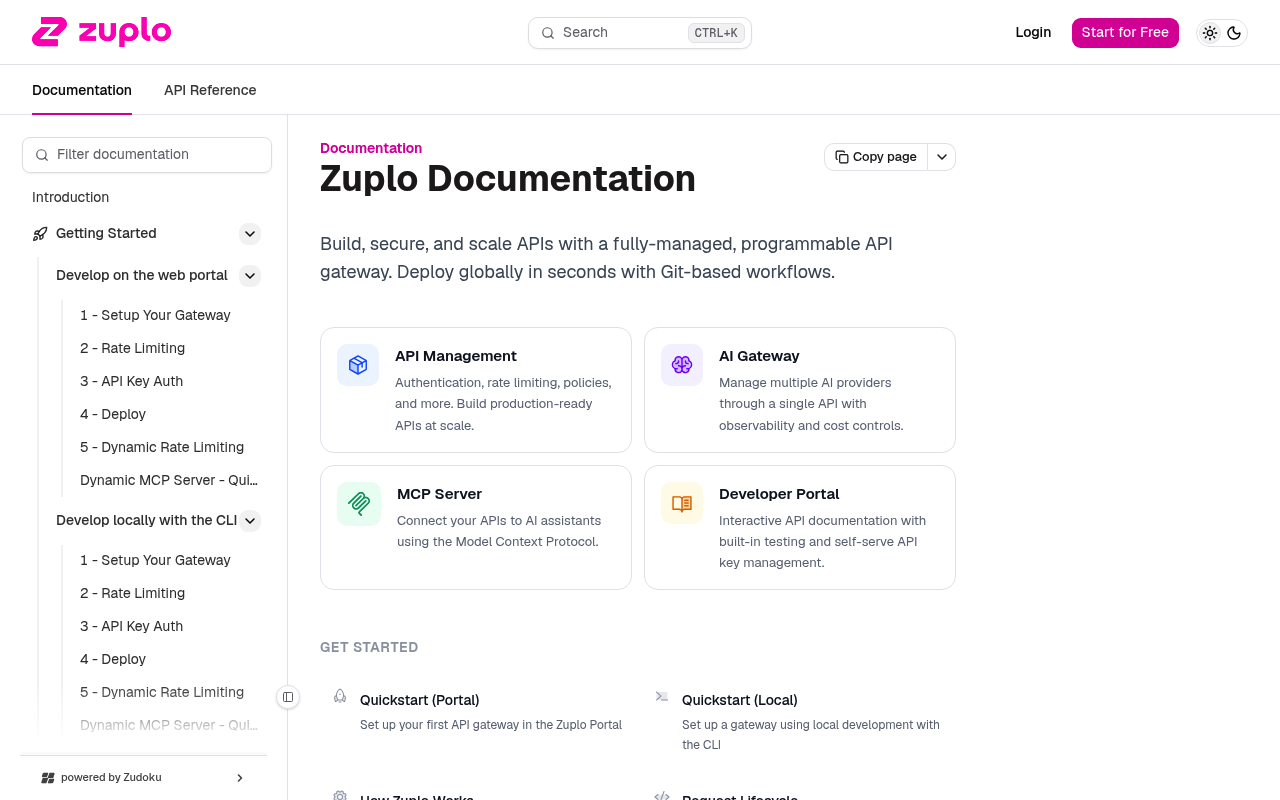
Zuplo website screenshot

Zuplo

Zuplo is the API management platform for developers. Build, deploy, and scale APIs faster with Zuplo.

1 APIs 0 Features
AI GatewayAPI ManagementGatewaysPlatform

APIs

Zuplo Developer API

The Zuplo Developer API (ZAPI) enables developers to programmatically manage API keys, consumers, buckets, tunnels, deployments, metering, audit logs, and more. It is used to pe...

Agent Skills

zudoku-guide

AGENT SKILL

zuplo-cli

AGENT SKILL

zuplo-guide

AGENT SKILL

zuplo-monetization

AGENT SKILL

Collections

Arazzo Workflows

Zuplo Add a Manager to a Consumer

Create a consumer, add a manager to it, then list the consumer's managers.

ARAZZO

Zuplo Bulk-Issue API Keys to a Consumer

Create a consumer, bulk-create multiple API keys for it, then list the keys.

ARAZZO

Zuplo Create a Consumer and Issue an API Key

Create a consumer in an existing bucket, issue an API key, then read the key back.

ARAZZO

Zuplo Deactivate a Consumer's API Key

List a consumer's keys, find one, and delete it to revoke access.

ARAZZO

Zuplo Discover Account and List Its Buckets

Resolve the account name from the API key, then list that account's API key buckets.

ARAZZO

Zuplo Find and Update an API Key Bucket

List the account's buckets, confirm a match exists, update one, and read it back.

ARAZZO

Zuplo Find a Consumer and Update Its Metadata

List consumers in a bucket, find a match by name, update its metadata, and read it back.

ARAZZO

Zuplo Find and Delete a Consumer

List consumers in a bucket, confirm a match exists, and delete the consumer.

ARAZZO

Zuplo Map a Custom Domain to a Deployment

Create a custom domain for a deployment and list the account's domains to confirm it.

ARAZZO

Zuplo Onboard a Consumer With an API Key

Create a bucket, create a consumer with an API key, and list the consumer's keys.

ARAZZO

Zuplo Provision an API Key Bucket

Create a new API key bucket and read it back to confirm it exists.

ARAZZO

Zuplo Provision a Secure Tunnel

Create a tunnel and read it back to retrieve the connection token.

ARAZZO

Zuplo Inspect and Redeploy a Project Deployment

List a project's deployments, read the live deployment detail, then trigger a redeploy.

ARAZZO

Zuplo Repoint a Custom Domain to a New Deployment

List custom domains, confirm one exists, and update it to a new deployment.

ARAZZO

Zuplo Rotate a Consumer's API Keys

Read a consumer, roll its keys to set an expiration and issue a fresh key, then list the keys.

ARAZZO

Zuplo Rotate a Tunnel Token

Read a tunnel to confirm it exists, then rotate its connection token.

ARAZZO

Zuplo Set an Environment Variable and Redeploy

Create a branch variable, list the project's deployments, and redeploy so the variable takes effect.

ARAZZO

Zuplo Update an Environment Variable and Redeploy

Update an existing branch variable value, find the deployment, and redeploy it.

ARAZZO

GraphQL

Zuplo GraphQL Schema

This is a conceptual GraphQL schema for the Zuplo API management platform. Zuplo does not currently expose a public GraphQL endpoint; this schema models the platform's core reso...

GRAPHQL

Pricing Plans

Zuplo Plans Pricing

3 plans

PLANS

Rate Limits

Zuplo Rate Limits

5 limits

RATE LIMITS

FinOps

Zuplo Finops

FINOPS

Semantic Vocabularies

Zuplo Context

27 classes · 0 properties

JSON-LD

API Governance Rules

Zuplo API Rules

9 rules · 2 errors 6 warnings 1 info

SPECTRAL

JSON Structure

Zuplo Api Key Structure

0 properties

JSON STRUCTURE

Zuplo Consumer Structure

0 properties

JSON STRUCTURE

Zuplo Deployment Structure

0 properties

JSON STRUCTURE

Example Payloads

Zuplo Create Api Key Example

2 fields

EXAMPLE

Zuplo Create Tunnel Example

2 fields

EXAMPLE

Zuplo List Consumers Example

2 fields

EXAMPLE

Resources

🔗
AgentSkills
AgentSkills
🔗
PostmanWorkspace
PostmanWorkspace
🔗
Arazzo
Arazzo
🔗
Arazzo
Arazzo
🔗
Arazzo
Arazzo
🔗
Arazzo
Arazzo
🔗
Arazzo
Arazzo
🔗
Arazzo
Arazzo
🔗
Arazzo
Arazzo
🔗
Arazzo
Arazzo
🔗
Arazzo
Arazzo
🔗
Arazzo
Arazzo
🔗
Arazzo
Arazzo
🔗
Arazzo
Arazzo
🔗
Arazzo
Arazzo
🔗
Arazzo
Arazzo
🔗
Arazzo
Arazzo
🔗
Arazzo
Arazzo
🔗
Arazzo
Arazzo
🔗
Arazzo
Arazzo
🔗
Documentation
Documentation
💰
Pricing
Pricing
📰
Blog
Blog
🔗
Login
Login
📝
Signup
Signup
💬
Support
Support
🔗
Customers
Customers
📄
ChangeLog
ChangeLog
🔗
About
About
🟢
StatusPage
StatusPage
📜
PrivacyPolicy
PrivacyPolicy
📜
TermsOfService
TermsOfService
🔗
Security
Security
🔗
Trust
Trust
🚀
GettingStarted
GettingStarted
🔗
LearningCenter
LearningCenter
🌐
DeveloperPortal
DeveloperPortal
🔗
APIManagement
APIManagement
🔗
RateLimiting
RateLimiting
🔗
APIKeyManagement
APIKeyManagement
🔗
Monetization
Monetization
🔗
Security
Security
🔗
Governance
Governance
🔗
OpenAPI
OpenAPI
🔗
GitOps
GitOps
🔗
MultiCloud
MultiCloud
🔗
Environments
Environments
🔗
SelfService
SelfService
🔗
AIGateway
AIGateway
🔗
MCPServers
MCPServers
👥
GitHub
GitHub
👥
GitHubRepo
GitHubRepo
👥
GitHubRepo
GitHubRepo
👥
GitHubRepo
GitHubRepo
🔗
X
X
🔗
LinkedIn
LinkedIn
🔗
Discord
Discord
🔗
Careers
Careers
🔗
HelpCenter
HelpCenter
🔗
Overview
Overview
🔗
LlmsText
LlmsText

Sources

Raw ↑
opencollection: 1.0.0
info:
  name: Zuplo Developer API
  version: 1.0.0
request:
  auth:
    type: apikey
    key: Authorization
    value: '{{Authorization}}'
    placement: header
items:
- info:
    name: MCP Servers
    type: folder
  items:
  - info:
      name: Docs MCP Server
      type: http
    http:
      method: POST
      url: https://dev.zuplo.com/mcp/docs
    docs: The Zuplo Documentation MCP server
- info:
    name: Default
    type: folder
  items:
  - info:
      name: OpenAPI Specification
      type: http
    http:
      method: GET
      url: https://dev.zuplo.com/openapi
    docs: Returns the OpenAPI V3 spec for Zuplo's Developer API
  - info:
      name: Who Am I
      type: http
    http:
      method: GET
      url: https://dev.zuplo.com/v1/who-am-i
    docs: Returns basic information about the caller. Supports both API key and JWT authentication. The response always includes
      the subject identifier (`sub`). The `account` field is included when called with an API key, and `email` is included
      when called with a JWT that carries the email claim.
- info:
    name: Audit Logs
    type: folder
  items:
  - info:
      name: Query Audit Logs
      type: http
    http:
      method: GET
      url: https://dev.zuplo.com/v1/accounts/:accountName/audit-logs
      params:
      - name: accountName
        value: ''
        type: path
        description: The name of the account. You can find this in your Zuplo Portal under Settings > Project Information.
      - name: limit
        value: ''
        type: query
        description: Maximum number of results to return (1-100)
      - name: offset
        value: ''
        type: query
        description: Number of results to skip for pagination
      - name: action
        value: ''
        type: query
        description: Filter by specific action (e.g., 'account.create')
      - name: startDate
        value: ''
        type: query
        description: Filter events after this date (ISO 8601 format)
      - name: endDate
        value: ''
        type: query
        description: Filter events before this date (ISO 8601 format)
      - name: actor
        value: ''
        type: query
        description: Filter by actor email address or subject identifier
      - name: success
        value: ''
        type: query
        description: Filter by success status (true for successful, false for failed)
    docs: Retrieves audit logs with optional filtering and pagination.
- info:
    name: Custom Domains
    type: folder
  items:
  - info:
      name: Get Custom Domains
      type: http
    http:
      method: GET
      url: https://dev.zuplo.com/v1/accounts/:accountName/custom-domains
      params:
      - name: accountName
        value: ''
        type: path
        description: The name of the account. You can find this in your Zuplo Portal under Settings > Project Information.
    docs: Gets the account custom domains
  - info:
      name: Create Custom Domain
      type: http
    http:
      method: POST
      url: https://dev.zuplo.com/v1/accounts/:accountName/custom-domains
      params:
      - name: accountName
        value: ''
        type: path
        description: The name of the account. You can find this in your Zuplo Portal under Settings > Project Information.
      body:
        type: json
        data: '{}'
    docs: Creates a custom domain
  - info:
      name: Update a Custom Domain
      type: http
    http:
      method: PATCH
      url: https://dev.zuplo.com/v1/accounts/:accountName/custom-domains
      params:
      - name: accountName
        value: ''
        type: path
        description: The name of the account. You can find this in your Zuplo Portal under Settings > Project Information.
      body:
        type: json
        data: '{}'
    docs: Updates a custom domain
  - info:
      name: Delete a Custom Domain
      type: http
    http:
      method: DELETE
      url: https://dev.zuplo.com/v1/accounts/:accountName/custom-domains
      params:
      - name: accountName
        value: ''
        type: path
        description: The name of the account. You can find this in your Zuplo Portal under Settings > Project Information.
      - name: hostname
        value: ''
        type: query
        description: The hostname of the custom domain to delete.
      - name: deploymentName
        value: ''
        type: query
        description: The deployment associated with the hostname, when deleting a deployment-specific mapping.
    docs: Delete a custom domain
- info:
    name: API Keys - Buckets
    type: folder
  items:
  - info:
      name: Lists Buckets
      type: http
    http:
      method: GET
      url: https://dev.zuplo.com/v1/accounts/:accountName/key-buckets
      params:
      - name: accountName
        value: ''
        type: path
        description: The name of the account. You can find this in your Zuplo Portal under Settings > Project Information.
    docs: Lists all buckets belonging to this account.
  - info:
      name: Creates a Bucket
      type: http
    http:
      method: POST
      url: https://dev.zuplo.com/v1/accounts/:accountName/key-buckets
      params:
      - name: accountName
        value: ''
        type: path
        description: The name of the account. You can find this in your Zuplo Portal under Settings > Project Information.
      body:
        type: json
        data: '{}'
    docs: Creates a new bucket for this account.
  - info:
      name: Gets a Bucket
      type: http
    http:
      method: GET
      url: https://dev.zuplo.com/v1/accounts/:accountName/key-buckets/:bucketName
      params:
      - name: accountName
        value: ''
        type: path
        description: The name of the account. You can find this in your Zuplo Portal under Settings > Project Information.
      - name: bucketName
        value: ''
        type: path
        description: The name of the bucket. Zuplo automatically creates a bucket for your project. You can find it in youe
          Zuplo Portal under Settings > Project Information.
    docs: Returns the details for a bucket, including the token used to connect to the bucket.
  - info:
      name: Updates a Bucket
      type: http
    http:
      method: PATCH
      url: https://dev.zuplo.com/v1/accounts/:accountName/key-buckets/:bucketName
      params:
      - name: accountName
        value: ''
        type: path
        description: The name of the account. You can find this in your Zuplo Portal under Settings > Project Information.
      - name: bucketName
        value: ''
        type: path
        description: The name of the bucket. Zuplo automatically creates a bucket for your project. You can find it in youe
          Zuplo Portal under Settings > Project Information.
      body:
        type: json
        data: '{}'
    docs: Updates a bucket, and returns the updated value.
  - info:
      name: Deletes a Bucket
      type: http
    http:
      method: DELETE
      url: https://dev.zuplo.com/v1/accounts/:accountName/key-buckets/:bucketName
      params:
      - name: accountName
        value: ''
        type: path
        description: The name of the account. You can find this in your Zuplo Portal under Settings > Project Information.
      - name: bucketName
        value: ''
        type: path
        description: The name of the bucket. Zuplo automatically creates a bucket for your project. You can find it in youe
          Zuplo Portal under Settings > Project Information.
    docs: Deletes a bucket and any related resources
- info:
    name: API Keys - Consumers
    type: folder
  items:
  - info:
      name: Lists Consumers
      type: http
    http:
      method: GET
      url: https://dev.zuplo.com/v1/accounts/:accountName/key-buckets/:bucketName/consumers
      params:
      - name: accountName
        value: ''
        type: path
        description: The name of the account. You can find this in your Zuplo Portal under Settings > Project Information.
      - name: bucketName
        value: ''
        type: path
        description: The name of the bucket. Zuplo automatically creates a bucket for your project. You can find it in youe
          Zuplo Portal under Settings > Project Information.
      - name: limit
        value: ''
        type: query
        description: 'The maximum number of entries to return. If the value exceeds the maximum, then the maximum value will
          be used. Default: 1000'
      - name: offset
        value: ''
        type: query
        description: 'The offset of the first item returned in the collection. Default: 0'
      - name: include-api-keys
        value: ''
        type: query
        description: Include the api key data in the response.
      - name: include-manager-invites
        value: ''
        type: query
        description: Include the manager invites data in the response.
      - name: include-managers
        value: ''
        type: query
        description: Include the manager's data in the response.
      - name: key-format
        value: ''
        type: query
        description: 'The format of the key to return.

          `none`: Key is completely hidden.

          `visible`: Key is completely visible.

          `masked`: Part of key suffix is visible.'
      - name: manager-email
        value: ''
        type: query
        description: Filter by email address of key manager.
      - name: tag
        value: ''
        type: query
        description: Query by tag. Example usage is `tag.account=foo`, where `account` is the name of the tag property and
          `foo` is the value.
    docs: Lists all consumers belonging to this account.
  - info:
      name: Creates a Consumer
      type: http
    http:
      method: POST
      url: https://dev.zuplo.com/v1/accounts/:accountName/key-buckets/:bucketName/consumers
      params:
      - name: accountName
        value: ''
        type: path
        description: The name of the account. You can find this in your Zuplo Portal under Settings > Project Information.
      - name: bucketName
        value: ''
        type: path
        description: The name of the bucket. Zuplo automatically creates a bucket for your project. You can find it in youe
          Zuplo Portal under Settings > Project Information.
      - name: with-api-key
        value: ''
        type: query
        description: If an API key should be created with the consumer.
      body:
        type: json
        data: '{}'
    docs: Creates a new consumer for this account.
  - info:
      name: Gets a Consumer
      type: http
    http:
      method: GET
      url: https://dev.zuplo.com/v1/accounts/:accountName/key-buckets/:bucketName/consumers/:consumerName
      params:
      - name: accountName
        value: ''
        type: path
        description: The name of the account. You can find this in your Zuplo Portal under Settings > Project Information.
      - name: bucketName
        value: ''
        type: path
        description: The name of the bucket. Zuplo automatically creates a bucket for your project. You can find it in youe
          Zuplo Portal under Settings > Project Information.
      - name: consumerName
        value: ''
        type: path
        description: The name of the consumer.
      - name: include-api-keys
        value: ''
        type: query
        description: Include the api key data in the response.
      - name: key-format
        value: ''
        type: query
        description: 'The format of the key to return.

          `none`: Key is completely hidden.

          `visible`: Key is completely visible.

          `masked`: Part of key suffix is visible.'
      - name: include-managers
        value: ''
        type: query
        description: Include the manager's data in the response.
      - name: include-manager-invites
        value: ''
        type: query
        description: Include the manager invites data in the response.
      - name: tag
        value: ''
        type: query
        description: Query by tag. Example usage is `tag.account=foo`, where `account` is the name of the tag property and
          `foo` is the value.
    docs: Gets a consumer given a bucket name and consumer name.
  - info:
      name: Updates a Consumer
      type: http
    http:
      method: PATCH
      url: https://dev.zuplo.com/v1/accounts/:accountName/key-buckets/:bucketName/consumers/:consumerName
      params:
      - name: accountName
        value: ''
        type: path
        description: The name of the account. You can find this in your Zuplo Portal under Settings > Project Information.
      - name: bucketName
        value: ''
        type: path
        description: The name of the bucket. Zuplo automatically creates a bucket for your project. You can find it in youe
          Zuplo Portal under Settings > Project Information.
      - name: consumerName
        value: ''
        type: path
        description: The name of the consumer.
      - name: tag
        value: ''
        type: query
        description: Query by tag. Example usage is `tag.account=foo`, where `account` is the name of the tag property and
          `foo` is the value.
      body:
        type: json
        data: '{}'
    docs: Update the consumer with the matching consumer name.
  - info:
      name: Deletes a Consumer
      type: http
    http:
      method: DELETE
      url: https://dev.zuplo.com/v1/accounts/:accountName/key-buckets/:bucketName/consumers/:consumerName
      params:
      - name: accountName
        value: ''
        type: path
        description: The name of the account. You can find this in your Zuplo Portal under Settings > Project Information.
      - name: bucketName
        value: ''
        type: path
        description: The name of the bucket. Zuplo automatically creates a bucket for your project. You can find it in youe
          Zuplo Portal under Settings > Project Information.
      - name: consumerName
        value: ''
        type: path
        description: The name of the consumer.
      - name: tag
        value: ''
        type: query
        description: Query by tag. Example usage is `tag.account=foo`, where `account` is the name of the tag property and
          `foo` is the value.
    docs: Deletes a consumer and any related resources
  - info:
      name: Roll Consumer Keys
      type: http
    http:
      method: POST
      url: https://dev.zuplo.com/v1/accounts/:accountName/key-buckets/:bucketName/consumers/:consumerName/roll-key
      params:
      - name: accountName
        value: ''
        type: path
        description: The name of the account. You can find this in your Zuplo Portal under Settings > Project Information.
      - name: bucketName
        value: ''
        type: path
        description: The name of the bucket. Zuplo automatically creates a bucket for your project. You can find it in youe
          Zuplo Portal under Settings > Project Information.
      - name: consumerName
        value: ''
        type: path
        description: The name of the consumer.
      - name: tag
        value: ''
        type: query
        description: Query by tag. Example usage is `tag.account=foo`, where `account` is the name of the tag property and
          `foo` is the value.
      body:
        type: json
        data: '{}'
    docs: Set expiration for keys with no expiration date and creates a new key.
- info:
    name: API Keys - Keys
    type: folder
  items:
  - info:
      name: Lists Keys
      type: http
    http:
      method: GET
      url: https://dev.zuplo.com/v1/accounts/:accountName/key-buckets/:bucketName/consumers/:consumerName/keys
      params:
      - name: accountName
        value: ''
        type: path
        description: The name of the account. You can find this in your Zuplo Portal under Settings > Project Information.
      - name: bucketName
        value: ''
        type: path
        description: The name of the bucket. Zuplo automatically creates a bucket for your project. You can find it in youe
          Zuplo Portal under Settings > Project Information.
      - name: consumerName
        value: ''
        type: path
        description: The name of the consumer.
      - name: limit
        value: ''
        type: query
        description: 'The maximum number of entries to return. If the value exceeds the maximum, then the maximum value will
          be used. Default: 1000'
      - name: offset
        value: ''
        type: query
        description: 'The offset of the first item returned in the collection. Default: 0'
      - name: key-format
        value: ''
        type: query
        description: 'The format of the key to return.

          `none`: Key is completely hidden.

          `visible`: Key is completely visible.

          `masked`: Part of key suffix is visible.'
    docs: Lists all keys for this consumer.
  - info:
      name: Creates an API Key
      type: http
    http:
      method: POST
      url: https://dev.zuplo.com/v1/accounts/:accountName/key-buckets/:bucketName/consumers/:consumerName/keys
      params:
      - name: accountName
        value: ''
        type: path
        description: The name of the account. You can find this in your Zuplo Portal under Settings > Project Information.
      - name: bucketName
        value: ''
        type: path
        description: The name of the bucket. Zuplo automatically creates a bucket for your project. You can find it in youe
          Zuplo Portal under Settings > Project Information.
      - name: consumerName
        value: ''
        type: path
        description: The name of the consumer.
      body:
        type: json
        data: '{}'
    docs: Creates a new API key for this consumer. New API keys will automatically have [API Key Leak Detection](https://zuplo.com/docs/articles/api-key-leak-detection)
      enabled.
  - info:
      name: Creates Multiple API Keys
      type: http
    http:
      method: POST
      url: https://dev.zuplo.com/v1/accounts/:accountName/key-buckets/:bucketName/consumers/:consumerName/keys/$bulk
      params:
      - name: accountName
        value: ''
        type: path
        description: The name of the account. You can find this in your Zuplo Portal under Settings > Project Information.
      - name: bucketName
        value: ''
        type: path
        description: The name of the bucket. Zuplo automatically creates a bucket for your project. You can find it in youe
          Zuplo Portal under Settings > Project Information.
      - name: consumerName
        value: ''
        type: path
        description: The name of the consumer.
      body:
        type: json
        data: '{}'
    docs: Creates multiple new API keys for this consumer.
  - info:
      name: Gets an API Key
      type: http
    http:
      method: GET
      url: https://dev.zuplo.com/v1/accounts/:accountName/key-buckets/:bucketName/consumers/:consumerName/keys/:keyId
      params:
      - name: accountName
        value: ''
        type: path
        description: The name of the account. You can find this in your Zuplo Portal under Settings > Project Information.
      - name: bucketName
        value: ''
        type: path
        description: The name of the bucket. Zuplo automatically creates a bucket for your project. You can find it in youe
          Zuplo Portal under Settings > Project Information.
      - name: consumerName
        value: ''
        type: path
        description: The name of the consumer.
      - name: keyId
        value: ''
        type: path
        description: The key id.
      - name: key-format
        value: ''
        type: query
        description: 'The format of the key to return.

          `none`: Key is completely hidden.

          `visible`: Key is completely visible.

          `masked`: Part of key suffix is visible.'
      - name: tag
        value: ''
        type: query
        description: Query by tag. Example usage is `tag.account=foo`, where `account` is the name of the tag property and
          `foo` is the value.
    docs: Retrieves an API key for this consumer.
  - info:
      name: Updates an API Key
      type: http
    http:
      method: PATCH
      url: https://dev.zuplo.com/v1/accounts/:accountName/key-buckets/:bucketName/consumers/:consumerName/keys/:keyId
      params:
      - name: accountName
        value: ''
        type: path
        description: The name of the account. You can find this in your Zuplo Portal under Settings > Project Information.
      - name: bucketName
        value: ''
        type: path
        description: The name of the bucket. Zuplo automatically creates a bucket for your project. You can find it in youe
          Zuplo Portal under Settings > Project Information.
      - name: consumerName
        value: ''
        type: path
        description: The name of the consumer.
      - name: keyId
        value: ''
        type: path
        description: The key id.
      - name: tag
        value: ''
        type: query
        description: Query by tag. Example usage is `tag.account=foo`, where `account` is the name of the tag property and
          `foo` is the value.
      body:
        type: json
        data: '{}'
    docs: Updates an API key for this consumer.
  - info:
      name: Deletes an API Key
      type: http
    http:
      method: DELETE
      url: https://dev.zuplo.com/v1/accounts/:accountName/key-buckets/:bucketName/consumers/:consumerName/keys/:keyId
      params:
      - name: accountName
        value: ''
        type: path
        description: The name of the account. You can find this in your Zuplo Portal under Settings > Project Information.
      - name: bucketName
        value: ''
        type: path
        description: The name of the bucket. Zuplo automatically creates a bucket for your project. You can find it in youe
          Zuplo Portal under Settings > Project Information.
      - name: consumerName
        value: ''
        type: path
        description: The name of the consumer.
      - name: keyId
        value: ''
        type: path
        description: The key id.
      - name: tag
        value: ''
        type: query
        description: Query by tag. Example usage is `tag.account=foo`, where `account` is the name of the tag property and
          `foo` is the value.
    docs: Deletes an API key for this consumer.
- info:
    name: API Keys - Managers
    type: folder
  items:
  - info:
      name: Lists Managers
      type: http
    http:
      method: GET
      url: https://dev.zuplo.com/v1/accounts/:accountName/key-buckets/:bucketName/consumers/:consumerName/managers
      params:
      - name: accountName
        value: ''
        type: path
        description: The name of the account. You can find this in your Zuplo Portal under Settings > Project Information.
      - name: bucketName
        value: ''
        type: path
        description: The name of the bucket. Zuplo automatically creates a bucket for your project. You can find it in youe
          Zuplo Portal under Settings > Project Information.
      - name: consumerName
        value: ''
        type: path
        description: The name of the consumer.
      - name: limit
        value: ''
        type: query
        description: 'The maximum number of entries to return. If the value exceeds the maximum, then the maximum value will
          be used. Default: 1000'
      - name: offset
        value: ''
        type: query
        description: 'The offset of the first item returned in the collection. Default: 0'
    docs: Lists all managers belonging to a consumer.
  - info:
      name: Creates a Manager
      type: http
    http:
      method: POST
      url: https://dev.zuplo.com/v1/accounts/:accountName/key-buckets/:bucketName/consumers/:consumerName/managers
      params:
      - name: accountName
        value: ''
        type: path
        description: The name of the account. You can find this in your Zuplo Portal under Settings > Project Information.
      - name: bucketName
        value: ''
        type: path
        description: The name of the bucket. Zuplo automatically creates a bucket for your project. You can find it in youe
          Zuplo Portal under Settings > Project Information.
      - name: consumerName
        value: ''
        type: path
        description: The name of the consumer.
      body:
        type: json
        data: '{}'
    docs: Creates a new manager for a consumer.
  - info:
      name: Deletes a Manager
      type: http
    http:
      method: DELETE
      url: https://dev.zuplo.com/v1/accounts/:accountName/key-buckets/:bucketName/consumers/:consumerName/managers/:managerId
      params:
      - name: accountName
        value: ''
        type: path
        description: The name of the account. You can find this in your Zuplo Portal under Settings > Project Information.
      - name: bucketName
        value: ''
        type: path
        description: The name of the bucket. Zuplo automatically creates a bucket for your project. You can find it in youe
          Zuplo Portal under Settings > Project Information.
      - name: consumerName
        value: ''
        type: path
        description: The name of the consumer.
      - name: managerId
        value: ''
        type: path
        description: The manager id
    docs: Deletes a manager record
- info:
    name: Variables
    type: folder
  items:
  - info:
      name: Creates a Variable
      type: http
    http:
      method: POST
      url: https://dev.zuplo.com/v1/accounts/:accountName/projects/:projectName/branches/:branchName/variables
      params:
      - name: accountName
        value: ''
        type: path
        description: The name of the account. You can find this in your Zuplo Portal under Settings > Project Information.
      - name: projectName
        value: ''
        type: path
        description: The name of the project. You can find this in your Zuplo Portal under Settings > Project Information.
      - name: branchName
        value: ''
        type: path
        description: The name of the branch in your source control provider.
      body:
        type: json
        data: '{}'
    docs: Creates a new environment variable in a branch for a given project.
  - info:
      name: Updates a Variable
      type: http
    http:
      method: PATCH
      url: https://dev.zuplo.com/v1/accounts/:accountName/projects/:projectName/branches/:branchName/variables/:variableName
      params:
      - name: accountName
        value: ''
        type: path
        description: The name of the account. You can find this in your Zuplo Portal under Settings > Project Information.
      - name: projectName
        value: ''
        type: path
        description: The name of the project. You can find this in your Zuplo Portal under Settings > Project Information.
      - name: branchName
        value: ''
        type: path
        description: The name of the branch in your source control provider.
      - name: variableName
        value: ''
        type: path
        description: The name of the environment variable.
      body:
        type: json
        data: '{}'
    docs: Update the value of a variable in a branch for a given project.
- info:
    name: Deployments
    type: folder
  items:
  - info:
      name: Gets a Deployment Status
      type: http
    http:
      method: GET
      url: https://dev.zuplo.com/v1/accounts/:accountName/projects/:projectName/deployment-status/:statusId
      params:
      - name: accountName
        value: ''
        type: path
        description: The name of the account. You can find this in your Zuplo Portal under Settings > Project Information.
      - name: projectName
        value: ''
        type: path
        description: The name of the project. You can find this in your Zuplo Portal under Settings > Project Information.
      - name: statusId
        value: ''
        type: path
        description: The UUID of the uploaded sources.
    docs: Gets the deployment status of your upload. Use the UUID of the uploaded sources as the `statusId`.
  - info:
      name: Lists Deployments
      type: http
    http:
      method: GET
      url: https://dev.zuplo.com/v1/accounts/:accountName/projects/:projectName/deployments
      params:
      - name: accountName
        value: ''
        type: path
        description: The name of the account. You can find this in your Zuplo Portal under Settings > Project Information.
      - name: projectName
        value: ''
        type: path
        description: The name of the project. You can find this in your Zuplo Portal under Settings > Project Information.
    docs: Lists the deployments for the specified account and project.
  - info:
      name: Upload Deployment Source
      type: http
    http:
      method: POST
      url: https://dev.zuplo.com/v1/deployments/sources
      body:
        type: json
        data: '{}'
    docs: Creates a URL for uploading sources.
  - info:
      name: Get a Deployment
      type: http
    http:
      method: GET
      url: https://dev.zuplo.com/v1/deployments/:deploymentName
      params:
      - name: deploymentName
        value: ''
        type: path
        description: The name of the deployment. You can find this in the Zuplo Portal under Settings > Environments.
    docs: Gets the specified deployment.
  - info:
      name: Deletes a Deployment
      type: http
    http:
      method: DELETE
      url: https://dev.zuplo.com/v1/deployments/:deploymentName
      params:
      - name: deploymentName
        value: ''
        type: path
        description: The name of the deployment. You can find this in the Zuplo Portal under Settings > Environments.
    docs: Deletes the specified deployment.
  - info:
      name: Re-deploy a Deployment
      type: http
    http:
      method: POST
      url: https://dev.zuplo.com/v1/deployments/:deploymentName/deploy
      params:
      - name: deploymentName
        value: ''
        type: path
        description: The name of the deployment. You can find this in the Zuplo Portal under Settings > Environments.
    docs: Re-deploys the specified deployment so that it can pick up new environment variables or other configuration changes.
- info:
    name: Tunnels
    type: folder
  items:
  - info:
      name: Lists Tunnels
      type: http
    http:
      method: GET
      url: https://dev.zuplo.com/v1/accounts/:accountName/tunnels
      params:
      - name: accountName
        value: ''
        type: path
        description: The name of the account. You can find this in your Zuplo Portal under Settings > Project Information.
    docs: Lists all tunnels belonging to this account.
  - info:
      name: Creates a Tunnel
      type: http
    http:
      method: POST
      url: https://dev.zuplo.com/v1/accounts/:accountName/tunnels
      params:
      - name: accountName
        value: ''
        type: path
        description: The name of the account. You can find this in your Zuplo Portal under Settings > Project Information.
      body:
        type: json
        data: '{}'
    docs: Creates a new tunnel for this account.
  - info:
      name: Gets a Tunnel
      type: http
    http:
      method: GET
      url: https://dev.zuplo.com/v1/accounts/:accountName/tunnels/:tunnelId
      params:
      - name: accountName
        value: ''
        type: path
        description: The name of the account. You can find this in your Zuplo Portal under Settings > Project Information.
      - name: tunnelId
        value: ''
        type: path
        description: The ID of the tunnel.
    docs: Returns the details for a tunnel, including the token used to connect to the tunnel.
  - info:
      name: Deletes a Tunnel
      type: http
    http:
      method: DELETE
      url: https://dev.zuplo.com/v1/accounts/:accountName/tunnels/:tunnelId
      params:
      - name: accountName
        value: ''
        type: path
        description: The name of the account. You can find this in your Zuplo Portal under Settings > Project Information.
      - name: tunnelId
        value: ''
        type: path
        description: The ID of the tunnel.
    docs: Deletes a tunnel and any services that it has.
  - info:
      name: Rotates the Token
      type: http
    http:
      method: POST
      url: https://dev.zuplo.com/v1/accounts/:accountName/tunnels/:tunnelId/$rotate-token
      params:
      - name: accountName
        value: ''
        type: path
        description: The name of the account. You can find this in your Zuplo Portal under Settings > Project Information.
      - name: tunnelId
        value: ''
        type: path

# --- truncated at 32 KB (34 KB total) ---
# Full source: https://raw.githubusercontent.com/api-evangelist/zuplo/refs/heads/main/apis.yml
