WordPress
WordPress is an open-source content management system (CMS) that powers a significant portion of websites on the internet. Its REST API enables applications to interact with WordPress sites by sending and receiving data as JSON, allowing developers to build decoupled frontends, mobile apps, and integrations in any language. The extensive plugin and theme ecosystem, block editor, and AI capabilities make it accessible for building everything from personal blogs to complex enterprise websites.
WordPress is listed with 17 APIs on the APIs.io network, including Block Types API, Blocks API, Categories API, and 14 more. Tagged areas include CMS, Content Management, Open Source, and WordPress.
The WordPress catalog on APIs.io includes 1 JSON-LD context and 2 Spectral governance rulesets.
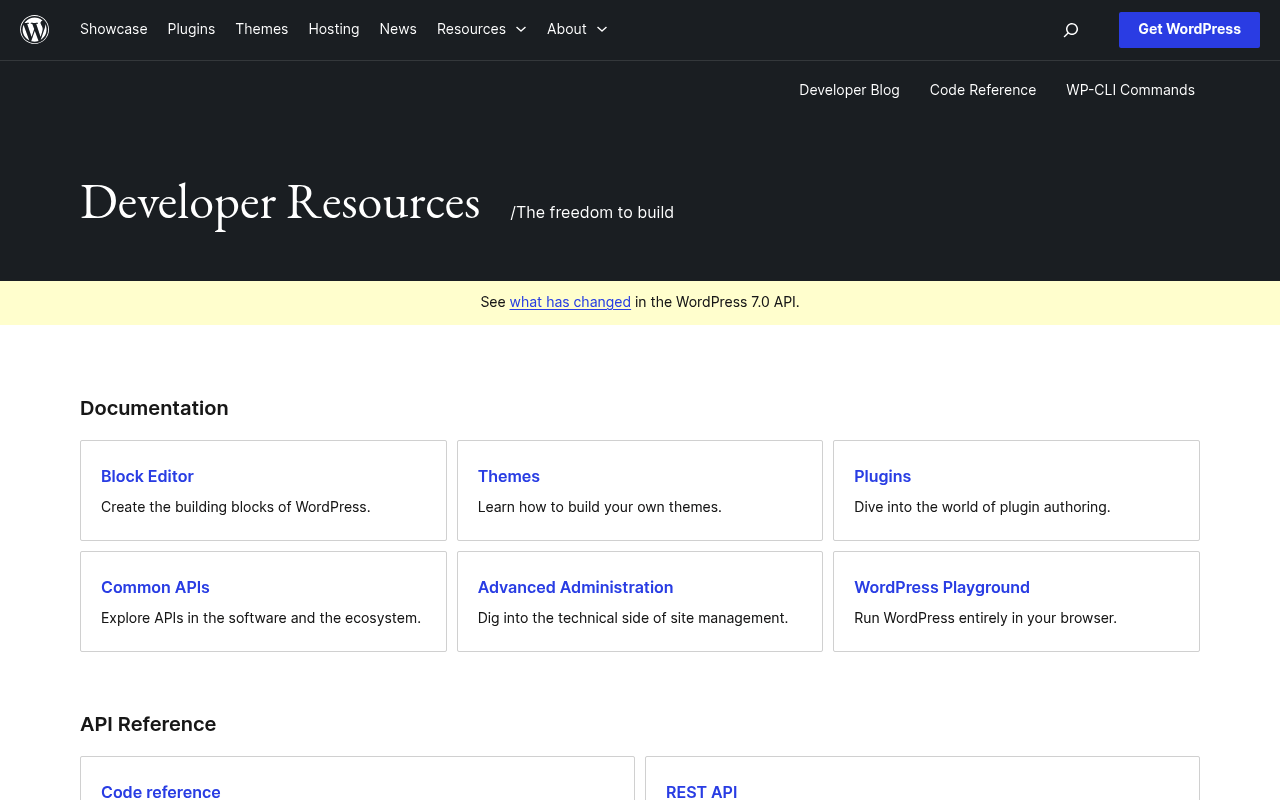
WordPress’ developer surface includes authentication, developer portal, documentation, getting-started guide, engineering blog, changelog, support, and 35 more developer resources.
Kin Score
 Kin Score
How this is scored →
Kin Score
How this is scored →scored 2026-10-17 · rubric v0.24.0
Markets this provider is in provisional
The Kin Score Market layer reads a provider inside its market: its position, and how deep its integrations go. Depth is only comparable within a position. Provisional and unweighted: not part of the Kin Score or agent readiness.
| Market | Position | Depth | Registered MCP server | Declares compatibility |
|---|---|---|---|---|
| Social and Fediverse | gravity | 51.8 | - | 1 |
| Content, Documentation and Design Platforms | gravity | 51.8 | - | 1 |
Registered MCP server and declares compatibility are report only — not weighted. Undeclared means we found nothing we can read, so there is no number: we never infer integrations.
APIs 17
Individual APIs this provider publishes, each with its own machine-readable definition.
WP-CLI
WP-CLI is the command-line interface for WordPress. It provides commands for managing WordPress installations, plugins, themes, users, content, and more without using a web brow...
WordPress Block Editor API
The Block Editor API (Gutenberg) enables developers to create custom blocks, block patterns, block templates, and editor plugins for the WordPress Block Editor. It includes Java...
WordPress AI API
WordPress AI API provides a provider-agnostic interface for integrating generative AI capabilities into WordPress plugins and themes. It supports multiple AI providers (OpenAI, ...
WordPress Block Types API
Query registered block types
WordPress Blocks API
Manage reusable blocks
WordPress Categories API
Manage post categories
WordPress Comments API
Manage WordPress comments
WordPress Media API
Manage WordPress media library
WordPress Pages API
Manage WordPress pages
WordPress Plugins API
Manage WordPress plugins
WordPress Post Types API
Query registered post types
WordPress Posts API
Manage WordPress posts
WordPress Search API
Search across WordPress content
WordPress Settings API
Manage site settings
WordPress Tags API
Manage post tags
WordPress Themes API
Manage WordPress themes
WordPress Users API
Manage WordPress users
Scroll for all 17
Postman Collections 1
Ready-to-run Postman collections for exercising this provider's APIs.
WordPress REST API
POSTMANOpen Collections 16
Open, tool-agnostic API collections (OpenAPI-derived and Bruno).
API Collection
OPEN COLLECTIONWordPress REST Block Types API
OPEN COLLECTIONWordPress REST Block Types Blocks API
OPEN COLLECTIONWordPress REST Block Types Categories API
OPEN COLLECTIONWordPress REST Block Types Comments API
OPEN COLLECTIONWordPress REST Block Types Media API
OPEN COLLECTIONWordPress REST Block Types Pages API
OPEN COLLECTIONWordPress REST Block Types Plugins API
OPEN COLLECTIONWordPress REST Block Types Post Types API
OPEN COLLECTIONWordPress REST Block Types Posts API
OPEN COLLECTIONWordPress REST API
OPEN COLLECTIONWordPress REST Block Types Search API
OPEN COLLECTIONWordPress REST Block Types Settings API
OPEN COLLECTIONWordPress REST Block Types Tags API
OPEN COLLECTIONWordPress REST Block Types Themes API
OPEN COLLECTIONWordPress REST Block Types Users API
OPEN COLLECTIONScroll for all 16
Arazzo Workflows 8
Multi-step API workflows described with the Arazzo specification.
WordPress Assign Post to Author
Resolve a user by role, confirm them, and publish a post under their byline.
ARAZZOWordPress Attach Featured Media to Post
Find an image in the media library and publish a post that features it.
ARAZZOWordPress Categorize and Publish Post
Create a category, publish a post into it, then read the post back.
ARAZZOWordPress Comment on Found Post
Search for a post, post a comment on it, then list comments to confirm.
ARAZZOWordPress Create Subpage Under Parent
Find a parent page by title and create a child page nested beneath it.
ARAZZOScroll for all 8
MCP Servers 1
Model Context Protocol servers that expose these APIs to AI agents.
MCP Server
MCP SERVERAgent Skills 17
Packaged agent skills for driving this provider's APIs from an AI assistant.
blueprint
AGENT SKILLwordpress-router
AGENT SKILLwp-abilities-api
AGENT SKILLwp-abilities-audit
AGENT SKILLwp-abilities-verify
AGENT SKILLwp-block-development
AGENT SKILLwp-block-themes
AGENT SKILLwp-interactivity-api
AGENT SKILLwp-performance
AGENT SKILLwp-phpstan
AGENT SKILLwp-playground
AGENT SKILLwp-plugin-development
AGENT SKILLwp-plugin-directory-guidelines
AGENT SKILLwp-project-triage
AGENT SKILLwp-rest-api
AGENT SKILLwp-wpcli-and-ops
AGENT SKILLwpds
AGENT SKILLScroll for all 17
GraphQL 1
GraphQL schemas published by this provider.
WordPress GraphQL API
WordPress supports a full-featured GraphQL API through the [WPGraphQL plugin](https://www.wpgraphql.com/), an open-source WordPress plugin that provides an extendable GraphQL sc...
GRAPHQLPricing Plans 1
Published pricing tiers and plan structures.
Rate Limits 1
Documented rate limits and quota policies.
Wordpress Rate Limits
RATE LIMITSFinOps 1
Cost, billing, and metering signals for API financial operations.
Wordpress Finops
FINOPSFeatures 8
Notable capabilities this provider offers.
REST API
JSON-based REST API for interacting with WordPress content including posts, pages, media, users, and custom post types
Block Editor
Gutenberg block editor with JavaScript and PHP APIs for creating custom blocks and extending the editing experience
Application Passwords
Built-in authentication mechanism for third-party applications using per-application passwords with granular scoping
WP-CLI
Command-line interface for managing WordPress installations, automating tasks, and running deployments
Plugin API
Hooks and filters system for extending WordPress functionality through plugins without modifying core code
Multisite
WordPress Multisite enables running a network of sites from a single WordPress installation with shared users and plugins
WordPress Playground
Run WordPress in the browser via WebAssembly PHP for development, testing, and demonstrations
AI Integration
Provider-agnostic PHP AI client SDK and MCP adapter for integrating generative AI capabilities into WordPress
Scroll for all 8
Semantic Vocabularies 1
JSON-LD contexts and semantic vocabularies used across these APIs.
Wordpress Context
JSON-LDSpectral Rules 2
Spectral governance rulesets for linting and validating these APIs.
WordPress — jsonschema rules
SPECTRALWordPress API Rules
SPECTRALJSON Schema 18
Standalone JSON Schema definitions for this provider's data models.
Block
JSON SCHEMABlockType
JSON SCHEMACommentInput
JSON SCHEMAComment
JSON SCHEMAMediaItem
JSON SCHEMAPageInput
JSON SCHEMAPage
JSON SCHEMAPlugin
JSON SCHEMAPostInput
JSON SCHEMAPost
JSON SCHEMAPostType
JSON SCHEMARenderedContent
JSON SCHEMASearchResult
JSON SCHEMASettings
JSON SCHEMATermInput
JSON SCHEMATerm
JSON SCHEMATheme
JSON SCHEMAUser
JSON SCHEMAScroll for all 18
JSON Structure 18
JSON Structure definitions describing this provider's data shapes.
Wordpress Block Structure
JSON STRUCTUREWordpress Block Type Structure
JSON STRUCTUREWordpress Comment Input Structure
JSON STRUCTUREWordpress Comment Structure
JSON STRUCTUREWordpress Media Item Structure
JSON STRUCTUREWordpress Page Input Structure
JSON STRUCTUREWordpress Page Structure
JSON STRUCTUREWordpress Plugin Structure
JSON STRUCTUREWordpress Post Input Structure
JSON STRUCTUREWordpress Post Structure
JSON STRUCTUREWordpress Post Type Structure
JSON STRUCTUREWordpress Rendered Content Structure
JSON STRUCTUREWordpress Search Result Structure
JSON STRUCTUREWordpress Settings Structure
JSON STRUCTUREWordpress Term Input Structure
JSON STRUCTUREWordpress Term Structure
JSON STRUCTUREWordpress Theme Structure
JSON STRUCTUREWordpress User Structure
JSON STRUCTUREScroll for all 18
Examples 18
Example request and response payloads for these APIs.
Wordpress Block Example
EXAMPLEWordpress Block Type Example
EXAMPLEWordpress Comment Example
EXAMPLEWordpress Media Item Example
EXAMPLEWordpress Page Example
EXAMPLEWordpress Page Input Example
EXAMPLEWordpress Plugin Example
EXAMPLEWordpress Post Example
EXAMPLEWordpress Post Input Example
EXAMPLEWordpress Post Type Example
EXAMPLEWordpress Settings Example
EXAMPLEWordpress Term Example
EXAMPLEWordpress Term Input Example
EXAMPLEWordpress Theme Example
EXAMPLEWordpress User Example
EXAMPLEScroll for all 18
Security Posture 3
Authentication, domain security, vulnerability disclosure, and trust-center signals.
Agentic Access 1
Recommended x-agentic-access execution contracts for AI agents.
Use Cases 6
What developers build with this provider.
Headless CMS
Use WordPress as a headless CMS with the REST API to deliver content to any frontend framework like Next.js, Nuxt, or React
Mobile Applications
Build iOS and Android apps that read and write WordPress content using the REST API
Content Automation
Automate content creation, publishing, and management using WP-CLI in CI/CD pipelines
Custom Block Development
Create custom Gutenberg blocks for unique editorial experiences and complex page layouts
Third-Party Integrations
Connect WordPress to external services like CRMs, analytics platforms, and e-commerce systems via the REST API
AI-Powered Content
Enhance WordPress with AI content generation, writing assistance, and intelligent recommendations
Integrations 7
Pre-built integrations with other platforms and tools.
WooCommerce
E-commerce plugin with its own REST API that extends WordPress for online stores
Jetpack
WordPress.com connectivity plugin providing security, performance, and marketing tools
Advanced Custom Fields
Custom field framework for extending WordPress content models with structured data
Elementor
Visual page builder with REST API extensions for custom integrations
OpenAI
AI provider integration via WordPress AI API for content generation and assistance
Anthropic
AI provider integration via WordPress AI API using Claude models
Google AI
AI provider integration via WordPress AI API for Gemini models
Scroll for all 7
Resources
Get Started 2
Portal, sign-up, and the first successful call
Documentation 2
Reference material describing how the API behaves
Agent Surfaces 3
MCP servers, agent skills, and machine-readable catalogs
Design & Contract 11
Pagination, idempotency, versioning, errors, and events
Scroll for all 11
Build 4
SDKs, sample code, and the tooling you integrate with
Access & Security 4
Authentication, authorization, and security posture
Learn 1
Tutorials, courses, talks, and written guidance
Operate 8
Status, limits, changes, and where to get help
Scroll for all 8
Commercial 5
Pricing, plans, and the legal terms of use
Company 2
The organization behind the API
Source (apis.yml)
Work with this as data
Every provider here is available over the APIs.io API and to AI agents over MCP.