Visteon
Visteon Corporation is a global automotive electronics supplier providing innovative cockpit electronics products and connected car solutions to vehicle manufacturers worldwide. The Visteon Phoenix platform offers a JavaScript API for building HTML5-based automotive infotainment applications covering audio control, phone integration, media playback, navigation, screen management, remote UI, and vehicle data access. Phoenix Studio enables third-party app development targeting Visteon's SmartCore and display audio infotainment systems.
Visteon publishes 7 API contracts indexed on the APIs.io network, including Audio API, Media API, Navigation API, and 4 more. Tagged areas include Automotive, Connected Vehicles, Infotainment, IoT, and Fortune 500.
The Visteon catalog on APIs.io includes 1 JSON-LD context and 2 Spectral governance rulesets.
Visteon’s developer surface includes authentication and 15 more developer resources.
Kin Score
 Kin Score
How this is scored →
Kin Score
How this is scored →scored 2026-10-23 · rubric v0.25.0
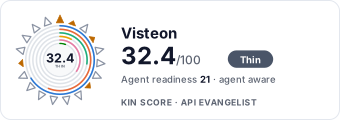 It updates itself when the score changes. Paste this where you link to your API docs:
<a href="https://apis.io/providers/visteon/"><img src="https://apis.io/badge/visteon/card.svg" alt="Visteon on APIs.io — Kin Score by API Evangelist"></a>Other styles, a README pill and a shields.io endpoint are on the badge page.
Markets this provider is in provisional
The Kin Score Market layer reads a provider inside its market: its position, and how deep its integrations go. Depth is only comparable within a position. Provisional and unweighted: not part of the Kin Score or agent readiness.
| Market | Position | Depth | Registered MCP server | Declares compatibility |
|---|---|---|---|---|
| Wireless and Wired Connectivity Certification (Thread, USB-IF, Wi-Fi Alliance) | undeclared | - | - | - |
Registered MCP server and declares compatibility are report only — not weighted. Undeclared means we found nothing we can read, so there is no number: we never infer integrations.
APIs 7
Individual APIs this provider publishes, each with its own machine-readable definition.
Visteon Phoenix SDK
The Phoenix Software Development Kit provides development tools for building automotive infotainment applications targeting Visteon hardware. Phoenix Studio 2.0 is a PC-based ID...
Visteon Audio API
Audio playback, volume, and source management
Visteon Media API
Media library browsing, playback, and device management
Visteon Navigation API
Route planning, turn-by-turn guidance, and POI search
Visteon Phone API
Phone call management, contacts, and call history
Visteon Screen Management API
Display and screen configuration for multi-screen cockpit
Visteon Vehicle API
Vehicle data including speed, fuel, HVAC, and door status
Scroll for all 7
Open Collections 7
Open, tool-agnostic API collections (OpenAPI-derived and Bruno).
Visteon Phoenix Audio API
OPEN COLLECTIONVisteon Phoenix Audio Media API
OPEN COLLECTIONVisteon Phoenix Audio Navigation API
OPEN COLLECTIONVisteon Phoenix API
OPEN COLLECTIONVisteon Phoenix Audio Phone API
OPEN COLLECTIONVisteon Phoenix Audio Screen Management API
OPEN COLLECTIONVisteon Phoenix Audio Vehicle API
OPEN COLLECTIONScroll for all 7
Pricing Plans 1
Published pricing tiers and plan structures.
Rate Limits 1
Documented rate limits and quota policies.
Visteon Rate Limits
RATE LIMITSFinOps 1
Cost, billing, and metering signals for API financial operations.
Visteon Finops
FINOPSSemantic Vocabularies 1
JSON-LD contexts and semantic vocabularies used across these APIs.
Visteon Context
JSON-LDSpectral Rules 2
Spectral governance rulesets for linting and validating these APIs.
Visteon — jsonschema rules
SPECTRALVisteon API Rules
SPECTRALJSON Schema 2
Standalone JSON Schema definitions for this provider's data models.
Visteon Audio Status
JSON SCHEMAVisteon Vehicle Data
JSON SCHEMAJSON Structure 1
JSON Structure definitions describing this provider's data shapes.
Visteon Vehicle Data Structure
JSON STRUCTUREExamples 2
Example request and response payloads for these APIs.
Security Posture 2
Authentication, domain security, vulnerability disclosure, and trust-center signals.
Agentic Access 1
Recommended x-agentic-access execution contracts for AI agents.
Press 5
Recent news and press coverage referencing this provider.
Visteon Launches Flexible Compute Solution with NVIDIA ...
Flexibility meets innovation. Visteon's new AI-ADAS ...
Visteon Presents Its Most Comprehensive CES Showcase ...
How To Scale AI Across Global Manufacturing Operations
Technology
Resources
Get Started 1
Portal, sign-up, and the first successful call
Documentation 3
Reference material describing how the API behaves
Agent Surfaces 1
MCP servers, agent skills, and machine-readable catalogs
Design & Contract 3
Pagination, idempotency, versioning, errors, and events
Build 1
SDKs, sample code, and the tooling you integrate with
Access & Security 2
Authentication, authorization, and security posture
Operate 1
Status, limits, changes, and where to get help
Commercial 2
Pricing, plans, and the legal terms of use
Company 2
The organization behind the API
Source (apis.yml)
Work with this as data
Every provider here is available over the APIs.io API and to AI agents over MCP.