HTML/CSS to Image
HTML/CSS to Image (HCTI) is a REST API that renders HTML, CSS, and JavaScript into high quality images (PNG, JPG, WebP, PDF). Send markup or a URL to the API and receive a permanent, hosted image URL. It supports reusable templates with variable substitution and HMAC-signed URLs for generating images from a simple GET request.
HTML/CSS to Image publishes 8 API contracts indexed on the APIs.io network, including Templates API, API Keys API, Feedback API, and 5 more. Tagged areas include Image Generation, HTML to Image, CSS to Image, Rendering, and Screenshots.
HTML/CSS to Image’s developer surface includes engineering blog, authentication, documentation, and 9 more developer resources.
Kin Score
 Kin Score
How this is scored →
Kin Score
How this is scored →scored 2026-10-23 · rubric v0.25.0
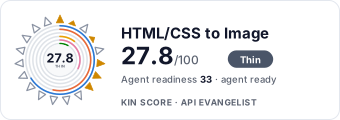 It updates itself when the score changes. Paste this where you link to your API docs:
<a href="https://apis.io/providers/htmlcsstoimage/"><img src="https://apis.io/badge/htmlcsstoimage/card.svg" alt="HTML/CSS to Image on APIs.io — Kin Score by API Evangelist"></a>Other styles, a README pill and a shields.io endpoint are on the badge page.
APIs 8
Individual APIs this provider publishes, each with its own machine-readable definition.
HTML/CSS to Image Templates API
The Templates API from HTML/CSS to Image — 4 operation(s) for templates.
HTML/CSS to Image API Keys API
The API Keys API from HTML/CSS to Image — 2 operation(s) for api keys.
HTML/CSS to Image Feedback API
The feedback API from HTML/CSS to Image — 1 operation(s) for feedback.
HTML/CSS to Image Images API
The Images API from HTML/CSS to Image — 10 operation(s) for images.
HTML/CSS to Image OG Configs API
The OG Configs API from HTML/CSS to Image — 2 operation(s) for og configs.
HTML/CSS to Image Proxies API
The Proxies API from HTML/CSS to Image — 2 operation(s) for proxies.
HTML/CSS to Image Storage Destinations API
The Storage Destinations API from HTML/CSS to Image — 3 operation(s) for storage destinations.
HTML/CSS to Image Usage API
The Usage API from HTML/CSS to Image — 1 operation(s) for usage.
Scroll for all 8
Open Collections 4
Open, tool-agnostic API collections (OpenAPI-derived and Bruno).
HTML/CSS to Image Image Generation API
OPEN COLLECTIONHTML/CSS to Image Image Generation Signed URLs API
OPEN COLLECTIONHTML/CSS to Image Image Generation Templates API
OPEN COLLECTIONHTML/CSS to Image API
OPEN COLLECTIONPricing Plans 1
Published pricing tiers and plan structures.
Rate Limits 1
Documented rate limits and quota policies.
Htmlcsstoimage Rate Limits
RATE LIMITSFinOps 1
Cost, billing, and metering signals for API financial operations.
Htmlcsstoimage Finops
FINOPSSecurity Posture 2
Authentication, domain security, vulnerability disclosure, and trust-center signals.
Agentic Access 1
Recommended x-agentic-access execution contracts for AI agents.
Resources
Documentation 1
Reference material describing how the API behaves
Agent Surfaces 1
MCP servers, agent skills, and machine-readable catalogs
Build 1
SDKs, sample code, and the tooling you integrate with
Access & Security 2
Authentication, authorization, and security posture
Operate 1
Status, limits, changes, and where to get help
Commercial 2
Pricing, plans, and the legal terms of use
Company 4
The organization behind the API
Source (apis.yml)
Work with this as data
Every provider here is available over the APIs.io API and to AI agents over MCP.