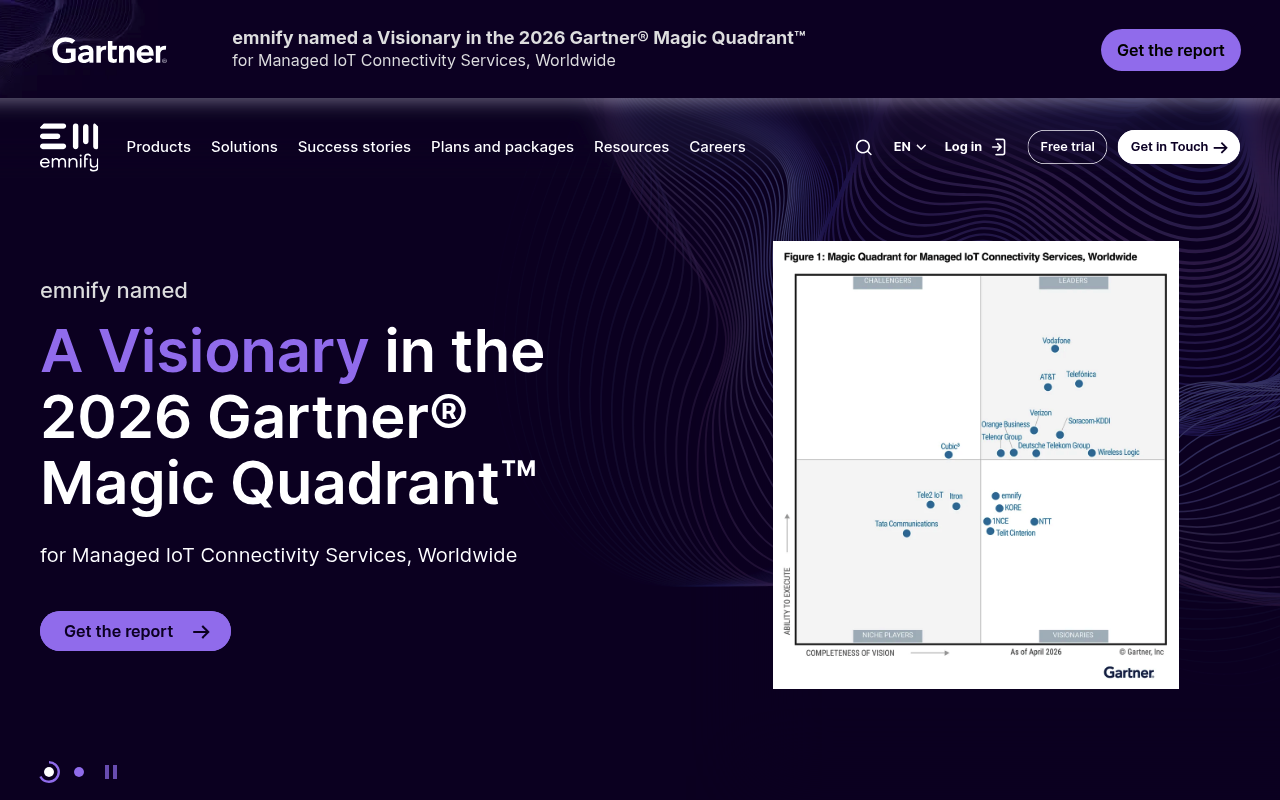
emnify website screenshot

emnify

emnify is a cloud-native global IoT cellular connectivity provider operating its own mobile core and SuperNetwork across 540+ MNOs in 190+ countries. emnify supplies SIMs, eUICC-enabled multi-form-factor cards, and Consumer/Advanced eSIM (SGP.32) profiles to enterprise IoT deployments — fleet tracking, EV charging, point-of-sale, smart buildings, micromobility, airline crew tablets, and more. The emnify REST API, GraphQL API, and Data Streamer give programmatic control over SIMs, endpoints, service and tariff profiles, eUICC profile operations, events, SMS, callbacks, and outbound usage/event streaming to S3, Kinesis, and webhooks. NTN-IoT satellite connectivity via Skylo extends coverage beyond terrestrial cellular.

4 APIs 29 Features
IoTInternet of ThingsCellular ConnectivityIoT SIMeSIMConsumer eSIMSGP.32M2MNTN-IoTSatelliteSuperNetwork

APIs

emnify REST API

The emnify REST API gives programmatic access to the emnify IoT SuperNetwork — global cellular connectivity for IoT devices. Manage SIMs, endpoints (devices), service and tariff...

emnify GraphQL API

emnify GraphQL API for flexible, single-request queries against the emnify data model with customizable response shapes. An in-browser GraphiQL IDE supports interactive explorat...

emnify Data Streamer

Stream event and usage data to outbound destinations (AWS S3, AWS Kinesis, REST/webhook, Datadog, Salesforce, Keen.io). Supports detailed object schemas for data types, traffic ...

emnify Documentation MCP Server

Public MCP server for emnify documentation. Connect Claude Code, Cursor, or any MCP-aware client to query emnify product, developer, and API reference content directly from your...

Collections

emnify REST API

POSTMAN

Arazzo Workflows

emnify Blacklist Operator for Endpoint

Authenticate, list available operators, then add one to an endpoint's blacklist.

ARAZZO

emnify Check Endpoint Connectivity

Authenticate, read endpoint details, then read its live connectivity status.

ARAZZO

emnify Create and Tag Endpoint

Authenticate, create a tag, create an endpoint, then assign the tag to it.

ARAZZO

emnify Decommission Endpoint

Authenticate, read the endpoint, suspend its SIM, then delete the endpoint.

ARAZZO

emnify Extend Traffic Limit When Blocked

Authenticate, read endpoint connectivity, then grant a temporary traffic limit extension if blocked.

ARAZZO

emnify Find SIM and Provision Endpoint

Authenticate, find a SIM by ICCID, then create an endpoint bound to that SIM.

ARAZZO

emnify Get Endpoint Usage Statistics

Authenticate, confirm the endpoint, then read its usage and daily usage statistics.

ARAZZO

emnify Locate Endpoint

Authenticate, confirm the endpoint, then retrieve its cell-tower-based location.

ARAZZO

emnify Organization Volume Report

Authenticate, read organization details, then read active inclusive volumes and daily stats.

ARAZZO

emnify Provision and Activate Endpoint

Authenticate, create an endpoint with a SIM, then activate that SIM.

ARAZZO

emnify Register SIM Batch by BIC

Authenticate, validate a SIM batch by its BIC, then register the batch to the workspace.

ARAZZO

emnify Reset Endpoint Connectivity When Blocked

Authenticate, read connectivity status, then reset connectivity only when the device is stuck.

ARAZZO

emnify Send SMS and Track Delivery

Authenticate, send an SMS to an endpoint, then list the endpoint's SMS to confirm it.

ARAZZO

emnify Send SMS to Endpoint

Authenticate, confirm the endpoint exists, then send a mobile-terminated SMS to it.

ARAZZO

emnify Set Endpoint Data Quota

Authenticate, read the current data quota, then set a new data quota on an endpoint.

ARAZZO

emnify Set Endpoint SMS Quota

Authenticate, read the current SMS quota, then assign a new SMS quota to an endpoint.

ARAZZO

emnify Suspend SIM When Active

Authenticate, read a SIM, and suspend it only when it is currently Activated.

ARAZZO

GraphQL

emnify GraphQL API

emnify provides a GraphQL API alongside its REST API, enabling flexible single-request queries against the emnify IoT connectivity data model. Clients can select exactly the fie...

GRAPHQL

Pricing Plans

Emnify Plans Pricing

11 plans

PLANS

Rate Limits

Emnify Rate Limits

4 limits

RATE LIMITS

FinOps

Emnify Finops

FINOPS

Features

Global cellular IoT connectivity across 540+ MNOs in 190+ countries via the emnify SuperNetwork
Multi-form-factor SIMs (2FF, 3FF, 4FF, MFF2) all eUICC-enabled by default
Advanced IoT eSIM (SGP.32) for remote profile management on enterprise devices
Consumer eSIM profiles deployable via MDM or QR code
SGP.32 IoT eSIM operations — eUICC management, scheduled profile download/install/enable/disable/delete
NTN-IoT satellite connectivity via Skylo (NB-IoT over GEO satellite, RAT 17) — SatPlus, SatSolo, CellSolo plans
REST API with 200+ operations across 150+ paths spanning SIM, Endpoint, eUICC, SMS, Event, Service Profile, Tariff Profile, Organization, User, IP, Tag, Operator, and System resources
GraphQL API with interactive GraphiQL IDE for flexible single-request queries
Data Streamer for outbound event/usage streaming to AWS S3, AWS Kinesis, REST/webhook, Datadog, Salesforce, and Keen.io
API callbacks for asynchronous Data Streamer delivery; SMS callbacks for mobile-originated SMS with JWT auth
Application token authentication (M2M) plus user-credential auth for cross-workspace operations
Multi-factor authentication with trusted device fingerprinting (90-day skip window)
JWT short-lived bearer tokens with refresh-token rotation
Workspaces — multi-tenant logical containers under one organization for complex business structures
Single sign-on (SSO) for enterprise user administration
Service profiles — traffic limits, operator blacklists, IMEI lock, callback configuration per device class
Tariff profiles — geographic rate plans with per-MB, per-SMS, and per-SIM lifecycle fees
Device policies — service and coverage policies applied at the fleet level
Bulk endpoint operations (/api/v2/endpoint/multi) for fleet-scale create/update/delete
Factory Test Mode (FTM) — 100 KB data and 10 SMS free per SIM for pre-production validation
Data plans — fixed allowance, pooled allowance, pay-per-use, and volume commitment
Automations and no-code workflows in the Portal (Zapier, event/SMS/application triggers)
30+ Portal reports including CDRs, daily usage, live usage, monthly invoiced SIMs, satellite, network activity, global distribution
AWS Transit Gateway Cloud Connect for private VPC breakout; VPN breakout option
LTE-M and NB-IoT LPWAN support with Power Save Mode (PSM) and eDRX
Two officially supported SDKs (Python and Java) plus public MCP documentation server
Documentation MCP server at docs.emnify.com/_mcp/server for AI client integration (Claude Code, Cursor)
Public llms.txt and llms-full.txt feeds with inline OpenAPI fragments for AI-friendly documentation
Standard, Business, and Enterprise support tiers with 24/7 options

Semantic Vocabularies

Emnify Context

0 classes · 9 properties

JSON-LD

API Governance Rules

emnify API Rules

10 rules · 3 errors 7 warnings

SPECTRAL

JSON Structure

Emnify Endpoint Structure

12 properties

JSON STRUCTURE

Emnify Sim Structure

13 properties

JSON STRUCTURE

Example Payloads

Emnify Authenticate Example

2 fields

EXAMPLE

Emnify List Events Example

2 fields

EXAMPLE

Emnify Send Sms Example

2 fields

EXAMPLE

Resources

🔗
PostmanWorkspace
PostmanWorkspace
🔗
Arazzo
Arazzo
🔗
Arazzo
Arazzo
🔗
Arazzo
Arazzo
🔗
Arazzo
Arazzo
🔗
Arazzo
Arazzo
🔗
Arazzo
Arazzo
🔗
Arazzo
Arazzo
🔗
Arazzo
Arazzo
🔗
Arazzo
Arazzo
🔗
Arazzo
Arazzo
🔗
Arazzo
Arazzo
🔗
Arazzo
Arazzo
🔗
Arazzo
Arazzo
🔗
Arazzo
Arazzo
🔗
Arazzo
Arazzo
🔗
Arazzo
Arazzo
🔗
Arazzo
Arazzo
🌐
Portal
Portal
🔗
Documentation
Documentation
🔗
Documentation
Documentation
🚀
GettingStarted
GettingStarted
📝
Signup
Signup
💰
Pricing
Pricing
👥
GitHubOrganization
GitHubOrganization
📦
SDKs
SDKs
📦
SDKs
SDKs
📦
SDKs
SDKs
🔗
Documentation
Documentation
🔗
Documentation
Documentation
🔗
Documentation
Documentation
🔗
Documentation
Documentation
🔗
Documentation
Documentation
🔗
Documentation
Documentation
🔗
Documentation
Documentation
🔗
Documentation
Documentation
🔗
RateLimits
RateLimits
💻
ErrorCodes
ErrorCodes
🔗
Pagination
Pagination
🔗
Conventions
Conventions
📄
ChangeLog
ChangeLog
💬
Support
Support
🔗
Forums
Forums
📰
Blog
Blog
📜
TermsOfService
TermsOfService
📜
PrivacyPolicy
PrivacyPolicy
🔗
TrustCenter
TrustCenter
🔧
Tools
Tools
🔧
Tools
Tools
🔗
LinkedIn
LinkedIn
🔗
Twitter
Twitter
👥
YouTube
YouTube
🔗
Plans
Plans
🔗
RateLimits
RateLimits
🔗
FinOps
FinOps

Sources

Raw ↑
opencollection: 1.0.0
info:
  name: emnify REST API
  version: 1.0.0
request:
  auth:
    type: bearer
    token: '{{bearerToken}}'
items:
- info:
    name: subpackage_integrations
    type: folder
  items:
  - info:
      name: Retrieve list of API callback URLs
      type: http
    http:
      method: GET
      url: https://cdn.emnify.net/api/v1/api_callback
      headers:
      - name: Authorization
        value: ''
    docs: Retrieve list of API callback URLs
  - info:
      name: Create a callback URL
      type: http
    http:
      method: POST
      url: https://cdn.emnify.net/api/v1/api_callback
      headers:
      - name: Authorization
        value: ''
      body:
        type: json
        data: '{}'
    docs: Create Callback URL
  - info:
      name: Get a callback URL by ID
      type: http
    http:
      method: GET
      url: https://cdn.emnify.net/api/v1/api_callback/:api_callback_id
      headers:
      - name: Authorization
        value: ''
      params:
      - name: api_callback_id
        value: ''
        type: path
        description: A numeric ID of an API Callback URL
    docs: Get a callback URL by ID
  - info:
      name: Delete a callback URL
      type: http
    http:
      method: DELETE
      url: https://cdn.emnify.net/api/v1/api_callback/:api_callback_id
      headers:
      - name: Authorization
        value: ''
      params:
      - name: api_callback_id
        value: ''
        type: path
        description: A numeric ID of an API Callback URL
    docs: Delete a callback URL
  - info:
      name: List API callback secrets
      type: http
    http:
      method: GET
      url: https://cdn.emnify.net/api/v1/api_secret
      headers:
      - name: Authorization
        value: ''
    docs: "Lists API callback secrets.\n\n<Info>\n  The `secret` property itself is not returned in this call.\n</Info>\n"
  - info:
      name: Create a callback secret
      type: http
    http:
      method: POST
      url: https://cdn.emnify.net/api/v1/api_secret
      headers:
      - name: Authorization
        value: ''
      body:
        type: json
        data: '{}'
    docs: 'Creates a new secret that may be used by API callbacks.


      When an `api_secret` is assigned to a Service Profile with an API callback, API requests towards this URL will contain
      an `Authorization` header with a JSON Web Token.

      The `api_secret` is used as the **Signing Key** of the JWT.

      '
  - info:
      name: Get a callback secret by ID
      type: http
    http:
      method: GET
      url: https://cdn.emnify.net/api/v1/api_secret/:api_secret_id
      headers:
      - name: Authorization
        value: ''
      params:
      - name: api_secret_id
        value: ''
        type: path
        description: A numeric ID of an API secret
    docs: Get a callback secret by ID
  - info:
      name: Delete a callback secret
      type: http
    http:
      method: DELETE
      url: https://cdn.emnify.net/api/v1/api_secret/:api_secret_id
      headers:
      - name: Authorization
        value: ''
      params:
      - name: api_secret_id
        value: ''
        type: path
        description: A numeric ID of an API Secret
    docs: Delete a callback secret
  - info:
      name: List data stream configurations of your organization
      type: http
    http:
      method: GET
      url: https://cdn.emnify.net/api/v2/data_stream
      headers:
      - name: Authorization
        value: ''
    docs: List data stream configurations of your organization
  - info:
      name: Create data stream
      type: http
    http:
      method: POST
      url: https://cdn.emnify.net/api/v2/data_stream
      headers:
      - name: Authorization
        value: ''
      body:
        type: json
        data: '{}'
    docs: 'Create Data Stream to your destination.

      Click on Examples to see available Data Streams and configuration parameters.


      Currently available `connection_types` are

      - `AwsKinesis`

      - `S3`

      - `RestAPI`

      - `KeenIO`

      - `Datadog`

      - `EventHubs`

      - `PubSub`

      '
  - info:
      name: Get data stream filter fields
      type: http
    http:
      method: GET
      url: https://cdn.emnify.net/api/v2/data_stream/filter_field_type
      headers:
      - name: Authorization
        value: ''
    docs: Get data stream filter fields
  - info:
      name: Get data stream statuses
      type: http
    http:
      method: GET
      url: https://cdn.emnify.net/api/v2/data_stream/status
      headers:
      - name: Authorization
        value: ''
    docs: 'Lists possible data stream statuses.


      (`1`) is the normal `Running` state meaning your data stream is active and streams data.


      (`2`) indicates a `Paused` data stream. It will not send messages to your destination.

      However, messages meant for this data stream are routed and will be stored up to 7 days.

      You will first receive historic data once you resume a paused streamer after longer pausing.


      (`3`) indicates that an `Error` has occurred. This might be problems in the configuration (e.g. missin'
  - info:
      name: Get data stream types
      type: http
    http:
      method: GET
      url: https://cdn.emnify.net/api/v2/data_stream/type
      headers:
      - name: Authorization
        value: ''
    docs: 'List available Data Stream Types.


      (`1`) will only stream `Usage` Data.


      (`2`) will only stream `Event` Data.

      '
  - info:
      name: Get details on existing data stream
      type: http
    http:
      method: GET
      url: https://cdn.emnify.net/api/v2/data_stream/:data_stream_id
      headers:
      - name: Authorization
        value: ''
      params:
      - name: data_stream_id
        value: ''
        type: path
        description: ID of a data stream.
    docs: 'Get data stream configuration and status by ID.

      '
  - info:
      name: Modify existing data stream
      type: http
    http:
      method: PATCH
      url: https://cdn.emnify.net/api/v2/data_stream/:data_stream_id
      headers:
      - name: Authorization
        value: ''
      params:
      - name: data_stream_id
        value: ''
        type: path
        description: ID of a data stream.
      body:
        type: json
        data: '{}'
    docs: Modify existing data stream
  - info:
      name: Delete existing data stream
      type: http
    http:
      method: DELETE
      url: https://cdn.emnify.net/api/v2/data_stream/:data_stream_id
      headers:
      - name: Authorization
        value: ''
      params:
      - name: data_stream_id
        value: ''
        type: path
        description: ID of a data stream.
    docs: Delete existing data stream
  - info:
      name: Restart existing data stream
      type: http
    http:
      method: POST
      url: https://cdn.emnify.net/api/v2/data_stream/:data_stream_id/restart
      headers:
      - name: Authorization
        value: ''
      params:
      - name: data_stream_id
        value: ''
        type: path
        description: ID of a data stream.
    docs: 'Restart your Existing Data Stream.

      This might be necessary when e.g. your Webhook endpoint has been unreachable for an extended period of time.

      Webhook Data Stream will exhaust retries and go into Error State.

      By using this API call your Data Stream will be restarted and continue trying to send data.

      '
- info:
    name: subpackage_applicationTokens
    type: folder
  items:
  - info:
      name: List application tokens
      type: http
    http:
      method: GET
      url: https://cdn.emnify.net/api/v1/application_token
      headers:
      - name: Authorization
        value: ''
    docs: Returns the list of application tokens for the organisation of the requesting user.
  - info:
      name: Create application token
      type: http
    http:
      method: POST
      url: https://cdn.emnify.net/api/v1/application_token
      headers:
      - name: Authorization
        value: ''
      body:
        type: json
        data: '{}'
    docs: 'Creates a new application token.

      ID must not be specified, as it is auto-generated and returned in case of a successful JSON response.

      You can provide following fields with this request:


      * `description` (String, optional)

      * `expiry_date` with optional time + time zone (String, optional)

      * `ip` - IP Address in CIDR notation (String, optional)

      '
  - info:
      name: Update application token
      type: http
    http:
      method: PATCH
      url: https://cdn.emnify.net/api/v1/application_token/:app_token_id
      headers:
      - name: Authorization
        value: ''
      params:
      - name: app_token_id
        value: ''
        type: path
        description: application token ID
      body:
        type: json
        data: '{}'
    docs: 'The `description` of the token may be updated and the

      Application Token can be revoked by updating the `status`.

      The possible statuses of tokens are


      * `"id": 0` - Activated

      * `"id": 1` - Revoked

      '
- info:
    name: subpackage_authentication
    type: folder
  items:
  - info:
      name: Retrieve authentication token
      type: http
    http:
      method: POST
      url: https://cdn.emnify.net/api/v1/authenticate
      body:
        type: json
        data: '{}'
    docs: "Returns a [JSON Web Token (JWT)](/developers/auth/jwts) `auth_token` for authenticating further requests to the\
      \ API.\n\n<Note>\n  This API path has a rate limit of 100 requests per IP in a 5-minute window.\n  Make sure to store\
      \ your authentication token to avoid hitting this limit.\n  For more information, see [Rate limits](/developers/api-guidelines/rate-limits).\n\
      </Note>\n\n### Multi-factor authentication flow\n\nWhen multi-factor authentication (MFA) is enabled for a user account:\n\
      \n1. **Initial login**"
  - info:
      name: Create an MFA key
      type: http
    http:
      method: POST
      url: https://cdn.emnify.net/api/v1/user/mfa
      headers:
      - name: Authorization
        value: ''
      body:
        type: json
        data: '{}'
    docs: "Generate and store a MFA key for the requesting user. After this call, the MFA key has the status `activation pending`\
      \ and must be activated through a separate call (`/api/v1/user/mfa/{id}`).\n\nYou must provide following fields with\
      \ this request:\n\n* `type` (Object required)\n  - `id` (Number)\n* `password` (String required) - User password\n\n\
      The **MFA key** object returned by the server contains the following properties:\n\n* `id` (Integer) - The unique ID\
      \ of this MFA key\n* `status` (Object) ID (Integ"
  - info:
      name: List MFA key statuses
      type: http
    http:
      method: GET
      url: https://cdn.emnify.net/api/v1/user/mfa/status
      headers:
      - name: Authorization
        value: ''
    docs: Retrieve a list of possible MFA Key statuses.
  - info:
      name: List MFA key types
      type: http
    http:
      method: GET
      url: https://cdn.emnify.net/api/v1/user/mfa/type
      headers:
      - name: Authorization
        value: ''
    docs: Retrieve a list of possible MFA Key types.
  - info:
      name: Activate MFA key
      type: http
    http:
      method: PATCH
      url: https://cdn.emnify.net/api/v1/user/mfa/:key_id
      headers:
      - name: Authorization
        value: ''
      params:
      - name: key_id
        value: ''
        type: path
        description: 'The unique identifier of the MFA key to activate.

          This ID is returned when you [create the MFA key](/developers/api/authentication/post-mfa).

          '
      body:
        type: json
        data: '{}'
    docs: 'Activates a pending MFA key for the authenticated user.


      After you [create an MFA key](/developers/api/authentication/post-mfa), the key has status `Activation Pending`.

      To complete setup, call this endpoint with the MFA key ID and a valid 6-digit time-based one-time password (TOTP) generated
      from the `secret_key` or `otpauth` URI returned during creation.


      Once activated, the MFA key status changes to `Active`, and MFA is enforced on subsequent logins with [user credentials](/developers/auth/us'
  - info:
      name: List trusted devices
      type: http
    http:
      method: GET
      url: https://cdn.emnify.net/api/v1/user/:user_id/mfa/trusted_device
      headers:
      - name: Authorization
        value: ''
      params:
      - name: user_id
        value: ''
        type: path
        description: User ID
    docs: 'Returns the list of trusted devices for a given user.


      The list of one''s own trusted devices can also be retrieved with a call to either

      `/api/v1/user/my/mfa/trusted_device` or `/api/v1/user/mfa/trusted_device`

      '
  - info:
      name: Delete a trusted device
      type: http
    http:
      method: DELETE
      url: https://cdn.emnify.net/api/v1/user/:user_id/mfa/trusted_device/:device_id
      headers:
      - name: Authorization
        value: ''
      params:
      - name: user_id
        value: ''
        type: path
        description: User ID
      - name: device_id
        value: ''
        type: path
        description: Device ID
    docs: 'Deletes a trusted device.


      Removing one''s own trusted device can also be performed at either `/api/v1/user/my/mfa/trusted_device/{id}` or `/api/v1/user/mfa/trusted_device/{id}`

      '
  - info:
      name: Delete an MFA key
      type: http
    http:
      method: DELETE
      url: https://cdn.emnify.net/api/v1/user/:user_id/mfa/:key_id
      headers:
      - name: Authorization
        value: ''
      params:
      - name: key_id
        value: ''
        type: path
        description: Key ID
      - name: user_id
        value: ''
        type: path
        description: User ID
    docs: 'Delete an MFA key for a given user.


      An own MFA key can also be deleted with a call to `/api/v1/user/my/mfa/{key_id}`

      '
- info:
    name: subpackage_workspaces
    type: folder
  items:
  - info:
      name: Switch to an assigned Workspace
      type: http
    http:
      method: POST
      url: https://cdn.emnify.net/api/v1/authenticate/workspace
      headers:
      - name: Authorization
        value: ''
      body:
        type: json
        data: '{}'
    docs: "Switch to an assigned Workspace and receive an authentication token for the target Workspace.\n\n<Note>\n  This\
      \ endpoint requires authentication with [user credentials](/developers/auth/user-credentials) (not an application token),\
      \ as application tokens are scoped to a single Workspace.\n\n  The returned `auth_token` is valid for the target Workspace.\n\
      \  Your original token remains valid for the source Workspace.\n</Note>\n"
  - info:
      name: Accept user invitation
      type: http
    http:
      method: POST
      url: https://cdn.emnify.net/api/v2/user/activation
      headers:
      - name: Authorization
        value: ''
      body:
        type: json
        data: '{}'
    docs: 'Accepts a user invitation to join a Workspace.


      The following fields may be provided:

      - `activationKey` (String, required) - the JWT token received in the verification email

      - `password` (String) - only mandatory if the user is invited to an organization without single sign-on (SSO) and doesn''t
      have a password yet

      - `name` (String) - name of the user

      '
  - info:
      name: Update a user's default Workspace
      type: http
    http:
      method: PUT
      url: https://cdn.emnify.net/api/v2/user/:user_id/default_organisation/:workspace_id
      headers:
      - name: Authorization
        value: ''
      params:
      - name: user_id
        value: ''
        type: path
      - name: workspace_id
        value: ''
        type: path
    docs: "Update a user's default Workspace.\n\n<Warning>\n  You must have **Administrator** access in both the old and new\
      \ default Workspaces to execute this call.\n</Warning>\n"
  - info:
      name: List assigned Workspaces
      type: http
    http:
      method: GET
      url: https://cdn.emnify.net/api/v2/user/:user_id/workspace
      headers:
      - name: Authorization
        value: ''
      params:
      - name: user_id
        value: ''
        type: path
    docs: "Retrieve a list of the Workspaces assigned to a user.\n\n<Note>\n  Only returns Workspaces where you have **Administrator**\
      \ access.\n</Note>\n"
  - info:
      name: Update user status in a Workspace
      type: http
    http:
      method: PATCH
      url: https://cdn.emnify.net/api/v2/user/:user_id/workspace/:workspace_id
      headers:
      - name: Authorization
        value: ''
      params:
      - name: user_id
        value: ''
        type: path
      - name: workspace_id
        value: ''
        type: path
      body:
        type: json
        data: '{}'
    docs: "Update a user's status in the requested Workspace.\n\n- Allowed statuses: `ACTIVE` (1) and `SUSPENDED` (2)\n- If\
      \ the user is suspended in their default Workspace, the next active Workspace is assigned as the default Workspace.\n\
      \n<Warning>\n  You must have **Administrator** access in the requested Workspace to update user statuses.\n</Warning>\n"
  - info:
      name: Unassign a Workspace
      type: http
    http:
      method: DELETE
      url: https://cdn.emnify.net/api/v2/user/:user_id/workspace/:workspace_id
      headers:
      - name: Authorization
        value: ''
      params:
      - name: user_id
        value: ''
        type: path
      - name: workspace_id
        value: ''
        type: path
    docs: "Unassign a Workspace from a user.\n\n- If the user is deleted from their default Workspace, the next active Workspace\
      \ is assigned as the default Workspace.\n- **SuperAdmins** can't be removed unless you're logged in to the main organization.\n\
      \n<Warning>\n  You must have **Administrator** access in the requested Workspace to remove users.\n</Warning>\n"
  - info:
      name: Assign a role to a Workspace user
      type: http
    http:
      method: PUT
      url: https://cdn.emnify.net/api/v2/user/:user_id/workspace/:workspace_id/role/:role_id
      headers:
      - name: Authorization
        value: ''
      params:
      - name: user_id
        value: ''
        type: path
      - name: workspace_id
        value: ''
        type: path
      - name: role_id
        value: ''
        type: path
    docs: "Assign a role to a user in the requested Workspace.\n\n<Warning>\n  You must have **Administrator** access in the\
      \ requested Workspace to modify user roles.\n  **SuperAdmin** roles also can't be modified unless you're logged in to\
      \ the main organization.\n</Warning>\n"
  - info:
      name: Remove a role from a Workspace user
      type: http
    http:
      method: DELETE
      url: https://cdn.emnify.net/api/v2/user/:user_id/workspace/:workspace_id/role/:role_id
      headers:
      - name: Authorization
        value: ''
      params:
      - name: user_id
        value: ''
        type: path
      - name: workspace_id
        value: ''
        type: path
      - name: role_id
        value: ''
        type: path
    docs: "Remove a user's role in the requested Workspace.\n\n<Warning>\n  You must have **Administrator** access in the\
      \ requested Workspace to modify user roles.\n  **SuperAdmin** roles also can't be modified unless you're logged in to\
      \ the main organization.\n</Warning>\n"
  - info:
      name: Retrieve Workspace daily stats
      type: http
    http:
      method: GET
      url: https://cdn.emnify.net/api/v2/workspace/stats/daily
      headers:
      - name: Authorization
        value: ''
      params:
      - name: start_date
        value: ''
        type: query
        description: "Filters by start date, provided in a `YYYY-MM-DD` format.\n\n<Info>\n  If you don't define an end date,\
          \ the response will include 6 months of data, beginning on the current date.\n</Info>\n"
      - name: end_date
        value: ''
        type: query
        description: "Filters by end date, provided in an `YYYY-MM-DD` format.\n\n<Info>\n  If you don't define a start date,\
          \ the response will only return data from the month indicated in your end date.\n</Info>\n"
      - name: workspace_ids
        value: ''
        type: query
        description: 'Comma separated list of workspace IDs to filter the results for.

          If not provided, the response will include all Workspaces you have access to.

          '
    docs: 'Retrieve the daily stats for your Workspaces.

      '
- info:
    name: subpackage_automations
    type: folder
  items:
  - info:
      name: List configured automations
      type: http
    http:
      method: GET
      url: https://cdn.emnify.net/api/v1/automation
      headers:
      - name: Authorization
        value: ''
    docs: 'Returns a list of all configured automations for the organization.

      '
  - info:
      name: Create an automation
      type: http
    http:
      method: POST
      url: https://cdn.emnify.net/api/v1/automation
      headers:
      - name: Authorization
        value: ''
      body:
        type: json
        data: '{}'
    docs: 'Creates an automation with the configured event and selected actions, respecting the configured targets.

      '
  - info:
      name: List available actions
      type: http
    http:
      method: GET
      url: https://cdn.emnify.net/api/v1/automation/action
      headers:
      - name: Authorization
        value: ''
    docs: 'Returns a list of all available actions, as well as their possible configuration parameters and required fields.

      Availability depends on the parent organization.

      '
  - info:
      name: Get an action by ID
      type: http
    http:
      method: GET
      url: https://cdn.emnify.net/api/v1/automation/action/:id
      headers:
      - name: Authorization
        value: ''
      params:
      - name: id
        value: ''
        type: path
    docs: 'Retrieves a specified available actions, as well as the possible configuration parameters and required fields.

      Availability depends on the parent organization.

      '
  - info:
      name: List action logs
      type: http
    http:
      method: GET
      url: https://cdn.emnify.net/api/v1/automation/log
      headers:
      - name: Authorization
        value: ''
      params:
      - name: automationId
        value: ''
        type: query
      - name: automationExecutionNumber
        value: ''
        type: query
    docs: 'Returns a list of all action logs for this organization.

      '
  - info:
      name: Verify an automation recipient's email address
      type: http
    http:
      method: POST
      url: https://cdn.emnify.net/api/v1/automation/recipient/email/verification
      headers:
      - name: Authorization
        value: ''
      body:
        type: json
        data: '{}'
    docs: 'Verifies the email address of an automation recipient using the verification token sent to the recipient via email.

      '
  - info:
      name: Get configured automation by ID
      type: http
    http:
      method: GET
      url: https://cdn.emnify.net/api/v1/automation/:id
      headers:
      - name: Authorization
        value: ''
      params:
      - name: id
        value: ''
        type: path
    docs: 'Retrieves the specified configured automation.

      '
  - info:
      name: Update an automation
      type: http
    http:
      method: PATCH
      url: https://cdn.emnify.net/api/v1/automation/:id
      headers:
      - name: Authorization
        value: ''
      params:
      - name: id
        value: ''
        type: path
      body:
        type: json
        data: '{}'
    docs: 'Updates an automation with the configured event and selected actions, respecting the configured targets.

      '
  - info:
      name: Delete a configured automation
      type: http
    http:
      method: DELETE
      url: https://cdn.emnify.net/api/v1/automation/:id
      headers:
      - name: Authorization
        value: ''
      params:
      - name: id
        value: ''
        type: path
    docs: 'Deletes the specified configured automation.

      '
- info:
    name: subpackage_lookups
    type: folder
  items:
  - info:
      name: List breakout regions
      type: http
    http:
      method: GET
      url: https://cdn.emnify.net/api/v1/breakout_region
      headers:
      - name: Authorization
        value: ''
    docs: Provides the list of available breakout regions.
  - info:
      name: List country codes
      type: http
    http:
      method: GET
      url: https://cdn.emnify.net/api/v1/country
      headers:
      - name: Authorization
        value: ''
      params:
      - name: geographic
        value: ''
        type: query
        description: 'Filters the country list for geographic countries only.

          This will exclude duplicate countries with different MCCs, like `India MCC 405` or `United States (311)`.

          '
    docs: Provides the list of available countries (lookup).
  - info:
      name: List currencies
      type: http
    http:
      method: GET
      url: https://cdn.emnify.net/api/v1/currency
      headers:
      - name: Authorization
        value: ''
    docs: Provides the list of available currencies (lookup).
  - info:
      name: List data blocksizes
      type: http
    http:
      method: GET
      url: https://cdn.emnify.net/api/v1/data_blocksize
      headers:
      - name: Authorization
        value: ''
    docs: Provides the list of available data blocksizes (lookup).
  - info:
      name: List data throttles
      type: http
    http:
      method: GET
      url: https://cdn.emnify.net/api/v1/data_throttle
      headers:
      - name: Authorization
        value: ''
    docs: Provides the list of available data throttles (lookup).
  - info:
      name: List ESME interface types
      type: http
    http:
      method: GET
      url: https://cdn.emnify.net/api/v1/esme_interface_type
      headers:
      - name: Authorization
        value: ''
    docs: Provides the list of available ESME interface types.
  - info:
      name: List RAT types
      type: http
    http:
      method: GET
      url: https://cdn.emnify.net/api/v1/rat_type
      headers:
      - name: Authorization
        value: ''
    docs: 'Returns a list of supported RAT types.

      '
  - info:
      name: Get list of service levels
      type: http
    http:
      method: GET
      url: https://cdn.emnify.net/api/v1/service_level
      headers:
      - name: Authorization
        value: ''
    docs: 'Returns a list of service levels that can be configured on a tariff plan level.

      For non-enterprise organisations, only own service levels will be returned.

      For enterprise organisations, only the service levels of the parent organisation will be returned.

      '
- info:
    name: subpackage_cloudConnect
    type: folder
  items:
  - info:
      name: List all Cloud Connect attachments of an organization
      type: http
    http:
      method: GET
      url: https://cdn.emnify.net/api/v1/cnc/breakout
      headers:
      - name: Authorization
        value: ''
      params:
      - name: status
        value: ''
        type: query
        description: 'Numerical ID of the Cloud Connect attachment status


          * `1` - Pending Customer Action

          * `2` - Pending AWS Activation

          * `3` - Pending EGN Activation

          * `4` - Pending CRG Activation

          * `5` - Active

          * `6` - Deactivation Pending

          * `7` - Deactivated

          * `8` - Rolling Back

          '
      - name: type
        value: ''
        type: query
        description: 'Numerical ID of the Cloud Connect attachment type


          * `1` - Transit Gateway

          * `2` - IPSec VPN

          * `3` - IPSec VPN BGP

          * `4` - IPSec VPN BGP High Availability

          * `5` - Direct Connect

          * `6` - Shared

          * `7` - Transit Gateway (Classic)

          * `8` - IPSec VPN (Classic)

          '
      - name: organisation
        value: ''
        type: query
        description: Numerical ID of an Organization
    docs: 'Lists all Cloud Connect attachments of the logged in organisation if it is an Enterprise. For Master organisations

      it lists all attachments of the direct child organisations. Deleted attachments are left out by default.


      Additionally the attachments can be filtered by status and type.

      Master organisations can also filter by organisation ID of their direct child organisations.

      '
  - info:
      name: Create a Cloud Connect attachment via Transit Gateway
      type: http
    http:
      method: POST
      url: https://cdn.emnify.net/api/v1/cnc/breakout/tgw
      headers:
      - name: Authorization
        value: ''
      body:
        type: json
        data: '{}'
    docs: 'Creates a Transit Gateway breakout towards the customer AWS account.


      After the creation the following steps have to be made from the customer''s AWS account:


      1. Accept the resource share about the ''CloudConnect'' TransitGateway

      2. Create a Transit Gateway Attachment to the own VPC with the services to connect to


      More Information about this can be found on the Cloud Connect Knowledge Base article.

      '
  - info:
      name: Create a Cloud Connect attachment via IPSec VPN
      type: http
    http:
      method: POST
      url: https://cdn.emnify.net/api/v1/cnc/breakout/vpn
      headers:
      - name: Authorization
        value: ''
      body:
        type: json
        data: '{}'
    docs: "Creates a Cloud Connect attachment via a specified VPN server.\nCurrently two attachment types are available:\n\
      \n- **Static VPN** (type `2`): Basic IPSec VPN connection\n- **Dynamic VPN with BGP** (type `3`): IPSec VPN with BGP\
      \ routing.\n  Requires `asn` (Autonomous System Number), otherwise dynamic routing is disabled.\n  Optionally accepts\
      \ `inside_cidr` for BGP tunnel interfaces.\n\nThe `on_prem_cidr` parameter specifies the CIDR ranges of your backend\
      \ network (up to 3).\nThe `public_ip` is the public "
  - info:
      name: View details of a Cloud Connect attachment
      type: http
    http:
      method: GET
      url: https://cdn.emnify.net/api/v1/cnc/breakout/:cloudconnect_attachment_id
      headers:
      - name: Authorization
        value: ''
      params:
      - name: cloudconnect_attachment_id
        value: ''
        type: path
    docs: 'Displays the details including configured CIDR blocks of a Cloud Connect Attachment.


      For active IPSec VPN attachments, the tunnel information (public IP, outisde address, inside CIDR, PSK, ASN)

      including metrics over the last hour (tunnel state, bytes in/out) will be displayed as well.

      '
  - info:
      name: Retry creation of an expired TGW breakout
      type: http
    http:
      method: PATCH
      url: https://cdn.emnify.net/api/v1/cnc/breakout/:cloudconnect_attachment_id
      headers:
      - name: Authorization
        value: ''
      params:
      - name: cloudconnect_attachment_id
        value: ''
        type: path
    docs: 'Retries the creation of a Transit Gateway breakout where the accept attachment state has expired, meaning the

      attachment on the customer''s side has not been created in time.


      Retry is only allowed if:

      - The breakout is of type `Transit Gateway (type_id: 1)`

      - The breakout is in status `Pending AWS Activation (status_id: 2)`

      - The accept attachment state has expired (7 days after creation)

      '
  - info:
      name: Delete a specific Cloud Connect attachment
      type: http
    http:
      method: DELETE
      url: https://cdn.emnify.net/api/v1/cnc/breakout/:cloudconnect_attachment_id
      headers:
      - name: Authorization
        value: ''
      params:
      - name: cloudconnect_attachment_id
        value: ''
        type: path
    docs: 'Deletes the specified Cloud Connect attachment.


      Attachments cannot be deleted if they are in the state `7 (Deactivated)` or `8 (Rolling Back)` or if they are Classic
      attachments.

      '
  - info:
      name: List Cloud Connect breakout types
      type: http
    http:
      method: GET
      url: https://cdn.emnify.net/api/v1/cnc/breakout_type
      headers:
      - name: Authorization
        value: ''
    docs: 'Lists all Cloud Connect breakout types.

      '
  - info:
      name

# --- truncated at 32 KB (136 KB total) ---
# Full source: https://raw.githubusercontent.com/api-evangelist/emnify/refs/heads/main/apis.yml
