Chromatic
Chromatic is a cloud visual testing and UI review platform built by the maintainers of Storybook. It captures snapshots of components and pages across cloud browsers, then compares each new snapshot to a stored baseline to catch visual regressions in appearance, layout, fonts, and color. Chromatic runs visual tests, interaction tests, and accessibility (axe) tests against Storybook, Playwright, and Cypress, with UI Review, TurboSnap change detection, and Git/CI integration. Its primary developer surface is the Chromatic CLI, which uploads builds and drives testing over a documented public GraphQL API at index.chromatic.com used by the CLI and the Storybook Visual Tests addon.
Chromatic is listed with 4 APIs on the APIs.io network, including Builds API, Tests and Review API, Projects and Accounts API, and 1 more. Tagged areas include Visual Testing, Visual Regression, Storybook, UI Testing, and Snapshot Testing.
Chromatic’s developer surface includes documentation, engineering blog, and 6 more developer resources.
Kin Score
 Kin Score
How this is scored →
Kin Score
How this is scored →scored 2026-10-31 · rubric v0.25.0
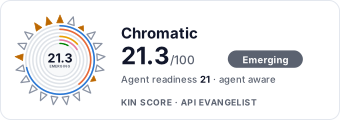 It updates itself when the score changes. Paste this where you link to your API docs:
<a href="https://apis.io/providers/chromatic/"><img src="https://apis.io/badge/chromatic/card.svg" alt="Chromatic on APIs.io — Kin Score by API Evangelist"></a>Other styles, a README pill and a shields.io endpoint are on the badge page.
- Agentic Access Contract +10 pts — agentic_access artifact present (x-agentic-access), graded by author
- Machine-Readable Auth +10 pts — a served openid-configuration/oauth-authorization-server carrying `issuer` (served), else the securitySchemes class in the provider OpenAPIs — bound (mutualTLS, DPoP, Signature) > negotiable (oauth2 authorizationCode/clientCredentials, openIdConnect) > bearer (http bearer, apiKey)
- Idempotency +9 pts — OpenAPI mutating operations declare an idempotency key — a header, a request-body property, or a named de-duplication token whose own description says so (verified); else common[].type matches /idempoten/i (documented)
- A2A Agent Card +8 pts — a2a/
-a2a.yml manifest, graded on conformance.grade against A2A 1.0.0 - Stable Error Semantics +8 pts — OpenAPI $refs a shared error schema across 4xx/5xx responses (verified), else common[].type includes ErrorCatalog / ErrorCodes / DeclineCodes
- Request/Response Examples +7 pts — share of operations carrying request/response examples; else an Examples / Code Samples link
- Access Clarity scores 7.9 — up to +18.4 composite points
- Developer Ergonomics scores 16.2 — up to +16.8 composite points
- Contract Quality scores 39.4 — up to +15.2 composite points
Standards implemented 1
Standards this provider implements or carries. De facto ones are profiled and measured by the API Commons; formal ones come from the standards directory and are linked by the provider's own tags. The evidence column says how each claim was established — not that it was made.
APIs 4
Individual APIs this provider publishes, each with its own machine-readable definition.
Chromatic Builds API
Query builds produced by the Chromatic CLI - the `build(id)` and `project.lastBuild(...)` GraphQL fields expose build number, status (IN_PROGRESS, PASSED, PENDING, ACCEPTED, DEN...
Chromatic Tests and Review API
Inspect and act on individual visual tests. A Test carries its status, result, baseline, and per-browser snapshot comparisons (TestComparison with base/head captures and pixel d...
Chromatic Projects and Accounts API
Resolve project and account context. The `project(id)` field returns the project name, enabled features (uiReview, uiTests), branch names, project token, and manage/web URLs; `a...
Chromatic Storybook and Stories API
Read the published Storybook and its structure. The `storybook(url)` query and the Story and Component node types expose the components and stories captured in a build, their CS...
Open Collections 1
Open, tool-agnostic API collections (OpenAPI-derived and Bruno).
Chromatic Public GraphQL API
OPEN COLLECTIONMCP Servers 1
Model Context Protocol servers that expose these APIs to AI agents.
GraphQL 1
GraphQL schemas published by this provider.
Chromatic GraphQL API
Chromatic is a cloud visual testing and UI review platform built by the maintainers
GRAPHQLPricing Plans 1
Published pricing tiers and plan structures.
Rate Limits 1
Documented rate limits and quota policies.
Chromatic Rate Limits
RATE LIMITSFinOps 1
Cost, billing, and metering signals for API financial operations.
Chromatic Finops
FINOPSResources
Documentation 1
Reference material describing how the API behaves
Build 1
SDKs, sample code, and the tooling you integrate with
Operate 1
Status, limits, changes, and where to get help
Commercial 2
Pricing, plans, and the legal terms of use
Company 3
The organization behind the API
Source (apis.yml)
Chromatic API — frequently asked questions
Does Chromatic have an API?
Yes. APIs.io lists 4 APIs from Chromatic, including Chromatic Builds API, Chromatic Tests and Review API and Chromatic Projects and Accounts API, and 1 more.
How much does the Chromatic API cost?
APIs.io lists 4 pricing plans for Chromatic, with each plan's price, limits and inclusions under Pricing Plans on this page.
Does Chromatic have an MCP server?
Yes. APIs.io lists 1 MCP server for Chromatic: Remote MCP server at mcp.chromatic.com over HTTP.
Is the Chromatic API ready for AI agents?
Chromatic has a Kin Score of 21.3 out of 100 (emerging) and an Agent Readiness score of 20.6 (agent-aware), scored by API Evangelist on 2026-10-31.
Work with this as data
Every provider here is available over the APIs.io API and to AI agents over MCP.