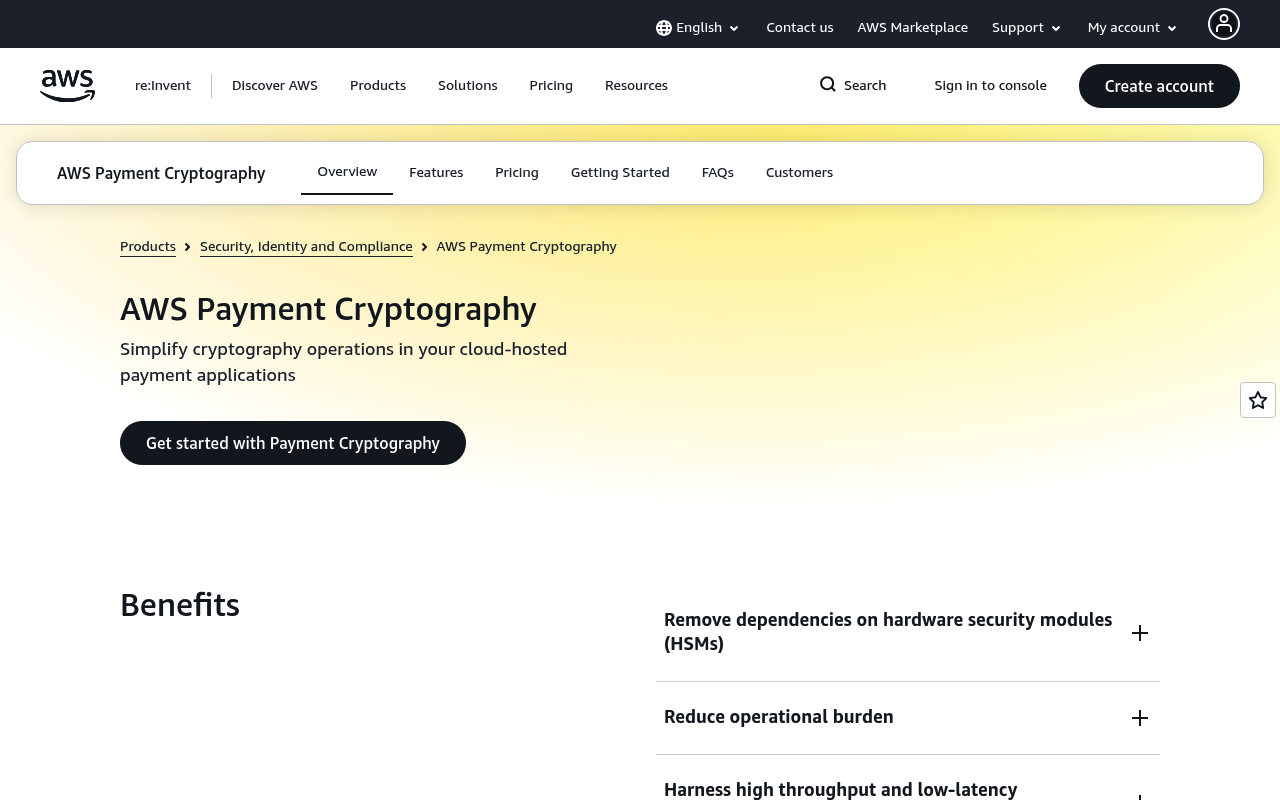
Amazon Payment Cryptography website screenshot

Amazon Payment Cryptography

AWS Payment Cryptography is a managed service that makes it easy to build and maintain payment processing applications by providing cloud-based cryptographic capabilities. It enables you to perform cryptographic operations required by payment card industry standards without managing hardware security modules.

1 APIs 0 Features
CryptographyFinancial ServicesPayment ProcessingPCI

APIs

AWS Payment Cryptography API

The AWS Payment Cryptography API provides programmatic access to manage keys, aliases, and perform cryptographic operations for payment processing applications that require PCI-...

Collections

Pricing Plans

Rate Limits

FinOps

Semantic Vocabularies

Amazon Payment Cryptography Openapi Context

71 classes · 66 properties

JSON-LD

API Governance Rules

Amazon Payment Cryptography API Rules

21 rules · 10 errors 10 warnings 1 info

SPECTRAL

JSON Structure

Openapi Access Denied Exception Structure

0 properties

JSON STRUCTURE

Openapi Alias Name Structure

0 properties

JSON STRUCTURE

Openapi Alias Structure

2 properties

JSON STRUCTURE

Openapi Aliases Structure

0 properties

JSON STRUCTURE

Openapi Boolean Structure

0 properties

JSON STRUCTURE

Openapi Certificate Type Structure

0 properties

JSON STRUCTURE

Openapi Conflict Exception Structure

0 properties

JSON STRUCTURE

Openapi Create Alias Input Structure

2 properties

JSON STRUCTURE

Openapi Create Alias Output Structure

1 properties

JSON STRUCTURE

Openapi Create Key Input Structure

5 properties

JSON STRUCTURE

Openapi Create Key Output Structure

1 properties

JSON STRUCTURE

Openapi Delete Alias Input Structure

1 properties

JSON STRUCTURE

Openapi Delete Alias Output Structure

0 properties

JSON STRUCTURE

Openapi Delete Key Input Structure

2 properties

JSON STRUCTURE

Openapi Delete Key Output Structure

1 properties

JSON STRUCTURE

Openapi Export Key Input Structure

2 properties

JSON STRUCTURE

Openapi Export Key Material Structure

2 properties

JSON STRUCTURE

Openapi Export Key Output Structure

1 properties

JSON STRUCTURE

Openapi Export Token Id Structure

0 properties

JSON STRUCTURE

Openapi Export Tr31 Key Block Structure

1 properties

JSON STRUCTURE

Openapi Export Tr34 Key Block Structure

5 properties

JSON STRUCTURE

Openapi Get Alias Input Structure

1 properties

JSON STRUCTURE

Openapi Get Alias Output Structure

1 properties

JSON STRUCTURE

Openapi Get Key Input Structure

1 properties

JSON STRUCTURE

Openapi Get Key Output Structure

1 properties

JSON STRUCTURE

Openapi Hex Length16 Structure

0 properties

JSON STRUCTURE

Openapi Import Key Input Structure

4 properties

JSON STRUCTURE

Openapi Import Key Material Structure

4 properties

JSON STRUCTURE

Openapi Import Key Output Structure

1 properties

JSON STRUCTURE

Openapi Import Token Id Structure

0 properties

JSON STRUCTURE

Openapi Import Tr31 Key Block Structure

2 properties

JSON STRUCTURE

Openapi Import Tr34 Key Block Structure

6 properties

JSON STRUCTURE

Openapi Internal Server Exception Structure

0 properties

JSON STRUCTURE

Openapi Key Algorithm Structure

0 properties

JSON STRUCTURE

Openapi Key Arn Or Key Alias Type Structure

0 properties

JSON STRUCTURE

Openapi Key Arn Structure

0 properties

JSON STRUCTURE

Openapi Key Attributes Structure

4 properties

JSON STRUCTURE

Openapi Key Check Value Algorithm Structure

0 properties

JSON STRUCTURE

Openapi Key Check Value Structure

0 properties

JSON STRUCTURE

Openapi Key Class Structure

0 properties

JSON STRUCTURE

Openapi Key Material Structure

0 properties

JSON STRUCTURE

Openapi Key Material Type Structure

0 properties

JSON STRUCTURE

Openapi Key Modes Of Use Structure

9 properties

JSON STRUCTURE

Openapi Key Origin Structure

0 properties

JSON STRUCTURE

Openapi Key State Structure

0 properties

JSON STRUCTURE

Openapi Key Structure

13 properties

JSON STRUCTURE

Openapi Key Summary List Structure

0 properties

JSON STRUCTURE

Openapi Key Summary Structure

6 properties

JSON STRUCTURE

Openapi Key Usage Structure

0 properties

JSON STRUCTURE

Openapi List Aliases Input Structure

2 properties

JSON STRUCTURE

Openapi List Aliases Output Structure

2 properties

JSON STRUCTURE

Openapi List Keys Input Structure

3 properties

JSON STRUCTURE

Openapi List Keys Output Structure

2 properties

JSON STRUCTURE

Openapi Max Results Structure

0 properties

JSON STRUCTURE

Openapi Next Token Structure

0 properties

JSON STRUCTURE

Openapi Primitive Boolean Structure

0 properties

JSON STRUCTURE

Openapi Resource Arn Structure

0 properties

JSON STRUCTURE

Openapi Restore Key Input Structure

1 properties

JSON STRUCTURE

Openapi Restore Key Output Structure

1 properties

JSON STRUCTURE

Openapi Root Certificate Public Key Structure

2 properties

JSON STRUCTURE

Openapi Start Key Usage Input Structure

1 properties

JSON STRUCTURE

Openapi Start Key Usage Output Structure

1 properties

JSON STRUCTURE

Openapi Stop Key Usage Input Structure

1 properties

JSON STRUCTURE

Openapi Stop Key Usage Output Structure

1 properties

JSON STRUCTURE

Openapi Tag Key Structure

0 properties

JSON STRUCTURE

Openapi Tag Keys Structure

0 properties

JSON STRUCTURE

Openapi Tag Resource Input Structure

2 properties

JSON STRUCTURE

Openapi Tag Resource Output Structure

0 properties

JSON STRUCTURE

Openapi Tag Structure

2 properties

JSON STRUCTURE

Openapi Tag Value Structure

0 properties

JSON STRUCTURE

Openapi Tags Structure

0 properties

JSON STRUCTURE

Openapi Throttling Exception Structure

0 properties

JSON STRUCTURE

Openapi Timestamp Structure

0 properties

JSON STRUCTURE

Openapi Tr31 Wrapped Key Block Structure

0 properties

JSON STRUCTURE

Openapi Tr34 Key Block Format Structure

0 properties

JSON STRUCTURE

Openapi Tr34 Wrapped Key Block Structure

0 properties

JSON STRUCTURE

Openapi Untag Resource Input Structure

2 properties

JSON STRUCTURE

Openapi Untag Resource Output Structure

0 properties

JSON STRUCTURE

Openapi Update Alias Input Structure

2 properties

JSON STRUCTURE

Openapi Update Alias Output Structure

1 properties

JSON STRUCTURE

Openapi Validation Exception Structure

0 properties

JSON STRUCTURE

Openapi Wrapped Key Material Format Structure

0 properties

JSON STRUCTURE

Openapi Wrapped Key Structure

3 properties

JSON STRUCTURE

Example Payloads

Openapi Alias Example

2 fields

EXAMPLE

Openapi Key Example

13 fields

EXAMPLE

Openapi Key Summary Example

6 fields

EXAMPLE

Openapi Tag Example

2 fields

EXAMPLE

Openapi Wrapped Key Example

3 fields

EXAMPLE

Resources

🌐
Portal
Portal
🔗
Website
Website
🔗
Documentation
Documentation
📜
TermsOfService
TermsOfService
📜
PrivacyPolicy
PrivacyPolicy
💬
Support
Support
📰
Blog
Blog
👥
GitHubOrganization
GitHubOrganization
🌐
Console
Console
📝
Signup
Signup
🔗
Login
Login
🟢
StatusPage
StatusPage
🔗
Contact
Contact
🔗
SpectralRules
SpectralRules
🔗
Vocabulary
Vocabulary
🔗
JSONLD
JSONLD
🔗
Openapi Access Denied Exception
JSONSchema
🔗
Openapi Alias Name
JSONSchema
🔗
Openapi Alias
JSONSchema
🔗
Openapi Aliases
JSONSchema
🔗
Openapi Boolean
JSONSchema

Sources

Raw ↑
opencollection: 1.0.0
info:
  name: Payment Cryptography Control Plane
  version: '2021-09-14'
request:
  auth:
    type: apikey
    key: Authorization
    value: '{{Authorization}}'
    placement: header
items:
- info:
    name: Amazon Payment Cryptography Create Alias
    type: http
  http:
    method: POST
    url: http://controlplane.payment-cryptography.{region}.amazonaws.com/#X-Amz-Target=PaymentCryptographyControlPlane.CreateAlias
    headers:
    - name: X-Amz-Content-Sha256
      value: ''
    - name: X-Amz-Date
      value: ''
    - name: X-Amz-Algorithm
      value: ''
    - name: X-Amz-Credential
      value: ''
    - name: X-Amz-Security-Token
      value: ''
    - name: X-Amz-Signature
      value: ''
    - name: X-Amz-SignedHeaders
      value: ''
    - name: X-Amz-Target
      value: ''
    body:
      type: json
      data: '{}'
  docs: <p>Creates an <i>alias</i>, or a friendly name, for an Amazon Web Services Payment Cryptography key. You can use an
    alias to identify a key in the console and when you call cryptographic operations such as <a href="https://docs.aws.amazon.com/payment-cryptography/latest/DataAPIReference/API_EncryptData.html">EncryptData</a>
    or <a href="https://docs.aws.amazon.com/payment-cryptography/latest/DataAPIReference/API_DecryptData.html">DecryptData</a>.</p>
    <p>You can associate the alias with any key in
- info:
    name: Amazon Payment Cryptography Create Key
    type: http
  http:
    method: POST
    url: http://controlplane.payment-cryptography.{region}.amazonaws.com/#X-Amz-Target=PaymentCryptographyControlPlane.CreateKey
    headers:
    - name: X-Amz-Content-Sha256
      value: ''
    - name: X-Amz-Date
      value: ''
    - name: X-Amz-Algorithm
      value: ''
    - name: X-Amz-Credential
      value: ''
    - name: X-Amz-Security-Token
      value: ''
    - name: X-Amz-Signature
      value: ''
    - name: X-Amz-SignedHeaders
      value: ''
    - name: X-Amz-Target
      value: ''
    body:
      type: json
      data: '{}'
  docs: '<p>Creates an Amazon Web Services Payment Cryptography key, a logical representation of a cryptographic key, that
    is unique in your account and Amazon Web Services Region. You use keys for cryptographic functions such as encryption
    and decryption. </p> <p>In addition to the key material used in cryptographic operations, an Amazon Web Services Payment
    Cryptography key includes metadata such as the key ARN, key usage, key origin, creation date, description, and key state.</p>
    <p>When you create a '
- info:
    name: Amazon Payment Cryptography Delete Alias
    type: http
  http:
    method: POST
    url: http://controlplane.payment-cryptography.{region}.amazonaws.com/#X-Amz-Target=PaymentCryptographyControlPlane.DeleteAlias
    headers:
    - name: X-Amz-Content-Sha256
      value: ''
    - name: X-Amz-Date
      value: ''
    - name: X-Amz-Algorithm
      value: ''
    - name: X-Amz-Credential
      value: ''
    - name: X-Amz-Security-Token
      value: ''
    - name: X-Amz-Signature
      value: ''
    - name: X-Amz-SignedHeaders
      value: ''
    - name: X-Amz-Target
      value: ''
    body:
      type: json
      data: '{}'
  docs: <p>Deletes the alias, but doesn't affect the underlying key.</p> <p>Each key can have multiple aliases. To get the
    aliases of all keys, use the <a>ListAliases</a> operation. To change the alias of a key, first use <a>DeleteAlias</a>
    to delete the current alias and then use <a>CreateAlias</a> to create a new alias. To associate an existing alias with
    a different key, call <a>UpdateAlias</a>.</p> <p> <b>Cross-account use:</b> This operation can't be used across different
    Amazon Web Services accoun
- info:
    name: Amazon Payment Cryptography Delete Key
    type: http
  http:
    method: POST
    url: http://controlplane.payment-cryptography.{region}.amazonaws.com/#X-Amz-Target=PaymentCryptographyControlPlane.DeleteKey
    headers:
    - name: X-Amz-Content-Sha256
      value: ''
    - name: X-Amz-Date
      value: ''
    - name: X-Amz-Algorithm
      value: ''
    - name: X-Amz-Credential
      value: ''
    - name: X-Amz-Security-Token
      value: ''
    - name: X-Amz-Signature
      value: ''
    - name: X-Amz-SignedHeaders
      value: ''
    - name: X-Amz-Target
      value: ''
    body:
      type: json
      data: '{}'
  docs: <p>Deletes the key material and all metadata associated with Amazon Web Services Payment Cryptography key.</p> <p>Key
    deletion is irreversible. After a key is deleted, you can't perform cryptographic operations using the key. For example,
    you can't decrypt data that was encrypted by a deleted Amazon Web Services Payment Cryptography key, and the data may
    become unrecoverable. Because key deletion is destructive, Amazon Web Services Payment Cryptography has a safety mechanism
    to prevent accidenta
- info:
    name: Amazon Payment Cryptography Export Key
    type: http
  http:
    method: POST
    url: http://controlplane.payment-cryptography.{region}.amazonaws.com/#X-Amz-Target=PaymentCryptographyControlPlane.ExportKey
    headers:
    - name: X-Amz-Content-Sha256
      value: ''
    - name: X-Amz-Date
      value: ''
    - name: X-Amz-Algorithm
      value: ''
    - name: X-Amz-Credential
      value: ''
    - name: X-Amz-Security-Token
      value: ''
    - name: X-Amz-Signature
      value: ''
    - name: X-Amz-SignedHeaders
      value: ''
    - name: X-Amz-Target
      value: ''
    body:
      type: json
      data: '{}'
  docs: <p>Exports a key from Amazon Web Services Payment Cryptography using either ANSI X9 TR-34 or TR-31 key export standard.</p>
    <p>Amazon Web Services Payment Cryptography simplifies main or root key exchange process by eliminating the need of a
    paper-based key exchange process. It takes a modern and secure approach based of the ANSI X9 TR-34 key exchange standard.</p>
    <p>You can use <code>ExportKey</code> to export main or root keys such as KEK (Key Encryption Key), using asymmetric key
    exchange te
- info:
    name: Amazon Payment Cryptography Get Alias
    type: http
  http:
    method: POST
    url: http://controlplane.payment-cryptography.{region}.amazonaws.com/#X-Amz-Target=PaymentCryptographyControlPlane.GetAlias
    headers:
    - name: X-Amz-Content-Sha256
      value: ''
    - name: X-Amz-Date
      value: ''
    - name: X-Amz-Algorithm
      value: ''
    - name: X-Amz-Credential
      value: ''
    - name: X-Amz-Security-Token
      value: ''
    - name: X-Amz-Signature
      value: ''
    - name: X-Amz-SignedHeaders
      value: ''
    - name: X-Amz-Target
      value: ''
    body:
      type: json
      data: '{}'
  docs: <p>Gets the Amazon Web Services Payment Cryptography key associated with the alias.</p> <p> <b>Cross-account use:</b>
    This operation can't be used across different Amazon Web Services accounts.</p> <p> <b>Related operations:</b> </p> <ul>
    <li> <p> <a>CreateAlias</a> </p> </li> <li> <p> <a>DeleteAlias</a> </p> </li> <li> <p> <a>ListAliases</a> </p> </li> <li>
    <p> <a>UpdateAlias</a> </p> </li> </ul>
- info:
    name: Amazon Payment Cryptography Get Key
    type: http
  http:
    method: POST
    url: http://controlplane.payment-cryptography.{region}.amazonaws.com/#X-Amz-Target=PaymentCryptographyControlPlane.GetKey
    headers:
    - name: X-Amz-Content-Sha256
      value: ''
    - name: X-Amz-Date
      value: ''
    - name: X-Amz-Algorithm
      value: ''
    - name: X-Amz-Credential
      value: ''
    - name: X-Amz-Security-Token
      value: ''
    - name: X-Amz-Signature
      value: ''
    - name: X-Amz-SignedHeaders
      value: ''
    - name: X-Amz-Target
      value: ''
    body:
      type: json
      data: '{}'
  docs: <p>Gets the key material for an Amazon Web Services Payment Cryptography key, including the immutable and mutable
    data specified when the key was created.</p> <p> <b>Cross-account use:</b> This operation can't be used across different
    Amazon Web Services accounts.</p> <p> <b>Related operations:</b> </p> <ul> <li> <p> <a>CreateKey</a> </p> </li> <li> <p>
    <a>DeleteKey</a> </p> </li> <li> <p> <a>ListKeys</a> </p> </li> </ul>
- info:
    name: Amazon Payment Cryptography Get Parameters for Export
    type: http
  http:
    method: POST
    url: http://controlplane.payment-cryptography.{region}.amazonaws.com/#X-Amz-Target=PaymentCryptographyControlPlane.GetParametersForExport
    headers:
    - name: X-Amz-Content-Sha256
      value: ''
    - name: X-Amz-Date
      value: ''
    - name: X-Amz-Algorithm
      value: ''
    - name: X-Amz-Credential
      value: ''
    - name: X-Amz-Security-Token
      value: ''
    - name: X-Amz-Signature
      value: ''
    - name: X-Amz-SignedHeaders
      value: ''
    - name: X-Amz-Target
      value: ''
    body:
      type: json
      data: '{}'
  docs: <p>Gets the export token and the signing key certificate to initiate a TR-34 key export from Amazon Web Services Payment
    Cryptography.</p> <p>The signing key certificate signs the wrapped key under export within the TR-34 key payload. The
    export token and signing key certificate must be in place and operational before calling <a>ExportKey</a>. The export
    token expires in 7 days. You can use the same export token to export multiple keys from your service account.</p> <p>
    <b>Cross-account use:</b>
- info:
    name: Amazon Payment Cryptography Get Parameters for Import
    type: http
  http:
    method: POST
    url: http://controlplane.payment-cryptography.{region}.amazonaws.com/#X-Amz-Target=PaymentCryptographyControlPlane.GetParametersForImport
    headers:
    - name: X-Amz-Content-Sha256
      value: ''
    - name: X-Amz-Date
      value: ''
    - name: X-Amz-Algorithm
      value: ''
    - name: X-Amz-Credential
      value: ''
    - name: X-Amz-Security-Token
      value: ''
    - name: X-Amz-Signature
      value: ''
    - name: X-Amz-SignedHeaders
      value: ''
    - name: X-Amz-Target
      value: ''
    body:
      type: json
      data: '{}'
  docs: <p>Gets the import token and the wrapping key certificate to initiate a TR-34 key import into Amazon Web Services
    Payment Cryptography.</p> <p>The wrapping key certificate wraps the key under import within the TR-34 key payload. The
    import token and wrapping key certificate must be in place and operational before calling <a>ImportKey</a>. The import
    token expires in 7 days. The same import token can be used to import multiple keys into your service account.</p> <p>
    <b>Cross-account use:</b> This
- info:
    name: Amazon Payment Cryptography Get Public Key Certificate
    type: http
  http:
    method: POST
    url: http://controlplane.payment-cryptography.{region}.amazonaws.com/#X-Amz-Target=PaymentCryptographyControlPlane.GetPublicKeyCertificate
    headers:
    - name: X-Amz-Content-Sha256
      value: ''
    - name: X-Amz-Date
      value: ''
    - name: X-Amz-Algorithm
      value: ''
    - name: X-Amz-Credential
      value: ''
    - name: X-Amz-Security-Token
      value: ''
    - name: X-Amz-Signature
      value: ''
    - name: X-Amz-SignedHeaders
      value: ''
    - name: X-Amz-Target
      value: ''
    body:
      type: json
      data: '{}'
  docs: <p>Gets the public key certificate of the asymmetric key pair that exists within Amazon Web Services Payment Cryptography.</p>
    <p>Unlike the private key of an asymmetric key, which never leaves Amazon Web Services Payment Cryptography unencrypted,
    callers with <code>GetPublicKeyCertificate</code> permission can download the public key certificate of the asymmetric
    key. You can share the public key certificate to allow others to encrypt messages and verify signatures outside of Amazon
    Web Service
- info:
    name: Amazon Payment Cryptography Import Key
    type: http
  http:
    method: POST
    url: http://controlplane.payment-cryptography.{region}.amazonaws.com/#X-Amz-Target=PaymentCryptographyControlPlane.ImportKey
    headers:
    - name: X-Amz-Content-Sha256
      value: ''
    - name: X-Amz-Date
      value: ''
    - name: X-Amz-Algorithm
      value: ''
    - name: X-Amz-Credential
      value: ''
    - name: X-Amz-Security-Token
      value: ''
    - name: X-Amz-Signature
      value: ''
    - name: X-Amz-SignedHeaders
      value: ''
    - name: X-Amz-Target
      value: ''
    body:
      type: json
      data: '{}'
  docs: <p>Imports keys and public key certificates into Amazon Web Services Payment Cryptography.</p> <p>Amazon Web Services
    Payment Cryptography simplifies main or root key exchange process by eliminating the need of a paper-based key exchange
    process. It takes a modern and secure approach based of the ANSI X9 TR-34 key exchange standard. </p> <p>You can use <code>ImportKey</code>
    to import main or root keys such as KEK (Key Encryption Key) using asymmetric key exchange technique following the ANSI
    X9
- info:
    name: Amazon Payment Cryptography List Aliases
    type: http
  http:
    method: POST
    url: http://controlplane.payment-cryptography.{region}.amazonaws.com/#X-Amz-Target=PaymentCryptographyControlPlane.ListAliases
    headers:
    - name: X-Amz-Content-Sha256
      value: ''
    - name: X-Amz-Date
      value: ''
    - name: X-Amz-Algorithm
      value: ''
    - name: X-Amz-Credential
      value: ''
    - name: X-Amz-Security-Token
      value: ''
    - name: X-Amz-Signature
      value: ''
    - name: X-Amz-SignedHeaders
      value: ''
    - name: X-Amz-Target
      value: ''
    params:
    - name: MaxResults
      value: ''
      type: query
      description: Pagination limit
    - name: NextToken
      value: ''
      type: query
      description: Pagination token
    body:
      type: json
      data: '{}'
  docs: <p>Lists the aliases for all keys in the caller's Amazon Web Services account and Amazon Web Services Region. You
    can filter the list of aliases. For more information, see <a href="https://docs.aws.amazon.com/payment-cryptography/latest/userguide/keys-managealias.html">Using
    aliases</a> in the <i>Amazon Web Services Payment Cryptography User Guide</i>.</p> <p>This is a paginated operation, which
    means that each response might contain only a subset of all the aliases. When the response contains o
- info:
    name: Amazon Payment Cryptography List Keys
    type: http
  http:
    method: POST
    url: http://controlplane.payment-cryptography.{region}.amazonaws.com/#X-Amz-Target=PaymentCryptographyControlPlane.ListKeys
    headers:
    - name: X-Amz-Content-Sha256
      value: ''
    - name: X-Amz-Date
      value: ''
    - name: X-Amz-Algorithm
      value: ''
    - name: X-Amz-Credential
      value: ''
    - name: X-Amz-Security-Token
      value: ''
    - name: X-Amz-Signature
      value: ''
    - name: X-Amz-SignedHeaders
      value: ''
    - name: X-Amz-Target
      value: ''
    params:
    - name: MaxResults
      value: ''
      type: query
      description: Pagination limit
    - name: NextToken
      value: ''
      type: query
      description: Pagination token
    body:
      type: json
      data: '{}'
  docs: '<p>Lists the keys in the caller''s Amazon Web Services account and Amazon Web Services Region. You can filter the
    list of keys.</p> <p>This is a paginated operation, which means that each response might contain only a subset of all
    the keys. When the response contains only a subset of keys, it includes a <code>NextToken</code> value. Use this value
    in a subsequent <code>ListKeys</code> request to get more keys. When you receive a response with no NextToken (or an empty
    or null value), that means '
- info:
    name: Amazon Payment Cryptography List Tags for Resource
    type: http
  http:
    method: POST
    url: http://controlplane.payment-cryptography.{region}.amazonaws.com/#X-Amz-Target=PaymentCryptographyControlPlane.ListTagsForResource
    headers:
    - name: X-Amz-Content-Sha256
      value: ''
    - name: X-Amz-Date
      value: ''
    - name: X-Amz-Algorithm
      value: ''
    - name: X-Amz-Credential
      value: ''
    - name: X-Amz-Security-Token
      value: ''
    - name: X-Amz-Signature
      value: ''
    - name: X-Amz-SignedHeaders
      value: ''
    - name: X-Amz-Target
      value: ''
    params:
    - name: MaxResults
      value: ''
      type: query
      description: Pagination limit
    - name: NextToken
      value: ''
      type: query
      description: Pagination token
    body:
      type: json
      data: '{}'
  docs: <p>Lists the tags for an Amazon Web Services resource.</p> <p>This is a paginated operation, which means that each
    response might contain only a subset of all the tags. When the response contains only a subset of tags, it includes a
    <code>NextToken</code> value. Use this value in a subsequent <code>ListTagsForResource</code> request to get more tags.
    When you receive a response with no NextToken (or an empty or null value), that means there are no more tags to get.</p>
    <p> <b>Cross-account use:<
- info:
    name: Amazon Payment Cryptography Restore Key
    type: http
  http:
    method: POST
    url: http://controlplane.payment-cryptography.{region}.amazonaws.com/#X-Amz-Target=PaymentCryptographyControlPlane.RestoreKey
    headers:
    - name: X-Amz-Content-Sha256
      value: ''
    - name: X-Amz-Date
      value: ''
    - name: X-Amz-Algorithm
      value: ''
    - name: X-Amz-Credential
      value: ''
    - name: X-Amz-Security-Token
      value: ''
    - name: X-Amz-Signature
      value: ''
    - name: X-Amz-SignedHeaders
      value: ''
    - name: X-Amz-Target
      value: ''
    body:
      type: json
      data: '{}'
  docs: <p>Cancels a scheduled key deletion during the waiting period. Use this operation to restore a <code>Key</code> that
    is scheduled for deletion.</p> <p>During the waiting period, the <code>KeyState</code> is <code>DELETE_PENDING</code>
    and <code>deletePendingTimestamp</code> contains the date and time after which the <code>Key</code> will be deleted. After
    <code>Key</code> is restored, the <code>KeyState</code> is <code>CREATE_COMPLETE</code>, and the value for <code>deletePendingTimestamp</code>
- info:
    name: Amazon Payment Cryptography Start Key Usage
    type: http
  http:
    method: POST
    url: http://controlplane.payment-cryptography.{region}.amazonaws.com/#X-Amz-Target=PaymentCryptographyControlPlane.StartKeyUsage
    headers:
    - name: X-Amz-Content-Sha256
      value: ''
    - name: X-Amz-Date
      value: ''
    - name: X-Amz-Algorithm
      value: ''
    - name: X-Amz-Credential
      value: ''
    - name: X-Amz-Security-Token
      value: ''
    - name: X-Amz-Signature
      value: ''
    - name: X-Amz-SignedHeaders
      value: ''
    - name: X-Amz-Target
      value: ''
    body:
      type: json
      data: '{}'
  docs: <p>Enables an Amazon Web Services Payment Cryptography key, which makes it active for cryptographic operations within
    Amazon Web Services Payment Cryptography</p> <p> <b>Cross-account use:</b> This operation can't be used across different
    Amazon Web Services accounts.</p> <p> <b>Related operations:</b> </p> <ul> <li> <p> <a>StopKeyUsage</a> </p> </li> </ul>
- info:
    name: Amazon Payment Cryptography Stop Key Usage
    type: http
  http:
    method: POST
    url: http://controlplane.payment-cryptography.{region}.amazonaws.com/#X-Amz-Target=PaymentCryptographyControlPlane.StopKeyUsage
    headers:
    - name: X-Amz-Content-Sha256
      value: ''
    - name: X-Amz-Date
      value: ''
    - name: X-Amz-Algorithm
      value: ''
    - name: X-Amz-Credential
      value: ''
    - name: X-Amz-Security-Token
      value: ''
    - name: X-Amz-Signature
      value: ''
    - name: X-Amz-SignedHeaders
      value: ''
    - name: X-Amz-Target
      value: ''
    body:
      type: json
      data: '{}'
  docs: <p>Disables an Amazon Web Services Payment Cryptography key, which makes it inactive within Amazon Web Services Payment
    Cryptography.</p> <p>You can use this operation instead of <a>DeleteKey</a> to deactivate a key. You can enable the key
    in the future by calling <a>StartKeyUsage</a>.</p> <p> <b>Cross-account use:</b> This operation can't be used across different
    Amazon Web Services accounts.</p> <p> <b>Related operations:</b> </p> <ul> <li> <p> <a>DeleteKey</a> </p> </li> <li> <p>
    <a>StartKeyU
- info:
    name: Amazon Payment Cryptography Tag Resource
    type: http
  http:
    method: POST
    url: http://controlplane.payment-cryptography.{region}.amazonaws.com/#X-Amz-Target=PaymentCryptographyControlPlane.TagResource
    headers:
    - name: X-Amz-Content-Sha256
      value: ''
    - name: X-Amz-Date
      value: ''
    - name: X-Amz-Algorithm
      value: ''
    - name: X-Amz-Credential
      value: ''
    - name: X-Amz-Security-Token
      value: ''
    - name: X-Amz-Signature
      value: ''
    - name: X-Amz-SignedHeaders
      value: ''
    - name: X-Amz-Target
      value: ''
    body:
      type: json
      data: '{}'
  docs: '<p>Adds or edits tags on an Amazon Web Services Payment Cryptography key.</p> <note> <p>Tagging or untagging an Amazon
    Web Services Payment Cryptography key can allow or deny permission to the key.</p> </note> <p>Each tag consists of a tag
    key and a tag value, both of which are case-sensitive strings. The tag value can be an empty (null) string. To add a tag,
    specify a new tag key and a tag value. To edit a tag, specify an existing tag key and a new tag value. You can also add
    tags to an Amazon '
- info:
    name: Amazon Payment Cryptography Untag Resource
    type: http
  http:
    method: POST
    url: http://controlplane.payment-cryptography.{region}.amazonaws.com/#X-Amz-Target=PaymentCryptographyControlPlane.UntagResource
    headers:
    - name: X-Amz-Content-Sha256
      value: ''
    - name: X-Amz-Date
      value: ''
    - name: X-Amz-Algorithm
      value: ''
    - name: X-Amz-Credential
      value: ''
    - name: X-Amz-Security-Token
      value: ''
    - name: X-Amz-Signature
      value: ''
    - name: X-Amz-SignedHeaders
      value: ''
    - name: X-Amz-Target
      value: ''
    body:
      type: json
      data: '{}'
  docs: <p>Deletes a tag from an Amazon Web Services Payment Cryptography key.</p> <note> <p>Tagging or untagging an Amazon
    Web Services Payment Cryptography key can allow or deny permission to the key.</p> </note> <p> <b>Cross-account use:</b>
    This operation can't be used across different Amazon Web Services accounts.</p> <p> <b>Related operations:</b> </p> <ul>
    <li> <p> <a>ListTagsForResource</a> </p> </li> <li> <p> <a>TagResource</a> </p> </li> </ul>
- info:
    name: Amazon Payment Cryptography Update Alias
    type: http
  http:
    method: POST
    url: http://controlplane.payment-cryptography.{region}.amazonaws.com/#X-Amz-Target=PaymentCryptographyControlPlane.UpdateAlias
    headers:
    - name: X-Amz-Content-Sha256
      value: ''
    - name: X-Amz-Date
      value: ''
    - name: X-Amz-Algorithm
      value: ''
    - name: X-Amz-Credential
      value: ''
    - name: X-Amz-Security-Token
      value: ''
    - name: X-Amz-Signature
      value: ''
    - name: X-Amz-SignedHeaders
      value: ''
    - name: X-Amz-Target
      value: ''
    body:
      type: json
      data: '{}'
  docs: <p>Associates an existing Amazon Web Services Payment Cryptography alias with a different key. Each alias is associated
    with only one Amazon Web Services Payment Cryptography key at a time, although a key can have multiple aliases. The alias
    and the Amazon Web Services Payment Cryptography key must be in the same Amazon Web Services account and Amazon Web Services
    Region</p> <p> <b>Cross-account use:</b> This operation can't be used across different Amazon Web Services accounts.</p>
    <p> <b>Relat
bundled: true
