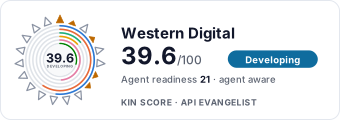
western-digital website screenshot

western-digital

Western Digital is a global leader in data infrastructure, providing storage solutions including hard disk drives, solid state drives, flash memory, and data center systems. Their developer program exposes the WD My Cloud Home REST API enabling third-party applications to manage files, folders, thumbnails, shares, and user accounts stored on WD My Cloud Home devices.

1 APIs 0 Features
Fortune 500

APIs

WD My Cloud Home API

The WD My Cloud Home REST API enables off-device applications to manage files and folders on a user's My Cloud Home NAS device. It supports file upload, download, listing, searc...

Collections

Pricing Plans

Rate Limits

Western Digital Rate Limits

5 limits

RATE LIMITS

FinOps

Semantic Vocabularies

Western Digital Context

0 classes · 20 properties

JSON-LD

API Governance Rules

western-digital API Rules

7 rules · 1 errors 6 warnings

SPECTRAL

JSON Structure

Western Digital File Structure

0 properties

JSON STRUCTURE

Example Payloads

Press

We Drive Certainty in the AI Era | Brand Evolution

2026-05-25

Western Digital Accelerates Storage Innovation for AI Era

2026-05-25

Western Digital Doubles Down On AI Data Centers And ...

2026-05-25

Western Digital Unveiled Go-Forward Strategy at Investor ...

2026-05-25

Western Digital forecasts quarterly revenue above ...

2026-05-25

Resources

🔗
Website
Website
🌐
Portal
Portal
🔗
Documentation
Documentation
📦
SDKs
SDKs
📜
PrivacyPolicy
PrivacyPolicy
📜
TermsOfService
TermsOfService
👥
GitHub
GitHub
🔗
LinkedIn
LinkedIn

Sources

Raw ↑
opencollection: 1.0.0
info:
  name: WD My Cloud Home API
  version: v2
items:
- info:
    name: Configuration
    type: folder
  items:
  - info:
      name: Get Service Configuration
      type: http
    http:
      method: GET
      url: https://config.mycloud.com/config/v1/config
    docs: Returns all service endpoint URLs used by My Cloud Home applications, including device, auth, and network service
      URLs. Applications must call this endpoint first to resolve dynamic service URLs before making subsequent API calls.
- info:
    name: Authentication
    type: folder
  items:
  - info:
      name: Authorize User
      type: http
    http:
      method: GET
      url: https://config.mycloud.com/authorize
      params:
      - name: client_id
        value: ''
        type: query
        description: OAuth 2.0 client identifier.
      - name: redirect_uri
        value: ''
        type: query
        description: URI to redirect to after authorization.
      - name: response_type
        value: ''
        type: query
        description: Must be "code" for authorization code flow.
      - name: scope
        value: ''
        type: query
        description: 'Space-separated list of scopes. Supported: openid, email, profile, nas_read_only, nas_read_write.'
      - name: state
        value: ''
        type: query
        description: CSRF protection state parameter.
    docs: Initiates the OAuth 2.0 authorization code flow. Redirects the user to the WD authentication page.
  - info:
      name: Get Access Token
      type: http
    http:
      method: POST
      url: https://config.mycloud.com/oauth/token
      body:
        type: form-urlencoded
        data:
        - name: grant_type
          value: ''
        - name: code
          value: ''
        - name: client_id
          value: ''
        - name: client_secret
          value: ''
        - name: redirect_uri
          value: ''
        - name: refresh_token
          value: ''
    docs: Exchange authorization code for an OAuth 2.0 access token. Also supports refresh_token grant type when offline_access
      scope was requested.
- info:
    name: User
    type: folder
  items:
  - info:
      name: Get User Information
      type: http
    http:
      method: GET
      url: https://config.mycloud.com/userinfo
      auth:
        type: bearer
        token: '{{bearerToken}}'
    docs: Returns profile information for the authenticated user.
  - info:
      name: Get Authenticated User
      type: http
    http:
      method: GET
      url: https://config.mycloud.com/authservice/v2/auth0/user
      auth:
        type: bearer
        token: '{{bearerToken}}'
    docs: Returns the authenticated user's account details from the auth service.
- info:
    name: Device
    type: folder
  items:
  - info:
      name: List User Devices
      type: http
    http:
      method: GET
      url: https://config.mycloud.com/device/v1/user
      auth:
        type: bearer
        token: '{{bearerToken}}'
    docs: Returns all My Cloud Home devices associated with the authenticated user.
  - info:
      name: Get Device Details
      type: http
    http:
      method: GET
      url: https://config.mycloud.com/device/v1/device
      auth:
        type: bearer
        token: '{{bearerToken}}'
    docs: Returns details about a specific My Cloud Home device.
- info:
    name: Files
    type: folder
  items:
  - info:
      name: List Files
      type: http
    http:
      method: GET
      url: https://config.mycloud.com/sdk/v2/files
      params:
      - name: ids
        value: ''
        type: query
        description: Comma-separated list of file IDs to retrieve.
      - name: pageToken
        value: ''
        type: query
        description: Token for pagination to retrieve the next page.
      - name: limit
        value: ''
        type: query
        description: Maximum number of results to return.
      auth:
        type: bearer
        token: '{{bearerToken}}'
    docs: Returns a paginated list of files and folders within a directory on the My Cloud Home device. Use "root" as the
      folder ID to list the root directory.
  - info:
      name: Create File
      type: http
    http:
      method: POST
      url: https://config.mycloud.com/sdk/v2/files
      body:
        type: json
        data: '{}'
      auth:
        type: bearer
        token: '{{bearerToken}}'
    docs: Uploads a new file or creates a folder on the My Cloud Home device. Supports multipart/related for simultaneous
      metadata and content upload.
  - info:
      name: Get File
      type: http
    http:
      method: GET
      url: https://config.mycloud.com/sdk/v2/files/:fileId
      params:
      - name: fileId
        value: ''
        type: path
        description: Unique identifier of the file or folder.
      auth:
        type: bearer
        token: '{{bearerToken}}'
    docs: Returns metadata for a specific file or folder.
  - info:
      name: Update File
      type: http
    http:
      method: PATCH
      url: https://config.mycloud.com/sdk/v2/files/:fileId
      params:
      - name: fileId
        value: ''
        type: path
        description: Unique identifier of the file or folder.
      body:
        type: json
        data: '{}'
      auth:
        type: bearer
        token: '{{bearerToken}}'
    docs: Updates metadata for a file or folder (e.g., rename, move).
  - info:
      name: Delete File
      type: http
    http:
      method: DELETE
      url: https://config.mycloud.com/sdk/v2/files/:fileId
      params:
      - name: fileId
        value: ''
        type: path
        description: Unique identifier of the file or folder.
      auth:
        type: bearer
        token: '{{bearerToken}}'
    docs: Permanently deletes a file or folder from the device.
  - info:
      name: Download File Content
      type: http
    http:
      method: GET
      url: https://config.mycloud.com/sdk/v2/files/:fileId/content
      params:
      - name: fileId
        value: ''
        type: path
        description: Unique identifier of the file.
      auth:
        type: bearer
        token: '{{bearerToken}}'
    docs: Downloads the content of a specific file.
  - info:
      name: Upload File Content
      type: http
    http:
      method: PUT
      url: https://config.mycloud.com/sdk/v2/files/:fileId/content
      params:
      - name: fileId
        value: ''
        type: path
        description: Unique identifier of the file.
      auth:
        type: bearer
        token: '{{bearerToken}}'
    docs: Uploads or replaces the content of an existing file.
- info:
    name: Search
    type: folder
  items:
  - info:
      name: Search Files by Parent
      type: http
    http:
      method: GET
      url: https://config.mycloud.com/sdk/v2/filesSearch/parents
      params:
      - name: ids
        value: ''
        type: query
        description: Comma-separated list of parent folder IDs to search within. Use "root" for the root folder.
      - name: pageToken
        value: ''
        type: query
        description: Pagination token.
      - name: limit
        value: ''
        type: query
        description: Maximum number of results.
      auth:
        type: bearer
        token: '{{bearerToken}}'
    docs: Returns files within a specified parent folder, enabling directory traversal.
- info:
    name: Sharing
    type: folder
  items:
  - info:
      name: Create Share
      type: http
    http:
      method: POST
      url: https://config.mycloud.com/v1/shares
      body:
        type: json
        data: '{}'
      auth:
        type: bearer
        token: '{{bearerToken}}'
    docs: Creates a share link for one or more files on the device.
bundled: true