
Shipday
Shipday is a local delivery management platform for restaurants, retailers, and on-demand businesses. Its REST API lets you create and track delivery and pickup orders, manage drivers (carriers), assign orders to your own fleet, and tap a network of on-demand delivery providers (Uber, DoorDash) for last-mile fulfillment, with webhooks for real-time order and driver-location updates.
Shipday publishes 4 API contracts indexed on the APIs.io network, including Assignment API, Drivers API, On-Demand Delivery API, and 1 more. Tagged areas include Delivery, Logistics, Last Mile Delivery, Local Delivery, and Dispatch.
Shipday’s developer surface includes authentication, documentation, engineering blog, and 9 more developer resources.
What this lets a business do 2
Business capabilities this provider's published APIs can perform, derived from its own contracts. Browse all capabilities →
Kin Score
 Kin Score
How this is scored →
Kin Score
How this is scored →scored 2026-10-23 · rubric v0.25.0
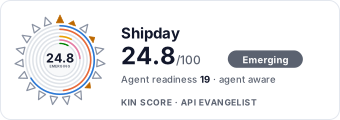 It updates itself when the score changes. Paste this where you link to your API docs:
<a href="https://apis.io/providers/shipday/"><img src="https://apis.io/badge/shipday/card.svg" alt="Shipday on APIs.io — Kin Score by API Evangelist"></a>Other styles, a README pill and a shields.io endpoint are on the badge page.
Markets this provider is in provisional
The Kin Score Market layer reads a provider inside its market: its position, and how deep its integrations go. Depth is only comparable within a position. Provisional and unweighted: not part of the Kin Score or agent readiness.
| Market | Position | Depth | Registered MCP server | Declares compatibility |
|---|---|---|---|---|
| Commerce Platform Ecosystems (Shopify, WooCommerce, Stripe Apps) | undeclared | - | - | - |
| Wix App Market (third-party apps for Wix sites) | undeclared | - | - | - |
Registered MCP server and declares compatibility are report only — not weighted. Undeclared means we found nothing we can read, so there is no number: we never infer integrations.
APIs 4
Individual APIs this provider publishes, each with its own machine-readable definition.
Shipday Assignment API
The Assignment API from Shipday — 2 operation(s) for assignment.
Shipday Drivers API
The Drivers API from Shipday — 2 operation(s) for drivers.
Shipday On-Demand Delivery API
The On-Demand Delivery API from Shipday — 2 operation(s) for on-demand delivery.
Shipday Orders API
The Orders API from Shipday — 3 operation(s) for orders.
Open Collections 5
Open, tool-agnostic API collections (OpenAPI-derived and Bruno).
Shipday Assignment API
OPEN COLLECTIONShipday Assignment Drivers API
OPEN COLLECTIONShipday Assignment On-Demand Delivery API
OPEN COLLECTIONShipday Assignment Orders API
OPEN COLLECTIONShipday API
OPEN COLLECTIONPricing Plans 1
Published pricing tiers and plan structures.
Rate Limits 1
Documented rate limits and quota policies.
Shipday Rate Limits
RATE LIMITSFinOps 1
Cost, billing, and metering signals for API financial operations.
Shipday Finops
FINOPSSecurity Posture 2
Authentication, domain security, vulnerability disclosure, and trust-center signals.
Agentic Access 1
Recommended x-agentic-access execution contracts for AI agents.
Resources
Documentation 1
Reference material describing how the API behaves
Agent Surfaces 1
MCP servers, agent skills, and machine-readable catalogs
Build 1
SDKs, sample code, and the tooling you integrate with
Access & Security 2
Authentication, authorization, and security posture
Operate 1
Status, limits, changes, and where to get help
Commercial 2
Pricing, plans, and the legal terms of use
Company 3
The organization behind the API
Other 1
Properties that don't map to a standard resource type
Source (apis.yml)
Work with this as data
Every provider here is available over the APIs.io API and to AI agents over MCP.