File Browser
File Browser is an open‑source web file manager that provides a self‑hosted interface for browsing, uploading, downloading, editing and sharing files within a specified directory. It supports authentication, permissions, and a range of configuration options, and can be deployed as a single binary or Docker container. The project is archived as of September 2026, with no further releases or security updates planned, so users should consider alternatives for production use.
File Browser is profiled on the APIs.io network. Tagged areas include File-Management, Open-Source, Self-Hosted, Archived, and Go.
File Browser’s developer surface includes support, signup flow, pricing, documentation, and 7 more developer resources.
Kin Score
 Kin Score
How this is scored →
Kin Score
How this is scored →scored 2026-10-31 · rubric v0.25.0
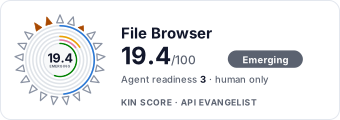 It updates itself when the score changes. Paste this where you link to your API docs:
<a href="https://apis.io/providers/filebrowser/"><img src="https://apis.io/badge/filebrowser/card.svg" alt="File Browser on APIs.io — Kin Score by API Evangelist"></a>Other styles, a README pill and a shields.io endpoint are on the badge page.
- Machine-Readable Contract +18 pts — api_specs includes an OpenAPI document
- Agentic Access Contract +10 pts — agentic_access artifact present (x-agentic-access), graded by author
- Machine-Readable Auth +10 pts — a served openid-configuration/oauth-authorization-server carrying `issuer` (served), else the securitySchemes class in the provider OpenAPIs — bound (mutualTLS, DPoP, Signature) > negotiable (oauth2 authorizationCode/clientCredentials, openIdConnect) > bearer (http bearer, apiKey)
- Idempotency +9 pts — OpenAPI mutating operations declare an idempotency key — a header, a request-body property, or a named de-duplication token whose own description says so (verified); else common[].type matches /idempoten/i (documented)
- A2A Agent Card +8 pts — a2a/
-a2a.yml manifest, graded on conformance.grade against A2A 1.0.0 - Stable Error Semantics +8 pts — OpenAPI $refs a shared error schema across 4xx/5xx responses (verified), else common[].type includes ErrorCatalog / ErrorCodes / DeclineCodes
- Contract Quality scores 0.0 — up to +25.0 composite points
- Developer Ergonomics scores 14.3 — up to +17.1 composite points
- Contract Governance scores 0.0 — up to +12.0 composite points
Pricing Plans 1
Published pricing tiers and plan structures.
Security Posture 1
Authentication, domain security, vulnerability disclosure, and trust-center signals.
Resources
Get Started 1
Portal, sign-up, and the first successful call
Documentation 1
Reference material describing how the API behaves
Build 1
SDKs, sample code, and the tooling you integrate with
Access & Security 2
Authentication, authorization, and security posture
Operate 1
Status, limits, changes, and where to get help
Commercial 2
Pricing, plans, and the legal terms of use
Company 1
The organization behind the API
Other 2
Properties that don't map to a standard resource type
Source (apis.yml)
File Browser API — frequently asked questions
How much does the File Browser API cost?
APIs.io lists 3 pricing plans for File Browser, with each plan's price, limits and inclusions under Pricing Plans on this page.
Is the File Browser API ready for AI agents?
File Browser has a Kin Score of 19.4 out of 100 (emerging) and an Agent Readiness score of 3.1 (human-only), scored by API Evangelist on 2026-10-31.
Work with this as data
Every provider here is available over the APIs.io API and to AI agents over MCP.