Azure Log Analytics
Azure Log Analytics is a service that helps you collect and analyze data generated by resources in your cloud and on-premises environments, providing query, management, and data collection APIs for monitoring and analytics.
Azure Log Analytics is listed with 5 APIs on the APIs.io network, including Ingestion API, Query API, Saved Searches API, and 2 more. Tagged areas include Analytics, Microsoft Azure, Cloud, Logging, and Monitoring.
The Azure Log Analytics catalog on APIs.io includes 4 JSON-LD contexts and 3 Spectral governance rulesets.
Azure Log Analytics’ developer surface includes engineering blog, authentication, developer portal, documentation, getting-started guide, pricing, support, and 62 more developer resources.
Kin Score
 Kin Score
How this is scored →
scored 2026-11-06 · rubric v0.27.0
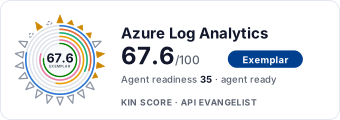 It updates itself when the score changes. Paste this where you link to your API docs:
<a href="https://apis.io/providers/azure-log-analytics/"><img src="https://apis.io/badge/azure-log-analytics/card.svg" alt="Azure Log Analytics on APIs.io — Kin Score by API Evangelist"></a>Other styles, a README pill and a shields.io endpoint are on the badge page.
- Idempotency +9 pts — OpenAPI mutating operations declare an idempotency key — a header, a request-body property, or a named de-duplication token whose own description says so (verified); else common[].type matches /idempoten/i (documented)
- A2A Agent Card +8 pts — a2a/
-a2a.yml manifest, graded on conformance.grade against A2A 1.0.0 - Registration Without a Human +6 pts — a `registration_endpoint` in the served RFC 8414 / OIDC discovery document
- Delegated User Identity +6 pts — a served discovery document listing authorization_code in grant_types_supported (served), else an oauth2 authorizationCode flow or openIdConnect declared in an OpenAPI (documented)
- Typed Event Surface +6 pts — AsyncAPI document, OR webhooks/callbacks objects in the as-published OpenAPI, OR common[].type includes Webhooks
- Documented Reversibility +6 pts — a reversal operation in the contract, graded up when a window is documented too
- Contract Quality scores 30.5 — up to +17.4 composite points
- Contract Governance scores 31.8 — up to +8.2 composite points
- Operational Transparency scores 52.6 — up to +6.2 composite points
Standards implemented 3
Standards this provider implements or carries. De facto ones are profiled and measured by the API Commons; formal ones come from the standards directory and are linked by the provider's own tags. The evidence column says how each claim was established — not that it was made.
APIs 5
Individual APIs this provider publishes, each with its own machine-readable definition.
Azure Log Analytics Ingestion API
Send log data to Log Analytics workspaces
Azure Log Analytics Query API
Execute KQL queries against Log Analytics workspaces
Azure Log Analytics Saved Searches API
Manage saved KQL queries
Azure Log Analytics Tables API
Manage workspace tables
Azure Log Analytics Workspaces API
Manage Log Analytics workspaces
Postman Collections 3
Ready-to-run Postman collections for exercising this provider's APIs.
Open Collections 5
Open, tool-agnostic API collections (OpenAPI-derived and Bruno).
Azure Log Analytics Ingestion API
OPEN COLLECTIONAzure Log Analytics Ingestion Query API
OPEN COLLECTIONAzure Log Analytics Ingestion Saved Searches API
OPEN COLLECTIONAzure Log Analytics Ingestion Tables API
OPEN COLLECTIONAzure Log Analytics Ingestion Workspaces API
OPEN COLLECTIONArazzo Workflows 14
Multi-step API workflows described with the Arazzo specification.
Azure Log Analytics Audit and Clean Up a Saved Search
List saved searches, inspect one, then delete it if it is uncategorized.
ARAZZOAzure Log Analytics Create Workspace and Baseline Custom Table
Create a workspace, add a baseline custom table, then read the table back.
ARAZZOAzure Log Analytics Cross-Workspace Query
Discover subscription workspaces, then run one KQL query spanning several of them.
ARAZZOAzure Log Analytics Discover and Query Workspace
Find a workspace in a subscription, confirm it, then run a KQL query against it.
ARAZZOAzure Log Analytics Ingest Logs and Verify
Confirm a target table exists, upload logs via a DCR, then query to verify.
ARAZZOAzure Log Analytics Browse Saved Searches and Run One
List a workspace's saved searches, fetch one's KQL, then execute it.
ARAZZOAzure Log Analytics Inspect Table Schema then Query
List a workspace's tables, inspect one table's schema, then query that table.
ARAZZOAzure Log Analytics Validate then Save a KQL Query
Run a KQL query to validate it, then persist it as a saved search.
ARAZZOAzure Log Analytics Provision Custom Table then Ingest and Verify
Create a custom table, upload logs through a DCR, then query the table to verify.
ARAZZOAzure Log Analytics Query Workspace by Name (GET)
Confirm a workspace exists, then run a KQL query via the GET query endpoint.
ARAZZOAzure Log Analytics Resolve Workspace by Resource Group and Run KQL
Narrow workspaces to a resource group, resolve one, then run a KQL query.
ARAZZOAzure Log Analytics Run a Saved Search
Fetch a saved search's KQL definition, then execute it against the workspace.
ARAZZOAzure Log Analytics Update Workspace Retention and Verify
Read a workspace's current retention, patch it, then read it back to confirm.
ARAZZOAzure Log Analytics Workspace Inventory Report
Resolve a workspace, then list its tables and its saved searches together.
ARAZZOScroll for all 14
MCP Servers 1
Model Context Protocol servers that expose these APIs to AI agents.
Azure MCP Server (Azure Monitor tools)
MCP SERVERAzure Log Analytics API pricing
Prices published by Azure Log Analytics, read 2026-10-28 from azure.microsoft.com/en-us/pricing/details/monitor/.
| Plan | Price |
|---|---|
| Legacy Standard pricing tier | $2.3 per GB Includes: Retention period 1 month; Daily limit None |
| Legacy Premium pricing tier | $3.5 per GB Includes: Retention period 12 months; Daily limit None |
Plan details, limits and sources →
Rate limits
- Logs Ingestion API - data per minute per DCR: 2 GB per minute
- Logs Ingestion API - requests per minute per DCR: 12000 requests per minute
- Logs Ingestion API - max API call size: 1 MB
Compiled by API Evangelist, not yet checked against Azure Log Analytics's documentation. All 19 limits →
Billed by: gb · FinOps profile →
Pricing Plans 1
Published pricing tiers and plan structures.
Rate Limits 1
Documented rate limits and quota policies.
Azure Log Analytics Rate Limits
RATE LIMITSService Levels 1
Uptime the provider promises or reports, as SLA4OAI. Read from its own pages; APIs.io runs no monitors.
FinOps 1
Cost, billing, and metering signals for API financial operations.
Features 10
Notable capabilities this provider offers.
Kusto Query Language
Full KQL query language support for complex log analytics and data exploration across cloud and on-premises resources.
Custom Log Ingestion
Send custom log data from any source using the Logs Ingestion API with data collection rules and transformations.
Workspace Management
Create, configure, and manage Log Analytics workspaces including data sources, retention policies, and access control.
Saved Searches
Save and reuse KQL queries across workspace sessions for consistent monitoring and reporting.
Data Collection Rules
Define data collection pipelines with transformations that shape incoming data before it reaches the workspace.
Cross-Workspace Queries
Query data across multiple Log Analytics workspaces in a single query for centralized analysis.
Simple Mode Queries
Point-and-click spreadsheet-like query experience for users who do not need full KQL knowledge.
Alert Rule Integration
Create alert rules directly from log queries to enable proactive monitoring and automated responses.
Workspace Failover
Activate and deactivate failover for workspace disaster recovery and high availability.
Data Export
Export query results to Excel, CSV, Power BI, and Grafana dashboards for external analysis.
Scroll for all 10
Semantic Vocabularies 4
JSON-LD contexts and semantic vocabularies used across these APIs.
Azure Log Analytics Context
JSON-LDSpectral Rules 3
Spectral governance rulesets for linting and validating these APIs.
Azure Log Analytics API Rules
SPECTRALAzure Log Analytics API Rules
SPECTRALJSON Schema 5
Standalone JSON Schema definitions for this provider's data models.
LogEntry
JSON SCHEMASavedSearch
JSON SCHEMAWorkspace
JSON SCHEMAQueryBody
JSON SCHEMAQueryResults
JSON SCHEMAJSON Structure 5
JSON Structure definitions describing this provider's data shapes.
Ingestion Api Log Entry Structure
JSON STRUCTUREManagement Api Saved Search Structure
JSON STRUCTUREManagement Api Workspace Structure
JSON STRUCTUREQuery Api Query Body Structure
JSON STRUCTUREQuery Api Query Results Structure
JSON STRUCTUREExamples 5
Example request and response payloads for these APIs.
Query Api Query Body Example
EXAMPLESecurity Posture 4
Authentication, domain security, vulnerability disclosure, and trust-center signals.
Scopes 1
OAuth scopes governing access to this provider's APIs.
Agentic Access 1
Recommended x-agentic-access execution contracts for AI agents.
Use Cases 6
What developers build with this provider.
Infrastructure Monitoring
Collect and analyze logs from virtual machines, containers, and network resources to monitor infrastructure health.
Security Investigation
Query security events and audit logs to investigate incidents and detect threats across Azure resources.
Application Performance Monitoring
Analyze application logs and telemetry to identify performance bottlenecks and errors.
Compliance Auditing
Collect and retain audit logs to meet regulatory compliance requirements and generate compliance reports.
Custom Data Integration
Ingest custom log data from third-party systems and on-premises resources using the Logs Ingestion API.
Cost Optimization
Analyze resource usage patterns and log data to identify cost-saving opportunities across Azure deployments.
Integrations 10
Pre-built integrations with other platforms and tools.
Azure Monitor
Core integration with Azure Monitor for unified observability across metrics, logs, and traces.
Microsoft Sentinel
Feed log data into Microsoft Sentinel for SIEM and SOAR capabilities.
Azure Data Explorer
Built on Azure Data Explorer engine, supports the same KQL query language for advanced analytics.
Power BI
Export and visualize log query results in Power BI dashboards for business intelligence reporting.
Grafana
Connect Azure Monitor Logs as a data source in managed Grafana dashboards for visualization.
Azure Workbooks
Create interactive visual reports using log query results within Azure Workbooks.
Azure Automation
Trigger automation runbooks based on log query results and alert rules.
Azure Logic Apps
Integrate log analytics alerts with Logic Apps workflows for automated incident response.
Application Insights
Combine application telemetry from Application Insights with infrastructure logs for full-stack observability.
Azure Resource Manager
Manage Log Analytics resources programmatically through Azure Resource Manager REST APIs.
Scroll for all 10
Resources
Get Started 2
Portal, sign-up, and the first successful call
Documentation 2
Reference material describing how the API behaves
Agent Surfaces 4
MCP servers, agent skills, and machine-readable catalogs
Design & Contract 24
Pagination, idempotency, versioning, errors, and events
Scroll for all 24
Build 12
SDKs, sample code, and the tooling you integrate with
Scroll for all 12
Access & Security 8
Authentication, authorization, and security posture
Scroll for all 8
Operate 6
Status, limits, changes, and where to get help
Commercial 6
Pricing, plans, and the legal terms of use
Company 2
The organization behind the API
Other 3
Properties that don't map to a standard resource type
Source (apis.yml)
Azure Log Analytics API — frequently asked questions
Does Azure Log Analytics have an API?
Yes. APIs.io lists 5 APIs from Azure Log Analytics, including Azure Log Analytics Ingestion API, Azure Log Analytics Query API and Azure Log Analytics Saved Searches API, and 2 more.
Is there an OpenAPI specification for the Azure Log Analytics API?
Yes. APIs.io indexes 5 OpenAPI specifications for Azure Log Analytics, each linked for download from this page.
How do I authenticate with the Azure Log Analytics API?
Azure Log Analytics uses bearer-token authentication (apiKey/http/oauth2 · 3 schemes). The details are profiled on APIs.io as Azure Log Analytics Authentication.
How much does the Azure Log Analytics API cost?
Azure Log Analytics publishes its prices; its Legacy Standard pricing tier plan is $2.3 per GB as of 2026-10-28. APIs.io lists 2 pricing plans for Azure Log Analytics, with each plan's price, limits and inclusions under Pricing on this page.
Does Azure Log Analytics have an MCP server?
Yes. APIs.io lists 1 MCP server for Azure Log Analytics.
Is the Azure Log Analytics API ready for AI agents?
Azure Log Analytics has a Kin Score of 67.6 out of 100 (exemplar) and an Agent Readiness score of 35.4 (agent-ready), scored by API Evangelist on 2026-11-06.
Work with this as data
Every provider here is available over the APIs.io API and to AI agents over MCP.