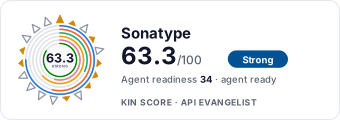
Sonatype website screenshot

Sonatype

Sonatype provides software supply chain management solutions including Sonatype Lifecycle (IQ Server), Sonatype Repository Firewall, SBOM Manager, and Nexus Repository. The Lifecycle Public REST API provides 188 endpoints for application portfolio management, policy enforcement, vulnerability reporting, component analysis, SBOM generation, source control integration, and software composition analysis across the SDLC.

1 APIs 0 Features
Software Supply ChainSecurityVulnerability ManagementSBOMSoftware Composition AnalysisDevSecOps

APIs

Sonatype Lifecycle API

The Sonatype Lifecycle Public REST API (v1.201.0) provides 188 endpoints for managing applications, organizations, policies, policy violations, waivers, vulnerability analysis, ...

Collections

Pricing Plans

Sonatype Plans Pricing

3 plans

PLANS

Rate Limits

Sonatype Rate Limits

5 limits

RATE LIMITS

FinOps

Semantic Vocabularies

Sonatype Context

2 classes · 12 properties

JSON-LD

API Governance Rules

Sonatype API Rules

8 rules · 2 errors 6 warnings

SPECTRAL

JSON Structure

Sonatype Application Structure

0 properties

JSON STRUCTURE

Example Payloads

Resources

🔗
LinkedIn
LinkedIn
🌐
Portal
Portal
🔗
Documentation
Documentation
🔗
Website
Website
👥
GitHub
GitHub
📰
Blog
Blog
📄
ChangeLog
ChangeLog
💬
Support
Support
💰
Pricing
Pricing

Sources

Raw ↑
opencollection: 1.0.0
info:
  name: Sonatype Lifecycle Public REST API
  version: 1.201.0-02
request:
  auth:
    type: basic
    username: '{{username}}'
    password: '{{password}}'
items:
- info:
    name: Application Categories
    type: folder
  items:
  - info:
      name: getTagsUsedByApplications
      type: http
    http:
      method: GET
      url: '{{baseUrl}}/api/v2/applicationCategories/application'
    docs: Grouping applications with similar characteristics into categories makes policy management easier. You can then
      create a policy that applies to a specific category. Use this method to retrieve a list of application categories.
  - info:
      name: getApplicationApplicableTags
      type: http
    http:
      method: GET
      url: '{{baseUrl}}/api/v2/applicationCategories/application/:applicationPublicId'
      params:
      - name: applicationPublicId
        value: ''
        type: path
        description: 'The application public ID '
    docs: Grouping applications with similar characteristics into categories makes policy management easier. You can then
      create a policy that applies to a specific category. Use this method to retrieve a list of application categories available
      to applications in this organization.
  - info:
      name: getApplicableTagsByApplicationPublicId
      type: http
    http:
      method: GET
      url: '{{baseUrl}}/api/v2/applicationCategories/application/:applicationPublicId/applicable'
      params:
      - name: applicationPublicId
        value: ''
        type: path
        description: Provide the application public ID assigned by IQ Server.
    docs: Grouping applications with similar characteristics into categories makes policy management easier. You can then
      create a policy that applies to a specific category. Use this method to retrieve a list of application categories that
      can be applied to applications in this organization.
  - info:
      name: getTags
      type: http
    http:
      method: GET
      url: '{{baseUrl}}/api/v2/applicationCategories/organization/:organizationId'
      params:
      - name: organizationId
        value: ''
        type: path
        description: The organizationId assigned by IQ Server.
    docs: Grouping applications with similar characteristics into categories makes policy management easier. You can then
      create a policy that applies to a specific category. Use this method to retrieve a list of application categories in
      use by applications in this organization.
  - info:
      name: addTag
      type: http
    http:
      method: POST
      url: '{{baseUrl}}/api/v2/applicationCategories/organization/:organizationId'
      params:
      - name: organizationId
        value: ''
        type: path
        description: The organizationId assigned by IQ Server, for which you want to create the application category.
      body:
        type: json
        data: '{}'
    docs: Grouping applications with similar characteristics into categories makes policy management easier. You can then
      create a policy that applies to a specific category. Use this method to add a new application category or tag.
  - info:
      name: updateTag
      type: http
    http:
      method: PUT
      url: '{{baseUrl}}/api/v2/applicationCategories/organization/:organizationId'
      params:
      - name: organizationId
        value: ''
        type: path
        description: The organizationId assigned by IQ Server.
      body:
        type: json
        data: '{}'
    docs: Grouping applications with similar characteristics into categories makes policy management easier. You can then
      create a policy that applies to a specific category. Use this method to update an existing application category.
  - info:
      name: getApplicableTags
      type: http
    http:
      method: GET
      url: '{{baseUrl}}/api/v2/applicationCategories/organization/:organizationId/applicable'
      params:
      - name: organizationId
        value: ''
        type: path
        description: The organizationId assigned by IQ Server, for which you want to retrieve the applicable tags or application
          categories.
    docs: Grouping applications with similar characteristics into categories makes policy management easier. You can then
      create a policy that applies to a specific category. Use this method to retrieve a list of application categories that
      can be applied to applications in this organization.
  - info:
      name: getAppliedTags
      type: http
    http:
      method: GET
      url: '{{baseUrl}}/api/v2/applicationCategories/organization/:organizationId/applied'
      params:
      - name: organizationId
        value: ''
        type: path
        description: The organizationId assigned by IQ Server.
    docs: Grouping applications with similar characteristics into categories makes policy management easier. You can then
      create a policy that applies to a specific category. Use this method to retrieve a list of application categories that
      can be applied to applications in this organization.
  - info:
      name: getAppliedPolicyTags
      type: http
    http:
      method: GET
      url: '{{baseUrl}}/api/v2/applicationCategories/organization/:organizationId/policy'
      params:
      - name: organizationId
        value: ''
        type: path
        description: The organizationId assigned by IQ Server.
    docs: Grouping applications with similar characteristics into categories makes policy management easier. You can then
      create a policy that applies to a specific category. Use this method to retrieve a list of application categories that
      are applied to applications in this organization.
  - info:
      name: deleteTag
      type: http
    http:
      method: DELETE
      url: '{{baseUrl}}/api/v2/applicationCategories/organization/:organizationId/:tagId'
      params:
      - name: organizationId
        value: ''
        type: path
        description: The organizationId assigned by IQ Server, corresponding to the application category tag you want to delete.
      - name: tagId
        value: ''
        type: path
        description: The application category ID assigned by IQ Server, to be deleted.
    docs: Grouping applications with similar characteristics into categories makes policy management easier. You can then
      create a policy that applies to a specific category. Use this method to update an existing application category.Use
      this method to delete an existing application category.
- info:
    name: Applications
    type: folder
  items:
  - info:
      name: getApplications
      type: http
    http:
      method: GET
      url: '{{baseUrl}}/api/v2/applications'
      params:
      - name: publicId
        value: ''
        type: query
        description: Enter the applicationId.
      - name: includeCategories
        value: ''
        type: query
        description: Set this parameter to `true` to obtain the application tags (application categories) in the response.
    docs: 'Use this method to retrieve the application details for the applicationId(s) provided.


      Permissions required: View IQ Elements'
  - info:
      name: addApplication
      type: http
    http:
      method: POST
      url: '{{baseUrl}}/api/v2/applications'
      body:
        type: json
        data: '{}'
    docs: 'Use this method to create an application under an organization. Use the Organization REST API to obtain organizationId.


      Permissions required: Add Application (on parent organization)'
  - info:
      name: getApplicationsByOrganizationId
      type: http
    http:
      method: GET
      url: '{{baseUrl}}/api/v2/applications/organization/:organizationId'
      params:
      - name: organizationId
        value: ''
        type: path
        description: Enter the organizationId.
    docs: 'Use this method to retrieve application details for all applications under the organizationId provided.


      Permissions required: View IQ Elements'
  - info:
      name: getApplication
      type: http
    http:
      method: GET
      url: '{{baseUrl}}/api/v2/applications/:applicationId'
      params:
      - name: applicationId
        value: ''
        type: path
        description: Enter the applicationId.
    docs: 'Use this method to retrieve the application details, by providing the applicationId.


      Permissions required: View IQ Elements'
  - info:
      name: updateApplication
      type: http
    http:
      method: PUT
      url: '{{baseUrl}}/api/v2/applications/:applicationId'
      params:
      - name: applicationId
        value: ''
        type: path
      body:
        type: json
        data: '{}'
    docs: "Use this method to update the application name, application tags or the contact user name for an existing application\
      \ by providing the applicationId. \n\nNOTE: This method cannot be used to change the organizationId of an application.\n\
      \nPermissions required: Edit IQ Elements"
  - info:
      name: deleteApplication
      type: http
    http:
      method: DELETE
      url: '{{baseUrl}}/api/v2/applications/:applicationId'
      params:
      - name: applicationId
        value: ''
        type: path
        description: Enter the applicationId to be deleted.
    docs: 'Use this method to permanently delete an existing application and all data associated with it. This action cannot
      be un-done. Before deleting, confirm that the application being deleted does not impact any integrations that could
      depend on it.


      Permissions required: Edit IQ Elements'
  - info:
      name: moveApplication
      type: http
    http:
      method: POST
      url: '{{baseUrl}}/api/v2/applications/:applicationId/move/organization/:organizationId'
      params:
      - name: applicationId
        value: ''
        type: path
        description: Enter the applicationId of the application to be moved.
      - name: organizationId
        value: ''
        type: path
        description: Enter the organizationId of the destination organization.
    docs: 'Use this method to move an application from one organization to another.


      Permissions required: Edit IQ Elements'
  - info:
      name: cloneApplication
      type: http
    http:
      method: POST
      url: '{{baseUrl}}/api/v2/applications/:sourceApplicationId/clone'
      params:
      - name: sourceApplicationId
        value: ''
        type: path
        description: Enter the applicationId for the application to be cloned.
      - name: clonedApplicationName
        value: ''
        type: query
        description: Enter the application name for the new cloned application.
      - name: clonedApplicationPublicId
        value: ''
        type: query
        description: Enter the applicationPublicId for the cloned application.
    docs: 'Use this method to clone an existing application.


      Permissions required: Add Application (on the parent organization)'
- info:
    name: Application Report Data
    type: folder
  items:
  - info:
      name: getPolicyViolationDiff
      type: http
    http:
      method: GET
      url: '{{baseUrl}}/api/v2/applications/:applicationPublicId/reports/policyViolations/diff'
      params:
      - name: applicationPublicId
        value: ''
        type: path
        description: Enter the applicationPublicId, created at the time of creating the application
      - name: fromCommit
        value: ''
        type: query
        description: Enter the commit hash linked to the earlier policy evaluation.
      - name: toCommit
        value: ''
        type: query
        description: Enter the commit hash linked to the other (later) policy evaluation to compare.
      - name: fromPolicyEvaluationId
        value: ''
        type: query
        description: Enter the policy evaluation Id linked to the earlier policy evaluation to compare
      - name: toPolicyEvaluationId
        value: ''
        type: query
        description: Enter the policy evaluation Id linked to the other (later) policy evaluation to compare
      - name: includeViolationTimes
        value: ''
        type: query
        description: Set to true to include policy violation times (open, legacy, waived, fixed) in the response if set.
    docs: 'By configuring Lifecycle with SCM, policy evaluations can be linked to the Git commit hash. Use this method to
      compare the violations between policy evaluations for 2 commits, by providing the linked commit hashes.


      Permissions required: View IQ Elements'
  - info:
      name: getData
      type: http
    http:
      method: GET
      url: '{{baseUrl}}/api/v2/applications/:applicationPublicId/reports/:scanId'
      params:
      - name: applicationPublicId
        value: ''
        type: path
        description: Enter the applicationPublicId for the evaluated application.
      - name: scanId
        value: ''
        type: path
        description: 'Enter the scanId (reportId) of the application report created after the evaluation. '
    docs: This is an older version of the endpoint. This call will now be redirected to /api/v2/applications/{applicationPublicId}/reports/{scanId}/raw.
  - info:
      name: getDependencyTree
      type: http
    http:
      method: GET
      url: '{{baseUrl}}/api/v2/applications/:applicationPublicId/reports/:scanId/dependencyTree'
      params:
      - name: applicationPublicId
        value: ''
        type: path
        description: Enter the applicationPublicId created at the time of creating the application.
      - name: scanId
        value: ''
        type: path
        description: ' Enter the reportId (scanId) created at the time of evaluating the application.'
    docs: 'Use this method to retrieve the dependencies related to the component identified at the time of application evaluation.
      This is currently available only for Java (Maven) and NPM applications.


      Permissions required: View IQ Elements'
  - info:
      name: getPolicyViolations_1
      type: http
    http:
      method: GET
      url: '{{baseUrl}}/api/v2/applications/:applicationPublicId/reports/:scanId/policy'
      params:
      - name: applicationPublicId
        value: ''
        type: path
        description: Enter the applicationPublicId created at the time of creating the application.
      - name: scanId
        value: ''
        type: path
        description: Enter the reportId (scanId) created at the time of evaluating the application.
      - name: includeViolationTimes
        value: ''
        type: query
        description: Set to true to include policy violation times (open, legacy, waived, fixed) in the response if set.
    docs: 'Use this method to retrieve the policy violation data generated as a result of an application evaluation, for each
      component identified in the application evaluation./n/nPermissions required: View IQ Elements'
  - info:
      name: getRawData
      type: http
    http:
      method: GET
      url: '{{baseUrl}}/api/v2/applications/:applicationPublicId/reports/:scanId/raw'
      params:
      - name: applicationPublicId
        value: ''
        type: path
        description: 'Enter the applicationPublicId (assigned at the time of creating a new application.) '
      - name: scanId
        value: ''
        type: path
        description: Enter the reportId (scanId) created at the time of evaluating the application. application.
    docs: 'Use this method to retrieve the ''raw'' data generated as a result of an application evaluation. ''raw'' data includes:
      the components identified in the application, and the licenses and vulnerabilities associated with the identified components./n/nPermissions
      required: View IQ Elements'
- info:
    name: Audit Logs
    type: folder
  items:
  - info:
      name: getAuditLogs
      type: http
    http:
      method: GET
      url: '{{baseUrl}}/api/v2/auditLogs'
      params:
      - name: startUtcDate
        value: ''
        type: query
        description: Enter the start UTC date in the format (yyyy-mm-dd).
      - name: endUtcDate
        value: ''
        type: query
        description: Enter the end UTC date in the format (yyyy-mm-dd).
    docs: 'Use this method to retrieve the audit events for the specified time period.


      Permissions required: Access Audit Log'
- info:
    name: Auto Policy Waiver Exclusions
    type: folder
  items:
  - info:
      name: addAutoPolicyWaiveExclusion
      type: http
    http:
      method: POST
      url: '{{baseUrl}}/api/v2/autoPolicyWaiverExclusions/:ownerType/:ownerId'
      params:
      - name: ownerType
        value: ''
        type: path
        description: Enter the ownerType to specify which resource type owns the auto waiver you want to apply a exclusion
          to. Possible values are application, organization.
      - name: ownerId
        value: ''
        type: path
        description: Enter the corresponding id for the ownerType specified above.
      body:
        type: json
        data: '{}'
    docs: 'Use this method to create an auto policy waiver exclusion for a specified auto policy waiver.


      Permissions required: Waive Policy Violations'
  - info:
      name: getAutoPolicyWaiverExclusions
      type: http
    http:
      method: GET
      url: '{{baseUrl}}/api/v2/autoPolicyWaiverExclusions/:ownerType/:ownerId/:autoPolicyWaiverId'
      params:
      - name: ownerType
        value: ''
        type: path
        description: Enter the owner type.
      - name: ownerId
        value: ''
        type: path
        description: Enter the owner id.
      - name: autoPolicyWaiverId
        value: ''
        type: path
        description: Enter the id of the automatic policy waiver.
      - name: page
        value: ''
        type: query
        description: Enter the page.
      - name: pageSize
        value: ''
        type: query
        description: Enter the page size.
    docs: 'Use this method to retrieve auto policy waiver exclusions for the given owner and policy waiver.


      Permissions required: View IQ Elements'
  - info:
      name: deleteAutoPolicyWaiverExclusion
      type: http
    http:
      method: DELETE
      url: '{{baseUrl}}/api/v2/autoPolicyWaiverExclusions/:ownerType/:ownerId/:autoPolicyWaiverId/:autoPolicyWaiverExclusionId'
      params:
      - name: ownerType
        value: ''
        type: path
        description: Enter the ownerType to specify the scope. A waiver exclusion corresponding to the autoPolicyWaiverExclusionId
          provided and within the scope specified will be deleted.
      - name: ownerId
        value: ''
        type: path
        description: Enter the corresponding id for the ownerType specified above.
      - name: autoPolicyWaiverId
        value: ''
        type: path
        description: Enter the relevant Auto Policy Waiver ID.
      - name: autoPolicyWaiverExclusionId
        value: ''
        type: path
        description: Enter the autoPolicyWaiverId to be deleted
    docs: 'Use this method to delete an auto policy waiver exclusion, specified by the autoPolicyWaiverExclusionId.


      Permissions required: Waive Policy Violations'
- info:
    name: Auto Policy Waivers
    type: folder
  items:
  - info:
      name: addAutoPolicyWaivers
      type: http
    http:
      method: POST
      url: '{{baseUrl}}/api/v2/autoPolicyWaivers/v2/:ownerType/:ownerId'
      params:
      - name: ownerType
        value: ''
        type: path
        description: Enter the ownerType to specify the scope. The response will contain the details for waivers within the
          scope.
      - name: ownerId
        value: ''
        type: path
        description: Enter the corresponding id for the ownerType specified above.
      body:
        type: json
        data: '{}'
    docs: 'Use this method to create an auto policy waiver configuration. Only three configurations can  exist at a time for
      a given application or organization. With different combinations for reachable/pathForward


      Permissions required: Waive Policy Violations'
  - info:
      name: getApplicableAutoWaivers
      type: http
    http:
      method: GET
      url: '{{baseUrl}}/api/v2/autoPolicyWaivers/v2/:ownerType/:ownerId/applicableAutoWaivers'
      params:
      - name: ownerType
        value: ''
        type: path
        description: Enter the ownerType to specify the scope. The response will contain applicable auto policy waivers, if
          any, that are within the scope specified.
      - name: ownerId
        value: ''
        type: path
        description: Enter the corresponding id for the ownerType.
    docs: 'Use this method to retrieve all applicable auto waivers for the scope specified. You can specify the scope by using
      the parameters ownerType and ownerId.


      Permissions required: View IQ Elements'
  - info:
      name: getAutoPolicyWaivers
      type: http
    http:
      method: GET
      url: '{{baseUrl}}/api/v2/autoPolicyWaivers/:ownerType/:ownerId'
      params:
      - name: ownerType
        value: ''
        type: path
        description: Enter the ownerType to specify the scope. The response will contain waivers that are within the scope
          specified.
      - name: ownerId
        value: ''
        type: path
        description: Enter the corresponding id for the ownerType specified above.
    docs: 'Use this method to retrieve waiver details for all auto policy waivers for the scope specified. You can specify
      the scope by using the parameters ownerType and ownerId.


      Permissions required: View IQ Elements'
  - info:
      name: addAutoPolicyWaiver
      type: http
    http:
      method: POST
      url: '{{baseUrl}}/api/v2/autoPolicyWaivers/:ownerType/:ownerId'
      params:
      - name: ownerType
        value: ''
        type: path
        description: Enter the ownerType to specify the scope. The response will contain the details for waivers within the
          scope.
      - name: ownerId
        value: ''
        type: path
        description: Enter the corresponding id for the ownerType specified above.
      body:
        type: json
        data: '{}'
    docs: 'Use this method to create an auto policy waiver configuration. Only one configuration can exist at a time for a
      given application or organization.


      Permissions required: Waive Policy Violations'
  - info:
      name: getAutoPolicyWaiverStatus
      type: http
    http:
      method: GET
      url: '{{baseUrl}}/api/v2/autoPolicyWaivers/:ownerType/:ownerId/status'
      params:
      - name: ownerType
        value: ''
        type: path
        description: Enter the ownerType to specify the scope. The response will contain status details for the active auto
          policy waiver, if any, that is within the scope specified.
      - name: ownerId
        value: ''
        type: path
        description: Enter the corresponding id for the ownerType specified above.
    docs: 'Use this method to retrieve status details for any auto policy waiver enabled for the scope specified. You can
      specify the scope by using the parameters ownerType and ownerId.


      Permissions required: View IQ Elements'
  - info:
      name: getAutoPolicyWaiver
      type: http
    http:
      method: GET
      url: '{{baseUrl}}/api/v2/autoPolicyWaivers/:ownerType/:ownerId/:autoPolicyWaiverId'
      params:
      - name: ownerType
        value: ''
        type: path
        description: Enter the ownerType to specify the scope. The response will contain the details for waivers within the
          scope.
      - name: ownerId
        value: ''
        type: path
        description: Enter the corresponding id for the ownerType specified above.
      - name: autoPolicyWaiverId
        value: ''
        type: path
        description: Enter the autoPolicyWaiverId for which you want to retrieve the auto policy waiver details.
    docs: 'Use this method to retrieve auto policy waiver details for the autoPolicyWaiverId specified.


      Permissions required: View IQ Elements'
  - info:
      name: updateAutoPolicyWaiver
      type: http
    http:
      method: PUT
      url: '{{baseUrl}}/api/v2/autoPolicyWaivers/:ownerType/:ownerId/:autoPolicyWaiverId'
      params:
      - name: ownerType
        value: ''
        type: path
        description: Enter the ownerType to specify the scope. The response will contain the details for waivers within the
          scope.
      - name: ownerId
        value: ''
        type: path
        description: Enter the corresponding id for the ownerType specified above.
      - name: autoPolicyWaiverId
        value: ''
        type: path
        description: Enter the autoPolicyWaiverId to be updated.
      body:
        type: json
        data: '{}'
    docs: 'Use this method to update an auto policy waiver, specified by the autoPolicyWaiverId.


      Permissions required: Write IQ Elements'
  - info:
      name: deleteAutoPolicyWaiver
      type: http
    http:
      method: DELETE
      url: '{{baseUrl}}/api/v2/autoPolicyWaivers/:ownerType/:ownerId/:autoPolicyWaiverId'
      params:
      - name: ownerType
        value: ''
        type: path
        description: Enter the ownerType to specify the scope. A waiver corresponding to the autoPolicyWaiverId provided and
          within the scope specified will be deleted.
      - name: ownerId
        value: ''
        type: path
        description: Enter the corresponding id for the ownerType specified above.
      - name: autoPolicyWaiverId
        value: ''
        type: path
        description: Enter the autoPolicyWaiverId to be deleted
    docs: 'Use this method to delete an auto policy waiver, specified by the autoPolicyWaiverId.


      Permissions required: Waive Policy Violations'
- info:
    name: Claim Components
    type: folder
  items:
  - info:
      name: getAll
      type: http
    http:
      method: GET
      url: '{{baseUrl}}/api/v2/claim/components'
    docs: 'Use this method to retrieve details of all claimed components.


      Permissions required: Claim components'
  - info:
      name: set
      type: http
    http:
      method: POST
      url: '{{baseUrl}}/api/v2/claim/components'
      body:
        type: json
        data: '{}'
    docs: 'Use this method to claim a component, or update the component details for a previously claimed component.


      Permissions required: Claim components'
  - info:
      name: get
      type: http
    http:
      method: GET
      url: '{{baseUrl}}/api/v2/claim/components/:hash'
      params:
      - name: hash
        value: ''
        type: path
        description: The hash of the claimed component.
    docs: 'Use this method to retrieve details of a claimed component by specifying its hash.


      Permissions required: Claim components'
  - info:
      name: delete
      type: http
    http:
      method: DELETE
      url: '{{baseUrl}}/api/v2/claim/components/:hash'
      params:
      - name: hash
        value: ''
        type: path
        description: Enter the SHA1 hash for the component.
    docs: 'Use this method to delete a claim on a previously claimed component by providing its hash.


      Permissions required: Claim components'
- info:
    name: Component Search
    type: folder
  items:
  - info:
      name: getCveAffectedComponents
      type: http
    http:
      method: GET
      url: '{{baseUrl}}/api/v2/componentSearch/cveAffectedComponents'
      params:
      - name: cveId
        value: CVE-2025-55182
        type: query
        description: CVE identifier(s). Can be specified multiple times for multiple CVEs.
      - name: pageNumber
        value: ''
        type: query
        description: 'Page number (1-indexed, minimum: 1, default: 1)'
      - name: pageSize
        value: ''
        type: query
        description: 'Number of items per page (1-1000, default: 10)'
      - name: sortBy
        value: ''
        type: query
        description: 'Sort field: applicationName, applicationId, componentName, evaluationDate, stage, activeWaiver, violating,
          cveId. When not specified, sorts by applicationName (asc), then componentName (asc), then cveId (asc)'
      - name: sortOrder
        value: ''
        type: query
        description: 'Sort order: asc or desc, default: asc'
    docs: 'Retrieve paginated list of applications containing components affected by one or more CVEs. Multiple CVE IDs can
      be specified using multiple cveId query parameters (e.g., ?cveId=CVE-2025-1&cveId=CVE-2025-2). Default page number is
      1, default page size is 10. Results can be sorted by any column. Default sorting (when sortBy is not specified): applicationName
      (asc), then componentName (asc), then cveId (asc). When sortBy is explicitly specified, only single-field sorting is
      applied with the specif'
  - info:
      name: exportComponentSearchReport
      type: http
    http:
      method: GET
      url: '{{baseUrl}}/api/v2/componentSearch/downloadComponentSearchReport'
      params:
      - name: cveId
        value: CVE-2025-55182
        type: query
        description: CVE identifier(s). Can be specified multiple times for multiple CVEs. Defaults to CVE-2025-55182 if not
          specified.
    docs: Export component search results as CSV (streaming). Identifies applications containing components affected by one
      or more CVEs. Multiple CVE IDs can be specified using multiple cveId query parameters (e.g., ?cveId=CVE-2025-1&cveId=CVE-2025-2).
      If no CVE ID is specified, defaults to CVE-2025-55182 (React2Shell) for backwards compatibility. Results are streamed
      to avoid memory issues with large datasets. Keep-alive mechanism prevents ALB timeouts during long-running queries.
      <p>Permissions Require
  - info:
      name: searchComponent
      type: http
    http:
      method: GET
      url: '{{baseUrl}}/api/v2/search/component'
      params:
      - name: stageId
        value: ''
        type: query
        description: Specify the evaluation report stage.
      - name: hash
        value: ''
        type: query
        description: Enter the component hash.
      - name: componentIdentifier
        value: ''
        type: query
        description: Specify the componentIdentifier object containing the format and coordinates.
      - name: packageUrl
        value: ''
        type: query
        description: Enter the packageUrl.
    docs: 'Use this method to retrieve the component details from the application evaluation reports by specifying the component
      search parameters, format and evaluation stage. You can specify the component search parameters in any one of the 3
      ways:<ul><li>SHA1 hash of the component</li><li>Component identifier object containing the coordinates of the component
      and its format</li><li>packageUrl string</li></ul>Use of wildcards when searching using the GAVEC(coordinates) is supported.


      Permissions required'
- info:
    name: Components
    type: folder
  items:
  - info:
      name: getComponentDetails
      type: http
    http:
      method: POST
      url: '{{baseUrl}}/api/v2/components/details'
      body:
        type: json
        data: '{}'
    docs: Use this method to retrieve data related to a component.
  - info:
      name: getSuggestedRemediationForComponent
      type: http
    http:
      method: POST
      url: '{{baseUrl}}/api/v2/components/remediation/:ownerType/:ownerId'
      params:
      - name: ownerType
        value: ''
        type: path
        description: 'Possible values: application, organization, repository. '
      - name: ownerId
        value: ''
        type: path
        description: 'Possible values: applicationId, organizationId or repositoryId.'
      - name: stageId
        value: ''
        type: query
        description: Enter the stageId to obtain next-non-failing and next-non-failing-with-dependencies remediation types
          in the response. Possible values are develop, build, stage-release, release and operate.
      - name: identificationSource
        value: ''
        type: query
        description: Enter the identification source if you want the remediation result based on third-party scan information
          (non-Sonatype). The identification source can be obtained from the Component Details Page in the UI.
      - name: scanId
        value: ''
        type: query
        description: Enter the scanId (reportId) if you want the remediation result based on third-party scan information
          (non-Sonatype).
      - name: includeParentRemediation
       

# --- truncated at 32 KB (167 KB total) ---
# Full source: https://raw.githubusercontent.com/api-evangelist/sonatype/refs/heads/main/apis.yml