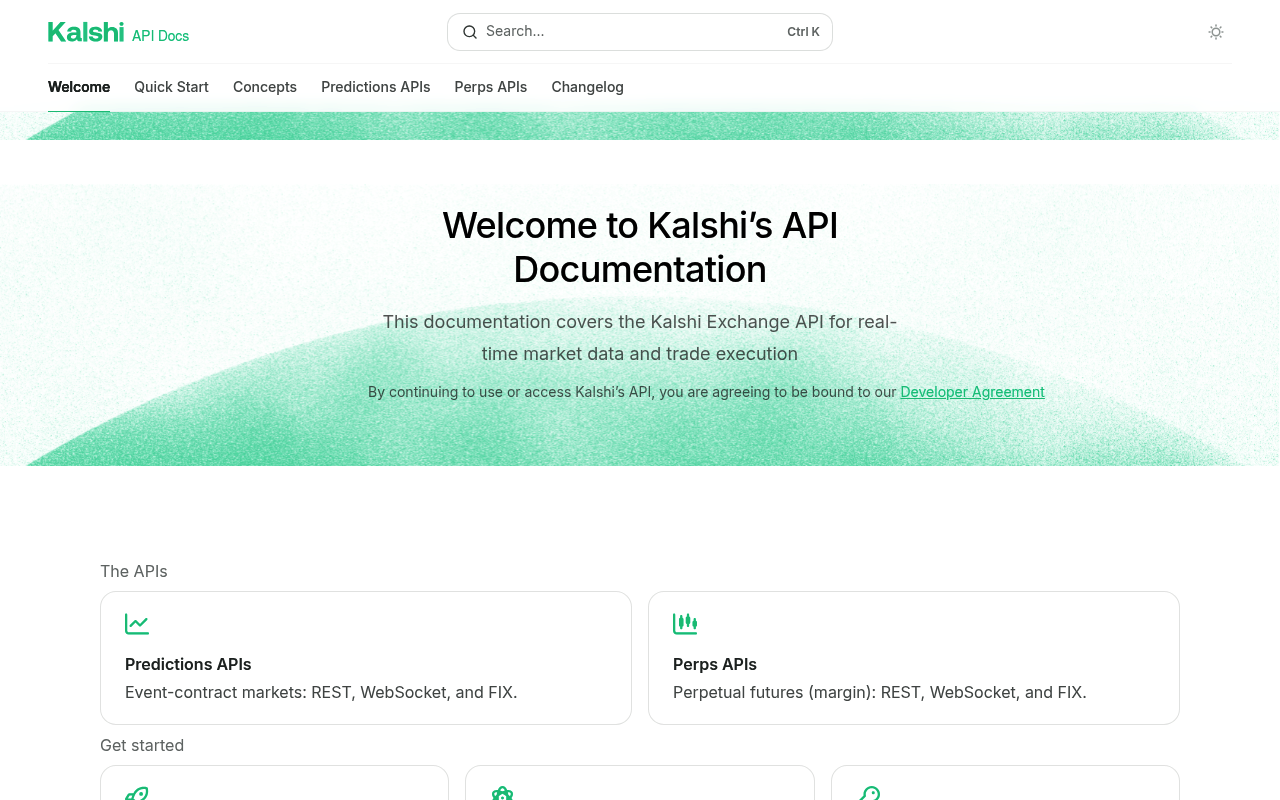
Kalshi website screenshot

Kalshi

Kalshi is a CFTC-regulated US exchange for binary event contracts on real-world outcomes - elections, economics, weather, sports, and more. The platform exposes a public REST trading API and WebSocket streams for market data, orders, positions, and portfolio actions, with a published OpenAPI 3 specification and AsyncAPI definition for the streaming surface. A demo environment mirrors production for safe development. Official Python and community SDKs are provided.

7 APIs 0 Features
Prediction MarketsEvent ContractsExchangeCFTCTradingMarkets

APIs

Kalshi Trade API (REST)

Public REST API for trading on Kalshi - browse markets, events, and series, place and cancel orders, manage portfolio and positions, fund and withdraw, and pull historical trade...

Kalshi Trade API (external-api host)

Alternate production host for the Kalshi Trade API, used by external integrators. Same API surface and authentication as the primary host.

Kalshi Trade API (Demo)

Demo / sandbox environment for the Kalshi Trade API - mirrors production semantics with simulated balances and markets for safe development and automated testing.

Kalshi WebSocket Streaming API

Real-time streaming feed for market data, order book updates, fills, and portfolio events on Kalshi. Documented as an AsyncAPI spec alongside the OpenAPI REST surface.

Kalshi OpenAPI Specification

Machine-readable OpenAPI 3 description of the Kalshi Trade REST API. Suitable for generating clients, mocks, and contract tests.

Kalshi AsyncAPI Specification

Machine-readable AsyncAPI description of the Kalshi WebSocket streaming API. Suitable for generating async clients and documenting message schemas.

Kalshi Python Starter Kit

Official Python starter / SDK published by Kalshi for connecting to the Trade REST API and WebSocket streams. Includes request signing, authentication helpers, and example tradi...

Collections

Pricing Plans

Kalshi Plans Pricing

1 plans

PLANS

Rate Limits

Kalshi Rate Limits

2 limits

RATE LIMITS

FinOps

Kalshi Finops

FINOPS

Event Specifications

Kalshi WebSocket Streaming API

Real-time WebSocket streaming feed for the Kalshi CFTC-regulated event contracts exchange. Publishes orderbook updates, public trades, market tickers, user orders, user fills, m...

ASYNCAPI

Resources

🔗
Website
Website
🔗
Documentation
Documentation
🔗
APIReference
APIReference
🔗
Help
Help
👥
GitHub
GitHub
🔗
Developer Agreement
Developer Agreement
🔗
LinkedIn
LinkedIn
🔗
LlmsText
LlmsText

Sources

Raw ↑
opencollection: 1.0.0
info:
  name: Kalshi Trade API Manual Endpoints
  version: 3.19.0
items:
- info:
    name: exchange
    type: folder
  items:
  - info:
      name: Get Exchange Status
      type: http
    http:
      method: GET
      url: https://external-api.kalshi.com/trade-api/v2/exchange/status
    docs: ' Endpoint for getting the exchange status.'
  - info:
      name: Get Exchange Announcements
      type: http
    http:
      method: GET
      url: https://external-api.kalshi.com/trade-api/v2/exchange/announcements
    docs: ' Endpoint for getting all exchange-wide announcements.'
  - info:
      name: Get Series Fee Changes
      type: http
    http:
      method: GET
      url: https://external-api.kalshi.com/trade-api/v2/series/fee_changes
      params:
      - name: series_ticker
        value: ''
        type: query
      - name: show_historical
        value: ''
        type: query
    docs: Get Series Fee Changes
  - info:
      name: Get Exchange Schedule
      type: http
    http:
      method: GET
      url: https://external-api.kalshi.com/trade-api/v2/exchange/schedule
    docs: ' Endpoint for getting the exchange schedule.'
  - info:
      name: Get User Data Timestamp
      type: http
    http:
      method: GET
      url: https://external-api.kalshi.com/trade-api/v2/exchange/user_data_timestamp
    docs: ' There is typically a short delay before exchange events are reflected in the API endpoints. Whenever possible,
      combine API responses to PUT/POST/DELETE requests with websocket data to obtain the most accurate view of the exchange
      state. This endpoint provides an approximate indication of when the data from the following endpoints was last validated:
      GetBalance, GetOrder(s), GetFills, GetPositions'
- info:
    name: market
    type: folder
  items:
  - info:
      name: Get Market Candlesticks
      type: http
    http:
      method: GET
      url: https://external-api.kalshi.com/trade-api/v2/series/:series_ticker/markets/:ticker/candlesticks
      params:
      - name: series_ticker
        value: ''
        type: path
        description: Series ticker - the series that contains the target market
      - name: ticker
        value: ''
        type: path
        description: Market ticker - unique identifier for the specific market
      - name: start_ts
        value: ''
        type: query
        description: Start timestamp (Unix timestamp). Candlesticks will include those ending on or after this time.
      - name: end_ts
        value: ''
        type: query
        description: End timestamp (Unix timestamp). Candlesticks will include those ending on or before this time.
      - name: period_interval
        value: ''
        type: query
        description: Time period length of each candlestick in minutes. Valid values are 1 (1 minute), 60 (1 hour), or 1440
          (1 day).
      - name: include_latest_before_start
        value: ''
        type: query
        description: 'If true, prepends the latest candlestick available before the start_ts. This synthetic candlestick is
          created by:

          1. Finding the most recent real candlestick before start_ts

          2. Projecting it forward to the first period boundary (calculated as the next period interval after start_ts)

          3. Setting all OHLC prices to null, and `previous_price` to the close price from the real candlestick

          '
    docs: 'Time period length of each candlestick in minutes. Valid values: 1 (1 minute), 60 (1 hour), 1440 (1 day).

      Candlesticks for markets that settled before the historical cutoff are only available via `GET /historical/markets/{ticker}/candlesticks`.
      See [Historical Data](https://docs.kalshi.com/getting_started/historical_data) for details.

      '
  - info:
      name: Get Trades
      type: http
    http:
      method: GET
      url: https://external-api.kalshi.com/trade-api/v2/markets/trades
      params:
      - name: limit
        value: ''
        type: query
        description: Number of results per page. Defaults to 100. Maximum value is 1000.
      - name: cursor
        value: ''
        type: query
        description: Pagination cursor. Use the cursor value returned from the previous response to get the next page of results.
          Leave empty for the first page.
      - name: ticker
        value: ''
        type: query
        description: Filter by market ticker
      - name: min_ts
        value: ''
        type: query
        description: Filter items after this Unix timestamp
      - name: max_ts
        value: ''
        type: query
        description: Filter items before this Unix timestamp
    docs: Endpoint for getting all trades for all markets. A trade represents a completed transaction between two users on
      a specific market. Each trade includes the market ticker, price, quantity, and timestamp information. This endpoint
      returns a paginated response. Use the 'limit' parameter to control page size (1-1000, defaults to 100). The response
      includes a 'cursor' field - pass this value in the 'cursor' parameter of your next request to get the next page. An
      empty cursor indicates no more pages a
  - info:
      name: Get Market Orderbook
      type: http
    http:
      method: GET
      url: https://external-api.kalshi.com/trade-api/v2/markets/:ticker/orderbook
      params:
      - name: ticker
        value: ''
        type: path
        description: Market ticker
      - name: depth
        value: ''
        type: query
        description: Depth of the orderbook to retrieve (0 or negative means all levels, 1-100 for specific depth)
      auth:
        type: apikey
        key: KALSHI-ACCESS-KEY
        value: '{{KALSHI-ACCESS-KEY}}'
        placement: header
    docs: ' Endpoint for getting the current order book for a specific market.  The order book shows all active bid orders
      for both yes and no sides of a binary market. It returns yes bids and no bids only (no asks are returned). This is because
      in binary markets, a bid for yes at price X is equivalent to an ask for no at price (100-X). For example, a yes bid
      at 7¢ is the same as a no ask at 93¢, with identical contract sizes.  Each side shows price levels with their corresponding
      quantities and order coun'
  - info:
      name: Get Multiple Market Orderbooks
      type: http
    http:
      method: GET
      url: https://external-api.kalshi.com/trade-api/v2/markets/orderbooks
      params:
      - name: tickers
        value: ''
        type: query
        description: List of market tickers to fetch orderbooks for
      auth:
        type: apikey
        key: KALSHI-ACCESS-KEY
        value: '{{KALSHI-ACCESS-KEY}}'
        placement: header
    docs: Endpoint for getting the current order books for multiple markets in a single request. The order book shows all
      active bid orders for both yes and no sides of a binary market. It returns yes bids and no bids only (no asks are returned).
      This is because in binary markets, a bid for yes at price X is equivalent to an ask for no at price (100-X). For example,
      a yes bid at 7¢ is the same as a no ask at 93¢, with identical contract sizes. Each side shows price levels with their
      corresponding quantiti
  - info:
      name: Get Series
      type: http
    http:
      method: GET
      url: https://external-api.kalshi.com/trade-api/v2/series/:series_ticker
      params:
      - name: series_ticker
        value: ''
        type: path
        description: The ticker of the series to retrieve
      - name: include_volume
        value: ''
        type: query
        description: If true, includes the total volume traded across all events in this series.
    docs: ' Endpoint for getting data about a specific series by its ticker.  A series represents a template for recurring
      events that follow the same format and rules (e.g., "Monthly Jobs Report", "Weekly Initial Jobless Claims", "Daily Weather
      in NYC"). Series define the structure, settlement sources, and metadata that will be applied to each recurring event
      instance within that series.'
  - info:
      name: Get Series List
      type: http
    http:
      method: GET
      url: https://external-api.kalshi.com/trade-api/v2/series
      params:
      - name: category
        value: ''
        type: query
      - name: tags
        value: ''
        type: query
      - name: include_product_metadata
        value: ''
        type: query
      - name: include_volume
        value: ''
        type: query
        description: If true, includes the total volume traded across all events in each series.
      - name: min_updated_ts
        value: ''
        type: query
        description: Filter series with metadata updated after this Unix timestamp (in seconds). Use this to efficiently poll
          for changes.
    docs: ' Endpoint for getting data about multiple series with specified filters.  A series represents a template for recurring
      events that follow the same format and rules (e.g., "Monthly Jobs Report", "Weekly Initial Jobless Claims", "Daily Weather
      in NYC"). This endpoint allows you to browse and discover available series templates by category.'
  - info:
      name: Get Markets
      type: http
    http:
      method: GET
      url: https://external-api.kalshi.com/trade-api/v2/markets
      params:
      - name: limit
        value: ''
        type: query
        description: Number of results per page. Defaults to 100. Maximum value is 1000.
      - name: cursor
        value: ''
        type: query
        description: Pagination cursor. Use the cursor value returned from the previous response to get the next page of results.
          Leave empty for the first page.
      - name: event_ticker
        value: ''
        type: query
        description: Event ticker to filter by. Only a single event ticker is supported.
      - name: series_ticker
        value: ''
        type: query
        description: Filter by series ticker
      - name: min_created_ts
        value: ''
        type: query
        description: Filter items that created after this Unix timestamp
      - name: max_created_ts
        value: ''
        type: query
        description: Filter items that created before this Unix timestamp
      - name: min_updated_ts
        value: ''
        type: query
        description: Return markets with metadata updated later than this Unix timestamp. Tracks non-trading changes only.
          Incompatible with any other filters.
      - name: max_close_ts
        value: ''
        type: query
        description: Filter items that close before this Unix timestamp
      - name: min_close_ts
        value: ''
        type: query
        description: Filter items that close after this Unix timestamp
      - name: min_settled_ts
        value: ''
        type: query
        description: Filter items that settled after this Unix timestamp
      - name: max_settled_ts
        value: ''
        type: query
        description: Filter items that settled before this Unix timestamp
      - name: status
        value: ''
        type: query
        description: Filter by market status. Leave empty to return markets with any status.
      - name: tickers
        value: ''
        type: query
        description: Filter by specific market tickers. Comma-separated list of market tickers to retrieve.
      - name: mve_filter
        value: ''
        type: query
        description: Filter by multivariate events (combos). 'only' returns only multivariate events, 'exclude' excludes multivariate
          events.
    docs: "Filter by market status. Possible values: `unopened`, `open`, `closed`, `settled`. Leave empty to return markets\
      \ with any status.\n - Only one `status` filter may be supplied at a time.\n - Timestamp filters will be mutually exclusive\
      \ from other timestamp filters and certain status filters.\n\n | Compatible Timestamp Filters | Additional Status Filters|\
      \ Extra Notes |\n |------------------------------|--------------------------|-------------|\n | min_created_ts, max_created_ts\
      \ | `unopened`, `open`, *em"
  - info:
      name: Get Market
      type: http
    http:
      method: GET
      url: https://external-api.kalshi.com/trade-api/v2/markets/:ticker
      params:
      - name: ticker
        value: ''
        type: path
        description: Market ticker
    docs: ' Endpoint for getting data about a specific market by its ticker. A market represents a specific binary outcome
      within an event that users can trade on (e.g., "Will candidate X win?"). Markets have yes/no positions, current prices,
      volume, and settlement rules.'
  - info:
      name: Batch Get Market Candlesticks
      type: http
    http:
      method: GET
      url: https://external-api.kalshi.com/trade-api/v2/markets/candlesticks
      params:
      - name: market_tickers
        value: ''
        type: query
        description: Comma-separated list of market tickers (maximum 100)
      - name: start_ts
        value: ''
        type: query
        description: Start timestamp in Unix seconds
      - name: end_ts
        value: ''
        type: query
        description: End timestamp in Unix seconds
      - name: period_interval
        value: ''
        type: query
        description: Candlestick period interval in minutes
      - name: include_latest_before_start
        value: ''
        type: query
        description: 'If true, prepends the latest candlestick available before the start_ts. This synthetic candlestick is
          created by:

          1. Finding the most recent real candlestick before start_ts

          2. Projecting it forward to the first period boundary (calculated as the next period interval after start_ts)

          3. Setting all OHLC prices to null, and `previous_price` to the close price from the real candlestick

          '
    docs: 'Endpoint for retrieving candlestick data for multiple markets.


      - Accepts up to 100 market tickers per request

      - Returns up to 10,000 candlesticks total across all markets

      - Returns candlesticks grouped by market_id

      - Optionally includes a synthetic initial candlestick for price continuity (see `include_latest_before_start` parameter)

      '
- info:
    name: events
    type: folder
  items:
  - info:
      name: Get Event Candlesticks
      type: http
    http:
      method: GET
      url: https://external-api.kalshi.com/trade-api/v2/series/:series_ticker/events/:ticker/candlesticks
      params:
      - name: ticker
        value: ''
        type: path
        description: The event ticker
      - name: series_ticker
        value: ''
        type: path
        description: The series ticker
      - name: start_ts
        value: ''
        type: query
        description: Start timestamp for the range
      - name: end_ts
        value: ''
        type: query
        description: End timestamp for the range
      - name: period_interval
        value: ''
        type: query
        description: Specifies the length of each candlestick period, in minutes. Must be one minute, one hour, or one day.
    docs: ' End-point for returning aggregated data across all markets corresponding to an event.'
  - info:
      name: Get Events
      type: http
    http:
      method: GET
      url: https://external-api.kalshi.com/trade-api/v2/events
      params:
      - name: limit
        value: ''
        type: query
        description: Parameter to specify the number of results per page. Defaults to 200. Maximum value is 200.
      - name: cursor
        value: ''
        type: query
        description: Parameter to specify the pagination cursor. Use the cursor value returned from the previous response
          to get the next page of results. Leave empty for the first page.
      - name: with_nested_markets
        value: ''
        type: query
        description: Parameter to specify if nested markets should be included in the response. When true, each event will
          include a 'markets' field containing a list of Market objects associated with that event. Historical markets settled
          before the historical cutoff will not be included.
      - name: with_milestones
        value: ''
        type: query
        description: If true, includes related milestones as a field alongside events.
      - name: status
        value: ''
        type: query
        description: Filter by event status. Possible values are 'unopened', 'open', 'closed', 'settled'. Leave empty to return
          events with any status.
      - name: series_ticker
        value: ''
        type: query
        description: Filter by series ticker
      - name: min_close_ts
        value: ''
        type: query
        description: Filter events with at least one market with close timestamp greater than this Unix timestamp (in seconds).
      - name: min_updated_ts
        value: ''
        type: query
        description: Filter events with metadata updated after this Unix timestamp (in seconds). Use this to efficiently poll
          for changes.
    docs: 'Get all events. This endpoint excludes multivariate events.

      To retrieve multivariate events, use the GET /events/multivariate endpoint.

      All events are accessible through this endpoint, even if their associated markets are older than the historical cutoff.

      '
  - info:
      name: Get Multivariate Events
      type: http
    http:
      method: GET
      url: https://external-api.kalshi.com/trade-api/v2/events/multivariate
      params:
      - name: limit
        value: ''
        type: query
        description: Number of results per page. Defaults to 100. Maximum value is 200.
      - name: cursor
        value: ''
        type: query
        description: Pagination cursor. Use the cursor value returned from the previous response to get the next page of results.
      - name: series_ticker
        value: ''
        type: query
        description: Filter by series ticker
      - name: collection_ticker
        value: ''
        type: query
        description: Filter events by collection ticker. Returns only multivariate events belonging to the specified collection.
          Cannot be used together with series_ticker.
      - name: with_nested_markets
        value: ''
        type: query
        description: Parameter to specify if nested markets should be included in the response. When true, each event will
          include a 'markets' field containing a list of Market objects associated with that event.
    docs: Retrieve multivariate (combo) events. These are dynamically created events from multivariate event collections.
      Supports filtering by series and collection ticker.
  - info:
      name: Get Event
      type: http
    http:
      method: GET
      url: https://external-api.kalshi.com/trade-api/v2/events/:event_ticker
      params:
      - name: event_ticker
        value: ''
        type: path
        description: Event ticker
      - name: with_nested_markets
        value: ''
        type: query
        description: If true, markets are included within the event object. If false (default), markets are returned as a
          separate top-level field in the response. Historical markets settled before the historical cutoff will not be included.
    docs: 'Endpoint for getting data about an event by its ticker. An event represents a real-world occurrence that can be
      traded on, such as an election, sports game, or economic indicator release.

      Events contain one or more markets where users can place trades on different outcomes.

      All events are accessible through this endpoint, even if their associated markets are older than the historical cutoff.

      '
  - info:
      name: Get Event Metadata
      type: http
    http:
      method: GET
      url: https://external-api.kalshi.com/trade-api/v2/events/:event_ticker/metadata
      params:
      - name: event_ticker
        value: ''
        type: path
        description: Event ticker
    docs: ' Endpoint for getting metadata about an event by its ticker.  Returns only the metadata information for an event.'
  - info:
      name: Get Event Forecast Percentile History
      type: http
    http:
      method: GET
      url: https://external-api.kalshi.com/trade-api/v2/series/:series_ticker/events/:ticker/forecast_percentile_history
      params:
      - name: ticker
        value: ''
        type: path
        description: The event ticker
      - name: series_ticker
        value: ''
        type: path
        description: The series ticker
      - name: percentiles
        value: ''
        type: query
        description: Array of percentile values to retrieve (0-9999, max 10 values)
      - name: start_ts
        value: ''
        type: query
        description: Start timestamp for the range
      - name: end_ts
        value: ''
        type: query
        description: End timestamp for the range
      - name: period_interval
        value: ''
        type: query
        description: Specifies the length of each forecast period, in minutes. 0 for 5-second intervals, or 1, 60, or 1440
          for minute-based intervals.
      auth:
        type: apikey
        key: KALSHI-ACCESS-KEY
        value: '{{KALSHI-ACCESS-KEY}}'
        placement: header
    docs: Endpoint for getting the historical raw and formatted forecast numbers for an event at specific percentiles.
- info:
    name: orders
    type: folder
  items:
  - info:
      name: Get Orders
      type: http
    http:
      method: GET
      url: https://external-api.kalshi.com/trade-api/v2/portfolio/orders
      params:
      - name: ticker
        value: ''
        type: query
        description: Filter by market ticker
      - name: event_ticker
        value: ''
        type: query
        description: Event tickers to filter by, as a comma-separated list (maximum 10).
      - name: min_ts
        value: ''
        type: query
        description: Filter items after this Unix timestamp
      - name: max_ts
        value: ''
        type: query
        description: Filter items before this Unix timestamp
      - name: status
        value: ''
        type: query
        description: Filter by status. Possible values depend on the endpoint.
      - name: limit
        value: ''
        type: query
        description: Number of results per page. Defaults to 100.
      - name: cursor
        value: ''
        type: query
        description: Pagination cursor. Use the cursor value returned from the previous response to get the next page of results.
          Leave empty for the first page.
      - name: subaccount
        value: ''
        type: query
        description: Subaccount number (0 for primary, 1-32 for subaccounts). If omitted, defaults to all subaccounts.
      auth:
        type: apikey
        key: KALSHI-ACCESS-KEY
        value: '{{KALSHI-ACCESS-KEY}}'
        placement: header
    docs: 'Restricts the response to orders that have a certain status: resting, canceled, or executed.

      Orders that have been canceled or fully executed before the historical cutoff are only available via `GET /historical/orders`.
      Resting orders will always be available through this endpoint. See [Historical Data](https://docs.kalshi.com/getting_started/historical_data)
      for details.

      '
  - info:
      name: Create Order
      type: http
    http:
      method: POST
      url: https://external-api.kalshi.com/trade-api/v2/portfolio/orders
      body:
        type: json
        data: '{}'
      auth:
        type: apikey
        key: KALSHI-ACCESS-KEY
        value: '{{KALSHI-ACCESS-KEY}}'
        placement: header
    docs: ' Endpoint for submitting orders in a market. Each user is limited to 200 000 open orders at a time.'
  - info:
      name: Get Order
      type: http
    http:
      method: GET
      url: https://external-api.kalshi.com/trade-api/v2/portfolio/orders/:order_id
      params:
      - name: order_id
        value: ''
        type: path
        description: Order ID
      auth:
        type: apikey
        key: KALSHI-ACCESS-KEY
        value: '{{KALSHI-ACCESS-KEY}}'
        placement: header
    docs: ' Endpoint for getting a single order.'
  - info:
      name: Cancel Order
      type: http
    http:
      method: DELETE
      url: https://external-api.kalshi.com/trade-api/v2/portfolio/orders/:order_id
      params:
      - name: order_id
        value: ''
        type: path
        description: Order ID
      - name: subaccount
        value: ''
        type: query
        description: Subaccount number (0 for primary, 1-32 for subaccounts). Defaults to 0.
      - name: exchange_index
        value: ''
        type: query
      auth:
        type: apikey
        key: KALSHI-ACCESS-KEY
        value: '{{KALSHI-ACCESS-KEY}}'
        placement: header
    docs: ' Endpoint for canceling orders. The value for the orderId should match the id field of the order you want to decrease.
      Commonly, DELETE-type endpoints return 204 status with no body content on success. But we can''t completely delete the
      order, as it may be partially filled already. Instead, the DeleteOrder endpoint reduce the order completely, essentially
      zeroing the remaining resting contracts on it. The zeroed order is returned on the response payload as a form of validation
      for the client.'
  - info:
      name: Batch Create Orders
      type: http
    http:
      method: POST
      url: https://external-api.kalshi.com/trade-api/v2/portfolio/orders/batched
      body:
        type: json
        data: '{}'
      auth:
        type: apikey
        key: KALSHI-ACCESS-KEY
        value: '{{KALSHI-ACCESS-KEY}}'
        placement: header
    docs: Endpoint for submitting a batch of orders. The maximum batch size scales with your tier's write budget — see [Rate
      Limits and Tiers](/getting_started/rate_limits).
  - info:
      name: Batch Cancel Orders
      type: http
    http:
      method: DELETE
      url: https://external-api.kalshi.com/trade-api/v2/portfolio/orders/batched
      body:
        type: json
        data: '{}'
      auth:
        type: apikey
        key: KALSHI-ACCESS-KEY
        value: '{{KALSHI-ACCESS-KEY}}'
        placement: header
    docs: Endpoint for cancelling a batch of orders. The maximum batch size scales with your tier's write budget — see [Rate
      Limits and Tiers](/getting_started/rate_limits).
  - info:
      name: Amend Order
      type: http
    http:
      method: POST
      url: https://external-api.kalshi.com/trade-api/v2/portfolio/orders/:order_id/amend
      params:
      - name: order_id
        value: ''
        type: path
        description: Order ID
      body:
        type: json
        data: '{}'
      auth:
        type: apikey
        key: KALSHI-ACCESS-KEY
        value: '{{KALSHI-ACCESS-KEY}}'
        placement: header
    docs: ' Endpoint for amending the max number of fillable contracts and/or price in an existing order. Max fillable contracts
      is `remaining_count` + `fill_count`.'
  - info:
      name: Decrease Order
      type: http
    http:
      method: POST
      url: https://external-api.kalshi.com/trade-api/v2/portfolio/orders/:order_id/decrease
      params:
      - name: order_id
        value: ''
        type: path
        description: Order ID
      body:
        type: json
        data: '{}'
      auth:
        type: apikey
        key: KALSHI-ACCESS-KEY
        value: '{{KALSHI-ACCESS-KEY}}'
        placement: header
    docs: ' Endpoint for decreasing the number of contracts in an existing order. This is the only kind of edit available
      on order quantity. Cancelling an order is equivalent to decreasing an order amount to zero.'
  - info:
      name: Get Queue Positions for Orders
      type: http
    http:
      method: GET
      url: https://external-api.kalshi.com/trade-api/v2/portfolio/orders/queue_positions
      params:
      - name: market_tickers
        value: ''
        type: query
        description: Comma-separated list of market tickers to filter by
      - name: event_ticker
        value: ''
        type: query
        description: Event ticker to filter by
      - name: subaccount
        value: ''
        type: query
        description: Subaccount number (0 for primary, 1-32 for subaccounts). Defaults to 0.
      auth:
        type: apikey
        key: KALSHI-ACCESS-KEY
        value: '{{KALSHI-ACCESS-KEY}}'
        placement: header
    docs: ' Endpoint for getting queue positions for all resting orders. Queue position represents the number of contracts
      that need to be matched before an order receives a partial or full match, determined using price-time priority.'
  - info:
      name: Get Order Queue Position
      type: http
    http:
      method: GET
      url: https://external-api.kalshi.com/trade-api/v2/portfolio/orders/:order_id/queue_position
      params:
      - name: order_id
        value: ''
        type: path
        description: Order ID
      auth:
        type: apikey
        key: KALSHI-ACCESS-KEY
        value: '{{KALSHI-ACCESS-KEY}}'
        placement: header
    docs: ' Endpoint for getting an order''s queue position in the order book. This represents the amount of orders that need
      to be matched before this order receives a partial or full match. Queue position is determined using a price-time priority.'
  - info:
      name: Create Order (V2)
      type: http
    http:
      method: POST
      url: https://external-api.kalshi.com/trade-api/v2/portfolio/events/orders
      body:
        type: json
        data: '{}'
      auth:
        type: apikey
        key: KALSHI-ACCESS-KEY
        value: '{{KALSHI-ACCESS-KEY}}'
        placement: header
    docs: Endpoint for submitting event-market orders using the V2 request/response shape (single-book `bid`/`ask` side and
      fixed-point dollar prices). The legacy `/portfolio/orders` endpoint will be deprecated no earlier than May 6, 2026 —
      clients should migrate to this path.
  - info:
      name: Batch Create Orders (V2)
      type: http
    http:
      method: POST
      url: https://external-api.kalshi.com/trade-api/v2/portfolio/events/orders/batched
      body:
        type: json
        data: '{}'
      auth:
        type: apikey
        key: KALSHI-ACCESS-KEY
        value: '{{KALSHI-ACCESS-KEY}}'
        placement: header
    docs: Endpoint for submitting a batch of event-market orders using the V2 request/response shape. The maximum batch size
      scales with your tier's write budget — see [Rate Limits and Tiers](/getting_started/rate_limits).
  - info:
      name: Batch Cancel Orders (V2)
      type: http
    http:
      method: DELETE
      url: https://external-api.kalshi.com/trade-api/v2/portfolio/events/orders/batched
      body:
        type: json
        data: '{}'
      auth:
        type: apikey
        key: KALSHI-ACCESS-KEY
        value: '{{KALSHI-ACCESS-KEY}}'
        placement: header
    docs: Endpoint for cancelling a batch of event-market orders using the V2 response shape. The maximum batch size scales
      with your tier's write budget — see [Rate Limits and Tiers](/getting_started/rate_limits).
  - info:
      name: Cancel Order (V2)
      type: http
    http:
      method: DELETE
      url: https://external-api.kalshi.com/trade-api/v2/portfolio/events/orders/:order_id
      params:
      - name: order_id
        value: ''
        type: path
        description: Order ID
      - name: subaccount
        value: ''
        type: query
        description: Subaccount number (0 for primary, 1-32 for subaccounts). Defaults to 0.
      - name: exchange_index
        value: ''
        type: query
      auth:
        type: apikey
        key: KALSHI-ACCESS-KEY
        value: '{{KALSHI-ACCESS-KEY}}'
        placement: header
    docs: Endpoint for cancelling event-market orders using the V2 response shape. Returns `{order_id, client_order_id, reduced_by}`
      rather than a full order object.
  - info:
      name: Amend Order (V2)
      type: http
    http:
      method: POST
      url: https://external-api.kalshi.com/trade-api/v2/portfolio/events/orders/:order_id/amend
      params:
      - name: order_id
        value: ''
        type: path
        description: Order ID
      - name: subaccount
        value: ''
        type: query
        description: Subaccount number (0 for primary, 1-32 for subaccounts). Defaults to 0.
      body:
        type: json
        data: '{}'
      auth:
        type: apikey
        key: KALSHI-ACCESS-

# --- truncated at 32 KB (80 KB total) ---
# Full source: https://raw.githubusercontent.com/api-evangelist/kalshi/refs/heads/main/apis.yml
