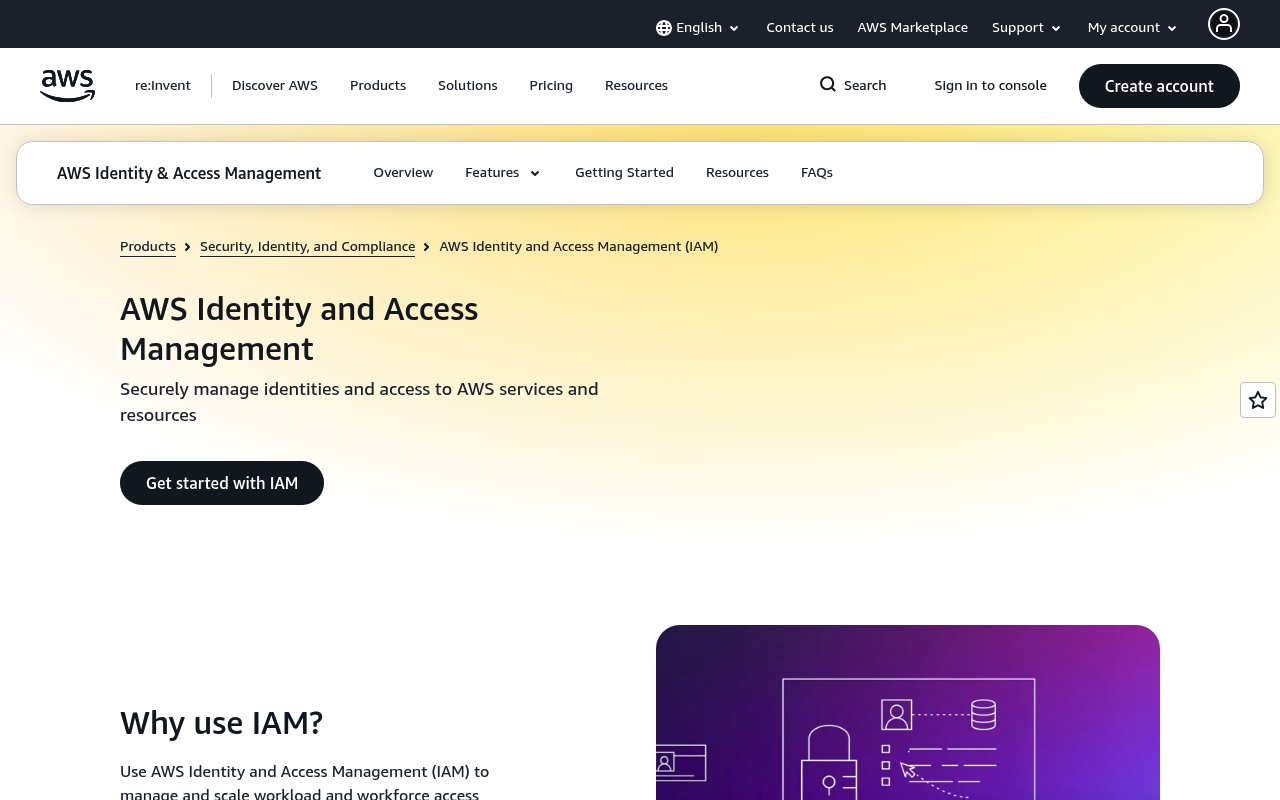
Amazon IAM website screenshot

Amazon IAM

Amazon Identity and Access Management (IAM) enables you to manage access to AWS services and resources securely. Using IAM, you can create and manage AWS users, groups, roles, and policies, and use permissions to allow and deny their access to AWS resources. IAM is a feature of your AWS account offered at no additional charge.

1 APIs 7 Features
Access ManagementAuthenticationAuthorizationIdentitySecurity

APIs

AWS IAM API

The AWS IAM API provides programmatic access to manage users, groups, roles, policies, and access keys for securing access to AWS services and resources.

Collections

Pricing Plans

Amazon Iam Plans Pricing

3 plans

PLANS

Rate Limits

Amazon Iam Rate Limits

5 limits

RATE LIMITS

FinOps

Features

User Management

Create, manage, and delete IAM users with fine-grained permissions.

Role-Based Access Control

Define IAM roles that can be assumed by users, services, or applications.

Policy Management

Create and attach identity-based and resource-based policies to control access.

Multi-Factor Authentication

Enable MFA for IAM users to add an extra layer of security.

Access Key Management

Programmatically manage AWS access keys for long-term credentials.

Permission Boundaries

Use permission boundaries to define the maximum permissions an entity can have.

Service Control Policies

Centrally control the maximum available permissions across AWS accounts.

Use Cases

Least Privilege Access

Grant only the permissions required for specific tasks to reduce the attack surface.

Cross-Account Access

Enable users in one AWS account to assume roles in another account.

Service-to-Service Authorization

Allow AWS services to access other services on your behalf through service roles.

Temporary Credentials

Use STS to issue temporary security credentials for short-lived access.

Security Compliance

Audit IAM configurations to ensure compliance with security policies and regulations.

Semantic Vocabularies

Amazon Iam Context

0 classes · 6 properties

JSON-LD

API Governance Rules

Amazon IAM API Rules

20 rules · 9 errors 8 warnings 3 info

SPECTRAL

JSON Structure

Amazon Iam Access Key Structure

5 properties

JSON STRUCTURE

Amazon Iam Create Group Response Structure

1 properties

JSON STRUCTURE

Amazon Iam Create Policy Response Structure

1 properties

JSON STRUCTURE

Amazon Iam Create Role Response Structure

1 properties

JSON STRUCTURE

Amazon Iam Create User Response Structure

1 properties

JSON STRUCTURE

Amazon Iam Get Group Response Structure

1 properties

JSON STRUCTURE

Amazon Iam Get Policy Response Structure

1 properties

JSON STRUCTURE

Amazon Iam Get Role Response Structure

1 properties

JSON STRUCTURE

Amazon Iam Get User Response Structure

1 properties

JSON STRUCTURE

Amazon Iam Group Structure

5 properties

JSON STRUCTURE

Amazon Iam List Groups Response Structure

1 properties

JSON STRUCTURE

Amazon Iam List Policies Response Structure

1 properties

JSON STRUCTURE

Amazon Iam List Roles Response Structure

1 properties

JSON STRUCTURE

Amazon Iam List Users Response Structure

1 properties

JSON STRUCTURE

Amazon Iam Policy Structure

10 properties

JSON STRUCTURE

Amazon Iam Role Structure

9 properties

JSON STRUCTURE

Amazon Iam Tag Structure

2 properties

JSON STRUCTURE

Amazon Iam User Structure

8 properties

JSON STRUCTURE

Example Payloads

Amazon Iam Group Example

5 fields

EXAMPLE

Amazon Iam Policy Example

10 fields

EXAMPLE

Amazon Iam Role Example

9 fields

EXAMPLE

Amazon Iam Tag Example

2 fields

EXAMPLE

Amazon Iam User Example

8 fields

EXAMPLE

Resources

🌐
Portal
Portal
🔗
Website
Website
🔗
Documentation
Documentation
📜
TermsOfService
TermsOfService
📜
PrivacyPolicy
PrivacyPolicy
💬
Support
Support
📰
Blog
Blog
👥
GitHubOrganization
GitHubOrganization
🌐
Console
Console
📝
Signup
Signup
🔗
Login
Login
🟢
StatusPage
StatusPage
👥
YouTube
YouTube
👥
StackOverflow
StackOverflow
🔗
Contact
Contact
🔗
JSONLD
JSONLD
🔗
SpectralRules
SpectralRules
🔗
Vocabulary
Vocabulary

Sources

Raw ↑
opencollection: 1.0.0
info:
  name: Amazon IAM API
  version: '2010-05-08'
request:
  auth:
    type: apikey
    key: Authorization
    value: '{{Authorization}}'
    placement: header
items:
- info:
    name: Users
    type: folder
  items:
  - info:
      name: Amazon IAM Create a New IAM User
      type: http
    http:
      method: GET
      url: https://iam.amazonaws.com/?Action=CreateUser
      params:
      - name: Action
        value: ''
        type: query
      - name: Version
        value: ''
        type: query
      - name: UserName
        value: ''
        type: query
        description: The name of the user to create.
      - name: Path
        value: ''
        type: query
        description: The path for the user name.
      - name: Tags.member.N
        value: ''
        type: query
        description: Tags to attach to the user.
    docs: Creates a new IAM user for your AWS account.
  - info:
      name: Amazon IAM Get Information About an IAM User
      type: http
    http:
      method: GET
      url: https://iam.amazonaws.com/?Action=GetUser
      params:
      - name: Action
        value: ''
        type: query
      - name: Version
        value: ''
        type: query
      - name: UserName
        value: ''
        type: query
        description: The name of the user to retrieve. If not specified, the user name is determined from the access key used.
    docs: Retrieves information about the specified IAM user, including the user's creation date, path, unique ID, and ARN.
  - info:
      name: Amazon IAM List IAM Users
      type: http
    http:
      method: GET
      url: https://iam.amazonaws.com/?Action=ListUsers
      params:
      - name: Action
        value: ''
        type: query
      - name: Version
        value: ''
        type: query
      - name: PathPrefix
        value: ''
        type: query
        description: The path prefix for filtering the results.
      - name: Marker
        value: ''
        type: query
        description: Pagination marker from a previous response.
      - name: MaxItems
        value: ''
        type: query
        description: Maximum number of items to return.
    docs: Lists the IAM users that have the specified path prefix.
  - info:
      name: Amazon IAM Update an IAM User
      type: http
    http:
      method: GET
      url: https://iam.amazonaws.com/?Action=UpdateUser
      params:
      - name: Action
        value: ''
        type: query
      - name: Version
        value: ''
        type: query
      - name: UserName
        value: ''
        type: query
        description: Name of the user to update.
      - name: NewUserName
        value: ''
        type: query
        description: New name for the user.
      - name: NewPath
        value: ''
        type: query
        description: New path for the user.
    docs: Updates the name and/or the path of the specified IAM user.
  - info:
      name: Amazon IAM Delete an IAM User
      type: http
    http:
      method: GET
      url: https://iam.amazonaws.com/?Action=DeleteUser
      params:
      - name: Action
        value: ''
        type: query
      - name: Version
        value: ''
        type: query
      - name: UserName
        value: ''
        type: query
        description: The name of the user to delete.
    docs: Deletes the specified IAM user.
- info:
    name: Roles
    type: folder
  items:
  - info:
      name: Amazon IAM Create a New IAM Role
      type: http
    http:
      method: GET
      url: https://iam.amazonaws.com/?Action=CreateRole
      params:
      - name: Action
        value: ''
        type: query
      - name: Version
        value: ''
        type: query
      - name: RoleName
        value: ''
        type: query
        description: The name of the role to create.
      - name: AssumeRolePolicyDocument
        value: ''
        type: query
        description: The trust relationship policy document (JSON).
      - name: Path
        value: ''
        type: query
        description: The path to the role.
      - name: Description
        value: ''
        type: query
        description: A description of the role.
      - name: MaxSessionDuration
        value: ''
        type: query
        description: Maximum session duration in seconds.
    docs: Creates a new role for your AWS account.
  - info:
      name: Amazon IAM Get Information About an IAM Role
      type: http
    http:
      method: GET
      url: https://iam.amazonaws.com/?Action=GetRole
      params:
      - name: Action
        value: ''
        type: query
      - name: Version
        value: ''
        type: query
      - name: RoleName
        value: ''
        type: query
        description: The name of the role to retrieve.
    docs: Retrieves information about the specified role, including the role's path, GUID, ARN, and the trust policy.
  - info:
      name: Amazon IAM List IAM Roles
      type: http
    http:
      method: GET
      url: https://iam.amazonaws.com/?Action=ListRoles
      params:
      - name: Action
        value: ''
        type: query
      - name: Version
        value: ''
        type: query
      - name: PathPrefix
        value: ''
        type: query
        description: The path prefix for filtering the results.
      - name: Marker
        value: ''
        type: query
      - name: MaxItems
        value: ''
        type: query
    docs: Lists the IAM roles that have the specified path prefix.
  - info:
      name: Amazon IAM Delete an IAM Role
      type: http
    http:
      method: GET
      url: https://iam.amazonaws.com/?Action=DeleteRole
      params:
      - name: Action
        value: ''
        type: query
      - name: Version
        value: ''
        type: query
      - name: RoleName
        value: ''
        type: query
        description: The name of the role to delete.
    docs: Deletes the specified role.
  - info:
      name: Amazon IAM Assume an IAM Role
      type: http
    http:
      method: GET
      url: https://iam.amazonaws.com/?Action=AssumeRole
      params:
      - name: Action
        value: ''
        type: query
      - name: Version
        value: ''
        type: query
      - name: RoleArn
        value: ''
        type: query
        description: The ARN of the role to assume.
      - name: RoleSessionName
        value: ''
        type: query
        description: An identifier for the assumed role session.
      - name: DurationSeconds
        value: ''
        type: query
        description: Duration of the role session in seconds.
      - name: ExternalId
        value: ''
        type: query
        description: A unique identifier used by third parties.
    docs: Returns a set of temporary security credentials that you can use to access AWS resources. Uses the AWS STS service.
- info:
    name: Policies
    type: folder
  items:
  - info:
      name: Amazon IAM Create a New IAM Policy
      type: http
    http:
      method: GET
      url: https://iam.amazonaws.com/?Action=CreatePolicy
      params:
      - name: Action
        value: ''
        type: query
      - name: Version
        value: ''
        type: query
      - name: PolicyName
        value: ''
        type: query
        description: The name of the policy to create.
      - name: PolicyDocument
        value: ''
        type: query
        description: The JSON policy document.
      - name: Path
        value: ''
        type: query
        description: The path for the policy.
      - name: Description
        value: ''
        type: query
        description: A description of the policy.
    docs: Creates a new managed policy for your AWS account.
  - info:
      name: Amazon IAM Get Information About an IAM Policy
      type: http
    http:
      method: GET
      url: https://iam.amazonaws.com/?Action=GetPolicy
      params:
      - name: Action
        value: ''
        type: query
      - name: Version
        value: ''
        type: query
      - name: PolicyArn
        value: ''
        type: query
        description: The ARN of the policy to retrieve.
    docs: Retrieves information about the specified managed policy, including the policy's default version and the total number
      of IAM entities the policy is attached to.
  - info:
      name: Amazon IAM List IAM Policies
      type: http
    http:
      method: GET
      url: https://iam.amazonaws.com/?Action=ListPolicies
      params:
      - name: Action
        value: ''
        type: query
      - name: Version
        value: ''
        type: query
      - name: Scope
        value: ''
        type: query
        description: Filter by scope (All, AWS, or Local).
      - name: OnlyAttached
        value: ''
        type: query
        description: Filter to only attached policies.
      - name: PathPrefix
        value: ''
        type: query
      - name: Marker
        value: ''
        type: query
      - name: MaxItems
        value: ''
        type: query
    docs: Lists all the managed policies that are available in your AWS account.
  - info:
      name: Amazon IAM Attach a Managed Policy to a User
      type: http
    http:
      method: GET
      url: https://iam.amazonaws.com/?Action=AttachUserPolicy
      params:
      - name: Action
        value: ''
        type: query
      - name: Version
        value: ''
        type: query
      - name: UserName
        value: ''
        type: query
        description: The name of the IAM user to attach the policy to.
      - name: PolicyArn
        value: ''
        type: query
        description: The ARN of the managed policy to attach.
    docs: Attaches the specified managed policy to the specified user.
  - info:
      name: Amazon IAM Attach a Managed Policy to a Role
      type: http
    http:
      method: GET
      url: https://iam.amazonaws.com/?Action=AttachRolePolicy
      params:
      - name: Action
        value: ''
        type: query
      - name: Version
        value: ''
        type: query
      - name: RoleName
        value: ''
        type: query
        description: The name of the role to attach the policy to.
      - name: PolicyArn
        value: ''
        type: query
        description: The ARN of the managed policy to attach.
    docs: Attaches the specified managed policy to the specified IAM role.
  - info:
      name: Amazon IAM Detach a Managed Policy from a User
      type: http
    http:
      method: GET
      url: https://iam.amazonaws.com/?Action=DetachUserPolicy
      params:
      - name: Action
        value: ''
        type: query
      - name: Version
        value: ''
        type: query
      - name: UserName
        value: ''
        type: query
        description: The name of the IAM user to detach the policy from.
      - name: PolicyArn
        value: ''
        type: query
        description: The ARN of the managed policy to detach.
    docs: Removes the specified managed policy from the specified user.
  - info:
      name: Amazon IAM Detach a Managed Policy from a Role
      type: http
    http:
      method: GET
      url: https://iam.amazonaws.com/?Action=DetachRolePolicy
      params:
      - name: Action
        value: ''
        type: query
      - name: Version
        value: ''
        type: query
      - name: RoleName
        value: ''
        type: query
        description: The name of the role to detach the policy from.
      - name: PolicyArn
        value: ''
        type: query
        description: The ARN of the managed policy to detach.
    docs: Removes the specified managed policy from the specified role.
- info:
    name: Groups
    type: folder
  items:
  - info:
      name: Amazon IAM Create a New IAM Group
      type: http
    http:
      method: GET
      url: https://iam.amazonaws.com/?Action=CreateGroup
      params:
      - name: Action
        value: ''
        type: query
      - name: Version
        value: ''
        type: query
      - name: GroupName
        value: ''
        type: query
        description: The name of the group to create.
      - name: Path
        value: ''
        type: query
        description: The path to the group.
    docs: Creates a new group.
  - info:
      name: Amazon IAM Get Information About an IAM Group
      type: http
    http:
      method: GET
      url: https://iam.amazonaws.com/?Action=GetGroup
      params:
      - name: Action
        value: ''
        type: query
      - name: Version
        value: ''
        type: query
      - name: GroupName
        value: ''
        type: query
        description: The name of the group.
      - name: Marker
        value: ''
        type: query
      - name: MaxItems
        value: ''
        type: query
    docs: Returns a list of IAM users that are in the specified IAM group.
  - info:
      name: Amazon IAM List IAM Groups
      type: http
    http:
      method: GET
      url: https://iam.amazonaws.com/?Action=ListGroups
      params:
      - name: Action
        value: ''
        type: query
      - name: Version
        value: ''
        type: query
      - name: PathPrefix
        value: ''
        type: query
      - name: Marker
        value: ''
        type: query
      - name: MaxItems
        value: ''
        type: query
    docs: Lists the IAM groups that have the specified path prefix.
  - info:
      name: Amazon IAM Add a User to an IAM Group
      type: http
    http:
      method: GET
      url: https://iam.amazonaws.com/?Action=AddUserToGroup
      params:
      - name: Action
        value: ''
        type: query
      - name: Version
        value: ''
        type: query
      - name: GroupName
        value: ''
        type: query
        description: The name of the group to update.
      - name: UserName
        value: ''
        type: query
        description: The name of the user to add.
    docs: Adds the specified user to the specified group.
  - info:
      name: Amazon IAM Remove a User from an IAM Group
      type: http
    http:
      method: GET
      url: https://iam.amazonaws.com/?Action=RemoveUserFromGroup
      params:
      - name: Action
        value: ''
        type: query
      - name: Version
        value: ''
        type: query
      - name: GroupName
        value: ''
        type: query
        description: The name of the group to update.
      - name: UserName
        value: ''
        type: query
        description: The name of the user to remove.
    docs: Removes the specified user from the specified group.
- info:
    name: Access Keys
    type: folder
  items:
  - info:
      name: Amazon IAM Create a New Access Key
      type: http
    http:
      method: GET
      url: https://iam.amazonaws.com/?Action=CreateAccessKey
      params:
      - name: Action
        value: ''
        type: query
      - name: Version
        value: ''
        type: query
      - name: UserName
        value: ''
        type: query
        description: The name of the IAM user for the new key. If not specified, uses the calling user.
    docs: Creates a new AWS secret access key and corresponding AWS access key ID for the specified user.
  - info:
      name: Amazon IAM List Access Keys for a User
      type: http
    http:
      method: GET
      url: https://iam.amazonaws.com/?Action=ListAccessKeys
      params:
      - name: Action
        value: ''
        type: query
      - name: Version
        value: ''
        type: query
      - name: UserName
        value: ''
        type: query
        description: The name of the user.
      - name: Marker
        value: ''
        type: query
      - name: MaxItems
        value: ''
        type: query
    docs: Returns information about the access key IDs associated with the specified IAM user.
  - info:
      name: Amazon IAM Delete an Access Key
      type: http
    http:
      method: GET
      url: https://iam.amazonaws.com/?Action=DeleteAccessKey
      params:
      - name: Action
        value: ''
        type: query
      - name: Version
        value: ''
        type: query
      - name: UserName
        value: ''
        type: query
        description: The name of the user whose access key you want to delete.
      - name: AccessKeyId
        value: ''
        type: query
        description: The access key ID for the access key to delete.
    docs: Deletes the access key pair associated with the specified IAM user.
bundled: true
