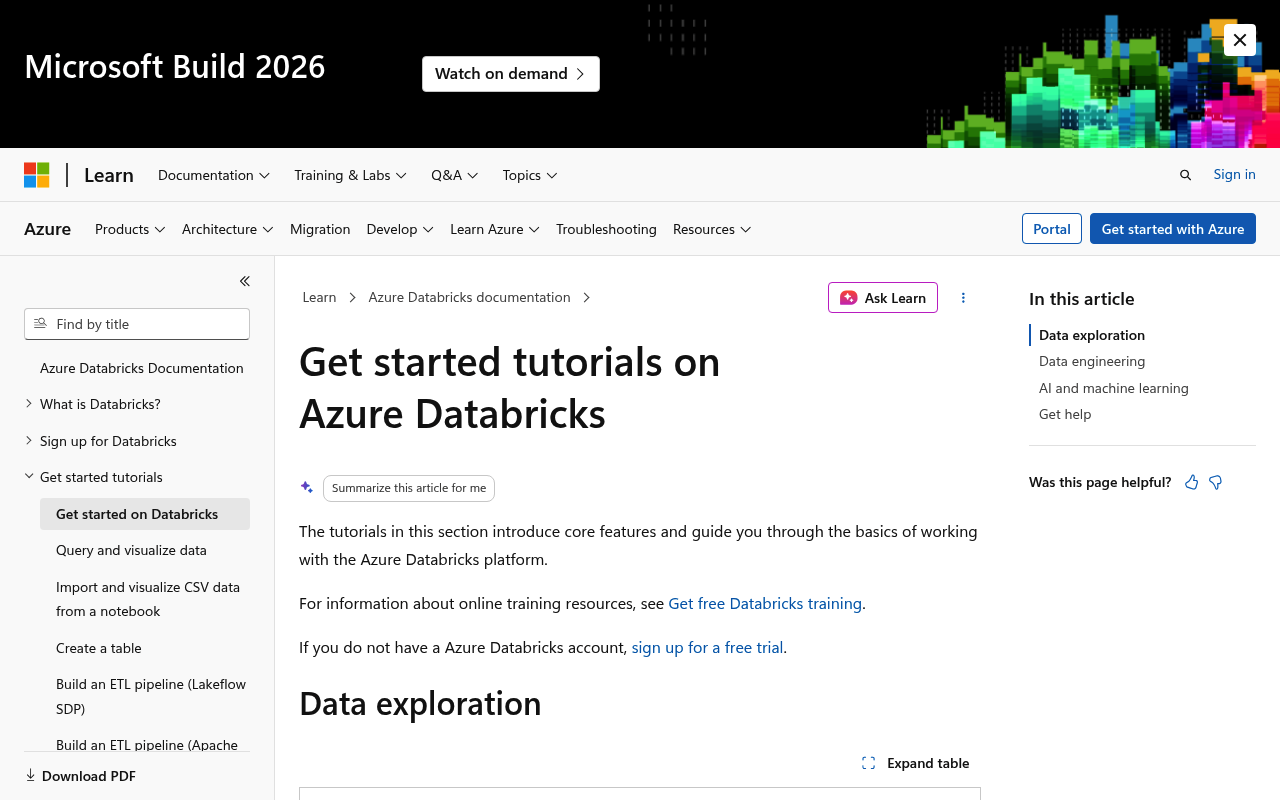
Azure Databricks website screenshot

Azure Databricks

Azure Databricks is an Apache Spark-based analytics platform optimized for Microsoft Azure. It provides a collaborative workspace for data engineers, data scientists, and analysts to work together on big data and machine learning workloads.

39 APIs 12 Features
AnalyticsApache SparkBig DataData EngineeringMachine Learning

APIs

Azure Databricks REST API

Core REST API for managing Azure Databricks workspaces, clusters, jobs, notebooks, and other resources programmatically.

Clusters API

Manage Databricks clusters for running Spark jobs including creating, starting, editing, listing, terminating, and deleting clusters.

Jobs API

Create, manage, and run jobs on Databricks clusters including scheduling, listing runs, and managing job permissions.

Workspace API

Manage notebooks, folders, and other workspace objects including listing, importing, exporting, and deleting workspace items.

DBFS API

Access Databricks File System (DBFS) for file operations including uploading, downloading, listing, and deleting files and directories.

Libraries API

Manage libraries and dependencies on clusters including installing, uninstalling, and listing library statuses.

Secrets API

Manage secrets and secret scopes for secure credential storage including creating scopes, putting secrets, and managing ACLs.

Token Management API

Create and manage personal access tokens for API authentication including creating, listing, and revoking tokens.

SQL Analytics API

Manage SQL warehouses, queries, and dashboards for Databricks SQL analytics workloads.

MLflow API

Track experiments, log metrics, and manage ML models using the MLflow tracking and registry APIs.

Instance Pools API

Create and manage instance pools to reduce cluster start and autoscaling times by maintaining a set of idle ready-to-use cloud instances.

Cluster Policies API

Create, list, and edit cluster policies to control cluster configurations and limit the ability to configure clusters based on a set of rules.

Repos API

Manage Git repositories within Databricks workspaces for version control of notebooks and files.

Git Credentials API

Manage Git credentials for authenticating with Git providers when using Databricks Repos.

Pipelines API

Create, edit, delete, start, and view details about Delta Live Tables pipelines for building reliable data pipelines.

Permissions API

Manage permissions on workspace objects including clusters, jobs, notebooks, and other resources using access control lists.

Unity Catalog - Catalogs API

Manage Unity Catalog catalogs for organizing and governing data assets across workspaces.

Unity Catalog - Schemas API

Manage schemas within Unity Catalog catalogs for organizing tables, views, and functions.

Unity Catalog - Tables API

Manage tables within Unity Catalog schemas including listing, getting, and deleting tables.

Unity Catalog - Volumes API

Manage Unity Catalog volumes for governing non-tabular data such as files and directories.

Unity Catalog - Grants API

Manage permissions and grants on Unity Catalog objects including catalogs, schemas, tables, and other securable objects.

Unity Catalog - External Locations API

Manage external locations in Unity Catalog for connecting to cloud storage paths.

Unity Catalog - Storage Credentials API

Manage storage credentials in Unity Catalog for authenticating access to cloud storage.

Unity Catalog - Metastores API

Manage Unity Catalog metastores which serve as the top-level container for data governance.

Model Serving Endpoints API

Create and manage model serving endpoints for deploying machine learning models as REST API endpoints.

Model Registry API

Manage registered models and model versions in the Databricks Model Registry for model lifecycle management.

Registered Models API

Manage registered models in Unity Catalog for centralized model governance and sharing.

Global Init Scripts API

Manage global cluster initialization scripts that run on every cluster in the workspace.

IP Access Lists API

Manage IP access lists to control network access to Azure Databricks workspaces.

Statement Execution API

Execute SQL statements on SQL warehouses and retrieve results for programmatic SQL access.

Command Execution API

Execute commands on running clusters and retrieve results programmatically.

Files API

Manage files in Unity Catalog volumes and workspace filesystem with operations for uploading, downloading, and deleting files.

Apps API

Deploy and manage Databricks Apps including creating, starting, stopping, and listing custom applications.

Lakeview API

Manage Lakeview dashboards programmatically including creating, updating, and publishing dashboards.

Online Tables API

Manage online tables for low-latency serving of feature data in Unity Catalog.

Vector Search Indexes API

Manage vector search indexes for similarity search and retrieval-augmented generation workloads.

Vector Search Endpoints API

Manage vector search endpoints for hosting vector search indexes.

Query History API

Retrieve query history for SQL warehouses including query text, status, and performance metrics.

Account SCIM API

Manage users, groups, and service principals across the Databricks account using SCIM 2.0 protocol.

Collections

Arazzo Workflows

Azure Databricks Back Up a Notebook by Export and Re-import

Confirm a notebook, export its content, and re-import it to a backup path.

ARAZZO

Azure Databricks Cancel an Active Job Run

Cancel a run and poll until its life cycle state is TERMINATED.

ARAZZO

Azure Databricks Clean Up the Latest Completed Job Run

Find a job's latest completed run, confirm it, and delete it.

ARAZZO

Azure Databricks Cluster Health Diagnostics

Read a cluster's state then pull its recent events for diagnosis.

ARAZZO

Azure Databricks Create a Directory and Import a Notebook

Make a workspace directory, import a notebook into it, then verify it.

ARAZZO

Azure Databricks Create a Job and Run It to Completion

Create a notebook job, trigger a run, and poll until TERMINATED.

ARAZZO

Azure Databricks Safely Delete a Workspace Directory

List a directory, confirm it is a directory, then recursively delete it.

ARAZZO

Azure Databricks Import a Notebook and Run It

Import a notebook, confirm it landed, then submit a run of it.

ARAZZO

Azure Databricks Pin the First Listed Cluster

List clusters, pick the first, and pin it so it is always retained.

ARAZZO

Azure Databricks Preflight and Create a Cluster

Resolve a valid Spark version and node type, then create a cluster.

ARAZZO

Azure Databricks Provision a Cluster and Run a Job on It

Create a cluster, wait until RUNNING, create a job on it, then run it.

ARAZZO

Azure Databricks Provision and Wait for Cluster

Create a cluster and poll its state until it reaches RUNNING.

ARAZZO

Azure Databricks Overwrite Job Settings and Verify

Reset all of a job's settings, then read the job back to confirm.

ARAZZO

Azure Databricks Resize a Running Cluster and Wait

Edit a running cluster's worker count and poll until it is RUNNING.

ARAZZO

Azure Databricks Restart a Running Cluster and Wait

Restart a running cluster and poll until it returns to RUNNING.

ARAZZO

Azure Databricks Run an Existing Job and Wait

Trigger an existing job with parameters and poll the run to completion.

ARAZZO

Azure Databricks Start a Terminated Cluster and Wait

Start a terminated cluster and poll its state until RUNNING.

ARAZZO

Azure Databricks Submit a One-time Run and Wait

Submit a one-time notebook run without a job and poll to completion.

ARAZZO

Azure Databricks Terminate and Permanently Delete a Cluster

Terminate a cluster, wait until TERMINATED, then permanently delete it.

ARAZZO

Azure Databricks Update a Job and Re-run It

Partially update a job's settings, then trigger and poll a fresh run.

ARAZZO

Pricing Plans

Rate Limits

Azure Databricks Rate Limits

23 limits

RATE LIMITS

FinOps

Features

Collaborative notebooks with multi-language support
Auto-scaling Apache Spark clusters
Delta Lake for reliable data lakehouse architecture
Unity Catalog for unified data governance
MLflow integration for ML lifecycle management
Model serving endpoints for real-time inference
Delta Live Tables for declarative ETL pipelines
SQL analytics with serverless SQL warehouses
Vector search for RAG and similarity search
Lakeview dashboards for data visualization
Git integration for version control of notebooks
SCIM 2.0 for identity and access management

Use Cases

Building and managing data lakehouse architectures
Training and deploying machine learning models at scale
Running ETL pipelines for data transformation
Interactive data exploration and ad-hoc analytics
Real-time streaming analytics with Structured Streaming
Building retrieval-augmented generation (RAG) applications
Data governance and compliance with Unity Catalog
Collaborative data science with shared notebooks

Integrations

Azure Data Factory for orchestration
Azure Synapse Analytics for data warehousing
Azure Data Lake Storage for scalable storage
Azure Key Vault for secret management
Azure Active Directory for authentication
Power BI for business intelligence dashboards
Terraform for infrastructure as code
Apache Kafka for streaming data ingestion

Semantic Vocabularies

Azure Databricks Context

0 classes · 0 properties

JSON-LD

API Governance Rules

Azure Databricks API Rules

7 rules · 7 errors

SPECTRAL

JSON Structure

Azure Databricks Auto Scale Structure

2 properties

JSON STRUCTURE

Azure Databricks Azure Attributes Structure

3 properties

JSON STRUCTURE

Azure Databricks Cluster Event Structure

4 properties

JSON STRUCTURE

Azure Databricks Cluster Info Structure

33 properties

JSON STRUCTURE

Azure Databricks Cluster Log Conf Structure

2 properties

JSON STRUCTURE

Azure Databricks Cron Schedule Structure

3 properties

JSON STRUCTURE

Azure Databricks Error Structure

2 properties

JSON STRUCTURE

Azure Databricks Git Source Structure

5 properties

JSON STRUCTURE

Azure Databricks Init Script Info Structure

4 properties

JSON STRUCTURE

Azure Databricks Job Cluster Structure

1 properties

JSON STRUCTURE

Azure Databricks Job Settings Structure

13 properties

JSON STRUCTURE

Azure Databricks Job Structure

4 properties

JSON STRUCTURE

Azure Databricks Library Structure

7 properties

JSON STRUCTURE

Azure Databricks Node Type Structure

8 properties

JSON STRUCTURE

Azure Databricks Run State Structure

4 properties

JSON STRUCTURE

Azure Databricks Run Structure

18 properties

JSON STRUCTURE

Azure Databricks Spark Node Structure

6 properties

JSON STRUCTURE

Azure Databricks Task Settings Structure

19 properties

JSON STRUCTURE

Azure Databricks Workspace Object Structure

7 properties

JSON STRUCTURE

Microsoft Azure Databricks Structure

0 properties

JSON STRUCTURE

Example Payloads

Azure Databricks Job Example

4 fields

EXAMPLE

Azure Databricks Run Example

18 fields

EXAMPLE

Resources

🔗
PostmanWorkspace
PostmanWorkspace
🔗
Arazzo
Arazzo
🔗
Arazzo
Arazzo
🔗
Arazzo
Arazzo
🔗
Arazzo
Arazzo
🔗
Arazzo
Arazzo
🔗
Arazzo
Arazzo
🔗
Arazzo
Arazzo
🔗
Arazzo
Arazzo
🔗
Arazzo
Arazzo
🔗
Arazzo
Arazzo
🔗
Arazzo
Arazzo
🔗
Arazzo
Arazzo
🔗
Arazzo
Arazzo
🔗
Arazzo
Arazzo
🔗
Arazzo
Arazzo
🔗
Arazzo
Arazzo
🔗
Arazzo
Arazzo
🔗
Arazzo
Arazzo
🔗
Arazzo
Arazzo
🔗
Arazzo
Arazzo
🚀
GettingStarted
GettingStarted
💰
Pricing
Pricing
🟢
StatusPage
StatusPage
🔗
Security
Security
📦
SDKs
SDKs
🔗
CLI
CLI
🔑
Authentication
Authentication
🔗
APIReference
APIReference
📄
ReleaseNotes
ReleaseNotes
📄
ChangeLog
ChangeLog
💬
Support
Support
📦
Python SDK
SDKs
📦
Java SDK
SDKs
📦
Go SDK
SDKs
📦
R SDK
SDKs
👥
GitHubRepository
GitHubRepository
🔗
OpenAPI
OpenAPI
🔗
JSONSchema
JSONSchema
🔗
JSONLD
JSONLD
🔗
SpectralRules
SpectralRules
🔗
Vocabulary
Vocabulary
🔗
LlmsText
LlmsText

Sources

Raw ↑
opencollection: 1.0.0
info:
  name: Azure Databricks REST API
  version: 2.1.0
request:
  auth:
    type: bearer
    token: '{{bearerToken}}'
items:
- info:
    name: Clusters
    type: folder
  items:
  - info:
      name: Azure Databricks Create a New Cluster
      type: http
    http:
      method: POST
      url: https://{databricks_instance}.azuredatabricks.net/api/2.0/clusters/create
      body:
        type: json
        data: '{}'
    docs: Creates a new Apache Spark cluster. Returns the ID of the newly created cluster. The cluster starts in a PENDING
      state and transitions to RUNNING when ready. Optionally, you can attach libraries to the cluster after creation.
  - info:
      name: Azure Databricks Edit a Cluster
      type: http
    http:
      method: POST
      url: https://{databricks_instance}.azuredatabricks.net/api/2.0/clusters/edit
      body:
        type: json
        data: '{}'
    docs: Edits the configuration of an existing cluster. The cluster must be in a RUNNING or TERMINATED state. If the cluster
      is running, it will be restarted with the new configuration.
  - info:
      name: Azure Databricks Start a Terminated Cluster
      type: http
    http:
      method: POST
      url: https://{databricks_instance}.azuredatabricks.net/api/2.0/clusters/start
      body:
        type: json
        data: '{}'
    docs: Starts a terminated cluster given its ID. Works only for clusters in a TERMINATED state. Uses the last specified
      cluster configuration.
  - info:
      name: Azure Databricks Restart a Running Cluster
      type: http
    http:
      method: POST
      url: https://{databricks_instance}.azuredatabricks.net/api/2.0/clusters/restart
      body:
        type: json
        data: '{}'
    docs: Restarts a running cluster given its ID. The cluster must be in a RUNNING state.
  - info:
      name: Azure Databricks Terminate a Cluster
      type: http
    http:
      method: POST
      url: https://{databricks_instance}.azuredatabricks.net/api/2.0/clusters/delete
      body:
        type: json
        data: '{}'
    docs: Terminates a cluster given its ID. The cluster is removed from the running state but its configuration is preserved
      so it can be restarted. Use permanent-delete to fully remove a cluster.
  - info:
      name: Azure Databricks Permanently Delete a Cluster
      type: http
    http:
      method: POST
      url: https://{databricks_instance}.azuredatabricks.net/api/2.0/clusters/permanent-delete
      body:
        type: json
        data: '{}'
    docs: Permanently deletes a Spark cluster. If the cluster is running, it is terminated and its resources freed. The cluster
      is removed permanently and cannot be restarted.
  - info:
      name: Azure Databricks Get Cluster Information
      type: http
    http:
      method: GET
      url: https://{databricks_instance}.azuredatabricks.net/api/2.0/clusters/get
      params:
      - name: cluster_id
        value: '500123'
        type: query
        description: The cluster about which to retrieve information
    docs: Retrieves the information for a cluster given its identifier. Returns the current state, configuration, and metadata
      for the cluster.
  - info:
      name: Azure Databricks List All Clusters
      type: http
    http:
      method: GET
      url: https://{databricks_instance}.azuredatabricks.net/api/2.0/clusters/list
      params:
      - name: can_use_client
        value: example_value
        type: query
        description: Filter clusters based on what type of client can use the cluster. Possible values are NOTEBOOKS and JOBS.
    docs: Returns information about all pinned and active clusters, and up to 200 of the most recently terminated all-purpose
      clusters in the past 30 days, and up to 30 of the most recently terminated job clusters in the past 30 days.
  - info:
      name: Azure Databricks Pin a Cluster
      type: http
    http:
      method: POST
      url: https://{databricks_instance}.azuredatabricks.net/api/2.0/clusters/pin
      body:
        type: json
        data: '{}'
    docs: Pins a cluster to ensure it is always returned by the list clusters API. Pinning a cluster that is already pinned
      has no effect.
  - info:
      name: Azure Databricks Unpin a Cluster
      type: http
    http:
      method: POST
      url: https://{databricks_instance}.azuredatabricks.net/api/2.0/clusters/unpin
      body:
        type: json
        data: '{}'
    docs: Unpins a cluster. Unpinning a cluster that is not pinned has no effect.
  - info:
      name: Azure Databricks List Cluster Events
      type: http
    http:
      method: POST
      url: https://{databricks_instance}.azuredatabricks.net/api/2.0/clusters/events
      body:
        type: json
        data: '{}'
    docs: Retrieves a list of events about the activity of a cluster. Events are returned in reverse chronological order.
      This endpoint allows paginating through cluster events using the next_page field.
  - info:
      name: Azure Databricks List Available Spark Versions
      type: http
    http:
      method: GET
      url: https://{databricks_instance}.azuredatabricks.net/api/2.0/clusters/spark-versions
    docs: Returns the list of available Databricks Runtime versions. These versions can be used to launch clusters.
  - info:
      name: Azure Databricks List Available Node Types
      type: http
    http:
      method: GET
      url: https://{databricks_instance}.azuredatabricks.net/api/2.0/clusters/list-node-types
    docs: Returns a list of supported Azure VM node types. These node types can be used to launch clusters.
- info:
    name: Jobs
    type: folder
  items:
  - info:
      name: Azure Databricks Create a New Job
      type: http
    http:
      method: POST
      url: https://{databricks_instance}.azuredatabricks.net/api/2.1/jobs/create
      body:
        type: json
        data: '{}'
    docs: Creates a new job with the provided settings. Returns the job_id of the newly created job.
  - info:
      name: Azure Databricks List All Jobs
      type: http
    http:
      method: GET
      url: https://{databricks_instance}.azuredatabricks.net/api/2.1/jobs/list
      params:
      - name: limit
        value: '10'
        type: query
        description: Number of jobs to return. Default is 20 and maximum is 25.
      - name: offset
        value: '10'
        type: query
        description: Offset of the first job to return
      - name: name
        value: Example Title
        type: query
        description: A filter on the list based on the exact (case-insensitive) job name
      - name: expand_tasks
        value: 'true'
        type: query
        description: Whether to include task and cluster details in the response
    docs: Retrieves a list of jobs defined in the workspace. Results are paginated with a default limit of 20 jobs per page.
  - info:
      name: Azure Databricks Get a Single Job
      type: http
    http:
      method: GET
      url: https://{databricks_instance}.azuredatabricks.net/api/2.1/jobs/get
      params:
      - name: job_id
        value: '500123'
        type: query
        description: The canonical identifier of the job to retrieve
    docs: Retrieves the details for a single job, including its settings and most recent run information.
  - info:
      name: Azure Databricks Partially Update a Job
      type: http
    http:
      method: POST
      url: https://{databricks_instance}.azuredatabricks.net/api/2.1/jobs/update
      body:
        type: json
        data: '{}'
    docs: Adds, changes, or removes specific settings of an existing job. Use reset to overwrite all settings.
  - info:
      name: Azure Databricks Overwrite All Job Settings
      type: http
    http:
      method: POST
      url: https://{databricks_instance}.azuredatabricks.net/api/2.1/jobs/reset
      body:
        type: json
        data: '{}'
    docs: Overwrites all settings for a specific job. Use update to change individual settings.
  - info:
      name: Azure Databricks Delete a Job
      type: http
    http:
      method: POST
      url: https://{databricks_instance}.azuredatabricks.net/api/2.1/jobs/delete
      body:
        type: json
        data: '{}'
    docs: Deletes a job and sends an email to the addresses specified in email_notifications. No action occurs if the job
      has already been removed.
  - info:
      name: Azure Databricks Trigger a New Job Run
      type: http
    http:
      method: POST
      url: https://{databricks_instance}.azuredatabricks.net/api/2.1/jobs/run-now
      body:
        type: json
        data: '{}'
    docs: Runs the job now and returns the run_id of the triggered run. A job can have at most one active run at a time unless
      max_concurrent_runs is set.
  - info:
      name: Azure Databricks Submit a One-time Run
      type: http
    http:
      method: POST
      url: https://{databricks_instance}.azuredatabricks.net/api/2.1/jobs/runs/submit
      body:
        type: json
        data: '{}'
    docs: Submits a one-time run without creating a job. This endpoint allows you to submit a workload directly without defining
      a job. Returns the run_id of the submitted run.
  - info:
      name: Azure Databricks List Runs for a Job
      type: http
    http:
      method: GET
      url: https://{databricks_instance}.azuredatabricks.net/api/2.1/jobs/runs/list
      params:
      - name: job_id
        value: '500123'
        type: query
        description: Filter runs by the specified job ID
      - name: active_only
        value: 'true'
        type: query
        description: Show only active (running or pending) runs
      - name: completed_only
        value: 'true'
        type: query
        description: Show only completed runs
      - name: offset
        value: '10'
        type: query
        description: Offset for pagination
      - name: limit
        value: '10'
        type: query
        description: Number of runs to return. Maximum is 25.
      - name: run_type
        value: JOB_RUN
        type: query
        description: Filter by run type
      - name: expand_tasks
        value: 'true'
        type: query
        description: Whether to include task details in the response
      - name: start_time_from
        value: '10'
        type: query
        description: Filter runs starting after this timestamp (epoch ms)
      - name: start_time_to
        value: '10'
        type: query
        description: Filter runs starting before this timestamp (epoch ms)
    docs: Lists runs in descending order by start time for a specific job or all jobs.
  - info:
      name: Azure Databricks Get a Single Job Run
      type: http
    http:
      method: GET
      url: https://{databricks_instance}.azuredatabricks.net/api/2.1/jobs/runs/get
      params:
      - name: run_id
        value: '500123'
        type: query
        description: The canonical identifier of the run
      - name: include_history
        value: 'true'
        type: query
        description: Whether to include the repair history in the response
      - name: include_resolved_values
        value: 'true'
        type: query
        description: Whether to include resolved parameter values in the response
    docs: Retrieves the metadata of a run including its status, timing, cluster information, and task details.
  - info:
      name: Azure Databricks Cancel a Job Run
      type: http
    http:
      method: POST
      url: https://{databricks_instance}.azuredatabricks.net/api/2.1/jobs/runs/cancel
      body:
        type: json
        data: '{}'
    docs: Cancels a run. The run is canceled asynchronously, so when this request completes, the run may still be running.
      The run is terminated shortly after the cancellation request.
  - info:
      name: Azure Databricks Delete a Job Run
      type: http
    http:
      method: POST
      url: https://{databricks_instance}.azuredatabricks.net/api/2.1/jobs/runs/delete
      body:
        type: json
        data: '{}'
    docs: Deletes a non-active run. Returns an HTTP 400 error if the run is still active.
  - info:
      name: Azure Databricks Get Job Run Output
      type: http
    http:
      method: GET
      url: https://{databricks_instance}.azuredatabricks.net/api/2.1/jobs/runs/get-output
      params:
      - name: run_id
        value: '500123'
        type: query
        description: The canonical identifier of the run
    docs: Retrieves the output and metadata of a single task run. When a notebook task returns a value through dbutils.notebook.exit(),
      this endpoint can be used to retrieve that value.
- info:
    name: Workspace
    type: folder
  items:
  - info:
      name: Azure Databricks List Workspace Objects
      type: http
    http:
      method: GET
      url: https://{databricks_instance}.azuredatabricks.net/api/2.0/workspace/list
      params:
      - name: path
        value: example_value
        type: query
        description: The absolute path of the workspace directory to list. A path of / lists the root directory.
    docs: Lists the contents of a directory in the workspace, or the object if it is not a directory. If the input path does
      not exist, this call returns an error RESOURCE_DOES_NOT_EXIST.
  - info:
      name: Azure Databricks Get Workspace Object Status
      type: http
    http:
      method: GET
      url: https://{databricks_instance}.azuredatabricks.net/api/2.0/workspace/get-status
      params:
      - name: path
        value: example_value
        type: query
        description: The absolute path of the workspace object
    docs: Gets the status of an object or a directory. If the object is a directory, its contents are not included in the
      response.
  - info:
      name: Azure Databricks Create a Directory
      type: http
    http:
      method: POST
      url: https://{databricks_instance}.azuredatabricks.net/api/2.0/workspace/mkdirs
      body:
        type: json
        data: '{}'
    docs: Creates the specified directory and all necessary parent directories if they do not exist. If there is an object
      (not a directory) at any prefix of the input path, this call returns an error RESOURCE_ALREADY_EXISTS.
  - info:
      name: Azure Databricks Delete a Workspace Object
      type: http
    http:
      method: POST
      url: https://{databricks_instance}.azuredatabricks.net/api/2.0/workspace/delete
      body:
        type: json
        data: '{}'
    docs: Deletes an object or a directory (and optionally its contents recursively). If the path does not exist, this call
      returns an error RESOURCE_DOES_NOT_EXIST. If path is a non-empty directory and recursive is set to false, this call
      returns an error DIRECTORY_NOT_EMPTY.
  - info:
      name: Azure Databricks Import a Workspace Object
      type: http
    http:
      method: POST
      url: https://{databricks_instance}.azuredatabricks.net/api/2.0/workspace/import
      body:
        type: json
        data: '{}'
    docs: Imports a notebook or the contents of an entire directory. If the path already exists and overwrite is set to false,
      this call returns an error RESOURCE_ALREADY_EXISTS. Content can be provided inline as base64-encoded bytes or from a
      file.
  - info:
      name: Azure Databricks Export a Workspace Object
      type: http
    http:
      method: GET
      url: https://{databricks_instance}.azuredatabricks.net/api/2.0/workspace/export
      params:
      - name: path
        value: example_value
        type: query
        description: The absolute path of the object to export
      - name: format
        value: SOURCE
        type: query
        description: Format of the exported content
      - name: direct_download
        value: 'true'
        type: query
        description: Whether to download the exported file directly. Default is false.
    docs: Exports a notebook or the contents of an entire directory. The notebook is exported in the requested format (default
      is SOURCE). A directory is always exported as a DBC archive.
bundled: true